How we make this list: we compare pricing pages, product documentation and public user reviews. Ratings come from G2, Capterra or Trustpilot, with the date we checked them.
Key takeaways
- Squarespace is the design led swap, from 16 dollars a month, for portfolios, restaurants and service businesses that live on how the site looks.
- Webflow gives designers real control without code, and WordPress.com gives everyone else the largest ecosystem in website building.
- Shopify is the answer when the website is really a store, and Duda is the agency favourite for building client sites fast.
- Most people leave Wix over template lock in, editor limits or renewal pricing, so check the exit terms before falling for a prettier editor.
Quick comparison
| Tool | Best for | Starting price | Free plan |
|---|
 Squarespace Squarespace | Design led business and portfolio sites | $16 per month | No |
 Webflow Webflow | Designer control without writing code | $14 per month | Yes |
 WordPress.com WordPress.com | Blogs and content sites that need room to grow | $4 per month | Yes |
 Framer Framer | Fast, striking marketing sites | See website | Yes |
 Shopify Shopify | Websites that are stores first | $29 per month | No |
 Duda Duda | Agencies building many client sites | $19 per month | No |
 GoDaddy Website Builder GoDaddy Website Builder | The simplest possible small business site | $10.99 per month | No |
Is your product missing or out of date?
We review this list regularly. Vendors can request a listing, send updated pricing or ask about featured placement.
The best Wix alternatives
#1Squarespace
Best for: Design led business and portfolio sites4.4/5 on
G2 (1,133 reviews, checked Oct 2026)
Visit squarespace.com
Starting price$16 per month
Free planNo
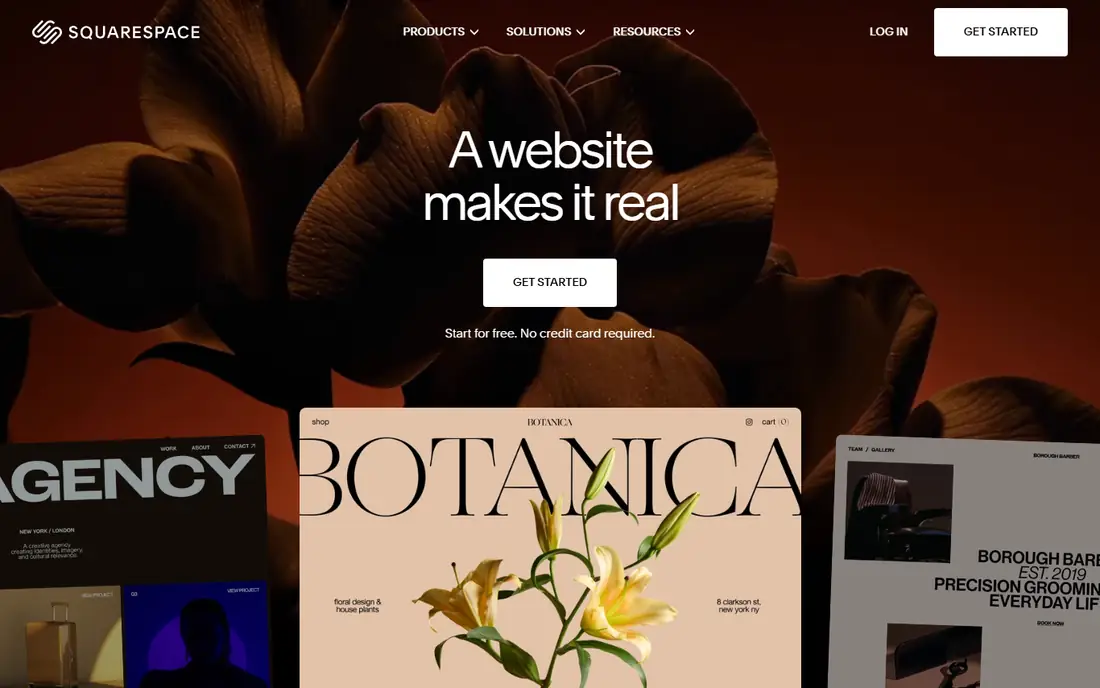
What we like- Squarespace is the swap most Wix users picture: templates that look professionally art directed out of the box, a tidy block editor that keeps pages consistent, and built in tools for appointments, email campaigns, memberships and light commerce under the same login. Personal plans start at 16 dollars a month on annual billing. Photographers, restaurants, studios and consultants choose it because the site looks expensive quickly, and because the constraints that frustrate some users are exactly what keeps a non designer from breaking the layout.
Watch out for- Constraints are the trade: section based editing cannot match Wix's place anything anywhere freedom, and template switching restyles content in ways that still need a review pass. The app ecosystem is thin beside WordPress, blogging tools are solid but not class leading, and serious stores outgrow its commerce tier toward Shopify. There is no free plan, only a trial, and prices step up for commerce and advanced features.
#2Webflow
Best for: Designer control without writing code4.4/5 on
G2 (995 reviews, checked Oct 2026)
Visit webflow.com
Starting price$14 per month
Free planYes
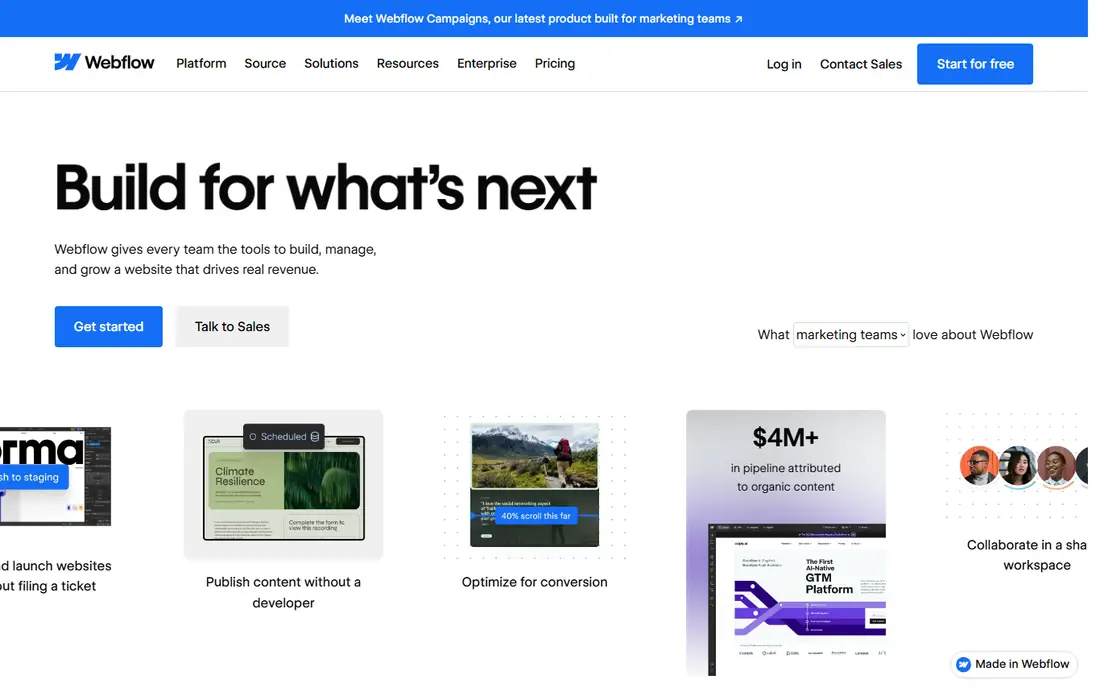
What we like- Webflow hands designers the actual controls of the web, layout, breakpoints, interactions and a real content management system, through a visual canvas that produces clean code underneath. Site plans start at 14 dollars a month on annual billing, with a free starter plan for learning and staging. Marketing teams use it to ship landing pages without filing developer tickets, agencies build client sites they could not achieve in Wix, and the CMS handles blogs, directories and collections properly. If Wix's ceiling was design control, Webflow is the highest ceiling here.
Watch out for- The learning curve is real: Webflow thinks in boxes, classes and the box model, and beginners take days, not an afternoon, to feel fluent. Ecommerce is capable but not its centre of gravity. Per site pricing plus workspace seats makes multi site costs worth modelling, and there is no built in email marketing layer. Hiring help is easy in big markets and scarce elsewhere.
#3WordPress.com
Best for: Blogs and content sites that need room to grow4.4/5 on
G2 (2,717 reviews, checked Oct 2026)
Visit wordpress.com
Starting price$4 per month
Free planYes

What we like- WordPress.com runs the hosted version of the software behind a huge share of the web, and its advantage is headroom: paid plans from 4 dollars a month on annual billing open themes and storage, higher tiers add plugin installation, and nothing a normal site needs is missing from the ecosystem of blocks, patterns and integrations. Bloggers and content businesses start here because the ceiling effectively does not exist, and moving later to self hosted WordPress keeps the same skills and content model. The free plan is genuine, supported by ads on your site until you pay.
Watch out for- The interface carries the weight of that ecosystem, and a first time builder faces more choices than Wix ever presents. Plugin tier pricing means the cheap headline plan cannot install the tools most guides recommend, which confuses buyers comparing entry prices. Design polish depends heavily on theme choice, and a bad one looks dated fast. Support quality varies by tier, and the freedom that powers big sites also lets small ones get messy.
#4Framer
Best for: Fast, striking marketing sites4.5/5 on
G2 (144 reviews, checked Oct 2026)
Visit framer.com
Starting priceSee website
Free planYes
What we like- Framer builds the sites startups currently envy: animation rich, typography led pages that load quickly, made in a canvas that feels like a design tool because it grew out of one. A free plan covers a real small site, AI tools help generate and restyle sections, and publishing is instant. Product launches, portfolios and agency marketing sites choose it when the site itself is the pitch. Teams coming from Wix for more modern design language usually find Framer's output the most striking in this list.
Watch out for- Its CMS and commerce story are younger than the design story: large content sites and serious stores belong on WordPress.com or Shopify. Pricing plans have been revised repeatedly as the product grows, so we list see website and advise checking the current tiers, including bandwidth and CMS item limits. Editor freedom assumes design confidence
- True beginners may produce striking chaos. Business features such as multi language support sit on higher tiers.
#5Shopify
Best for: Websites that are stores first4.4/5 on
G2 (5,144 reviews, checked Oct 2026)
Visit shopify.com
Starting price$29 per month
Free planNo
What we like- If the honest description of your Wix site is a shop with a homepage attached, Shopify is the correct destination: the strongest checkout in the business, inventory, discounts, taxes, shipping and payments handled as one system, thousands of apps, and themes designed to sell. Basic starts at 29 dollars a month on annual billing after the introductory offer period. Stores that rebuild here usually do so once, because the platform's ceiling for commerce is far beyond any general builder's, and point of sale joins the same system when a physical location appears.
Watch out for- As a website builder for non commerce content, Shopify is narrow: blogging and page design are serviceable, not delightful. Apps fill gaps at monthly costs that accumulate, and transaction fees apply if you use outside payment gateways. There is no free plan, and the cheap introductory months end at the standard rate, so price the year, not the launch. A brochure site pays store prices for machinery it never starts.
#6Duda
Best for: Agencies building many client sites4.6/5 on
G2 (790 reviews, checked Oct 2026)
Visit duda.co
Starting price$19 per month
Free planNo
What we like- Duda is built for people who build websites for other people: fast template based production, client management and white label tools, team permissions, and an editor that balances freedom with guardrails so clients can edit safely. Plans start at 19 dollars a month on annual billing for a single site, with agency tiers priced per site at volume. Freelancers and small agencies leaving Wix often find Duda's per site economics and client handover cleaner than anything consumer facing in this list, and its sites perform well on speed measures.
Watch out for- Consumers building one site for themselves pay for agency machinery they will not use, and Squarespace presents better at that job. The app and integration ecosystem is smaller than WordPress or Shopify. Ecommerce is an add on through a partner platform rather than a native strength. There is no free plan, and per site pricing means the bill follows your client count, which is fair and still worth forecasting.
#7GoDaddy Website Builder
Best for: The simplest possible small business site4.1/5 on
G2 (189 reviews, checked Oct 2026)
Visit godaddy.com
Starting price$10.99 per month
Free planNo
What we like- GoDaddy's builder aims at the business that wants a respectable site this evening: answer questions, get a generated starter site with your industry content, adjust the essentials and publish, with plans from 10 dollars and 99 cents a month on annual billing. Domains, email and marketing tools live in the same account, support answers the phone, and the editor is genuinely hard to break. For trades, local services and anyone for whom the website is a sign rather than a strategy, that simplicity is the feature.
Watch out for- Design range and flexibility are the thinnest in this list, and a growing business will feel the walls within a year or two. Blogging and ecommerce are present but basic. Renewal pricing across GoDaddy products deserves the same scrutiny as Wix's, since introductory discounts are the house style. There is no free plan, and moving away later means the same rebuild every builder in this category imposes.
How we chose
We compared hosted website builders a Wix user can move to without hiring a developer: each offers templates or a visual editor, hosting included and an upgrade path for commerce or content growth. Prices are entry monthly figures on annual billing from vendor pages checked in October 2026, marked see website where plan structures change too often for a figure to stay honest. We weighted the reasons people actually leave Wix, design ceiling, template lock in, blogging strength, commerce depth and total cost including renewals, over headline feature counts, and we excluded self hosted software that changes the job from building a site to running a server.
How to choose the right Wix alternative
Start with the site's real job in one sentence. A store goes to Shopify. A portfolio or restaurant site that must look expensive goes to Squarespace. A blog or content business goes to WordPress.com. A marketing site whose design is the message goes to Webflow if you can climb its learning curve, Framer if you want the look with less machinery. Agencies rebuild on Duda, and the business that wants it done tonight goes to GoDaddy.
Then price the whole commitment: the plan tier containing the features you actually use on Wix today, the domain, any apps replacing built in Wix tools, and the renewal figure after introductory pricing ends. Finally, sequence the rebuild properly: build on the new platform while the Wix site stays live, move the domain last, and set up redirects for pages that rank or are linked from elsewhere, so the move costs you a weekend rather than your search traffic.
Frequently asked questions
Can I transfer my Wix site to another builder directly?
No, not as a working site. Wix does not offer an export that other builders can import, so content moves by copying text, downloading images and rebuilding pages on the new platform. Blog posts can sometimes be moved through RSS or manual export depending on the destination. Plan the rebuild as part of the switch, and keep the Wix site live until the new one is ready, then transfer the domain and add redirects.
Which Wix alternative is best for a small online store?
Shopify, once selling is the site's main job: its checkout, inventory and shipping tools are a class above the commerce features of general builders. Squarespace is the better answer for a handful of products sold by a design led brand, where the store is a section of the site rather than its purpose. Compare total monthly cost including apps and payment fees at your expected order volume, not the entry plan price.
Which alternative is best for blogging?
WordPress.com, by depth: the editor, categories, scheduling, subscriptions and migration path all come from software built around publishing. Squarespace blogs respectably and looks better with less effort. Framer and Webflow handle blogs as CMS collections, which suits marketing content tied to landing pages. If your Wix frustration is specifically that the blog feels like an afterthought, WordPress is the fix.
Are free website builders worth using?
The free plans here, WordPress.com, Webflow and Framer, are good for testing, learning and genuinely tiny projects, with real limits: platform branding or subdomains, storage caps and missing features such as plugins or custom domains. A business that customers must trust should budget for a paid plan; the cost is small next to the credibility a real domain carries. Use free tiers to choose the platform, then pay when the site goes public.
What happens to my Google ranking when I leave Wix?
Rankings survive a careful move and suffer in a careless one. Keep page URLs the same where possible, set up 301 redirects for any that change, keep the content substantially intact through the rebuild, and transfer the domain without downtime. Expect a short period of fluctuation while search engines reprocess the site. The builders in this list all handle the technical basics well; most ranking losses after migrations trace to changed URLs and deleted pages rather than the platform itself.
Sources we checked (0)
Is your product missing or out of date?
We review this list regularly. Vendors can request a listing, send updated pricing or ask about featured placement.

Shihab Mia · Founder, Rankite
Shihab has 5+ years in B2B and SaaS SEO. He writes Rankite's software buying guides from pricing pages, documentation and public user reviews. More about Shihab.