How we make this list: we compare pricing pages, product documentation and public user reviews. Ratings come from G2, Capterra or Trustpilot, with the date we checked them.
What is Sketch and why look for an alternative
Sketch is a vector-based UI design app for macOS, used to design app screens, websites, icons, and design systems. It works with artboards, symbols, shared styles, and libraries, and it supports plugins that extend its core design tools.
The main reason people look for an alternative is platform. Sketch is Mac only, so a team with Windows or Linux users cannot open and edit the same files natively. That limit creates friction in mixed-platform teams, in hiring, and in handing files to developers or stakeholders who do not use a Mac.
Price is the second reason. Sketch Standard is $12 per editor per month billed yearly ($14 monthly), and the Mac-only license is $120 one-time. That is reasonable for one Mac designer, but it adds up for larger teams, and it does not include the real-time collaboration, cloud libraries, or developer handoff that browser-based tools now bundle into their plans.
How do you pick the right Sketch alternative
Start with your operating system. If your team is all Mac, a Mac app can work. If anyone uses Windows or Linux, pick a browser-based tool or a cross-platform desktop app, so nobody is locked out of the file. Penpot, Figma, and Framer run in the browser. Lunacy and Affinity Designer run on Windows, macOS, and Linux.
Next, decide what you actually produce. If you design product screens and need developer handoff, pick a tool with shared components and clear specs. Figma and Penpot fit that brief. If you publish websites, Framer turns a design into a live site with hosting and a CMS. If you build interactive prototypes with logic, Axure RP is the stronger choice. If you wireframe first, Balsamiq keeps the work deliberately low fidelity. If you draw logos and illustrations, Affinity Designer is a vector-first tool.
Then check collaboration and file ownership. Real-time co-editing matters if two or more designers work in the same file at the same time. Figma and Penpot offer it, while Affinity Designer and Lunacy are stronger for solo or offline work. Penpot uses open web standards, Lunacy opens Sketch files natively, and Affinity uses its own .af format, so check how easily you can move old work in and new work out.
The 8 best Sketch alternatives at a glance
| Tool |
Best for |
Starting price |
Free plan |
| Figma |
Real-time multiplayer UI design and prototyping |
Professional $16 per full seat per month billed annually |
Yes, Starter plan |
| Adobe XD |
Keeping existing XD projects alive |
Not sold standalone |
No free plan for new users |
| Framer |
Turning designs into live websites |
Basic $10 per site per month billed yearly |
Yes, with a Framer subdomain |
| Penpot |
Free, open-source UI design and prototyping |
Free |
Yes, core product is free |
| Lunacy |
Fast offline vector UI design on Windows, macOS, and Linux |
Free |
Yes, core editor is free |
| Affinity Designer |
Professional vector illustration and interface design |
Free |
Yes, core tools are free |
| Axure RP |
High-fidelity interactive prototypes with logic |
Pro $29 per user per month billed yearly |
No, 30-day free trial |
| Balsamiq |
Fast low-fidelity wireframing |
Starter $16 per editor per month billed annually |
No, trial available |
Quick comparison
| Tool | Best for | Starting price | Free plan |
|---|
 Figma | Real-time multiplayer UI design and prototyping with shared component libraries and Dev Mode handoff | Professional $16 per full seat per month billed annually ($20 billed monthly) | Yes. Starter plan with unlimited drafts and 500 AI credits per month. |
 Adobe XD | Keeping existing XD projects alive for teams already on Creative Cloud | Not sold standalone. New customers cannot buy XD on its own since April 2023. | No. No free plan for new users. |
 Framer | Turning designs directly into live, responsive websites with built-in hosting, CMS and AI site generation | Basic $10 per site per month billed yearly ($15 billed monthly) | Yes. Free plan with a Framer subdomain. |
 Penpot | Free, open-source UI design and prototyping built on open web standards, so designs stay portable | Free. Cloud Professional plan is $0 with unlimited teams (caps: 8 team members, 10 GB storage, 7 days of version history). First paid step is Unlimited at $7 per editor per month, capped at $175 per month. Self-hosting is free under MPL-2.0. | Yes. The core product is free, and self-hosting is free under MPL-2.0. |
 Lunacy | Fast offline vector UI design on Windows, macOS and Linux with native Sketch file support and built-in icons, photos and illustrations | Free. The core editor is free for personal and commercial use. Paid options: Personal cloud plan $4.99 per month, Pro at $11.99 per user per month billed yearly. | Yes. The core editor is free for personal and commercial use. |
 Affinity Designer | Professional vector illustration, logo and interface design on desktop with an offline-capable app | Free. Canva made Affinity free on 30 October 2025, folding Designer, Photo and Publisher into one free Affinity app. Core vector, pixel and layout tools cost $0 with no feature limits. Optional Canva AI tools inside Affinity need a paid Canva plan. | Yes. Core vector, pixel and layout tools cost $0 with no feature limits. |
 Axure RP | High-fidelity interactive prototypes with variables, conditional logic, adaptive views and built-in specifications | Pro $29 per user per month billed yearly ($34 billed monthly) | No. No permanent free plan, 30-day free trial. |
 Balsamiq | Fast low-fidelity wireframing that keeps early discussions focused on layout, content and flow | Starter $16 per editor per month billed annually ($192 per year), or $23 per editor per month billed monthly | No. No permanent free plan, trial available. |
Is your product missing or out of date?
We review this list regularly. Vendors can request a listing, send updated pricing or ask about featured placement.
The 8 best Sketch alternatives
The eight tools below are ordered from the closest direct replacement for most Sketch teams to the most specialised options. Prices are in USD and were checked on 16 Nov 2026.
#1Figma
Best for: Real-time multiplayer UI design and prototyping with shared component libraries and Dev Mode handoff4.7/5 on
G2 (1,593 reviews, checked Oct 2026)
Visit figma.com
Starting priceProfessional $16 per full seat per month billed annually ($20 billed monthly)
Free planYes. Starter plan with unlimited drafts and 500 AI credits per month.
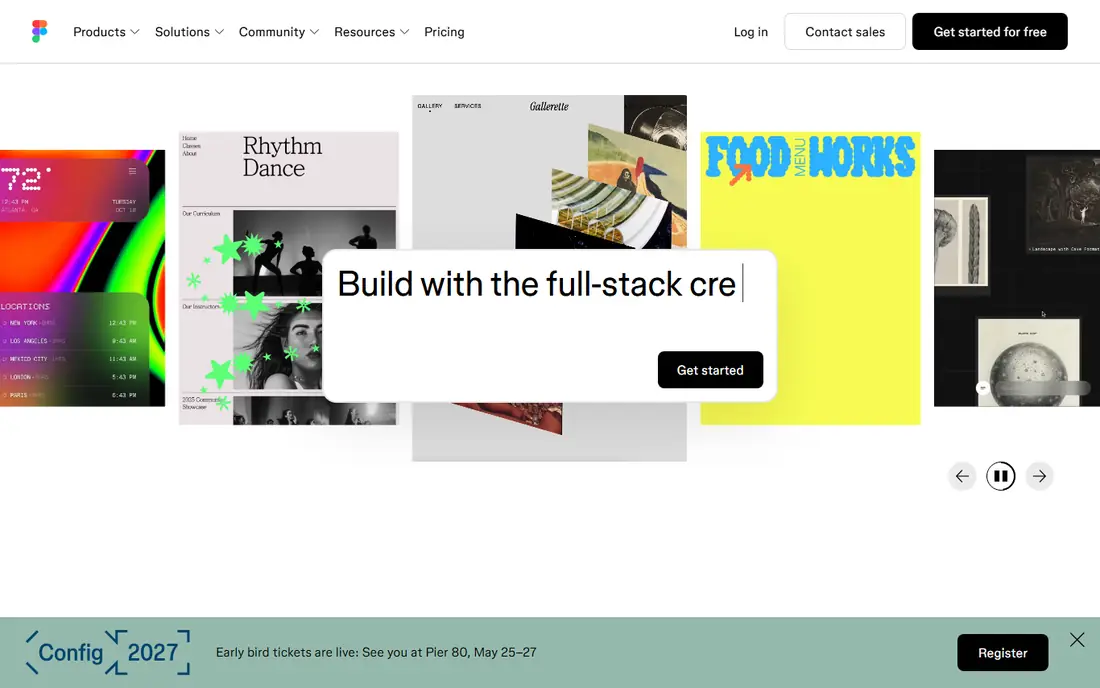
Figma is the closest direct replacement for most Sketch teams, and it removes the Mac-only limit in one move. It runs in the browser on Mac, Windows, and Linux, so designers, product managers, and developers can open the same file without installing a desktop app. Multiple editors can work in the same canvas, leave comments on specific frames, and share components from a central library. Dev Mode gives developers measurements, assets, and code snippets without a separate handoff file. The trade-off is cost control, since Professional is $16 per full seat per month billed annually, and AI features are metered by credits.
What we like- Real-time co-editing in the browser, strong component libraries and variables, a large plugin and template ecosystem, and Dev Mode handoff for developers
Watch out for- Costs scale steeply per editor as teams grow, and AI features are metered by credits, so heavy AI use can push costs up
#2
Adobe XD
Best for: Keeping existing XD projects alive for teams already on Creative Cloud
Visit adobe.com
Starting priceNot sold standalone. New customers cannot buy XD on its own since April 2023.
Free planNo. No free plan for new users.
Adobe XD is included here only because many Sketch switchers also considered XD, and existing XD users need a clear answer. Adobe stopped selling XD standalone in April 2023, and Adobe's own FAQ, updated 11 Sep 2026, says it is not investing in ongoing development or shipping new features, only bug fixes and security updates. The last feature release was version 57 in June 2023. If your team already has XD files and a Creative Cloud plan, it can still open and edit those files. For new projects, XD is a poor choice, with no standalone purchase, no free plan for new users, and no new features on the way.
What we like- Familiar Adobe workflow for Creative Cloud teams, solid vector and prototyping tools for existing files, and a straightforward interface for designers who already know XD
Watch out for- A dead end for new work, no new features since 2023, a shrinking plugin ecosystem, and no way to buy it standalone
#3Framer
Best for: Turning designs directly into live, responsive websites with built-in hosting, CMS and AI site generation4.5/5 on
G2 (144 reviews, checked Oct 2026)
Visit framer.com
Starting priceBasic $10 per site per month billed yearly ($15 billed monthly)
Free planYes. Free plan with a Framer subdomain.
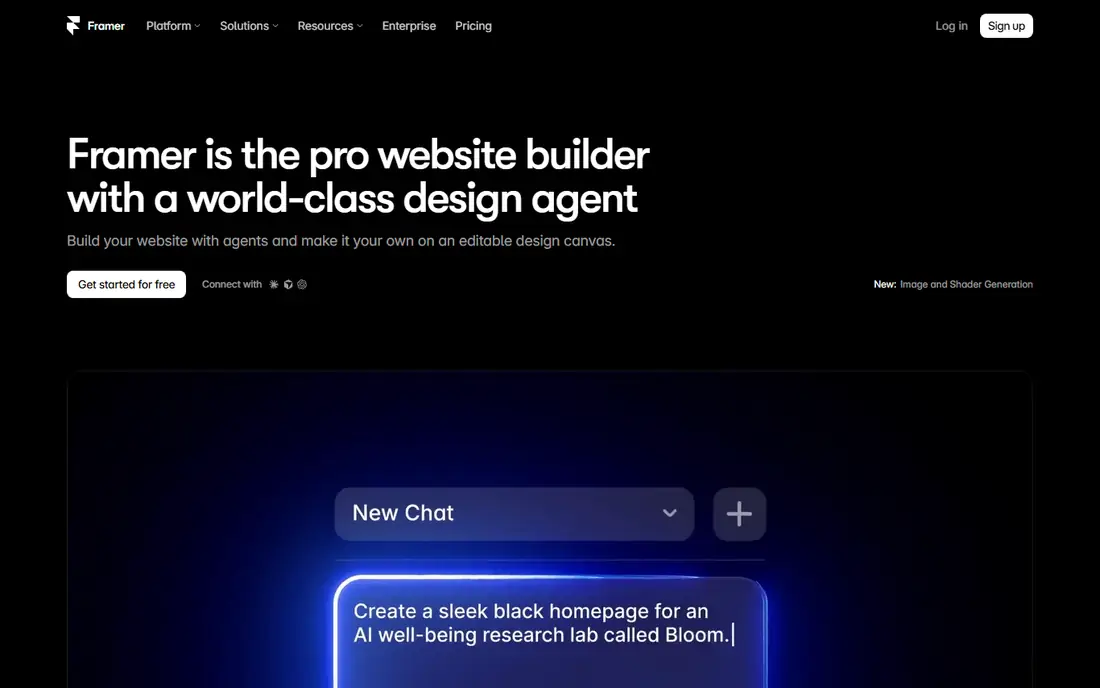
Framer suits teams that design websites and want the design to become the published site, not a static mockup handed to a developer. You design on a free canvas, set responsive breakpoints, add a CMS for blog or product content, and publish to Framer hosting with no separate build step. AI site generation can produce a starting layout from a prompt, which helps small teams move fast. The free plan, with a Framer subdomain, is enough to test the workflow. The pricing model is the part to plan around, since Framer charges per site, so five client sites on Pro means five Pro plans, and extra editors cost $20 per month each.
What we like- Design to live site in one tool, built-in hosting and CMS, responsive breakpoints, and AI site generation for a fast start
Watch out for- Pricing is per site, not per account, so an agency running five client sites on Pro pays for five Pro plans, and extra editors cost $20 per month each
#4Penpot
Best for: Free, open-source UI design and prototyping built on open web standards, so designs stay portable4.5/5 on
G2 (10 reviews, checked Oct 2026)
Visit penpot.app
Starting priceFree. Cloud Professional plan is $0 with unlimited teams (caps: 8 team members, 10 GB storage, 7 days of version history). First paid step is Unlimited at $7 per editor per month, capped at $175 per month. Self-hosting is free under MPL-2.0.
Free planYes. The core product is free, and self-hosting is free under MPL-2.0.
Penpot is the best free replacement for Sketch, and the only open-source tool in this list. It runs in the browser, supports real-time collaboration, shared libraries, components, and prototyping, and it stores designs in open formats based on SVG and CSS, so your work is not locked into a proprietary file type. The Cloud Professional plan is $0 with unlimited teams, subject to caps of 8 team members, 10 GB storage, and 7 days of version history. The first paid step, Unlimited, is $7 per editor per month, capped at $175 per month. The trade-offs are real: the plugin ecosystem is much smaller than Figma, advanced prototyping and AI features are weaker, and self-hosting adds server upkeep, updates, and backups.
What we like- Free core product, open-source code and open file formats, browser-based collaboration, and self-hosting for teams that want full control
Watch out for- A much smaller plugin and template ecosystem than Figma, weaker advanced prototyping and AI features, and self-hosting means you own server upkeep, updates and backups
#5Lunacy
Best for: Fast offline vector UI design on Windows, macOS and Linux with native Sketch file support and built-in icons, photos and illustrations4.3/5 on
G2 (28 reviews, checked Oct 2026)
Visit icons8.com
Starting priceFree. The core editor is free for personal and commercial use. Paid options: Personal cloud plan $4.99 per month, Pro at $11.99 per user per month billed yearly.
Free planYes. The core editor is free for personal and commercial use.
Lunacy is the pick for Sketch users who want a fast desktop app and a direct path for their existing Sketch files. It opens .sketch files natively, so a team can move a Sketch library into Lunacy without rebuilding every screen. It runs on Windows, macOS, and Linux, works offline, and stays responsive on large files because it is a native app rather than a browser tab. The core editor is free for personal and commercial use, which makes it easy to try with real project files. Built-in Icons8 assets save time on common UI work. The limits are clear: there is no plugin ecosystem, no animation or 3D support, and no .fig file support, so Lunacy is not a full Figma replacement.
What we like- Free core editor, native Sketch file support, fast offline performance, and built-in Icons8 assets for icons, photos, and illustrations
Watch out for- No plugin ecosystem and no animation, 3D or .fig file support, and high-resolution Icons8 assets push you toward paid asset plans
#6
Affinity Designer
Best for: Professional vector illustration, logo and interface design on desktop with an offline-capable app
Visit affinity.serif.com
Starting priceFree. Canva made Affinity free on 30 October 2025, folding Designer, Photo and Publisher into one free Affinity app. Core vector, pixel and layout tools cost $0 with no feature limits. Optional Canva AI tools inside Affinity need a paid Canva plan.
Free planYes. Core vector, pixel and layout tools cost $0 with no feature limits.
Affinity Designer, now part of the single free Affinity app from Canva, is the best vector-first replacement for Sketch users who draw as much as they lay out screens. Canva made Affinity free on 30 October 2025, folding Designer, Photo, and Publisher into one free app, so the core vector, pixel, and layout tools cost $0 with no feature limits. The vector tools are precise and professional, with pen, pencil, and shape tools, grids, snapping, and Boolean operations that suit logos, icons, and illustration-heavy interface work. It runs as a fast offline desktop app. The trade-offs matter for product teams: there is no real-time collaboration, no developer handoff like Figma, and no built-in prototyping, so a team that needs those features will need a second tool.
What we like- Professional vector tools with no subscription for the core app, offline desktop performance, and Designer, Photo, and Publisher in one free app
Watch out for- No real-time collaboration or developer handoff like Figma, no built-in prototyping, access is tied to a Canva account, and files saved in the new .af format cannot be opened by the old V1 or V2 apps
#7Axure RP
Best for: High-fidelity interactive prototypes with variables, conditional logic, adaptive views and built-in specifications4.2/5 on
G2 (277 reviews, checked Oct 2026)
Visit axure.com
Starting pricePro $29 per user per month billed yearly ($34 billed monthly)
Free planNo. No permanent free plan, 30-day free trial.
Axure RP is the specialist pick for teams that prototype complex flows, not just static screens. It supports variables, conditional logic, dynamic panels, and adaptive views, so you can build a prototype that responds to user input, shows different states, and tests a multi-step flow before any code is written. Built-in specifications give developers a clear record of the intended behaviour, which is useful for enterprise products, forms, and dashboards with many edge cases. That power comes with a learning curve: the interface feels dated next to Figma or Framer, and new users need time to learn the logic system. Pro is $29 per user per month billed yearly, with no permanent free plan, only a 30-day free trial, and real-time co-authoring needs the Team plan at $49.
What we like- Powerful interactive prototyping with variables and conditional logic, adaptive views for responsive layouts, and built-in specifications for developers
Watch out for- Steep learning curve and a dated interface, no real-time co-authoring on the Pro plan (that needs Team at $49), and no AI features as of 2026
#8Balsamiq
Best for: Fast low-fidelity wireframing that keeps early discussions focused on layout, content and flow4.2/5 on
G2 (501 reviews, checked Oct 2026)
Visit balsamiq.com
Starting priceStarter $16 per editor per month billed annually ($192 per year), or $23 per editor per month billed monthly
Free planNo. No permanent free plan, trial available.
Balsamiq is the earliest-stage tool in this list, and it is deliberately limited. It produces low-fidelity wireframes in a rough, hand-drawn style, with simple boxes, buttons, and text placeholders. That limit is the point: in an early meeting, a polished mockup pulls feedback toward colours and fonts, while a Balsamiq wireframe keeps the discussion on layout, content, and flow. The interface is simple enough for product managers and founders to use without design training, and a team can sketch a full flow in an afternoon. The price reflects a change in 2026, since Balsamiq moved from per-space pricing to per-editor pricing, so Starter is now $16 per editor per month billed annually. The old $9 per month figure on some listing sites is outdated, so do not budget on it.
What we like- Very fast low-fidelity wireframing, a deliberately rough style that keeps feedback on structure, and a simple interface that non-designers can use
Watch out for- Low-fidelity wireframes only, with a deliberately rough sketch style, so it cannot produce high-fidelity designs or developer handoff, and per-editor pricing gets expensive fast for larger teams
Which Sketch alternative should you choose
Choose Figma if you want the closest direct replacement for Sketch, with real-time collaboration, shared components, and developer handoff in the browser. It suits most product teams, and it removes the Mac-only limit. Budget for per-seat costs as the team grows. Choose Penpot if you want a free, open-source replacement with browser collaboration and portable files. Choose Framer if you design websites and want the design to become the live site, and model the per-site cost first. Choose Lunacy if you work on Windows and want to keep using Sketch files in a free offline desktop app. Choose Affinity Designer if you draw logos, icons, and illustrations and want a free professional vector app on desktop. Choose Axure RP if you prototype complex flows with logic and conditional states. Choose Balsamiq for fast low-fidelity wireframes, then move to a high-fidelity tool once the flow is agreed. Avoid Adobe XD for new work, since it is in maintenance mode with no new features since 2023.
Frequently asked questions
Is Figma the best Sketch alternative for most teams
Yes, for most product teams Figma is the best Sketch alternative. It runs in the browser on Mac, Windows, and Linux, supports real-time co-editing, shared components, and Dev Mode handoff, and it has the largest plugin ecosystem. The main drawback is per-seat cost, with Professional at $16 per full seat per month billed annually.
Can I open my Sketch files in another tool
Yes, in some tools. Lunacy opens .sketch files natively, so it is the simplest path for existing Sketch libraries. Figma and Penpot can import Sketch files, with results that vary by file complexity, symbols, and plugins. Test your largest library in a trial or free plan before you migrate a full project.
What is the best free Sketch alternative
Penpot is the best free Sketch alternative for product design, with a free core product, browser collaboration, and open file formats. Lunacy is the best free desktop option, with a free core editor and native Sketch file support. Affinity Designer is the best free vector option, with core tools free since 30 October 2025.
Is Sketch still worth using in 2026
Sketch is still worth using if your whole team is on Mac and your workflow is built around Sketch libraries and plugins. Standard is $12 per editor per month billed yearly, and the Mac-only license is $120 one-time. If anyone uses Windows or Linux, or you need real-time collaboration and browser-based handoff, a cross-platform tool such as Figma or Penpot will remove more friction.
Which Sketch alternative is best for wireframing
Balsamiq is the best Sketch alternative for early wireframing, because its low-fidelity style keeps feedback on layout, content, and flow. Starter is $16 per editor per month billed annually. For wireframes that lead into high-fidelity design in the same tool, Figma or Penpot are better, since they support both low-fidelity drafts and finished screens.
Sources we checked (9)
- https://www.sketch.com/pricing/
- https://www.figma.com/pricing/
- https://www.adobe.com/products/xd.html
- https://www.framer.com/pricing/
- https://penpot.app
- https://icons8.com/lunacy
- https://affinity.serif.com
- https://www.axure.com/pricing
- https://balsamiq.com/pricing/
Is your product missing or out of date?
We review this list regularly. Vendors can request a listing, send updated pricing or ask about featured placement.

Shihab Mia · Founder, Rankite
Shihab has 5+ years in B2B and SaaS SEO. He writes Rankite's software buying guides from pricing pages, documentation and public user reviews. More about Shihab.