How we make this list: we compare pricing pages, product documentation and public user reviews. Ratings come from G2, Capterra or Trustpilot, with the date we checked them.
What Is Affinity Designer and Why Look for an Alternative
Affinity Designer is a vector graphic design app from Serif, built for logos, illustration, icons, branding and user interface design. It works with vector paths, shapes, text and raster layers in the same document, so a designer can move from a rough sketch to a finished logo without switching apps. It runs on Windows, macOS and iPad.
The most important change to understand in 2026 is the price. Since 30 October 2025, Affinity is a single free unified app. Designer, Photo and Publisher were merged into one free app, so the old one-time price of 69.99 dollars no longer applies. Affinity is now free to download and use, with the full tools included. That change makes Affinity a much stronger value. The choice is now between a capable free app and a paid tool that adds a specific strength.
There are still good reasons to compare alternatives. Some designers need the industry standard file format that clients and printers expect, and that is where Adobe Illustrator still leads. Others work in product teams where real-time collaboration and developer handoff matter more than illustration depth, and Figma fits that workflow better. Print shops often need the layout, tracing and colour management tools in CorelDRAW. Budget-conscious designers may want a free editor such as Inkscape, or a low-cost tool such as Boxy SVG or Amadine.
How We Picked These Affinity Designer Alternatives
We started with the core job Affinity Designer does well, which is precise vector drawing for logos, icons, illustration and interface layouts. Every tool here can create and edit vector paths and export files for print or screen. We then looked for coverage across the main buyer needs. The list needed an industry standard for client work, a collaboration-first tool for product teams, a Mac-native option, a print and sign workflow, a free option with no payment barrier, and low-cost options for solo designers. That range covers freelancers, small studios, product teams and print shops.
Price was checked against vendor pricing pages and current search results on 16 November 2026. Where a vendor lists more than one plan, we report the lowest paid plan that a typical buyer would start with, and we note the billing term. Prices change often, so confirm the figure on the vendor page before you buy. We did not invent prices. We also weighed platform support, file compatibility and long-term cost. A subscription that looks cheap per month can cost far more than a one-time purchase over three years, so we show the billing model beside each price. Finally, we excluded tools that are no longer sold. Corel Vector was replaced by Amadine, so Amadine appears here instead. Gravit Designer is discontinued, and its site now redirects to CorelDRAW Go.
Quick comparison
| Tool | Best for | Starting price | Free plan |
|---|
 Adobe Illustrator | Professional logo, brand and print design where client file compatibility matters most | $22.99 per month for the single-app plan, annual plan billed monthly, checked 16 November 2026 | No permanent free plan, 7-day free trial |
 Figma | Product and UI design teams that need real-time collaboration, shared libraries and developer handoff | $16 per full seat per month for the Professional plan, billed annually, checked 16 November 2026 | Starter plan is free with limited projects and files, viewers are free |
 Sketch | Mac-only design teams that want a native app with a one-time licence option | $12 per editor per month for the Standard plan, billed yearly, checked 16 November 2026 | No permanent free editor plan, 30-day free trial, free viewers on paid plans |
 CorelDRAW | Print shops, sign makers and illustrators who need vector drawing, layout, tracing and colour management in one suite | $269 per year for the Graphics Suite annual plan, list price, checked 16 November 2026 | No permanent free plan, 15-day free trial |
 Inkscape | Students, hobbyists, web designers and Linux users who need a capable vector editor at no cost | Free, open source, $0, checked 16 November 2026 | Free forever, full app with no paid tier |
 Linearity Curve | Apple users who sketch and illustrate on Mac, iPad and iPhone with touch and Apple Pencil | $8 per editor per month for the Starter plan, billed annually, checked 16 November 2026 | Free plan with 250 lifetime AI credits, 5 GB storage, behind a waitlist in 2026 |
 Boxy SVG | Web designers and developers who need a focused, low-cost SVG editor for icons, logos and web graphics | $9.99 per year for the premium plan, checked 16 November 2026 | No permanent free plan, free trial available |
 Amadine | Apple-only freelancers and small shops who want a capable vector app for a single one-time payment | $29.99 one-time for a single-user Mac licence, checked 16 November 2026 | No permanent free plan, iPad and iPhone plans start at $2.99 per month |
Is your product missing or out of date?
We review this list regularly. Vendors can request a listing, send updated pricing or ask about featured placement.
The 8 Best Affinity Designer Alternatives
The eight tools below run from the most established professional standard to focused low-cost options. Start with Adobe Illustrator for client compatibility, Figma for product design, Sketch for Mac-only teams, CorelDRAW for print work, Inkscape for a free editor, and Linearity Curve, Boxy SVG or Amadine for lighter, lower-cost vector work.
#1Adobe Illustrator
Best for: Professional logo, brand and print design where client file compatibility matters most4.6/5 on
G2 (6,200 reviews, checked Oct 2026)
Visit adobe.com
Starting price$22.99 per month for the single-app plan, annual plan billed monthly, checked 16 November 2026
Free planNo permanent free plan, 7-day free trial
Adobe Illustrator remains the benchmark for professional vector design, and it is the safest choice when clients, printers and agencies expect native Illustrator files. Its pen tool, shape builder, gradient mesh and perspective tools give experienced designers fine control over complex artwork. Typography and print-ready PDF output are built for production use. The cost is the main drawback, because 22.99 dollars per month adds up to about 276 dollars per year. Still, it is the most reliable pick for shared client work.
What we like- Industry standard tools, deep typography and colour controls, strong print output, large plugin ecosystem, iPad app included
Watch out for- Subscription only, so access ends if you cancel, and the annual contract can carry an early cancellation fee
#2Figma
Best for: Product and UI design teams that need real-time collaboration, shared libraries and developer handoff4.7/5 on
G2 (1,593 reviews, checked Oct 2026)
Visit figma.com
Starting price$16 per full seat per month for the Professional plan, billed annually, checked 16 November 2026
Free planStarter plan is free with limited projects and files, viewers are free
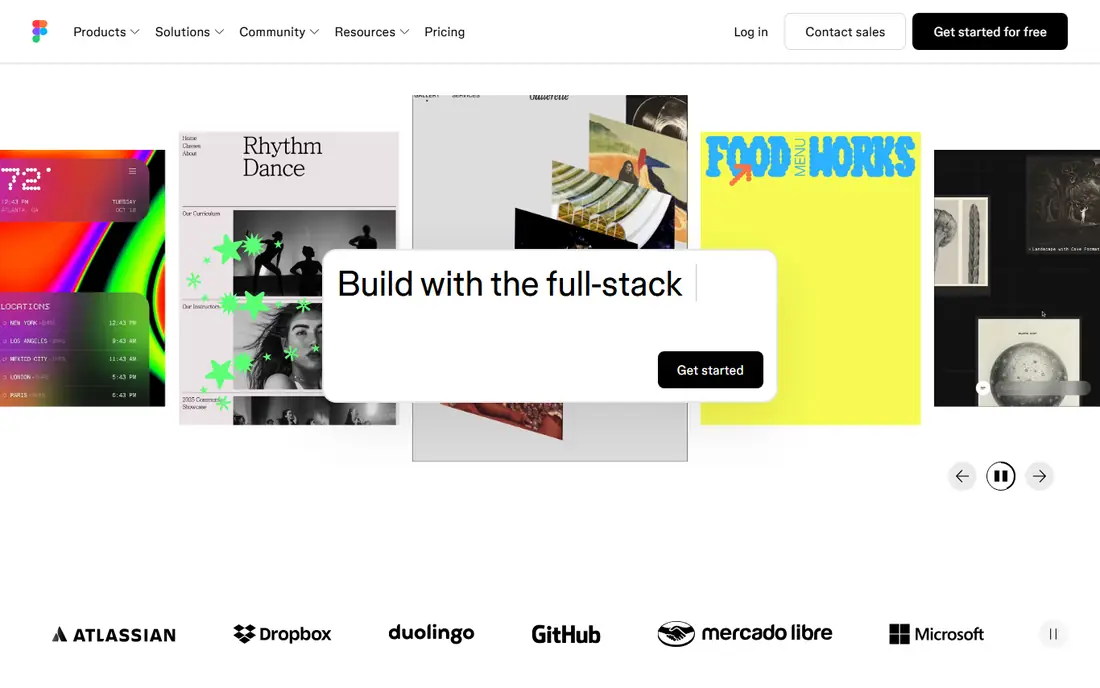
Figma is the leading choice for interface and product design, and it is a strong alternative when your main work is screens, components and team workflows rather than print illustration. Several people can edit the same file at once, leave comments, and watch changes appear live. Components and Dev Mode keep design systems consistent and give developers handoff details. Pricing is per editor seat, so a five-person team pays 80 dollars per month on Professional, while viewers cost nothing. It is less suited to print illustration and CMYK output.
What we like- Real-time multiplayer editing, strong components and variables, Dev Mode for handoff, large plugin community, runs in the browser
Watch out for- Vector illustration is weaker than Illustrator for complex print artwork, and most work needs an internet connection
#3Sketch
Best for: Mac-only design teams that want a native app with a one-time licence option4.5/5 on
G2 (1,227 reviews, checked Oct 2026)
Visit sketch.com
Starting price$12 per editor per month for the Standard plan, billed yearly, checked 16 November 2026
Free planNo permanent free editor plan, 30-day free trial, free viewers on paid plans
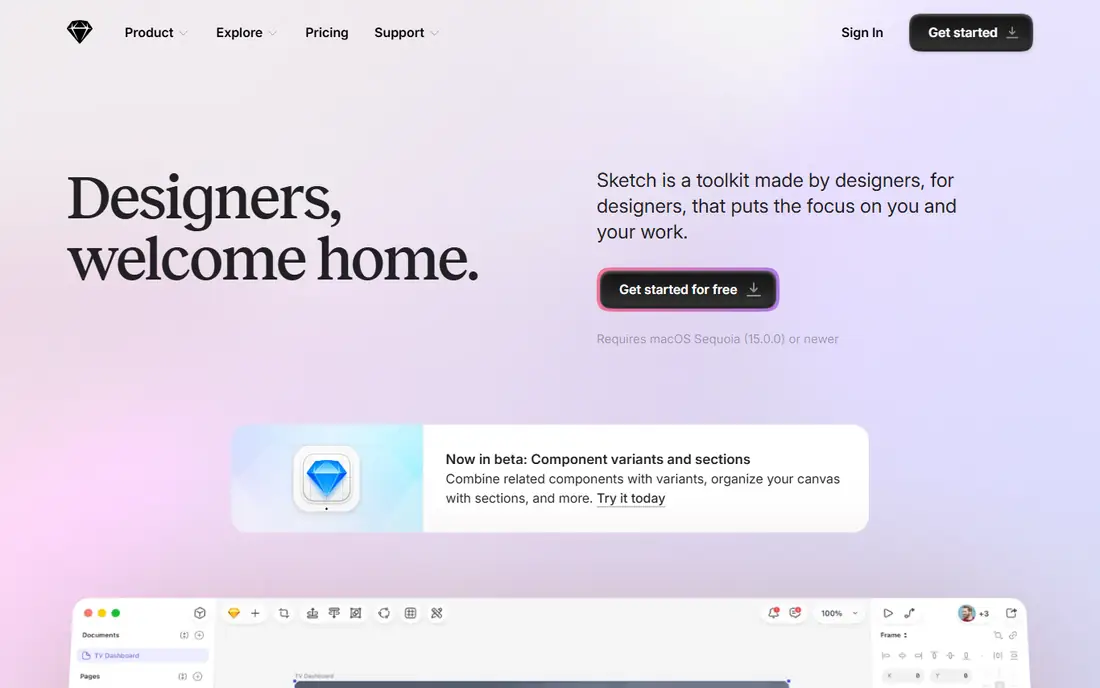
Sketch is a mature vector design app built for Mac, and it suits teams that design interfaces and brand assets on Apple hardware and want a native app rather than a browser tool. The interface is clean and fast, with symbols, shared libraries, artboards and prototyping tools that cover most UI and icon work. Free viewers can inspect designs without an editor seat. The standout option is the Mac-only licence at 120 dollars per seat, a one-time purchase with one year of updates. The hard limit is platform support, because editing needs macOS.
What we like- Fast native Mac app, clean interface, strong symbols and libraries, one-time Mac-only licence at $120, free viewers
Watch out for- The editor runs only on macOS, so Windows and Linux users cannot edit files, and there is no permanent free plan
#4CorelDRAW
Best for: Print shops, sign makers and illustrators who need vector drawing, layout, tracing and colour management in one suite4.3/5 on
G2 (556 reviews, checked Oct 2026)
Visit coreldraw.com
Starting price$269 per year for the Graphics Suite annual plan, list price, checked 16 November 2026
Free planNo permanent free plan, 15-day free trial
CorelDRAW Graphics Suite is a long-standing vector and layout package, and it is the best pick here for print production, signage, engraving and large-format work. The suite includes CorelDRAW for vector illustration and multipage layout, PHOTO-PAINT for bitmap editing, and Font Manager for organising typefaces. PowerTRACE converts low-resolution bitmaps into clean vector paths. Colour management and PDF output are built for print shops. The annual plan costs 269 dollars per year at list price, with a first-year offer of 185 dollars shown in November 2026. A one-time purchase is listed at 549 dollars, but it lacks some subscriber-only features.
What we like- Full suite with CorelDRAW, PHOTO-PAINT and Font Manager, strong PowerTRACE tool, good print and colour controls, one-time purchase at $549
Watch out for- Expensive for occasional use, the interface feels dated in places, and CorelDRAW Web is limited to subscribers
#5Inkscape
Best for: Students, hobbyists, web designers and Linux users who need a capable vector editor at no cost4.4/5 on
G2 (417 reviews, checked Oct 2026)
Visit inkscape.org
Starting priceFree, open source, $0, checked 16 November 2026
Free planFree forever, full app with no paid tier
Inkscape is a free, open source vector graphics editor, and it is the best no-cost alternative to Affinity Designer for SVG work, icons, logos and illustration. It runs on Windows, macOS and Linux, the only tool in this list that covers all three desktop systems without payment. The app supports SVG as its native format, with path editing, node tools, boolean operations, gradients, clones and bitmap tracing. Version 1.4.4 shipped in May 2026, so the project is actively maintained. The main limits are print and polish, because Inkscape has no native CMYK workflow and large files can feel slow.
What we like- Free and open source, runs on Windows, macOS and Linux, strong SVG support, good path editing and tracing, no account needed
Watch out for- No native CMYK workflow for offset print, interface feels less polished than paid apps, and complex files can lag
#6Linearity Curve
Best for: Apple users who sketch and illustrate on Mac, iPad and iPhone with touch and Apple Pencil4.4/5 on
G2 (17 reviews, checked Oct 2026)
Visit linearity.io
Starting price$8 per editor per month for the Starter plan, billed annually, checked 16 November 2026
Free planFree plan with 250 lifetime AI credits, 5 GB storage, behind a waitlist in 2026
Linearity Curve, formerly Vectornator, is a vector design app built for Apple devices, and it is a good alternative for illustrators and marketers who work on Mac, iPad and iPhone. The app feels fast and touch-friendly, with gesture controls, a precise pen tool, shape builder and text tools that suit logo sketching and marketing graphics. Auto Trace turns sketches into vector paths, and AI tools generate artwork using monthly credits. Paid plans include Linearity Move, the motion design companion app. The Starter plan costs 8 dollars per editor per month billed annually, with 800 credits. The credit model is the main drawback, because different AI actions consume different amounts.
What we like- Native Apple apps with touch and Pencil support, clean interface, Auto Trace and AI tools, includes Linearity Move on paid plans
Watch out for- AI work uses a monthly credit allowance that is hard to predict, collaboration is limited, and there is no Windows or Android version
#7
Boxy SVG
Best for: Web designers and developers who need a focused, low-cost SVG editor for icons, logos and web graphics
Visit boxy-svg.com
Starting price$9.99 per year for the premium plan, checked 16 November 2026
Free planNo permanent free plan, free trial available
Boxy SVG is a focused vector editor built around SVG files, and it is one of the cheapest paid alternatives to Affinity Designer in this list. The canvas stays uncluttered, with most editing done directly on the artwork and fine control in panels that expand and collapse as needed. Shape tools, path editing, gradients, text, symbols and boolean operations cover the core SVG tasks, and the app includes SVG code editing for developers. The premium plan costs 9.99 dollars per year, less than one month of Illustrator. The trade-off is scope, because there is no photo editing, no multipage layout and no team libraries.
What we like- Very low yearly price, clean uncluttered canvas, strong SVG code editing, runs on Windows, Mac, Linux and Chromebook
Watch out for- Narrower feature set than Illustrator, with no photo editing, limited print tools, and no collaboration or cloud libraries
#8
Amadine
Best for: Apple-only freelancers and small shops who want a capable vector app for a single one-time payment
Visit amadine.com
Starting price$29.99 one-time for a single-user Mac licence, checked 16 November 2026
Free planNo permanent free plan, iPad and iPhone plans start at $2.99 per month
Amadine is a vector graphic design app for Mac, iPad and iPhone, and it is the closest low-cost replacement for the old one-time Affinity Designer purchase model. A single-user Mac licence costs 29.99 dollars as a one-time payment, with a five-seat family licence at 49.99 dollars, and Mac purchases carry a 30-day money back guarantee. It covers the core vector job well, with pen and node tools, a Fusion tool and CMYK export. The interface is simple, which helps beginners finish logos and icons without learning a large suite. Work syncs through iCloud, so a sketch started on iPad can be refined on Mac.
What we like- One-time lifetime licence, clean simple interface, runs on Mac, iPad and iPhone with iCloud sync, Apple Pencil support, CMYK export
Watch out for- Apple only, with no Windows or web version, smaller template and plugin community, and no free trial on Mac
Affinity Designer vs the Alternatives at a Glance
The table below compares starting price, free plan and best use for each tool. Affinity itself is now free since 30 October 2025, so the alternatives compete on workflow, compatibility and platform support.
| Tool | Starting price | Free plan | Best for |
| Adobe Illustrator | $22.99 per month, annual plan billed monthly | 7-day free trial, no permanent free plan | Professional logo, brand and print design |
| Figma | $16 per full seat per month, billed annually | Starter plan free, viewers free | Product and UI design teams |
| Sketch | $12 per editor per month, billed yearly | 30-day free trial, free viewers | Mac-only design teams |
| CorelDRAW | $269 per year, annual plan list price | 15-day free trial, no permanent free plan | Print shops, sign makers and layout work |
| Inkscape | Free, $0, open source | Free forever, full app | Students, hobbyists and Linux users |
| Linearity Curve | $8 per editor per month, billed annually | Free plan, 250 lifetime credits | Apple users who draw on iPad and Mac |
| Boxy SVG | $9.99 per year | Free trial, no permanent free plan | Web designers and SVG editing |
| Amadine | $29.99 one-time, Mac single-user licence | No permanent free plan | Apple-only freelancers who want to pay once |
Prices were checked on 16 November 2026. Confirm the current price on the vendor page before you buy.
Start with the work you do most often, not with the feature list. If most of your week is logos, brand identity and print, choose a tool with strong path control, typography and CMYK output, such as Adobe Illustrator, CorelDRAW or Amadine. If most of your week is app screens, components and developer handoff, choose Figma or Sketch. If most of your week is web icons and SVG assets, Inkscape or Boxy SVG will cover the job at low or no cost. Next, check the files you must exchange. A studio that sends native Illustrator files daily will lose time on imperfect export. Ask which formats your clients, printers and developers expect, and test a real file in the trial before you commit. Then weigh platform and team fit. A Mac-only team can choose Sketch, Linearity Curve or Amadine without friction. A mixed Windows and Mac team should choose a tool that runs well on both. Finally, work out the three-year cost, not just the first month. Affinity and Inkscape are free, Boxy SVG costs about 30 dollars over three years, and Amadine costs 29.99 dollars once. Illustrator costs about 828 dollars over three years, Figma Professional 576 dollars per seat, Sketch Standard 432 dollars per editor, and CorelDRAW 807 dollars on the annual plan. Try the free plan or trial first, test a real project, and only then pay for the tool that fits your daily work.
Frequently asked questions
Sources we checked (9)
- https://www.adobe.com/products/illustrator.html
- https://www.figma.com/pricing/
- https://www.sketch.com/pricing/
- https://www.coreldraw.com/en/product/coreldraw/
- https://inkscape.org/
- https://linearity.io/pricing/
- https://boxy-svg.com/
- https://amadine.com/
- https://affinity.serif.com/
Is your product missing or out of date?
We review this list regularly. Vendors can request a listing, send updated pricing or ask about featured placement.

Shihab Mia · Founder, Rankite
Shihab has 5+ years in B2B and SaaS SEO. He writes Rankite's software buying guides from pricing pages, documentation and public user reviews. More about Shihab.