How we make this list: we compare pricing pages, product documentation and public user reviews. Ratings come from G2, Capterra or Trustpilot, with the date we checked them.

What Is the Best Roam Research Alternative in 2026?
Obsidian is the best Roam Research alternative in 2026. Its app is free, it stores notes as plain Markdown files, and it supports bi-directional links and a graph view. Roam Pro costs $15 per month or $165 per year, with no free plan beyond a 31-day trial. If you want the closest match to Roam, Logseq is the stronger pick.
How Do Roam Research Alternatives Compare on Price?
Price is the main reason most people leave Roam Research, because Roam charges $15 per month or $165 per year, with a Believer plan at $500 for five years, and no free plan after the 31-day trial. Every tool in this list costs less than Roam, and most of them have a free plan that is useful on its own. Obsidian is free, with Sync at $4 per user per month billed annually or $5 per month billed monthly. Logseq is free, with Sync at $5 per month for backers. Anytype starts at $4 per month for Plus. Tana Outliner Plus costs $8 per month billed annually or $10 per month billed monthly. RemNote Pro costs $8 per month billed annually or $10 per month billed monthly. Heptabase Pro costs $8.99 per month billed annually or $11.99 per month billed monthly, with no free plan. Capacities Pro costs $9.99 per month billed annually or $11.99 per month billed monthly. Notion Plus is the dearest here at $10 per member per month billed annually or $12 per month billed monthly. All prices were checked against vendor pricing pages and pricing reports on 17 November 2026, and prices can vary by country, currency, and tax, so confirm the total at checkout before you pay.
| Tool |
Starting paid price |
Free plan |
| Obsidian |
$5 per month billed monthly, $4 per month billed annually for Sync |
Yes, core app free |
| Logseq |
$5 per month for Sync, for backers |
Yes, full app free |
| Notion |
$12 per member per month billed monthly, $10 per member per month billed annually for Plus |
Yes |
| Tana |
$10 per month billed monthly, $8 per month billed annually for Plus |
Yes |
| Capacities |
$11.99 per month billed monthly, $9.99 per month billed annually for Pro |
Yes, Basic |
| RemNote |
$10 per month billed monthly, $8 per month billed annually for Pro |
Yes |
| Heptabase |
$11.99 per month billed monthly, $8.99 per month billed annually for Pro |
No, 7-day trial only |
| Anytype |
$4 per month for Plus |
Yes |
Annual billing cuts Obsidian Sync from $5 to $4 per month, Notion Plus from $12 to $10 per member per month, Tana Plus from $10 to $8 per month, RemNote Pro from $10 to $8 per month, Capacities Pro from $11.99 to $9.99 per month, and Heptabase Pro from $11.99 to $8.99 per month.
Which Roam Research Alternative Is Closest to Roam?
Logseq is the closest match to Roam Research, because it is an outliner first, with a daily journal page, block references, bi-directional links, and a graph view, just like Roam. Obsidian is close too, but it is page based rather than outline based, so it feels different when you write long, nested notes. Tana is the other close match, with an outliner, supertags that turn any bullet into structured data, and a strong AI layer. If you want Roam with local files and no subscription, choose Logseq. If you want Roam with databases and AI built in, choose Tana.
What Should You Check Before You Switch from Roam Research?
Before you switch, check four things. First, check your export. Roam lets you export a graph as Markdown or JSON, but block references, queries, and daily note links do not always survive the move cleanly, so export a test graph first and open it in your new tool before you cancel Roam. Second, check your daily notes habit. If you live in the daily journal, pick a tool with a strong daily page, such as Logseq, Obsidian with the Daily Notes plugin, or Tana. Third, check your sync needs. Obsidian and Logseq keep files local by default, so you need their paid sync services or a third-party sync method to move notes between phone and computer. Fourth, check your budget over a full year. Roam costs $165 a year, while Obsidian Sync costs $48 a year, Logseq Sync costs $60 a year, and Notion Plus costs $120 a year, so most switches save money.
Quick comparison
| Tool | Best for | Starting price | Free plan |
|---|
 Obsidian | Writers, researchers, and developers who want a free, local-first notes app with bi-directional links and a huge plugin library | Free app, Obsidian Sync $5 per user per month billed monthly, or $4 per user per month billed annually, checked 17 November 2026 | Yes, the core app is free with no limit on notes or vaults, for personal and commercial use |
 Logseq | Roam users who want the closest Roam-like outliner, with a daily journal, block references, and open source local files | Free app, Logseq Sync $5 per month for backers, checked 17 November 2026 | Yes, the full app is free and open source, with no commercial licence needed |
 Notion | Teams and solo users who want linked notes plus databases, wikis, docs, and project tracking in one workspace | $12 per member per month billed monthly, or $10 per member per month billed annually for Plus, checked 17 November 2026 | Yes, free plan for one person with unlimited blocks, with a 1,000-block limit when a second member joins |
 Tana | Power users who want an outliner with supertags, structured data, and AI built into their notes | $10 per month billed monthly, or $8 per month billed annually for Plus, checked 17 November 2026 | Yes, free plan with 500 AI credits per month, three workspaces, and 0.5 GB of uploaded files |
 Capacities | People who think in types, such as books, people, and projects, and want a visual, object-based knowledge studio | $11.99 per month billed monthly, or $9.99 per month billed annually for Pro, checked 17 November 2026 | Yes, Basic plan with unlimited spaces, objects, and blocks, sync across devices, offline support, and 5 GB of media storage |
 RemNote | Students and researchers who want linked notes plus flashcards and spaced repetition in the same tool | $10 per month billed monthly, or $8 per month billed annually for Pro, checked 17 November 2026 | Yes, free plan with unlimited notes and flashcards, with limits on AI credits, PDF annotation, and file size |
 Heptabase | Researchers and students who want to arrange notes as cards on whiteboards and learn from PDFs | $11.99 per month billed monthly, or $8.99 per month billed annually for Pro, checked 17 November 2026 | No permanent free plan, 7-day free trial with Premium-level AI credits |
 Anytype | Privacy-focused users who want a local-first, open source notes app with encrypted sync and no central server | $4 per month for Plus, checked 17 November 2026 | Yes, free plan with local storage, offline access, and core note-taking features |
Is your product missing or out of date?
We review this list regularly. Vendors can request a listing, send updated pricing or ask about featured placement.
8 Best Roam Research Alternatives
#1Obsidian
Best for: Writers, researchers, and developers who want a free, local-first notes app with bi-directional links and a huge plugin library4.5/5 on
G2 (13 reviews, checked Oct 2026)
Visit obsidian.md
Starting priceFree app, Obsidian Sync $5 per user per month billed monthly, or $4 per user per month billed annually, checked 17 November 2026
Free planYes, the core app is free with no limit on notes or vaults, for personal and commercial use

Obsidian is the most popular Roam Research alternative, and it is the safest pick for most people. It keeps every note as a plain Markdown file in a folder on your computer, so your notes stay readable in any text editor and you are never locked into a proprietary database. Bi-directional links, backlinks, and the graph view work much like Roam, and the canvas feature lets you arrange notes, images, and cards on a visual board. The main cost is Sync, at $4 per user per month billed annually, which adds end-to-end encrypted sync across devices and one year of version history.
What we like- Free core app, notes stored as plain Markdown files you own, bi-directional links, graph view, canvas, and more than 2,700 community plugins
Watch out for- No built-in sync on the free plan, so you must pay for Sync or set up your own sync, and the plugin library can feel overwhelming for a new user
#2
Logseq
Best for: Roam users who want the closest Roam-like outliner, with a daily journal, block references, and open source local files
Visit logseq.com
Starting priceFree app, Logseq Sync $5 per month for backers, checked 17 November 2026
Free planYes, the full app is free and open source, with no commercial licence needed
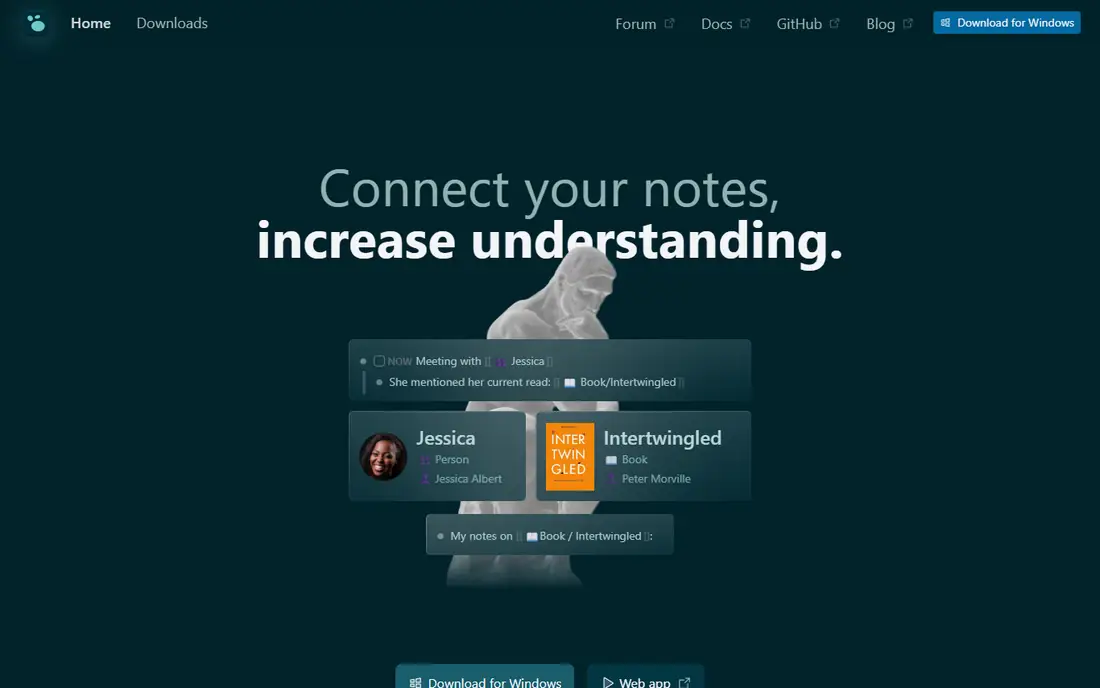
Logseq is the closest like-for-like replacement for Roam Research. It is an outliner, so every note is a bullet, and bullets can link to pages, embed other blocks, and carry tasks, priorities, and queries. The daily journal opens automatically each day, which matches the Roam habit of starting from today and linking out from there. Your notes live as local Markdown or Org-mode files, so you can read them without Logseq and back them up with any tool you like. The weakness is sync. Official Logseq Sync is in beta and is only open to Open Collective backers at $5 a month, so many users sync with Git or a cloud drive instead.
What we like- Closest outliner match to Roam, daily journal built in, block references, queries, flashcards, whiteboards, and local plain-text files
Watch out for- Official Sync is in beta and only available to backers paying $5 a month, the mobile app is less polished than the desktop app, and the database version is still in beta
#3Notion
Best for: Teams and solo users who want linked notes plus databases, wikis, docs, and project tracking in one workspace4.6/5 on
G2 (13,834 reviews, checked Oct 2026)
Visit notion.com
Starting price$12 per member per month billed monthly, or $10 per member per month billed annually for Plus, checked 17 November 2026
Free planYes, free plan for one person with unlimited blocks, with a 1,000-block limit when a second member joins
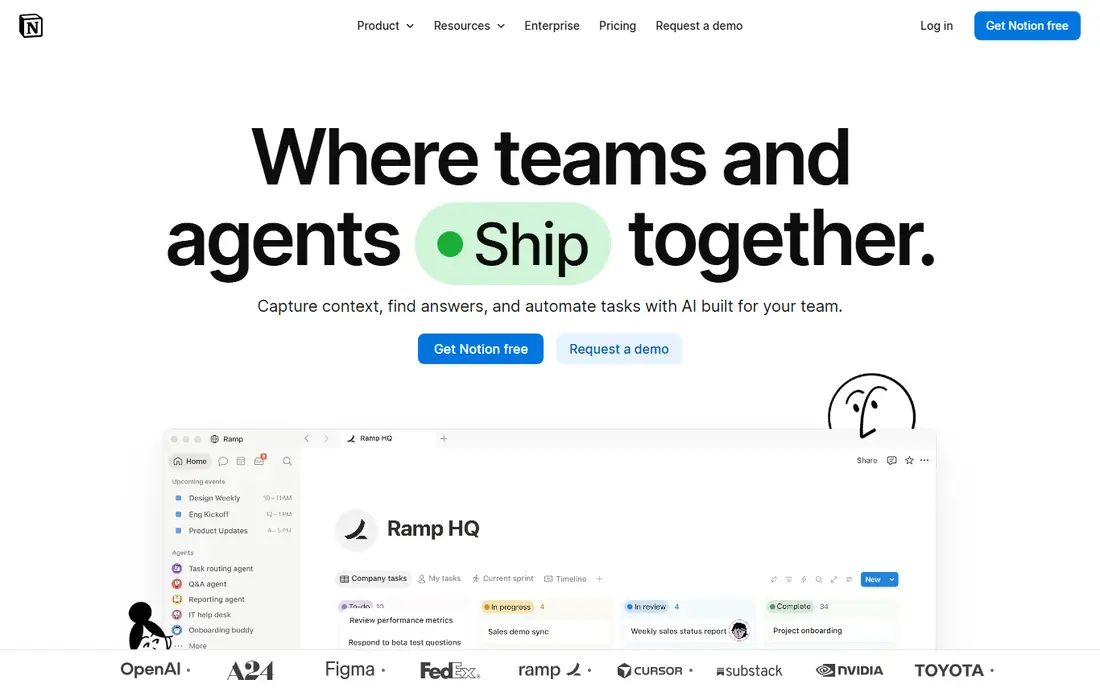
Notion is the best pick if your notes are only part of the job and you also need docs, wikis, and project tracking. You can build a knowledge base with linked pages, then add databases for projects, people, books, or clients, and view the same data as a table, board, calendar, or timeline. Plus costs $10 per member per month billed annually and adds unlimited file uploads, 30-day page history, and more guests. The trade-off is that Notion is not a Roam clone. It has no daily journal page, no block-level references in the Roam sense, and no graph view, so it suits people who organise by pages and databases rather than by linked blocks.
What we like- Flexible databases, templates, wikis, and docs in one place, strong sharing and collaboration, and a large template gallery
Watch out for- Notion is page based rather than outline based, so it lacks Roam-style block references and a daily journal, and full AI features need the Business plan at $20 per member per month billed annually
#4
Tana
Best for: Power users who want an outliner with supertags, structured data, and AI built into their notes
Visit tana.inc
Starting price$10 per month billed monthly, or $8 per month billed annually for Plus, checked 17 November 2026
Free planYes, free plan with 500 AI credits per month, three workspaces, and 0.5 GB of uploaded files
Tana is the most powerful outliner in this list, and it is the pick for people who found Roam too simple. Its supertags let you tag any node as a person, project, meeting, or book, then add fields to it and query across your whole graph, so your notes behave like a database without leaving the outliner. Plus costs $10 per month billed monthly or $8 per month billed annually, and Pro costs $18 per month billed monthly or $14 per month billed annually, with more AI credits. The free plan is useful for trying the outliner, but it caps AI credits and storage.
What we like- Supertags turn any bullet into structured, queryable data, strong AI features, voice capture, calendar sync on paid plans, and a fast outliner
Watch out for- The free plan has tight limits on AI credits and storage, AI credits do not roll over, and Tana split into two products in 2026, Tana Outliner and a separate meetings product, so check which product a plan covers before you pay
#5
Capacities
Best for: People who think in types, such as books, people, and projects, and want a visual, object-based knowledge studio
Visit capacities.io
Starting price$11.99 per month billed monthly, or $9.99 per month billed annually for Pro, checked 17 November 2026
Free planYes, Basic plan with unlimited spaces, objects, and blocks, sync across devices, offline support, and 5 GB of media storage
Capacities organises notes as objects instead of files and folders. A book, a person, a project, and a meeting are each an object type with its own properties, and you link objects together to build a network of ideas. That makes it a strong fit for researchers and writers who collect a lot of material and want to see how people, sources, and projects connect. Pro costs $11.99 per month billed monthly or $9.99 per month billed annually, and it adds an AI assistant that can chat with your notes, calendar integrations, task management, smart queries, and unlimited media uploads. The limits are clear. There are no team workspaces, and Pro is for one person only.
What we like- Object-based notes with custom types, calendar view, daily notes, AI assistant on Pro, and a generous free plan with full sync
Watch out for- No team collaboration or shared workspaces, the Pro plan is single-user only, and the object model takes time to learn if you only want simple notes
#6RemNote
Best for: Students and researchers who want linked notes plus flashcards and spaced repetition in the same tool3.5/5 on
G2 (1 reviews, checked Oct 2026)
Visit remnote.com
Starting price$10 per month billed monthly, or $8 per month billed annually for Pro, checked 17 November 2026
Free planYes, free plan with unlimited notes and flashcards, with limits on AI credits, PDF annotation, and file size
RemNote is the best Roam alternative for anyone who studies from their notes. It is an outliner like Roam, so you write in bullets, link pages, and build a network of ideas. The difference is that any concept you tag becomes a flashcard automatically, and RemNote schedules it for review with spaced repetition, so your notes and your revision live in the same place. Pro costs $10 per month billed monthly or $8 per month billed annually, and it adds unlimited annotated PDFs, unlimited image occlusion, the full exam scheduler, and 1,000 AI credits a month. The free plan is useful, with unlimited notes and basic flashcards, but it limits PDF annotation and file uploads.
What we like- Notes turn into flashcards automatically, built-in spaced repetition and exam scheduler, PDF annotation, and an outliner similar to Roam
Watch out for- The free plan caps PDF annotation and image occlusion, the strongest AI features need Pro with AI at $20 per month billed monthly, and the interface is built for study rather than general writing
#7
Heptabase
Best for: Researchers and students who want to arrange notes as cards on whiteboards and learn from PDFs
Visit heptabase.com
Starting price$11.99 per month billed monthly, or $8.99 per month billed annually for Pro, checked 17 November 2026
Free planNo permanent free plan, 7-day free trial with Premium-level AI credits
Heptabase turns notes into cards that you arrange on whiteboards, link together, and group by topic, which makes it a strong fit for literature reviews, thesis work, and long research projects. You can highlight PDFs, pull quotes onto cards, and ask the AI to explain a source or summarise a set of cards. Pro costs $11.99 per month billed monthly or $8.99 per month billed annually, with unlimited notes, whiteboards, and tags, plus 100 AI credits a month. The drawback is the lack of a free plan. You get a 7-day trial, then you must pay, and the Pro AI is limited to Gemini models.
What we like- Visual whiteboards with cards, PDF highlighting and annotation, AI chat with sources, and unlimited notes, whiteboards, and tags
Watch out for- No free plan, only a 7-day trial, and the Pro plan is limited to Gemini models with 100 AI credits a month, while GPT, Claude, and the AI Tutor need Premium at $17.99 per month billed annually
#8
Anytype
Best for: Privacy-focused users who want a local-first, open source notes app with encrypted sync and no central server
Visit anytype.io
Starting price$4 per month for Plus, checked 17 November 2026
Free planYes, free plan with local storage, offline access, and core note-taking features
Anytype is the most privacy-focused tool in this list. Notes are objects with types and relations, which is close to the Capacities model, and you can build wikis, task lists, and personal CRM views from the same objects. The free plan covers local storage, offline access, and core note-taking, while Plus at $4 per month adds more cloud storage and sharing. The main caveat is that Anytype changed its plan names and prices during 2026, so the $4 Plus price should be confirmed on the pricing page at checkout.
What we like- Local-first and open source, peer-to-peer encrypted sync, object-based notes with types and relations, and offline access on every platform
Watch out for- The paid plan structure changed during 2026, so confirm the current plan names and storage limits on the pricing page before you pay, and the app is younger than Obsidian, so it has fewer plugins and templates
Frequently asked questions
Is there a free alternative to Roam Research?
Yes, most tools in this list have a free plan. Obsidian and Logseq are both free for the full app. Notion, Tana, Capacities, RemNote, and Anytype all offer a free tier. Heptabase is the exception, since it only offers a 7-day trial. Roam itself has no free plan, only a 31-day trial, then Pro at $15 per month or $165 per year.
Which Roam Research alternative is cheapest?
Obsidian and Logseq are the cheapest, because both apps are free and only charge for sync. Obsidian Sync costs $4 per user per month billed annually, and Logseq Sync costs $5 per month for backers. If you never need cloud sync, Obsidian and Logseq both cost nothing, which saves $165 a year against Roam Pro.
Can I import my Roam notes into Obsidian or Logseq?
Yes, both tools accept Roam exports. Export your Roam graph as Markdown, then import the files into Obsidian or Logseq. Most page links and text survive the move, but block references, queries, and daily note links may need manual cleanup, so export a small test graph first. Keep your Roam account active until you have checked the imported notes.
Which Roam alternative is best for students?
RemNote is the best pick for students, because it turns notes into flashcards automatically and schedules them with spaced repetition, so revision is built into the same tool where you take notes. Logseq is the best free option for students, with flashcards, a whiteboard, and a PDF annotator at no cost.
Is Obsidian better than Roam Research?
Obsidian is better than Roam for most people, because the core app is free, notes are stored as plain Markdown files you own, and the plugin library covers daily notes, tasks, canvas, and databases. Roam is better if you want a hosted outliner with block references and daily notes built in, and you are happy to pay $15 per month or $165 per year for it.
Sources we checked (9)
- https://obsidian.md/pricing
- https://logseq.com
- https://www.notion.com/pricing
- https://tana.inc
- https://capacities.io
- https://www.remnote.com/pricing
- https://heptabase.com/pricing
- https://anytype.io/pricing
- https://roamresearch.com
Is your product missing or out of date?
We review this list regularly. Vendors can request a listing, send updated pricing or ask about featured placement.

Shihab Mia · Founder, Rankite
Shihab has 5+ years in B2B and SaaS SEO. He writes Rankite's software buying guides from pricing pages, documentation and public user reviews. More about Shihab.