How we make this list: we compare pricing pages, product documentation and public user reviews. Ratings come from G2, Capterra or Trustpilot, with the date we checked them.
Key takeaways
- Buffer is the simplest and cheapest swap for solo creators, with per-channel pricing and a free tier for three channels.
- Later suits visual-first brands on Instagram and TikTok, though its starter plan caps posts per profile.
- Sprout Social and Hootsuite fit agencies and enterprises, but both charge per seat, so costs rise with team size.
- SocialBee and RecurPost handle evergreen content and client approvals, two areas where Post Planner users often feel gaps.
- Metricool and Publer give budget teams reporting and bulk scheduling without enterprise pricing.
Quick comparison
| Tool | Best for | Starting price | Free plan |
|---|
 Buffer Buffer | Solo creators and small teams | $5 per channel per month | Yes |
 Later Later | Visual Instagram and TikTok planning | $25 per month | Yes |
 Hootsuite Hootsuite | Cross-platform scheduling at scale | $99 per month | No |
 Sprout Social Sprout Social | Enterprise reporting and listening | $79 per seat per month | No |
 SocialBee SocialBee | Evergreen content queues | $29 per month | No |
 Metricool Metricool | Budget reporting and scheduling | $25 per month | Yes |
 Publer Publer | Cheap bulk scheduling | $5 per account per month | Yes |
 RecurPost RecurPost | Agency approvals and volume | $79 per month | No |
Is your product missing or out of date?
We review this list regularly. Vendors can request a listing, send updated pricing or ask about featured placement.
The best Post Planner alternatives
#1Buffer
Best for: Solo creators and small teams4.3/5 on
G2 (1,041 reviews, checked Oct 2026)
Visit buffer.com
Starting price$5 per channel per month
Free planYes
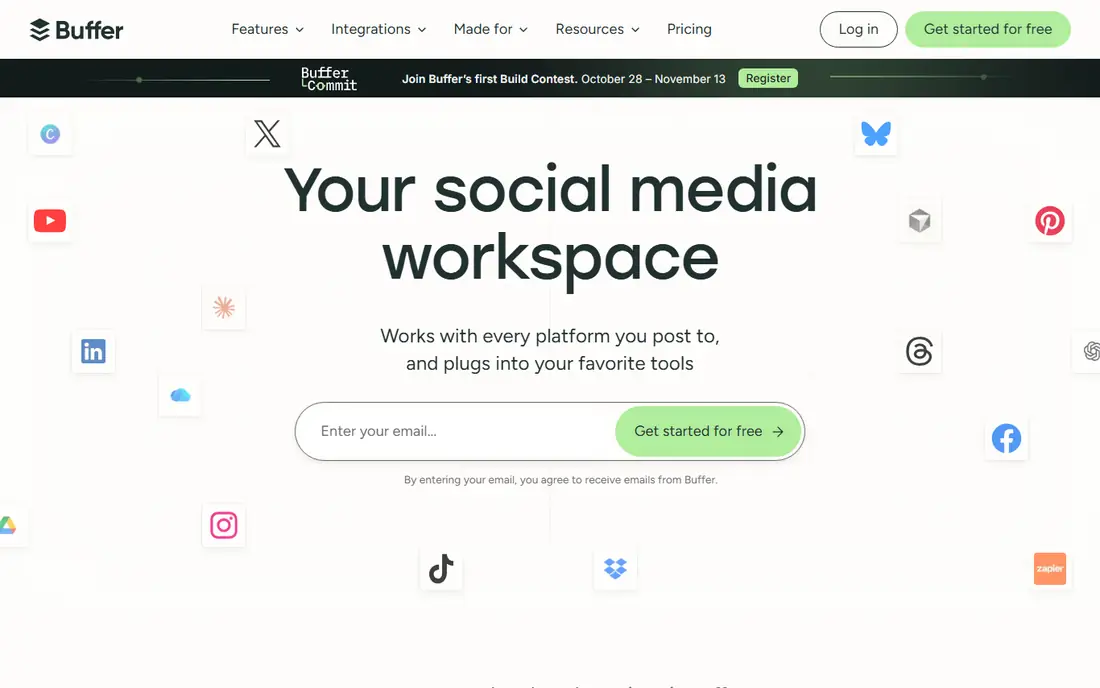
Buffer strips social scheduling down to a queue, a calendar, and clear analytics. Creators can schedule to Facebook, Instagram, TikTok, LinkedIn, Threads, Bluesky, YouTube Shorts, Pinterest, X, and more from one dashboard, and the Create space holds ideas until they are ready to publish. Posting time recommendations and an AI assistant help small teams stay consistent without a strategist.
The pricing model is the main reason solo creators switch. Billing per channel means a brand on three networks pays for exactly three channels, and the free tier covers that setup with 10 queued posts per channel. The Team plan adds unlimited users and approvals. The catch is scale: brands with many channels or heavy approval needs will pay more as channels grow, and the free tier is a trial of the workflow rather than a long-term home.
What we like- Free tier for 3 channels
- Per-channel billing keeps small setups cheap
- AI assistant and analytics included on paid plans
Watch out for- Free tier caps queued posts at 10 per channel
- Advanced approvals sit on the Team plan
#2Later
Best for: Visual Instagram and TikTok planning4.5/5 on
G2 (384 reviews, checked Oct 2026)
Visit later.com
Starting price$25 per month
Free planYes

Later is built around visual planning. Its drag-and-drop calendar, media library, and preview tools suit brands whose content is photo and video led, especially on Instagram and TikTok. A link-in-bio tool turns the profile link into a shoppable page, which matters for creators and small retailers.
The limit to watch is post volume. The Starter plan allows 30 posts per profile per month, which is one post a day. A brand posting twice daily will hit the cap by mid-month and need the Growth tier. Later also prices by social set rather than per channel, so teams should map their profiles to sets before comparing prices with Buffer.
What we like- Visual calendar and media library built for Instagram and TikTok
- Link-in-bio tool included
- Easy drag-and-drop planning
Watch out for- Starter plan caps posts at 30 per profile per month
- Growth plans climb quickly for multi-brand teams
#3Hootsuite
Best for: Cross-platform scheduling at scale4.3/5 on
G2 (7,433 reviews, checked Oct 2026)
Visit hootsuite.com
Starting price$99 per month
Free planNo
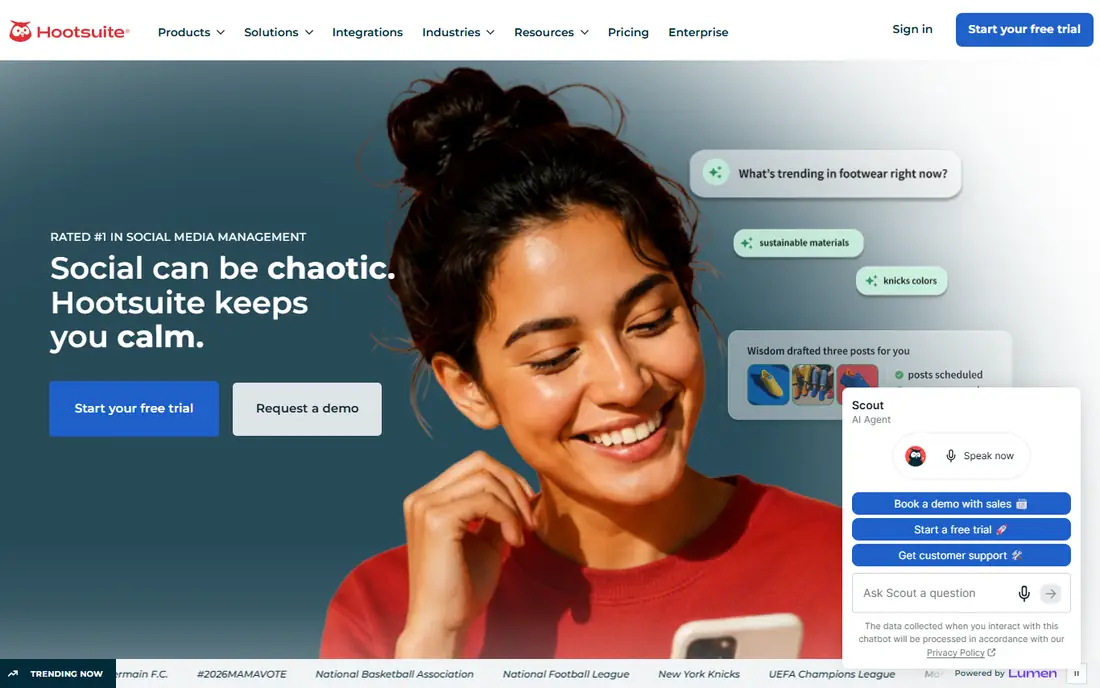
Hootsuite is the enterprise workhorse of this list. It schedules across all major networks, supports bulk scheduling, and pairs publishing with a unified inbox and social listening on higher plans. Large teams use it to manage dozens of accounts with roles, approvals, and competitor benchmarking.
The price reflects that scope. Plans start near $99 per user per month, and each added seat adds the same again, so a five-person team faces a serious monthly bill. There is no free plan. Hootsuite fits organizations that need scale, listening, and governance; solo creators will find Buffer or Publer far cheaper for the same core scheduling.
What we like- Schedules across many networks with bulk tools
- Enterprise inbox and social listening
- Approval workflows on higher plans
Watch out for- Per-user pricing gets expensive for teams
- No free plan
- Smaller teams may find it heavy
#4Sprout Social
Best for: Enterprise reporting and listening4.4/5 on
G2 (6,880 reviews, checked Oct 2026)
Visit sproutsocial.com
Starting price$79 per seat per month
Free planNo
Sprout Social competes with Hootsuite at the top end, with an emphasis on reporting and engagement. Its analytics break down performance by network, campaign, and team member, and its inbox brings comments and messages together for fast replies. Agencies like its client-ready reports, and brands like its listening tools for tracking mentions and trends.
Pricing is per seat, starting near $79 per seat per month on annual billing, so team costs add up quickly. Some listening and premium analytics features also sit on higher tiers. For a brand where reporting quality justifies the spend, Sprout is a strong Post Planner alternative; for simple scheduling, it is more tool than needed.
What we like- Strong analytics, reporting, and social listening
- Polished inbox for engagement
- 30-day trial
Watch out for- Per-seat pricing is costly for larger teams
- Entry plan lacks some listening depth
#5SocialBee
Best for: Evergreen content queues4.7/5 on
G2 (477 reviews, checked Oct 2026)
Visit socialbee.com
Starting price$29 per month
Free planNo
SocialBee is built for evergreen content. Instead of scheduling each post once, users sort content into categories and let queues recycle it on a schedule, which keeps profiles active without constant new creation. Curation tools help find and share third-party articles, and the platform supports all major networks.
The learning curve is real: category queues and content workflows take setup before they pay off. There is also no free plan, with paid plans starting near $29 per month. Analytics are serviceable but lighter than Sprout or Hootsuite. For teams with a library of timeless content, SocialBee's recycling model is a genuine advantage over Post Planner's simpler queue.
What we like- Category-based evergreen queues keep content recycling
- Content curation tools included
- Supports many networks
Watch out for- No free plan
- Interface takes time to learn
- Analytics are lighter than Sprout
#6Metricool
Best for: Budget reporting and scheduling4.5/5 on
G2 (98 reviews, checked Oct 2026)
Visit metricool.com
Starting price$25 per month
Free planYes
Metricool gives budget teams reporting depth that usually costs far more. Its dashboard combines scheduling with analytics, competitor tracking, and ads management, so a small marketer can see performance, rivals, and ad spend without three separate tools. The free tier covers one brand, and the Starter plan near $25 per month adds five brands.
The free tier is a genuine but narrow starting point: one brand only, with limited history. Teams with many clients will need higher plans, and some advanced reporting sits above Starter. Even so, Metricool is one of the best value picks here for marketers who want data alongside scheduling.
What we like- Free tier for one brand
- Reporting, competitor tracking, and ads management in one place
- Affordable starter plan
Watch out for- Free tier is limited to one brand
- Some advanced features need higher plans
#7Publer
Best for: Cheap bulk scheduling4.7/5 on
G2 (545 reviews, checked Oct 2026)
Visit publer.io
Starting price$5 per account per month
Free planYes
Publer is the budget bulk scheduler. Plans start near $5 to $10 per account per month, and the free tier covers three accounts, which makes it one of the cheapest ways to schedule across several networks. Bulk upload, media handling, and a link-in-bio tool round out a practical feature set for small teams.
The free tier excludes X, which matters for brands active there, and approval workflows and analytics are lighter than at Hootsuite or Sprout. Support and documentation are also thinner than the big names. For a small roster that mainly needs reliable bulk scheduling at a low price, Publer is hard to beat.
What we like- Very low per-account pricing
- Bulk scheduling and media tools
- Free tier for three accounts
Watch out for- Free tier excludes X
- Approval and analytics features are lighter than enterprise tools
Starting price$79 per month
Free planNo
RecurPost is the agency pick in this list. Its approval workflow lets clients review and sign off posts in stages, and per-client team roles keep staff access tidy across many accounts. The agency plan near $79 per month covers 20 accounts and three users, with evergreen libraries and bulk scheduling for high posting volume.
Solo creators will find it overbuilt: the feature set and price assume client work. There is no free tier, though trials are available. For an agency moving off Post Planner because approvals and team roles matter, RecurPost closes those gaps directly.
What we like- Staged client approvals and per-client team roles
- Evergreen libraries with bulk scheduling
- Agency plan covers 20 accounts
Watch out for- No free tier
- Agency focus means solo creators pay for features they may not need
How we chose
We compared each tool against what Post Planner users actually need: scheduling across networks, bulk and evergreen posting, approvals, analytics, and price at real team sizes. Pricing figures come from vendor pages and recent published comparisons, and anything we could not confirm is written as "See website". We favored actively maintained tools that serve US buyers, and we flagged where pricing is per channel, per seat, or per social set, since that changes the real monthly bill.
What to check before you switch
Map your billing model before comparing headline prices. Buffer bills per channel, Hootsuite and Sprout per seat, Later per social set, and Publer per account, so the cheapest option depends on your team size and network count. Check four things on any trial: post caps per profile, whether every network you use is included on the plan, how approvals work for your team, and whether analytics history is deep enough for your reporting. Also confirm what happens to scheduled posts if you cancel, and export your content calendar before migrating. A short parallel run, where the new tool schedules a week of posts while the old one still runs, catches setup mistakes before they cost you a missed post.
Frequently asked questions
Is Post Planner still a good tool?
Post Planner remains an active scheduling tool with content discovery and queue features. Buyers switch mainly for approvals, analytics depth, pricing models, or network coverage, not because the product has shut down.
Which Post Planner alternative is cheapest?
Publer and Buffer have the lowest entry prices, near $5 per account or channel per month, and both offer free tiers. The cheapest choice depends on how many channels and team members you have.
Do I need approvals for a solo account?
No. Approvals matter for teams and agencies where clients or managers review posts. Solo creators can skip approval features and pick a simpler, cheaper scheduler.
Can I schedule to TikTok and Instagram Reels with these tools?
Yes, all eight tools support the major networks including Instagram and TikTok, though direct publishing rules and feature depth vary by network and plan. Confirm Reels and TikTok publishing on your chosen plan during trial.
What is an evergreen queue?
An evergreen queue recycles timeless content on a schedule, so a post can publish again weeks later instead of once. SocialBee and RecurPost are built around this model, which suits tips, quotes, and educational posts.
How do I move scheduled posts to a new tool?
Export or note your content calendar from Post Planner, reconnect your social accounts in the new tool, and rebuild the queue. Most tools support bulk upload via CSV, which speeds up the move for large calendars.
Sources we checked (8)
- https://buffer.com/pricing
- https://later.com/pricing/
- https://www.hootsuite.com/plans
- https://sproutsocial.com/pricing
- https://socialbee.com/pricing/
- https://metricool.com/pricing/
- https://publer.io/pricing
- https://recurpost.com/pricing/
Is your product missing or out of date?
We review this list regularly. Vendors can request a listing, send updated pricing or ask about featured placement.

Shihab Mia · Founder, Rankite
Shihab has 5+ years in B2B and SaaS SEO. He writes Rankite's software buying guides from pricing pages, documentation and public user reviews. More about Shihab.