How we make this list: we compare pricing pages, product documentation and public user reviews. Ratings come from G2, Capterra or Trustpilot, with the date we checked them.
Key takeaways
- Instagram and Tumblr are the closest social replacements for Pinterest, with visual feeds, saving and discovery built in.
- Behance and Dribbble suit designers who want professional portfolios and client discovery, rather than casual mood boards.
- We Heart It and Mix suit casual image collecting and discovery, while Are.na and Pearltrees suit research-led collections and organizing links.
- No single app matches Pinterest for every use, so pick based on whether you want inspiration, portfolio exposure or research organization.
Quick comparison
| Tool | Best for | Starting price | Free plan |
|---|
 Instagram Instagram | Visual social discovery | Free | Yes |
 Tumblr Tumblr | Blogging and visual boards | Free | Yes |
 Behance Behance | Design portfolios | Free | Yes |
 Dribbble Dribbble | Designer showcase | Free | Yes |
 We Heart It We Heart It | Image collecting | Free | Yes |
 Mix Mix | Content discovery | Free | Yes |
 Are.na Are.na | Research collections | Free | Yes |
 Pearltrees Pearltrees | Organizing links | Free | Yes |
Is your product missing or out of date?
We review this list regularly. Vendors can request a listing, send updated pricing or ask about featured placement.
The best Pinterest alternatives
#1Instagram
Best for: Visual social discovery4.5/5 on
G2 (171 reviews, checked Oct 2026)
Visit instagram.com
Starting priceFree
Free planYes
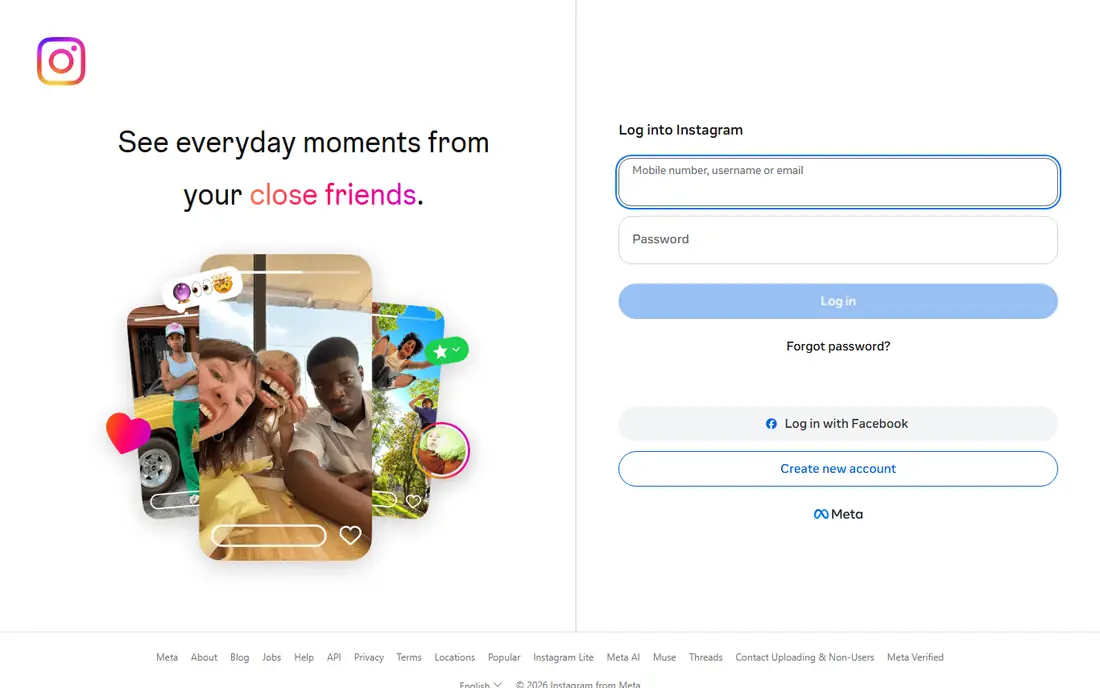
Instagram is the closest large-scale Pinterest alternative for visual discovery. Photos, Reels and carousels cover fashion, home, food, travel and art, while saved posts and collections let you group finds by topic. Explore and search surface new creators daily, and following a creator gives a steady stream of ideas. For a reader who wants visual inspiration with a social layer, Instagram offers the largest pool of images in this list.
Organization is weaker than Pinterest. Collections exist, but board-style planning, with sections and easy rearrangement, is thinner, and the algorithm favors video and popular accounts over niche finds. A reader who plans a wedding or a renovation may miss Pinterest board structure. For daily visual discovery, Instagram is the obvious first alternative.
What we like- Largest visual social network
- Saved posts and collections
- Explore discovery and Reels
Watch out for- Algorithm favors video and popular creators
- Saving is less organized than Pinterest boards
Starting priceFree
Free planYes
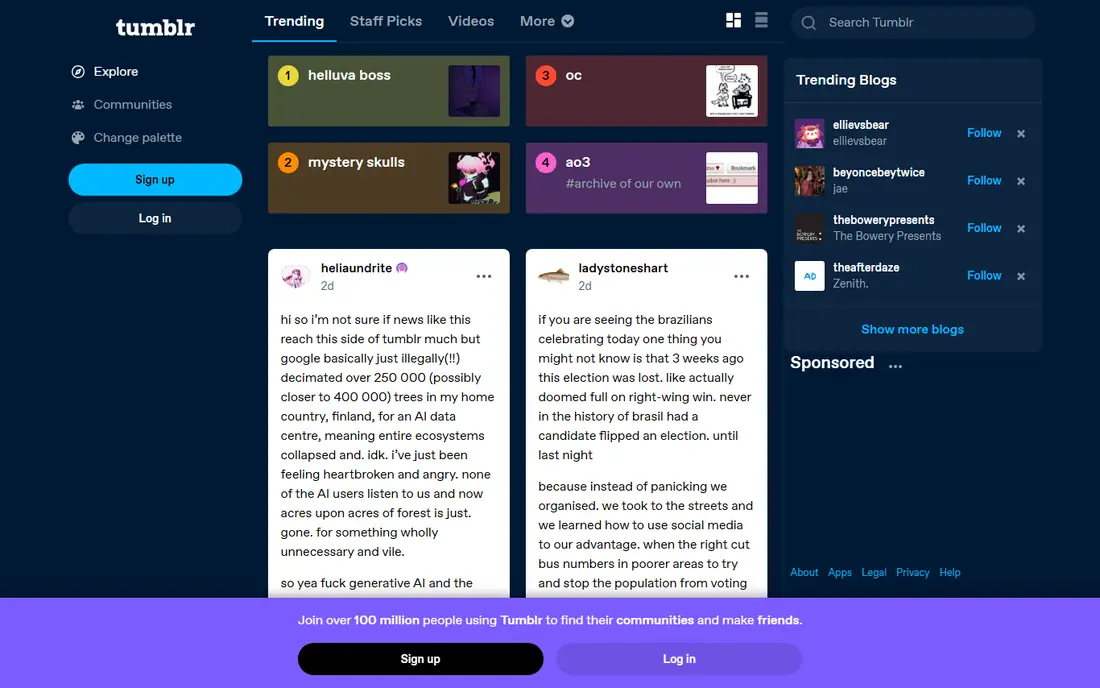
Tumblr suits a reader who wants Pinterest-style collecting with blogging attached. Reblogging builds a personal feed of images, quotes and art, while tags and blogs let niche aesthetics and fandoms thrive. A Tumblr blog can act as a mood board, a journal and a portfolio at once, which appeals to a creative reader who wants more than a pin board. The community is famously welcoming to niche tastes.
Mainstream reach is smaller than Instagram, and the interface feels dated in some areas. Discovery also depends heavily on who you follow. For a reader who wants a personal, aesthetic-led visual space rather than a mass-market feed, Tumblr is a strong Pinterest alternative.
What we like- Long-running visual blogging community
- Reblogging builds collections
- Niche fandoms and aesthetics thrive
Watch out for- Smaller mainstream audience than Instagram
- Interface feels dated in places
Starting priceFree
Free planYes
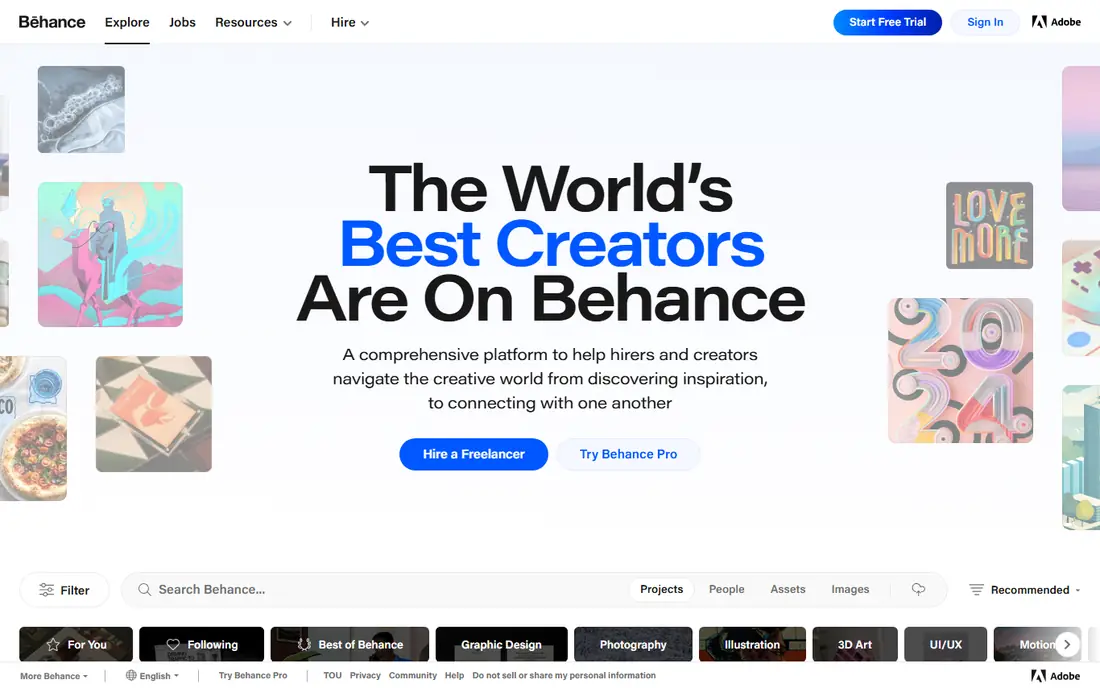
Behance, from Adobe, suits a designer or creative professional who wants portfolio exposure as well as inspiration. Projects are presented as full case studies with images, process and credits, and curated galleries highlight strong work across graphic design, photography, illustration and motion. Clients browse Behance to hire, so a portfolio here can lead to work, not just likes. For a professional, that dual use beats Pinterest.
Casual inspiration is thinner. Behance favors finished professional work over everyday ideas such as recipes or home decor, so a reader planning a kitchen remodel will find less here. For design professionals and serious creatives, Behance is the best portfolio-led Pinterest alternative.
What we like- Professional design portfolios
- Curated galleries
- Client discovery for designers
Watch out for- Professional focus means less casual inspiration
- Casual browsing feels less personal than Pinterest
Starting priceFree
Free planYes
Dribbble suits a designer who wants feedback and exposure for visual work. Shots showcase user interface design, branding, illustration and animation in a compact format, and the community comments and likes with a professional eye. Hiring tools help teams find designers, so a strong Dribbble presence can lead to freelance or full-time work. For a UI or brand designer, Dribbble offers a focused audience that Pinterest cannot match.
The focus is narrow. A reader who wants recipes, travel or home ideas will find little here, and casual collecting is limited compared with Pinterest boards. For design showcase and professional discovery, Dribbble is an excellent alternative.
What we like- Focused designer community
- Shots showcase UI, branding and illustration
- Hiring tools for teams
Watch out for- Design-only focus
- Casual image collecting is limited
Starting priceFree
Free planYes
We Heart It is the closest direct Pinterest clone in spirit. Users save images into sets, follow other collectors and browse aesthetic feeds covering fashion, art, quotes and photography. The interface is simple, which suits a reader who only wants to collect beautiful images without social noise. For a teen or young adult building mood boards, We Heart It feels familiar and easy.
The library is far smaller than Pinterest, and social features are lighter than Instagram. A reader searching for a niche topic may find fewer results. For simple, aesthetic image collecting, We Heart It is the most Pinterest-like alternative in this list.
What we like- Simple image collecting and sets
- Aesthetic-led community
- Easy saving
Watch out for- Smaller library than Pinterest
- Social features are lighter than Instagram
Starting priceFree
Free planYes
Mix, formerly StumbleUpon, suits a reader who wants discovery across content types, not just images. The feed surfaces articles, images and videos based on interests, and collections let you save finds by topic. That mix helps a reader who wants ideas for reading, watching and making, rather than images alone. For a curious browser, Mix offers serendipity that Pinterest boards sometimes lack.
Pure image board planning is thinner, since Mix blends articles and videos with images. The community is also smaller than Pinterest, so niche topics may have fewer saves. For interest-led discovery across media types, Mix is a refreshing alternative.
What we like- Discovery feed for articles, images and videos
- Collections for saving
- Interest-based recommendations
Watch out for- Mixes content types, so pure image boards are thinner
- Community is smaller than Pinterest
Starting priceFree
Free planYes
Are.na suits a researcher, student or creative who wants to organize ideas without an algorithm. Channels hold images, links, text blocks and files in a clean, chronological layout, and the community leans toward art, design research and academic topics. There are no ads and no algorithmic feed pushing popular content, which helps deep research. For a reader building a thesis, a design project or a long-term idea collection, Are.na offers calm structure.
Social features are minimal, and a new user expecting a Pinterest-style feed may find Are.na quiet at first. The free tier also limits some features, with paid plans for heavier use. For research-led collecting, Are.na is the most thoughtful alternative in this list.
What we like- Clean channels for images, links and text
- Research-led community
- No ads or algorithm feed
Watch out for- Minimal social features
- Learning curve for new users who expect a Pinterest feed
Starting priceFree
Free planYes
Pearltrees suits a reader who organizes links and ideas into a visual tree. Collections branch into sub-collections, which helps a researcher or planner map a topic, such as a trip, a course or a project, in a structured way. Links, images, files and notes sit together, and collections share with a link. For a reader who thinks in outlines and maps rather than flat boards, Pearltrees offers a distinct advantage.
The interface takes learning, and visual discovery is weaker than Pinterest, since Pearltrees favors organization over browsing. A casual image collector may prefer We Heart It or Instagram. For structured research organization, Pearltrees is a powerful alternative.
What we like- Visual tree organization for links, images and notes
- Collections share easily
- Good for research
Watch out for- Interface takes learning
- Visual discovery is weaker than Pinterest
How we chose
We compared pricing pages, feature lists and public reviews for visual discovery and collecting tools that readers use instead of Pinterest. We looked for saving and board features, discovery quality, community size, portfolio value and research organization. We did not claim hands-on testing, and we treated all tools here as free at core, since paid tiers mainly add storage or professional features.
How to pick the right Pinterest alternative
Start with your main job. A reader who wants daily visual inspiration should pick Instagram or Tumblr. A designer who wants portfolio exposure should pick Behance or Dribbble. A casual collector should try We Heart It or Mix, while a researcher should try Are.na or Pearltrees. Using two tools often works best, such as Instagram for discovery and Are.na for organizing the best finds.
Next, test saving and retrieval. Save twenty images on a trial board or channel, then try to find one a week later without scrolling endlessly. A tool that makes retrieval easy beats a tool with a prettier feed. Finally, check privacy settings, since some tools default to public collections. Set collections to private where needed, especially for personal projects such as weddings or home plans.
If you are leaving Pinterest, plan the move in stages rather than trying to copy everything at once. Start with the boards you actually use, such as a current renovation, a work portfolio or a recipe collection, and rebuild those first on the new tool. Screenshot board layouts you want to keep, save source links for key images, and note which pins came from shops or creators you follow, so you can follow them again on Instagram or Tumblr. Older boards that you have not opened in a year can wait, and many can be left behind without loss. A staged move keeps the new collection useful instead of turning it into a cluttered archive. Keep a backup of your best collections as a simple document with links, so a future platform change costs you nothing even if the new tool closes.
Frequently asked questions
What is the closest alternative to Pinterest?
We Heart It is closest in spirit for simple image collecting, while Instagram is closest in scale for visual discovery. No single app matches Pinterest board structure exactly, so the best pick depends on whether you value collecting, discovery or portfolio exposure.
Can I use Behance or Dribbble if I am not a designer?
Yes, you can browse both for inspiration without a portfolio, but their content focuses on professional design. Casual readers planning home, food or travel projects will find more relevant ideas on Instagram, Tumblr or We Heart It.
Are these alternatives free?
Yes, at core. All tools in this list offer free accounts with saving and discovery features, while paid tiers mainly add storage, hiring tools or professional features for heavy users.
Can I move my Pinterest boards to another app?
Not directly in most cases. Pinterest exports are limited, so moving a board usually means re-saving images manually or using a third-party export tool. Start fresh on the new app with your most important collections first.
Which alternative is best for research?
Are.na and Pearltrees are best for research, since they organize images, links and notes into structured collections without an algorithmic feed. Are.na suits clean, chronological channels, while Pearltrees suits branching topic maps.
Sources we checked (8)
- https://www.instagram.com
- https://www.tumblr.com
- https://www.behance.net
- https://dribbble.com
- https://weheartit.com
- https://mix.com
- https://www.are.na
- https://www.pearltrees.com
Is your product missing or out of date?
We review this list regularly. Vendors can request a listing, send updated pricing or ask about featured placement.

Shihab Mia · Founder, Rankite
Shihab has 5+ years in B2B and SaaS SEO. He writes Rankite's software buying guides from pricing pages, documentation and public user reviews. More about Shihab.