How we make this list: we compare pricing pages, product documentation and public user reviews. Ratings come from G2, Capterra or Trustpilot, with the date we checked them.
What Is the Best PicMonkey Alternative in 2026?
Canva is the best PicMonkey alternative for most people in 2026. It has the largest template library in this list, the easiest editor for non-designers, and a free plan that covers everyday social media posts, presentations, and flyers, while PicMonkey has no permanent free plan at all. PicMonkey Basic starts at $7.99 per month and Pro at $12.99 per month, so Canva Pro at $18 per month billed monthly is dearer, but it adds brand kits, Magic Resize, and a content planner that PicMonkey Basic lacks. If photo editing matters more than templates, Fotor is the stronger pick, because its one-click enhancer, background remover, and retouching tools are built for photos first.
How Do PicMonkey Alternatives Compare on Price?
Price is the first thing most buyers check, and the range in this list is wide. Desygner Pro+ is the cheapest paid plan here at $4.95 per month billed annually, while Easil Plus costs $6.25 per user per month billed annually. Fotor Pro costs $8.99 per month billed monthly, or $39.99 per year. Adobe Express Premium costs $9.99 per month. Snappa Pro costs $10 per month billed annually, or $15 per month billed monthly. VistaCreate Pro costs $10 per month billed annually, or $13 per month billed monthly. Kittl Pro costs $14 per month billed annually, or $19 per month billed monthly. Canva Pro is the most expensive at $18 per month billed monthly, or $144 per year. All prices were checked against vendor pricing pages and pricing reports on 17 November 2026, except Fotor, which was checked on 11 November 2026. Prices can vary by country, currency, and tax, so confirm the total at checkout before you pay.
| Tool |
Starting paid price |
Free plan |
| Canva |
$18 per month billed monthly, $144 per year |
Yes |
| Adobe Express |
$9.99 per month, $99.99 per year prepaid |
Yes |
| VistaCreate |
$13 per month billed monthly, $120 per year |
Yes, Starter |
| Snappa |
$15 per month billed monthly, $10 per month billed annually |
Yes, 3 downloads per month |
| Kittl |
$19 per month billed monthly, $14 per month billed annually |
Yes, personal use only |
| Desygner |
$9.95 per month billed monthly, $4.95 per month billed annually |
Yes |
| Easil |
$7.50 per user per month billed monthly, $6.25 per user per month billed annually |
Yes, Basic |
| Fotor |
$8.99 per month billed monthly, $39.99 per year |
Yes, Basic |
Annual billing cuts Canva Pro from $18 to $12 per month, VistaCreate Pro from $13 to $10 per month, Snappa Pro from $15 to $10 per month, Kittl Pro from $19 to $14 per month, and Fotor Pro from $8.99 to about $3.33 per month. If you design every week, annual billing is usually worth it. If you only need a tool for one campaign, monthly billing is the safer choice. PicMonkey charges $7.99 per month for Basic and $12.99 per month for Pro, so most of the tools in this list cost less than PicMonkey Pro, and every one of them offers a free plan, which PicMonkey does not.
Which PicMonkey Alternative Is Best for Photo Editing?
PicMonkey is a photo editor first and a design tool second, so buyers who leave it for photo editing should pick a tool with strong retouching, not just templates. Fotor is the closest match, with a one-click enhancer, background remover, object remover, portrait retouching, and an AI upscaler, plus collage layouts that mirror PicMonkey. Canva is second, with background removal, Magic Edit, and a large photo library on Pro, though its retouching tools are lighter than Fotor. Adobe Express sits in the middle, with Firefly-powered generative fill, background removal, and photo effects, plus Adobe Fonts and stock photos. For product photos, Fotor or Canva will cover most of your work, and Fotor has the deeper set of portrait touch-up tools.
What Should You Check Before You Switch from PicMonkey?
Before you switch, check four things. First, check your file exports. If you need print-ready PDFs, vector SVG files, or transparent PNG files, confirm the plan you are buying includes them, because some tools reserve high-resolution and vector exports for paid plans. Second, check your brand assets. If you use brand colours, fonts, and logos, you need a brand kit, and some tools limit brand kits to one on the free plan. Third, check your existing designs. None of these tools imports PicMonkey project files directly, so export finished designs as images or PDFs before you cancel, and rebuild any templates you still use. Fourth, check free plan limits. Free plans often add watermarks, cap downloads, or block commercial use, so read the licence before you publish client work.
Quick comparison
| Tool | Best for | Starting price | Free plan |
|---|
 Canva | Small businesses and creators who want the largest template library and the easiest editor | $18 per month billed monthly, or $144 per year for Canva Pro, checked 17 November 2026 | Yes, free plan with 250,000 plus templates, 100 plus design types, and 5 GB storage |
 Adobe Express | Adobe users and marketers who want Firefly AI tools, premium templates, and stock photos at a low price | $9.99 per month billed monthly, or $99.99 per year prepaid for Premium, checked 17 November 2026 | Yes, free plan with templates, Adobe Fonts, and basic generative AI features |
 VistaCreate | Small teams and solo marketers who want Canva-style templates at a lower price | $13 per month billed monthly, or $120 per year for Pro, checked 17 November 2026 | Yes, Starter plan with 100,000 plus templates, 1 million plus photos, and 10 GB storage |
 Snappa | Marketers who want fast social graphics and ads without learning a design tool | $15 per month billed monthly, or $10 per month billed annually for Pro, checked 17 November 2026 | Yes, free Starter plan with 3 downloads per month and access to stock assets |
 Kittl | Print on demand sellers and designers who need typography, vector exports, and a commercial licence | $19 per month billed monthly, or $14 per month billed annually for Pro, checked 17 November 2026 | Yes, free plan with 5 projects and 100 AI tokens per month, personal use only |
 Desygner | Small businesses and franchises that need strict brand control across many designs | $9.95 per month billed monthly, or $4.95 per month billed annually for Pro+, checked 17 November 2026 | Yes, free plan with thousands of templates, millions of free images and icons, and 300 plus design formats |
 Easil | Marketing teams that need locked brand templates and approval workflows | $7.50 per user per month billed monthly, or $6.25 per user per month billed annually for Plus, checked 17 November 2026 | Yes, Basic plan with free templates and design tools |
 Fotor | Photo editing, portraits, collages, and quick AI enhancement for online shops and creators | $8.99 per month billed monthly, or $39.99 per year for Pro, checked 11 November 2026 | Yes, Basic plan with basic editing tools, limited AI credits, and 512 MB storage |
Is your product missing or out of date?
We review this list regularly. Vendors can request a listing, send updated pricing or ask about featured placement.
8 Best PicMonkey Alternatives
#1Canva
Best for: Small businesses and creators who want the largest template library and the easiest editor4.7/5 on
G2 (7,678 reviews, checked Oct 2026)
Visit canva.com
Starting price$18 per month billed monthly, or $144 per year for Canva Pro, checked 17 November 2026
Free planYes, free plan with 250,000 plus templates, 100 plus design types, and 5 GB storage
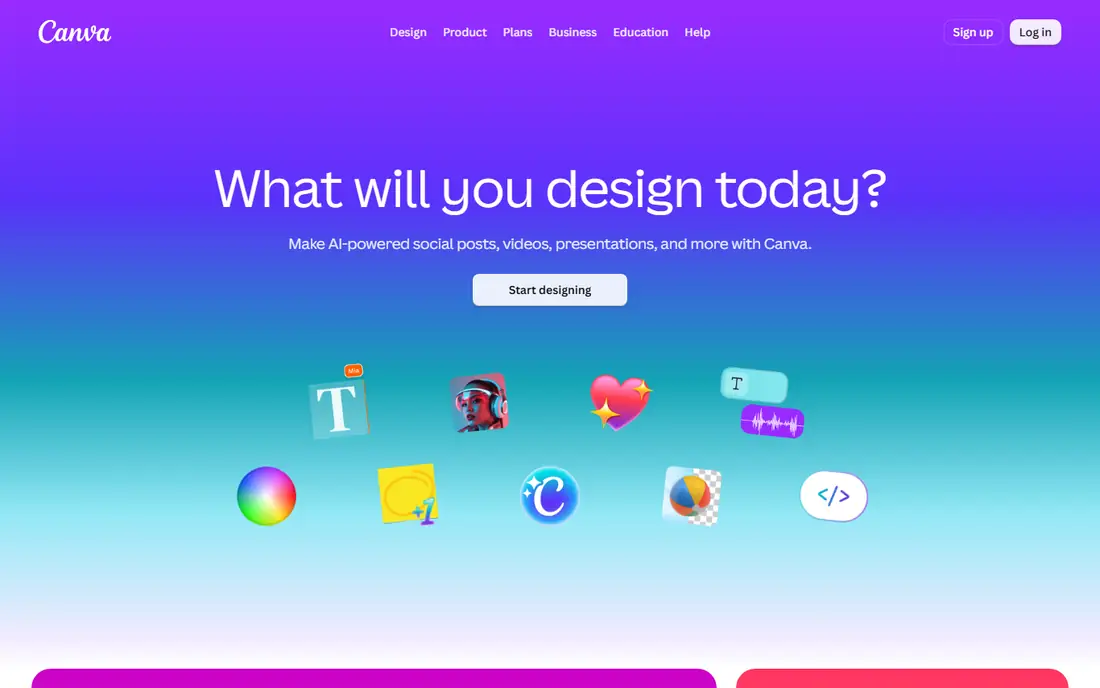
Canva is the most complete PicMonkey alternative, and it is the safest pick if you are unsure which tool to choose. The editor is simple enough for a first-time designer, yet it covers social posts, presentations, videos, documents, and print products in one place. Paid plans add background removal, Magic Resize, brand kits, 100 GB storage, and a content planner. The free plan is useful for occasional designs, but it limits storage to 5 GB and locks the best templates behind Pro. If you publish often and want one tool for everything, Canva is hard to beat.
What we like- Largest template and stock library in this list, simple drag and drop editor, brand kits, Magic Resize, background removal, and a content planner on paid plans
Watch out for- Pro costs more than most rivals here, and premium templates and stock assets are easy to use by mistake on the free plan, which can lead to a watermarked or paid export
#2Adobe Express
Best for: Adobe users and marketers who want Firefly AI tools, premium templates, and stock photos at a low price4.5/5 on
G2 (855 reviews, checked Oct 2026)
Visit adobe.com
Starting price$9.99 per month billed monthly, or $99.99 per year prepaid for Premium, checked 17 November 2026
Free planYes, free plan with templates, Adobe Fonts, and basic generative AI features
Adobe Express is the best-priced premium option in this list for buyers who already use Adobe products. Premium costs $9.99 per month, which is less than PicMonkey Pro at $12.99 per month, and it includes 250 generative credits a month, premium templates, brand kits, background removal, and one-click resizing for different social sizes. The free plan is genuinely useful, with templates and Adobe Fonts included, and it carries a 30-day Premium trial. It shares assets and fonts with Photoshop, Illustrator, and Acrobat through Creative Cloud Libraries. Free generative credits run out fast, and Express has no CMYK mode, so print designers should check colour output before committing.
What we like- Firefly generative fill and text to image, Adobe Fonts and Adobe Stock access, one-click Resize, brand kits, and a 30-day trial of Premium
Watch out for- No annual discount on the monthly price unless you prepay the year, the free plan has limited generative credits, and there is no CMYK support for print work
#3VistaCreate
Best for: Small teams and solo marketers who want Canva-style templates at a lower price4.5/5 on
G2 (171 reviews, checked Oct 2026)
Visit create.vista.com
Starting price$13 per month billed monthly, or $120 per year for Pro, checked 17 November 2026
Free planYes, Starter plan with 100,000 plus templates, 1 million plus photos, and 10 GB storage
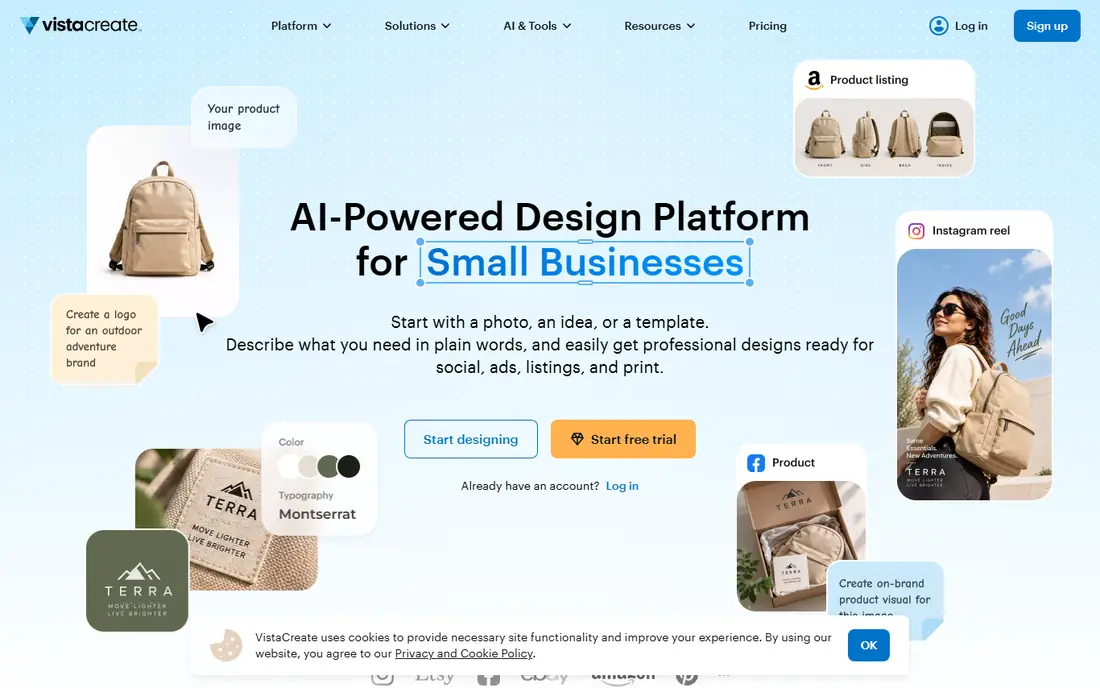
VistaCreate, formerly Crello, is the closest like-for-like alternative to PicMonkey at a lower price. It offers more than 200,000 templates on Pro, a large stock library, animated designs, and AI tools for image generation, writing, background removal, and object removal. The standout feature is team pricing. One Pro subscription covers up to 10 seats, so a five-person team pays $120 per year in total, while the same team would pay far more on a per-seat plan elsewhere. For a small business that posts weekly and wants to keep costs down, VistaCreate is one of the best value picks in this list.
What we like- One Pro price covers up to 10 team seats, animated templates, background remover, AI tools, and a social scheduler
Watch out for- The template and stock library is smaller than Canva, and the editor feels less polished for long documents and presentations
#4Snappa
Best for: Marketers who want fast social graphics and ads without learning a design tool4.6/5 on
G2 (40 reviews, checked Oct 2026)
Visit snappa.com
Starting price$15 per month billed monthly, or $10 per month billed annually for Pro, checked 17 November 2026
Free planYes, free Starter plan with 3 downloads per month and access to stock assets
Snappa is built for speed. The editor has fewer menus than Canva, the templates are sized for social media and ads, and you can go from idea to finished graphic in a few minutes. Pro adds unlimited downloads, background removal, custom font uploads, and integrations with Buffer and social platforms, which suits a solo marketer who publishes ads and social posts every day. The price is fair, at $10 per month billed annually or $15 per month billed monthly, and the pricing has stayed stable for years. The free plan allows only 3 downloads per month, so it is a trial in practice. If you want the fastest route to a clean social graphic, Snappa is an excellent choice.
What we like- Very fast and simple editor, unlimited downloads on Pro, background removal, custom font uploads, and Buffer and social media integrations
Watch out for- The free plan allows only 3 downloads per month, and Snappa lacks advanced AI image generation and the deep template library of Canva
#5Kittl
Best for: Print on demand sellers and designers who need typography, vector exports, and a commercial licence4.7/5 on
G2 (43 reviews, checked Oct 2026)
Visit kittl.com
Starting price$19 per month billed monthly, or $14 per month billed annually for Pro, checked 17 November 2026
Free planYes, free plan with 5 projects and 100 AI tokens per month, personal use only
Kittl is the best pick in this list for print on demand and merch design. Its library is built around typography, vintage textures, and illustration styles that suit t-shirts, posters, and stickers, and its editor handles text effects better than most template tools. Pro includes a commercial licence covering up to 500,000 copies per design, high-resolution exports, PDF and SVG vector files, and 2,000 AI tokens per month. Each editor on a team pays separately, which can make team use costly. The free plan is useful for trying the editor, but it is personal use only and exports are low resolution. If you sell printed products, Kittl is worth the higher price.
What we like- Strong typography and vintage design assets, vector SVG exports, commercial licence on paid plans, AI image generation, and print on demand presets
Watch out for- Pro costs more than older guides suggest, prices are charged per editor so team costs rise fast, and the free plan is personal use only with low-resolution exports
#6Desygner
Best for: Small businesses and franchises that need strict brand control across many designs4.6/5 on
G2 (12 reviews, checked Oct 2026)
Visit desygner.com
Starting price$9.95 per month billed monthly, or $4.95 per month billed annually for Pro+, checked 17 November 2026
Free planYes, free plan with thousands of templates, millions of free images and icons, and 300 plus design formats
Desygner is a strong budget alternative to PicMonkey, and it is one of the cheapest paid options in this list. Pro+ costs $4.95 per month billed annually or $9.95 per month billed monthly, and it adds premium templates, brand kits, and a large image library. The free plan is generous, with thousands of templates and millions of free images and icons. Desygner suits businesses with many locations or staff, because brand templates can be locked so that local teams cannot change fonts, colours, or logos. If price and brand control matter more than a modern interface, Desygner is a smart pick.
What we like- Very low annual price, brand kits and locked templates, PDF editing tools, and a large free template library
Watch out for- The interface feels dated next to Canva, AI features use credits that run out fast, and the Business plan is needed for full team controls
#7Easil
Best for: Marketing teams that need locked brand templates and approval workflows4.0/5 on
G2 (11 reviews, checked Oct 2026)
Visit easil.com
Starting price$7.50 per user per month billed monthly, or $6.25 per user per month billed annually for Plus, checked 17 November 2026
Free planYes, Basic plan with free templates and design tools
Easil is a design tool built for teams that must stay on brand. A designer creates a template, locks the fonts, colours, and logo, and then any team member can change only the text and photos. Plus costs $7.50 per user per month billed monthly or $6.25 per user per month billed annually, and it includes more than 10,000 templates, over a million graphic elements, background removal credits, and a resizing tool. The Edge plan adds animation, text masking, and a design approval workflow, but it costs $49 per user per month billed annually. Easil suits franchises, schools, and marketing teams with many non-designers.
What we like- Locked brand templates, design approval workflow on Edge, text masking and animation, background removal credits, and print ordering
Watch out for- The template library is smaller than Canva, the Edge plan at $49 per user per month billed annually is costly for the approval and animation features, and the editor has a learning curve
#8Fotor
Best for: Photo editing, portraits, collages, and quick AI enhancement for online shops and creators4.2/5 on
G2 (342 reviews, checked Oct 2026)
Visit fotor.com
Starting price$8.99 per month billed monthly, or $39.99 per year for Pro, checked 11 November 2026
Free planYes, Basic plan with basic editing tools, limited AI credits, and 512 MB storage
Fotor is the closest photo-editing match to PicMonkey in this list. It packs dozens of one-click tools, including an enhancer, background and object remover, retouching, colour correction, and an AI upscaler, plus collage layouts and templates for social posts and product photos. Pro costs $8.99 per month billed monthly or $39.99 per year, which works out to about $3.33 per month on annual billing, and it adds 100 AI credits a month, HD and transparent PNG exports without a watermark, batch editing, and 2 GB storage. If your work starts with a photo rather than a blank template, Fotor is the most direct PicMonkey replacement here.
What we like- Strong one-click photo enhancer, background and object remover, portrait retouching, AI upscaler, and collage maker, with a low annual price
Watch out for- AI tools run on monthly credits that run out fast, with Pro allowing only 100 credits a month, and some regional pricing pages show a higher monthly price, so confirm the figure at checkout
Frequently asked questions
Is there a free alternative to PicMonkey?
Yes, every tool in this list has a free plan, while PicMonkey has no permanent free plan and offers only a 7-day trial. Canva has the most useful free plan for everyday designs, Fotor has the strongest free photo editing tools, and Adobe Express gives free users templates and Adobe Fonts. Check the limits before you rely on a free plan, because some add watermarks, cap downloads, or block commercial use.
Which PicMonkey alternative is cheapest?
Desygner Pro+ is the cheapest paid plan in this list at $4.95 per month billed annually. Easil Plus is next at $6.25 per user per month billed annually, followed by Fotor Pro at about $3.33 per month on annual billing, or $8.99 per month billed monthly. Adobe Express Premium at $9.99 per month is the cheapest single-seat premium plan billed monthly. PicMonkey Basic starts at $7.99 per month, so several of these tools cost less.
Which PicMonkey alternative is best for photo editing?
Fotor is the best pick for photo editing. Its one-click enhancer, background remover, object remover, portrait retouching, and AI upscaler are built for photos first, which matches how most people use PicMonkey. Canva is second, with background removal and Magic Edit on Pro, though its retouching tools are lighter. Adobe Express is third, with Firefly generative fill and photo effects, plus Adobe Stock photos.
Can I use these alternatives for commercial work?
Yes, in most cases, but check the licence for the plan you buy. Kittl requires a paid plan for commercial use, and its free plan is personal use only. Fotor allows commercial use of Pro-marked material on paid plans, while its free plan has limits. Canva, VistaCreate, Adobe Express, and Desygner allow commercial use of designs made on their paid plans, with some limits on reselling stock assets as they stand. Read the licence terms before you sell a design.
Is Canva better than PicMonkey?
Canva is better than PicMonkey for template choice, ease of use, brand kits, and team features, with a larger library and a simpler editor, plus a free plan that PicMonkey does not offer. PicMonkey is better for photo-led work such as touch-ups, filters, and collages, where its editor is deeper. If you design social posts and marketing graphics, Canva is usually the stronger choice.
Sources we checked (9)
- https://www.canva.com/pricing/
- https://www.adobe.com/express/pricing
- https://create.vista.com/plans/
- https://snappa.com/pricing
- https://www.kittl.com/pricing
- https://desygner.com
- https://www.easil.com
- https://www.fotor.com/pricing
- https://www.picmonkey.com
Is your product missing or out of date?
We review this list regularly. Vendors can request a listing, send updated pricing or ask about featured placement.

Shihab Mia · Founder, Rankite
Shihab has 5+ years in B2B and SaaS SEO. He writes Rankite's software buying guides from pricing pages, documentation and public user reviews. More about Shihab.