How we make this list: we compare pricing pages, product documentation and public user reviews. Ratings come from G2, Capterra or Trustpilot, with the date we checked them.
Key takeaways
- Gmail leads on overall email plus calendar plus search, with the largest ecosystem and strong spam filtering.
- Apple Mail leads on Apple device integration, with a clean, free app across iPhone, iPad, and Mac.
- Thunderbird leads on free, open-source desktop email, with deep customization and no subscription.
- Proton Mail leads on privacy, with end-to-end encryption and a Swiss base.
- Spark and Superhuman lead on productivity email, with snooze, send later, and keyboard-first workflows.
- Zoho Mail and Fastmail suit users who want independent email without Google or Microsoft lock-in.
- Outlook itself is not listed here, since this article is about alternatives, and migration tools vary by pick.
Quick comparison
| Tool | Best for | Starting price | Free plan |
|---|
 Gmail Gmail | Overall ecosystem | Free app | Free plan |
 Apple Mail Apple Mail | Apple devices | Free app | Free |
 Thunderbird Thunderbird | Free open source desktop | Free | Free |
 Proton Mail Proton Mail | Privacy | Free app | Free plan |
 Spark Spark | Productivity email | Free app | Free plan |
 Superhuman Superhuman | Keyboard-first speed | See website | Free trial |
 Zoho Mail Zoho Mail | Independent suite | Free plan | Free plan |
 Fastmail Fastmail | Independent paid email | See website | Free trial |
Is your product missing or out of date?
We review this list regularly. Vendors can request a listing, send updated pricing or ask about featured placement.
The best outlook alternatives
Outlook anchors many workplaces through Microsoft 365, but plenty of users want something else: a cleaner interface, stronger privacy, a free desktop app, or freedom from Microsoft's ecosystem. The eight tools below cover webmail, desktop, privacy-first, and productivity email, and the right pick depends on your devices, your privacy needs, and whether email is your main work tool or just a utility.
How we chose
We started from the email apps people actually use as Outlook alternatives in 2026, drawing on vendor pages, productivity guides, and app store rankings. We favored apps with strong search, calendar integration, spam filtering, and migration tools, and we excluded Outlook itself plus webmail-only services with no app or desktop option. Prices vary by plan and storage, so where a figure is not confirmed on a vendor page, we use "See website" and flag the gap.
Buying guide
Start with your devices. Apple users gain most from Apple Mail, Windows users from Thunderbird or webmail, and cross-device users from Gmail, Proton Mail, or Fastmail. Check calendar integration too: an email app that cannot show your calendar forces constant switching, which matters for work users.
Next, check migration honestly. Moving years of mail, folders, rules, and contacts takes time, and tools vary: Gmail and Fastmail offer strong importers, Proton Mail offers import tools with encryption limits, and Thunderbird imports local folders well. Test migration with one folder before moving everything.
Then weigh privacy against convenience. Gmail's search and spam filtering are best-in-class, but they come with Google's data model. Proton Mail and Fastmail offer stronger privacy with less tracking, at the cost of some smart features. Pick based on your comfort, not on marketing claims.
Finally, consider cost over time. Free apps such as Gmail, Apple Mail, and Thunderbird cost nothing but tie you to an ecosystem or need your own email provider. Paid apps such as Fastmail and Superhuman charge monthly but offer independence or speed. Calculate two-year cost, not just the first month.
Common mistakes to avoid
The most common mistake is switching email apps without moving rules and filters. Years of accumulated rules sort mail silently, and losing them floods your inbox on day one. Export or recreate rules before switching, and run both apps in parallel for a week to catch what the new setup misses.
The second mistake is ignoring calendar and contacts. Email is only half the job: meetings, invites, and contact sync break more migrations than mail itself. Test a calendar invite in both directions before committing. The third mistake is picking on price alone: a free app that wastes ten minutes a day costs more in time than a paid app that saves it, especially for users who live in email.
Frequently asked questions
Which Outlook alternative is best for business?
Gmail with Google Workspace leads for businesses that want collaboration, while Fastmail suits businesses that want independent email with custom domains. Thunderbird suits businesses that want a free desktop client with their own provider.
Can I keep my Outlook email address when switching?
Yes, if your address comes from a provider such as Gmail, Fastmail, or your own domain. If your address is an Outlook.com or Microsoft 365 address tied to a subscription, you can usually keep receiving mail there while using another app, or forward it to a new address.
Is Proton Mail really more private?
Yes, for mail between Proton users, which is end-to-end encrypted, and for stored mail, which is encrypted at rest. Mail to outside providers is encrypted in transit but readable by the recipient's provider, as with all email.
Is Superhuman worth its high price?
For users who process hundreds of emails daily and value keyboard speed, Superhuman's workflow can save an hour a day, which justifies its price for high earners. For average users, Spark or Gmail offer most of the benefit free.
Can Thunderbird replace Outlook fully?
For email, yes, with strong customization and local folders. For Exchange-specific features such as shared mailboxes and advanced calendar delegation, Thunderbird trails Outlook, so Exchange-heavy workplaces should test carefully.
Sources
- Vendor pages for Gmail, Apple Mail, Thunderbird, Proton Mail, Spark, Superhuman, Zoho Mail, and Fastmail
- Third-party 2026 comparisons of email apps
- Productivity guides on email migration, rules, and calendar integration
Starting priceFree app
Free planFree plan
Gmail is the default alternative for most Outlook leavers, with the best search in email, strong spam filtering, and deep integration with Google Calendar, Drive, and Meet. Its interface is fast, its mobile apps are polished, and its free tier covers most personal use with 15 GB shared across Google services.
The trade-off is Google's data model: free Gmail shows ads and personalizes services from your data, which privacy-focused users dislike. Paid Google Workspace removes ads and adds admin controls. Gmail suits users who want the strongest ecosystem and search, and who accept Google's privacy terms. Its confidential mode also adds expiring messages for sensitive mail, though it is not end-to-end encryption.
What we like- Best search and spam filtering
- Calendar and Drive integration
- Huge ecosystem
Watch out for- Google data model
- Ads in free tier
- Privacy trade-offs
Starting priceFree app
Free planFree
Apple Mail is free on every iPhone, iPad, and Mac, with a clean interface, Mail Privacy Protection that blocks tracking pixels, and Hide My Email aliases for signups. Its integration with Apple Calendar, Contacts, and iCloud makes it effortless for Apple users.
It is Apple-only, power features such as snooze and send later are thinner than Spark or Superhuman, and smart sorting trails Gmail. Apple Mail suits Apple users who want a free, private, well-integrated mail app without switching ecosystems.
What we like- Free on every Apple device
- Clean interface
- Strong privacy features
Watch out for- Apple-only
- Fewer power features
- Smart features trail Gmail
Starting priceFree
Free planFree
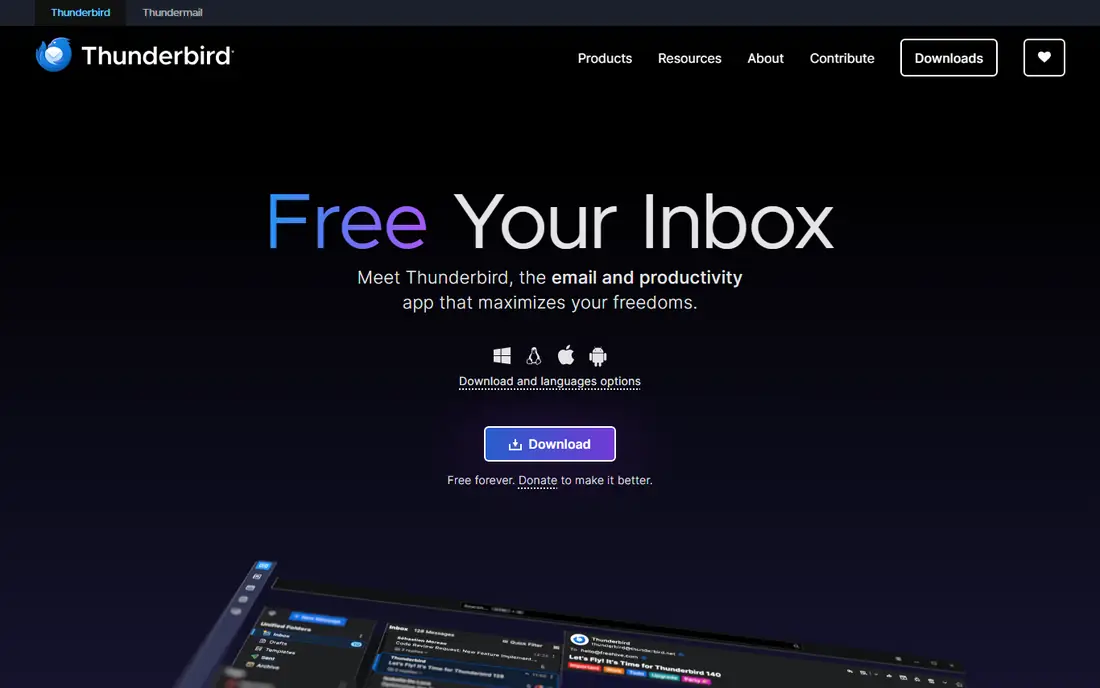
Thunderbird, from Mozilla, is the free open-source desktop email client, with deep customization through add-ons, local folders for offline mail, and no subscription or tracking. It works with almost any email provider, including Gmail, Fastmail, and private servers, which makes it the most independent desktop option.
The interface feels dated, the mobile story is limited compared with Gmail or Apple Mail, and Exchange support is partial for advanced workplace features. Thunderbird suits desktop users who want a free, private, customizable client with their own provider. Its add-on library covers calendars, tasks, and encryption for users who need them.
What we like- Free and open source
- Deep customization
- Local folders and privacy
Watch out for- Interface feels dated
- Mobile app is limited
- Exchange support is partial
Starting priceFree app
Free planFree plan
Proton Mail leads on privacy, with end-to-end encryption for mail between Proton users, encrypted storage, a Swiss legal base, and no ad tracking. Its apps cover web, iOS, and Android, and Proton VPN and Drive bundle options extend the privacy suite.
Encryption limits search, since the server cannot read mail to index it fully, free tier storage is capped, and third-party integrations are fewer than Gmail. Proton Mail suits privacy-focused users who accept those trade-offs for stronger protection.
What we like- End-to-end encryption
- Swiss privacy laws
- No tracking
- VPN bundle option
Watch out for- Search is limited by encryption
- Free tier caps storage
- Fewer integrations
Starting priceFree app
Free planFree plan
Spark organizes mail into a smart inbox that prioritizes personal mail, adds snooze, send later, and email templates, and includes team features such as shared drafts and comments. Its design suits users who process mail in batches and want a calmer inbox than Gmail or Outlook defaults.
The free tier limits team features, Spark's earlier privacy practices deserve a check for cautious users, and enterprise controls trail Microsoft and Google. Spark suits individuals and small teams who want a productivity-focused inbox with smart sorting.
What we like- Smart inbox sorting
- Snooze and send later
- Team collaboration features
Watch out for- Free tier limits teams
- Privacy history needs checking
- Fewer enterprise controls
Starting priceSee website
Free planFree trial
Superhuman is built for speed: every action has a keyboard shortcut, split inboxes separate important mail automatically, snippets insert canned replies instantly, and read statuses track outreach. Power users report saving an hour a day, which justifies its premium price for high-volume email workers.
The subscription is expensive, it works only with Gmail and Outlook accounts, and onboarding sometimes involves a waitlist and training session. Superhuman suits executives, founders, and salespeople who live in email and will pay for maximum speed.
What we like- Fastest email workflow
- Keyboard shortcuts for everything
- Split inbox and snippets
Watch out for- Expensive subscription
- Gmail and Outlook accounts only
- Onboarding waitlist at times
Starting priceFree plan
Free planFree plan
Zoho Mail offers a free tier for personal use plus custom domain hosting, making it a practical independent alternative to Google and Microsoft. It integrates with Zoho's wider suite, including Docs, Calendar, and CRM, which suits small businesses already using Zoho products.
The interface is busy, third-party integrations are fewer than Gmail, and support quality varies. Zoho Mail suits small businesses and individuals who want an independent suite with a free tier and custom domains.
What we like- Free tier for personal use
- Custom domains
- Zoho suite integration
Watch out for- Interface is busy
- Fewer third-party integrations
- Support varies
Starting priceSee website
Free planFree trial
Fastmail is the independent paid email pick, with fast apps, strong privacy, custom domain hosting, and excellent import tools for migrating from Gmail or Outlook. Its Australian base and no-tracking policy appeal to privacy-conscious users who still want polished apps.
There is no lasting free tier beyond a trial, integrations are fewer than Gmail, and the ecosystem is smaller. Fastmail suits users who will pay for independent, private, fast email and who value import tools and custom domains. Its masked email feature also helps cut down on spam from signups, since each service gets a unique address you can disable later.
What we like- Fast, private, independent email
- Custom domains
- Strong import tools
Watch out for- No free tier beyond trial
- Fewer integrations
- Smaller ecosystem
Is your product missing or out of date?
We review this list regularly. Vendors can request a listing, send updated pricing or ask about featured placement.

Shihab Mia · Founder, Rankite
Shihab has 5+ years in B2B and SaaS SEO. He writes Rankite's software buying guides from pricing pages, documentation and public user reviews. More about Shihab.