How we make this list: we compare pricing pages, product documentation and public user reviews. Ratings come from G2, Capterra or Trustpilot, with the date we checked them.
Key takeaways
- ClickUp is the best all-in-one pick, with Brain squared AI across tasks, docs, and conversations, free forever to start.
- Asana is the best pick for team workflows, with AI teammates, shared memory, and governance for human-agent teams.
- Coda is the best pick for doc-apps, with Coda AI chat, assistant, and columns, now evolving into Superhuman Docs.
- Evernote is the best pick for personal notes, with v11 AI features and a second-brain approach to notes, tasks, and schedules.
- Microsoft Loop is the best pick for Microsoft 365 teams, with Copilot co-authoring and components syncing across apps.
- Obsidian is the best pick for private notes, with local files, graph views, and plugin-based AI options.
- Anytype is the best pick for privacy, with local encryption, offline use, and peer-to-peer sync.
Quick comparison
| Tool | Best for | Starting price | Free plan |
|---|
 ClickUp ClickUp | All-in-one AI | See website | Yes |
 Asana Asana | Team workflows | See website | See website |
 Coda Coda | Doc-apps | See website | See website |
 Evernote Evernote | Personal notes | See website | See website |
 Microsoft Loop Microsoft Loop | Microsoft 365 teams | See website | See website |
 Craft Craft | Beautiful docs | $0 | Yes |
 Anytype Anytype | Privacy | See website | See website |
 Obsidian Obsidian | Private notes | See website | Yes |
Is your product missing or out of date?
We review this list regularly. Vendors can request a listing, send updated pricing or ask about featured placement.
The best Notion AI alternatives
#1ClickUp
Best for: All-in-one AI4.6/5 on
G2 (14,878 reviews, checked Oct 2026)
Visit clickup.com
Starting priceSee website
Free planYes
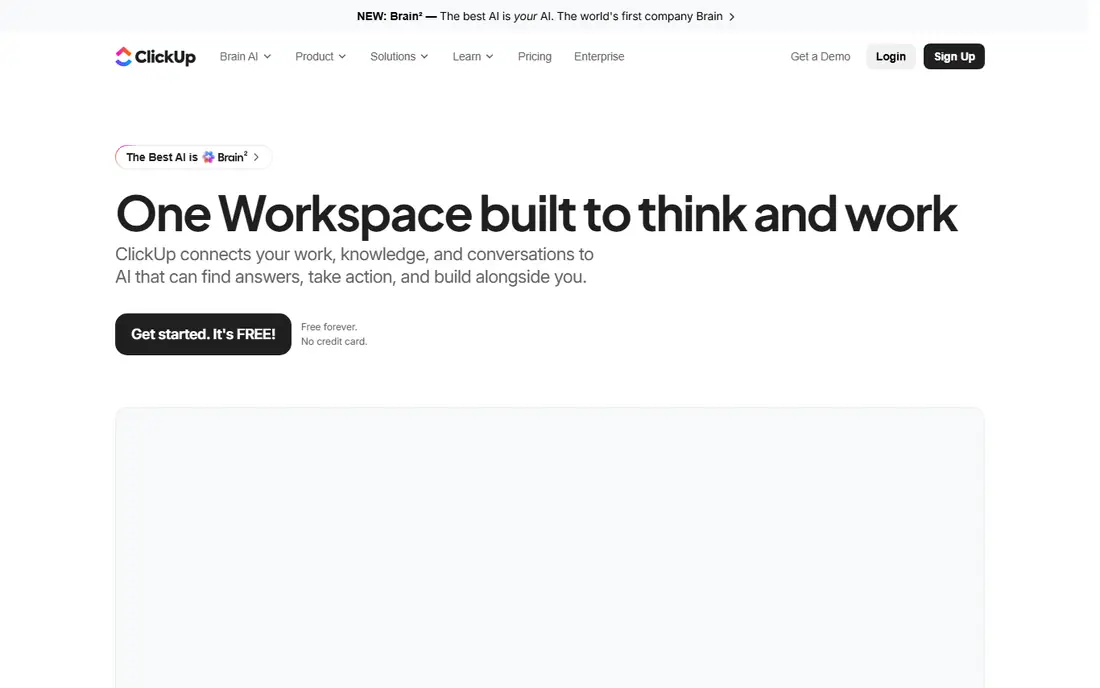
ClickUp describes itself as one workspace built to think and work, connecting work, knowledge, and conversations to AI that can find answers, take action, and build alongside you. Its Brain squared system picks the best AI model for each job, learns your tone and preferences, surfaces context before you ask, and taps Google Drive, GitHub, Salesforce, and more through connected apps and MCP.
For Notion AI users who want AI across tasks and docs rather than notes alone, ClickUp is the best alternative, since its Brain squared covers the full workspace. Note-only users may prefer Evernote or Obsidian, but for all-in-one AI work, ClickUp leads.
What we like- Brain squared AI sees tasks, docs, and conversations with full context and no brief needed
- Every frontier model including GPT, Claude Opus, and Gemini runs with full knowledge of your work
- Free forever with no credit card
- 384 percent ROI over three years reported by third-party research
Watch out for- AI breadth can overwhelm users who only need notes
- Pricing for AI tiers requires a plan page visit
#2Asana
Best for: Team workflows4.4/5 on
G2 (13,930 reviews, checked Oct 2026)
Visit asana.com
Starting priceSee website
Free planSee website
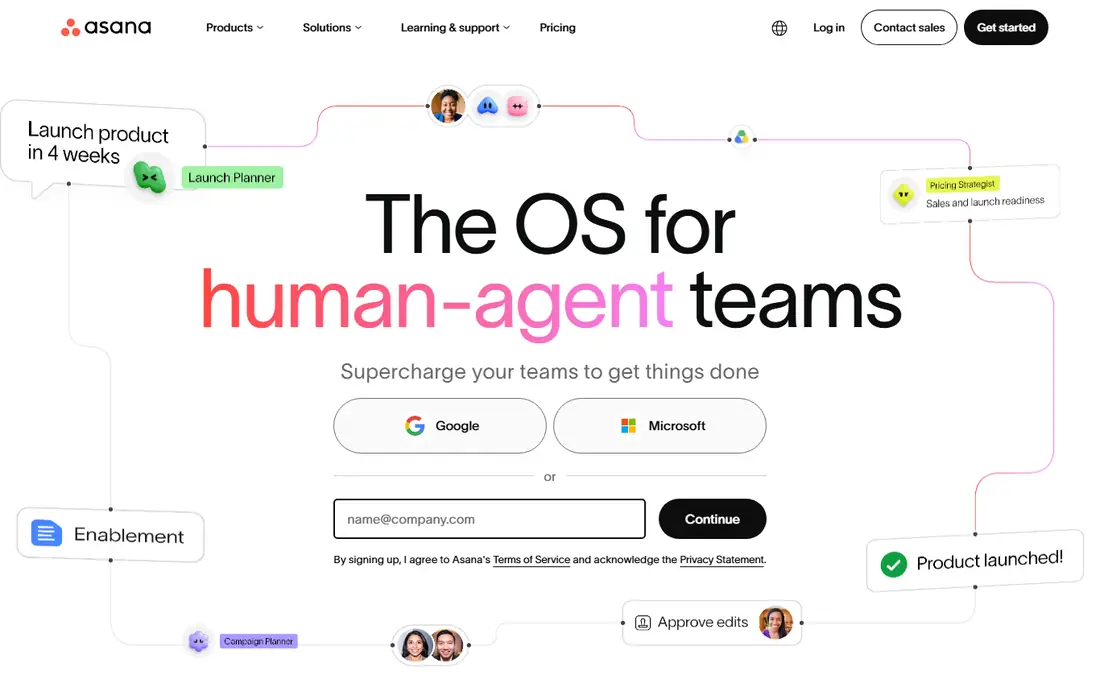
Asana describes itself around work and project management for human-agent teams, and its homepage explains the model: a neural network of everything your company is doing, every person, task, project, goal, and dependency connected, so humans and agents always know who is doing what, by when, and toward which goal. Its AI teammates carry shared memory forward, so no one repeats context already given, with scoped permissions, audit trails, and cost constraints managed from one console.
For teams whose Notion AI use centers on projects and workflows, Asana is the best alternative, since its AI teammates act inside real workflows rather than only drafting text. Solo note-takers should prefer Evernote or Craft, but for team AI work, Asana leads.
What we like- AI teammates with shared memory, governance, and context from the Work Graph, ready on day one
- 85 percent of Fortune 100 companies choose Asana
- AI Studio and MCP connectors for custom workflows
- Service, client, and command products for enterprise teams
Watch out for- Work-management focus means less freeform note-taking than Notion
- Pricing requires a plan page visit
Starting priceSee website
Free planSee website
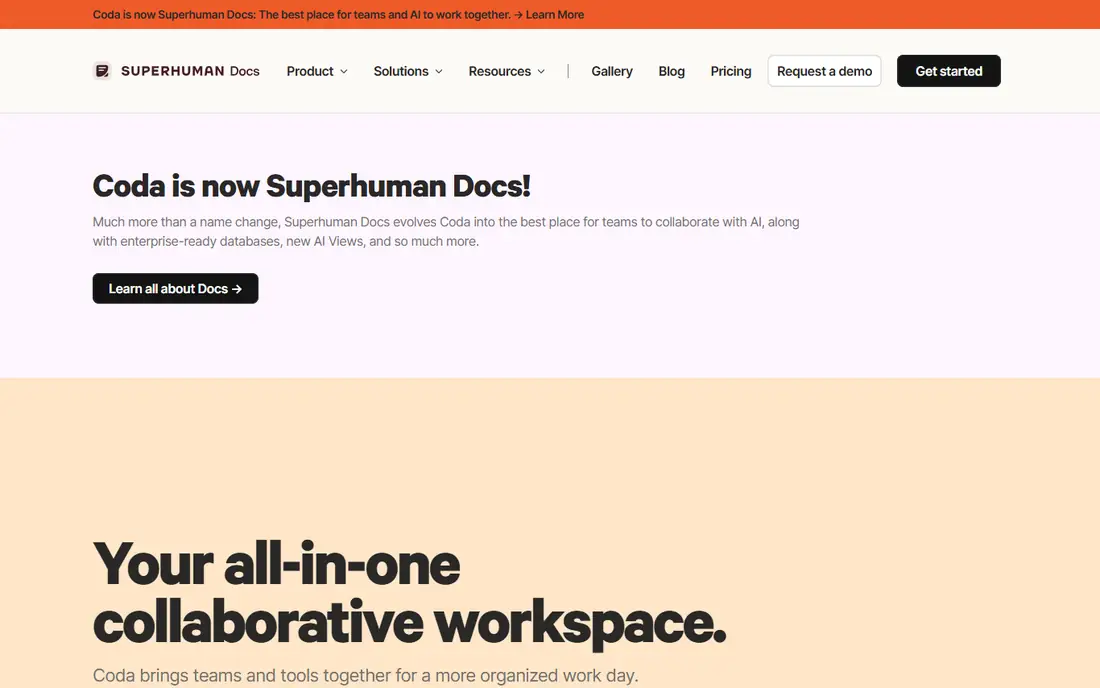
Coda describes itself as your all-in-one collaborative workspace, and its homepage announces the evolution plainly: Coda is now Superhuman Docs, evolving into the best place for teams to collaborate with AI, along with enterprise-ready databases and new AI views. Its Coda AI takes busywork out of work with chat for brainstorming and answers, an assistant for drafting and summarizing, and AI columns turning data into insights at scale.
For teams that build docs into apps with tables, buttons, and automations, Coda is the best Notion AI alternative, since its AI columns and doc-app model go beyond Notion's page AI. Note the rebrand when searching for plans, since Superhuman Docs branding is rolling out.
What we like- Coda AI as a connected work assistant with chat, assistant, and AI columns at scale
- 50,000-plus teams including Figma, The New York Times, and Uber
- 600-plus integrations spanning calendars, Slack, Figma, and Jira
- Now evolving into Superhuman Docs with enterprise databases and AI views
Watch out for- Rebrand to Superhuman Docs flagged, since naming and plans may shift during transition
- Doc-app learning curve exceeds simple note apps
Starting priceSee website
Free planSee website
Evernote describes itself as the best note-taking app to organize your notes, with your second brain remembering everything and tackling any project with notes, tasks, and schedule all in one place. Its homepage highlights v11 AI features and standalone AI tools to try for free, making your second brain even sharper.
For personal note-takers who want AI inside a familiar second brain, Evernote is the best Notion AI alternative, since its capture-first model fits individuals better than team platforms. Team wiki builders should prefer Coda or Loop, but for personal AI notes, Evernote leads.
What we like- Second-brain approach with notes, tasks, and schedules in one place
- V11 introduces powerful new AI features to level up your second brain
- Standalone AI tools to try for free
- Mobile organization for on-the-go productivity
Watch out for- Homepage is brief, so AI feature and pricing details require a product page visit
- Team collaboration depth trails ClickUp and Asana
Starting priceSee website
Free planSee website
Microsoft Loop describes itself as your AI-powered workspace for smooth collaboration, and its homepage explains the component model: stay in sync without switching apps, with Loop components syncing across apps in real time, plus AI helping you create organized workspaces and a Copilot teammate co-authoring with your group conversationally or by directly editing generated content.
For Microsoft 365 teams, Loop is the best Notion AI alternative, since its components live inside Teams and Outlook where those teams already work. Non-Microsoft teams should prefer ClickUp or Coda, but for 365 shops, Loop is the natural fit.
What we like- AI-powered workspace for collaboration with Copilot co-authoring as a group
- Components sync across Teams, Outlook, and other Microsoft apps in real time
- AI helps create organized workspaces from titles and keywords
- IOS, Android, and web apps for anywhere work
Watch out for- Microsoft ecosystem focus suits 365 subscribers best
- AI features depend on Copilot licensing for full depth
#6Craft
Best for: Beautiful docs4.6/5 on
G2 (22 reviews, checked Oct 2026)
Visit craft.do
Starting price$0
Free planYes
Craft describes itself as the productivity app for notes, tasks, and docs, and its homepage explains the appeal: docs, tasks, calendar, whiteboards, and daily notes in one place, with structure that adapts to your thinking through spaces, folders, tags, or rich database collections. Its free tier offers full access for occasional weekly use, with Plus designed for everyday flow.
For writers and individuals who want beautiful, fast docs, Craft is the best Notion AI alternative, since its design awards and ease of use stand out here. AI-heavy teams should confirm Craft AI features before switching, but for doc quality, Craft leads.
What we like- Productivity app for notes, tasks, and docs with spaces, folders, tags, and database collections
- Free tier with full access for occasional weekly use
- Mac App of the Year and Apple Design Award finalist
- 4.8 out of 5 rating across 25,000 ratings
Watch out for- Homepage AI details are thin, so AI feature depth requires a product page visit
- Apple ecosystem strength may exceed Windows and web experience
Starting priceSee website
Free planSee website
Anytype describes itself as a safe haven for digital collaboration, and its homepage explains the privacy model: everything is owned and controlled by you, forever, with local on-device encryption, offline account creation, and peer-to-peer sync with no server and no gatekeeper. Its vault covers private chats, documents with blocks and nested pages, and databases for people, tasks, and resources.
For privacy-focused users who want Notion-style docs without cloud dependence, Anytype is the best alternative, since its local-first model is unique here. AI-first buyers should confirm Anytype AI plans, but for privacy, Anytype leads.
What we like- Absolute data privacy with local on-device encryption and keys only you hold
- Offline-first use with peer-to-peer sync on local networks
- Private chats, documents, and databases in one vault
- Open protocols with no server gatekeeper
Watch out for- Homepage AI features are not highlighted, so AI depth requires a product page visit
- Smaller ecosystem than Notion or ClickUp
Starting priceSee website
Free planYes
Obsidian describes itself around sharpening your thinking, with the free and flexible app for your private thoughts, storing notes privately on your device so no one else can read them, not even Obsidian. Its graph visualizes relationships between notes, Canvas offers an infinite space for research and brainstorming, and thousands of plugins let you shape Obsidian to fit your way of thinking.
For knowledge builders who want local files and plugin freedom, Obsidian is the best Notion AI alternative, since its graph and open formats suit long-term thinking. Note that AI features depend on plugins rather than built-in AI, so check the plugin community before switching for AI alone.
What we like- Free and flexible app for private thoughts with notes stored privately on your device, even offline
- Open file formats so you own your data for the long term
- Graph views, Canvas brainstorming, and thousands of plugins
- Publish for turning notes into wikis and knowledge bases
Watch out for- AI comes mainly through community plugins rather than built-in Notion-style AI, flagged here so buyers check plugin options
- Sync with encryption and version history are paid add-ons
How we chose
We compared AI note and workspace tools on vendor homepages, weighing AI writing and answering, workspace structure, collaboration, privacy, offline use, pricing transparency, and free tiers. We favored tools with live homepages and current offerings, and we included both AI-native platforms and privacy-first workspaces because Notion AI users range from team collaborators to solo knowledge builders. Note that AI features vary widely: ClickUp, Asana, and Coda offer built-in AI, while Obsidian and Anytype lean on plugins or future AI plans, so confirm AI depth before switching for AI alone.
What to check before you commit
Start with your AI needs. AI-first teams should shortlist ClickUp, Asana, and Coda, while personal note-takers should compare Evernote and Craft, and privacy-focused users should test Anytype and Obsidian. Microsoft 365 teams should start with Loop.
Next, test AI on your real notes. Ask each tool to summarize, draft, and answer from your workspace through a trial, since AI quality depends on context access. Ask each vendor about AI costs and data use, since some AI tiers cost extra and some train on workspace data.
Finally, plan migration carefully. Confirm export from Notion, database and page mapping, and attachment handling before signing, since Notion databases do not map cleanly to every tool. Keep a backup export of your Notion workspace regardless of which tool you choose.
Frequently asked questions
What is the best Notion AI alternative overall?
ClickUp for all-in-one AI, Asana for team workflows, and Coda for doc-apps. Evernote leads for personal notes, while Loop leads for Microsoft 365 teams.
Which alternative has the best built-in AI?
ClickUp Brain squared, with every frontier model running on full workspace context, and Asana AI teammates, with shared memory and governance. Coda AI adds chat, assistant, and AI columns for doc-apps.
Which alternative is best for privacy?
Anytype, with local encryption and peer-to-peer sync, and Obsidian, with local files and open formats. Both keep your notes on your device rather than a vendor cloud.
Which alternative is free?
ClickUp free forever, Craft free tier, and Obsidian free without limits for personal use. Evernote offers free AI tool trials, while most others quote custom pricing.
Which alternative is best for Microsoft 365 teams?
Microsoft Loop, with components syncing across Teams and Outlook and Copilot co-authoring. Its AI depth depends on Copilot licensing, so confirm plan details.
How hard is it to switch from Notion?
Expect days for page export and weeks for database rebuilding, since Notion databases map differently to each tool. Test AI on your real notes in a trial and keep a Notion backup export.
Sources we checked (8)
- https://clickup.com
- https://asana.com
- https://coda.io
- https://evernote.com
- https://loop.cloud.microsoft
- https://www.craft.do
- https://anytype.io
- https://obsidian.md
Is your product missing or out of date?
We review this list regularly. Vendors can request a listing, send updated pricing or ask about featured placement.

Shihab Mia · Founder, Rankite
Shihab has 5+ years in B2B and SaaS SEO. He writes Rankite's software buying guides from pricing pages, documentation and public user reviews. More about Shihab.