How we make this list: we compare pricing pages, product documentation and public user reviews. Ratings come from G2, Capterra or Trustpilot, with the date we checked them.
What should you look for in a Noteflight alternative?
Start with where the program runs. Noteflight runs in a browser on any device, including Chromebooks, which is why schools use it. Flat is the closest match, because it also runs in a browser and as a desktop app, with mobile apps for iOS and Android. MuseScore Studio, Dorico and Sibelius are desktop programs for Windows and Mac, so they need an install and do not run on Chromebooks. If your students use Chromebooks, a browser tool is the practical pick. If you work on large orchestral scores, a desktop program is faster and more stable.
Next, check classroom tools. Noteflight Learn costs 69 dollars per year and adds assignments, assessment and classroom management. Flat has real-time collaboration and shared scores, which suits group work, but it has no dedicated classroom management plan. MuseScore Studio is free and works well on school computers, but it has no classroom tools at all. If you teach, check what the school already pays for, because a classroom plan may already be in place.
Think about score limits. Noteflight Basic is free but limits the number of scores you can keep. Flat is free for up to 15 scores, and Power removes the limit. MuseScore Studio, LilyPond and Fender Notion have no score limits at all. If you write many scores, a free plan with a limit will push you to a paid plan quickly.
Check playback and instruments. Noteflight Premium has more than 85 high-quality instruments. Flat Power has more than 180 instruments. Dorico has good built-in playback with its own sounds and support for virtual instruments. MuseScore Studio has basic playback sounds, and the optional MuseSounds libraries improve it. If you need realistic mockups for students or clients, Dorico and Sibelius are stronger than the browser tools.
How do the 8 best Noteflight alternatives compare?
| Tool |
Starting price |
Free plan |
Best for |
| Flat |
Free; Power 9.99 dollars per month |
Yes, 15 scores free |
Browser notation and collaboration |
| MuseScore Studio |
Free |
Yes, fully free |
Free desktop notation |
| Dorico Pro 6 |
579.99 dollars one-time |
60-day trial |
Professional engraving |
| Sibelius |
First free; Artist 99 dollars per year |
Yes, Sibelius First |
Film and media scoring |
| Guitar Pro 8 |
69.95 dollars one-time |
Free trial |
Guitar and bass tab |
| LilyPond |
Free |
Yes, fully free |
Text-based engraving |
| Fender Notion |
Free |
Yes, fully free |
Touch and mobile notation |
| Finale |
Not sold, discontinued Aug 2024 |
No |
Legacy scores only |
Prices checked on 16 Nov 2026 from vendor pricing pages and corroborating sources. Check the vendor page before you buy, because prices change.
Quick comparison
| Tool | Best for | Starting price | Free plan |
|---|
 Flat | Composers and teachers who want notation in a browser with real-time collaboration | Free; Power 9.99 dollars per month or 49.99 dollars per year (prices checked 16 Nov 2026) | Free plan with up to 15 scores |
 MuseScore Studio | Composers who want a full notation editor for free | Free (prices checked 16 Nov 2026) | Fully free, open source |
 Dorico Pro 6 | Composers and engravers who want the best automatic layout | 579.99 dollars one-time; Elements 6, 99.99 dollars one-time (prices checked 16 Nov 2026) | 60-day free trial |
 Sibelius | Composers and arrangers who score for film, media and publishing | Sibelius First free; Artist 99 dollars per year; Ultimate 199 dollars per year (prices checked 16 Nov 2026) | Sibelius First is free for scores up to four staves |
 Guitar Pro 8 | Guitarists and bassists who write tabs and scores | 69.95 dollars one-time (prices checked 16 Nov 2026) | Free trial available |
 LilyPond | Engravers who want free, text-based notation with publication quality output | Free (prices checked 16 Nov 2026) | Fully free, open source |
 Fender Notion | Composers who want notation on a tablet or phone with touch input | Free (prices checked 16 Nov 2026) | Fully free app |
 Finale | Owners of existing Finale scores who need to open old files | Not sold; discontinued 26 Aug 2024 (prices checked 16 Nov 2026) | No free plan |
Is your product missing or out of date?
We review this list regularly. Vendors can request a listing, send updated pricing or ask about featured placement.
The 8 best Noteflight alternatives
#1Flat
Best for: Composers and teachers who want notation in a browser with real-time collaboration3.6/5 on
Trustpilot (13 reviews, checked Oct 2026)
Visit flat.io
Starting priceFree; Power 9.99 dollars per month or 49.99 dollars per year (prices checked 16 Nov 2026)
Free planFree plan with up to 15 scores
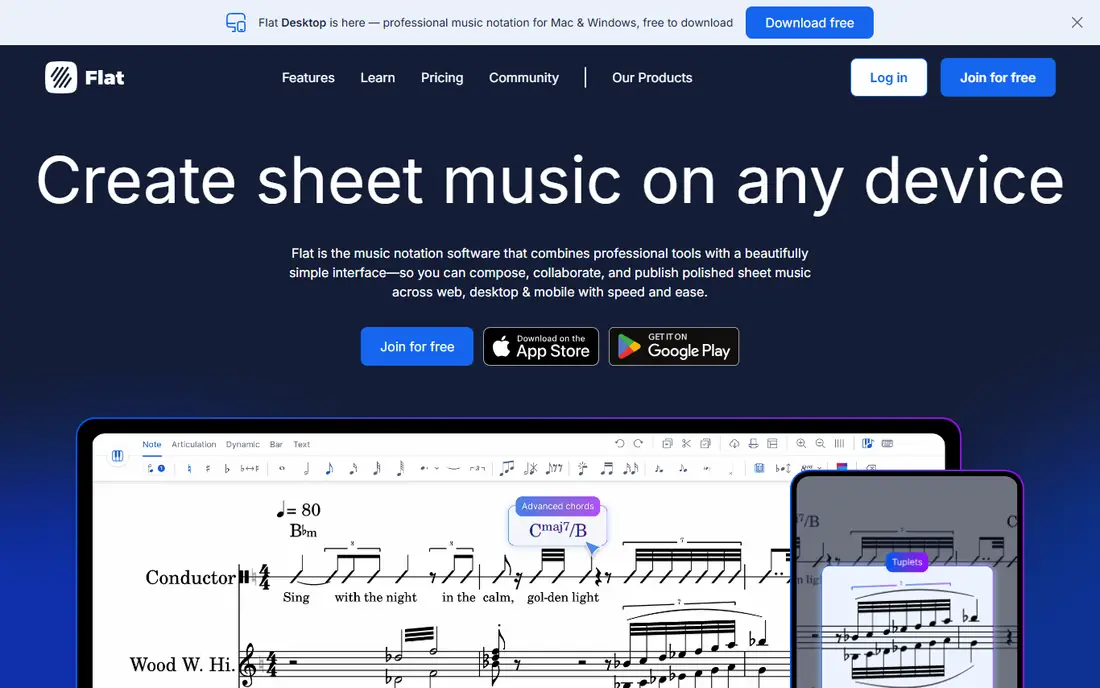
Flat is a notation program that runs in a browser and as a desktop app for Mac and Windows, with mobile apps for iOS and Android. The free plan covers up to 15 scores with 30 instruments and real-time collaboration. Power costs 9.99 dollars per month or 49.99 dollars per year, and it adds unlimited scores, more than 180 instruments, cloud sync, PDF import and advanced playback. A lifetime Power license costs 299 dollars. Flat supports MusicXML and MIDI import and export, so moving scores to and from Noteflight is straightforward. The drawback is that the free plan limits you to 15 scores, and the playback sounds are simpler than those in Dorico or Sibelius. If you want the closest browser-based replacement for Noteflight, Flat is the best alternative.
What we like- Runs in a browser and on desktop, real-time collaboration, more than 180 instruments on Power, MusicXML and MIDI import and export
Watch out for- The free plan limits you to 15 scores, and playback sounds are simpler than Dorico or Sibelius
#2
MuseScore Studio
Best for: Composers who want a full notation editor for free
Visit musescore.org
Starting priceFree (prices checked 16 Nov 2026)
Free planFully free, open source
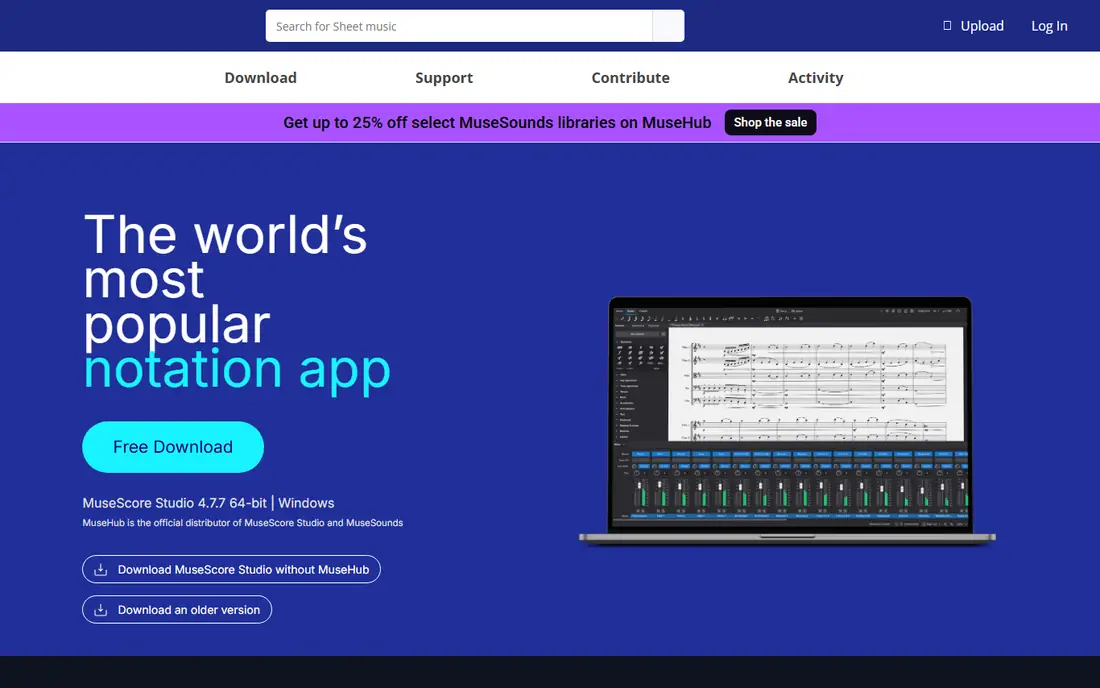
MuseScore Studio is a free and open source notation program, and it is the best free Noteflight alternative. It has a full notation editor with no paid tiers, and it imports MusicXML from Noteflight and exports MusicXML for other programs. It runs on Windows, Mac and Linux, and it has a large community that shares scores and answers questions. The optional MuseSounds libraries improve playback, and the MuseScore Pro subscription, from 6.99 dollars per month or 39.99 dollars per year, covers the online score catalogue, not the editor. The drawback is that the engraving is less refined than Dorico, playback sounds are basic without extra libraries, and it needs an install, so it does not run on Chromebooks. If you want a free desktop program, MuseScore Studio is the best choice.
What we like- Free with no paid tiers for the editor, imports and exports MusicXML, large community and free sound libraries
Watch out for- Engraving is less refined than Dorico, playback sounds are basic without extra libraries, and it needs an install, so it does not run on Chromebooks
#3
Dorico Pro 6
Best for: Composers and engravers who want the best automatic layout
Visit steinberg.net
Starting price579.99 dollars one-time; Elements 6, 99.99 dollars one-time (prices checked 16 Nov 2026)
Free plan60-day free trial
Dorico Pro 6 is the notation program from Steinberg, and it is widely regarded as the best engraving tool available. It spaces notes, avoids collisions and lays out parts automatically, so scores look clean with little manual fixing. It has strong playback with built-in sounds and support for virtual instruments, and it handles large orchestral scores well. The full version costs 579.99 dollars one-time, with no subscription. Elements 6 costs 99.99 dollars one-time for smaller projects. A crossgrade from Finale costs 149.99 dollars. It imports MusicXML, so Noteflight scores can move across. The drawback is that the full version is expensive, and the workflow differs from Noteflight, so switching takes a few weeks to learn. If engraving quality is your top priority, Dorico Pro 6 is the best Noteflight alternative.
What we like- Best automatic engraving of any notation program, strong playback, one-time license with no subscription
Watch out for- The full version is expensive, and the workflow differs from Noteflight and other programs
#4
Sibelius
Best for: Composers and arrangers who score for film, media and publishing
Visit avid.com
Starting priceSibelius First free; Artist 99 dollars per year; Ultimate 199 dollars per year (prices checked 16 Nov 2026)
Free planSibelius First is free for scores up to four staves
Sibelius is the notation program from Avid, and it is the industry standard in publishing houses, film scoring and education. It has three tiers: First is free for scores up to four staves, Artist costs 99 dollars per year for up to 24 staves, and Ultimate costs 199 dollars per year with unlimited staves, full engraving tools, video sync and timecode. The Ultimate Perpetual Bundle costs 899 dollars one-time and adds PhotoScore and AudioScore. Sibelius has strong magnetic layout, which keeps symbols from colliding, and it works on Windows, Mac, iOS and Android. It imports and exports MusicXML, so moving scores to and from Noteflight is straightforward. The drawback is that the subscription costs more over time than a one-time license, and the interface takes time to learn. If you score for film or publish music, Sibelius Ultimate is a strong Noteflight alternative.
What we like- Industry standard in publishing and media, video sync and timecode in Ultimate, strong magnetic layout tools
Watch out for- The subscription costs more over time than a one-time license, and the interface has a steep learning curve
#5Guitar Pro 8
Best for: Guitarists and bassists who write tabs and scores4.6/5 on
Capterra (237 reviews, checked Oct 2026)
Visit guitar-pro.com
Starting price69.95 dollars one-time (prices checked 16 Nov 2026)
Free planFree trial available
Guitar Pro 8 is the standard tab editor for guitarists and bassists, and it is the best Noteflight alternative if you mainly write for fretted instruments. It has a realistic sound engine, tab and standard notation side by side, and tools for chords, scales and effects. The license costs 69.95 dollars one-time, with no subscription, and a free trial is available. It imports and exports Guitar Pro files, MIDI, MusicXML and PDF, so moving work between Guitar Pro and Noteflight is easy. The drawback is that Guitar Pro is built for guitar, bass and drums, not for orchestral scores, and its notation features are narrower than Dorico or Sibelius. If you write guitar music, Guitar Pro 8 is the best tool for the job at a low price.
What we like- Best tab editor for guitar and bass, realistic sound engine, low one-time price
Watch out for- It is built for guitar, not for orchestral scores, and notation features are narrower than Dorico
#6
LilyPond
Best for: Engravers who want free, text-based notation with publication quality output
Visit lilypond.org
Starting priceFree (prices checked 16 Nov 2026)
Free planFully free, open source
LilyPond is a free and open source engraving program that produces publication quality scores from text input. You write music as text code, and LilyPond renders it into beautifully spaced notation. It is the engine behind many published scores, and it works well with version control systems, which suits composers who track changes in their work. It runs on Windows, Mac and Linux, and it costs nothing. The drawback is that there is no visual editor: you type code and compile it, which is a steep learning curve for anyone used to Noteflight. It also has no built-in playback as polished as Dorico. If you want free engraving quality and you are comfortable with text, LilyPond is the best free Noteflight alternative for serious work.
What we like- Free with no paid tiers, publication quality engraving, text-based scores work well with version control
Watch out for- You write scores as text code, not in a visual editor, and the learning curve is steep
#7
Fender Notion
Best for: Composers who want notation on a tablet or phone with touch input
Visit presonus.com
Starting priceFree (prices checked 16 Nov 2026)
Free planFully free app
Fender Notion is the current notation app from Fender and PreSonus, and it is free on phones, tablets and computers. It has touch-friendly notation entry, handwriting recognition, and playback with sampled instruments recorded by the London Symphony Orchestra. It opens files from the older Notion 6 desktop program, which PreSonus withdrew in Jan 2026, with support ending in Jan 2027. Notion 6 cost 149 dollars when it was sold. The drawback is that Fender Notion has fewer engraving tools than Dorico or Sibelius, and it is aimed at sketching and arranging rather than publishing. If you want to write scores on a tablet with your finger or a stylus, Fender Notion is the best free option.
What we like- Free, touch-friendly notation on phones and tablets, good playback with sampled instruments
Watch out for- Fewer engraving tools than Dorico or Sibelius, and the desktop version was withdrawn in Jan 2026
Starting priceNot sold; discontinued 26 Aug 2024 (prices checked 16 Nov 2026)
Free planNo free plan
Finale is the long-running notation program from MakeMusic, and it was the standard for professional notation for more than 35 years. MakeMusic ended development and sales on 26 Aug 2024, and technical support ended in Aug 2025. The last version is 27.4.1, released in Dec 2023. Finale still works on computers where it is installed, and it can export scores as MusicXML 4.0 for moving to another program. MakeMusic partnered with Steinberg to offer Finale users a crossgrade to Dorico Pro for 149.99 dollars. The drawback is clear: you cannot buy Finale any more, and future operating system updates may stop it working. Include it here only as a legacy option. If you have old Finale files, open them now and export MusicXML copies, then move to Dorico or MuseScore.
What we like- Opens decades of existing Finale scores, deep control over every notation detail, exports MusicXML 4.0
Watch out for- No longer sold or developed, support ended in Aug 2025, and new operating systems may break it
How we picked these Noteflight alternatives
We picked programs that cover the same jobs Noteflight does: writing scores in a browser, teaching music, preparing parts, and writing guitar tabs. Every program in this list is still sold or actively maintained, except Finale, which is included as a legacy option for owners of old scores. Every vendor site was checked on 16 Nov 2026. Prices come from vendor pricing pages and corroborating sources checked the same day. The list includes subscriptions, one-time purchases and free programs, so you can match the payment model to your budget. Flat leads the list because it is the closest browser-based match for Noteflight.
Which Noteflight alternative should you choose?
Choose Flat if you want notation in a browser with real-time collaboration. Choose MuseScore Studio if you want a full desktop editor for free. Choose Dorico Pro 6 if you want the best engraving and you can pay 579.99 dollars once. Choose Sibelius Ultimate if you score for film or media and want video sync. Choose Guitar Pro 8 if you mainly write guitar and bass music. Choose LilyPond if you want free, publication quality engraving and you are comfortable with text input. Choose Fender Notion if you write scores on a tablet. Keep Finale only for opening old files, and export them to MusicXML. Noteflight itself remains the best pick if you need its classroom tools and Learn plan.
Frequently asked questions
Is there a free alternative to Noteflight?
Yes. MuseScore Studio is free, with a full notation editor and no paid tiers, though it needs an install and does not run on Chromebooks. Flat is free for up to 15 scores. LilyPond and Fender Notion are fully free. Noteflight Basic is also free, with a limited number of scores. For classroom use on Chromebooks, Flat is the best free option.
Can I move my Noteflight scores to another program?
Yes, through MusicXML. Noteflight Premium exports MusicXML, which MuseScore, Dorico, Sibelius and Flat all import. The layout may need fixing after import, because each program spaces notes differently, and some symbols may not transfer cleanly. Export a test score first, check the parts, and keep your original Noteflight files as a backup.
What is the best Noteflight alternative for schools?
Flat is the best browser-based alternative for schools, because it runs on Chromebooks, has real-time collaboration and a free plan. Noteflight Learn, at 69 dollars per year, remains the strongest option if you need classroom management, assignments and assessment. MuseScore Studio is free and works well on school computers, but it needs an install and has no classroom tools.
Is Flat better than Noteflight?
It depends on your work. Flat has more instruments on its paid plan, real-time collaboration and a lifetime license option at 299 dollars. Noteflight has stronger classroom tools, more than 80,000 digital sheet music titles on Premium, and a Learn plan built for teachers. If you teach, Noteflight is stronger. If you collaborate on scores in a browser, Flat is stronger.
Can I use MuseScore Studio on a Chromebook?
No, not directly. MuseScore Studio runs on Windows, Mac and Linux, and it needs an install. Chromebooks cannot run it without Linux support enabled, and even then the experience is limited. If your school uses Chromebooks, use a browser tool such as Flat or Noteflight instead.
Sources we checked (9)
- https://www.noteflight.com
- https://flat.io
- https://musescore.org
- https://www.steinberg.net
- https://www.avid.com
- https://www.guitar-pro.com
- https://lilypond.org
- https://www.presonus.com
- https://www.finalemusic.com
Is your product missing or out of date?
We review this list regularly. Vendors can request a listing, send updated pricing or ask about featured placement.

Shihab Mia · Founder, Rankite
Shihab has 5+ years in B2B and SaaS SEO. He writes Rankite's software buying guides from pricing pages, documentation and public user reviews. More about Shihab.