How we make this list: we compare pricing pages, product documentation and public user reviews. Ratings come from G2, Capterra or Trustpilot, with the date we checked them.
Google Groups alternatives at a glance
Groups.io is the best Google Groups alternative for mailing lists and discussion forums, with a free plan to 100 members and Premium from $20 per month. Missive is the best for a shared team inbox at $14 per user per month. Gaggle Mail is the best free option for broadcast lists up to 200 members.
Key takeaways
- Google Groups does four different jobs: shared inbox, broadcast list, discussion forum and internal discussion, and the right alternative depends on which one you are replacing.
- For a mailing list or forum, Groups.io, Gaggle Mail and MailmanHost are the direct replacements. For a shared inbox, Missive, Front, Gmelius and Drag are the picks.
- Gaggle Mail is free for groups up to 200 members, and Groups.io is free up to 100 members, so small groups may not need to pay at all.
- Shared inbox tools cost $12 to $25 per user per month, while mailing list tools cost $8 to $50 per month per list.
- Google now offers a native shared inbox inside Gmail for Workspace, rolling out through 2026, which suits teams that want to stay with Google.
Google Groups alternatives compared
| Tool | Best for | Starting price | Free plan |
| Groups.io | Mailing lists and discussion forums | Free; Premium from $20 per month | Yes, to 100 members |
| Gaggle Mail | Broadcast lists and simple group email | Free to 200 members; paid from $10 per month | Yes, to 200 members |
| Missive | Shared team inbox across email, SMS and social | $14 per user per month billed yearly | No, trial only |
| Front | Multichannel shared inbox at scale | From $25 per user per month | No, trial only |
| Gmelius | Shared inbox inside Gmail | $19 per user per month | No, 7-day trial |
| Drag | Visual shared inbox on a Kanban board | $12 per user per month | No, trial only |
| Circle | Community forum with courses and events | $89 per month | No, 14-day trial |
| MailmanHost | Self-hosted style mailing lists, managed | From $8 per month per list | No, paid only |
Which Google Groups job are you replacing?
Google Groups does four jobs, and the wrong replacement wastes money. As a shared inbox for support or sales mail, Groups breaks down: no assignment, no collision detection and no reporting, which is where Missive, Front, Gmelius and Drag earn their price. As a broadcast or distribution list, Groups is free and hard to beat, so only switch if you want nicer moderation or a custom domain, which is where Gaggle Mail and Groups.io fit. As a community forum or question-and-answer space, Groups.io, Discourse or Circle are the replacements, and a shared inbox tool is the wrong purchase.
How much does a Google Groups alternative cost?
Mailing list services charge per list or per member, not per user. Groups.io Premium costs $0.04 per member per month with a $20 monthly minimum, so a 500-member group pays $20 per month. Gaggle Mail Standard costs about $50 per month for 500 members, with a free plan to 200 members. MailmanHost charges from $8 per month per list. Shared inbox tools charge per user per month: Drag from $12, Missive from $14, Gmelius from $19 and Front from $25. Circle charges $89 per month flat for a community with unlimited members.
Can you migrate a Google Group without losing the archive?
Yes, but the method depends on the tool. Groups.io offers free migration for Premium groups and keeps the mailing list intact, including the archive and the member list. Gaggle Mail imports members from a spreadsheet or a Google Group export. MailmanHost handles migration in, from DreamHost, Google Groups or other hosts, as part of the service. Shared inbox tools such as Missive, Front and Gmelius do not migrate the Groups archive: they connect to the group address and start fresh, so export the archive first if you need the history.
Should you stay with Google Groups?
Stay with Google Groups if you use it as a broadcast list or a simple discussion forum, since it is free, reliable and good enough for that job. Google also began rolling out a true native shared inbox for Workspace in 2026, with admin-created inboxes and a sent-by field inside Gmail, which suits teams that want to stay with Google. Leave Groups if you run a real support or sales queue in Gmail, because Groups has no assignment, no collision detection and no reporting, and a missed reply costs more than any tool on this list.
Quick comparison
| Tool | Best for | Starting price | Free plan |
|---|
 Groups.io | Mailing lists and discussion forums with calendars, wikis and polls | Free to 100 members; Premium from $20 per month, $0.04 per member per month with a $20 minimum, vendor pricing page, third-party reported, checked 13 Nov 2026 | Yes; free plan for simple mailing lists up to 100 members |
 Gaggle Mail | Simple broadcast lists and group email with no account needed for members | Free to 200 members; paid plans from $10 per month, Standard about $50 per month for 500 members, vendor site, third-party reported, checked 13 Nov 2026 | Yes; free for groups up to 200 members with unlimited messages |
 Missive | Shared team inbox across email, SMS and social media | Starter $14 per user per month billed yearly, for up to 5 users, vendor site, third-party reported, checked 13 Nov 2026 | No free plan; trial available |
 Front | Multichannel shared inbox for larger support and sales teams | From $25 per user per month on Starter, third-party reported, checked 13 Nov 2026; confirm on the vendor pricing page | No free plan; trial available |
 Gmelius | Shared inbox inside Gmail without leaving Google Workspace | Meli $19 per user per month, Growth $25, Pro $40, third-party reported from the vendor pricing page, checked 13 Nov 2026 | No free plan; 7-day free trial on the Growth plan |
 Drag | Visual teams that want a shared inbox on a Kanban board in Gmail | $12 per user per month, AI included from $18, vendor site, third-party reported, checked 13 Nov 2026 | No free plan; trial available |
 Circle | Community forum with courses, events and paid memberships | Professional $89 per month, Business $199, Scale $419, vendor pricing page, third-party reported, checked 13 Nov 2026 | No free plan; 14-day trial |
 MailmanHost | Managed hosting for open-source GNU Mailman lists | From $8 per month per list, vendor site, third-party reported, checked 13 Nov 2026 | No free plan; paid only |
Is your product missing or out of date?
We review this list regularly. Vendors can request a listing, send updated pricing or ask about featured placement.
The 8 best Google Groups alternatives compared Google Groups alternatives
#1
Groups.io
Best for: Mailing lists and discussion forums with calendars, wikis and polls
Visit groups.io
Starting priceFree to 100 members; Premium from $20 per month, $0.04 per member per month with a $20 minimum, vendor pricing page, third-party reported, checked 13 Nov 2026
Free planYes; free plan for simple mailing lists up to 100 members
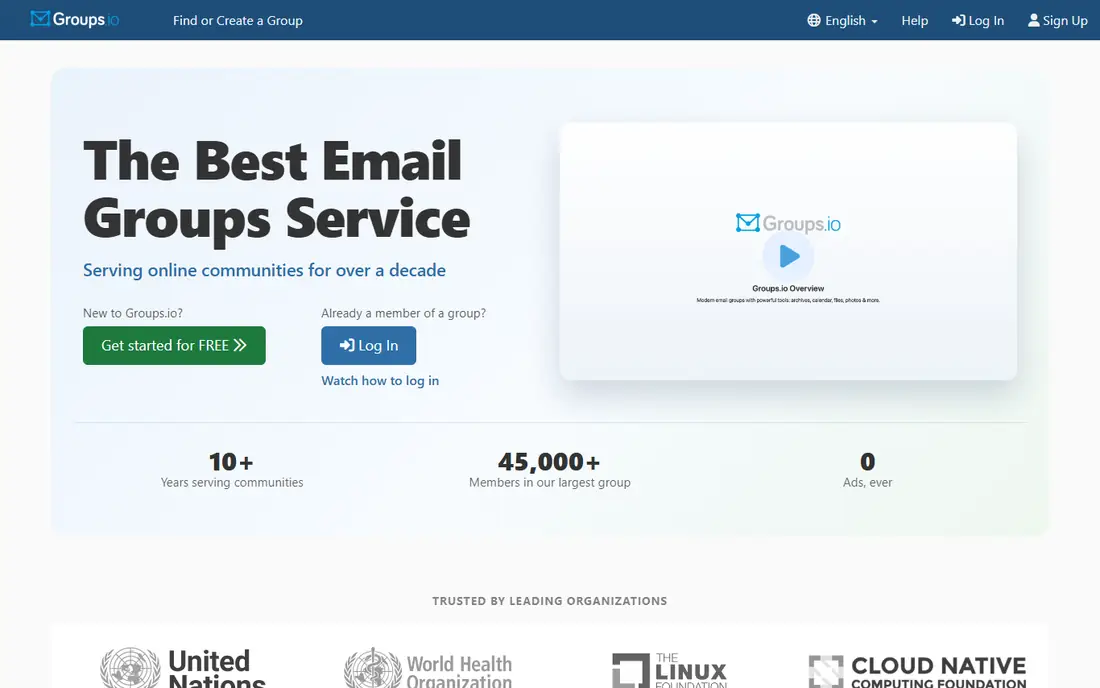
Groups.io is the ultimate group email service and the best direct replacement for Google Groups as a mailing list and discussion forum. It delivers messages straight to members' inboxes and adds a calendar, chat, polls, database, photos, files, a wiki and unlimited subgroups on paid plans. Free groups cover up to 100 members, while Premium at $20 per month removes the limit and adds the advanced features. Enterprise starts at $100 per month for nonprofits and $200 for commercial groups, and adds custom domains.
What we like- Modern listserv replacement with calendar, chat, polls, files, wiki and subgroups, privacy-focused with no ads, free migration for Premium groups, paid memberships with no platform fee
Watch out for- Custom domains need the Enterprise plan from $100 per month for nonprofits and $200 for commercial groups, and the free plan strips out files, photos, calendars and wikis
#2
Gaggle Mail
Best for: Simple broadcast lists and group email with no account needed for members
Visit gaggle.email
Starting priceFree to 200 members; paid plans from $10 per month, Standard about $50 per month for 500 members, vendor site, third-party reported, checked 13 Nov 2026
Free planYes; free for groups up to 200 members with unlimited messages
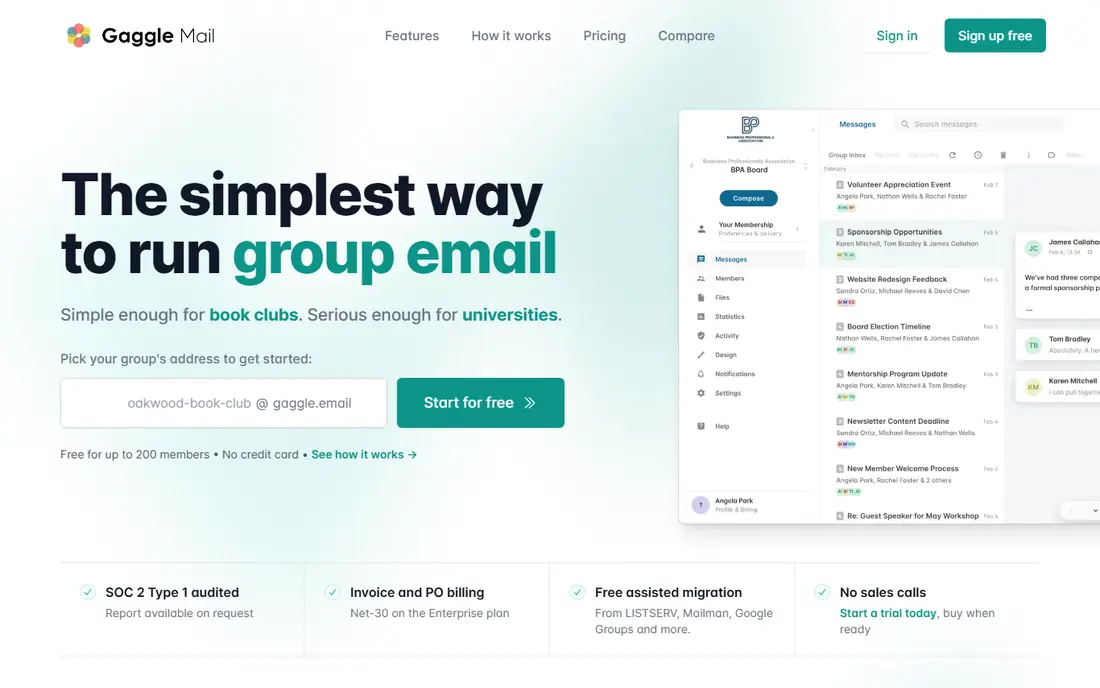
Gaggle Mail is a dedicated group email service built for groups that want the fundamentals done well. Members need no account: any email address works, and they can post from a web page on the free plan. Moderation is built in with approval queues, a daily digest and an archive, and support is 24/7 by email from a human. The free plan covers groups up to 200 members with unlimited messages, and paid plans start at $10 per month, with Standard at about $50 per month for 500 members.
What we like- Members need no account, any email address works, built-in moderation with approval queues, daily digest and searchable archive, 24/7 human support by email
Watch out for- Fewer community features than Groups.io, no calendar or wiki, and the free plan has no searchable archive
#3Missive
Best for: Shared team inbox across email, SMS and social media4.7/5 on
G2 (861 reviews, checked Oct 2026)
Visit missiveapp.com
Starting priceStarter $14 per user per month billed yearly, for up to 5 users, vendor site, third-party reported, checked 13 Nov 2026
Free planNo free plan; trial available

Missive is a collaborative inbox that pulls a team's conversations into one place, covering email, SMS and social media accounts. It is the best pick for a team that runs a shared inbox across more than one provider, since it works with Gmail, Outlook and other mail services rather than Gmail alone. Starter costs $14 per user per month billed yearly for up to 5 users, Productive costs $24 and adds integrations, rules and analytics for up to 50 users, and Business costs $36 with advanced analytics and SAML single sign-on.
What we like- Unified inbox for email, SMS and social, real-time collaboration with assignments and internal notes, AI workflow automation, works with Gmail, Outlook and other providers
Watch out for- No permanent free plan, the Starter plan caps at 5 users, and AI features cost extra credits or need your own key
#4Front
Best for: Multichannel shared inbox for larger support and sales teams4.7/5 on
G2 (2,511 reviews, checked Oct 2026)
Visit front.com
Starting priceFrom $25 per user per month on Starter, third-party reported, checked 13 Nov 2026; confirm on the vendor pricing page
Free planNo free plan; trial available
Front is a shared inbox platform for teams that manage email, SMS, live chat and more in one place, and it is the pick for larger teams that need omnichannel support. Messages route to the right person with rules and analytics, and the platform is used by more than 9,000 companies. Starter starts from $25 per user per month with a 10-seat cap, and higher tiers add automation, analytics and AI features as add-ons.
What we like- Unified inbox for email, SMS and live chat, routing rules and analytics, 9,000 plus companies use it, strong for teams that need omnichannel support
Watch out for- The highest starting price here, AI features are add-ons that stack, and the Starter plan has a 10-seat cap
#5Gmelius
Best for: Shared inbox inside Gmail without leaving Google Workspace4.4/5 on
G2 (776 reviews, checked Oct 2026)
Visit gmelius.com
Starting priceMeli $19 per user per month, Growth $25, Pro $40, third-party reported from the vendor pricing page, checked 13 Nov 2026
Free planNo free plan; 7-day free trial on the Growth plan
Gmelius adds team collaboration to Gmail without rerouting mail through another server. Shared labels become shared inboxes, threads get assigned to teammates, and internal notes live inside the email thread as comments visible only to the team. Kanban boards turn conversations into task cards, and automation sequences handle repetitive replies. Meli costs $19 per user per month, Growth $25 and Pro $40, and the platform can convert a Google Group into a shared inbox in a few steps, which makes migration simple.
What we like- Works at the Gmail layer with shared labels and inboxes, Kanban boards inside Gmail, internal notes and shared drafts, two-way Slack and Trello integrations, converts a Google Group into a shared inbox
Watch out for- Gmail only, with no Outlook or IMAP support, and no permanent free plan
#6Drag
Best for: Visual teams that want a shared inbox on a Kanban board in Gmail4.5/5 on
G2 (261 reviews, checked Oct 2026)
Visit dragapp.com
Starting price$12 per user per month, AI included from $18, vendor site, third-party reported, checked 13 Nov 2026
Free planNo free plan; trial available
Drag turns Gmail into a visual, collaborative workspace with Kanban boards, so a team can drag emails across columns the way it drags tasks. It is the best pick for visual teams that prefer boards to lists, and at $12 per user per month it is the cheapest shared inbox on this list, with AI included from $18 per seat. The platform also ships an MCP server, which lets AI agents work with the inbox.
What we like- Turns Gmail into a visual board with drag and drop, AI included from $18 per seat, MCP server for AI agents, lowest shared inbox price here
Watch out for- Gmail only, boards suit visual teams better than list-based teams, and the feature set is narrower than Front or Missive
#7Circle
Best for: Community forum with courses, events and paid memberships4.5/5 on
G2 (544 reviews, checked Oct 2026)
Visit circle.so
Starting priceProfessional $89 per month, Business $199, Scale $419, vendor pricing page, third-party reported, checked 13 Nov 2026
Free planNo free plan; 14-day trial
Circle is a community platform for creators and small businesses that want a members area with a real brand on it, and it is the pick for a Google Group that is really a community. Professional costs $89 per month and includes threaded discussion spaces, a course builder, events and live streaming, direct messages, a member directory, gamification and paywalls with recurring billing. Member counts are unlimited on every plan, and the experience is white-labelled with a custom domain.
What we like- Threaded discussion spaces, course builder, events and live streaming, direct messages and member directory, unlimited members on every plan, custom domain and white-labelled experience
Watch out for- The highest flat price here, transaction fees of 2 percent on Professional on top of Stripe fees, and email marketing is a paid add-on from about $99 per month
Starting priceFrom $8 per month per list, vendor site, third-party reported, checked 13 Nov 2026
Free planNo free plan; paid only
MailmanHost is managed hosting for open-source GNU Mailman, and it is the pick for a group that wants a professional, portable mailing list it fully owns. Unlike Groups.io, which is a proprietary all-in-one suite, MailmanHost runs real Mailman and focuses on doing mailing lists extremely well rather than adding community features. Pricing is predictable at from $8 per month per list, with no feature paywalls gating core list functionality, and migration in from Google Groups or other hosts is handled for you.
What we like- Runs real GNU Mailman versions 2 and 3, predictable per-list pricing with no feature paywalls, full data ownership and portability, expert deliverability, migration handled for you
Watch out for- Focused on mailing lists only, with no calendar, wiki or chat, and the interface is plainer than Groups.io or Gaggle Mail
How we chose these alternatives
We compared 2026 Google Groups alternative guides from Drag, Gaggle Mail, Missive and MailmanHost, and kept the tools that cover the four jobs Groups does: shared inbox, broadcast list, forum and community. We favoured tools with a stated starting price and a free tier or trial, because a buyer should be able to test before paying. We checked each tool's official website by search on 13 Nov 2026.
How to pick the right Google Groups alternative
Match the tool to the job first. A mailing list or forum needs Groups.io, Gaggle Mail or MailmanHost. A shared inbox needs Missive, Front, Gmelius or Drag. A paid community needs Circle. Then check the pricing model: per list suits a big group with few senders, per user suits a small support team, and per member suits a growing community. Test the migration with a small group before moving everyone, and export the member list and archive first. Tell members the new address and the switch date in advance. Finally, check the moderation tools, since approval queues and spam controls decide whether the new list stays usable.
Frequently asked questions
Is Google Groups free?
Yes, Google Groups is free with a Google account, and free with Google Workspace for organisations. The cost is not money but capability: Groups has no assignment, no collision detection, no reporting and only basic moderation. For a broadcast list or a simple discussion group, free is the right price.
What is the difference between Groups.io and Gaggle Mail?
Groups.io is a full community platform with a calendar, chat, polls, files, wiki and subgroups on top of the mailing list, and it is free to 100 members with Premium from $20 per month. Gaggle Mail is a simpler group email service focused on the list itself, free to 200 members with paid plans from $10 per month.
Can I use Slack instead of Google Groups?
Yes, for internal team discussion, Slack or Google Chat spaces replaced that job years ago. Slack is not a replacement for a mailing list or a broadcast list, since members need accounts and messages do not arrive by email by default. Use Slack for chat inside a team, Groups.io or Gaggle Mail for email lists, and Missive or Front for a shared inbox.
Do I need a shared inbox or a mailing list?
You need a shared inbox if two or more people answer the same address, such as support or sales mail, because a mailing list cannot show who has replied or who owns a thread. You need a mailing list if one sender broadcasts to many readers, such as a newsletter, a club update or a discussion group.
How do I move members from Google Groups to a new tool?
Export the member list from Google Groups first, then import it into the new tool. Groups.io offers free migration for Premium groups and keeps the list and archive intact. Gaggle Mail imports members from a spreadsheet or a Group export. MailmanHost handles the migration for you. Shared inbox tools do not migrate the archive, so export the message history before switching.
Sources we checked (8)
- https://www.dragapp.com/blog/google-groups-alternative/
- https://gaggle.email/google-groups-alternative
- https://missiveapp.com/blog/google-groups-alternatives
- https://www.mailmanhost.com/mailmanhost-vs-groups-io/
- https://groups.io/static/pricing
- https://circle.so/pricing
- https://gaggle.email/groups-io-alternative
- https://groups.io/home
Is your product missing or out of date?
We review this list regularly. Vendors can request a listing, send updated pricing or ask about featured placement.

Shihab Mia · Founder, Rankite
Shihab has 5+ years in B2B and SaaS SEO. He writes Rankite's software buying guides from pricing pages, documentation and public user reviews. More about Shihab.