How we make this list: we compare pricing pages, product documentation and public user reviews. Ratings come from G2, Capterra or Trustpilot, with the date we checked them.
Key takeaways
- Ideogram is the best free pick when words inside the image must read correctly, with open model weights for its 4.0 release.
- Leonardo AI gives the most daily volume, with 150 tokens per day and video and upscaling tools on the same platform.
- Craiyon is the simplest no-account option, with free generations and a watermark on the free tier.
- Google Gemini and Bing Image Creator give fast daily allowances, but Bing output is non-commercial only.
- NightCafe is the most community-driven pick, with daily challenges and commercial use even on the free plan.
Quick comparison
Is your product missing or out of date?
We review this list regularly. Vendors can request a listing, send updated pricing or ask about featured placement.
The best free alternatives to Grok image generation
Starting priceSee website
Free planYes
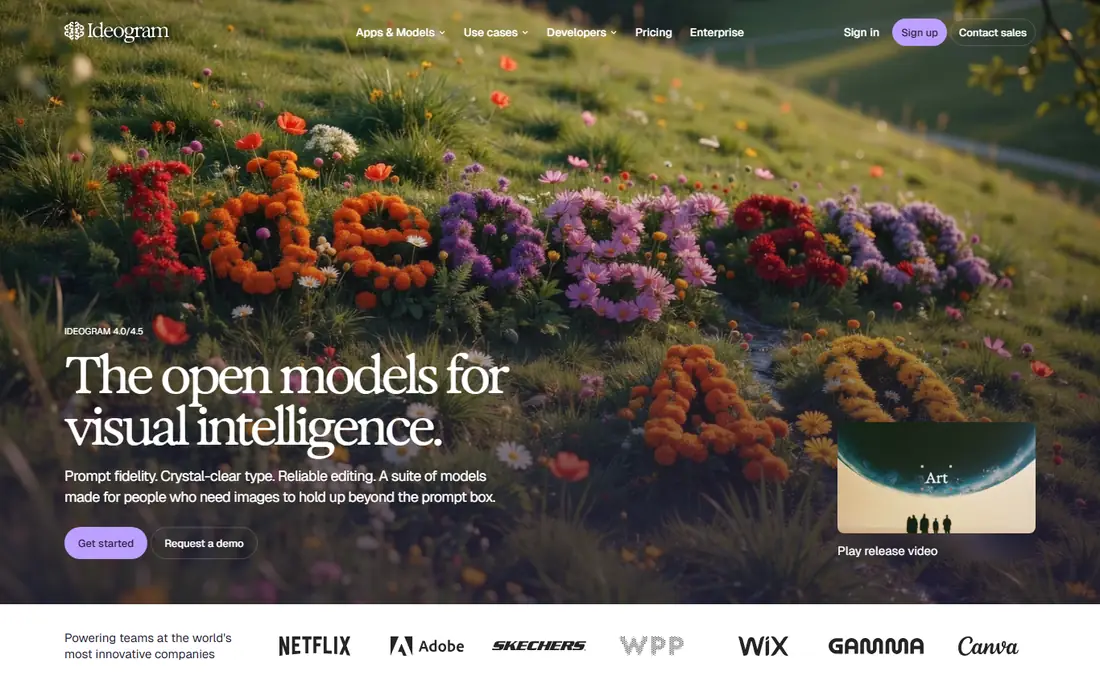
Ideogram earns the top spot for anyone whose images contain words. Its homepage leads with prompt fidelity, crystal-clear type, and reliable editing, and the newest model, Ideogram 4.5, sharpens prompt fidelity further with readable type in every layout. For posters, social graphics, and marketing materials where a misspelled sign ruins the image, that matters more than raw photorealism. Ideogram 4.0 weights are available for local use under its license, which is rare among leading models.
The free tier is the limit: comparison sources put it around 10 slow credits per week, so this is a tool for careful, deliberate generations rather than bulk exploration. Stylization is more limited than Grok Imagine, and photorealism is not as deep. Pick Ideogram when text accuracy is the deciding factor and you can afford to spend your credits on final images rather than experiments.
What we like- Readable type in every layout
- Ideogram 4.0 weights are open
- Editing stays true to the original intent
Watch out for- Free allowance is small, around 10 slow credits per week
- Photorealism trails Grok Imagine depth
#2Leonardo AI
Best for: Daily volume and control4.5/5 on
G2 (32 reviews, checked Oct 2026)
Visit leonardo.ai
Starting priceSee website
Free planYes
Leonardo AI is the workhorse pick. Its homepage presents a creator-first platform for images, art, and video, with generation, editing, upscaling, and video animation in one place. The catalog now includes third-party models such as Seedream, Nano Banana, Flux, and GPT alongside its own, so one account covers many looks without juggling subscriptions. Comparison sources put the free allowance at 150 tokens per day, the most generous daily volume on this list.
Tokens are the catch: bigger images and stronger models cost more, so a day of high-resolution work burns through the allowance faster than a day of small drafts. Leonardo also retains some rights on free-plan output, so check the current terms before using free images commercially. Pick Leonardo when you want daily volume, model choice, and fine-tuning control in one platform.
What we like- 150 tokens per day
- Many models including Seedream, Nano Banana, Flux, and GPT
- Video, editing, and upscaling included
Watch out for- Token costs vary by model and size
- Commercial rights on the free plan are limited
Starting priceSee website
Free planYes
Adobe Firefly is the pick when the image will be used for a client or a business. Its homepage describes an all-in-one AI creative studio with more than 30 AI models for images, video, and audio, and Firefly models are trained on licensed content, which is why comparison sources flag it for commercial-use-sensitive work. The free tier gives a small monthly credit allocation rather than a daily allowance, so it suits occasional polished work rather than daily volume.
Firefly also fits teams already inside Adobe tools, since generated assets move into Photoshop, Illustrator, and Express workflows. The limit is volume: heavy users will hit the credit ceiling quickly and need a paid plan. Pick Firefly when the legal footing of the image matters more than the number of free generations.
What we like- Small monthly credit allocation on the free tier
- Commercially safe model training
- 30 plus models in one studio
Watch out for- Free credit allocation is small
- Full access needs a paid plan
Starting priceFree
Free planYes
Bing Image Creator is the fastest free route to a usable image. Comparison sources put its free allowance at 15 fast creations per day, and the interface is a single prompt box with no settings to learn. That makes it ideal for casual use: social posts, slide illustrations, and brainstorming where speed beats control.
Two limits matter. First, output is non-commercial only under Microsoft terms, so do not use Bing images for client work or products. Second, the homepage could not be fetched during research because the domain was blocked, so this listing rests on search evidence rather than a homepage open, and it was not retried. Pick Bing Image Creator for personal and casual images where speed and zero cost matter most.
What we like- 15 fast creations per day
- No learning curve
- Instant results from a simple prompt
Watch out for- Output is non-commercial only
- Homepage fetch was blocked, kept on search evidence
Starting priceFree
Free planYes
Google Gemini is the strongest free pick for realistic images. Its Nano Banana 2 model, built on Gemini 3.1 Flash Image, fetches real-world context into the frame, holds up to five consistent characters and fourteen objects in a scene, and renders text that localizes inside the image. Comparison sources put the free allowance around 20 images per day in the Gemini app, and the same model family appears inside other tools on this list, which says something about its quality.
The homepage extract shows only a sign-in page, so details on this listing come from comparison sources rather than the Gemini homepage itself, and the daily figure is an estimate from those sources rather than a stated plan. Pick Gemini when the image depends on something current or real, such as a product, a place, or a consistent character across a series.
What we like- Nano Banana 2 model with strong real-world accuracy
- Around 20 images per day in the app
- Multi-image and multi-object scenes
Watch out for- Homepage extract is sign-in only, kept on search evidence
- Free allowance is an app estimate, not a stated plan
Starting priceSee website
Free planYes
Craiyon is the easiest tool on this list to start using. Its homepage promises free image generation with no account needed, turning words into photos, art, anime, and logos in seconds. The team behind it started as DALL-E mini in 2021, and more than 5 billion images have been created on the platform since then. Once an image exists, you can retouch it by describing the change, remove the background, upscale it, convert it to SVG, or animate it into a short video, all without leaving the site.
Free images carry a watermark, may wait at busy times, and are public, so Craiyon suits brainstorming and personal projects rather than client work. Paid plans remove the watermark, add private images, and add the highest quality models. Pick Craiyon when you want to test an idea in seconds without signing up anywhere.
What we like- Free with no account needed
- Unlimited-feeling casual generation
- Retouch, upscale, SVG, and short video finishing
Watch out for- Free images carry a watermark and are public
- Quality trails paid models
Starting priceSee website
Free planYes
Canva Magic Media is the pick when the image is one step in a larger design. Instead of generating an image and importing it elsewhere, you create it inside Canva, then drop it into a social post, presentation, flyer, or video with text and layouts already in place. Comparison sources put the free allowance at limited daily AI credits, which is enough for a few images per design session but not for bulk generation.
The Canva homepage shows an unsupported-browser notice in this research setup, so this listing rests on search evidence and established precedent rather than a full homepage read, and it was not retried. Pick Canva Magic Media when the finished design matters more than the generation itself, and the image needs to land in a template right away.
What we like- Images generate inside a full design tool
- Templates, text, and layouts in one place
- Limited daily AI credits on the free plan
Watch out for- Homepage shows an unsupported-browser notice, kept on search evidence
- Credit limits are small
Starting priceSee website
Free planYes
NightCafe is the most community-driven tool here. Its homepage describes millions of creators, daily AI art challenges, chat rooms, and a prompt-guessing game, built around the idea that making art is a hobby to enjoy daily. Everyone gets free credits every day, non-paying users can use a wide range of models, and the platform states that free-plan creations can be used commercially, with copyright transferred to the creator. The model catalog includes GPT, Nano Banana, Seedream, Grok, Flux, and Ideogram, plus video models.
That breadth makes NightCafe a good single home for trying many models on a free budget, though the strongest models and larger credit bundles sit behind the PRO plan. The community angle is a genuine difference: daily themes help with creative blocks, and feedback from other creators improves prompts faster than solo trial. Pick NightCafe when you want a daily creative habit with community feedback and commercial rights on the free tier.
What we like- Free credits every day
- Commercial use even on the free plan
- Daily challenges and community feedback
Watch out for- Community focus is not for everyone
- Paid models sit behind the PRO plan
How we chose
We focused on tools with a real free tier, not just a trial, and ranked them by daily allowance, text rendering, commercial rights, and ease of starting. Each vendor homepage was opened to confirm the product exists and the domain belongs to that product, except where noted: Bing Image Creator was blocked at fetch and Google Gemini and Canva returned thin or gated extracts, so those three listings rest on comparison evidence and were not retried. Prices are shown where the vendor states them, and See website is used where the homepage did not state a price. Grok itself is excluded because its free image generation ended in March 2026 and now requires a paid subscription.
What to check before you pick
First, decide what the image is for. Commercial use changes the answer: Adobe Firefly and NightCafe allow it on their free terms, while Bing Image Creator output is non-commercial only. Check the current terms for any tool before using free images in client work, since free-plan rights change and comparison summaries can lag.
Next, match the tool to the bottleneck. If text inside the image keeps breaking, Ideogram is the answer. If you need many images per day, Leonardo AI and Gemini give the largest daily allowances. If the image must land inside a design, Canva Magic Media saves the export step. And if you are still exploring, Craiyon needs no account at all, so it costs nothing to test the idea before committing to a platform.
Frequently asked questions
Is Grok image generation still free?
No. Comparison sources report that xAI removed free image generation in March 2026, and it now requires a paid SuperGrok subscription. The tools on this list are the free routes that replaced that casual use, with daily allowances rather than unlimited paid access.
Which free alternative is best for text in images?
Ideogram is the best pick for text rendering, with readable type in every layout and open model weights for Ideogram 4.0. Its free allowance is small, around 10 slow credits per week, so reserve it for final images where the wording must be exact.
Which free alternative allows commercial use?
NightCafe states that free-plan creations can be used commercially, with copyright transferred to the creator. Adobe Firefly is also built for commercial-use-sensitive work, though its free credit allocation is small. Bing Image Creator output is non-commercial only, so avoid it for business use.
Which free alternative needs no account?
Craiyon works without an account, and its homepage promises free generation in seconds. Free images carry a watermark and are public, and busy times may mean short waits. For a private, watermark-free result, a paid plan is needed.
Can I run a free image generator locally?
Yes, though setup effort is higher. Stable Diffusion 3.5 and FLUX variants are open-weight models that run locally with no daily limit, and Ideogram 4.0 weights are also available for local use. Local generation needs a capable computer and some setup time, so it suits users who want privacy and unlimited volume rather than instant browser access.
Sources we checked (8)
- https://ideogram.ai
- https://leonardo.ai
- https://firefly.adobe.com
- https://www.bing.com/images/create
- https://gemini.google.com
- https://www.craiyon.com
- https://www.canva.com
- https://nightcafe.studio
Is your product missing or out of date?
We review this list regularly. Vendors can request a listing, send updated pricing or ask about featured placement.

Shihab Mia · Founder, Rankite
Shihab has 5+ years in B2B and SaaS SEO. He writes Rankite's software buying guides from pricing pages, documentation and public user reviews. More about Shihab.
 Ideogram
 Adobe Firefly
 Bing Image Creator
 Google Gemini
 Craiyon
 Canva Magic Media
 NightCafe