How we make this list: we compare pricing pages, product documentation and public user reviews. Ratings come from G2, Capterra or Trustpilot, with the date we checked them.
Key takeaways
- FreeCAD is the closest free replacement for SolidWorks-style parametric modeling, with workbenches for FEM, CAM, and BIM.
- LibreCAD is the best free 2D drafting tool, with DXF support and a familiar AutoCAD-style interface.
- OpenSCAD is the best code-driven option, defining precise parametric parts in scripts that version-control cleanly.
- SolveSpace is the lightest parametric tool, ideal for small parts, linkages, and CAM-ready exports.
- Blender covers organic shapes and visualization, while Tinkercad and SketchUp Free suit beginners and fast concepts.
Quick comparison
| Tool | Best for | Starting price | Free plan |
|---|
 FreeCAD FreeCAD | Parametric 3D parts | Free | Yes |
 LibreCAD LibreCAD | 2D technical drafting | Free | Yes |
 OpenSCAD OpenSCAD | Code-driven parts | Free | Yes |
 SolveSpace SolveSpace | Lightweight parametric parts | Free | Yes |
 BRL-CAD BRL-CAD | Solid modeling and analysis | Free | Yes |
 Blender Blender | Organic shapes and rendering | Free | Yes |
 Tinkercad Tinkercad | Beginners and classrooms | Free | Yes |
 SketchUp Free SketchUp Free | Fast concept modeling | Free | Yes |
Is your product missing or out of date?
We review this list regularly. Vendors can request a listing, send updated pricing or ask about featured placement.
The best free alternatives to Dassault Systemes CAD software
#1FreeCAD
Best for: Parametric 3D parts4.1/5 on
G2 (62 reviews, checked Oct 2026)
Visit freecad.org
Starting priceFree
Free planYes
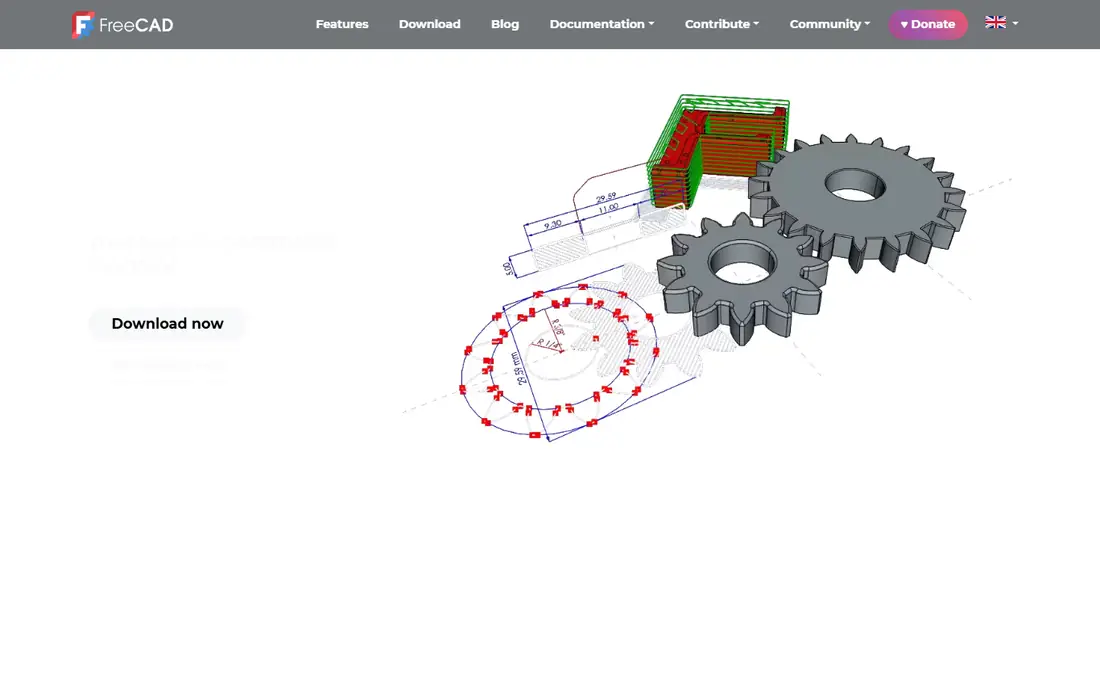
FreeCAD is the most capable general-purpose open-source parametric 3D modeler, and the closest free match to Dassault Systemes tools such as SolidWorks and CATIA. Its homepage describes an open-source parametric 3D modeler made primarily to design real-life objects of any size, where you modify a design by going back into model history and changing its parameters. Sketch constrained 2D shapes, build them into 3D objects, and extract production-ready drawings from the result.
Workbenches extend it far beyond basic modeling: finite element analysis, computational fluid dynamics, BIM, geodata, CAM and CNC toolpaths, and robot simulation. It reads and writes STEP, IGES, STL, SVG, DXF, OBJ, IFC, and DAE, so it fits into existing workflows without locking files into a proprietary format. There are no licensing fees and no vendor lock-in. The trade-off is polish: the interface can feel complex to newcomers, and very large assemblies may strain stability. Pick FreeCAD when you need real parametric engineering without paying for it.
What we like- Parametric modeling with full feature history
- FEM, CAM, BIM, and robot workbenches
- Reads and writes STEP, IGES, STL, DXF, and IFC
Watch out for- Steeper learning curve than commercial tools
- Complex models can hit stability issues
#2LibreCAD
Best for: 2D technical drafting3.8/5 on
G2 (25 reviews, checked Oct 2026)
Visit librecad.org
Starting priceFree
Free planYes
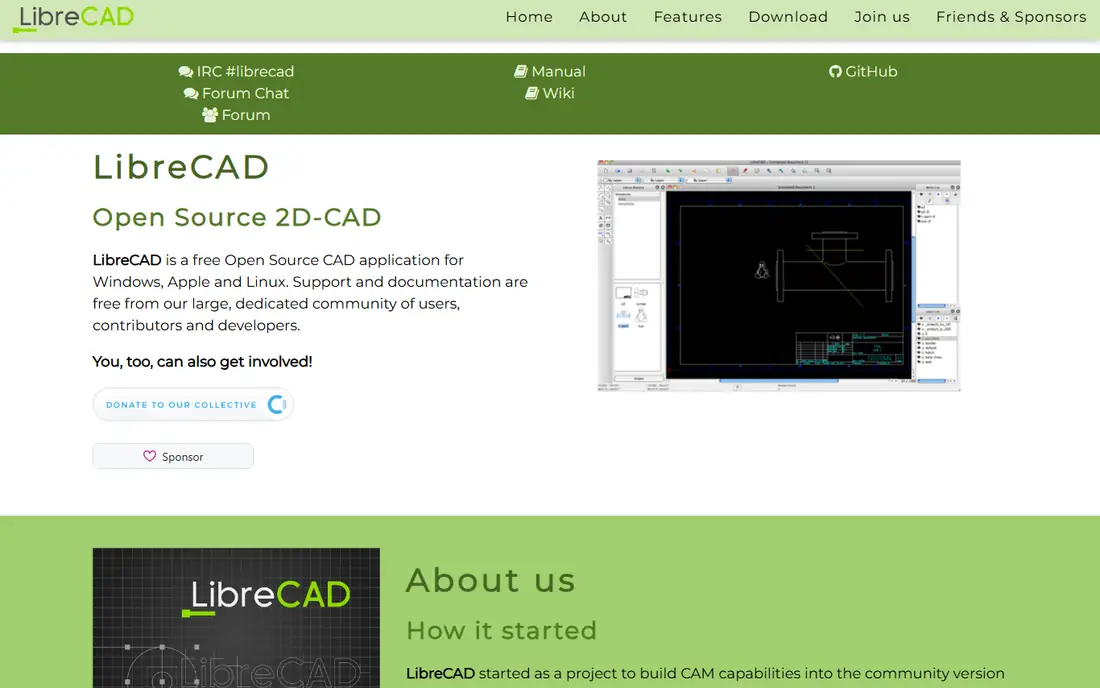
LibreCAD is the free 2D drafting answer to CATIA drafting and SolidWorks drawings. Its homepage calls it a feature-packed and mature 2D CAD application, completely free with no trials, subscriptions, license costs, or annual fees, and open source under GPLv2. The interface will feel familiar to anyone who has used AutoCAD-style drafting, with drawing entities, layers, and dimensioning that suit floor plans, schematics, and technical drawings.
It runs on Windows, macOS, and Linux, with downloads from GitHub for the latest stable builds. The limit is scope: LibreCAD is not a 3D solid modeler, so pair it with FreeCAD or Blender when a project needs both 2D drawings and 3D parts. Pick LibreCAD when the work is 2D drafting and the budget is zero.
What we like- Completely free with no trials or subscriptions
- DXF and DWG support
- Available in over 30 languages
Watch out for- 2D only, not a 3D solid modeler
- MacOS deployment needs community help
Starting priceFree
Free planYes
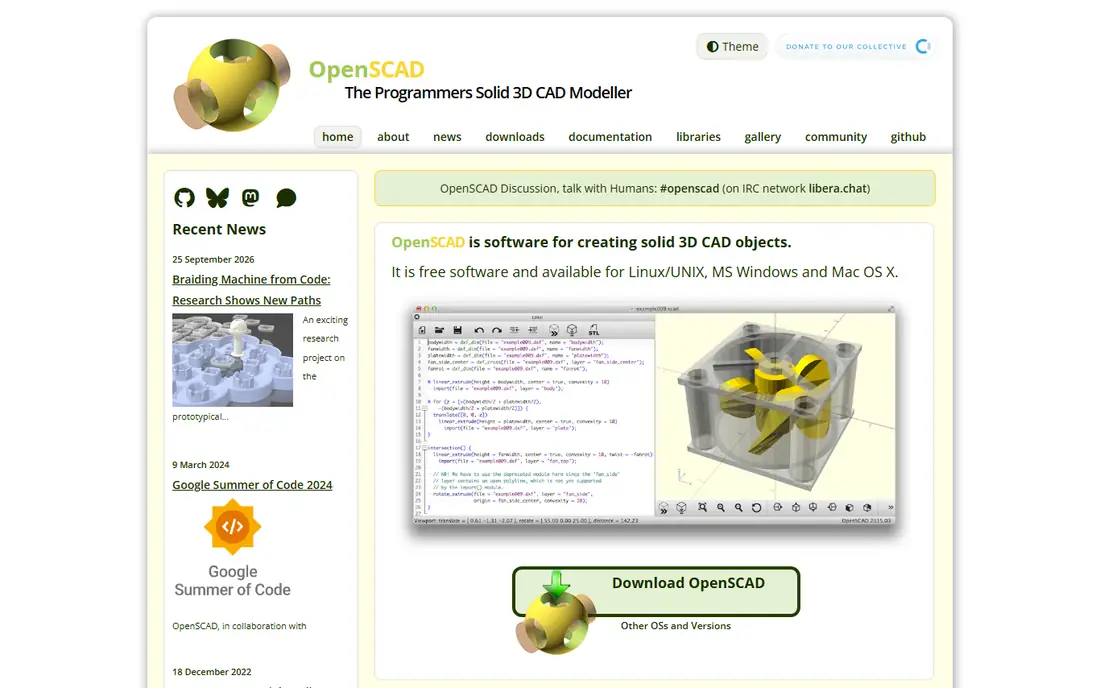
OpenSCAD takes a different approach: you write code, and the code becomes the model. Its homepage describes software for creating solid 3D CAD objects, free and available for Linux, Windows, and macOS. That script-driven approach suits repeatable parts: change a parameter, regenerate the model, and every variant updates consistently. Designs live in text files, so they version-control cleanly in Git and share easily.
The cost is the workflow. There is no interactive push-pull drafting, and the preview and render steps are separate, which slows iteration compared with FreeCAD. The last announced release is from 2021, though nightly builds add the Manifold engine and other improvements. Pick OpenSCAD when your parts are parametric families, such as brackets, adapters, or enclosures, and you prefer code over clicking.
What we like- Precise parametric models defined in code
- Version-controllable designs
- Strong for 3D printing
Watch out for- No mouse-first drafting workflow
- Last announced release is older, with nightly builds adding newer engines
Starting priceFree
Free planYes
SolveSpace is the lightest parametric tool on this list, and the best pick for small parts and mechanisms. Its homepage describes a free parametric 3D CAD tool for modeling 3D parts with extrudes, revolves, helixes, and Boolean operations, modeling 2D parts as a single section, preparing CAM data for waterjet or laser cutting, and designing mechanisms with a constraint solver that simulates planar or spatial linkages with pin, ball, or slide joints.
Exports cover DXF, PDF, SVG, STEP, and STL, so a SolveSpace part moves into CAM software or a 3D printer without friction. The interface is dated and the feature set is narrow compared with FreeCAD, but that focus is the point: SolveSpace does one job well and stays out of the way. Pick SolveSpace for kinematic mechanisms, linkage design, and small parametric parts with drawings.
What we like- Free under GPLv3
- Constraint solver for linkages and mechanisms
- Exports DXF, PDF, SVG, STEP, and STL
Watch out for- Small feature set and dated interface
- Smaller community than FreeCAD
Starting priceFree
Free planYes
BRL-CAD is the engineering-grade solid modeling system on this list. Its homepage presents open source solid modeling with more than a million words of documentation across hundreds of manual pages, tutorials, and technical papers, built over decades of development. Constructive solid geometry gives high geometric precision, and ray tracing supports both rendering and analysis, which suits defense, research, and scientific engineering work.
That depth comes with a learning curve: the documentation is vast, the interface is older than FreeCAD or SolveSpace, and new users should expect a longer ramp. BRL-CAD is not the tool for a quick bracket or a classroom project. Pick BRL-CAD when the work needs solid modeling precision and analysis depth that simpler tools cannot provide.
What we like- Constructive solid geometry with high precision
- Ray tracing for rendering and analysis
- Decades of engineering use
Watch out for- Steep learning curve and dense documentation
- Interface feels older than modern CAD tools
#6Blender
Best for: Organic shapes and rendering4.6/5 on
G2 (319 reviews, checked Oct 2026)
Visit blender.org
Starting priceFree
Free planYes
Blender is the visualization and organic modeling answer in this list. Its homepage states that Blender is free and open source software, forever, licensed as GNU GPL and owned by its contributors. Modeling, sculpting, UV mapping, the Cycles render engine, VFX tracking, animation, and rigging all live in one application, with a Python API for custom tools and hundreds of community add-ons.
Blender is not a parametric CAD tool: dimensions, tolerances, and feature history need add-ons and workarounds, so it should not replace FreeCAD for mechanical parts. Where it wins is organic shapes, concept design, product renders, and 3D printing of artistic models. Pick Blender when the shape is sculpted rather than dimensioned, and the render matters as much as the model.
What we like- Free and open source under GNU GPL forever
- Sculpting, modeling, rendering, and animation in one tool
- Huge community and add-on ecosystem
Watch out for- Not a parametric solid modeler
- Dimensions and tolerances need add-ons
#7Tinkercad
Best for: Beginners and classrooms4.5/5 on
G2 (120 reviews, checked Oct 2026)
Visit tinkercad.com
Starting priceFree
Free planYes
Tinkercad is the fastest way into 3D design. Its homepage describes a free web app for 3D design, electronics, and coding, trusted by over 100 million people, with no downloads and no strings attached. Drag primitives, combine them with Boolean operations, and export for 3D printing, all from the first click. Circuits and block-based coding extend it into electronics and parametric design for classrooms.
The limit is precision: Tinkercad suits first prints and concept models, but not dimensioned mating parts or assemblies. It is also cloud-only, so offline work is not an option. Pick Tinkercad for beginners, classrooms, and fast first prints, then graduate to FreeCAD or OpenSCAD when precision matters.
What we like- Free web app with no downloads
- Trusted by over 100 million people
- Ad-free and kidSAFE certified
Watch out for- Too simple for precise mating parts
- Cloud-only, no offline desktop app
#8SketchUp Free
Best for: Fast concept modeling4.5/5 on
G2 (1,327 reviews, checked Oct 2026)
Visit sketchup.com
Starting priceFree
Free planYes
SketchUp Free is the concept modeling pick for architecture and interior design. Its homepage presents an ecosystem of intuitive tools for creating, communicating, and collaborating in 3D, with push-pull modeling that turns a sketch into a volume in seconds. The 3D Warehouse offers millions of pre-built models and materials, and Extension Warehouse adds more than 600 extensions for paid plans.
The free tier is web-only, and SketchUp models are meshes rather than true solids, so manufacturing export is limited compared with FreeCAD or SolveSpace. Paid Pro adds desktop access, LayOut 2D documentation, and photoreal materials. Pick SketchUp Free when the goal is a fast architectural concept or interior layout, not a machined part.
What we like- Intuitive push-pull modeling
- 3D Warehouse with millions of pre-built models
- Free self-paced training
Watch out for- Free tier is web-only
- No true solids kernel, so manufacturing export is limited
How we chose
We compared free tools that cover Dassault Systemes CAD ground: parametric 3D modeling, 2D drafting, and design for manufacturing. Each vendor homepage was opened to confirm the product exists and the domain belongs to that product. All eight tools are free, with no trials or subscriptions required for the core product, though SketchUp Free and Tinkercad offer paid upgrades. Paid commercial tools such as SolidWorks, CATIA, Fusion 360, and Creo were excluded because the topic asks for free alternatives. The list mixes parametric, code-driven, mesh, and concept tools because no single free tool covers every Dassault workflow.
What to check before you pick
Start with the modeling style, because it decides the shortlist. Parametric mechanical parts belong in FreeCAD or SolveSpace. Code-driven printable parts belong in OpenSCAD. 2D drawings belong in LibreCAD. Organic shapes and renders belong in Blender. Fast concepts belong in SketchUp Free or Tinkercad. Trying to force one tool to cover every style is how projects stall.
Next, check file compatibility with your downstream tools. FreeCAD reads and writes STEP, IGES, STL, DXF, and IFC, which covers most manufacturing and BIM workflows. SolveSpace exports STEP and STL for CAM and printing. Blender exports meshes for rendering and printing but not dimensioned solids. Confirm the export format your printer, CAM software, or collaborator needs before committing to a tool.
Frequently asked questions
What is the best free alternative to SolidWorks?
FreeCAD is the best free alternative to SolidWorks, with parametric modeling, feature history, FEM, CAM, and BIM workbenches. It reads and writes STEP, IGES, STL, and DXF, so it fits existing manufacturing workflows. The learning curve is steeper than commercial tools, but the capability is the closest free match.
What is the best free 2D CAD software?
LibreCAD is the best free 2D CAD tool, with DXF and DWG support, a familiar drafting interface, and no cost or subscription. It is 2D only, so pair it with FreeCAD for 3D parts. For 2D documentation from a 3D model, FreeCAD drawing tools or SketchUp LayOut on a paid plan are the alternatives.
Can I use free CAD software commercially?
Yes, for the open-source tools on this list. FreeCAD, LibreCAD, OpenSCAD, SolveSpace, BRL-CAD, and Blender are free and open source, with no licensing fees for commercial use. Tinkercad and SketchUp Free are free tiers of commercial products, so check their current terms before commercial use, since free-tier terms can change.
Which free CAD tool is best for 3D printing?
FreeCAD and OpenSCAD are the best free CAD tools for 3D printing. FreeCAD suits dimensioned parts with drawings, while OpenSCAD suits parametric part families defined in code. Tinkercad is the best starting point for beginners, and Blender suits artistic prints. All four export STL for printers.
Is there a free alternative to CATIA for large assemblies?
No free tool matches CATIA for large assemblies and aerospace-grade surface modeling. FreeCAD is the closest free option for assemblies and parametric parts, and BRL-CAD suits solid modeling and analysis. For very large assemblies, expect to split the work into subassemblies or evaluate a paid tool, since free tools have stability and performance limits at that scale.
Sources we checked (8)
- https://www.freecad.org
- https://librecad.org
- https://openscad.org
- https://solvespace.com
- https://brlcad.org
- https://www.blender.org
- https://www.tinkercad.com
- https://www.sketchup.com
Is your product missing or out of date?
We review this list regularly. Vendors can request a listing, send updated pricing or ask about featured placement.

Shihab Mia · Founder, Rankite
Shihab has 5+ years in B2B and SaaS SEO. He writes Rankite's software buying guides from pricing pages, documentation and public user reviews. More about Shihab.