How we make this list: we compare pricing pages, product documentation and public user reviews. Ratings come from G2, Capterra or Trustpilot, with the date we checked them.
Key takeaways
- tldraw suits the closest open source freeform feel free, while diagrams.net suits precise technical diagrams free with no account needed.
- Miro suits team workshops at scale at $8 per user per month, while FigJam suits design teams inside Figma at $3 per editor per month.
- Mural suits facilitated workshops at $9.99 per user per month, while Lucidchart suits structured precise diagrams at $9 per month.
- Whimsical suits fast mind maps and flowcharts at $10 per user per month, while Microsoft Whiteboard suits Microsoft 365 teams at no extra cost.
- Free caps matter: Miro free covers 3 editable boards and FigJam free covers limited files, so count boards and seats before buying.
Quick comparison
| Tool | Best for | Starting price | Free plan |
|---|
 tldraw tldraw | Polished open source canvas | Free | Yes |
 diagrams.net diagrams.net | Free technical diagrams | Free | Yes |
 Miro Miro | Team workshops at scale | $8 per user per month | Yes |
 FigJam FigJam | Design teams inside Figma | $3 per editor per month | Yes |
 Mural Mural | Facilitated workshops | $9.99 per user per month | Yes |
 Lucidchart Lucidchart | Structured precise diagrams | $9 per month | Yes |
 Whimsical Whimsical | Fast mind maps, flowcharts | $10 per user per month | Yes |
 Microsoft Whiteboard Microsoft Whiteboard | Microsoft 365 teams | Included in Microsoft 365 | Yes |
Is your product missing or out of date?
We review this list regularly. Vendors can request a listing, send updated pricing or ask about featured placement.
The best Excalidraw alternatives
Starting priceFree
Free planYes
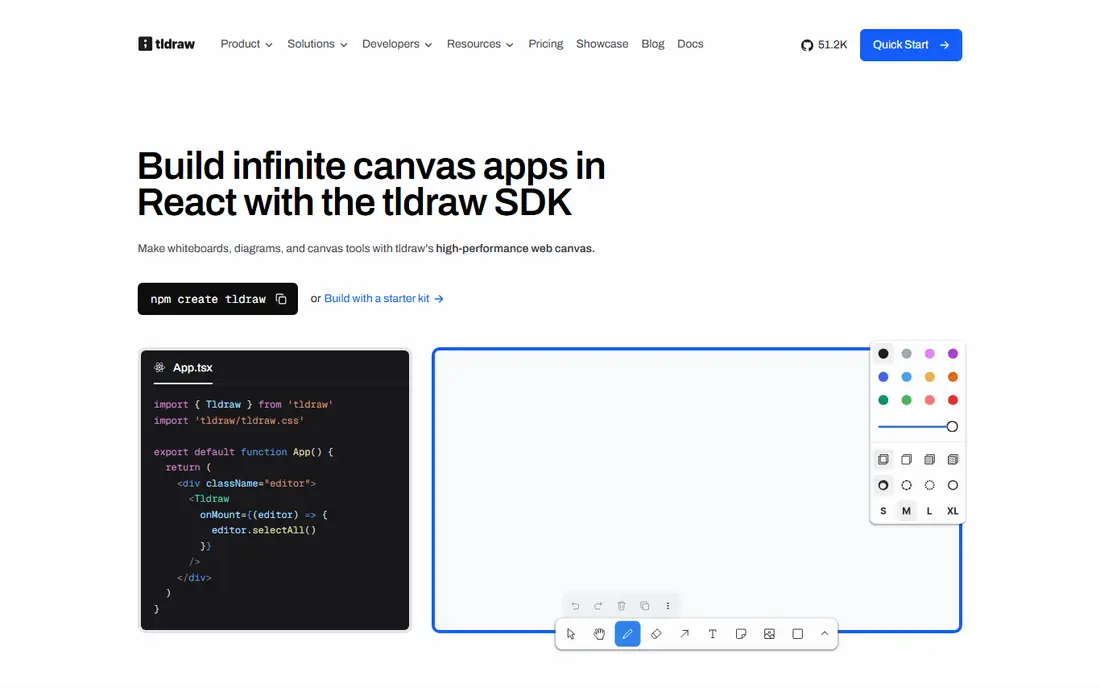
tldraw is the alternative most similar in spirit to the target: open source, free, browser-based, and focused on a clean drawing experience, with an interface that is arguably more refined, smooth performance, and strong multiplayer support. It is easy to embed in other apps, which suits developers building canvas features into their own products. One ranking rates tldraw 8.6 out of 10 for sketching and diagramming work.
The trade off is polish against organization. tldraw draws beautifully, but it has no cross-board organization or search like a note system. tldraw fits developers and teams who want a polished freeform canvas without seat costs.
What we like- Open source and free
- Polished responsive interface
- Smooth performance
- Strong multiplayer support
- Easy to embed in other apps
- Closest open source feel in one ranking
Watch out for- No cross-board organization or search
- SDK pricing runs $6,000 per year in one report for commercial embedding
- AI features are limited
- Enterprise controls trail Miro
Starting priceFree
Free planYes
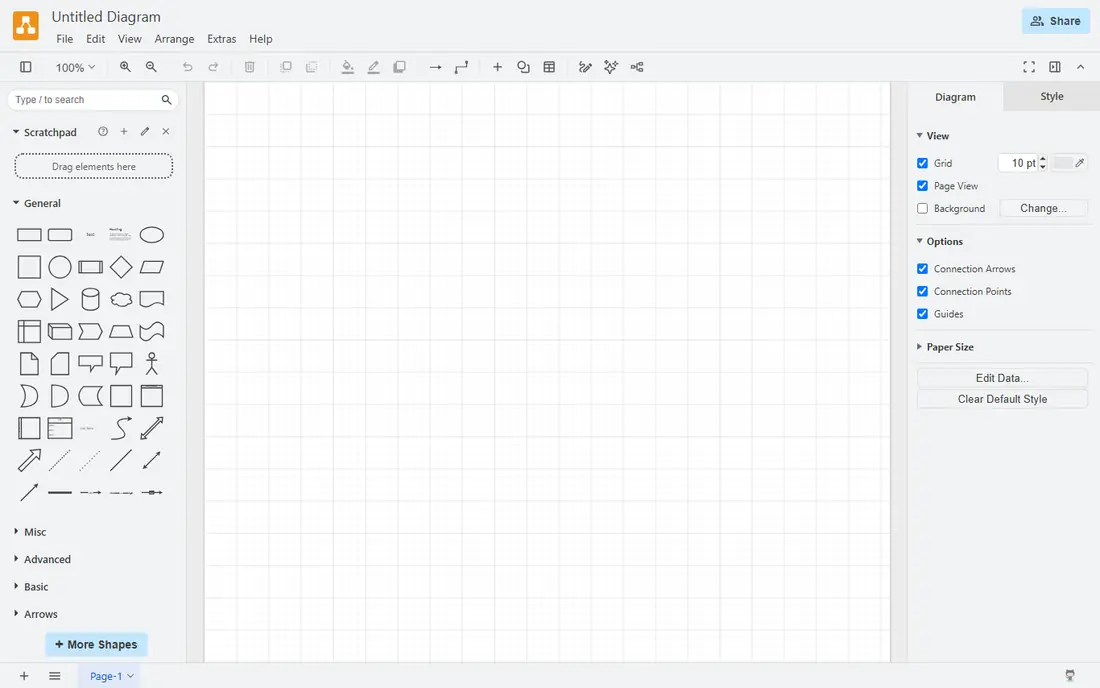
diagrams.net, formerly draw.io, is the free technical diagram pick, strongest for precise technical diagrams, cloud architecture, UML, network diagrams, and export-heavy documentation. It is free with no account needed for the web app, self-hostable, and rated 8.1 out of 10 in one ranking. Structured shapes, connectors, and shape libraries make it better than freeform tools for documentation that must stay accurate.
The trade off is precision against playfulness. diagrams.net diagrams precisely, but it is not a playful sketching canvas. diagrams.net fits engineers and architects who need free structured diagrams.
What we like- Free with no account needed
- Best for precise technical diagrams, cloud architecture, UML, and network diagrams
- Export-heavy documentation
- Self-hostable
- Structured shapes and connectors
Watch out for- No AI built in
- Interface is utilitarian
- Freeform sketching trails tldraw
- Collaboration needs a shared drive or Atlassian paid tier
#3Miro
Best for: Team workshops at scale4.6/5 on
G2 (13,631 reviews, checked Oct 2026)
Visit miro.com
Starting price$8 per user per month
Free planYes

Miro is the team workshop standard, with the deepest template library, facilitation tools, AI Sidekicks, and enterprise collaboration for large remote teams. Starter pricing runs $8 per member per month billed annually, or $10 monthly, with Business higher and Enterprise on quote, while the free plan covers 3 editable boards. Miro rates 9.1 out of 10 in one ranking and suits workshop-heavy companies.
The trade off is depth against seat cost. Miro handles workshops better than any tool here, but seat sprawl can inflate bills when occasional commenters become editors. Miro fits large remote teams running workshops at scale.
What we like- Deepest template library
- AI Sidekicks
- Facilitation tools
- Enterprise collaboration
- Widest integrations
- 9.1 out of 10 in one ranking
Watch out for- Free plan covers only 3 editable boards
- Starter at $8 per member per month billed annually, $10 monthly
- Seat sprawl at scale, since viewers can become paid editors
- Performance can lag on very large boards
#4FigJam
Best for: Design teams inside Figma4.5/5 on
G2 (465 reviews, checked Oct 2026)
Visit figma.com
Starting price$3 per editor per month
Free planYes
FigJam is the design team pick, with native Figma handoff, playful whiteboarding, and the cheapest paid option in one comparison because it bills editors at $3 per editor per month, not viewers, though some reports list $5 per user per month. The free plan covers limited FigJam files per team, and FigJam rates 8.9 out of 10 in one ranking. FigJam suits design teams already inside Figma who brainstorm before moving to Figma Design.
The trade off is design fit against standalone weakness. FigJam is superb inside Figma, but weak outside design context. FigJam fits design teams that brainstorm inside Figma.
What we like- Native Figma handoff
- Cheapest paid option because it bills editors, not viewers
- Playful whiteboarding
- Free Starter file caps
- 8.9 out of 10 in one ranking
Watch out for- Weak outside design context
- Free plan covers limited FigJam files per team
- Seat types moved with Figma 2025 to 2026 packaging, so confirm Collab versus Full seats
- $5 per user per month in some reports
#5Mural
Best for: Facilitated workshops4.6/5 on
G2 (1,496 reviews, checked Oct 2026)
Visit mural.co
Starting price$9.99 per user per month
Free planYes
Mural is the facilitated workshop pick, with template depth, facilitation tools, and training features for enterprise workshops. Pricing runs $9.99 per seat per month billed annually in one comparison, with $12 per user per month in another report, and a free plan is available. Mural rates 8.5 out of 10 in one ranking and suits teams running structured workshops and training sessions.
The trade off is facilitation depth against casual cost. Mural runs workshops better than freeform tools, but it is expensive for casual sketching. Mural fits enterprise teams running facilitated workshops and training.
What we like- Template depth plus facilitation
- Good for training and workshops
- AI built in
- 8.5 out of 10 in one ranking
- Enterprise workshop features
Watch out for- Expensive for casual use
- $9.99 per seat per month billed annually, $12 in another report
- Heavier than freeform tools
- Overkill for simple brainstorming
Starting price$9 per month
Free planYes
Lucidchart is the structured diagram pick for enterprise teams, covering precise flowcharts, org charts, network diagrams, and system maps with data linking and collaboration. Pricing runs $9 per month in one ranking, with Lucidspark, its ideation companion, at $7.95 to $9 per seat per month in other reports, and a free plan is available. Lucidchart rates 8.4 out of 10 in one ranking.
The trade off is precision against onboarding speed. Lucidchart diagrams precisely for enterprises, but its heavier UI slows onboarding versus FigJam or Whimsical. Lucidchart fits enterprise diagramming teams that need structured precise diagrams.
What we like- Structured precise diagrams
- Lucidchart integration with Lucidspark for ideation
- AI built in
- Good for enterprise diagramming teams
- 8.4 out of 10 in one ranking
Watch out for- Heavier UI and slower onboarding in one report
- $9 per month in one ranking, $7.95 for Lucidspark in another
- Free plan limits diagrams
- Less playful than FigJam
#7Whimsical
Best for: Fast mind maps, flowcharts4.6/5 on
G2 (189 reviews, checked Oct 2026)
Visit whimsical.com
Starting price$10 per user per month
Free planYes
Whimsical is the fast mind map and flowchart pick, with a clean, fast, focused interface for wireframes, flowcharts, and mind maps that product teams love. Pricing runs $10 per seat per month with a free plan available, and Whimsical rates 8.3 out of 10 in one ranking. Whimsical suits product teams that need quick structured diagrams without Miro complexity.
The trade off is focus against canvas breadth. Whimsical is fast and clean for structured diagrams, but its freeform canvas is limited versus Miro. Whimsical fits product teams doing fast mind maps and flowcharts.
What we like- Clean fast focused interface
- Great for wireframes, flowcharts, and mind maps
- AI built in
- 8.3 out of 10 in one ranking
- Good for product teams
Watch out for- Limited freeform canvas versus Miro
- $10 per seat per month
- Free plan limits boards
- Less suited to large workshops
Starting priceIncluded in Microsoft 365
Free planYes
Microsoft Whiteboard is the Microsoft 365 pick, included with Microsoft 365 at no extra cost and built into Teams, with a free consumer app for Microsoft account holders. It covers simple sketching, brainstorming, and collaboration without seat costs for tenants already paying for M365. Microsoft Whiteboard rates 7.9 out of 10 in one ranking.
The trade off is zero cost against standalone weakness. Whiteboard costs nothing extra for M365 teams, but it is weak outside that ecosystem. Microsoft Whiteboard fits Microsoft 365 shops that want a board at no extra cost.
What we like- Included with Microsoft 365 at no extra cost
- Free consumer app
- Built into Teams
- Zero incremental cost for M365 tenants
- Simple sketching and collaboration
Watch out for- Weak standalone experience outside M365
- Suite-gated, not a free meter like Miro
- AI features are limited
- Template depth trails Miro
- 7.9 out of 10 in one ranking
How we chose
We compared published 2026 whiteboard comparisons, recording free caps and seat prices separately, since Miro free covers 3 boards and FigJam free covers limited files, while tldraw and diagrams.net are free without caps. We favored tools with distinct strengths, polished open source canvas, free technical diagrams, workshop scale, design-team brainstorming, facilitated workshops, structured diagrams, fast mind maps, and M365 inclusion, and we flagged where FigJam and Mural prices conflict across sources. We weighed sketching feel, diagram precision, and collaboration depth separately, since no single tool leads on all three.
How to choose an Excalidraw alternative
Start with job: quick sketches should shortlist tldraw, technical diagrams should shortlist diagrams.net or Lucidchart, workshops should shortlist Miro or Mural, and design brainstorming should shortlist FigJam. Next, count boards and seats: Miro free covers 3 boards, FigJam free covers limited files, and FigJam bills editors while Miro bills members, so model your real editor count. Then check ecosystem: Figma teams should pick FigJam, Microsoft 365 teams should pick Whiteboard, and open source teams should pick tldraw or diagrams.net. Finally, test large boards before committing, since performance on complex maps varies. A tool that fits your job, your board count, and your ecosystem will whiteboard without seat surprises.
Frequently asked questions
What is the best Excalidraw alternative overall?
tldraw suits the closest open source feel, diagrams.net suits free technical diagrams, Miro suits workshops at scale, and FigJam suits design teams, so the best pick depends on job.
Is there a free Excalidraw alternative with no board cap?
tldraw and diagrams.net are free without the board caps that Miro free and FigJam free carry, though tldraw lacks cross-board organization.
Why do FigJam prices differ across sources?
Figma seat types moved with 2025 to 2026 packaging, with Collab seats at $3 and Full seats higher, so confirm Collab versus Full seats on the live pricing grid.
Should large teams use Miro or Mural?
Miro suits large remote teams with the deepest templates, while Mural suits facilitated workshops and training, so pick by workshop style.
Does Microsoft Whiteboard cost extra?
No for Microsoft 365 tenants, since it is included with Microsoft 365 and built into Teams, with a free consumer app for Microsoft account holders.
Can I self-host a whiteboard alternative?
Yes for some tools: diagrams.net can be self-hosted, tldraw can be self-hosted in some setups though multiplayer needs extra backend work, and Penpot offers open source self-hosting.
Sources we checked (0)
Is your product missing or out of date?
We review this list regularly. Vendors can request a listing, send updated pricing or ask about featured placement.

Shihab Mia · Founder, Rankite
Shihab has 5+ years in B2B and SaaS SEO. He writes Rankite's software buying guides from pricing pages, documentation and public user reviews. More about Shihab.