How we make this list: we compare pricing pages, product documentation and public user reviews. Ratings come from G2, Capterra or Trustpilot, with the date we checked them.
What is the best Enscape alternative in 2026?
The best Enscape alternative for most architecture firms is D5 Render, because it keeps the real-time workflow architects like, adds stronger scene editing and ray tracing, and costs less than Enscape. D5 Render Pro costs 360 dollars per year, checked 16 Nov 2026, while Enscape Solo costs 574.80 dollars per year. Twinmotion is the best free option for firms with annual gross revenue under 1 million dollars, because it costs nothing in that band and still handles live walkthroughs and path-traced stills. Lumion is the best choice when speed to a finished image matters more than price. V-Ray is the best choice when photoreal stills matter most and the team can accept a slower workflow.
Why do architects look for an Enscape alternative?
Architects look for an Enscape alternative for four common reasons. The first is price. Enscape Solo now costs 574.80 dollars per year, and larger firms pay more per seat. The second is render quality. Enscape is fast and simple, but its images can look flat next to a path-traced still from V-Ray, D5 Render or OctaneRender. The third is workflow. Some teams want a standalone app with a large asset library, such as Lumion, while others want a full game engine, such as Unreal Engine, for interactive presentations. The fourth is platform support. Enscape works as a plugin inside Revit, SketchUp, Rhino and Archicad, but firms on Mac may need a standalone renderer.
How much does it cost to switch from Enscape?
Switching from Enscape costs less than many firms expect, because three of the eight tools here are free to start. Twinmotion is free for individuals and companies with under 1 million dollars in annual gross revenue. Blender is free and open source for any use, including commercial work. Unreal Engine is free to download, with a 5 percent royalty only on lifetime gross revenue above 1 million dollars for games. OctaneRender Prime is free with a single GPU limit. Among paid tools, D5 Render Pro at 360 dollars per year is the cheapest direct replacement, followed by V-Ray Solo at 540 dollars per year. Lumion Pro and KeyShot cost about twice as much as Enscape.
How do the 8 Enscape alternatives compare on price?
The table below shows the starting price for each tool, checked 16 Nov 2026. Prices are list prices before tax and can differ by region, so confirm the current figure on the vendor pricing page before you buy. Free plans and trials change the first-year cost a lot, so read the free plan line for each tool before you compare prices alone.
| Tool | Starting price | Free option | Best for |
| Lumion | 1,149 dollars per year, Pro | 14-day trial | Fast finished images and animation |
| Twinmotion | Free under 1 million dollars revenue, then 445 dollars per seat per year | Free under revenue limit | Small firms and live walkthroughs |
| V-Ray | 540 dollars per year, Solo | 14-day money-back guarantee | Photoreal stills with full control |
| D5 Render | 360 dollars per year, Pro | Community edition, non-commercial only | Real-time ray tracing at a low price |
| Unreal Engine | Free, 5 percent royalty after 1 million dollars revenue | Free to download | Interactive and virtual reality presentations |
| Blender | Free, open source | Free for all uses | Low-cost modelling and rendering in one app |
| OctaneRender | 19.99 euros per month billed yearly, Studio+, Prime free | Prime free, one GPU | GPU path tracing for film-grade stills |
| KeyShot | 1,299 dollars per year, Studio Professional | Trial, education 95 dollars per year | Product and material close-ups |
Which Enscape alternative is best for Revit and SketchUp users?
Revit and SketchUp users should shortlist D5 Render, Twinmotion and V-Ray first. D5 Render offers LiveSync plugins for Revit, SketchUp, Rhino and Archicad, so model changes sync to the render view without a manual export step. Twinmotion offers direct links and import for the same host tools, plus Datasmith import from Revit. V-Ray works as a plugin inside Revit, SketchUp and Rhino, so render settings stay close to the model. Lumion works as a standalone app with LiveSync for the same hosts. Blender and Unreal Engine need an export or import step, so they suit teams with time to build a separate visualisation pipeline.
Most real-time tools here need a capable dedicated GPU, and that is the main hidden cost of switching. Lumion needs a graphics card with at least 6 GB of dedicated video memory on Windows, and it runs on Windows only. D5 Render needs a dedicated NVIDIA GPU with ray-tracing support, and it also runs on Windows only. Twinmotion needs at least 6 GB of video memory on Windows, 8 GB for the path tracer, and Apple Silicon on Mac. OctaneRender needs a CUDA-capable NVIDIA GPU. V-Ray can render on CPU, GPU or both, so it runs on weaker hardware. Blender runs on Windows, Mac and Linux, and Cycles can use CPU or GPU.
Quick comparison
| Tool | Best for | Starting price | Free plan |
|---|
 Lumion | Architecture firms that want fast, finished-looking images and animation with a large built-in asset library | 1,149 dollars per year for Lumion Pro, named user, billed annually, checked 16 Nov 2026 | 14-day free trial of Pro, no credit card required; education licences available |
 Twinmotion | Freelancers and small firms with annual gross revenue under 1 million dollars who want free real-time visualisation | Free for individuals and companies under 1 million dollars in annual gross revenue; 445 dollars per seat per year above that, checked 16 Nov 2026 | Free under the revenue limit, including commercial use; free for students, educators and hobbyists |
 V-Ray | Studios that need maximum photorealism and full control over light, materials and cameras | 540 dollars per year for V-Ray Solo, 45 dollars per month billed annually, checked 16 Nov 2026 | No free plan; 14-day money-back guarantee on paid plans |
 D5 Render | Solo architects and small studios that want real-time ray tracing with more scene control than Enscape at a lower price | 360 dollars per year for D5 Render Pro, 30 dollars per month billed annually, checked 16 Nov 2026 | D5 Community is free for learning, personal projects and evaluation; commercial work needs Pro |
 Unreal Engine | Firms that want interactive presentations, virtual reality walkthroughs and film-quality real-time scenes | Free to download and use; 5 percent royalty on lifetime gross revenue above 1 million dollars for games, checked 16 Nov 2026 | Free to download with full features; free for students and educators; non-game commercial users under 1 million dollars annual revenue pay nothing |
 Blender | Solo designers and small studios that want a free, full 3D suite for modelling and rendering in one app | Free, open source under the GNU General Public License, checked 16 Nov 2026 | Free for all uses, including commercial work, with no paid edition and no feature limits |
 OctaneRender | Visualisation artists who want GPU spectral path tracing for film-grade stills and animation | 19.99 euros per month billed yearly for OctaneRender Studio+, 239.88 euros per year, checked 16 Nov 2026 | OctaneRender Prime is free, limited to one GPU and a smaller set of plugins |
 KeyShot | Product designers and architects who need fast, accurate material and product close-ups | 1,299 dollars per year for KeyShot Studio Professional, 108.25 dollars per month billed annually, checked 16 Nov 2026 | Trial available; education pricing is 95 dollars per year |
Is your product missing or out of date?
We review this list regularly. Vendors can request a listing, send updated pricing or ask about featured placement.
8 Best Enscape Alternatives
The eight tools below cover real-time archviz, offline rendering, and free options.
#1Lumion
Best for: Architecture firms that want fast, finished-looking images and animation with a large built-in asset library4.5/5 on
G2 (110 reviews, checked Oct 2026)
Visit lumion.com
Starting price1,149 dollars per year for Lumion Pro, named user, billed annually, checked 16 Nov 2026
Free plan14-day free trial of Pro, no credit card required; education licences available

Lumion is a standalone real-time renderer from Act-3D, and it is the fastest route in this guide from a raw model to a client-ready image. You import the model from SketchUp, Revit, Archicad or Rhino through LiveSync or file import, then add trees, people, furniture, weather and light from the built-in library. The price is the main trade-off, because Pro costs about twice as much as Enscape Solo. For firms that present often, the time saved can justify the cost, but solo users should test the trial on a real project first.
What we like- Very fast path from model to polished image
- Large library of more than 10,000 models and materials
- Strong landscape, animation and AI upscaling tools
Watch out for- Windows only, with no Mac version at any price, so Mac-based firms need a separate Windows machine or a different tool
#2Twinmotion
Best for: Freelancers and small firms with annual gross revenue under 1 million dollars who want free real-time visualisation4.5/5 on
G2 (61 reviews, checked Oct 2026)
Visit twinmotion.com
Starting priceFree for individuals and companies under 1 million dollars in annual gross revenue; 445 dollars per seat per year above that, checked 16 Nov 2026
Free planFree under the revenue limit, including commercial use; free for students, educators and hobbyists
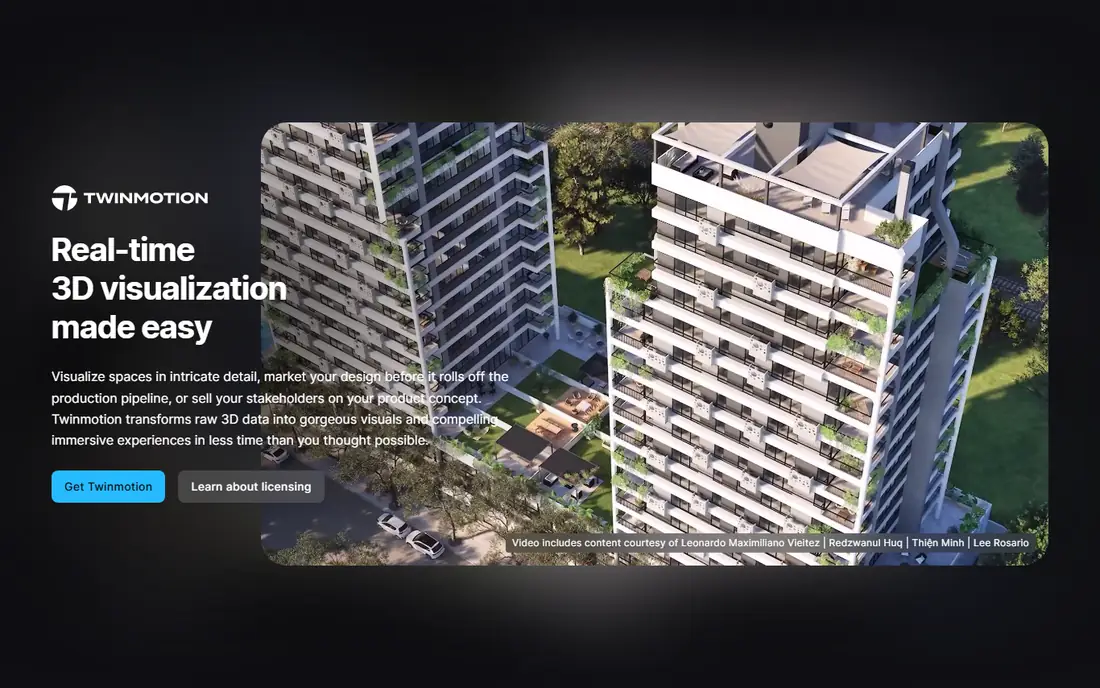
Twinmotion is the real-time visualisation tool from Epic Games, and it is the best free Enscape alternative for most small architecture firms. It imports models from Revit, SketchUp, Archicad and Rhino, and it adds materials, landscape, weather, people and animation in a simple drag-and-drop editor. The live walkthrough mode suits design reviews, because clients can move through the building and see changes in real time. The licence terms are simple: free below 1 million dollars in annual gross revenue, with no seat limit and no watermark.
What we like- Free for most small firms
- Built on Unreal Engine technology
- Runs on Windows and Mac
- Includes a path tracer for higher-quality stills
Watch out for- Twinmotion Cloud is withheld from the free tier, so browser-based client presentations need a paid seat even under the revenue limit
#3V-Ray
Best for: Studios that need maximum photorealism and full control over light, materials and cameras4.5/5 on
G2 (241 reviews, checked Oct 2026)
Visit chaos.com
Starting price540 dollars per year for V-Ray Solo, 45 dollars per month billed annually, checked 16 Nov 2026
Free planNo free plan; 14-day money-back guarantee on paid plans

V-Ray is the production renderer from Chaos, the same company that makes Enscape, and it is the reference point for photoreal architectural stills. It works as a plugin inside Revit, SketchUp, Rhino, 3ds Max, Cinema 4D, Maya and other host apps, so render settings stay close to the model. The material editor gives precise control over reflection, refraction and displacement, and the light system supports sun, sky, area lights and image-based lighting. For hero images and marketing renders, that control is worth the time.
What we like- Physically accurate lighting and materials
- CPU, GPU and hybrid rendering
- Works inside Revit, SketchUp, Rhino, 3ds Max and other hosts
Watch out for- Steepest learning curve in this guide, so new users need real training time before client work looks polished
#4D5 Render
Best for: Solo architects and small studios that want real-time ray tracing with more scene control than Enscape at a lower price4.8/5 on
G2 (1,094 reviews, checked Oct 2026)
Visit d5render.com
Starting price360 dollars per year for D5 Render Pro, 30 dollars per month billed annually, checked 16 Nov 2026
Free planD5 Community is free for learning, personal projects and evaluation; commercial work needs Pro
D5 Render is the closest direct replacement for Enscape in this guide, and it costs less while giving the user more scene control. It offers LiveSync plugins for Revit, SketchUp, Rhino, Archicad and other tools, so model edits appear in the render view without a fresh export. The editor covers lighting, weather, vegetation, people, vehicles and post-processing, and the AI tools can match atmosphere, generate textures and restyle an image from a reference. The Community edition is genuinely usable for learning, because it never expires, but commercial work needs a paid subscription.
What we like- Real-time ray tracing with a rich scene editor
- Large asset library with more than 16,000 Pro assets
- Strong AI tools for atmosphere, texture and style
Watch out for- Windows only, with no Mac version, and it needs a dedicated NVIDIA GPU with ray-tracing support
#5Unreal Engine
Best for: Firms that want interactive presentations, virtual reality walkthroughs and film-quality real-time scenes4.5/5 on
G2 (151 reviews, checked Oct 2026)
Visit unrealengine.com
Starting priceFree to download and use; 5 percent royalty on lifetime gross revenue above 1 million dollars for games, checked 16 Nov 2026
Free planFree to download with full features; free for students and educators; non-game commercial users under 1 million dollars annual revenue pay nothing
Unreal Engine is the full real-time engine from Epic Games, and it sits a step above a simple renderer. It can build interactive walkthroughs where clients open doors, change materials, switch lighting and move through a building in virtual reality. The lighting system supports real-time global illumination, reflections and cinematic cameras, and the asset library covers furniture, vegetation, people and environments. Non-game commercial users with more than 1 million dollars in annual revenue pay 1,850 dollars per seat per year.
What we like- Most powerful real-time engine in this guide
- Excellent virtual reality and interactive support
- Huge asset and learning community
Watch out for- Longest setup time and steepest technical learning curve for architecture teams without game engine experience
#6Blender
Best for: Solo designers and small studios that want a free, full 3D suite for modelling and rendering in one app4.6/5 on
G2 (319 reviews, checked Oct 2026)
Visit blender.org
Starting priceFree, open source under the GNU General Public License, checked 16 Nov 2026
Free planFree for all uses, including commercial work, with no paid edition and no feature limits
Blender is a free and open source 3D creation suite from the Blender Foundation, and it is the lowest-cost Enscape alternative in this guide by a wide margin. It covers modelling, sculpting, texturing, animation and rendering in one application, so a small studio can model a concept, render it and animate it without a second licence. Cycles is the physically based path tracer for photoreal stills, and it runs on CPU and GPU. Eevee is the real-time rasteriser for fast previews and stylised final frames, and it shares the same shader nodes as Cycles.
What we like- Free forever with no licence cost
- Two built-in render engines, Cycles and Eevee
- Runs on Windows, Mac and Linux
Watch out for- No LiveSync plugin for Revit, so BIM models need an export and import step, and the interface takes time to learn
#7OctaneRender
Best for: Visualisation artists who want GPU spectral path tracing for film-grade stills and animation4.1/5 on
G2 (11 reviews, checked Oct 2026)
Visit home.otoy.com
Starting price19.99 euros per month billed yearly for OctaneRender Studio+, 239.88 euros per year, checked 16 Nov 2026
Free planOctaneRender Prime is free, limited to one GPU and a smaller set of plugins
OctaneRender is the GPU spectral path tracer from OTOY, and it is built for artists who want the most accurate light they can get from a GPU. It renders with unbiased path tracing, which gives clean global illumination, caustics and volumetric light without the shortcuts of a real-time rasteriser. The Studio+ subscription includes plugins for more than 20 host applications, including Cinema 4D, Maya, Houdini, Blender and SketchUp, plus Render Network access and unlimited network rendering. The main limits are hardware and cost: OctaneRender needs a CUDA-capable NVIDIA GPU, and the yearly total of about 240 euros is more than D5 Render Pro. For hero stills where light quality matters most, OctaneRender earns its place.
What we like- Fast GPU path tracing with accurate light, spectral materials and strong volumetrics
- Plugins for more than 20 host apps
Watch out for- Needs a CUDA-capable NVIDIA GPU, so AMD and Apple Silicon users face limits, and the monthly price adds up over a year
#8KeyShot
Best for: Product designers and architects who need fast, accurate material and product close-ups4.5/5 on
G2 (182 reviews, checked Oct 2026)
Visit keyshot.com
Starting price1,299 dollars per year for KeyShot Studio Professional, 108.25 dollars per month billed annually, checked 16 Nov 2026
Free planTrial available; education pricing is 95 dollars per year
KeyShot is the standalone CPU and GPU renderer from Luxion, now sold as KeyShot Studio, and it is the best tool in this guide for material close-ups and product shots. You import a CAD model, drag a material onto each part, add an HDRI environment for lighting, and the image looks close to final within minutes. KeyShot supports more than 34 CAD formats, so Rhino, SolidWorks and other model files open without a long conversion step. The limits are scope and price: KeyShot is built for products, not buildings, so it has no landscape or BIM review workflow, and Professional costs 1,299 dollars per year with no monthly billing.
What we like- Very simple drag-and-drop material workflow
- Accurate studio lighting and HDRI support
- Supports more than 34 CAD formats
Watch out for- Built for product visualisation rather than buildings, so it lacks landscape, site context and BIM review tools
Frequently asked questions
Is there a free Enscape alternative?
Yes. Twinmotion is free for individuals and companies with under 1 million dollars in annual gross revenue, including commercial work, and Blender is free and open source for any use. Unreal Engine is also free to download, with a royalty only after 1 million dollars in lifetime game revenue. OctaneRender Prime is free with a one-GPU limit. Each has limits on platform, hardware or commercial terms, so read the licence before client work.
Which Enscape alternative is cheapest for commercial work?
D5 Render Pro is the cheapest paid option in this guide for commercial work, at 360 dollars per year billed annually, checked 16 Nov 2026. Twinmotion is free below the revenue limit, and Blender costs nothing, so both beat D5 Render on price. V-Ray Solo at 540 dollars per year is the next cheapest paid renderer, and it is close to Enscape Solo at 574.80 dollars per year. Lumion Pro and KeyShot cost more than twice as much.
Can I use these alternatives with Revit?
Yes. D5 Render, Twinmotion and V-Ray all work with Revit through LiveSync, direct link, Datasmith import or a plugin, so model changes can reach the render view without a manual rebuild. Lumion also offers LiveSync for Revit. Blender and Unreal Engine need an export or import step, which takes more time but works well once the pipeline is set. KeyShot and OctaneRender suit still-image work more than live BIM review, so they fit a later stage of the project.
Is Twinmotion really free for architects?
Yes, for most small firms. Epic Games states that Twinmotion is free for individuals, hobbyists, students, educators and companies with under 1 million dollars in annual gross revenue in the past 12 months, including commercial use. Above that threshold, or when Twinmotion Cloud is needed, a seat costs 445 dollars per seat per year, checked 16 Nov 2026. Seats are bought in the Epic Developer Portal. The free tier includes all updates, documentation and community forums, but not Twinmotion Cloud.
Should I switch from Enscape to V-Ray or D5 Render?
Choose D5 Render if you want a fast real-time workflow like Enscape, with stronger scene editing and ray tracing, at a lower price of 360 dollars per year. Choose V-Ray if you want the highest photoreal still quality and full control over light and materials, and you can accept slower renders and a steeper learning curve. Many studios use both: D5 Render for live client review, and V-Ray for hero stills. Test each tool on a real project first.
Sources we checked (10)
- https://lumion.com
- https://www.twinmotion.com
- https://www.chaos.com/vray
- https://www.chaos.com/enscape
- https://www.d5render.com/pricing
- https://www.unrealengine.com/en-US/license
- https://www.blender.org
- https://home.otoy.com/render/octane-render/purchase/
- https://www.keyshot.com/pricing/
- https://rankite.com/blog/best-3d-visualisation-software
Is your product missing or out of date?
We review this list regularly. Vendors can request a listing, send updated pricing or ask about featured placement.

Shihab Mia · Founder, Rankite
Shihab has 5+ years in B2B and SaaS SEO. He writes Rankite's software buying guides from pricing pages, documentation and public user reviews. More about Shihab.