How we make this list: we compare pricing pages, product documentation and public user reviews. Ratings come from G2, Capterra or Trustpilot, with the date we checked them.
Key takeaways
- Craft costs $10 a month for Pro, with a free plan for personal use. It is a document and note-taking app built for visual quality and native speed on Apple devices, with web and Android apps too.
- Notion Plus at $10 a member a month billed yearly is the best direct swap: notes, docs, wikis and databases in one workspace, with a free plan for solo use.
- Obsidian is free, with Sync at $4 a user a month billed yearly, and it stores notes as plain Markdown files on your own device.
- Bear Pro at $2.99 a month, or $35.88 a year, is the cheapest paid alternative in this list, with a clean Apple-native design.
- Apple Notes, Google Docs and Microsoft OneNote are all free, and all cover everyday documents without a subscription.
Why do people look for a Craft alternative?
Craft is a document and note-taking app from Luki Labs, built for visual quality and native performance on Apple devices, with web and Android apps as well. People usually leave it for four reasons. First, price: Pro costs $10 a month, which is more than Bear, Obsidian Sync and Apple Notes, and the free plan caps storage and sharing. Second, platform: Craft is best on Apple devices, and the web and Android apps feel thinner. Third, structure: Craft is built around documents and pages, with no real database, so people who want tables, boards and timelines look at Notion. Fourth, ownership: Craft stores documents in its own cloud, so people who want local files or stronger privacy look at Obsidian or Bear.
What should a Craft alternative do differently?
Match the alternative to the reason you are leaving. If the reason is price, Bear Pro at $2.99 a month is the cheapest paid option, and Apple Notes, Google Docs and OneNote are all free. If the reason is structure, Notion adds databases with board, calendar and timeline views, and Obsidian adds backlinks and a graph view. If the reason is ownership, Obsidian and Bear both store notes as local files, while Notion, Google Docs and OneNote are cloud-based. If the reason is teams, Notion and Google Docs both have real team plans with comments and permissions, while Craft is built for one person first. If the reason is writing, Ulysses at $5.99 a month is the best long-form writing tool in this list, with goals, export and a clean editor.
How much do Craft alternatives cost?
| Tool | Starting price | Free plan | Best for |
| Notion | $10 per member per month, billed yearly | Yes | Notes, docs and wikis in one workspace |
| Obsidian | Free, Sync $4 per user per month, billed yearly | Yes | Local Markdown notes you own |
| Bear | $2.99 per month, or $29.99 per year | Yes | A clean Apple-native note app |
| Apple Notes | Free | Yes | A free note app built into Apple devices |
| Google Docs | Free | Yes | Free docs with real-time collaboration |
| Microsoft OneNote | Free | Yes | Free notes inside Microsoft 365 |
| Milanote | $9.99 per month, billed yearly | Yes | Visual boards for creative work |
| Ulysses | $5.99 per month, or $39.99 per year | No | Long-form writing with goals and export |
A year of Craft Pro costs $120, a year of Bear Pro costs $29.99, and a year of Obsidian Sync costs $48. The gap is large, so the right pick depends on whether you want beautiful documents, a workspace with databases, or a simple note app you own.
Quick comparison
| Tool | Best for | Starting price | Free plan |
|---|
 Notion | People who want notes, docs, wikis and databases in one workspace | $10 per member per month, billed yearly (Plus; $12 billed monthly) | Yes. Free plan for solo use with unlimited pages. |
 Obsidian | People who want notes as plain files on their own device | Free (Sync $4 per user per month, billed yearly; $5 billed monthly) | Yes. The core app is free, including commercial use. |
 Bear | Apple users who want a clean note app with Markdown and tags | $2.99 per month (Pro; $29.99 per year, or $35.88 billed monthly) | Yes. Free plan with notes, tags and basic export. |
 Apple Notes | Apple users who want a free note app already on their device | Free | Yes. Free, built into iOS, iPadOS and macOS. |
 Google Docs | People who want free docs with real-time collaboration | Free (Google Workspace Business Starter $7 per user per month, billed yearly) | Yes. Free, with a Google account. |
 Microsoft OneNote | People who want free notes inside Microsoft 365 | Free (Microsoft 365 Personal $9.99 per month, or $99.99 per year) | Yes. Free, with a Microsoft account. |
 Milanote | Creative people who want visual boards for research and planning | $9.99 per month, billed yearly (Pro; $12.50 billed monthly) | Yes. Free plan with 100 notes, 10 file uploads and 10 shared boards. |
 Ulysses | Writers who want a focused long-form writing app with goals and export | $5.99 per month (or $39.99 per year) | No free plan. 14-day free trial. |
Is your product missing or out of date?
We review this list regularly. Vendors can request a listing, send updated pricing or ask about featured placement.
The 8 best Craft alternatives
#1Notion
Best for: People who want notes, docs, wikis and databases in one workspace4.6/5 on
G2 (13,834 reviews, checked Oct 2026)
Visit notion.com
Starting price$10 per member per month, billed yearly (Plus; $12 billed monthly)
Free planYes. Free plan for solo use with unlimited pages.
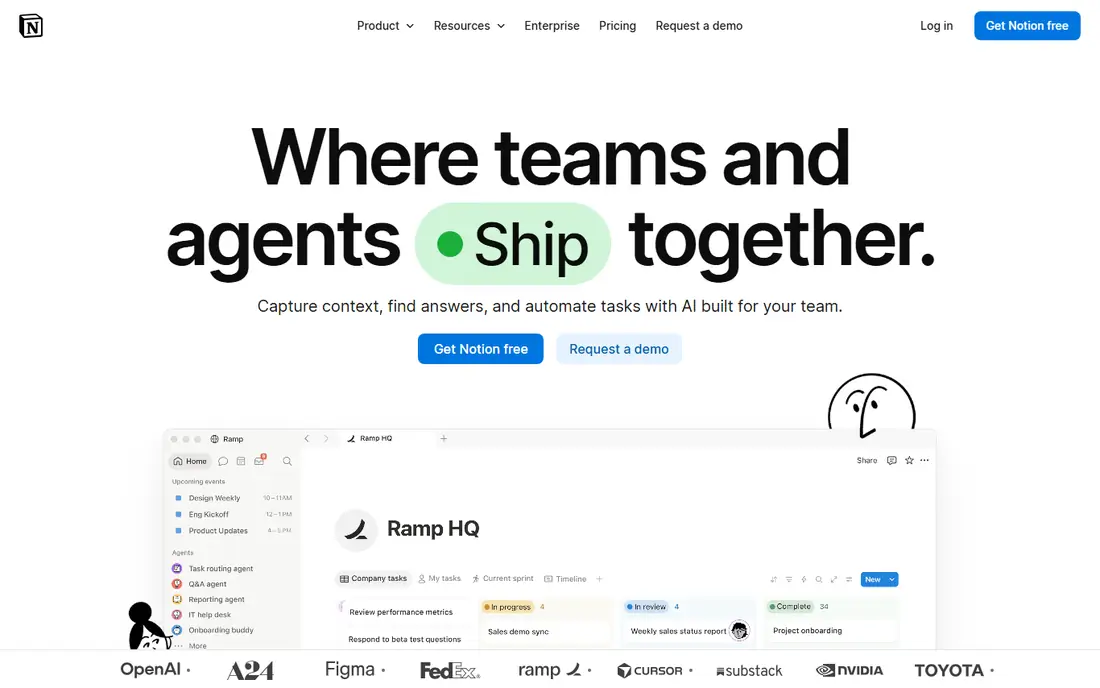
Notion is the most direct Craft replacement in this list. Plus at $10 a member a month billed yearly adds unlimited file uploads, 30-day page history, custom sites and forms, charts and unlimited guests. Business at $20 adds full Notion AI, including the Agent, AI Meeting Notes and Enterprise Search, plus SAML SSO and private teamspaces. The free plan covers solo use with unlimited pages, and there is no cap on how many notes you create. You can build a docs database with board, calendar and timeline views, and link pages to tasks and meeting notes. The drawback is the weight: Notion is a general workspace, not a document app, so it feels heavier than Craft for quick writing, and offline work is weaker. For a person who wants docs with databases, Notion is the best replacement.
What we like- Flexible databases, docs and wikis in one place, strong templates, calendar and board views, no per-note cap
Watch out for- Full AI needs Business at $20 a member a month, the interface can feel heavy for quick notes, and it has no offline mode as strong as Craft
#2Obsidian
Best for: People who want notes as plain files on their own device4.5/5 on
G2 (13 reviews, checked Oct 2026)
Visit obsidian.md
Starting priceFree (Sync $4 per user per month, billed yearly; $5 billed monthly)
Free planYes. The core app is free, including commercial use.
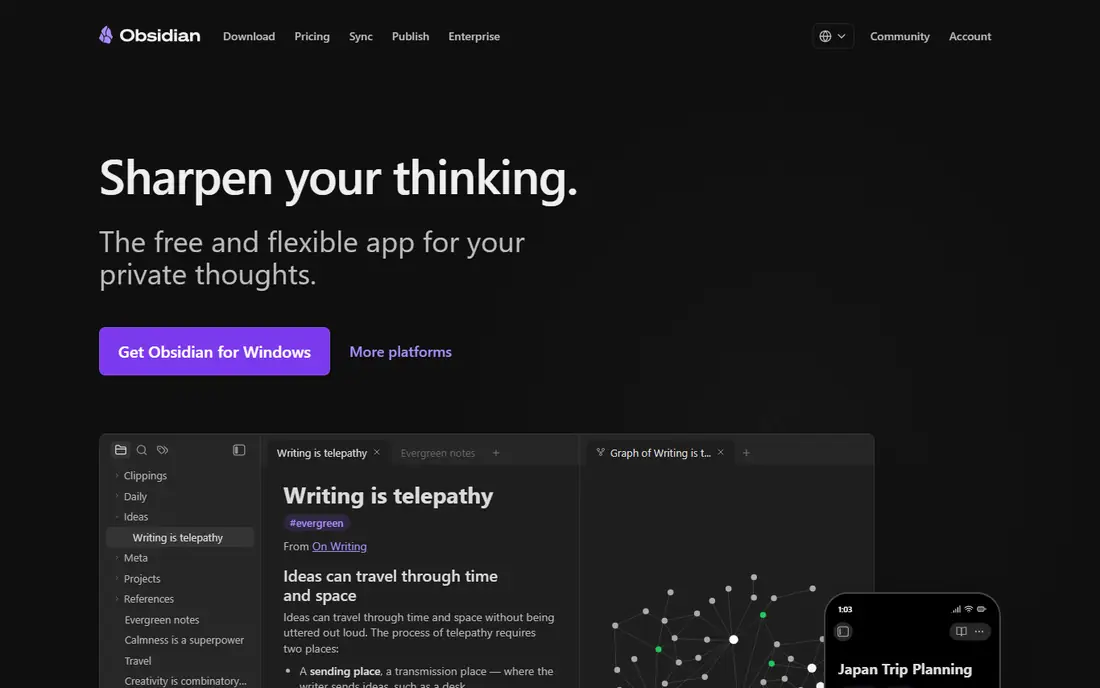
Obsidian is the ownership-first Craft alternative. The core app is free, with local Markdown vaults, backlinks, a graph view and a plugin library that adds calendars, tasks and AI through third-party plugins. Sync costs $4 a user a month billed yearly for one vault with 1 GB and encryption, and Publish costs $8 a site a month billed yearly. There is no cap on how many notes you create, and your files stay on your device. The drawback is the polish: Obsidian needs configuration before it looks as good as Craft, and it has no built-in AI assistant, so you must set up a plugin and pay for your own AI key. For a person who wants to own their notes and pay only for sync, Obsidian is the best pick.
What we like- Notes are plain Markdown files you own, fast local search, graph view, huge plugin library, no per-note cap
Watch out for- No built-in AI, sync and publish cost extra, and the interface takes setup work
#3Bear
Best for: Apple users who want a clean note app with Markdown and tags4.5/5 on
G2 (45 reviews, checked Oct 2026)
Visit bear.app
Starting price$2.99 per month (Pro; $29.99 per year, or $35.88 billed monthly)
Free planYes. Free plan with notes, tags and basic export.
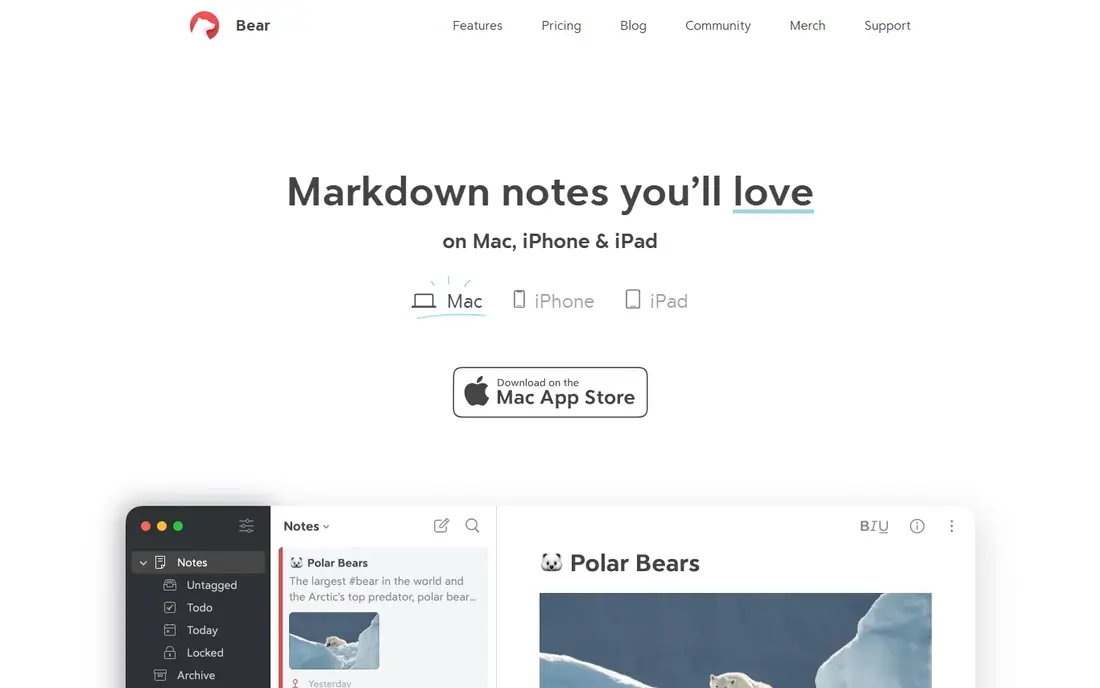
Bear is the cheapest paid Craft alternative. Pro costs $2.99 a month or $29.99 a year, and it adds sync across Apple devices, custom themes, export to PDF, HTML and Word, and advanced export options. It has a fast Markdown editor, tags, backlinks and a clean design that is close to Craft. The free plan covers notes, tags and basic export on one device. The drawback is the platform: Bear is Apple only, with no Windows, Android or web app, and it has no databases, no collaboration and no AI. For an Apple user who wants a beautiful note app for less than Craft, Bear is the best pick.
What we like- Beautiful Apple-native design, fast Markdown editor, tags and backlinks, sync across Apple devices, cheapest paid option in this list
Watch out for- Apple only, no Windows or Android app, no databases or collaboration, and the free plan has no sync
#4
Apple Notes
Best for: Apple users who want a free note app already on their device
Visit apple.com
Starting priceFree
Free planYes. Free, built into iOS, iPadOS and macOS.
Apple Notes is the free Craft alternative already on your iPhone. It is built into iOS, iPadOS and macOS, with folders, tags, shared notes, checklists, tables and sketching. You can scan documents, lock notes and collaborate in real time through iCloud. It syncs across every Apple device, and it costs nothing. The drawback is the platform and the depth: there is no Windows or Android app, no databases, and the backlinks and export options are weaker than Craft. For an Apple user who wants a free note app without installing anything, Apple Notes is the easiest switch.
What we like- Free, built into every Apple device, folders and tags, shared notes, checklists and sketching, syncs through iCloud
Watch out for- No Windows or Android app, no databases or backlinks as strong as Craft, and export is limited
#5Google Docs
Best for: People who want free docs with real-time collaboration4.6/5 on
G2 (114 reviews, checked Oct 2026)
Visit docs.google.com
Starting priceFree (Google Workspace Business Starter $7 per user per month, billed yearly)
Free planYes. Free, with a Google account.
Google Docs is the free Craft alternative for teams. It is a document editor built into Google Workspace, with real-time collaboration, comments, suggestions, version history and sharing controls. It works on web, iOS and Android, and it costs nothing with a Google account. Google Workspace Business Starter at $7 a user a month billed yearly adds a custom domain, more storage and admin controls. The drawback is the design and the structure: Google Docs is plainer than Craft, with no backlinks, no graph view and no database, and offline work needs setup. For a person who writes docs with a team, Google Docs is the best pick.
What we like- Free, real-time collaboration with comments, version history, works on every platform, strong sharing and permissions
Watch out for- No offline mode as strong as Craft, no backlinks or graph view, and the design is plainer than Craft
#6Microsoft OneNote
Best for: People who want free notes inside Microsoft 3654.5/5 on
G2 (1,872 reviews, checked Oct 2026)
Visit onenote.com
Starting priceFree (Microsoft 365 Personal $9.99 per month, or $99.99 per year)
Free planYes. Free, with a Microsoft account.
Microsoft OneNote is the free Craft alternative for Microsoft users. It is a notebook app with notebooks, sections and pages, plus handwriting, drawing, audio notes and clipping. It syncs through OneDrive and works on Windows, Mac, iOS, Android and the web. Microsoft 365 Personal at $9.99 a month or $99.99 a year adds the desktop Office apps and 1 TB of storage. The drawback is the design: OneNote feels dated next to Craft, with no backlinks, no graph view and no AI on the free plan. For a person who lives in Microsoft 365 and wants a free notebook, OneNote is the best pick.
What we like- Free, notebooks with sections and pages, handwriting and drawing, syncs with Microsoft 365, works on every platform
Watch out for- No backlinks or graph view, the interface feels dated, and the best features need a Microsoft 365 plan
#7Milanote
Best for: Creative people who want visual boards for research and planning4.5/5 on
G2 (43 reviews, checked Oct 2026)
Visit milanote.com
Starting price$9.99 per month, billed yearly (Pro; $12.50 billed monthly)
Free planYes. Free plan with 100 notes, 10 file uploads and 10 shared boards.
Milanote is the visual Craft alternative. Pro costs $9.99 a month billed yearly, or $12.50 billed monthly, and it adds unlimited notes, file uploads and shared boards. It organises work on visual boards with notes, images, links, files and tasks, which suits creative planning, mood boards and research. The free plan covers 100 notes, 10 file uploads and 10 shared boards. The drawback is the structure: Milanote has no databases and no backlinks, and it is less suited to long documents than Craft. For a creative person who plans visually, Milanote is the best pick.
What we like- Visual boards with notes, images, links and tasks, good for creative planning, templates for mood boards and briefs, works on web, iOS and Android
Watch out for- No databases or backlinks, the free plan caps notes at 100, and it is less suited to long documents
#8Ulysses
Best for: Writers who want a focused long-form writing app with goals and export4.5/5 on
G2 (25 reviews, checked Oct 2026)
Visit ulysses.app
Starting price$5.99 per month (or $39.99 per year)
Free planNo free plan. 14-day free trial.
Ulysses is the writing-first Craft alternative. It costs $5.99 a month or $39.99 a year, with a clean focused editor, writing goals, deadlines, sheets and groups for long projects, and export to PDF, Word, ePub and HTML. It syncs through iCloud across Mac, iPhone and iPad, and it has a typewriter mode and themes for distraction-free writing. The drawback is the platform: Ulysses is Apple only, with no Windows, Android or web app, and it has no free plan, no databases and no collaboration. For a writer who wants a focused app for long documents, Ulysses is the best pick.
What we like- Clean focused editor, writing goals and deadlines, sheets and groups for long projects, export to PDF, Word, ePub and HTML
Watch out for- Apple only, no free plan, no databases or collaboration, and the price is higher than Bear
How we picked these alternatives
We checked each vendor pricing page on 15 Nov 2026, and we used the annual billing rate where the vendor lists one. Craft Pro was read in 2026 at $10 a month, although one Apr 2026 comparison lists $4.99 a month, which may be an older or student price, so confirm the current figure on the vendor page. Notion Plus was read on 12 Oct 2026 at $10 a member a month billed yearly. Obsidian Sync and Bear Pro were read from vendor pricing pages in Oct 2026. Google Workspace Business Starter was read at $7 a user a month, after the rise from $6 on 1 Jul 2026. Microsoft 365 Personal was read at $9.99 a month. Milanote Pro and Ulysses were read in Oct 2026. Prices change, so confirm the current figure on the vendor page before you pay. Last verified: 15 Nov 2026.
Frequently asked questions
Is there a free alternative to Craft?
Yes. Apple Notes, Google Docs and Microsoft OneNote are all free, and Notion, Obsidian, Bear and Milanote all have free plans. Ulysses has no free plan, only a 14-day trial. If you want a free note app on Apple devices, Apple Notes is the best pick, and Google Docs is the best free pick for teams.
Which Craft alternative is best for teams?
Notion is the best team pick, with shared workspaces, comments, permissions and databases. Google Docs is the best free team pick, with real-time collaboration and version history. Obsidian, Bear and Ulysses are built for one person first, so they suit solo writers better than teams.
Which Craft alternative is cheapest?
Apple Notes, Google Docs and OneNote cost nothing. Among paid tools, Bear Pro at $29.99 a year is the cheapest in this list, against $48 a year for Obsidian Sync and $120 a year for Craft Pro. Ulysses costs $39.99 a year, and Milanote Pro costs $119.88 a year billed yearly.
Can I import my Craft documents into another tool?
Craft exports documents to Markdown, PDF and Word, and Notion, Obsidian and Bear all accept Markdown import. Map the folders and tags during import, and check that images and links carry over, because some importers flatten them. Test with a small batch first, and keep a copy of your Craft export until the import is checked.
Which Craft alternative works on Windows and Android?
Notion, Obsidian, Google Docs, OneNote and Milanote all have Windows, Android and web apps. Bear, Apple Notes and Ulysses are Apple only. If Windows or Android is a hard requirement, pick Notion for a workspace, or Obsidian for local files.
Sources we checked (9)
- https://www.craft.do/pricing
- https://www.notion.com/pricing
- https://obsidian.md/pricing
- https://bear.app
- https://www.apple.com/notes/
- https://docs.google.com
- https://www.onenote.com
- https://milanote.com/pricing
- https://ulysses.app/pricing
Is your product missing or out of date?
We review this list regularly. Vendors can request a listing, send updated pricing or ask about featured placement.

Shihab Mia · Founder, Rankite
Shihab has 5+ years in B2B and SaaS SEO. He writes Rankite's software buying guides from pricing pages, documentation and public user reviews. More about Shihab.