How we make this list: we compare pricing pages, product documentation and public user reviews. Ratings come from G2, Capterra or Trustpilot, with the date we checked them.
How much do Copper and HubSpot cost?
Copper starts at $9 per user per month billed annually for Starter, although that tier may have been withdrawn, so confirm it before you buy. Basic costs $23, Professional costs $59 and Business costs $99 per user per month billed annually. There is no free plan, only a 14-day trial. HubSpot Sales Hub starts free for up to two users with contact management, deal tracking and meeting scheduling. Starter costs $20 per seat per month at list, although new customers are widely offered $7 per seat per month for the first term, and some sources list $9. Professional costs $90 per seat per month billed annually plus a $1,500 onboarding fee, and Enterprise costs $150 per seat per month plus a $3,500 onboarding fee. For a five person team, Copper Basic costs $1,380 a year, HubSpot Starter at list costs $1,200 a year and HubSpot Professional costs $5,400 a year plus $1,500 onboarding. Copper is cheaper at the working tier, but HubSpot is cheaper to start because the free tier costs nothing.
What is the real difference between Copper and HubSpot?
The difference is a Gmail-native CRM against a broad platform. Copper sits inside Gmail and Google Calendar, captures contact details from email automatically, and keeps deals, tasks and files in one place, so it feels like part of the inbox rather than a separate system. HubSpot is built as a platform. Sales Hub covers deals, meetings, quotes and forecasting, and it connects to Marketing Hub, Service Hub and Content Hub, so one login covers the whole customer journey. Copper is stronger for a Google Workspace team that wants zero learning curve and automatic data capture. HubSpot is stronger for teams that need marketing automation, landing pages and support tickets alongside sales. Copper only works with Google Workspace. HubSpot works with Gmail and Outlook. Choose Copper when your team lives in Gmail. Choose HubSpot when you want one platform for sales, marketing and support.
Copper vs HubSpot at a glance
| Tool | Starting price | Free plan | Best for |
| Copper | $9 per user per month billed annually | None, 14-day trial | Google Workspace teams that want a CRM inside Gmail |
| HubSpot Sales Hub | Free for up to 2 users | Free CRM | Teams that want one platform for sales and marketing |
| Salesforce Sales Cloud | $25 per user per month billed annually | None, 30-day trial | Large teams that need deep customisation |
| Zoho CRM | $14 per user per month billed annually | Free for up to 3 users | Small teams that want a low cost full CRM |
| Pipedrive | $14 per user per month billed annually | None, 14-day trial | Sales teams that live in the pipeline view |
| Freshsales | $9 per user per month billed annually | Free plan listed on some pages | Small teams that want built-in calling at a low price |
| monday CRM | $12 per user per month billed annually | Free for up to 2 seats | Teams that already run work on monday.com |
| Close | $9 per user per month billed annually | None, 14-day trial | Inside sales teams that sell by phone and email |
We compared the two headline CRMs on price, Gmail integration, pipeline, automation and ease of use, then added six widely used alternatives that cover the same buyers, from low cost starters to enterprise platforms. Prices were checked on 17 November 2026 against vendor pricing pages and current listings. Where sources disagree, the guide says so and gives the range. Last verified 17 November 2026.
Quick comparison
| Tool | Best for | Starting price | Free plan |
|---|
 Copper | Google Workspace teams that want a CRM inside Gmail | $9 per user per month billed annually (Starter) | None, 14-day trial |
 HubSpot Sales Hub | Teams that want one platform for sales, marketing and support | Free for up to 2 users; paid from $20 per seat per month at list (Starter) | Free CRM for up to 2 users |
 Salesforce Sales Cloud | Large teams that need deep customisation and reporting | $25 per user per month billed annually (Starter) | None, 30-day trial |
 Zoho CRM | Small teams that want a low cost full CRM | $14 per user per month billed annually (Standard) | Free for up to 3 users |
 Pipedrive | Sales teams that live in the pipeline view | $14 per user per month billed annually (Essential) | None, 14-day trial |
 Freshsales | Small teams that want built-in calling at a low price | $9 per user per month billed annually (Growth) | Free plan status conflicts across sources; some pages list it, some do not |
 monday CRM | Teams that already run work on monday.com | $12 per user per month billed annually (Basic) | Free tier for up to 2 seats, though some sources list trial only |
 Close | Inside sales teams that sell by phone, email and text | $9 per user per month billed annually (Solo) | None, 14-day trial |
Is your product missing or out of date?
We review this list regularly. Vendors can request a listing, send updated pricing or ask about featured placement.
#1Copper
Best for: Google Workspace teams that want a CRM inside Gmail4.5/5 on
G2 (1,158 reviews, checked Oct 2026)
Visit copper.com
Starting price$9 per user per month billed annually (Starter)
Free planNone, 14-day trial
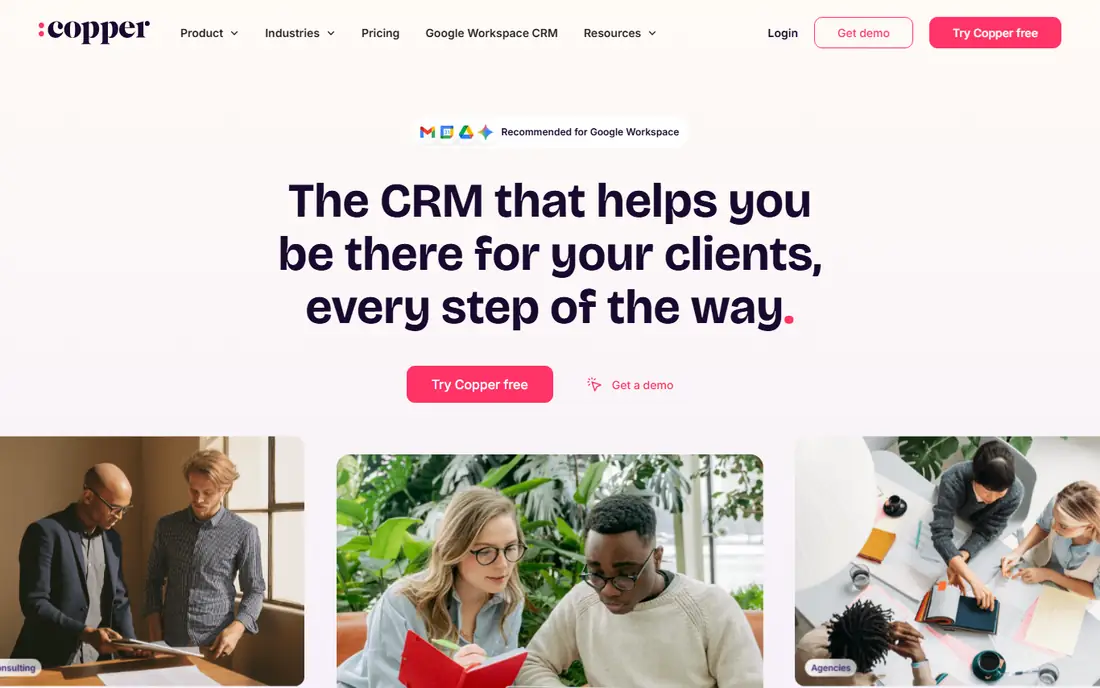
Copper is the CRM for teams that live in Google Workspace. It sits inside Gmail and Google Calendar, captures contact details from email automatically, and keeps deals, tasks and files in one place. Starter costs $9 per user per month billed annually, although it may have been withdrawn, so confirm the plan before you buy. Basic at $23 adds more automation and reporting, Professional at $59 adds workflow automation, and Business at $99 adds the full feature set. The trade-off is lock-in: Copper only works with Google Workspace, so an Outlook team cannot use it, and its reporting is lighter than HubSpot or Salesforce. A five person team on Basic pays $1,380 a year. Choose Copper when your whole team works in Gmail.
What we like- Lives inside Gmail and Google Calendar, so no new inbox to learn
- Automatic data capture from email
- Simple pipeline and project tools
- Starter at $9 is cheap
Watch out for- Starter at $9 may have been withdrawn, so confirm it before buying
- Google Workspace only, so Outlook teams cannot use it
- Reporting and automation are lighter than HubSpot
#2HubSpot Sales Hub
Best for: Teams that want one platform for sales, marketing and support4.4/5 on
G2 (14,364 reviews, checked Oct 2026)
Visit hubspot.com
Starting priceFree for up to 2 users; paid from $20 per seat per month at list (Starter)
Free planFree CRM for up to 2 users
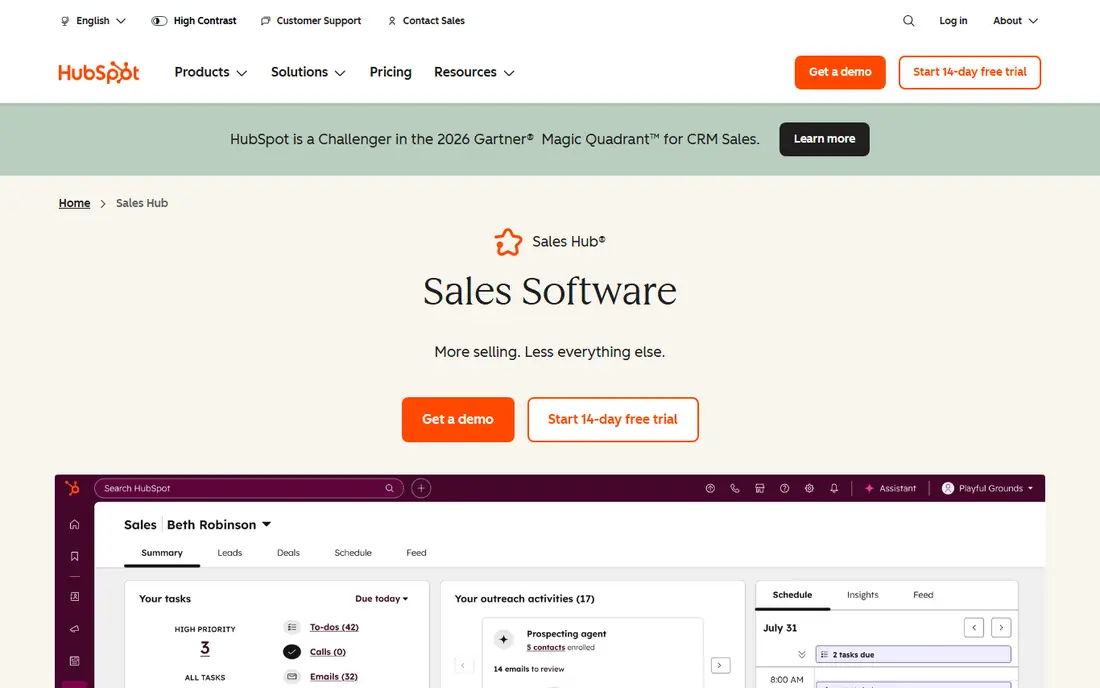
HubSpot is the safe default for a growing team. The free CRM covers contacts, deals, tasks and meeting scheduling for up to two users with no time limit, which makes it the cheapest way to start on this list. Paid tiers add sequences, forecasting, custom reporting and playbooks, and the platform connects sales to marketing and support, so a lead can move from a campaign to a deal to a ticket without changing tools. The weakness is cost. Professional at $90 per seat per month plus $1,500 onboarding is a big step up from Starter, and Enterprise adds another $3,500 onboarding fee. Sources disagree on the Starter price, with $7, $9 and $20 all appearing, so confirm the rate before you buy. Choose HubSpot when you want one platform that scales from free to enterprise.
What we like- Free CRM is genuinely usable for a small team
- Connects to Marketing Hub, Service Hub and Content Hub
- Strong reporting, forecasting and meeting scheduling
- Huge integration marketplace
Watch out for- Professional costs $90 per seat per month plus a $1,500 onboarding fee
- Starter list price conflicts across sources at $7, $9 and $20
- Pricing rises steeply as you add hubs and seats
#3Salesforce Sales Cloud
Best for: Large teams that need deep customisation and reporting4.4/5 on
G2 (27,571 reviews, checked Oct 2026)
Visit salesforce.com
Starting price$25 per user per month billed annually (Starter)
Free planNone, 30-day trial
Salesforce is the heavyweight option. Starter at $25 per user per month gives a small team account and contact management, email integration and a mobile app, while Pro Suite at $100 adds forecasting and more automation. Enterprise at $165 per user per month billed annually is the working tier for most mid-size teams, although some listings still show $175, and Unlimited at $330 is the top tier, with some sources listing $350. In September 2026 Salesforce replaced Enterprise, Unlimited and Agentforce 1 with new Core Advanced and Max editions for new customers, so confirm the current edition names before you buy. The strength is depth: no other tool here matches Salesforce for custom objects, approval workflows and reporting. The weakness is effort. Salesforce needs admin time and training, and the bill grows fast with add-ons. Choose it when you need a CRM shaped to any process.
What we like- The deepest customisation and reporting in this list
- Huge AppExchange marketplace
- Strong AI features with Agentforce
- Scales from small teams to global enterprises
Watch out for- Enterprise at $165 per user per month is dear, and some sources list $175
- New Core Advanced and Max editions replaced Enterprise and Unlimited for new customers in September 2026
- Setup and admin take real effort
#4Zoho CRM
Best for: Small teams that want a low cost full CRM4.1/5 on
G2 (2,952 reviews, checked Oct 2026)
Visit zoho.com
Starting price$14 per user per month billed annually (Standard)
Free planFree for up to 3 users
Zoho CRM is the value pick. Standard costs $14 per user per month billed annually and covers sales pipelines, email, tasks and basic automation. Professional at $23 adds workflow automation, inventory management and more reporting, while Enterprise at $40 and Ultimate at $52 add AI and custom functions. The free plan covers up to three users, which suits a very small team. Zoho works best for teams already using Zoho Books, Zoho Campaigns or other Zoho apps, because the shared data saves double entry. The interface is denser than Pipedrive, and new users need a few days to find their way around, but the price gap is large: a five person team on Professional pays $1,380 a year, against $5,400 for HubSpot Professional before onboarding. Choose Zoho when budget matters and you want a full CRM.
What we like- Standard at $14 is one of the cheapest paid tiers here
- Professional at $23 adds automation and inventory
- Wide feature set for the price
- Strong integration with the rest of Zoho
Watch out for- The interface feels busy compared with Pipedrive or Copper
- Some advanced features need the Enterprise tier at $40
- Support quality varies by plan
#5Pipedrive
Best for: Sales teams that live in the pipeline view4.3/5 on
G2 (5,034 reviews, checked Oct 2026)
Visit pipedrive.com
Starting price$14 per user per month billed annually (Essential)
Free planNone, 14-day trial
Pipedrive is the simplest pipeline CRM on this list. Deals move by drag and drop, and the activity view tells each rep exactly what to do next, which is why teams adopt it quickly. Essential at $14 per user per month billed annually covers the pipeline, email integration and basic reporting. Advanced at $29 adds automation and more integrations, although some sources list $34, and Professional at $49 adds revenue forecasting, with some sources listing $59. There is no free plan, only a 14-day trial. Pipedrive has no built-in calling like Close, so a calling team needs an integration or a separate phone tool. Choose Pipedrive when your team sells by managing a visual pipeline and wants the shortest learning curve.
What we like- The cleanest visual pipeline in this list
- Very fast to learn
- Good email integration and activity reminders
- No seat minimums
Watch out for- Sources disagree on Advanced and Professional, listing $34 and $59 against $29 and $49
- Automation and calling need higher tiers or add-ons
- Reporting is basic on Essential
#6Freshsales
Best for: Small teams that want built-in calling at a low price4.5/5 on
G2 (1,237 reviews, checked Oct 2026)
Visit freshworks.com
Starting price$9 per user per month billed annually (Growth)
Free planFree plan status conflicts across sources; some pages list it, some do not
Freshsales is the budget alternative with a phone. Growth costs $9 per user per month billed annually and includes a built-in phone, email, pipeline and basic automation, which is a strong deal for a small team. Pro at $39 adds more automation, AI insights and territory management, and Enterprise at $59 adds custom modules and more control. The free plan is the question mark: it was removed from the main pricing page in July 2026, although it still appears on some comparison tables, so treat it as unconfirmed. Freshsales suits a small team that wants calling and a modern interface without paying Copper or HubSpot prices. Choose it when you want the lowest paid entry point with a phone.
What we like- Growth at $9 is the cheapest paid tier in this list
- Built-in phone and email included
- Clean interface and good mobile app
- Part of the wider Freshworks suite
Watch out for- The free plan appears to have been removed from the main pricing page in July 2026, so confirm it before relying on it
- Reporting and customisation are thinner than Salesforce or HubSpot
- Automation is limited on Growth
#7monday CRM
Best for: Teams that already run work on monday.com4.5/5 on
G2 (1,810 reviews, checked Oct 2026)
Visit monday.com
Starting price$12 per user per month billed annually (Basic)
Free planFree tier for up to 2 seats, though some sources list trial only
monday CRM turns the monday.com board into a sales pipeline. Basic costs $12 per user per month billed annually, Standard $17 and Pro $28, with a 3-seat minimum on paid plans. The visual board layout suits teams that already manage projects in monday.com, because deals, tasks and projects share one workspace. Automation is strong for the price, with triggers that move deals and notify owners. The CRM depth is thinner than HubSpot or Salesforce: forecasting, quoting and email sequences are lighter, and the free tier is disputed, with some sources saying it is trial only. A five person team on Standard pays $1,020 a year. Choose monday CRM when your team already lives in monday.com.
What we like- Visual boards that non-sales staff understand fast
- Strong automation builder
- Basic at $12 is cheap
- Shares data with monday.com work management
Watch out for- The free tier is disputed, with some sources listing trial only
- 3-seat minimum on paid plans
- CRM depth is thinner than Salesforce or HubSpot at the same price
#8Close
Best for: Inside sales teams that sell by phone, email and text4.7/5 on
G2 (2,069 reviews, checked Oct 2026)
Visit close.com
Starting price$9 per user per month billed annually (Solo)
Free planNone, 14-day trial
Close is the CRM for teams that sell by calling. Every plan includes a built-in phone, SMS and email, so a rep can call a lead, log the outcome, send a follow-up and book the next call without leaving the CRM. The power dialer works through a call list quickly, and call recording sits on the higher tiers. The pipeline view is clean and simple, which is why small inside sales teams adopt it fast. The trade-off is breadth. Close does not do marketing automation or support tickets, and its reporting is thinner than HubSpot. A five person team on Essentials pays $2,100 a year before calling minutes. Choose Close when the phone is your main sales channel.
What we like- Built-in calling, SMS and email sequences from the entry tier
- Power dialer and call recording included
- Simple interface that reps learn fast
- No onboarding fee and no seat minimums
Watch out for- Calling minutes are metered and add to the bill
- Reporting is thinner than HubSpot or Salesforce
- No free plan and no marketing automation of its own
Frequently asked questions
Is Copper cheaper than HubSpot?
Copper starts at $9 per user per month billed annually, while HubSpot starts free for up to two users and charges $20 per seat per month at list for Starter. HubSpot is cheaper at the very start, but Copper Basic at $23 is cheaper than HubSpot Professional at $90 plus a $1,500 onboarding fee. The answer depends on which tier you need.
Does Copper work with Outlook?
No. Copper only works with Google Workspace, so an Outlook team cannot use it. HubSpot, Salesforce, Zoho CRM and Pipedrive all work with Gmail and Outlook, so a team on Microsoft 365 should look at those first.
Which CRM is best for a Gmail team?
Copper is the best fit for a team that lives in Gmail, because it sits inside the inbox and captures contact details from email automatically. HubSpot also integrates well with Gmail and adds marketing and service tools, but it costs more at the working tier and needs a separate login.
Can HubSpot replace Copper completely?
Yes, for most teams, but not cheaply. HubSpot covers contacts, deals, email, meetings and reporting, and it adds marketing and service tools that Copper does not have. The cost is $90 per seat per month plus $1,500 onboarding at Professional, against $23 for Copper Basic, so a Gmail team pays more for the same sales job.
What is the cheapest CRM on this list?
HubSpot and Zoho CRM both start free, with HubSpot free for up to two users and Zoho free for up to three users. Among paid plans, Copper Starter, Freshsales Growth and Close Solo all start at $9 per user per month billed annually, although the Copper Starter tier may have been withdrawn.
Sources we checked (9)
- https://www.copper.com/pricing
- https://www.hubspot.com/pricing/sales
- https://www.salesforce.com/products/sales-cloud/pricing/
- https://www.zoho.com/crm/pricing/
- https://www.pipedrive.com/pricing
- https://www.freshworks.com/crm/sales/pricing/
- https://monday.com/crm/pricing/
- https://close.com/pricing
- https://rankite.com
Is your product missing or out of date?
We review this list regularly. Vendors can request a listing, send updated pricing or ask about featured placement.

Shihab Mia · Founder, Rankite
Shihab has 5+ years in B2B and SaaS SEO. He writes Rankite's software buying guides from pricing pages, documentation and public user reviews. More about Shihab.