How we make this list: we compare pricing pages, product documentation and public user reviews. Ratings come from G2, Capterra or Trustpilot, with the date we checked them.
Key takeaways
- Timemark is the cheapest photo-proof pick, with verified timestamps and GPS from free, and teams at $7 a user a month.
- BlitzzCam is the closest match for roofers and restoration crews, with AI photo tagging and client share links from $39.99 a month.
- Fieldwire is the best pick for commercial construction, tying photos to drawings and tasks.
- JobNimbus and AccuLynx are the best picks if you want photos plus CRM, estimates, and billing in one subscription.
Quick comparison
Is your product missing or out of date?
We review this list regularly. Vendors can request a listing, send updated pricing or ask about featured placement.
The best CompanyCam alternatives
Starting priceFree
Free planYes
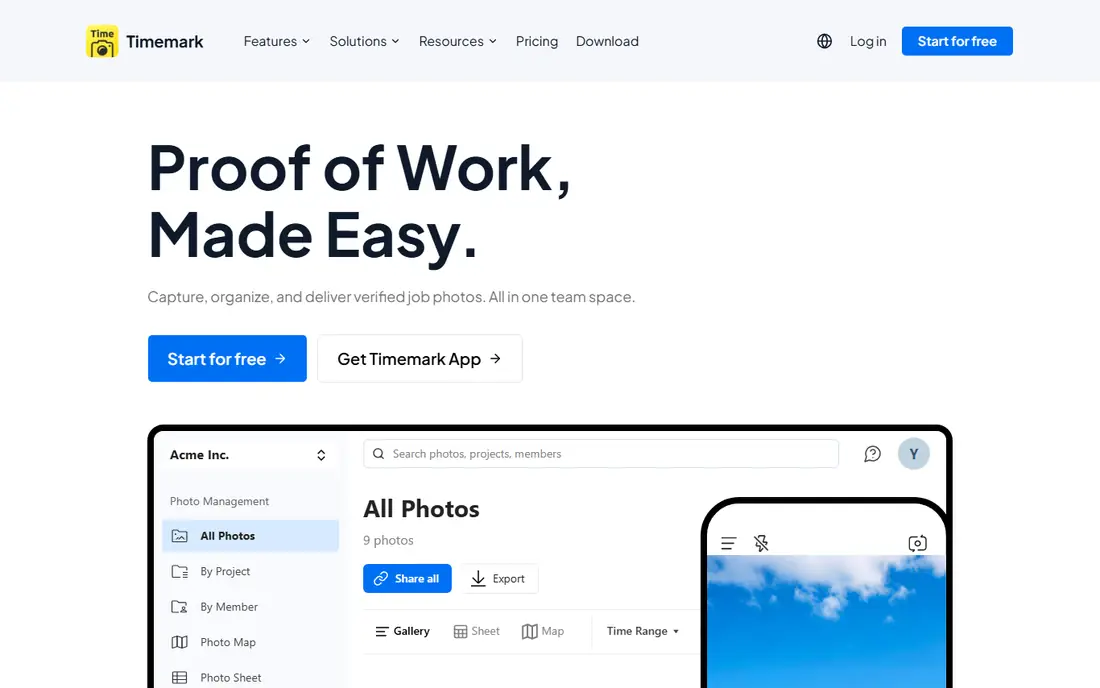
Timemark is the cheapest photo-proof pick. Its homepage presents photo proof for work, with capture, organization, and delivery of verified job photos in one team space, trusted by 3.7 million field pros. Every photo carries a verified timestamp and GPS location that holds even if the phone clock was changed, with a photo code linking to the original record that anyone can check free. Teams get centralized storage, a photo map for before-and-after comparison and inspection coverage, a filterable photo sheet, smart search by image content or tags, role-based access, and exports to PDF, Excel, ZIP, and KMZ or live guest links.
Published comparisons list Timemark free to start, with Business for teams at $7 a user a month and no base plan fee, while free Teamspace is limited to 100 photos and 3 projects. The trade-off is scope: Timemark is a photo tool, not a project platform, with no drawing pinning, no 360 capture, and no CRM or invoicing. For crews that mainly need trusted photo evidence at the lowest cost, Timemark is the best CompanyCam alternative here.
What we like- Verified timestamp and GPS on every photo
- Tamper-proof original record checkable online
- Offline capture with auto sync
- Exports to PDF, Excel, ZIP, and KMZ
Watch out for- No drawing or floor plan pinning
- No 360 photo capture
- No CRM, estimating, or invoicing
Starting priceFree
Free planYes

BlitzzCam is the closest match for roofers and restoration crews. Blitzz is a visual AI platform for support, inspections, and jobsites, and BlitzzCam is its jobsite photo product for roofers, restoration, HVAC, trades, and field crews. Published comparisons list BlitzzCam with GPS and time stamps, job timelines, checklists, AI walkthrough voice notes, AI photo tagging and search, AI reports, and client share links, with Procore, REST API, and Zapier integrations, at $39.99 a month billed annually or $49.99 monthly with 3 users included and a 14-day free trial.
BlitzzCam is free to start per the vendor homepage. The trade-off is focus: Blitzz sells several products, so BlitzzCam buyers should confirm they are buying the jobsite photo product, not the live video support products. For roofing and restoration crews that want AI help with photo organization and reports, BlitzzCam is the best pick here.
What we like- GPS and time stamps on job photos
- AI photo tagging and search
- AI walkthrough voice notes
- AI reports
- Client share links
- Procore and Zapier integrations
Watch out for- BlitzzCam is one product inside a wider visual AI platform
- Paid pricing higher than Timemark

#3Fieldwire
Best for: Commercial construction4.5/5 on
G2 (586 reviews, checked Oct 2026)
Visit fieldwire.com
Starting priceFree
Free planYes
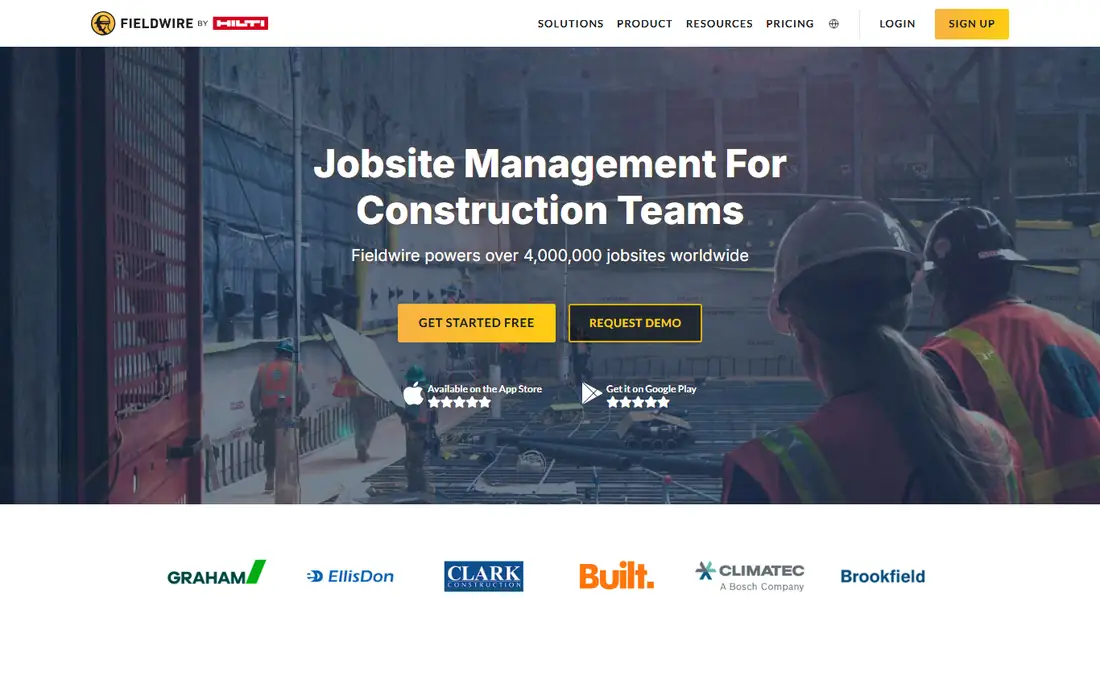
Fieldwire is the best pick for commercial construction. Its homepage presents the field-first tool for the jobsite, where the entire project team collaborates in real time, with task assignment, up-to-date drawings on any device, mobile plan viewing with versioning and auto-hyperlinking, markups and as-builts with photos and videos even offline, digitized forms for daily reports, timesheets, inspection requests, and RFIs, and real-time messaging connected to specific tasks. Fieldwire is part of Hilti Construction Software and reports 4 million-plus projects worldwide.
Fieldwire offers a free plan, with paid plans listed as "See website" since homepage pricing was not shown in this review. The trade-off is audience: Fieldwire is built for construction project teams, so residential contractors that mainly want customer photo reports may find Timemark or BlitzzCam simpler. For commercial teams that need photos pinned to drawings and tasks, Fieldwire is the best CompanyCam alternative here.
What we like- Photos tied to drawings and tasks
- Markups and as-builts even offline
- Digitized forms for daily reports and RFIs
- Unlimited sheets and projects on paid plans
- 4 million-plus projects
Watch out for- Built for construction teams, less focused on residential photo reports
- Paid pricing not shown on homepage
Starting priceSee website
Free planNo
Raken is the best pick for daily reports. Its homepage presents field management made easy, with real-time field data capture, granular hours tracking, project planning, and safety and quality management. Daily progress reporting collects field data on mobile with notes, photos, and videos that sync to the web app in real time, then automatically generates a shareable PDF daily report. Time and production tracking covers material and equipment use, while safety and quality tools cover checklists, observations, and toolbox talks.
Raken pricing is quote-based, so it is listed as "See website". The trade-off is that Raken is a field management platform, so teams that only need photo documentation pay for reporting, time, and safety tools too. For contractors whose main field record is the daily report, Raken is the best pick here.
What we like- Photos and videos inside daily progress reports
- Time and production tracking
- Safety and quality checklists
- Document management
- Shareable PDF reports
Watch out for- Quote-based pricing
- Photo documentation is part of a wider field platform, not a standalone photo app
Starting priceSee website
Free planNo
Procore Photos is the best pick for general contractors already on Procore. Procore's homepage presents a construction project management platform that unifies drone, camera, and robot captures with drawings and specs so what is built and what is planned live in one connected, searchable project record, with AI that turns field photos and voice notes into daily logs. Photos connect directly to the rest of the project record, which is why general contractors standardized on Procore use it rather than a separate photo app.
Procore pricing is volume-based and tailored to annual construction volume, with unlimited user access, so it is listed as "See website". The trade-off is cost and commitment: Procore is an enterprise platform, not a photo app you buy alone. For general contractors already on Procore, Procore Photos is the best CompanyCam alternative here.
What we like- Photos inside the full project record
- AI photo analysis
- Drone, camera, and robot captures unified with drawings
- Unlimited users on volume-based pricing
Watch out for- Part of Procore only, not a standalone app
- Enterprise pricing tied to construction volume
Starting priceFree
Free planYes
busybusy is the best pick for time plus photos. Its homepage presents a free GPS time tracking app for construction crews, with simple clock in and out, GPS for employees and equipment, time cards with signatures, documents, budgets, daily reports, and project progress photos. Photos with GPS and time stamps are organized by project and date to track progress, document procedures, and protect against liability, and daily project reports can include employees on site, hours, injury reports, weather, photos, and equipment.
busybusy is free to start, with paid tiers listed as "See website" since homepage pricing was not shown in this review. The trade-off is emphasis: busybusy is a time tracking and job costing tool first, so its photo features are simpler than CompanyCam or Timemark. For crews that want time records and photos in one app, busybusy is the best pick here.
What we like- GPS and time-stamped project photos
- GPS time tracking with required onsite clock-in
- Daily sign-off and injury reports
- Budgets and job costing
- Offline mode
Watch out for- Time tracking first, photo documentation second
- Paid tiers not priced on homepage

#7JobNimbus
Best for: Roofing CRM plus photos4.5/5 on
G2 (144 reviews, checked Oct 2026)
Visit jobnimbus.com
Starting priceSee website
Free planNo
JobNimbus is the best pick for roofing CRM plus photos. Its homepage presents roofing software that keeps every job on track, trusted by over 8,000 roofing contractors, with lead organization, sales automation, project boards, billing with JobNimbus Payments and financing, scheduling, annotated photos, custom workflows, automated texting, invoicing, and SumoQuote proposals built in. Notably, JobNimbus also integrates with CompanyCam itself, so teams can keep CompanyCam photos inside the JobNimbus job record.
JobNimbus pricing is quote-based, so it is listed as "See website", with a 14-day trial and no credit card required. The trade-off is that photo documentation is one feature inside a CRM, so teams that only need photos will find Timemark cheaper and simpler. For roofing companies that want CRM, estimates, billing, and photos in one system, JobNimbus is the best pick here.
What we like- Roofing CRM with leads, sales, projects, and billing
- Annotated photos
- CompanyCam integration
- SumoQuote built in
- 14-day trial with no card
Watch out for- Quote-based pricing
- Photo features are part of a CRM, not a dedicated photo platform

#8AccuLynx
Best for: Roofing all-in-one4.2/5 on
G2 (36 reviews, checked Oct 2026)
Visit acculynx.com
Starting priceSee website
Free planNo
AccuLynx is the best pick for roofing all-in-one. Its homepage presents the roofing industry's all-in-one management platform, connecting field and office in real time, with AI-powered lead intelligence, estimation with measurement data and live material pricing, custom sales proposals, a mobile roofing app, drag-and-drop production calendars, crew collaboration, supplier direct ordering, job financials, invoicing, financing, and online payments. Vendor claims include 9 hours saved weekly per user and 32 percent more profit after year one.
AccuLynx pricing is quote-based, so it is listed as "See website". The trade-off is specialization: AccuLynx is built only for roofing, so general contractors should look at Fieldwire or Procore instead. For roofing companies that want one system for sales, production, and accounting, AccuLynx is the best CompanyCam alternative here.
What we like- Roofing-only platform with CRM, sales, production, and accounting
- Mobile app for field and office
- Supplier integrations with ABC Supply, QXO, and SRS
- US-based support and training
Watch out for- Roofing only, not general construction
- Quote-based pricing
How we chose
We compared these tools on photo capture quality, timestamp and GPS proof, report and export options, drawing and task integration, CRM and business features, and pricing. We opened each vendor's homepage to confirm the product exists today and matches its description, and we used published comparison guides where homepage pricing was not shown. We did not claim hands-on testing. CompanyCam itself is published at Core from $63 a month, so several alternatives here cost less at entry.
What to verify in a trial
Start by testing photo capture on a real job, since timestamp, GPS, and offline sync matter more than feature lists. Next, check how reports look to customers and insurers, because a messy report undermines the whole point of documentation. Finally, confirm integrations with your CRM or accounting tool, since photo apps that sit apart from the job record create double entry.
Frequently asked questions
What is CompanyCam?
CompanyCam is a photo documentation platform for residential contractors, especially roofing, restoration, and exterior trades, with timestamped photos and video, project organization, customer updates, and auto reports. Published comparisons list it from $63 a month.
Which CompanyCam alternative is cheapest?
Timemark, with a free tier and Business for teams at $7 a user a month, is the cheapest here. Busybusy is also free to start, though its paid tiers are not priced on its homepage.
Which is best for roofers?
BlitzzCam is the closest photo-first match for roofers and restoration crews. JobNimbus and AccuLynx are better if you also want CRM, estimates, and billing in the same subscription.
Do these apps work offline?
Timemark, Fieldwire, and busybusy all support offline capture with sync once the device reconnects, which matters on rural job sites with weak signal. Confirm offline behavior for any tool before rollout.
Can I keep using CompanyCam with a CRM?
Yes. JobNimbus integrates with CompanyCam, so some roofing companies keep CompanyCam for photos and run JobNimbus for CRM and billing. That costs two subscriptions, so compare it against an all-in-one like AccuLynx.
What should a photo report include?
At minimum: project name, date, GPS location, before and after photos, and notes per photo. For insurance and warranty work, add timestamps that cannot be edited by changing the phone clock, which is Timemark's main advantage.
Sources we checked (8)
- https://timemark.com
- https://blitzz.co
- https://fieldwire.com
- https://rakenapp.com
- https://procore.com
- https://busybusy.com
- https://jobnimbus.com
- https://acculynx.com
Is your product missing or out of date?
We review this list regularly. Vendors can request a listing, send updated pricing or ask about featured placement.

Shihab Mia · Founder, Rankite
Shihab has 5+ years in B2B and SaaS SEO. He writes Rankite's software buying guides from pricing pages, documentation and public user reviews. More about Shihab.
 Timemark
 BlitzzCam
 Raken
Raken Procore Photos
 busybusy