How we make this list: we compare pricing pages, product documentation and public user reviews. Ratings come from G2, Capterra or Trustpilot, with the date we checked them.
Key takeaways
- Nike Training Club is the clear starting point for anyone who wants guided workouts at no cost, because its full library is free.
- Fitbod suits lifters who want each session planned for them, while Strong suits lifters who already know their program and only want a fast log.
- Apple Fitness+ is the best value for Apple Watch owners who share with family, and Peloton App is the better choice for people who want live class energy.
- The cheapest paid option here is not always the best deal, because a capped free tier or a missing feature can matter more than a few dollars a month.
Quick comparison
| Tool | Best for | Starting price | Free plan |
|---|
 Nike Training Club Nike Training Club | Free guided workouts at home or in the gym | Free | Yes |
 Fitbod Fitbod | Planned strength sessions that adapt to recovery | $15.99 per month | Free trial |
 Peloton App Peloton App | Live and on-demand classes with strong instructor energy | $15.99 per month | Free trial |
 Apple Fitness+ Apple Fitness+ | Apple Watch owners who want guided classes | $9.99 per month | Free trial |
 JEFIT JEFIT | Detailed gym logging with a large exercise library | $12.99 per month | Yes |
 Strong Strong | Simple strength logging without distractions | $4.99 per month | Yes |
 Sweat Sweat | Structured programs with a strong community | $24.99 per month | Free trial |
 Freeletics Freeletics | Bodyweight training anywhere with no gym | $34.99 per 3 months | Yes |
Is your product missing or out of date?
We review this list regularly. Vendors can request a listing, send updated pricing or ask about featured placement.
The best workout apps for every training style
#1
Nike Training Club
Best for: Free guided workouts at home or in the gym
Visit nike.com
Starting priceFree
Free planYes
For a reader who has never paid for a fitness app, Nike Training Club removes the first barrier completely. The library covers short sessions for busy days and longer programs for people who want structure across several weeks. Trainers explain form and pacing on video, which helps beginners who are unsure about technique. Filters by equipment, duration, and muscle focus make it easy to pick a session that fits the room you are in.
The limit is clear once you start lifting with intent. Nike Training Club does not track your sets, reps, and weights in the way a gym log does, so progressive lifters will need a second app for that job. It also follows a class model rather than building a personal split around your schedule. Still, as a free starting point, it is hard to beat, and many people will never need more than this plus a simple tracker.
What we like- Entire workout library is free
- Trainer-led video sessions
- Programs for strength, HIIT, yoga, and mobility
Watch out for- No set and rep logging
- Requires a Nike account
- No custom program builder for barbell training
#2
Fitbod
Best for: Planned strength sessions that adapt to recovery
Visit fitbod.me
Starting price$15.99 per month
Free planFree trial
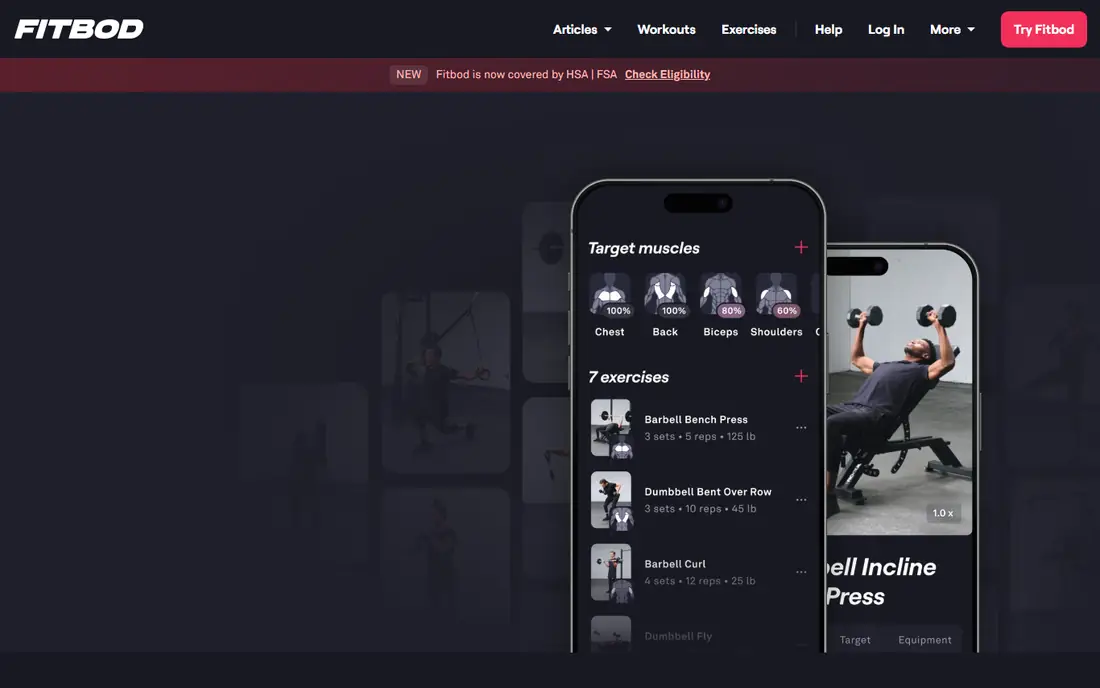
Fitbod answers a question that stops many lifters before they start, which is what to do today. You enter your goals, available equipment, and experience level, and the app builds a session with sets, reps, and suggested weights. A recovery view shows which muscle groups are fresh and which need more rest, so back-to-back sessions do not repeat the same work by accident. The exercise library is large, and video demos help with unfamiliar movements.
That planning comes at a premium price, and the free experience is only a short trial, so you should test it during a normal training week before paying. Fitbod also has no live coaching or nutrition guidance, which means it suits self-directed lifters better than complete beginners who want form feedback. If planning is the part you hate, the monthly cost can be worth it. If you already follow a coach or a written program, a cheaper logger will do the same recording job.
What we like- Generates each workout from goals and equipment
- Large exercise library with video demos
- Muscle recovery view
Watch out for- No permanent free tier
- No human coach
- Price is high beside simple loggers
#3
Peloton App
Best for: Live and on-demand classes with strong instructor energy
Visit onepeloton.com
Starting price$15.99 per month
Free planFree trial
Peloton App brings the studio class experience to a phone, tablet, or television without requiring a Peloton bike or treadmill. Cycling, running, strength, yoga, meditation, and outdoor classes sit in one library, and live sessions add a sense of occasion that recorded workouts often lack. The leaderboard and instructor style suit people who train harder when other people are present, even virtually. You can follow a class with your own bike, a treadmill, or no equipment at all.
The catch is the tier structure. App One, the entry tier, limits some equipment-based content, and the fuller App+ tier costs more. People who only want strength classes may find cheaper options with less flair. Peloton App also works best for people who like instructor-led sessions, since it does not build a personalized strength program in the way Fitbod does. For class lovers, though, the depth and production quality are the main draw.
What we like- Huge class library across many disciplines
- Live classes and leaderboards
- Works without Peloton hardware
Watch out for- App One limits some equipment-based classes
- No free tier beyond a trial
- Monthly cost adds up over a year
#4
Apple Fitness+
Best for: Apple Watch owners who want guided classes
Visit apple.com
Starting price$9.99 per month
Free planFree trial
Apple Fitness+ turns an Apple Watch into a live training companion. Heart rate, calories, and Activity rings appear on screen during a workout, which gives clear feedback without checking a separate device. Sessions run from 5 to 45 minutes across strength, HIIT, yoga, Pilates, dance, and meditation, and new workouts arrive weekly. Family Sharing lets up to five family members use one subscription, which brings the effective cost down sharply for households that are already in the Apple ecosystem.
The trade-off is platform lock-in. An iPhone is required, and the experience is plainly better with an Apple Watch, so Android households should look elsewhere. Fitness+ also does not replace a strength log or a periodized lifting plan, since it is built around classes rather than progressive programming. For Apple households that want polished, varied classes at a moderate price, it is one of the strongest picks in this guide.
What we like- Live metrics from Apple Watch on screen
- Family sharing for up to five people
- New sessions every week
Watch out for- Best experience needs Apple devices
- No detailed strength logging
- Class focus rather than custom programming
#5
JEFIT
Best for: Detailed gym logging with a large exercise library
Visit jefit.com
Starting price$12.99 per month
Free planYes
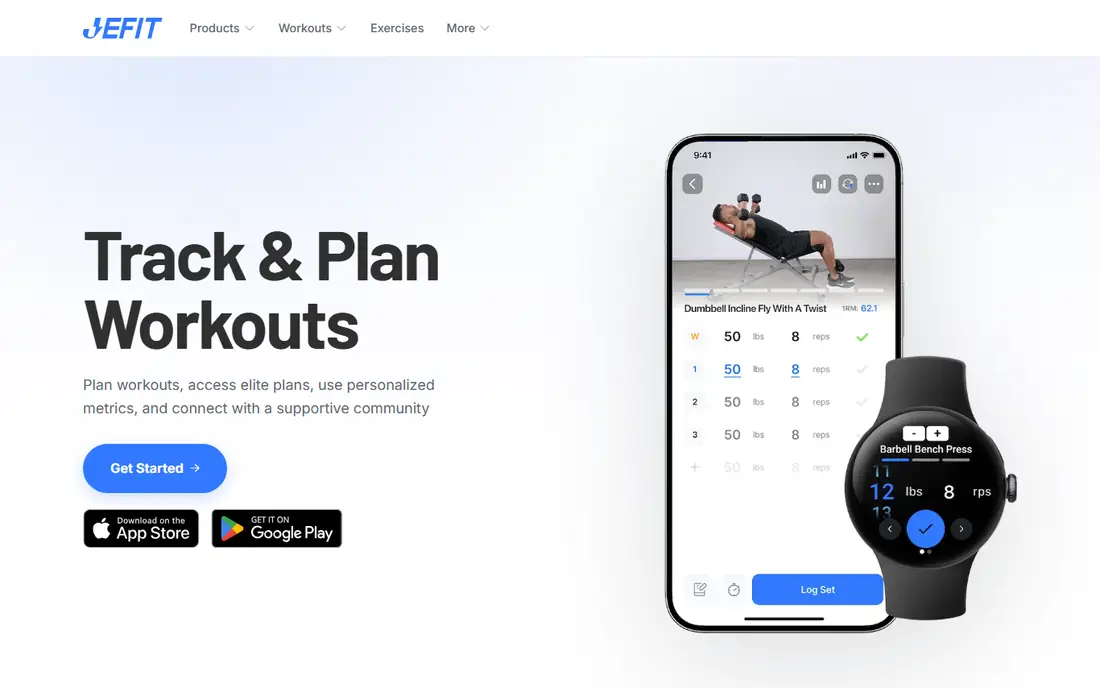
JEFIT has served gym lifters for years, and that history shows in the depth of its data. The free tier lets you log unlimited workouts, build custom routines, and browse community programs, which is more generous than many rivals. Elite adds an adaptive coach, premium analytics, and an ad-free experience, along with video demos and a pro-built plan library. Body measurements, volume tracking, and muscle recovery charts give serious lifters the numbers they need to judge a training block.
New users may find the interface busy at first, and the free tier carries ads that can interrupt a gym session. JEFIT also offers no live classes, so people who want to follow along with a trainer should pair it with a class app or choose a different tool. For lifters who care about data and want a big routine library without paying first, JEFIT is a practical and proven choice.
What we like- More than 1,400 exercises with demos
- Deep analytics and one-rep-max estimates
- Large community routine library
Watch out for- Interface feels dated beside newer apps
- Ads on the free tier
- Advanced coaching features need Elite
#6
Strong
Best for: Simple strength logging without distractions
Visit strong.app
Starting price$4.99 per month
Free planYes
Strong does one job and does it with unusual clarity. You open a routine, tap an exercise, enter weight and reps, and move to the next set with a rest timer running. There are no classes, social feeds, or coaching prompts competing for attention during a set. The Apple Watch app lets you log from your wrist, and the PRO tier removes the routine cap and adds advanced charts. A one-time lifetime purchase is also available, which appeals to lifters who dislike another monthly bill.
The simplicity is also the limit. Strong will not tell you what to train, suggest progressions, or adjust a plan when you stall, so you need your own program or a coach. The free tier is useful for testing, but the three-routine cap will push regular lifters toward PRO fairly quickly. If you already know your split and want the fastest way to record it, Strong is the cleanest tool here.
What we like- Fast, clean logging
- Apple Watch app
- Lifetime purchase option
- Data export in CSV format
Watch out for- Free tier caps custom routines at three
- No workout generation
- No nutrition tracking
#7
Sweat
Best for: Structured programs with a strong community
Visit sweat.com
Starting price$24.99 per month
Free planFree trial
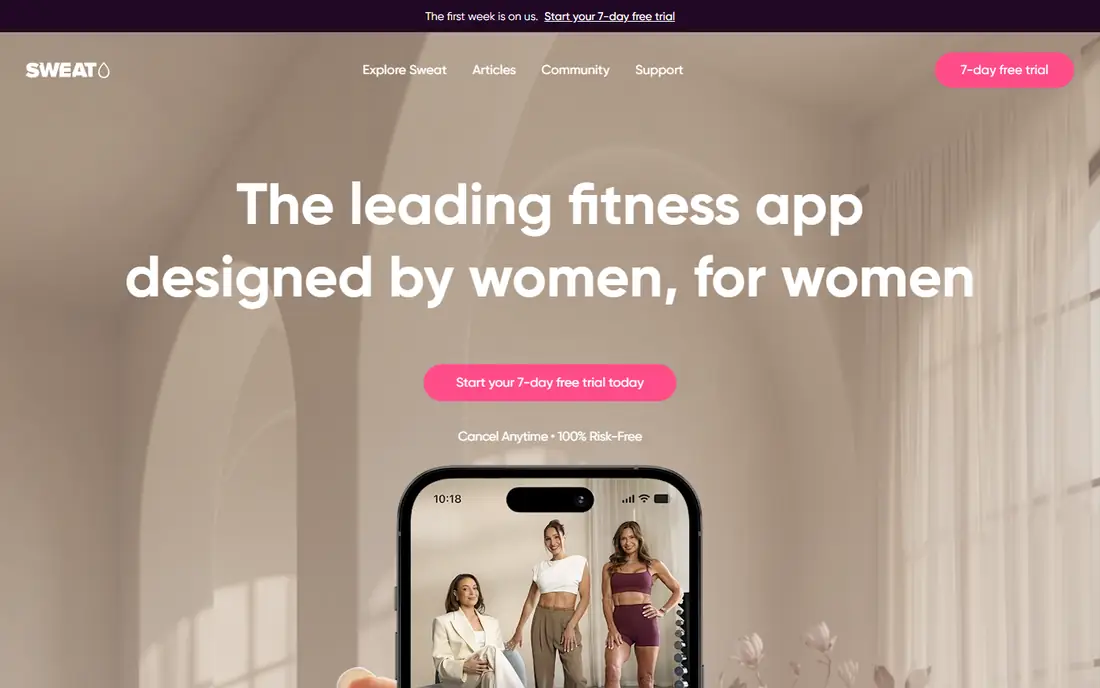
Sweat built its name on structured programs, and the current library covers strength, HIIT, Pilates, yoga, barre, and post-pregnancy training. Programs run for weeks with clear progression, which suits people who want to follow a plan rather than choose a new workout every day. Exercise substitution helps when you lack a piece of equipment, and demo videos with written cues make new movements easier to learn. Recipes and a community feed add support beyond the workout itself.
Price is the main hurdle, since Sweat costs more per month than most apps in this guide, and there is no free tier beyond a trial. The annual plan brings the effective monthly cost down, so it is worth comparing the two billing options before committing. Sweat is also designed mainly around its programs, so lifters who want a free-form log will find it restrictive. For people who want guidance, variety, and a supportive community in one place, the structure justifies a trial at least.
What we like- More than 70 programs across many training styles
- Exercise substitution for missing equipment
- Progress tracking and recipes
Watch out for- No permanent free tier
- Monthly price is high
- Some users report limited offline video access
Starting price$34.99 per 3 months
Free planYes
Freeletics is built for training in a park, a living room, or a hotel room with little or no equipment. The Coach builds a personal plan from your goal, fitness level, and available time, then adjusts future sessions based on the feedback you give after each workout. Bodyweight progressions cover push-ups, pull-ups, squats, and HIIT-style intervals, and the community feed and challenges add accountability for solo trainers. A free version lets you try basic workouts before paying for the Coach.
Barbell lifters will find the focus too narrow, since Freeletics is not a gym program builder and does not replace a detailed log for heavy lifting. Pricing is sold in multi-month terms rather than a simple monthly plan, so check the total at checkout rather than assuming a monthly rate. For travelers, home trainers, and anyone who wants a structured bodyweight plan without gym membership, Freeletics fills a gap the other apps here do not.
What we like- Coach adapts sessions to your feedback
- Works with no equipment
- Strong community challenges
Watch out for- Coach is a paid upgrade
- Less suited to heavy barbell training
- Nutrition features are limited in the base app
How we chose
We compared vendor pricing pages, official product pages, app store listings, and public reviews on sites such as G2, Capterra, and Reddit, then checked each homepage to confirm it belonged to the product named. Prices in this guide are US list prices found during research in October 2026, and they can change with promotions or app store billing. Where a price could not be pinned to a single clear figure, we used the most commonly published plan and noted the billing term. We did not claim hands-on testing, and we favored apps with a clear audience, a real free tier or trial, and a feature set that matches the category.
What to check before you pay
Start with the free tier or trial during a normal week, not a holiday week, so you learn whether the app fits your real schedule. Check whether your equipment, watch, and phone platform are fully supported, because a class app that needs an Apple Watch or a logger without a watch app can frustrate you daily. Look at the annual price as well as the monthly price, since several apps here cost far less per month on annual billing. Finally, read the cancellation steps before you subscribe, and set a reminder a few days before any trial ends.
Match the app to your training habit
Class lovers should shortlist Nike Training Club, Peloton App, and Apple Fitness+, then decide based on device and budget. Lifters who follow a written program should shortlist Strong and JEFIT, while lifters who want the plan made for them should try Fitbod first. Home and travel trainers should try Freeletics, and program followers who want community support should try Sweat.
Watch the total cost, not just the headline price
Shipping does not apply here, but app store prices can differ from web prices, and family sharing can change the math completely. Apple Fitness+ shared across a household can cost less per person than a single Strong subscription, while Sweat on monthly billing costs far more over a year than on annual billing. Add up twelve months at the billing option you will actually use, then compare that total across your shortlist.
Frequently asked questions
Which workout app is best for beginners?
Nike Training Club is the safest first step because it is free and its video workouts explain form and pacing clearly. If you want a plan rather than single classes, try Fitbod or Sweat during their trials and see which style keeps you training after the first two weeks.
Do I need a gym membership to use these apps?
No. Freeletics, Nike Training Club, Apple Fitness+, and Sweat all include home and no-equipment options, and several programs are designed for small spaces. Gym-based apps such as JEFIT and Strong are still useful at home if you have dumbbells or bands, but they shine most with barbell and machine access.
Which app is best for tracking strength progress?
Strong is the fastest pure logger, while JEFIT gives deeper analytics, volume charts, and one-rep-max estimates. Fitbod sits between the two, since it plans the session and records the result, but it costs more and has no permanent free tier.
Are free workout apps good enough?
For many people, yes. Nike Training Club covers guided training at no cost, and the free tiers of JEFIT, Strong, and Freeletics cover logging and basic workouts. Paid apps earn their price mainly through planning, coaching features, class libraries, and ad-free use, so pay only when a free option leaves a clear gap.
How do I avoid paying for an app I stop using?
Use the full trial, check the renewal date in your phone settings, and cancel before the trial ends if you have trained fewer than three times. A monthly plan is cheaper than an annual plan for a first test, even when the annual price looks better per month.
Can I use two workout apps together?
Yes, and many lifters do. A common pairing is a class app for guided sessions plus a logger such as Strong or JEFIT for strength work. Just avoid paying for two apps that do the same job, and check that both sync with the health app on your phone so your activity is not split across two records.
Sources we checked (8)
- https://www.nike.com/ntc-app
- https://fitbod.me
- https://www.onepeloton.com
- https://www.apple.com/apple-fitness-plus/
- https://www.jefit.com
- https://www.strong.app
- https://sweat.com
- https://freeletics.com
Is your product missing or out of date?
We review this list regularly. Vendors can request a listing, send updated pricing or ask about featured placement.

Shihab Mia · Founder, Rankite
Shihab has 5+ years in B2B and SaaS SEO. He writes Rankite's software buying guides from pricing pages, documentation and public user reviews. More about Shihab.