How we make this list: we compare pricing pages, product documentation and public user reviews. Ratings come from G2, Capterra or Trustpilot, with the date we checked them.
Key takeaways
- Ekahau remains the professional standard for large Wi-Fi design and survey work, but it needs dedicated hardware for full results.
- NetSpot and Acrylic give small teams and solo engineers usable heatmaps at a much lower cost.
- Predictive design tools such as iBwave and Hamina suit new builds, while walk-test tools suit existing networks.
- Handheld testers from NetAlly suit validation and troubleshooting, not full multi-floor design.
- Check Wi-Fi 6E and Wi-Fi 7 support, floor-plan handling, and reporting before buying, because those details decide whether a report is client-ready.
Quick comparison
Is your product missing or out of date?
We review this list regularly. Vendors can request a listing, send updated pricing or ask about featured placement.

#1Ekahau
Best for: Professional design and survey suites4.4/5 on
G2 (17 reviews, checked Oct 2026)
Visit ekahau.com
Starting priceSee website
Free planNo

Ekahau is the tool most professional wireless engineers reach for first on a large project. Its AI Pro software models coverage before hardware is installed, while Survey and Analyzer collect real measurements on site. Used with the Sidekick 2 adapter, it captures spectrum data and survey readings with a consistency that a laptop adapter alone rarely matches. Cloud sync lets a team share projects and reports without passing files around by email.
The cost is the barrier. Licenses are subscription-based, the Sidekick 2 is a separate purchase, and full function needs an active Measure or Suite license. It is also more than a small office needs for a three-access-point install. Choose Ekahau when survey quality, documentation, and repeatability justify the spend, such as hospitals, warehouses, schools, and large offices.
What we like- Predictive modeling plus active and passive surveys
- Sidekick 2 hardware gives precise spectrum data
- Cloud collaboration for teams
Watch out for- Subscription plus hardware cost is high
- Learning curve for new wireless engineers
Starting priceSee website
Free planYes
NetSpot is the accessible starting point for homes, small offices, and independent installers. You load a floor plan, walk the space taking measurements, and get heatmaps for signal, noise, and channel use. Planning mode lets you test access point placement before buying hardware, which helps with quotes and small installs. The interface stays friendly for non-specialists, while Pro and Enterprise licenses add commercial rights and larger projects.
The free version is limited: inspection works, but creating new surveys is restricted, so real project work needs a paid license. It also lacks the dedicated measurement hardware and deep spectrum analysis of Ekahau. Pick NetSpot when budget and ease matter more than enterprise-grade precision, and when the site is small enough for a laptop or phone survey.
What we like- Easy walk-test heatmaps on Mac, Windows, and Android
- Predictive planning built in
- Free tier for basic inspection
Watch out for- Free tier limits survey creation
- Less depth than Ekahau for enterprise validation

#3
NetAlly AirMagnet
Best for: Handheld validation and troubleshooting
Visit netally.com
Starting priceSee website
Free planNo

NetAlly, which now distributes the AirMagnet survey line, suits engineers who validate networks with a handheld device rather than a laptop alone. AirMapper and related handheld workflows let you walk a site, test coverage and throughput, and document results in Link-Live before leaving. That proof matters when a client disputes a dead zone or a handover fails. The same ecosystem covers wired testing, so a field team can carry fewer tools.
The trade-off is that handheld-first tools are built for validation and troubleshooting, not for designing a campus network from a blank floor plan. Hardware cost also puts NetAlly out of reach for casual users. Choose it when your team spends its days on site proving networks work, and pair it with a design tool when a project starts from scratch.
What we like- Handheld survey and validation on site
- Link-Live documentation for reports
- Wired and wireless testing in one ecosystem
Watch out for- Hardware-led pricing
- Less suited to full predictive design than desktop suites
Starting priceSee website
Free planFree trial

Acrylic Wi-Fi Heatmaps gives Windows users a focused survey tool without the price or complexity of an enterprise suite. You can design a network from scratch, run a site survey, view coverage and quality heatmaps, and generate editable reports for clients. Wi-Fi 7 support across bands keeps it current for newer access points. Companion products for analysis and packet capture let a team expand when troubleshooting gets deeper.
Windows-only support is the main limit, and its collaboration features are thinner than cloud-first rivals. It also suits small and mid-size sites better than multi-building campuses. If your team works on Windows and needs clear, client-ready heatmaps at a sensible price, Acrylic is a strong middle option between NetSpot and Ekahau.
What we like- Straightforward Windows heatmaps and reports
- Wi-Fi 7 support across bands
- Companion analyzer and sniffer tools
Watch out for- Windows only
- Smaller ecosystem than Ekahau for large team projects
Starting priceSee website
Free planFree trial
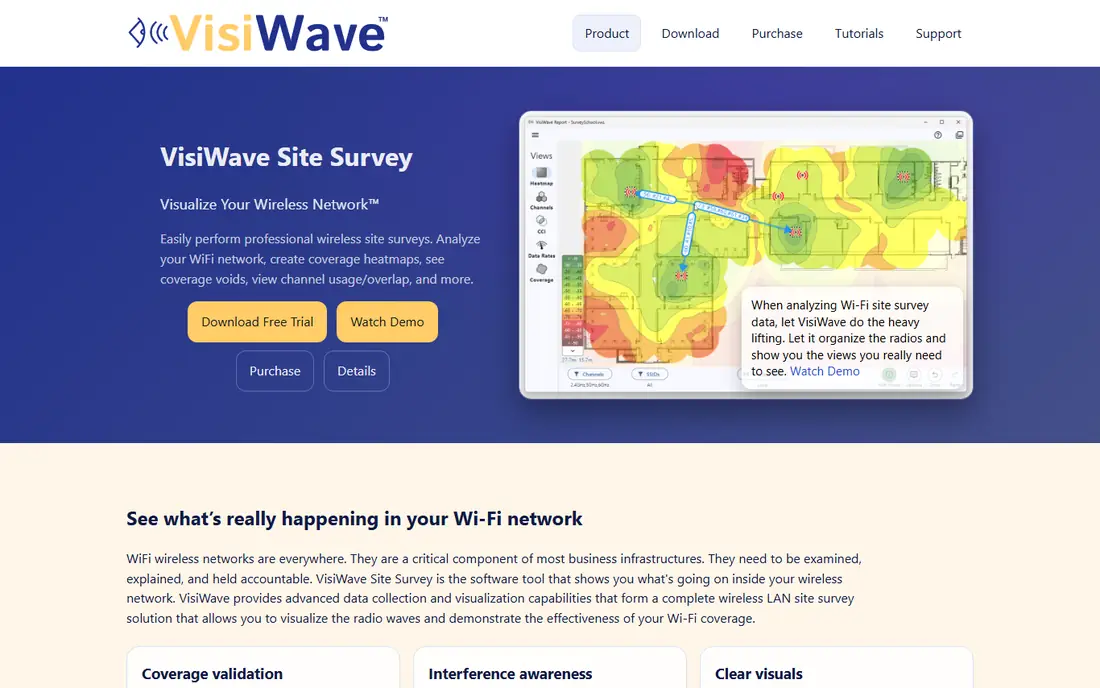
VisiWave stands out for report clarity. Its map-first interface replaces long lists of radios with heatmaps, interference views, and per-location signal details you can hover over. That makes it easier to show a client why an access point should move, rather than handing over a dense data table. Collection is flexible too, with continuous walk segments, single-point readings, and GPS for outdoor areas.
It is a Windows survey tool first, not a full predictive design platform. Teams that need heavy pre-build modeling or cloud collaboration may find it thin. VisiWave fits engineers who value fast fieldwork and readable reports, especially for existing networks where the job is to prove coverage, find interference, and document fixes.
What we like- Map-first reports that clients can read easily
- Passive and active collection modes
- Wi-Fi 6 and 6E support
Watch out for- Windows only
- Less predictive design depth than Ekahau or iBwave
Starting priceSee website
Free planNo
iBwave Design serves a wider brief than Wi-Fi alone. It models in-building cellular, Wi-Fi, and public safety networks, with a large component database and survey data feeding the design. That breadth matters for venues, hospitals, and campuses where one design must cover several wireless systems. The newer cloud Unity platform adds collaboration and digital-twin style project handling for larger teams.
Quote-based enterprise pricing and a broader feature set make it heavy for a small Wi-Fi-only job. Setup and training also take longer than a simple heatmap app. Choose iBwave when the project spans multiple wireless technologies or a large building, and choose a Wi-Fi-only tool when the brief is a straightforward office or retail install.
What we like- Strong in-building and campus RF modeling
- Large vendor-neutral component database
- Survey-to-design workflow
Watch out for- Enterprise pricing by quote
- Heavier than needed for simple Wi-Fi-only sites
Starting priceSee website
Free planFree trial
Hamina takes a cloud-first approach to wireless planning. You drop in a floor plan, even a photo or CAD drawing, and AI helps draw walls and obstacles before you place access points. Heatmaps update as you design, and the same platform follows the project into survey and troubleshooting. Because it runs in a browser, a team can work from any device without managing desktop installs and license files.
As a newer vendor, Hamina has less long-term track record than Ekahau, and buyers should test its survey app on their own building types before committing. It also focuses on Wi-Fi and related wireless planning rather than full cellular design. For teams that want fast, collaborative predictive design without desktop software, Hamina is a modern alternative worth a trial.
What we like- Browser-based predictive design with AI wall detection
- Covers planning through live analysis
- No legacy desktop install
Watch out for- Newer vendor with smaller track record than Ekahau
- Mobile survey depth varies by project

#8
Ubiquiti WiFiman
Best for: Quick checks in UniFi networks
Visit ui.com
Starting priceSee website
Free planYes
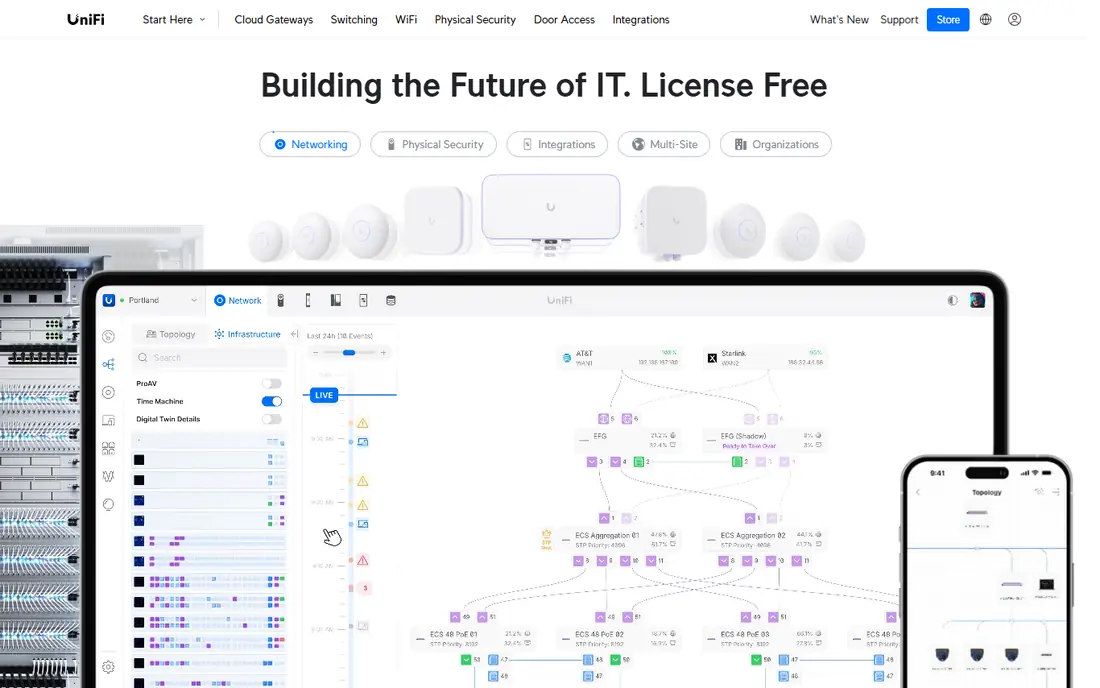
WiFiman is Ubiquiti's free companion app for quick wireless checks. It shows nearby networks, channel use, signal strength, and speed results, which is enough to spot interference or a weak corner in a small site. For UniFi users, it fits naturally alongside the controller, where access point placement and settings are already managed. It costs nothing to try, which makes it an easy first step before buying a survey tool.
It is not a replacement for a survey suite. WiFiman does not produce multi-floor predictive designs, detailed client reports, or the measurement depth of Ekahau or VisiWave. Use it for quick checks and troubleshooting in UniFi sites, and move to NetSpot, Acrylic, or Ekahau when a job needs documented heatmaps and formal design.
What we like- Free app for quick signal and channel checks
- Pairs naturally with UniFi gear
- Useful for small sites and home networks
Watch out for- Not a full survey and reporting suite
- Best value only inside UniFi deployments
How we chose
We compared vendor documentation, product pages, and public reviews, and we opened each vendor homepage to confirm the product still exists and fits wireless survey work. We favored tools that cover distinct jobs: predictive design, walk-test surveys, handheld validation, and quick checks. One candidate, TamoGraph, was left out because its homepage could not be loaded during checking, and we did not want to list a tool we could not verify. Prices in this category are often quote-based, so we wrote See website where a current list price could not be confirmed.
There are three survey types, and they need different tools. A predictive survey models coverage before anything is installed, so it needs a design tool with wall materials and access point models. A passive survey listens to existing networks without connecting, which suits coverage checks. An active survey connects to measure throughput and roaming, which suits validation after install. Many projects need two of the three, so check that your pick covers the types your contract requires.
Also check practical details: floor-plan formats, Wi-Fi 6E and 7 support, adapter or hardware needs, export formats, and whether reports can be branded. A tool that produces a clear client report saves hours after fieldwork, while a tool with weak export can turn a good survey into a painful write-up. Trial the tool on a real floor, not just a demo plan, before signing a yearly license.
Frequently asked questions
What is the best wireless survey tool for a small office?
NetSpot or Acrylic Wi-Fi Heatmaps usually fit best, because they produce clear heatmaps at a lower cost than Ekahau. If the site already runs UniFi, start with WiFiman for a quick check before paying for anything.
Do I need special hardware for a Wi-Fi survey?
Not always. NetSpot, Acrylic, and VisiWave work with a laptop adapter, while Ekahau gives its best results with the Sidekick 2 and NetAlly uses handheld testers. Hardware improves precision and spectrum data, but it adds cost.
What is the difference between predictive and walk-test surveys?
A predictive survey simulates coverage from a floor plan before install, while a walk-test survey measures real signal on site after install or during troubleshooting. New builds need predictive work, while complaints about dead zones need walk tests.
Can a free tool do a professional survey?
Free tools help with quick checks and learning, but professional reports usually need a paid license for full surveys, exports, and commercial use. NetSpot's free tier, for example, limits new survey creation.
How often should a wireless survey be repeated?
Repeat a survey after major changes such as new access points, wall moves, more users, or a Wi-Fi generation upgrade. Many sites benefit from a validation check once a year, plus a fresh survey after any large refit.
Sources we checked (8)
- https://www.ekahau.com/pricing
- https://www.netspotapp.com/pricing
- https://www.netally.com/pricing
- https://www.acrylicwifi.com/pricing
- https://visiwave.com/pricing
- https://www.ibwave.com/pricing
- https://www.hamina.com/pricing
- https://www.ui.com/pricing
Is your product missing or out of date?
We review this list regularly. Vendors can request a listing, send updated pricing or ask about featured placement.

Shihab Mia · Founder, Rankite
Shihab has 5+ years in B2B and SaaS SEO. He writes Rankite's software buying guides from pricing pages, documentation and public user reviews. More about Shihab.
 NetSpot
 Acrylic Wi-Fi Heatmaps
 VisiWave Site Survey
 iBwave Design
 Hamina