How we make this list: we compare pricing pages, product documentation and public user reviews. Ratings come from G2, Capterra or Trustpilot, with the date we checked them.
Key takeaways
- Most people need only a free forecast app, and the paid upgrade mainly buys ad removal, longer forecasts, or better radar.
- Apple Weather is the best default for iPhone users, while Windy is the best free tool for wind, waves, and model comparison.
- Radar users should pick MyRadar for clean radar or RadarScope for professional-grade storm data.
- Minute-by-minute rain timing is AccuWeather's main paid advantage, through its MinuteCast feature.
- Free weather apps often fund themselves with ads and location data, so check privacy settings before trusting a default app.
Quick comparison
Is your product missing or out of date?
We review this list regularly. Vendors can request a listing, send updated pricing or ask about featured placement.
The best weather app
Starting priceSee website
Free planYes
AccuWeather is best known for MinuteCast, which estimates rain start and stop times minute by minute for your location. That detail matters when you are deciding whether to run, cycle, or move an outdoor event by half an hour. The app also offers hourly and 15-day forecasts, radar, health and activity outlooks on paid tiers, and severe weather alerts. A free tier covers core forecasts with ads, while paid tiers remove ads and add MinuteCast and extended features, with prices varying by store, so check the current listing before subscribing.
The free experience is ad-heavy, and AccuWeather collects location and usage data linked to advertising, according to its app store privacy label. Users who check the forecast several times a day may find the ads intrusive, and privacy-minded users should review settings. For minute-level rain timing, AccuWeather still earns its spot. For a simple daily forecast, a free built-in app may serve just as well.
What we like- MinuteCast precipitation timing
- Long-range daily forecasts
- Severe weather alerts
Watch out for- Free tier carries ads
- Premium tiers and prices vary by platform
#2
The Weather Channel
Best for: daily forecasts and severe weather video
Visit weather.com
Starting price$0
Free planYes
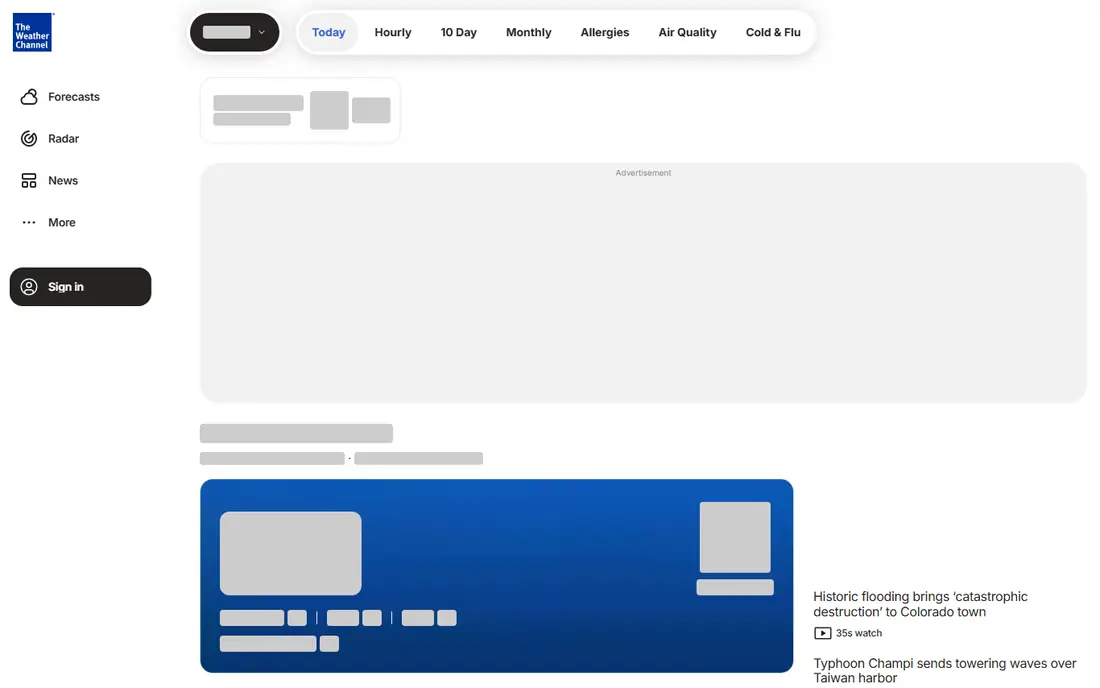
The Weather Channel app brings broadcast weather to a phone. Daily and hourly forecasts, radar maps, severe weather alerts, and video coverage sit in one place, which helps during storms when you want both a forecast and an explanation of what is happening. The app is free to download, with in-app purchases for ad removal and extra features in some versions. Coverage across the United States is broad, and the interface will feel familiar to television viewers.
Advertising and data collection are the trade-offs. The free tier shows ads, and the app sends precise location data to advertising vendors in default settings unless you adjust permissions. Users who want a cleaner experience should check privacy controls or pay for an ad-free tier where offered. For storm news and a dependable daily forecast, The Weather Channel remains a solid mainstream choice.
What we like- Familiar forecasts and radar
- Severe weather news and video
- Wide US coverage
Watch out for- Ads on the free tier
- Location data shared with advertising partners by default in some settings
Starting price$0
Free planYes
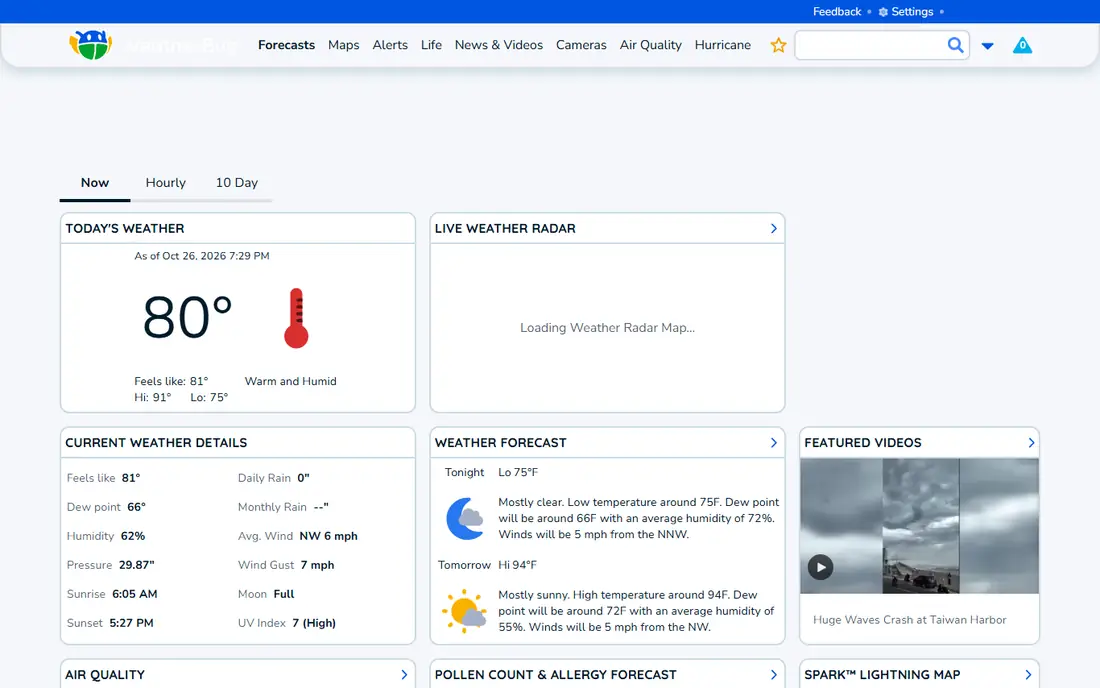
WeatherBug focuses on what is happening near you right now. It reports neighborhood conditions, lightning strikes nearby, air quality, pollen, and severe alerts, which makes it useful for runners, parents planning outdoor time, and anyone sensitive to air quality. The app is free, with a paid tier that removes ads in some listings. Its network of weather stations and sensors gives local detail that broader forecasts sometimes miss.
Privacy needs attention here. WeatherBug's owner is an advertising company, and its policy has permitted selling precise location data, so users should review permissions and privacy settings carefully. Ads also appear in the free tier. If local lightning and air quality data matter most, WeatherBug is worth those trade-offs. If privacy matters most, Windy or Apple Weather may suit better.
What we like- Neighborhood-level conditions
- Lightning alerts
- Air quality and pollen data
Watch out for- Owner is an advertising company, so review privacy settings
- Ads on the free tier

#4
Apple Weather
Best for: simple forecasts on iPhone and Mac
Visit apple.com
Starting price$0
Free planYes

Apple Weather is the app most iPhone users already have, and for a daily glance it is hard to beat. It shows hourly forecasts, a 10-day outlook, precipitation charts, wind, humidity, UV index, and air quality in a clean layout, with widgets for the home screen and lock screen. Severe weather alerts appear where supported, and there is no subscription or ad layer. It is free on Apple devices, with no separate weather app to install or manage.
Depth is limited. Radar is simpler than MyRadar or RadarScope, customization is modest, and Android and Windows users cannot use it as a native app. People who sail, fly, or chase storms will want a specialist tool beside it. For everyone else, Apple Weather answers the main question, which is whether to take a coat, an umbrella, or sunscreen, with the least friction of any app here.
What we like- Built into iPhone, iPad, and Mac
- Clean hourly and 10-day forecasts
- No separate subscription
Watch out for- Radar and customization are basic
- Best only inside the Apple ecosystem
Starting price$19.99/year
Free planYes
CARROT Weather is the power-user pick for iPhone, iPad, Mac, and Apple Watch. It lets you choose forecast sources, including Apple Weather, Foreca, and others where available, and customize layouts, widgets, and notifications in unusual detail. A personality setting ranges from professional to playful, and the app can deliver forecasts with jokes, if you want them, or plain facts if you do not. Premium costs $4.99 a month or $19.99 a year in recent listings, with a higher Premium Ultra tier adding more sources and features.
The free tier is useful for basic forecasts, but radar and the full customization set need a paid tier, and the higher tier costs more than most weather apps. The humor also divides users, though it can be turned off completely. For Apple users who want one weather app shaped exactly to their home screen, notifications, and watch, CARROT Weather is the most flexible option in this guide.
What we like- Highly customizable layouts and widgets
- Choice of forecast sources
- No ads on paid tiers
Watch out for- Full radar and advanced features need higher tiers
- Personality humor will not suit everyone
Starting price$0
Free planYes
MyRadar does one job well: show radar clearly. Animated radar, rain and snow layers, wind, and warning polygons load quickly, and the interface stays out of the way when you need to see a storm approaching. That focus makes it ideal as a second app beside a forecast app such as Apple Weather or AccuWeather. The core app is free, and a paid Pro version adds extra layers and features for a small one-time or subscription price depending on platform.
Forecasting is not its strength. Daily and hourly detail, air quality, and lifestyle outlooks are thinner here than in AccuWeather or The Weather Channel. MyRadar also suits the United States best, where radar coverage is dense. For checking whether rain is heading your way, or watching a storm line move across a county, MyRadar is fast, clear, and easy to recommend.
What we like- Fast, clear radar animation
- Layers for rain, wind, and warnings
- Simple interface
Watch out for- Forecast detail is thinner than full forecast apps
- Some advanced features are paid
Starting price$0
Free planYes
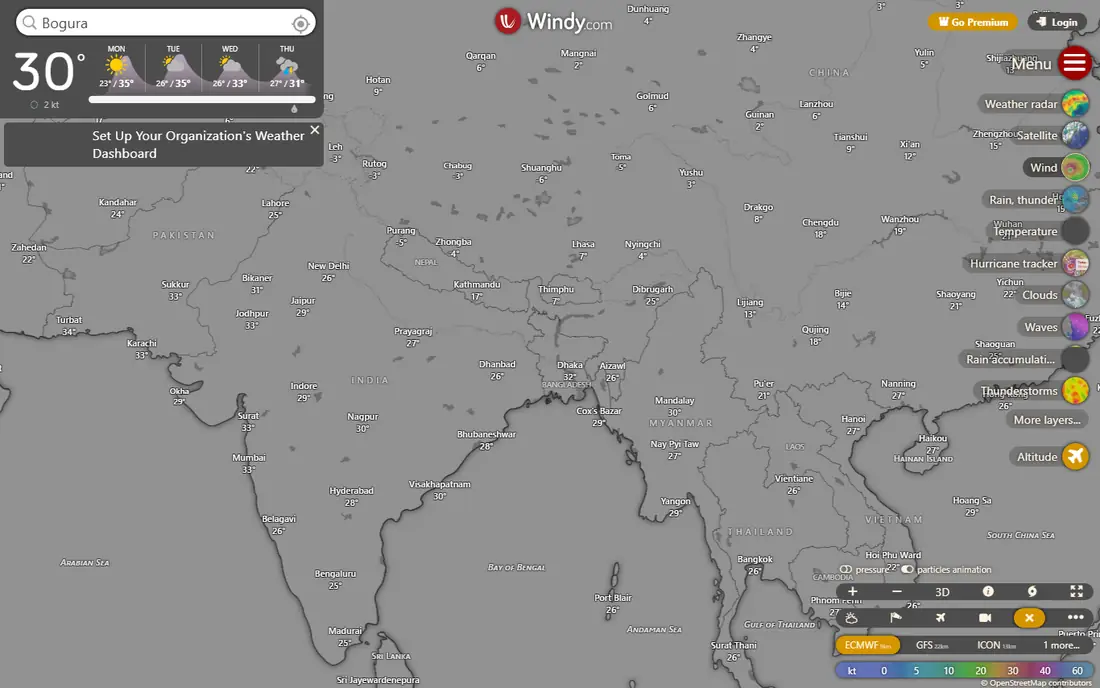
Windy is the best free tool for anyone whose plans depend on wind, waves, or weather models. It shows ECMWF, GFS, ICON, and other models side by side, with layers for wind, gusts, rain, snow, waves, swell, thunderstorms, and air quality. Sailors, pilots, surfers, paragliders, and hikers use it to compare models rather than trusting a single forecast number. The free tier carries no advertising, and its privacy label lists no tracking, which is rare in this category. Premium costs $24.99 a year in recent listings and adds longer forecasts, more layers, and extra features.
The learning curve is real. The layer picker, timeline, and model selector take time to understand, and casual users who only want tomorrow's high temperature will find Windy busy. Radar is model precipitation rather than observed radar in some views, so pair it with MyRadar for storm watching. For outdoor planning where wind and model disagreement matter, Windy is the strongest free choice here.
What we like- Many forecast models side by side
- Over 50 layers
- No ads in the free tier
Watch out for- Interface takes time to learn
- Radar history and some features need Premium
Starting price$1.99/month
Free planYes
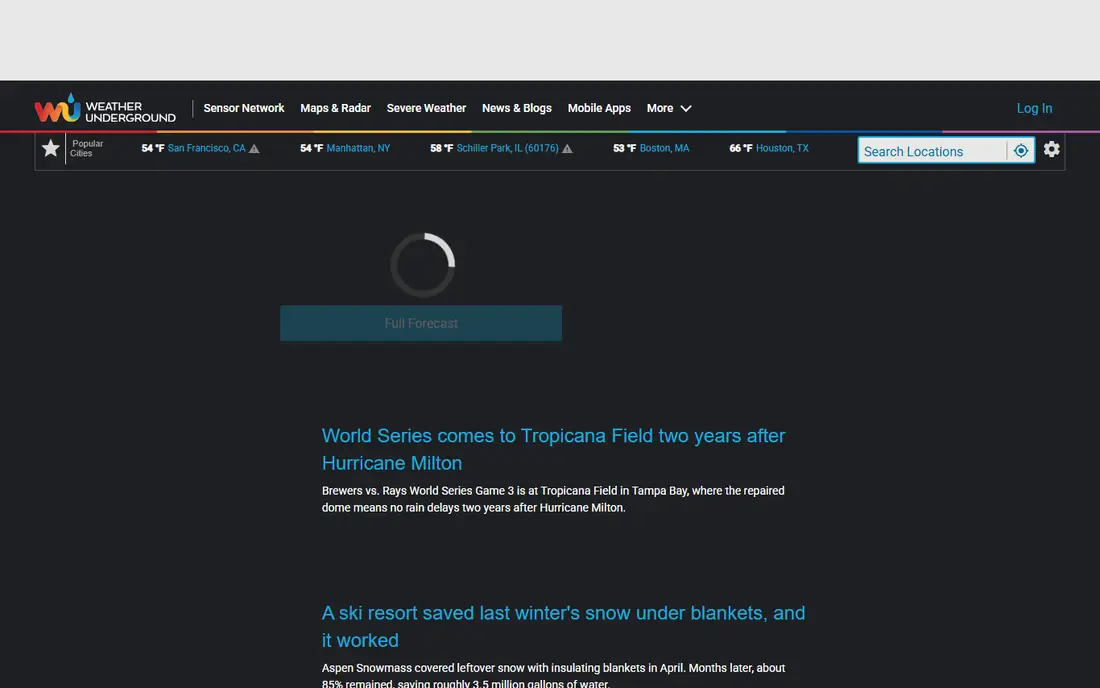
Weather Underground draws on a large network of personal weather stations, which gives it unusually local detail. In a dense neighborhood, a nearby station may report rain, temperature, and wind that differ from the city-wide forecast, and that local view helps gardeners, runners, and commuters. The site and app also offer historical weather, radar, and severe alerts, and a premium tier costs $1.99 a month in recent listings, mainly removing ads and adding features.
The interface carries a great deal of information, and new users may find it crowded compared with Apple Weather. Station quality also varies, because personal stations differ in placement and maintenance, so compare a station reading with nearby stations when precision matters. For hyperlocal conditions and weather history, Weather Underground remains a distinctive and useful choice.
What we like- Personal weather station network
- Neighborhood-level detail
- Historical weather data
Watch out for- Interface can feel busy
- Premium mainly removes ads and adds features
Starting price$9.99 (one-time)
Free planNo
RadarScope is the app storm chasers, meteorologists, and serious weather watchers open during severe weather. It shows high-resolution radar data, velocity and storm-relative views, warning polygons, lightning, and storm tracks, with fast updates that matter when a storm is moving quickly. The base app costs $9.99 as a one-time purchase on mobile platforms in recent listings, with an optional subscription tier adding extra data and features for professionals.
It is not a casual forecast app. The interface assumes you know radar products, and daily forecasts are thinner than in mainstream apps. Beginners should start with MyRadar for basic radar, then move to RadarScope if they want dual-polarization data and storm tracking. For severe weather awareness, RadarScope gives the clearest professional picture available on a phone.
What we like- Professional-grade radar data
- Storm tracks and warnings
- Fast updates during severe weather
Watch out for- Paid upfront
- Interface assumes radar knowledge
How we chose
We compared vendor pricing pages, app store listings, product documentation, and public reviews, and favored apps that are currently available, fit daily forecasting, radar, or severe weather use, and cover different needs rather than repeating the same forecast screen nine times. Prices were checked in October 2026, and any price that varied by platform is shown as See website. We did not claim hands-on testing, and we weighted radar quality, alert reliability, free tier usefulness, and privacy approach alongside forecast presentation.
Picking a weather app by how you use it
Start with the question you ask most. A daily glance points to Apple Weather or The Weather Channel. A rain-timing question points to AccuWeather. A radar question points to MyRadar or RadarScope. An outdoor planning question points to Windy, and a neighborhood question points to Weather Underground or WeatherBug. One app rarely answers all of those well.
Check alerts before a storm, not during one
Set up severe weather alerts, lightning alerts, and location permissions before bad weather arrives, and test them with a saved home and work location. An app that only alerts when opened is less useful than one that pushes warnings, so check notification settings on both the app and the phone. During severe weather, follow official National Weather Service warnings as well as any app alert.
Read the privacy settings on free apps
Free forecast apps often rely on ads and location data, so review what each app collects and shares. Turn off precise location sharing where a city-level forecast is enough, limit background location access, and consider a paid tier or a no-tracking app such as Windy if location privacy matters. A weather app does not need your full location history to tell you tomorrow's forecast.
Keep a radar app beside your forecast app
Forecast apps summarize weather, while radar apps show it moving. Pairing a simple forecast app with MyRadar or RadarScope gives both a plan and a live view, which helps when a forecast changes during the day. That two-app setup costs little or nothing, and it avoids paying for a premium forecast tier just to get better radar.
Frequently asked questions
What is the best free weather app?
Apple Weather is the best free default for iPhone users, and Windy is the best free tool for detailed models and outdoor planning. MyRadar is the best free radar app, and Weather Underground is the best free option for neighborhood-level detail. The right free app depends on whether you need a forecast, radar, or local conditions most.
Which weather app is most accurate?
Accuracy varies by location, season, and forecast type, so no single app wins everywhere. Windy helps by showing several models side by side, which reveals where forecasts disagree. AccuWeather, The Weather Channel, and Weather Underground all perform well for daily forecasts in the United States, and local personal weather stations can improve neighborhood accuracy.
Is a paid weather app worth it?
Paid tiers mainly remove ads and add radar, longer forecasts, or extra data sources. They are worth it if you check weather often, need minute-level rain timing, or rely on radar during storms. For a once-a-day forecast check, a free app is usually enough, and paying mainly buys convenience.
What is the best weather app for iPhone?
Apple Weather is the best default, because it is built in, clean, and free. CARROT Weather is the best paid iPhone option for customization, widgets, and choice of forecast sources. MyRadar and RadarScope are the best iPhone radar companions, depending on how much storm detail you want.
Do weather apps work without location access?
Yes, most apps let you search for a city and save locations manually, which is a good privacy option. Precise location access improves minute-level rain timing, nearby lightning alerts, and automatic updates as you travel. If you turn location off, add home, work, and travel locations by hand.
Which app is best for severe weather alerts?
The Weather Channel, WeatherBug, and AccuWeather all offer severe alerts, and RadarScope offers the most detailed storm radar during events. Set alerts in advance, allow push notifications, and follow official National Weather Service warnings during tornadoes, hurricanes, and flash floods, rather than relying on a single app.
Sources we checked (9)
- https://www.accuweather.com/pricing
- https://weather.com
- https://www.weatherbug.com
- https://www.apple.com
- https://www.meetcarrot.com/pricing
- https://myradar.io
- https://www.windy.com/pricing
- https://www.wunderground.com/pricing
- https://www.radarscope.com
Is your product missing or out of date?
We review this list regularly. Vendors can request a listing, send updated pricing or ask about featured placement.

Shihab Mia · Founder, Rankite
Shihab has 5+ years in B2B and SaaS SEO. He writes Rankite's software buying guides from pricing pages, documentation and public user reviews. More about Shihab.
 AccuWeather
 WeatherBug
 CARROT Weather
 MyRadar
 Windy
Windy Weather Underground
 RadarScope