How we make this list: we compare pricing pages, product documentation and public user reviews. Rankite is independent; if a vendor ever pays for a featured spot, that listing is clearly labeled Partner.
Key takeaways
- The best tax software in Canada is CRA NETFILE-certified, so your return files electronically with the CRA in minutes.
- Wealthsimple Tax and CloudTax both offer pay-what-you-want filing from $0, which covers most simple and even complex returns.
- TurboTax and UFile are the established names, with deeper form libraries for self-employment, rental, and investment income.
- GenuTax and StudioTax are desktop-first and free or nearly free, a good fit if you prefer keeping data on your own computer.
- Every tool on this list handles Auto-fill my return, so CRA slips import automatically once you connect your CRA account.
Quick comparison
| Tool | Best for | Starting price | Free plan |
|---|
 Wealthsimple Tax Wealthsimple Tax | free filing with no form restrictions | From $0 (pay what you want) | Yes (Basic plan) |
 TurboTax Canada TurboTax Canada | guided filing with expert help options | See website | Yes (TurboTax Free for simple returns) |
 UFile UFile | self-employed and rental returns | See website | Yes (free filing options) |
 CloudTax CloudTax | AI-assisted filing with live chat support | From $0 (pay what you want) | Yes (free DIY filing) |
 GenuTax GenuTax | free desktop filing across multiple years | $0 (free, donations welcome) | Yes |
 StudioTax StudioTax | privacy-first desktop filing | See website | Yes (mobile apps free; 2019 and earlier free) |
 TaxTron TaxTron | budget cloud and desktop filing | See website | Yes (free cloud version) |
 H&R Block Canada H&R Block Canada | brand trust with expert backup | See website | See website |
Is your product missing or out of date?
We review this list regularly. Vendors can request a listing, send updated pricing or ask about featured placement.
The best tax software in Canada
Starting priceFrom $0 (pay what you want)
Free planYes (Basic plan)

Wealthsimple Tax changed the Canadian market by making its Basic plan pay-what-you-want, even $0, with no restrictions on what you can file. Employment, self-employment, investment, rental, donations, medical expenses: all included. For most filers, the free tier is the whole product.
The paid Plus and Pro plans add more returns (8 and 20 respectively), audit protection, and one-on-one expert guidance. The honest catch is onboarding friction if you are switching: Wealthsimple cannot import a return prepared in another program, so year one means some manual entry. After that, CRA Auto-fill handles the slips.
What we like- Basic plan covers every form with no paywalls
- Up to 2 returns on Basic, 20 on Pro
- Maximum refund guarantee
Watch out for- Expert review (Pro) not available in Quebec or French
- No import from other tax software
Starting priceSee website
Free planYes (TurboTax Free for simple returns)

TurboTax remains the most recognized name in Canadian DIY taxes, and its strength is hand-holding. The interview format walks you through each section, the real-time refund tracker keeps things motivating, and Expert Assist adds unlimited questions plus a final review by a real tax professional. If taxes make you nervous, this is the comfort pick.
The trade-off is pricing transparency: Intuit sets paid-version prices based on the edition you use and when you e-file, so you learn the cost late in the process. TurboTax Free covers simple returns at $0, but anything beyond basic slips pushes you into paid tiers. Quebec filers get full TP1 support, which not every competitor offers.
What we like- Step-by-step interview plus live expert assist
- Imports last year's return and CRA slips
- Quebec TP1 support
Watch out for- Paid versions priced at e-file time, so cost is unclear upfront
- Free tier limited to simple returns
Starting priceSee website
Free planYes (free filing options)

UFile, from Thomson Reuters, has served Canadian taxpayers for over 20 years, and it shows in depth. The product handles the full spread of personal tax situations, from simple T4 returns to self-employment, rental properties, and capital gains, without surprise upsells mid-interview. Over a million Canadians use it each year.
It offers both an online version and a Windows desktop edition, plus free telephone support, which is increasingly rare. The honest catch is presentation: the site and software feel older than Wealthsimple or CloudTax, and you have to dig for current pricing. If you value a deep form library and a long track record over a modern interface, UFile delivers.
What we like- Strong on self-employment, rental, and investment scenarios
- Online and Windows desktop versions
- Free telephone support
Watch out for- Paid pricing not shown upfront on the homepage
- Interface feels dated next to newer rivals
Starting priceFrom $0 (pay what you want)
Free planYes (free DIY filing)

CloudTax is the modern challenger: AI that scans your slips and extracts the data, a clean step-by-step interface, and live chat with real tax professionals when you get stuck. The DIY tier is pay-what-you-want from $0 and includes all major forms, which puts it head to head with Wealthsimple Tax on value.
Where it stands out is guidance for specific situations: students, families, newcomers, gig workers, seniors, and investors each get tailored flows. The honest catch is history: CloudTax has been NETFILE-certified since 2019, respectable but far shorter than TurboTax or UFile. If you like new-school UX and do not mind a younger brand, it is a strong pick.
What we like- AI-powered slip scanning and data extraction
- Live chat with tax professionals
- Dedicated student, senior, and gig-worker flows
Watch out for- Newer brand with a shorter track record
- Premium tiers add up if you want full expert handling
Starting price$0 (free, donations welcome)
Free planYes
GenuTax is the quiet workhorse of free Canadian tax software: a Windows desktop program that is completely free, with free updates every year, funded by voluntary donations. It handles capital gains, rental properties, and small business income, supports Auto-fill my return and ReFILE, and can even prepare back-year returns going back to 2003.
That multiyear ability is genuinely rare and useful if you are catching up on late filings. The honest catch is the experience: it is a Windows-only desktop app with an interface from another era, and a tiny team means slower feature development. If you want free, private, and offline, and you run Windows, it is hard to argue with the price.
What we like- Completely free with free annual updates
- Files returns back to 2003
- Auto-fill and ReFILE supported
Watch out for- Windows desktop only
- Dated interface
- Donation-supported, so development pace is modest
Starting priceSee website
Free planYes (mobile apps free; 2019 and earlier free)
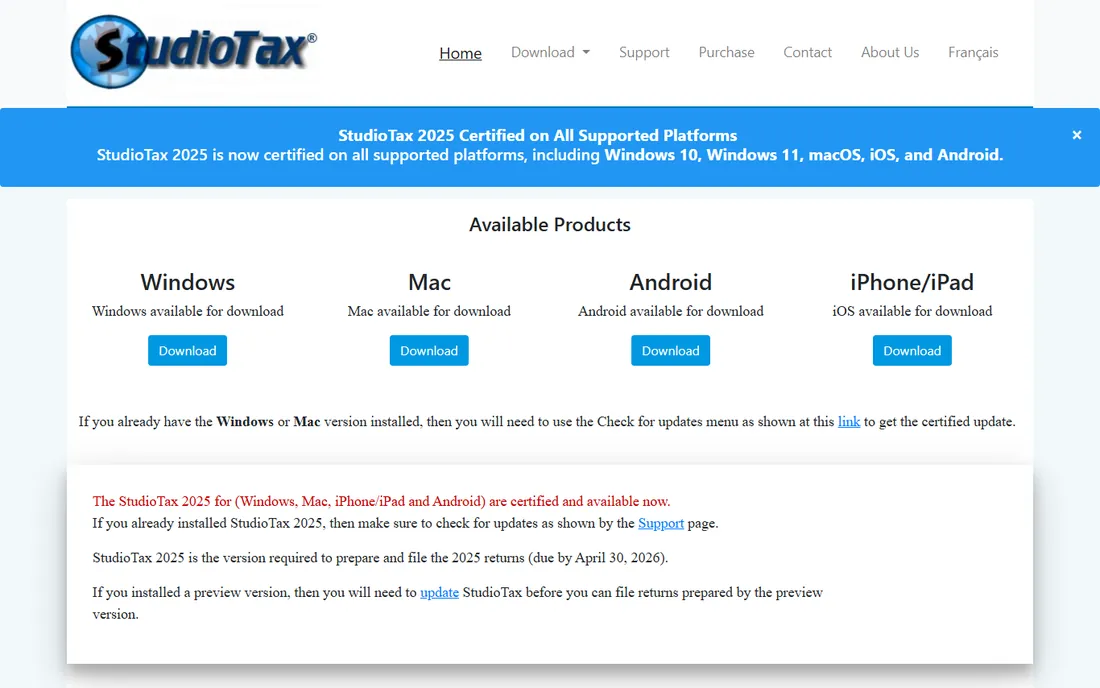
StudioTax takes the opposite approach from the cloud tools: it is an installable program, your returns live on your hard drive, and no personal information ever leaves your computer. For filers uneasy about uploading SINs and slips to a server, that architecture is the whole selling point.
The mobile apps for iOS and Android are free, and versions from 2019 and earlier remain free for personal use; the current desktop release is paid (see the payment page for details). It covers the full range from simple returns to self-employment and rental income, up to the CRA's 20-return limit. The honest catch is switching cost: like Wealthsimple, it cannot import returns from other programs.
What we like- Data never leaves your computer
- Windows, Mac, iOS, and Android versions
- CRA and Revenu Quebec certified
Watch out for- Latest desktop versions are paid
- No import from competing software
- Some uncommon situations not supported
Starting priceSee website
Free planYes (free cloud version)
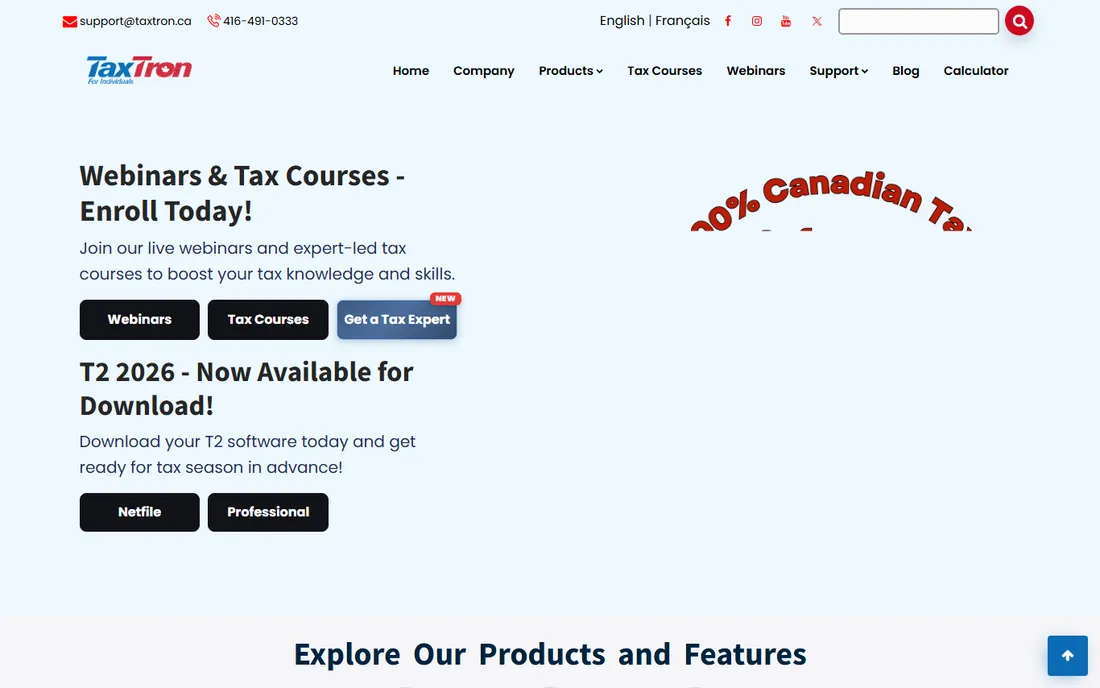
TaxTron is a Canadian-grown option offering both a cloud version and desktop editions for Windows and Mac, in English and French. The cloud version is free, which makes it one of the cheapest ways to file online, and the paid licenses stay well under the big-brand prices.
It is CRA-certified and covers standard personal tax situations competently. The honest catch is polish: the guided interview and help content are thinner than TurboTax or Wealthsimple, so confident filers get more out of it than beginners. If you know your way around a T1 and want to spend as little as possible, TaxTron deserves a look.
What we like- Cloud and desktop versions in English and French
- CRA-certified
- Straightforward low pricing
Watch out for- Smaller brand with less community support
- Fewer guided features than the big names
Starting priceSee website
Free planSee website

H&R Block's DIY software exists, but the brand's real argument is the safety net behind it: almost 1,000 offices across Canada, remote filing with a tax expert, and a maximum refund guarantee. If you start your return yourself and hit a wall, you can hand it to a professional without switching companies.
As pure software, it is harder to evaluate: pricing is not published on the homepage, and the free-tier details are less clear than the pay-what-you-want rivals. The honest catch is that you are partly paying for the brand. Confident DIY filers will find better value elsewhere; filers who want an expert on call will appreciate the depth of the bench.
What we like- 60+ years in Canadian tax
- Nearly 1,000 offices for in-person help
- Maximum refund guarantee
Watch out for- Software pricing not published on the homepage
- The real strength is assisted filing, not DIY software
How we chose
We reviewed each vendor's own website for current pricing, plan structure, and feature claims, cross-checked CRA NETFILE certification status, and read Canadian tax discussions on Reddit and RedFlagDeals for real-world filing experiences. We weighted free-tier generosity, form coverage for self-employment and investment income, Auto-fill my return support, and Quebec filing capability. We did not prepare or file test returns; this comparison reflects published features, pricing, and documented user feedback.
How to pick the right Canadian tax software
Start with your return's complexity
Simple T4 income with standard deductions? Any free tier here will do, and Wealthsimple Tax or CloudTax cost nothing. Self-employment, rental income, or capital gains? Prioritize UFile, TurboTax, or GenuTax for their deeper form libraries.
Check Quebec support if it applies
Quebec residents file two returns, federal and provincial. TurboTax, UFile, StudioTax, and Wealthsimple Tax (Basic and Plus) handle both; Wealthsimple's Pro expert review is not available in Quebec. Confirm before you start.
Decide how much help you want
Confident filers can use anything. If you want a human safety net, look at TurboTax Expert Assist, Wealthsimple Pro, CloudTax's live chat, or H&R Block's offices. Free tiers generally mean email support or community help only.
Consider where your data lives
Cloud tools store your return on their servers, which enables Auto-fill and anywhere access. Desktop tools like StudioTax and GenuTax keep everything on your computer. Neither is wrong; pick the model that matches your comfort level.
Watch for the real price, not the headline
"Free" sometimes means simple returns only. Check whether your income types are included before you invest an hour entering data. Pay-what-you-want tools (Wealthsimple, CloudTax) are the most honest here: every form is included regardless of what you pay.
What CRA certification actually guarantees
NETFILE certification means the CRA has tested the software's calculations and electronic filing for the current tax year. It does not mean the CRA endorses the product, and it says nothing about customer support or refund speed.
What it does give you is practical: certified software files your return directly to the CRA, usually with a refund in as little as eight days with direct deposit. Every tool in this guide is NETFILE-certified for 2025 returns, so certification is a baseline, not a differentiator. The differences that matter are price, form depth, and support.
Frequently asked questions
What is the best tax software in Canada?
For most filers, Wealthsimple Tax is the best value: free pay-what-you-want filing with every form included. TurboTax Canada is best if you want guided help or expert review, and UFile is best for complex self-employment or rental returns. All three are CRA NETFILE-certified.
Is there really free tax software in Canada?
Yes. Wealthsimple Tax (Basic), CloudTax (DIY), GenuTax, and TaxTron's cloud version all file at $0 with no form paywalls. TurboTax Free and UFile also offer free filing for eligible simple returns. Every option here is CRA-certified.
Can I file my Quebec taxes with these tools?
Most of them, yes. TurboTax, UFile, StudioTax, and Wealthsimple Tax handle the federal T1 and the Quebec TP1. Wealthsimple's Pro expert review is not available in Quebec, and some smaller tools have limited Revenu Quebec support, so verify before filing.
How does Auto-fill my return work?
Once you register for CRA My Account, certified software can pull your T4s, T5s, RRSP limits, and other slips directly into your return. Every tool on this list supports it, and it eliminates most manual slip entry.
Is my tax data safe with online tax software?
CRA-certified vendors must meet security requirements, and most use encryption and two-step verification. If you prefer that nothing leaves your machine, StudioTax and GenuTax are desktop programs that store returns locally. Read each vendor's privacy policy before uploading sensitive documents.
When is the Canadian tax filing deadline?
For most individuals, April 30. Self-employed filers get until June 15 to file, but any balance owing is still due April 30. File on time even if you cannot pay in full to avoid late-filing penalties.
Sources we checked (8)
- https://turbotax.intuit.ca/
- https://www.wealthsimple.com/en-ca/tax
- https://www.hrblock.ca
- https://ufile.ca/
- https://taxtron.ca/
- https://www.studiotax.com/home.html
- https://genutax.ca/
- https://cloudtax.ca/
Is your product missing or out of date?
We review this list regularly. Vendors can request a listing, send updated pricing or ask about featured placement.

Shihab Mia · Founder, Rankite
Shihab has spent more than a decade helping SaaS and e-commerce brands grow through search. He writes Rankite's software buying guides from pricing pages, documentation and public user reviews. More about Shihab.