How we make this list: we compare pricing pages, product documentation and public user reviews. Ratings come from G2, Capterra or Trustpilot, with the date we checked them.
Key takeaways
- SkySafari Basic is the best overall pick, with 120,000 or more stars, all 88 constellations and a time-travel mode, all free.
- Stellarium is the best free planetarium, with photorealistic skies on desktop, web and mobile, plus sky cultures from many traditions.
- Star Walk 2 is the best-looking AR app for showing friends, while Sky Tonight answers what is visible tonight fastest.
- Sky Map is the simplest free identification app, with no ads, on Android.
- Night mode matters: use red night vision in every app here to protect your dark adaptation after stepping outside.
Quick comparison
| Tool | Best for | Starting price | Free plan |
|---|
 Stellarium Stellarium | Accurate simulation and learning the sky | Free; Plus upgrade optional | Yes |
 SkySafari SkySafari | Overall pick and session planning | Free (Basic); Plus about $14.99; Pro $39.99 | Yes |
 Star Walk 2 Star Walk 2 | Best-looking AR for showing friends | Free with ads; $2.99 ad-free edition | Yes |
 Sky Tonight Sky Tonight | What is visible tonight | Free | Yes |
 Sky Map Sky Map | Simplest free ID app | Free, no ads | Yes |
 Night Sky Night Sky | AR sky tours on Apple devices | Free with in-app purchases | Yes |
 Heavens-Above Heavens-Above | Satellite passes and detailed tracking | Free | Yes |
 NASA App NASA App | Images, NASA TV and ISS sightings | Free | Yes |
Is your product missing or out of date?
We review this list regularly. Vendors can request a listing, send updated pricing or ask about featured placement.
The best star gazing app
Starting priceFree; Plus upgrade optional
Free planYes
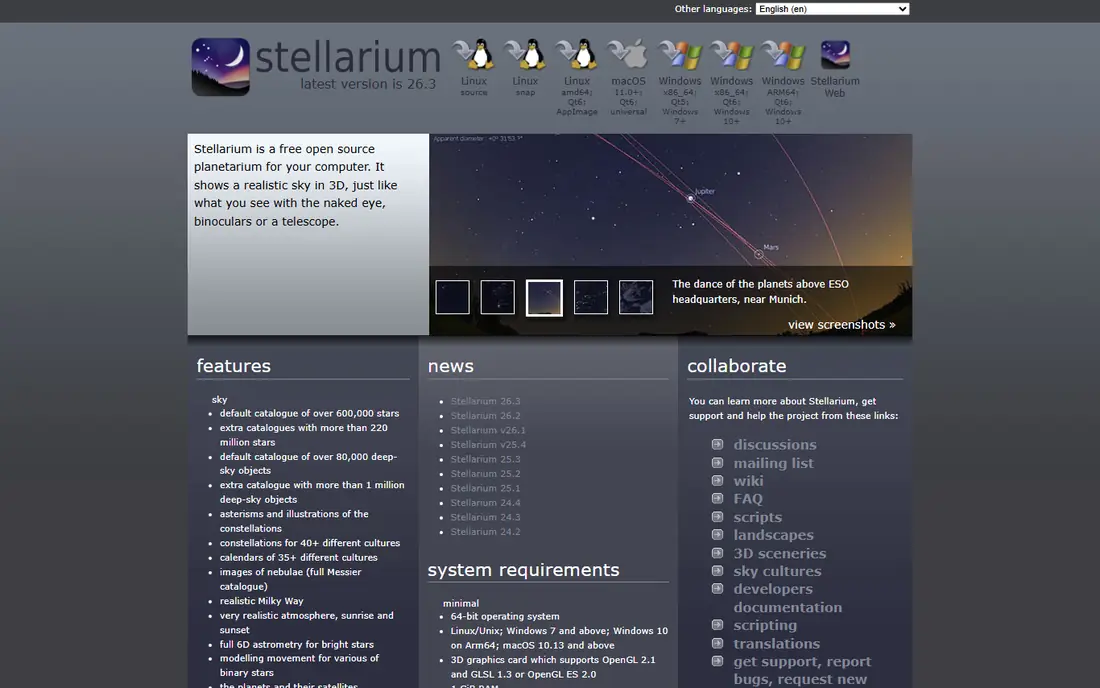
Stellarium is open-source planetarium software that has been a desktop standard for over 20 years, now on iOS, Android, desktop and web. The mobile version brings the same accurate sky rendering to your phone: a photorealistic horizon, atmospheric effects, realistic Milky Way rendering and a database deep enough for serious observing sessions. The free mobile app works offline on a built-in catalog of about 2 million stars, with a camera overlay for pointing at the sky.
Guided tours link constellations into patterns, such as the Summer Triangle of Lyra, Cygnus and Aquila, and sky cultures swap constellation figures for Blackfoot, Inuit, Navajo, Tukano or Tupi-Guarani versions. The optional Stellarium Plus upgrade, listed near $19.99 one-time or $1.99 subscription in some guides, takes the catalog to magnitude 22 from the free app magnitude 8 and adds telescope control over Wi-Fi. Beginners should start free, since Plus only matters once you own a telescope worth pointing.
What we like- Open-source desktop standard for 20 years
- Photorealistic horizon and Milky Way
- Sky cultures
Watch out for- Plus catalog depth needs paid upgrade
- Mobile app is large at nearly 479 MB
Starting priceFree (Basic); Plus about $14.99; Pro $39.99
Free planYes
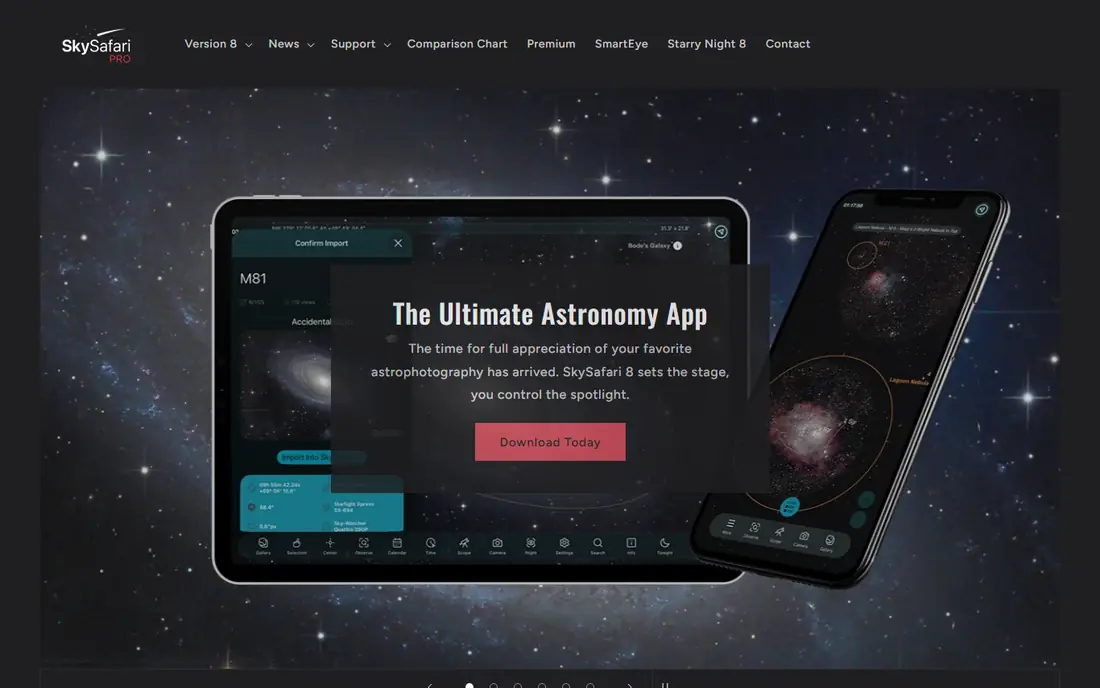
SkySafari is what most amateur astronomers use, and the Basic free version has a database of 120,000 or more stars, all 88 constellations, solar system planets, major satellites and a time-travel mode to simulate the sky on any date. Point-at-sky mode works well, and traditional chart view suits pre-session planning. The interface is uncluttered and fast, and one guide author reports using it on hundreds of nights and rarely feeling limited by the free version.
Paid tiers add millions more objects, telescopic control via Bluetooth and deeper deep-sky catalogs, with Plus near $14.99 and Pro at $39.99 in recent guides. For a beginner, or an intermediate observer who has not bought a telescope yet, the free Basic version is complete. Serious observers and GoTo telescope owners should upgrade to Plus or Pro.
What we like- 120,000 or more stars free
- All 88 constellations
- Time-travel mode
- Telescope control on paid tiers
Watch out for- Paid tiers needed for deep-sky catalogs
- Android price has fluctuated between $0.99 and $6.99
Starting priceFree with ads; $2.99 ad-free edition
Free planYes
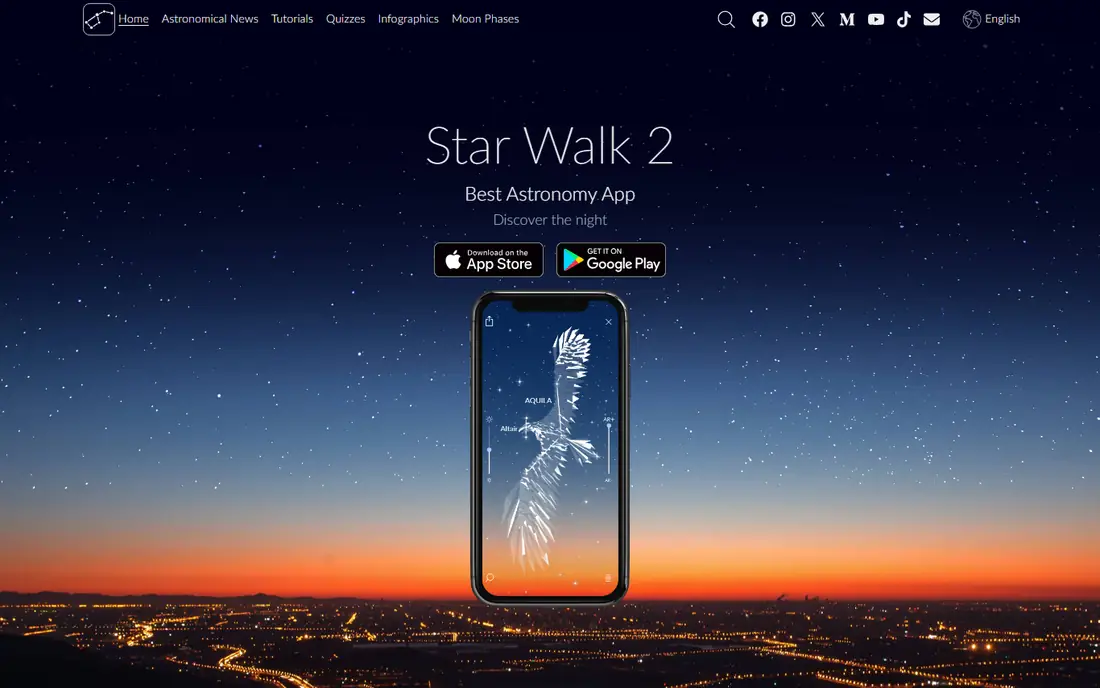
Star Walk 2 is the best-looking AR pointer app, with polished visuals that make it the best choice for showing friends and kids what is overhead. Point your phone at the sky and the app overlays constellation lines, star names and planet labels in a beautiful interface. Recent guides list it free with ads and a $2.99 ad-free edition, with other guides listing a full version near $4.99, so confirm current pricing in the store.
The database is shallower than SkySafari or Stellarium, so serious observers should pair it with one of those for planning. Casual observers and families who value beauty and simplicity over catalog depth will find Star Walk 2 the most enjoyable app here.
What we like- Most beautiful AR visuals
- Great for kids and casual use
- Easy pointing interface
Watch out for- Ads on free tier
- Database shallower than SkySafari or Stellarium
Starting priceFree
Free planYes
Sky Tonight combines AR pointing with what is up lists, answering the most common stargazing question fastest: what is visible tonight from your location. Recent guides list it free on iOS and Android, with a clean interface that suits beginners who want a quick answer rather than a deep atlas. It covers stars, planets, constellations and major deep-sky objects visible on a given night.
Planning tools for telescope owners are thinner than SkySafari, so serious observers should use it as a companion rather than a primary planner. For a quick nightly check before stepping outside, Sky Tonight is the fastest app here.
What we like- Fast answer to what is visible tonight
- AR plus what is up lists
- Clean interface
Watch out for- Shallower database than SkySafari
- Fewer planning tools for telescope owners
Starting priceFree, no ads
Free planYes
Sky Map, the open-source Android app formerly known as Google Sky Map, is the simplest free identification app, with no ads and a minimal interface. Point your phone at the sky and it labels stars, planets and constellations, making it the best quick identification fallback when you do not need a deep atlas. Recent guides rate it as the simplest free ID app, with basic night mode and offline use.
The limits are platform and depth: Android only, with basic night mode and no planning or telescope features. Android users who want a no-cost, no-ad, no-fuss identifier should install Sky Map first, then add SkySafari or Stellarium for planning.
What we like- Completely free with no ads
- Simplest interface
- Android standard for quick identification
Watch out for- Android only
- Basic night mode
- No planning or telescope features
Starting priceFree with in-app purchases
Free planYes
Night Sky offers polished AR sky tours with constellation identification, planet labels and guided tours, plus Apple Watch support for wrist-based stargazing. Recent guides list it free with in-app purchases, and it rates well for casual observers who want a beautiful, guided experience rather than a dense atlas. Tours and stories add context that pure atlases lack, making it good for families and beginners.
The best features sit behind in-app purchases, and the experience is Apple-focused, so Android users should look elsewhere. Apple users who want guided tours beside a serious atlas should pair Night Sky with Stellarium or SkySafari.
What we like- Polished AR tours
- Apple Watch support
- Good for casual Apple users
Watch out for- Best features need in-app purchases
- Apple-focused experience
Starting priceFree
Free planYes
Heavens-Above is the best source for satellite pass predictions, with detailed tracking for the International Space Station, Starlink trains and other satellites, plus star charts and pass data. Recent guides rate it highly for satellite pass data and detailed tracking, and it is free on web and mobile. It suits observers who want to know exactly when the ISS will cross their sky, with brightness, direction and timing details.
The experience is website-first and less polished in AR than Star Walk 2 or Stellarium, so it works best as a companion for satellite nights rather than a primary sky atlas. Pair it with SkySafari for general observing and Heavens-Above for satellite passes.
What we like- Best satellite pass predictions
- ISS and Starlink tracking
- Detailed tracking data
Watch out for- Website-first experience
- Less polished AR than rivals
Starting priceFree
Free planYes
NASA App is free and covers NASA missions, news, images of the day, live NASA TV and ISS sighting alerts, making it the best context companion for stargazing. Recent guides rate it highly for daily astronomy news and content, and it suits observers who want to understand what they are seeing in a wider space context. ISS sighting alerts tell you when the station passes overhead, complementing Heavens-Above predictions.
It is not a sky atlas, with no AR pointing or telescope planning, so pair it with Stellarium or SkySafari for identification. For space news, mission context and beautiful images between observing nights, NASA App is the best free companion here.
What we like- Completely free
- NASA images and videos
- Live NASA TV
- ISS sighting alerts
Watch out for- Not a sky atlas
- No AR pointing or telescope planning
How we chose
We compared recent 2026 stargazing guides that rated apps on database depth, AR quality, night mode, offline access and price, favoring free tiers that are genuinely usable rather than trials. We weighed overall pick, planetarium accuracy, AR beauty, tonight lists, satellite tracking and media context, and we left out telescope-only companion apps that need specific hardware. Where pricing figures conflicted across guides, notably Star Walk 2 at $2.99 versus $4.99 and SkySafari Android price fluctuations, we listed the most commonly cited figure and flagged the range.
Getting the most from a stargazing app
Use red night vision mode in every app here to protect your dark adaptation, since white phone light ruins night vision for 20 minutes or more. Let your eyes adapt for 20 to 30 minutes in a dark location away from city lights, and check light pollution maps before choosing a site, since dark skies matter more than any app feature. Download offline catalogs before leaving home, since rural observing sites often lack signal, and bring a red flashlight for reading charts without ruining adaptation.
Start with the tonight list in Sky Tonight or SkySafari, pick two or three targets, then use AR pointing to find them. Time-travel mode in SkySafari and Stellarium lets you plan tomorrow night session today, checking what rises when and where. Finally, keep expectations realistic: phone AR accuracy depends on compass calibration, so wave the phone in a figure-eight motion if labels drift.
Choosing by observer type
Beginners should start with SkySafari Basic free and Stellarium free, which together cover planning and simulation. Casual observers and families should add Star Walk 2 for beauty and Sky Tonight for quick tonight lists. Telescope owners should upgrade to SkySafari Plus or Pro, or Stellarium Plus, for catalog depth and telescope control. Satellite watchers should add Heavens-Above and NASA App for pass predictions and mission context.
Frequently asked questions
What is the best free stargazing app?
SkySafari Basic, with 120,000 or more stars, all 88 constellations and time-travel mode free, plus Stellarium free for planetarium simulation. Both are genuinely usable without paying, unlike trials that gate core features.
Which app is best for identifying stars by pointing my phone?
Star Walk 2 for beauty and ease, SkySafari for accuracy and depth, and Sky Map for the simplest free Android identification. All three use GPS, gyroscope and compass to label what you point at.
Do I need to pay for a stargazing app?
No, for most observing. Free tiers cover identification, tonight lists and basic planning. Paid upgrades matter only for telescope control, deep-sky catalogs below magnitude 8, and ad-free use.
What is the best app for ISS and satellite passes?
Heavens-Above, with detailed pass predictions for the ISS, Starlink and other satellites, plus NASA App for ISS sighting alerts and mission context. Both are free.
Why does my phone AR labeling drift?
Compass calibration: wave the phone in a figure-eight motion to recalibrate, and avoid magnetic cases and nearby metal. AR accuracy also depends on GPS signal, so step away from buildings for best results.
How do I protect my night vision while using an app?
Use red night vision mode in the app, lower screen brightness, and let your eyes adapt for 20 to 30 minutes in darkness before observing. White phone light ruins dark adaptation for 20 minutes or more.
Sources we checked (8)
- https://outerspacetrip.com/guides/best-astronomy-apps/
- https://www.itechguides.com/best/astronomy-apps/
- https://www.telescopeadvisor.com/best-astronomy-apps/
- https://www.telescopeadvisor.com/best-stargazing-apps-2026/
- https://stellarium.org
- https://skysafariastronomy.com
- https://www.heavens-above.com
- https://www.nasa.gov
Is your product missing or out of date?
We review this list regularly. Vendors can request a listing, send updated pricing or ask about featured placement.

Shihab Mia · Founder, Rankite
Shihab has 5+ years in B2B and SaaS SEO. He writes Rankite's software buying guides from pricing pages, documentation and public user reviews. More about Shihab.