How we make this list: we compare pricing pages, product documentation and public user reviews. Rankite is independent; if a vendor ever pays for a featured spot, that listing is clearly labeled Partner.
Key takeaways
- The budget Gmail-native picks: Keeping ($14/user/month) and Drag ($12/user/month, annual) give small teams a shared inbox without leaving Gmail.
- Front ($25/seat/month) is the premium choice for teams that want chat-style collaboration, rules and omnichannel coverage in one place, but the price adds up per seat.
- Help Scout is the only pick with a real free plan: up to 5 users and 1 inbox at $0, with paid tiers from $25/user/month.
- Trengo moved to demo-led bundle pricing in 2026, so there is no public per-seat price to compare against.
Quick comparison
| Tool | Best for | Starting price | Free plan |
|---|
 Front Front | Support and sales teams wanting chat-style collaboration on top of email | $25/seat/month (Starter plan, annual, up to 10 seats, single channel) | No (14-day free trial) |
 Help Scout Help Scout | Small teams moving up from a raw Gmail inbox to a real shared inbox | $25/user/month (Standard plan) | Yes ($0 for up to 5 users and 1 inbox) |
 Hiver Hiver | Teams that live in Gmail or Outlook and do not want another app | $25/user/month (Growth plan, annual, 2-user minimum) | No (7-day free trial) |
 Missive Missive | Teams that want email, chat and social messages in one threaded view | $14/user/month (Starter plan, annual, up to 5 users) | No (30-day free trial) |
 Gmelius Gmelius | Gmail teams wanting kanban boards, sequences and shared labels | $29/user/month (per Gmelius pricing page) | No (7-day free trial) |
 Keeping Keeping | Gmail-only teams that want the simplest possible shared helpdesk | $14/user/month (Essentials plan, annual, 2-user minimum) | No (14-day free trial) |
 Drag Drag | Gmail teams that want a kanban board and light CRM on top of email | $12/user/month (Starter plan, annual) | No (7-day free trial, no credit card) |
 Trengo Trengo | Teams that need email, live chat, WhatsApp, SMS and voice in one inbox | See website (demo-led; bundle pricing, no public per-seat price) | No (14-day free trial) |
 Helpwise Helpwise | Budget-conscious teams wanting multichannel support without the premium price | $15/user/month | No (7-day free trial) |
Is your product missing or out of date?
We review this list regularly. Vendors can request a listing, send updated pricing or ask about featured placement.
The best shared inbox software
Two agents reply to the same angry customer. One promises a refund. The other says refunds are not possible. Neither knows the other replied. That is the failure a shared inbox prevents: one shared view of every conversation, with assignment, internal notes and collision warnings so two people never work the same ticket blind. These nine tools cover that job from the $12-per-user Gmail layer to full omnichannel platforms, with real starting prices below.
#1
Front
Best for: Support and sales teams wanting chat-style collaboration on top of email
Visit front.com
Starting price$25/seat/month (Starter plan, annual, up to 10 seats, single channel)
Free planNo (14-day free trial)
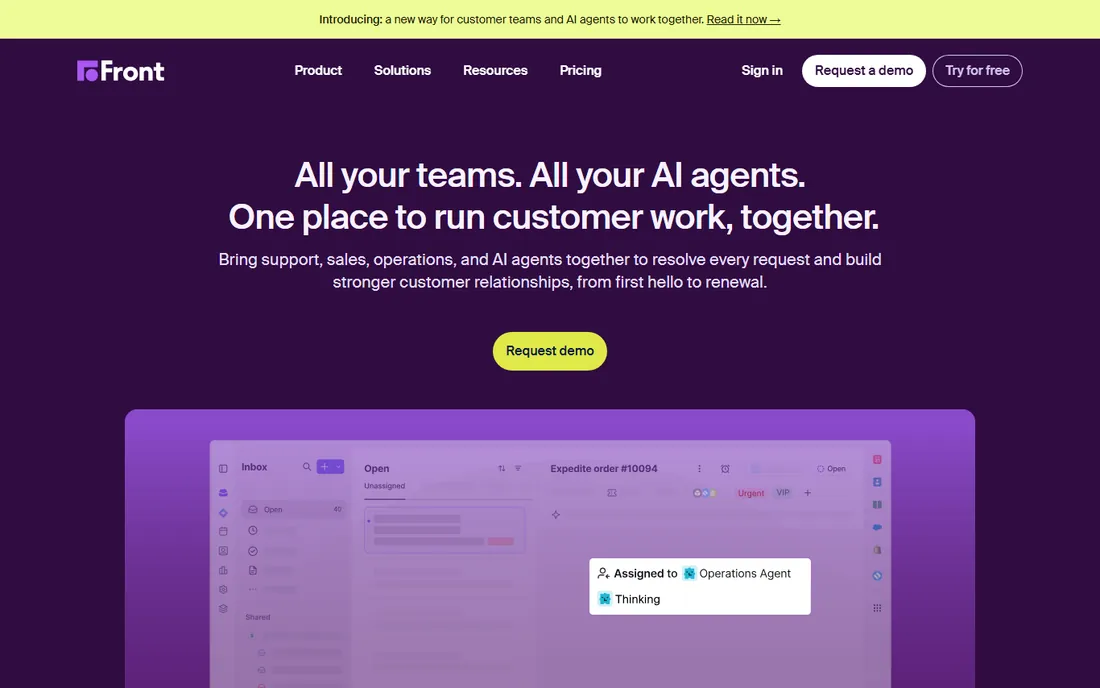
Front earns its premium price with the interface. Conversations thread like a chat app, teammates comment internally without the customer seeing a word, and collision detection warns you before two people reply to the same message. Rules route mail, canned responses speed up common answers, and the Pro and Enterprise tiers ($65 and $105 per seat) add analytics depth and more channels. AI comes as add-ons: Copilot at $20 per seat, Smart QA at $20 and Smart CSAT at $10.
The honest catch is seat math. At $25 per seat per month on Starter, a 10-person team pays $3,000 a year before add-ons, and that entry plan covers one channel only. Teams that need email plus chat plus social should budget for Professional from the start. Front fits teams of 5 to 50 where email volume is high and collaboration quality matters more than the license cost.
What we like- Message threading, internal comments, tagging and collision detection built into a fast interface
- Rules-based automation and multi-channel inboxes
- AI add-ons (Copilot, Smart QA, Smart CSAT) on top of the core plans
Watch out for- The per-seat price is the highest of this set and Professional runs $65/seat
- Starter is limited to one channel and 10 seats
- AI features cost extra per seat
#2
Help Scout
Best for: Small teams moving up from a raw Gmail inbox to a real shared inbox
Visit helpscout.com
Starting price$25/user/month (Standard plan)
Free planYes ($0 for up to 5 users and 1 inbox)
Help Scout is the softest landing for a team answering support from a plain shared email address. The shared inbox adds assignment, collision detection, saved replies and internal notes without changing how email itself works. The Docs knowledge base and Beacon in-app widget come along, which matters for small teams that also need self-service. AI Answers resolves common questions automatically at $0.75 per resolution.
The honest catch is that the simple pricing hides the ladder. Standard at $25 per user is fine, but the reporting, custom fields and advanced automation most growing teams want live on Plus ($45) and Pro ($75), and Pro has a 10-user minimum. It remains an email-first tool, so teams whose customers mostly message on WhatsApp or Instagram should look at Trengo or Helpwise instead.
What we like- A genuinely usable free plan for tiny teams
- Beacon widget and Docs knowledge base included
- AI Answers available as a usage-based add-on ($0.75 per resolution)
Watch out for- Plus ($45) and Pro ($75) tiers needed for serious automation and reporting
- The interface stays email-centric, so chat-first teams may feel constrained
#3
Hiver
Best for: Teams that live in Gmail or Outlook and do not want another app
Visit hiverhq.com
Starting price$25/user/month (Growth plan, annual, 2-user minimum)
Free planNo (7-day free trial)
Hiver takes a different bet from Front: it does not ask your team to adopt a new tool at all. Shared inboxes live inside Gmail and Outlook as labels and folders your team already knows, with assignment, internal notes, SLA tracking and collision alerts layered on. Growth at $25 per user per month covers the core; Pro at $55 and Elite at $85 add deeper automation, analytics and the omnichannel Hiver Omni features.
The honest catch is the 2026 pricing change: Hiver ended its free plan, so there is no way to trial it long-term without paying. The per-user price matches Front at the entry level while covering fewer channels out of the box. Hiver fits teams of any size that are attached to their existing email client and want shared-inbox features injected into it rather than a separate platform.
What we like- True native shared inboxes inside Gmail and Outlook, no new interface to learn
- Assignment, notes, SLAs and collision alerts inside the mail client
- Hiver Omni adds omnichannel coverage
Watch out for- The free plan was removed in 2026, so every team pays from day one
- Pro ($55) and Elite ($85) climb quickly for larger teams
- Some power features stay gated to higher tiers
#4
Missive
Best for: Teams that want email, chat and social messages in one threaded view
Visit missiveapp.com
Starting price$14/user/month (Starter plan, annual, up to 5 users)
Free planNo (30-day free trial)
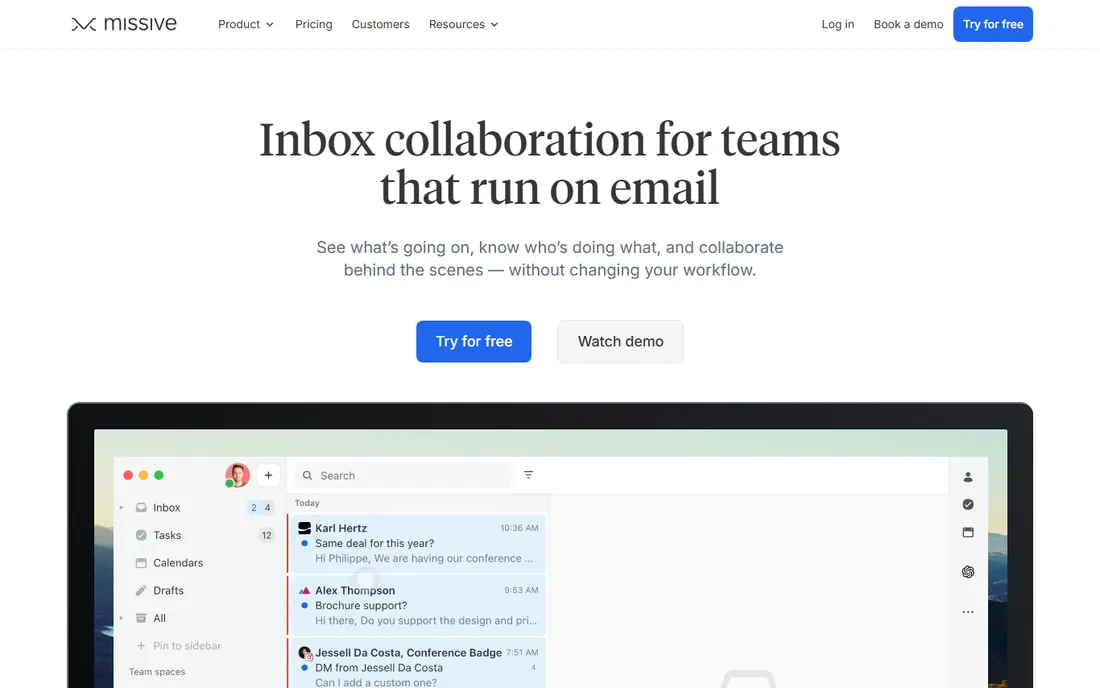
Missive treats a customer conversation like a group chat. Internal discussion threads sit inside the same view as the email, so context never lives in a separate Slack channel. It covers SMS, WhatsApp and social alongside email, assigns and collaborates in the same pane, and the native desktop apps are genuinely fast. Starter at $14 per user per month (max 5 users) is the cheapest real multichannel entry on this list; Productive at $24 and Business at $36 add AI and reporting depth.
The honest catch is the AI story. AI features begin on Productive and, per published reviews, some require bringing your own OpenAI key, which adds setup friction a team of five may not want. The integration catalog is smaller than Front or Help Scout. Missive fits small teams that want chat-like collaboration and multiple channels at a fair price.
What we like- Internal team chat is threaded directly into each conversation
- Email, SMS, WhatsApp and social channels in one inbox
- Native desktop and mobile apps with a fast keyboard-driven interface
Watch out for- No free plan at all
- AI features start on Productive ($24) and some require your own API key
- Smaller ecosystem of integrations than Front or Help Scout
#5
Gmelius
Best for: Gmail teams wanting kanban boards, sequences and shared labels
Visit gmelius.com
Starting price$29/user/month (per Gmelius pricing page)
Free planNo (7-day free trial)
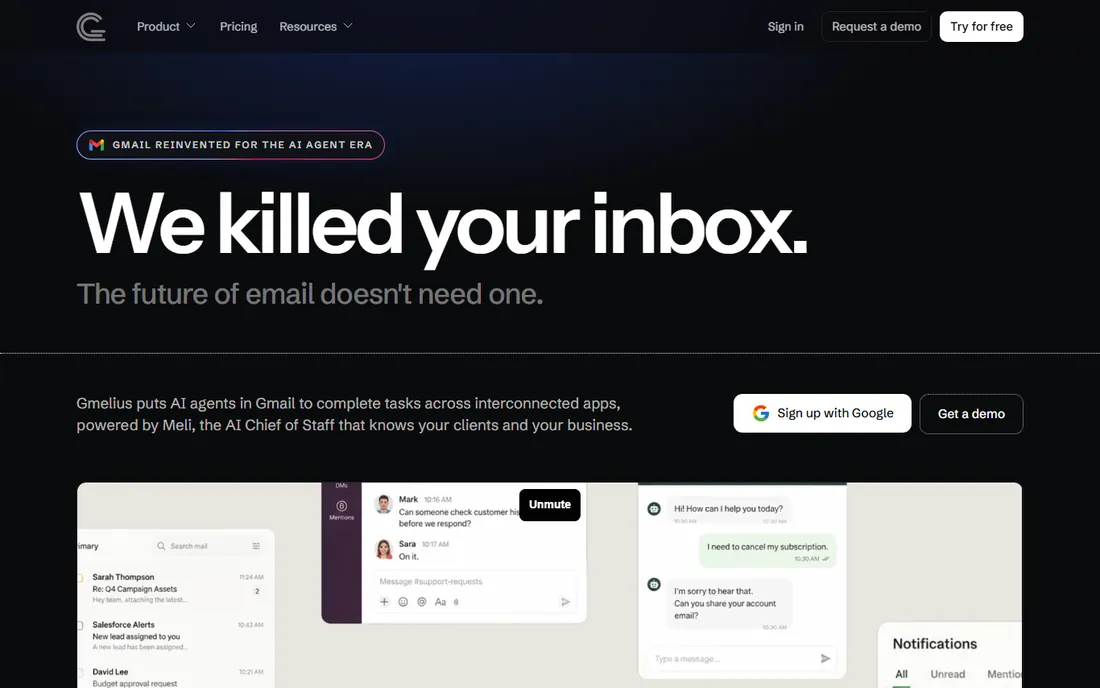
Gmelius turns Gmail into a workspace. Shared labels become pipelines, emails drag onto kanban boards, sequences send follow-ups automatically, and shared templates keep replies consistent. Meli, the built-in AI assistant, drafts replies and summarizes threads. Since everything lives in Gmail, adoption is nearly instant for teams already there. The Growth tier covers shared inboxes at $25 per user per month annual ($33 monthly), with Pro at $40.
The honest catch is the ceiling. Gmelius is Gmail-only, so any Outlook user in the company is out of luck, and its shared-inbox features are thinner than dedicated tools like Front: no real omnichannel coverage, lighter reporting. At $29 per user it is also pricier than Keeping or Drag, which do the Gmail-native job for less. Pick Gmelius if your team lives in Gmail and wants boards and sequences more than a full support platform.
What we like- Kanban boards, shared labels, sequences and meeting scheduling inside Gmail
- Meli AI assistant for drafting and summarizing
- No new app to install for the team
Watch out for- Gmail-only, so Outlook teams cannot use it at all
- At $29 per user it costs more than native Gmail alternatives like Keeping or Drag
- Shared inbox depth is lighter than Front
#6
Keeping
Best for: Gmail-only teams that want the simplest possible shared helpdesk
Visit keeping.com
Starting price$14/user/month (Essentials plan, annual, 2-user minimum)
Free planNo (14-day free trial)
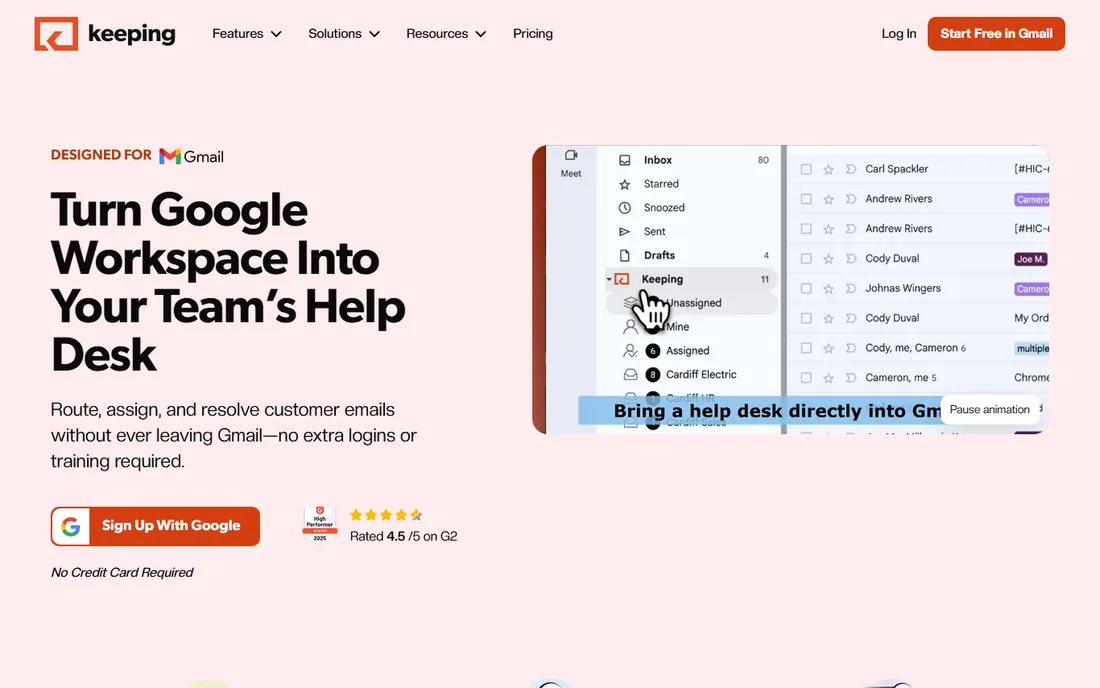
Keeping is the thinnest, cheapest layer you can put over Gmail and still call it a helpdesk. Emails become tickets with numbers, statuses and assignments; collision detection stops double replies; internal notes stay hidden from customers. The Shopify integration pulls order data into tickets, a real plus for small ecommerce teams. Essentials at $14 per user per month annual ($19 monthly) is affordable, and the $49 HIPAA tier is unusual at this price point.
The honest catch is scope. There is no Outlook version, no chat or social channels, and the automation and reporting stay basic even on Advanced ($24). Teams that outgrow Gmail itself will outgrow Keeping. It fits one-to-ten-person teams, especially ecommerce, that want ticket discipline without learning a new platform.
What we like- Turns Gmail into a helpdesk with ticket numbers, assignment and collision detection
- Shopify integration for ecommerce support
- HIPAA-compliant tier available ($49) for healthcare-adjacent teams
Watch out for- Gmail-only with no Outlook support
- Reporting and automation are basic next to Hiver or Front
- Advanced ($24) needed for meaningful workflow features
#7
Drag
Best for: Gmail teams that want a kanban board and light CRM on top of email
Visit dragapp.com
Starting price$12/user/month (Starter plan, annual)
Free planNo (7-day free trial, no credit card)
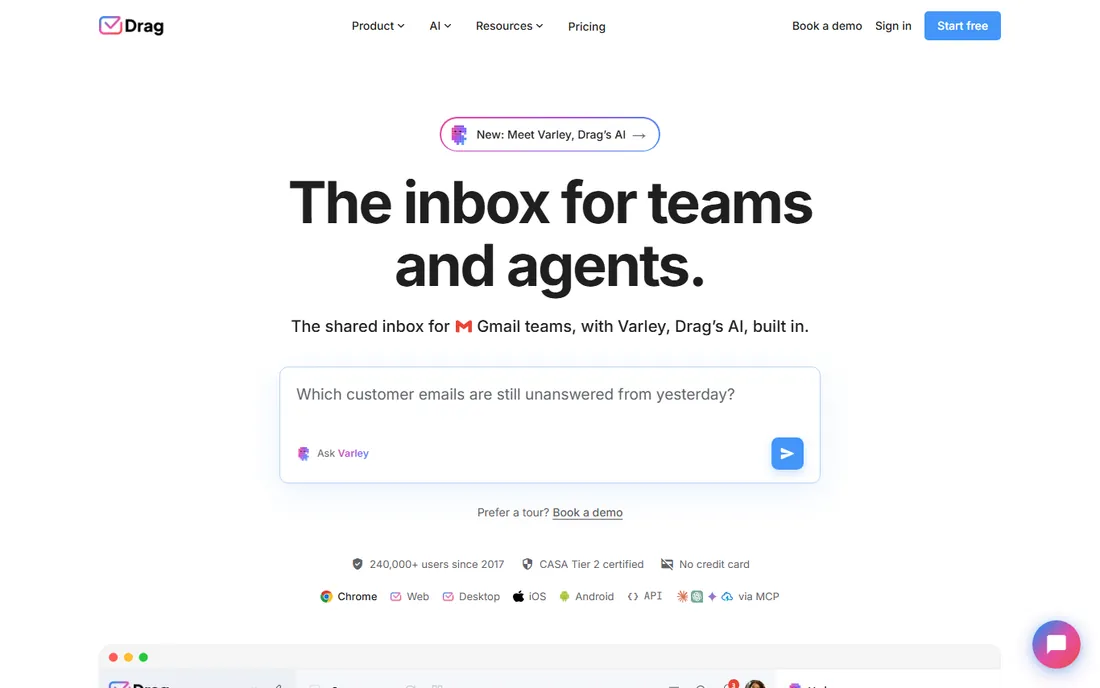
Drag shares DNA with Gmelius and Keeping, but leans harder into boards. Emails become cards on shared kanban boards, drafts can be shared for review, and checklists keep multi-step replies consistent. It also ships standalone web and desktop apps, so it is not strictly trapped in Gmail. Starter is $12 per user per month annual, Plus is $18 with the Varley AI assistant, and Pro is $24. The 7-day trial needs no credit card.
The honest catch is that the cheapest tier is thin: meaningful automation and AI sit on Plus and Pro, and at $24 per user Pro approaches Missive money with less channel coverage. The kanban-first design also fits sales-y and ops workflows better than pure support. Drag fits Gmail teams that think in boards and want a light CRM feel on their inbox.
What we like- Kanban boards, shared drafts and checklists inside Gmail
- Standalone web and desktop apps for non-Gmail use
- Varley AI included on Plus ($18)
- MCP server for AI-tool integration
Watch out for- The $12 Starter tier is fairly basic
- Pro costs $24 per user
- Gmail-centric design, so non-Gmail teams get a thinner experience
#8
Trengo
Best for: Teams that need email, live chat, WhatsApp, SMS and voice in one inbox
Visit trengo.com
Starting priceSee website (demo-led; bundle pricing, no public per-seat price)
Free planNo (14-day free trial)
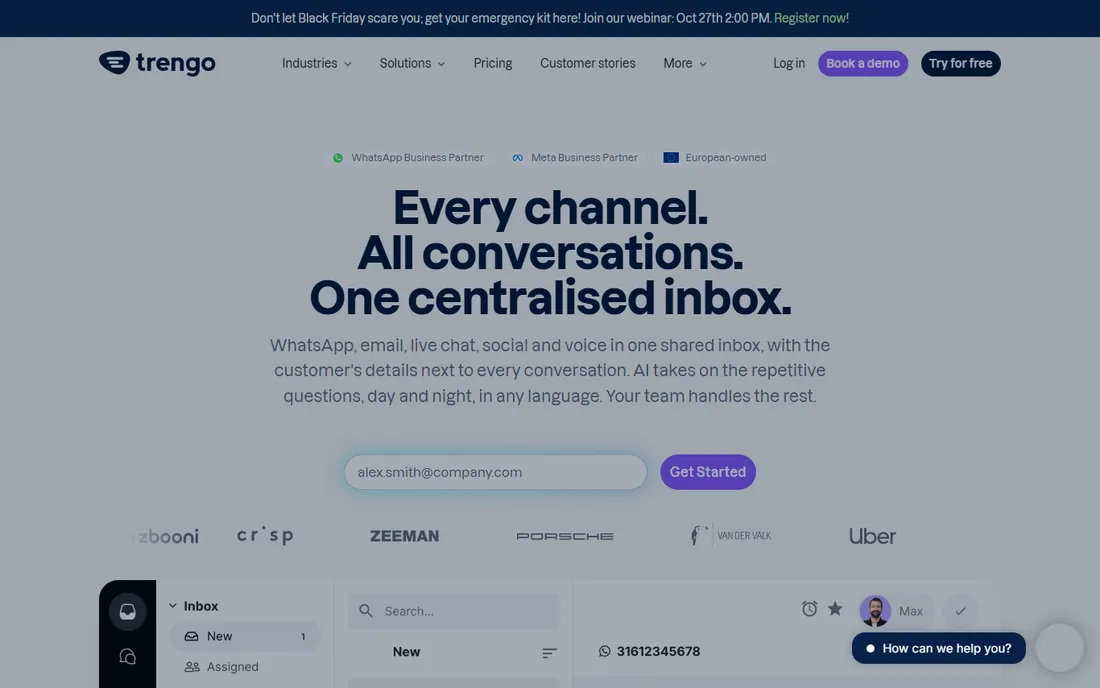
Trengo is the omnichannel play on this list. Email, live chat, WhatsApp, SMS, social and voice land in one team inbox, with a flowbot builder for automated routing and AI-assisted replies. Older per-user plans (from €19 per user per month) gave way in 2026 to bundle pricing sold through demos, which changes the buying math: it is now priced for teams, not seats.
The honest catch is transparency. With no published prices, you cannot compare Trengo against the rest of this list without a sales call, and the reported bundle floor is steep for a team of three. Setup is also heavier than the Gmail-native tools. Trengo fits teams of 10 or more whose customers message across many channels and who are comfortable buying through a demo process.
What we like- True omnichannel coverage including WhatsApp Business, SMS and a voice add-on
- Flowbot and AI automation for routing and replies
- Team inbox with internal notes and assignment
Watch out for- No public pricing since the 2026 move to bundle/demo-led sales
- The bundle model (reported around €299/month for 10 users) punishes very small teams
- Heavier setup than the Gmail-native tools
#9
Helpwise
Best for: Budget-conscious teams wanting multichannel support without the premium price
Visit helpwise.io
Starting price$15/user/month
Free planNo (7-day free trial)
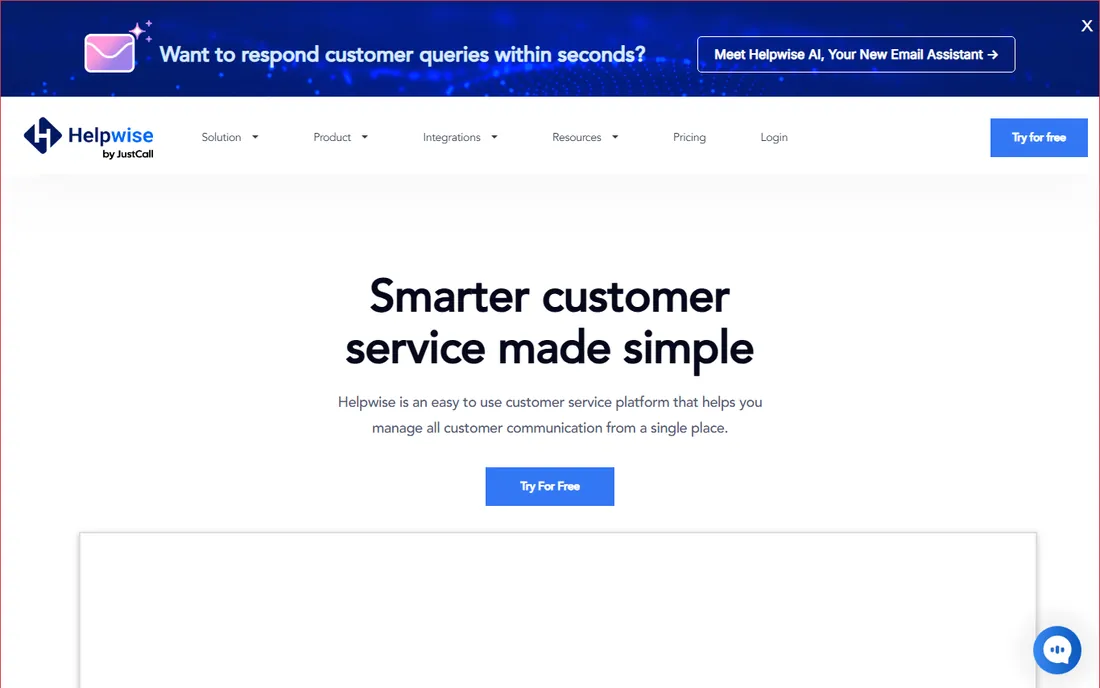
Helpwise does the multichannel job at a price the premium tools cannot touch. Shared inboxes cover email, SMS, WhatsApp and social, with voice available as an add-on. Assignment, internal notes and collision detection cover the collaboration basics, and the mobile apps keep field teams in the loop. Pricing starts around $15 per user per month, with Standard at $12 and Premium at $23 reported on vendor-provided listings.
The honest catch is maturity. The integration catalog is thinner than Front or Help Scout, reporting is basic, and AI features are lighter than the add-on suites the bigger vendors sell. Support quality reviews are mixed, which matters when the vendor is your safety net. Helpwise fits small teams that need WhatsApp and SMS coverage on a tight budget and can live without deep automation.
What we like- Email, SMS, WhatsApp, social and a voice add-on at a low per-user price
- Shared inboxes with assignment, notes and collision detection
- Web and mobile apps
Watch out for- Smaller vendor with a thinner integration catalog than Front or Help Scout
- Reporting and automation depth trail the premium tools
- AI features are lighter
What to look for in a shared inbox before you pay
Channels decide the shortlist. If your customers email and nothing else, a Gmail-native tool like Keeping or Drag is enough. If they message on WhatsApp, Instagram or SMS, you need a multichannel tool: Missive, Helpwise or Trengo. Count your real channels before comparing anything else, because a cheap tool that misses a channel is not cheap.
Then check the collaboration mechanics. Assignment, internal notes and collision detection are the three features that separate a shared inbox from a shared password. Every tool on this list has them in some form, but the quality varies: Front and Missive make internal discussion feel native, while the thinner tools keep it basic.
Pricing structure is the third filter. Per-seat pricing (Front, Help Scout, Hiver) punishes large teams, so model your headcount at 12 months. Watch for minimums (Front Starter caps at 10 seats, Help Scout Pro needs 10 users) and channel limits (Front Starter covers one channel). Trial length matters too: Missive gives 30 days, most others give 7 to 14, and Help Scout's free plan lets a tiny team run free indefinitely.
Finally, check the exit. Can you export your conversation history? Does the tool lock key features behind tiers you will obviously need? The Gmail-native tools win on exit because your mail stays in Gmail. For the rest, confirm data export before you commit a year's worth of customer history.
Shared inbox vs. full helpdesk: where one ends and the other begins
A shared inbox is a collaboration layer on messaging: assignment, notes, collision detection, saved replies. A helpdesk adds ticketing structure: SLAs, ticket states, portals, deep reporting, knowledge bases. Most tools on this list sit somewhere between the two, and the difference matters when you buy.
Keeping and Drag are pure shared inboxes with light ticket features. Hiver and Gmelius are Gmail layers with growing helpdesk traits. Missive and Front are collaboration-first platforms that handle support well. Help Scout and Trengo are closer to helpdesks, with knowledge bases, portals and automation depth. Helpwise sits in the middle.
Buy the shared inbox when your team is under 10 and your problem is coordination, not process: double replies, lost threads, no ownership. Buy the helpdesk when you need SLAs, a customer portal, or reporting your boss will read. The wrong choice in either direction costs the same: a tool too heavy that nobody adopts, or a tool too light that you replace in a year.
How we chose
We started with the categories buyers search: shared inbox software, team email software, collaborative inbox and shared mailbox tools. We excluded discontinued products (Outpost, shut down in 2021) and kept nine active tools. For each one we opened the vendor's official homepage, checked the vendor's own pricing page for plans and free tiers, and compared feature lists, channel coverage and company-size fit against public reviews on G2, Capterra and practitioner discussion on Reddit. Where a price could not be verified on the vendor's page we wrote "See website" rather than guessing.
Frequently asked questions
What is shared inbox software?
It is a tool that lets a team manage one email address (like support@ or info@) together, with assignment, internal notes and collision detection so two people never reply to the same message. Most tools now add other channels like chat, WhatsApp and SMS to the same inbox.
How much does shared inbox software cost?
Entry prices run $12 to $29 per user per month on annual billing, with Front at $25 per seat, Missive at $14, Keeping at $14 and Drag at $12. Help Scout offers a free plan for up to 5 users. Trengo is demo-quoted with bundle pricing, so there is no public per-seat number.
Do I need a shared inbox if my team uses Gmail?
If two or more people answer the same address, yes. Plain Gmail has no assignment, no collision warnings and no way to see who is handling what. Gmail-native tools like Hiver, Keeping, Drag and Gmelius add those features without moving your team to a new app.
What is the difference between a shared inbox and a helpdesk?
A shared inbox adds collaboration (assignment, notes, collision detection) to messaging. A helpdesk adds ticketing structure (SLAs, ticket states, portals, reporting). Small teams usually need the first; growing support teams eventually need the second.
Which shared inbox is best for WhatsApp support?
Trengo, Helpwise and Missive all cover WhatsApp Business alongside email and other channels. Of the three, Helpwise is the cheapest per user, Missive has the strongest chat-style interface, and Trengo has the deepest automation, though its pricing is quote-only.
Can I try shared inbox software for free?
Most tools offer a trial of 7 to 30 days: Missive gives 30 days, Front and Keeping give 14, Hiver, Gmelius, Drag and Helpwise give 7. Help Scout goes further with a permanent free plan for up to 5 users and 1 inbox.
Sources we checked (11)
- https://front.com/pricing
- https://www.helpscout.com/pricing/
- https://hiverhq.com/pricing/
- https://missiveapp.com/pricing
- https://gmelius.com/pricing/
- https://www.keeping.com/pricing/
- https://www.dragapp.com/pricing/
- https://trengo.com/pricing/
- https://helpwise.io/pricing/
- https://www.g2.com/categories/shared-inbox
- https://www.capterra.com/shared-inbox-software/
Is your product missing or out of date?
We review this list regularly. Vendors can request a listing, send updated pricing or ask about featured placement.

Shihab Mia · Founder, Rankite
Shihab has spent more than a decade helping SaaS and e-commerce brands grow through search. He writes Rankite's software buying guides from pricing pages, documentation and public user reviews. More about Shihab.