How we make this list: we compare pricing pages, product documentation and public user reviews. Ratings come from G2, Capterra or Trustpilot, with the date we checked them.
What a secure client portal does for an accounting firm
A secure client portal gives a firm's clients one branded place to upload documents, sign forms, pay invoices and message the firm, without email attachments. That matters because tax returns, bank statements and payroll files are sensitive, and email is not a safe way to move them. A good portal also ends the chase: the firm can see which client has uploaded what, send a reminder for what is missing, and deliver the finished return through the same login.
The tools below split into two groups. Practice suites such as TaxDome, Canopy, Karbon and Firm360 include a portal inside a wider platform that also runs workflows, billing and documents. Specialist tools such as SmartVault, ShareFile, Liscio and Suralink focus on the portal and the document exchange itself. A firm that wants one system should pick from the first group. A firm that already runs practice software and only needs a better portal should pick from the second. Prices were checked on 22 Nov 2026.
We compared the tools on portal security, client experience, document requests, electronic signatures and published price. Every tool here offers a client portal built for accounting or tax work, with secure file exchange and client messaging. General client portals for agencies did not make the list, because they lack the document request lists, return delivery and signature workflows a tax practice needs. Prices are starting prices from the vendor pricing page where published, and quote where the vendor does not publish a price.
Which secure client portal is best for a small accounting firm
A small firm should start with ShareFile or TaxDome, depending on what it already runs. ShareFile starts at $16.50 a user a month billed annually and covers encrypted storage, secure sharing and a password-protected client portal, which is enough for a firm that mainly needs safe file exchange. TaxDome costs $1,500 a year for up to 150 active clients and 20 team members, and adds a branded portal, a mobile app, electronic signatures, proposals, payments and workflow automation, which suits a firm that wants the portal inside a full practice platform. Both are cheaper than buying a portal and a practice suite separately.
How much does a secure client portal for accountants cost
Published prices run from $16.50 a user a month to $1,500 a year. ShareFile starts at $16.50 a user a month billed annually, Karbon starts at $59 a user a month, Canopy starts at $74 a user a month, and SmartVault is listed at $65 a user a month on its vendor pricing page. TaxDome costs $1,500 a year for up to 150 active clients, and Firm360 is listed by third parties from $49 a month. Liscio and Suralink do not publish prices. A firm should compare the total cost per client, not the headline price, because per-user tools get expensive as staff grows while per-client tools get expensive as the client list grows.
What should a firm check before choosing a client portal
Security comes first: encryption in transit and at rest, multi-factor login, and an audit trail that shows who uploaded and downloaded each file. The client experience comes second: a portal that needs a password, an app download and a training call will not get used, while a magic-link or no-login request link will. The third check is the document workflow: request lists with reminders, checks on upload, and delivery of the finished return through the portal. The fourth is integration: the portal should connect to the firm's practice software and ledger, so a signed return and a paid invoice land in the right client record without retyping.
Quick comparison
| Tool | Best for | Starting price | Free plan |
|---|
 TaxDome | Tax and accounting firms wanting a portal, mobile app, electronic signatures and workflows in one product | $1,500 a year | No |
 Canopy | Tax firms wanting a full suite with a portal, client app, workflow, billing and engagements | From $74 a user a month | No |
 Karbon | Growing teams that run client work from shared email and want a portal on top | From $59 a user a month | No |
 SmartVault | Firms replacing ShareFile with an accounting document system and branded portal | From $65 a user a month | No |
 ShareFile | Small teams that mainly need secure file sharing with a client portal | From $16.50 a user a month | No |
 Liscio | Firms wanting a client communication focused portal with secure messaging and requests | Quote | No |
 Suralink | Audit and tax firms running document request lists with upload checks | Quote | No |
 Firm360 | Small to mid-size firms wanting an all-in-one portal with projects, billing and payments | From $49 a month | No |
Is your product missing or out of date?
We review this list regularly. Vendors can request a listing, send updated pricing or ask about featured placement.
The best secure client portal software for accountants
#1TaxDome
Best for: Tax and accounting firms wanting a portal, mobile app, electronic signatures and workflows in one product4.7/5 on
G2 (732 reviews, checked Oct 2026)
Visit taxdome.com
Starting price$1,500 a year
Free planNo
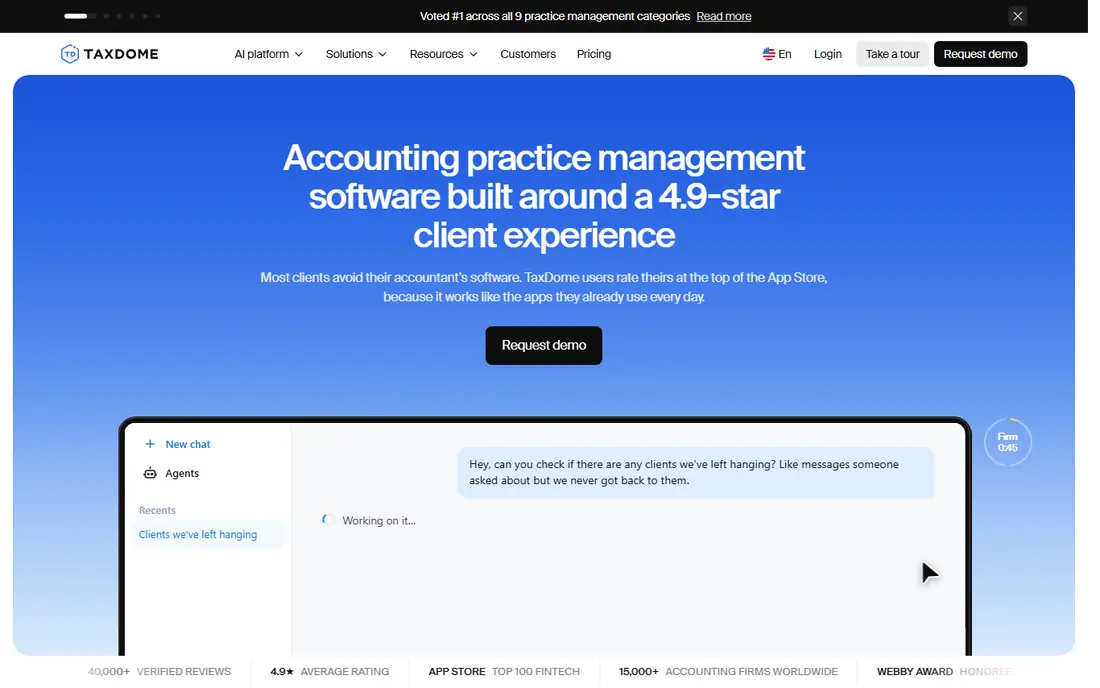
TaxDome is the all-in-one option in this list, and its portal is the centre of the product: clients log in to a branded portal and a mobile app, or answer a request link without logging in at all, and the firm tracks every upload against an open checklist. The plan also covers electronic signatures, proposals, payments, workflow automation and IRS transcripts, so a tax firm can run the whole client lifecycle in one tool. Pricing is by active client count, not by seat: one plan at $1,500 a year billed annually covers up to 150 active accounts and up to 20 team members, with each account past 150 costing $15. Older comparisons still list per-seat pricing from $800 a seat a year, which conflicts with the current client-count model read from the vendor pricing page in November 2026. A tax-heavy firm that wants one system should shortlist TaxDome first.
What we like- Branded client portal and mobile app, with no-login request links
- Electronic signatures, proposals, payments and workflow automation in one plan
- AI matches uploads against open checklists
- IRS transcripts included in the plan
Watch out for- One plan priced by active clients, so a firm with few clients pays the $1,500 minimum
- Older comparisons list per-seat pricing from $800 a seat a year, which conflicts with the current client-count model and should be ignored
- No self-serve trial, demo only
#2Canopy
Best for: Tax firms wanting a full suite with a portal, client app, workflow, billing and engagements4.6/5 on
G2 (862 reviews, checked Oct 2026)
Visit canopytax.com
Starting priceFrom $74 a user a month
Free planNo

Canopy is a practice management suite with the portal built in, and it suits a tax firm that wants the client side and the work side in one product. Clients use a portal and a client app, answer requests and checklists, and upload documents that Canopy's AI renames, classifies and matches to the open task. The engagement side is the strength: from the moment an engagement letter is signed to the final deliverable, Canopy manages the lifecycle, with time and billing, payments, workflow and documents in the same suite. Pricing is per user: Standard is $74 a user a month billed annually, Plus is $109 and Premium is $149, and tax workflow automation, close automation and tax resolution are each priced separately as power-ups. A firm should budget for those add-ons, because the headline price is not the whole cost.
What we like- Portal and client app with requests, checklists and organisers
- Engagements and proposals built in, so the signed letter starts the workflow
- AI renames, classifies and matches uploads to open tasks
- Tax workflow automation available
Watch out for- Standard at $74 a user a month billed annually, with Plus at $109 and Premium at $149, so the cost rises with the team
- Tax workflow automation, close automation and tax resolution are paid power-ups on top
- Trial is set up through sales rather than self-serve
#3Karbon
Best for: Growing teams that run client work from shared email and want a portal on top4.8/5 on
G2 (931 reviews, checked Oct 2026)
Visit karbonhq.com
Starting priceFrom $59 a user a month
Free planNo

Karbon's signature is treating email as work: client messages land in a shared triage view, get connected to the right job and become tasks the whole team can see. The portal, Karbon for Clients, sits on top of that: clients use a portal and a mobile app, or answer a magic-link request without logging in, and the firm tracks every document against the job it belongs to. Pricing is per user: Team is $59 a user a month billed annually, or $79 billed monthly for teams of four or more, and Business is $89 billed annually or $109 monthly, adding workflow automation and integrations. There is no self-serve free trial. Karbon suits a growing firm where work arrives as inbox chaos and the portal is the way to stop it. A firm that only needs file sharing should pick ShareFile instead.
What we like- Karbon for Clients portal and mobile app, with magic-link requests that need no login
- Shared email triage turns client messages into tasks
- Work templates, time budgets and recurring billing
- 14-day trial is not self-serve but the product is widely reviewed
Watch out for- Team at $59 a user a month billed annually, with Business at $89, so a larger team pays more than a per-client tool
- No self-serve free trial
- The portal is one module of a practice suite, so a firm that only needs a portal pays for the rest
#4
SmartVault
Best for: Firms replacing ShareFile with an accounting document system and branded portal
Visit smartvault.com
Starting priceFrom $65 a user a month
Free planNo
SmartVault is the closest like-for-like move for a firm replacing ShareFile: a document system with a branded portal and request checklists, built for accountants rather than for general file sharing. Clients upload through a request checklist link or a branded portal login, files are auto-sorted into client folders, and the activity log shows who did what. It includes electronic signatures and unlimited clients and external collaborators on the cited plans. Pricing needs care: the vendor pricing page lists $65 a user a month, while one comparison lists $20 a user a month, and the two figures conflict, so a buyer should confirm the current price with SmartVault before budgeting. SmartVault is a document system, not a practice suite, so a firm still needs workflow and billing software alongside it.
What we like- Built for accountants, with secure file sharing, a branded client portal and electronic signatures
- Request checklists with routing and activity logs
- Unlimited clients and external collaborators on the cited plans
- Free trial after a call
Watch out for- Listed at $65 a user a month on the vendor pricing page, while one comparison lists $20 a user a month, so buyers should confirm the current price with SmartVault
- Trial is offered after a sales call rather than self-serve
- Narrower than a practice suite, so the firm still needs workflow software
#5ShareFile
Best for: Small teams that mainly need secure file sharing with a client portal4.2/5 on
G2 (1,541 reviews, checked Oct 2026)
Visit sharefile.com
Starting priceFrom $16.50 a user a month
Free planNo
ShareFile, from Progress, is the cheapest published price in this list and the simplest choice for a firm that mainly needs secure file sharing. Its pricing page lists three business plans, each priced per user with a minimum of three users: Advanced at $16.50 a user a month paid annually, Premium at $26 and Enterprise at $35. Advanced covers encrypted storage and sharing with a basic, password-protected client portal, while request lists and electronic signature sit on Premium. A 14-day free trial is available. ShareFile is a general file-sharing platform, not an accounting tool, so it skips tax-specific automation, and a firm that wants request checklists with upload checks should compare SmartVault or Suralink. For a small firm that needs a safe place for clients to send files, ShareFile is the lowest-cost honest option here.
What we like- Cheapest published price in this list, at $16.50 a user a month billed annually
- Encrypted storage and sharing with a password-protected client portal
- Request lists and electronic signature on Premium
- 14-day free trial
Watch out for- General file sharing rather than accounting-specific, so it skips tax automation
- Request lists and electronic signature need the Premium plan at $26 a user a month
- Minimum of three users on the business plans
#6Liscio
Best for: Firms wanting a client communication focused portal with secure messaging and requests4.6/5 on
G2 (12 reviews, checked Oct 2026)
Visit liscio.me
Starting priceQuote
Free planNo
Liscio replaces the client side of a practice platform: secure request links, portal messages, organisers and return delivery, with client tasks and due dates built in. It is built for accounting firms, and it suits a firm that wants to fix client communication first, rather than buying a whole practice suite. The portal is the product, so a firm that already runs workflow software elsewhere can add Liscio for the client-facing side without replacing its back office. Pricing is not published, and third-party figures conflict, with one comparison listing $19 a user a month and another guide figure near $45, so a buyer should get a written quote and compare it against ShareFile's published $16.50 before deciding. Billing features are not stated on its pages, so a firm should confirm what the portal covers before signing.
What we like- Secure request links, portal messages, organisers and return delivery in one client hub
- Client tasks and due dates built in
- Built for accounting firms rather than general file sharing
Watch out for- No published pricing, with third-party figures conflicting at $19 and $45 a user a month, so buyers should get a quote
- Billing features are not stated on its pages
- Trial availability is not stated
#7Suralink
Best for: Audit and tax firms running document request lists with upload checks4.5/5 on
G2 (177 reviews, checked Oct 2026)
Visit suralink.com
Starting priceQuote
Free planNo
Suralink is the request-list specialist in this list, and it suits audit and tax firms that live on document requests. A firm builds a request list, the client uploads through a branded portal, and Suralink's Document Prescreen Agent compares each upload with the request, flagging missing pages, wrong document types and unsigned forms before a person looks at them. Dashboards and notifications show which requests are still open, and clients access the portal free. Pricing is not published, and one-off links for clients outside the portal are an add-on. Suralink does not cover billing or practice workflow, so a firm needs those elsewhere. For a firm whose bottleneck is chasing documents and checking uploads, Suralink is the most focused tool here.
What we like- Request, receive, track and approve client documents and signatures through a branded portal
- Document Prescreen Agent compares each upload with the request
- Dashboards, notifications and upload issue checks
- Free client access
Watch out for- No published pricing
- Request-list focused, so it does not cover billing or practice workflow
- One-off links for non-portal clients are an add-on
#8
Firm360
Best for: Small to mid-size firms wanting an all-in-one portal with projects, billing and payments
Visit firm360.com
Starting priceFrom $49 a month
Free planNo
Firm360 is a cloud practice platform for small to mid-size firms, with a client portal, secure document storage, project tracking, time, invoicing and payments, and a sync with QuickBooks Online. It is listed by third parties from $49 a month, which would make it the cheapest all-in-one in this list, but the vendor page lists no public price, so that figure is third-party reported and a buyer should confirm it with Firm360 before budgeting. The platform is smaller and less widely reviewed than TaxDome or Canopy, so a buyer will find fewer peer reviews and case studies. For a small firm that wants the portal inside a full practice platform at a low price, Firm360 is worth a quote alongside TaxDome. For a firm that wants a proven platform with many peer reviews, TaxDome or Canopy is the safer choice.
What we like- Cloud practice platform with a client portal, secure document storage, projects, time, invoicing and payments
- Syncs records with QuickBooks Online
- Listed by third parties from $49 a month, which is low for an all-in-one
Watch out for- Vendor page lists no public price, so the $49 a month figure is third-party reported and should be confirmed
- Smaller vendor with fewer public reviews than TaxDome or Canopy
- Portal features are part of a wider suite, so a firm that only needs a portal pays for the rest
Frequently asked questions
What is the best secure client portal software for accountants
TaxDome is the best all-in-one choice, with a branded portal, mobile app, electronic signatures, proposals, payments and workflows for $1,500 a year covering up to 150 active clients. ShareFile is the best budget choice for file sharing alone, from $16.50 a user a month billed annually. A firm that wants a portal focused on client communication should get a quote from Liscio, and a firm that lives on request lists should look at Suralink.
How much does a secure client portal for accountants cost
Published prices run from $16.50 a user a month to $1,500 a year. ShareFile starts at $16.50 a user a month, Karbon at $59, Canopy at $74, and SmartVault is listed at $65 a user a month on its vendor pricing page. TaxDome costs $1,500 a year for up to 150 active clients. Firm360 is listed by third parties from $49 a month. Liscio and Suralink do not publish prices.
Is email safe for sending tax documents
No. Email attachments can be intercepted, forwarded and stored in places the firm cannot control, and they leave no audit trail. A secure client portal encrypts files in transit and at rest, requires a login or a secure link, and logs who uploaded and downloaded each file. Every tool in this list offers that protection, which is why a portal is now the standard for a tax practice.
What is the difference between a client portal and a practice management suite
A client portal is the client-facing side: uploads, signatures, messages and payments. A practice management suite is the firm-facing side: jobs, deadlines, time and billing. Tools such as TaxDome, Canopy, Karbon and Firm360 include a portal inside a full suite, while SmartVault, ShareFile, Liscio and Suralink focus on the portal and document exchange. A firm should decide whether it needs one system or two before choosing.
Do clients need to create an account to use the portal
It depends on the tool. TaxDome, Canopy and Karbon offer no-login request links or magic links, so a client can upload documents without creating an account. SmartVault and ShareFile use a password-protected portal login. Suralink gives clients a branded portal login, with one-off links as an add-on. A firm whose clients struggle with logins should favour the magic-link tools, because a portal clients do not use is wasted money.
Sources we checked (10)
- https://www.taxdome.com
- https://www.canopytax.com
- https://www.karbonhq.com
- https://www.smartvault.com
- https://www.sharefile.com
- https://www.liscio.me
- https://www.suralink.com
- https://www.firm360.com
- https://www.mackenziebowes.com/research/accounting-firm-software/practice-management
- https://descriptra.com/blog/best-sharefile-alternatives-for-small-accounting-firms/
Is your product missing or out of date?
We review this list regularly. Vendors can request a listing, send updated pricing or ask about featured placement.

Shihab Mia · Founder, Rankite
Shihab has 5+ years in B2B and SaaS SEO. He writes Rankite's software buying guides from pricing pages, documentation and public user reviews. More about Shihab.