How we make this list: we compare pricing pages, product documentation and public user reviews. Ratings come from G2, Capterra or Trustpilot, with the date we checked them.
What is Postgres management software
Postgres management software is the tooling a team uses to run PostgreSQL day to day: creating databases and roles, watching server health, tuning slow queries, managing backups and keeping the schema in order. A management tool answers the operational questions, such as which query is slow, why a table is bloated, whether replication is keeping up, and what changed in the schema last week.
Direct answer: pgAdmin is the top pick for most teams because it is free, official, and covers the full administration toolkit, from server dashboards to backup and restore. pgAnalyze is the best paid addition for teams that want tuning advice, at $149 per month for one production server. Start with pgAdmin and add pgAnalyze when slow queries become a weekly problem.
Key takeaways
- pgAdmin is free and open source, and it is the official administration tool for PostgreSQL, covering every platform.
- pgAnalyze is the specialist pick for tuning, with an Index Advisor and a VACUUM Advisor that tell a team what to change.
- Postico costs $69 one time for a personal licence and is the best native Mac option for browsing and editing Postgres data.
- DbSchema Pro costs $294 one time and is the best pick for teams that want visual schema design across Postgres and other engines.
- DBeaver Community is free and is the best multi database option, while DataGrip is the best paid IDE for heavy SQL work.
How we picked
We compared eight tools on five points: administration depth, monitoring and tuning advice, schema design, platform coverage, and pricing transparency. A tool scored well when it understood PostgreSQL specifically, rather than treating it as one engine among many. This guide is scoped to running and tuning Postgres, which is distinct from the live Rankite guide on database development tools, which compares general SQL clients for writing queries. Prices come from vendor pricing pages and vendor published comparisons, checked 21 November 2026. Where sources disagree on a price, both figures are printed and the conflict is flagged. Prices are search verified; vendor homepages were not individually opened in the browser for this guide.
Comparison table
| Tool | Best for | Starting price | Free plan |
| pgAdmin | Most Postgres teams | Free | Free, open source |
| pgAnalyze | Query tuning advice | $149 per month | Free trial, 14 days |
| Postico | Mac users | $69 one time | Unlimited evaluation |
| DbSchema | Visual schema design | $294 one time | Community free |
| DBeaver | Multi database teams | Free; paid from $113 per year | Community free |
| Navicat for PostgreSQL | Full DBA toolkit | $279.99 per year | Premium Lite free |
| DataGrip | Heavy SQL work | $109 per year, individuals | Free for non-commercial use |
| OmniDB | Browser based management | Free | Free, open source |
Which Postgres management tool is best for a small team
A small team should start with pgAdmin and add one specialist only when a specific pain appears. pgAdmin covers administration, the query tool, server dashboards, backup and restore, and user and permission management, all free. When slow queries become a regular problem, pgAnalyze at $149 a month for one server tells the team which indexes to add and which tables need vacuuming. When the schema gets complex, DbSchema Pro at $294 once draws it as a diagram the whole team can read. Buying all three at once wastes money; the free tool covers the basics and the paid tools each solve one clear problem.
Do you need a paid Postgres tool
A paid Postgres tool earns its price when it saves DBA hours every week. pgAnalyze pays for itself the first time its Index Advisor finds a missing index that was slowing a production query, and Postico pays for itself in the time a Mac analyst saves browsing tables. DataGrip and Navicat for PostgreSQL earn their price for developers who write and refactor SQL all day. If the team runs one small Postgres instance and rarely touches it, the free tools are enough. If Postgres is the core of the product, a paid tuning or design tool is a small cost next to an outage.
How to choose Postgres management software for your stack
Choose by job first. Administration needs pgAdmin, DBeaver or Navicat. Tuning needs pgAnalyze. Schema design needs DbSchema. Daily data browsing on a Mac needs Postico. Next, check the platform: Postico runs only on macOS, while pgAdmin, DBeaver, DataGrip, Navicat and DbSchema run on Windows, macOS and Linux, and OmniDB runs in a browser. Finally, compare the licence model, not just the first invoice. A one time licence from Postico or DbSchema keeps working after the update year ends, while a subscription stops getting updates when it lapses.
Quick comparison
| Tool | Best for | Starting price | Free plan |
|---|
 pgAdmin | Most Postgres teams that want the official administration tool | Free | Free and open source, on Windows, macOS and Linux |
 pgAnalyze | Postgres teams that want tuning advice, not just charts | $149 per month for Production, covering 1 server; Scale $399 per month for up to 4 servers | Free trial, 14 days |
 Postico | Mac users who want a native Postgres browser | $69 one time for a personal licence, up to 3 devices; $99 per device commercial; $799 team, up to 10 devices | Unlimited evaluation with some features locked |
 DbSchema | Teams that want visual schema design for Postgres and other engines | $294 one time for Pro, or $29.40 per month; Architect $470.40 one time | Community Edition free, for any use |
 DBeaver | Teams that manage Postgres alongside other databases | Free Community edition; Lite $113 per year, Enterprise $255 per year, Ultimate $510 per year | Community edition free and open source under Apache 2.0 |
 Navicat for PostgreSQL | Teams that want a full commercial DBA toolkit for Postgres | $279.99 per year for Enterprise, or $27.99 per month; $559 per user perpetual | Navicat Premium Lite free, connecting to MongoDB and other engines with core features |
 DataGrip | Developers who write and refactor SQL against Postgres all day | $109 per year for individuals in year one, falling to $87 in year two and $65 from year three; organisations $259 per user per year | Free for non-commercial use; 30 day trial for commercial use |
 OmniDB | Teams that want a free browser based Postgres console | Free | Free and open source, no paid tier |
Is your product missing or out of date?
We review this list regularly. Vendors can request a listing, send updated pricing or ask about featured placement.
The 8 best Postgres management software tools
These eight tools cover the main ways teams manage PostgreSQL in 2026, from the free official admin tool to paid tuning and design specialists.
#1pgAdmin
Best for: Most Postgres teams that want the official administration tool4.1/5 on
G2 (73 reviews, checked Oct 2026)
Visit pgadmin.org
Starting priceFree
Free planFree and open source, on Windows, macOS and Linux
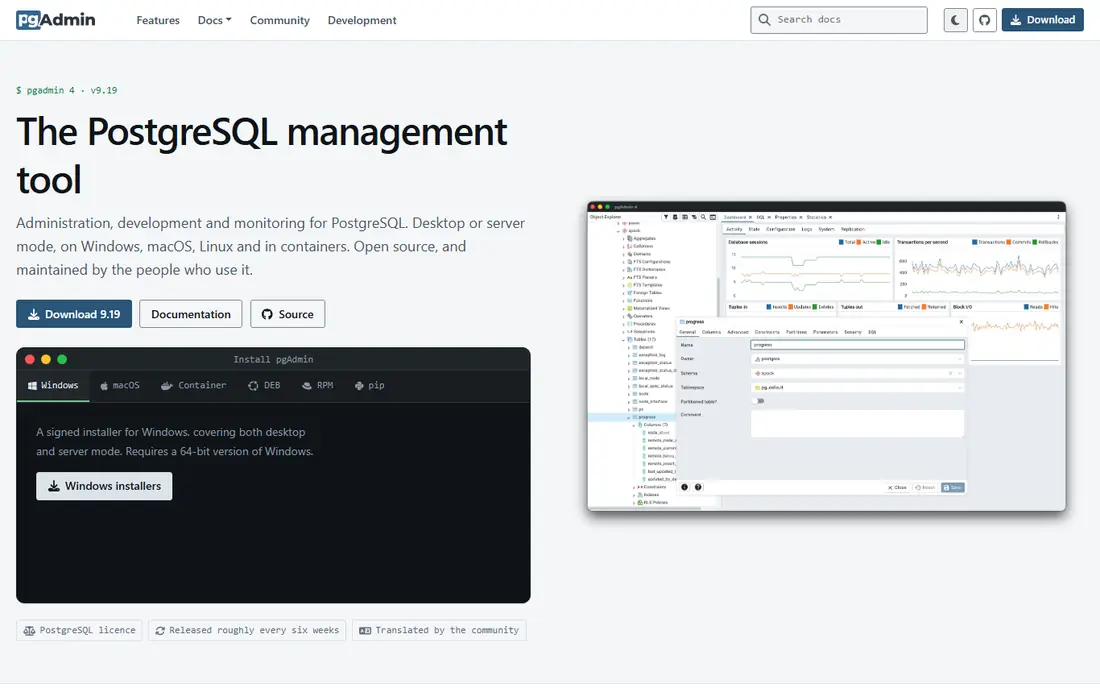
pgAdmin is the official open source administration tool for PostgreSQL, and it is the default pick for most teams. It is purpose built for Postgres and supports all its features and operations, including server dashboards, the query tool with a graphical plan viewer, backup and restore, and user and permission management. It runs on Windows, macOS and Linux, on both Apple silicon and Intel Macs, and it is free with no paid edition. The trade off is polish: the browser based interface feels slower than a native app, and its monitoring is basic, so teams that need tuning advice pair it with pgAnalyze.
What we like- Official Postgres tool with the complete admin toolkit, free with no limits, covers backup, restore, roles and server dashboards, supports EDB Postgres Advanced Server
Watch out for- Browser based interface feels slower than native apps, monitoring is basic next to pgAnalyze, design tools are thinner than DbSchema
#2
pgAnalyze
Best for: Postgres teams that want tuning advice, not just charts
Visit pganalyze.com
Starting price$149 per month for Production, covering 1 server; Scale $399 per month for up to 4 servers
Free planFree trial, 14 days
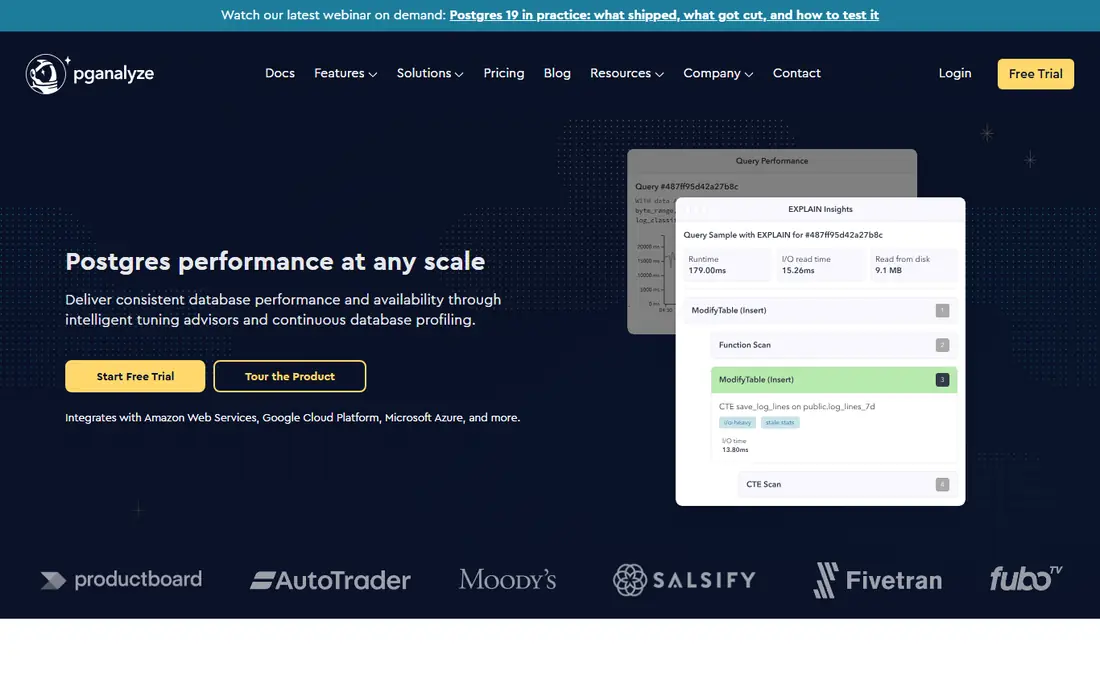
pgAnalyze does one thing: make PostgreSQL faster. It collects per query statistics, EXPLAIN plans and logs, then tells a team what to change. The Index Advisor tests hundreds of index combinations and surfaces the ones that matter, and the VACUUM Advisor tunes autovacuum per table to fight bloat. The vendor pricing page is public: $149 per month for Production covering one database server, and $399 per month for Scale covering up to four. The 14 day trial is enough to get the first recommendations. The honest limit is scope: if a team runs only Postgres, that focus is a strength, and if it also runs MySQL or SQL Server, it will need a second tool.
What we like- Index Advisor and VACUUM Advisor give actionable recommendations, automatic EXPLAIN plan collection, Log Insights with PII filtering
Watch out for- PostgreSQL only, so mixed estates need another tool, per server pricing adds up past a handful of databases, no free tier
Starting price$69 one time for a personal licence, up to 3 devices; $99 per device commercial; $799 team, up to 10 devices
Free planUnlimited evaluation with some features locked
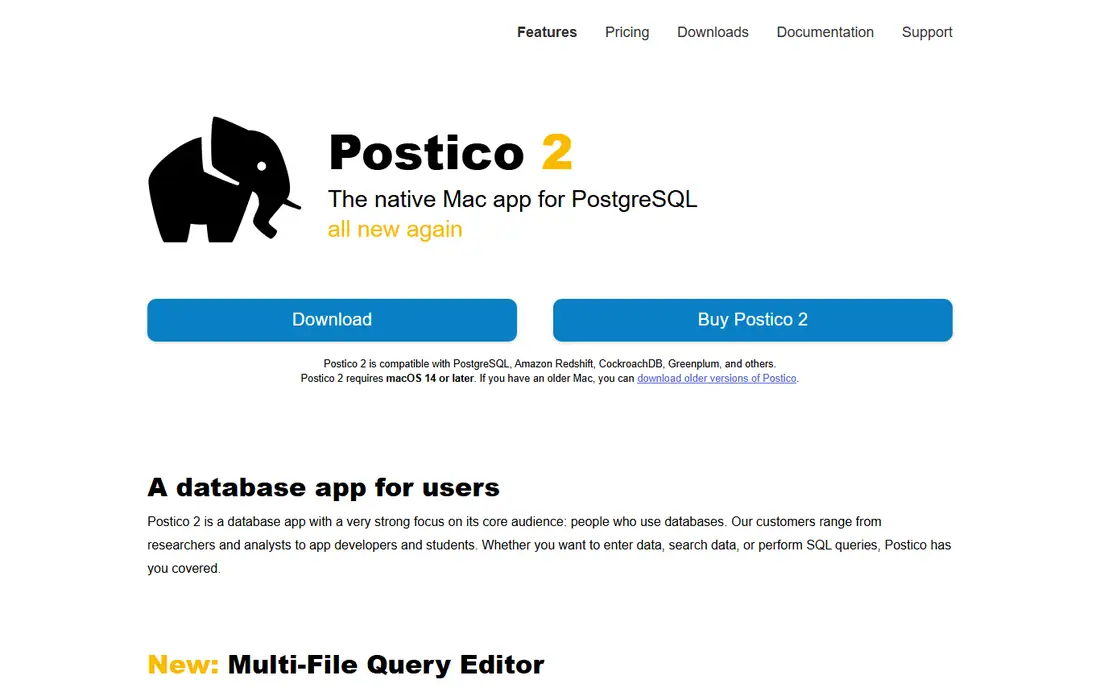
Postico is a native Mac app for PostgreSQL, from the team behind Postgres.app, the standard way to run a Postgres server on macOS. It is focused on browsing tables, running queries, editing data inline and designing databases, and it does that work with a clean, fast interface. Pricing is a one time purchase: $69 for a personal licence covering up to 3 devices, $99 per device for commercial use, and $799 for a team of up to 10 devices. The evaluation has no time limit but locks some features. Postico does not handle backup and restore, user and permission management, or monitoring, so it is a poor fit for DBAs but excellent for analysts on Mac.
What we like- Native Mac feel, fast and clean for browsing and editing data, one time licence, integrates with Postgres.app
Watch out for- MacOS only, no backup and restore, no user and permission management, no monitoring
#4DbSchema
Best for: Teams that want visual schema design for Postgres and other engines4.5/5 on
G2 (2 reviews, checked Oct 2026)
Visit dbschema.com
Starting price$294 one time for Pro, or $29.40 per month; Architect $470.40 one time
Free planCommunity Edition free, for any use
DbSchema is a schema design tool that starts from the database itself. Its free Community Edition connects to PostgreSQL, reverse engineers the schema, and draws it as a diagram a team can rearrange. DbSchema Pro costs $294 once and includes a year of updates, with each later year costing $75 and optional. One licence covers a Mac and a Windows laptop of the same developer. Three years with updates cost $444. The strength is the visual model: a team can see the whole schema, including relationships, instead of reading it table by table. The limit is that DbSchema is a design and comparison tool, not a monitoring tool, so it pairs with pgAdmin or pgAnalyze rather than replacing them.
What we like- Visual schema diagrams from a live database, one licence covers Mac and Windows, one time purchase, works with relational and NoSQL engines
Watch out for- Renewal costs $75 per year for updates after the first year, interface is busier than Postico, modelling is its strength rather than monitoring
#5DBeaver
Best for: Teams that manage Postgres alongside other databases4.4/5 on
G2 (172 reviews, checked Oct 2026)
Visit dbeaver.io
Starting priceFree Community edition; Lite $113 per year, Enterprise $255 per year, Ultimate $510 per year
Free planCommunity edition free and open source under Apache 2.0
DBeaver is the open source alternative to the paid suites, with a free Community Edition and paid Pro editions. It connects to PostgreSQL, MySQL, SQL Server, Oracle and dozens more engines through one interface, and the SQL editor offers completion, formatting and templates that hold up in daily use. The Community Edition is free and open source, while Lite costs $113 a year, Enterprise $255 a year and Ultimate $510 a year. The paid editions add NoSQL sources, schema compare, ERD editing, Git sync and cloud explorers. The trade off is that the deepest Postgres specific features live in pgAdmin, while DBeaver's strength is breadth across engines, which suits teams that run Postgres next to MySQL or SQL Server.
What we like- Covers more than 100 databases, free Community edition is genuinely useful, ER diagrams and data transfer included, runs on every platform
Watch out for- Java based, so it starts slower than native apps, schema compare and ERD editing are paid Enterprise features, Postgres specific depth is thinner than pgAdmin
#6
Navicat for PostgreSQL
Best for: Teams that want a full commercial DBA toolkit for Postgres
Visit navicat.com
Starting price$279.99 per year for Enterprise, or $27.99 per month; $559 per user perpetual
Free planNavicat Premium Lite free, connecting to MongoDB and other engines with core features
Navicat for PostgreSQL is the single engine edition of the Navicat suite, built for PostgreSQL database development and administration. It covers writing SQL queries, designing databases, modelling, data transfer and synchronisation, backup scheduling and an automation runner, and it connects to local and remote servers plus cloud databases such as Amazon RDS, Aurora, Redshift, Google Cloud and Microsoft Azure. The Enterprise edition costs $279.99 per year, or $27.99 per month, with a $559 per user perpetual licence. A SourceForge read lists $17.99 per month, which appears to be a different edition, so confirm the edition before buying. The free Premium Lite edition covers core features but has no modelling, data transfer or automation. The price is the barrier, but for a team that lives in Postgres all day, the toolkit is complete.
What we like- Complete toolkit with modelling, data sync and automation, visual aggregation and object designers, connects to cloud Postgres on AWS, Azure and Google Cloud
Watch out for- Expensive next to the free tools, per product licensing means paying separately for each engine, Standard edition pricing is less clear than Enterprise
#7DataGrip
Best for: Developers who write and refactor SQL against Postgres all day4.6/5 on
G2 (127 reviews, checked Oct 2026)
Visit jetbrains.com
Starting price$109 per year for individuals in year one, falling to $87 in year two and $65 from year three; organisations $259 per user per year
Free planFree for non-commercial use; 30 day trial for commercial use
DataGrip is the database IDE from JetBrains, and it shows in the editing experience. Code completion understands the live schema, inspections flag mistakes before execution, and refactoring renames objects across queries, views and procedures in one step. Schema compare and data comparison tools cover the workflow from writing to deployment. Since 1 October 2025, DataGrip has been free for non-commercial use. The individual licence costs $109 a year in year one, falling to $87 in year two and $65 from year three, while the organisation licence costs $259 per user per year. The main drawback is the cost for commercial teams, and the interface needs 8 GB of RAM. Older pages still show $99 a year for individuals, so do not use that figure.
What we like- Strongest SQL code intelligence in this guide, refactoring across views and procedures, visual explain plan, deep version control and local history
Watch out for- No usable free tier for commercial work, interface carries the weight of a full JetBrains IDE and needs 8 GB of RAM, older $99 per year reads are stale
#8
OmniDB
Best for: Teams that want a free browser based Postgres console
Visit omnidb.org
Starting priceFree
Free planFree and open source, no paid tier
OmniDB is a browser based app for accessing and managing databases, including PostgreSQL, MySQL and Oracle. It runs in a web browser, so a team can reach it from any machine without installing a desktop client, and it supports plugins, so developers can add features to their Postgres console. It is free and open source with no paid tier. The trade off is depth: OmniDB is more complex than Postico but less advanced than DataGrip or Navicat, and it is less complete than DBeaver, which has better documentation and a larger community. For a team that wants a free, browser based console it can host itself, OmniDB is a solid pick, and it costs nothing to try.
What we like- Free and open source, runs in a browser on any machine, plugin system for extensions, covers Postgres, MySQL and Oracle
Watch out for- Less complete than DBeaver or pgAdmin, smaller community, interface is functional rather than polished, no commercial support
Frequently asked questions
What is the best free Postgres management software
pgAdmin is the best free Postgres management tool, because it is the official administration tool, it is free and open source, and it covers the full admin toolkit including server dashboards, backup and restore, and user management. DBeaver Community is the best free alternative for teams that manage Postgres alongside other databases, and OmniDB is the best free browser based option. The right free tool depends on whether the team needs administration depth, multi engine breadth or browser access.
How much does pgAnalyze cost
pgAnalyze Production costs $149 per month for one database server, and Scale costs $399 per month for up to four servers. Enterprise is quote based. The 14 day trial is free and long enough to get the Index Advisor's first recommendations. The price is per server, so it adds up past a handful of databases, which is worth checking before committing to a large estate.
Is pgAdmin really free
Yes, pgAdmin is free and open source, with no paid edition and no limits on servers, users or databases. It is backed by EnterpriseDB and maintained as the official administration tool for PostgreSQL. There is no licence to buy, no trial to expire and no feature gate. The cost is the time to install and learn it, which is small next to the administration work it covers.
What is the difference between pgAdmin and Postico
pgAdmin is a free, cross platform administration tool that covers the full DBA job, including backup and restore, user management and server dashboards. Postico is a paid, Mac only app focused on browsing tables, running queries and editing data with a native interface. Postico does not handle backup and restore, user and permission management, or monitoring. A DBA should pick pgAdmin, while a Mac analyst who mainly browses data should pick Postico.
Should a team use DBeaver or DataGrip for Postgres
Use DBeaver Community if the budget is zero and the team manages several database engines, because it is free and covers more than 100 databases. Use DataGrip if the team writes and refactors SQL all day and wants the strongest code intelligence, with schema aware completion, refactoring and a visual explain plan. DataGrip costs $109 a year for individuals in year one, or $259 per user per year for organisations, and it is free for non-commercial use only.
Sources we checked (7)
- https://www.bytebase.com/blog/top-postgres-gui-client/
- https://dbschema.com/blog/tools/postgresql-gui-for-mac-and-windows/
- https://www.querydeck.app/blog/best-postgresql-gui-mac-2026
- https://rankite.com/blog/best-database-management-software-maintenance
- https://rankite.com/blog/database-software-with-the-best-development-tools
- https://queryglow.com/blog/navicat-review
- https://startupstash.com/alternatives/squirrel-sql-client/
Is your product missing or out of date?
We review this list regularly. Vendors can request a listing, send updated pricing or ask about featured placement.

Shihab Mia · Founder, Rankite
Shihab has 5+ years in B2B and SaaS SEO. He writes Rankite's software buying guides from pricing pages, documentation and public user reviews. More about Shihab.