How we make this list: we compare pricing pages, product documentation and public user reviews. Ratings come from G2, Capterra or Trustpilot, with the date we checked them.
Key takeaways
- The best free phone tracker is usually built into your phone already: Apple Find My for iPhone households and Google Find Hub for Android.
- Life360 free plan is the most complete free dedicated family app, with real-time tracking, crash detection and place alerts.
- Google Maps location sharing is the best cross-platform free option for mixed iPhone and Android households.
- Only track your own devices or family members with their knowledge and consent: tracking someone without permission is illegal in most places.
- Free plans limit history and alerts, so check what the free tier actually includes before relying on it for safety.
Quick comparison
| Tool | Best for | Starting price | Free plan |
|---|
 Google Find Hub Google Find Hub | Finding lost Android phones | Free | Yes |
 Apple Find My Apple Find My | Apple households tracking devices and people | Free | Yes |
 Life360 Life360 | Most complete free family tracking plan | Free; paid from $7.99 per month | Yes |
 Google Family Link Google Family Link | Parents locating children Android devices | Free | Yes |
 Google Maps sharing Google Maps sharing | Cross-platform sharing with anyone | Free | Yes |
 Glympse Glympse | Temporary live sharing for meetups | Free | Yes |
 iSharing iSharing | Free cross-platform family circles | Free tier; about $60 per year paid | Yes |
 Prey Prey | Finding lost phones, laptops and tablets | Free tier (up to 3 devices) | Yes |
Is your product missing or out of date?
We review this list regularly. Vendors can request a listing, send updated pricing or ask about featured placement.
The best phone tracker app free
Starting priceFree
Free planYes
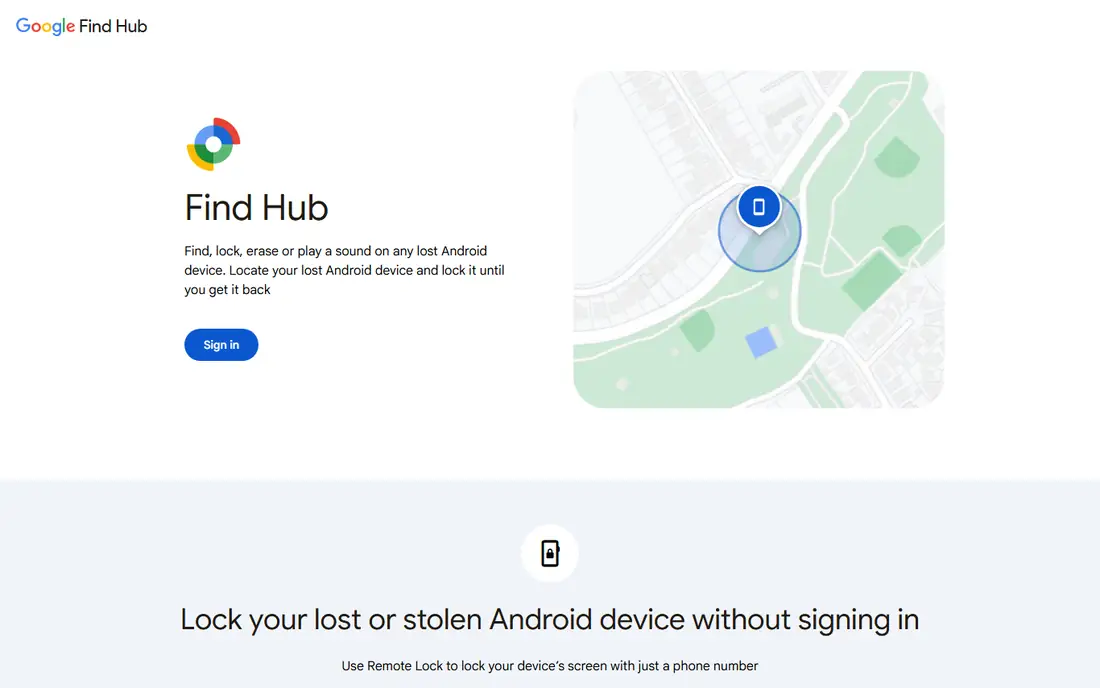
Google Find Hub, formerly Find My Device, is the built-in way to locate a lost Android phone, ring it at full volume even on silent, lock it, or erase it remotely. It works from any browser by signing into your Google account, and it shows the phone last known location, battery level and network status. Recent guides list it as free, with no subscription, since it ships with Android.
The limit is ecosystem: it finds Android devices tied to your Google account, not iPhones, and it needs the phone on, charged and signed in. For Android households, Find Hub is the first tool to set up, since it costs nothing and needs no new app.
What we like- Built into Android
- Ring, lock and erase remotely
- Works from any browser
Watch out for- Android only for device finding
- Needs the phone on and signed in
#2
Apple Find My
Best for: Apple households tracking devices and people
Visit apple.com
Starting priceFree
Free planYes
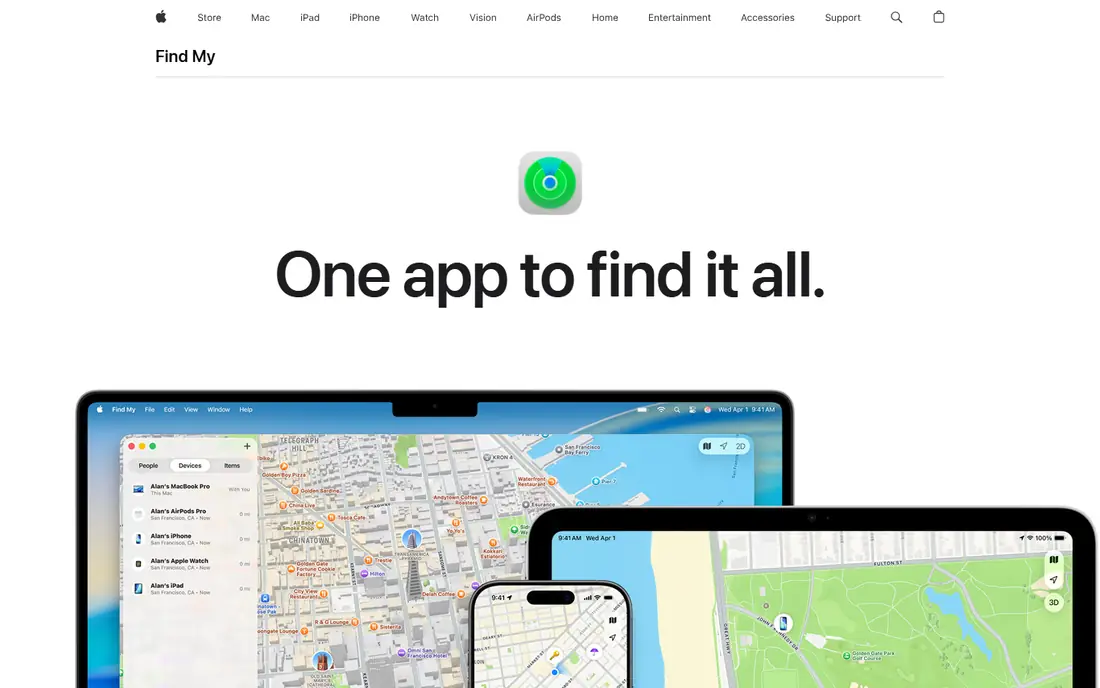
Apple Find My is built into every iPhone, iPad and Mac, locating devices and people for free with no subscription. It can find devices even when offline, through the encrypted Apple device network, and it lets families set alerts when someone arrives at or leaves a location, or even when someone is not at a location during a schedule, such as school hours. Recent comparisons call it the most generous free tier in 2026 inside Apple ecosystem.
The limits are ecosystem and history: Apple only, with no location history and no Android support. All-iPhone households are usually best served by Find My first, adding Life360 only if geofencing and driving reports matter.
What we like- Built into iOS
- Offline finding through Apple network
- Arrival and leave alerts for people
Watch out for- Apple only
- No location history
- No Android support
Starting priceFree; paid from $7.99 per month
Free planYes
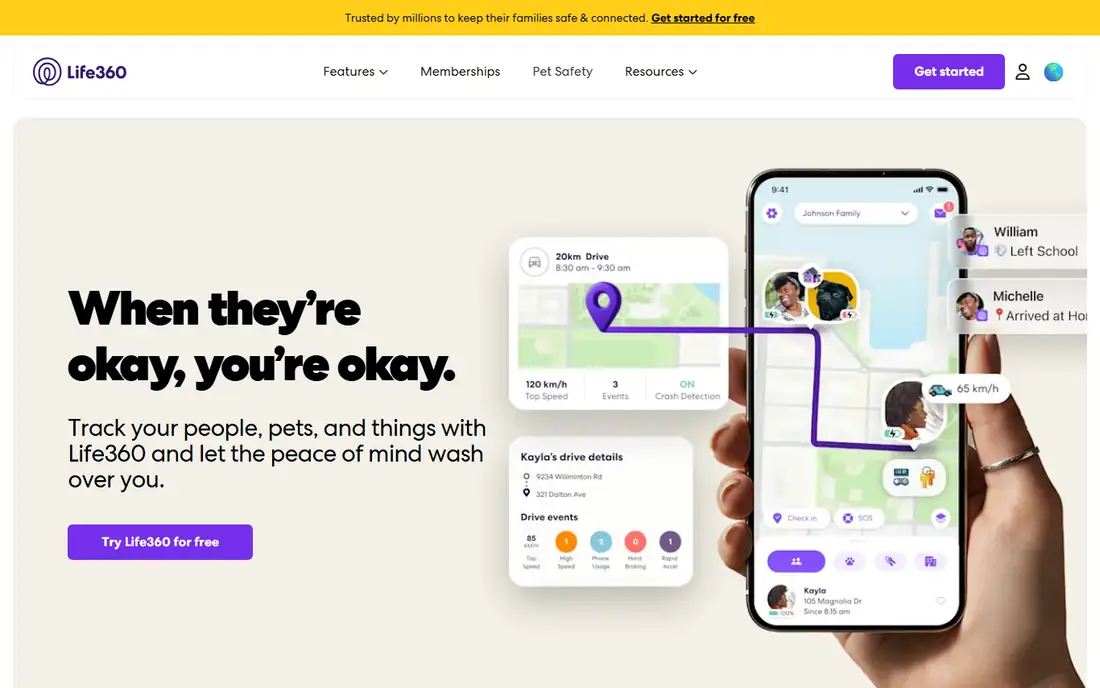
Life360 is a family safety and location sharing app used by 100 million people, with real-time location updates, place alerts, SOS features, driving insights and emergency assistance. Its free plan covers core needs: location tracking and crash detection, 2 days of location history, 2 place alerts, a family driving summary and Tile item tracking. Paid plans add more: Silver adds 7 days history and 5 places, Gold adds 30 days history and emergency dispatch, and Platinum adds towing, stolen funds reimbursement and travel support.
For most families, Life360 free plan is the best starting point among dedicated apps, since it combines tracking, driving reports and place alerts in one app. Paid tiers cost about $100 to $200 per year depending on tier, so free users should check whether history limits matter before paying.
What we like- Real-time tracking
- Crash detection
- 2 days history and 2 place alerts free
- Tile item tracking
Watch out for- Longer history and unlimited alerts need paid plans
- Paid tiers reach about $200 per year
Starting priceFree
Free planYes
Google Family Link is free and built into Android, letting parents locate a child device, manage screen time and approve apps from one dashboard. Recent comparisons call it, with Apple Find My, one of the most generous free tiers in 2026, since it costs nothing and needs no subscription. Location features include finding the child device and high-accuracy options on Android.
The limits are platform and alerts: iOS features are limited, and some guides list no geofencing alerts, unlike Life360. All-Android households lean toward Family Link for free-tier coverage, then add Life360 or Qustodio for richer features. For parents managing a younger child Android phone, Family Link is the free default.
What we like- Free
- Built into Android
- Screen time and app controls plus location
Watch out for- Android-first with limited iOS features
- No geofencing alerts in some guides
Starting priceFree
Free planYes
Google Maps location sharing lets anyone share real-time location with chosen contacts, with battery and charging status plus arrival and departure notifications, without installing a new app. It works across iPhone and Android, making it the best free cross-platform option for mixed households, where a teenager on an iPhone, a parent on a Pixel and a grandparent on an older Android tablet is an ordinary setup.
The trade is control: Maps sharing lacks the geofencing rules, driving reports and history of dedicated apps like Life360. For temporary sharing, meetups and checking that a family member arrived safely, Maps sharing is the simplest free tool, and it needs no account beyond Google.
What we like- Works on iPhone and Android
- No new app needed
- Battery and arrival notifications
Watch out for- No geofencing rules like dedicated apps
- Sharing must be set up per person
Starting priceFree
Free planYes
Glympse shares live location temporarily, for a set time, with anyone, including people who do not have the app, through a web link. That makes it ideal for meetups, airport pickups and arrival estimates, where a permanent family circle is overkill. Recent guides list it as free, with no subscription, and it works on iOS, Android and web.
The limit is persistence: Glympse does not replace a family tracker, since shares expire and there is no history or geofencing. For one-off sharing outside your immediate family circle, Glympse is the cleanest free option, and it avoids asking recipients to install anything.
What we like- Temporary shares with non-users
- No install needed for recipients
- Web-based viewing
Watch out for- Not a persistent family tracker
- No history or geofencing
Starting priceFree tier; about $60 per year paid
Free planYes
iSharing offers free cross-platform tracking for iOS and Android families, with real-time location sharing, place alerts and private messaging in family circles. Recent comparisons list a free tier with paid plans near $60 per year, making it a cheaper Life360-style alternative for families who want persistent circles without Life360 paid prices. It suits mixed-device households that want a dedicated app rather than Maps sharing.
The smaller user base means fewer community features and less polish than Life360 in some guides. For families who want a dedicated free circle app and do not need Life360 driving reports, iSharing is a solid free alternative.
What we like- Free cross-platform circles
- Cheaper than Life360 paid tiers
- Real-time tracking
Watch out for- Smaller user base
- Paid features needed for longer history
Starting priceFree tier (up to 3 devices)
Free planYes
Prey finds lost phones, laptops and tablets from one dashboard, with remote lock, wipe and location reporting across platforms. The free tier covers up to 3 devices, which suits individuals with a phone, laptop and tablet, while paid plans cover more devices and add features. Prey is device-focused rather than people-focused, so it complements family trackers rather than replacing them.
For users whose main worry is a lost or stolen device rather than family location, Prey is the best free multi-device tool. Pair it with Find My or Find Hub for built-in finding, and use Prey for laptops and tablets that lack a built-in family tracker.
What we like- Covers phones, laptops and tablets
- Remote lock and wipe
- Open-source options
Watch out for- Free tier limited to 3 devices
- Device-focused, not family people tracking
How we chose
We compared 2026 guides that verified free tiers honestly, favoring tools with real free plans rather than trials in disguise, and we weighed platform support, free-tier generosity, geofencing, history limits and privacy. The most generous free tiers in 2026 are Apple Find My inside Apple ecosystem and Google Family Link on Android, while Life360 free plan is the most complete dedicated family tier. We left out paid-only trackers and "track any phone number" services, since legitimate tracking requires the device owner consent and an installed app or built-in feature.
Consent, privacy and safety
Only track your own devices, or family members who know about it and agree to it. Tracking a partner, employee or stranger without consent is illegal in most places and can have serious legal consequences, even when the app technically allows it. For children, parents should explain what is tracked and why, and give older teens a say in the arrangement, since trust matters more than surveillance for safety.
Check privacy settings before relying on any tracker: who can see location, how long history is kept, and whether data is sold or shared with third parties. Prefer built-in tools from Apple and Google for the strongest privacy defaults, and review app permissions regularly. Finally, remember that every free tracker depends on the phone being on, charged and running the app: a dead battery ends tracking, so no app replaces a charged phone and a backup plan.
Choosing by household
All-iPhone households should start with Apple Find My, then add Life360 if driving reports and geofencing matter. All-Android households should start with Google Family Link and Find Hub, then add Life360 or iSharing for richer features. Mixed households should start with Google Maps sharing for cross-platform coverage, then add Life360 or iSharing for persistent circles. Device-focused users should add Prey for laptops and tablets.
Frequently asked questions
What is the best free phone tracker app overall?
Life360 free plan is the best dedicated free family tracker for most households, combining real-time tracking, crash detection and place alerts. Apple Find My and Google Find Hub are better if you want a built-in tool with zero setup.
Can I track a phone for free without installing an app?
Yes, if it is your own device: Apple Find My and Google Find Hub work from a browser with your account, no new app needed. Tracking someone else device always needs their consent and usually an installed app or built-in sharing setup.
Is it legal to track someone phone?
Only with their knowledge and consent, or for your own devices and minor children in your care. Tracking an adult without permission is illegal in most places, so always get agreement first and check local laws.
What is the best free tracker for mixed iPhone and Android families?
Google Maps location sharing, which works across both platforms with no new app, plus battery status and arrival notifications. Life360 and iSharing also work cross-platform with richer family features.
Does Life360 free plan include driving reports?
The free plan includes a family driving summary, but detailed individual driver reports, longer history and unlimited place alerts need paid plans. Silver, Gold and Platinum tiers add history, dispatch and roadside features.
What happens if the tracked phone battery dies?
Tracking stops, since every app here depends on the phone being on, charged and running the app. No phone tracker works on a dead device, so keep a backup plan for safety-critical situations.
Sources we checked (8)
- https://hotairtag.com/family-location-app-vs-gps-tracker/
- https://numfinder.com/blog/best-family-tracking-app
- https://spacehawkgps.com/blogs/post/family-tracking-app
- https://rankite.com/blog/best-family-tracking-app-free
- https://agiletech.vn/blog/best-gps-location-tracking-apps/
- https://www.life360.com
- https://www.apple.com/icloud/find-my/
- https://families.google.com/familylink/
Is your product missing or out of date?
We review this list regularly. Vendors can request a listing, send updated pricing or ask about featured placement.

Shihab Mia · Founder, Rankite
Shihab has 5+ years in B2B and SaaS SEO. He writes Rankite's software buying guides from pricing pages, documentation and public user reviews. More about Shihab.