How we make this list: we compare pricing pages, product documentation and public user reviews. Ratings come from G2, Capterra or Trustpilot, with the date we checked them.
Key takeaways
- Truly ad free merging comes from desktop tools: PDF24 Creator, PDFsam Basic, and macOS Preview show no ads at all, while free web tools often show prompts.
- PDF24 Tools suits most users with unlimited free merging online or offline on Windows, while PDFsam Basic suits offline batch merging on any desktop system.
- Sejda suits occasional merges with no account and clean privacy handling, while iLovePDF suits beginners who merge often and want desktop and mobile apps.
- Privacy is the real divider: online tools upload files to a server, so contracts and HR documents belong in a desktop tool that works offline.
- Smallpdf and Acrobat suit users who need merging inside a larger PDF suite, but both need paid plans for unlimited, ad free use.
Quick comparison
Is your product missing or out of date?
We review this list regularly. Vendors can request a listing, send updated pricing or ask about featured placement.
Starting priceFree
Free planYes
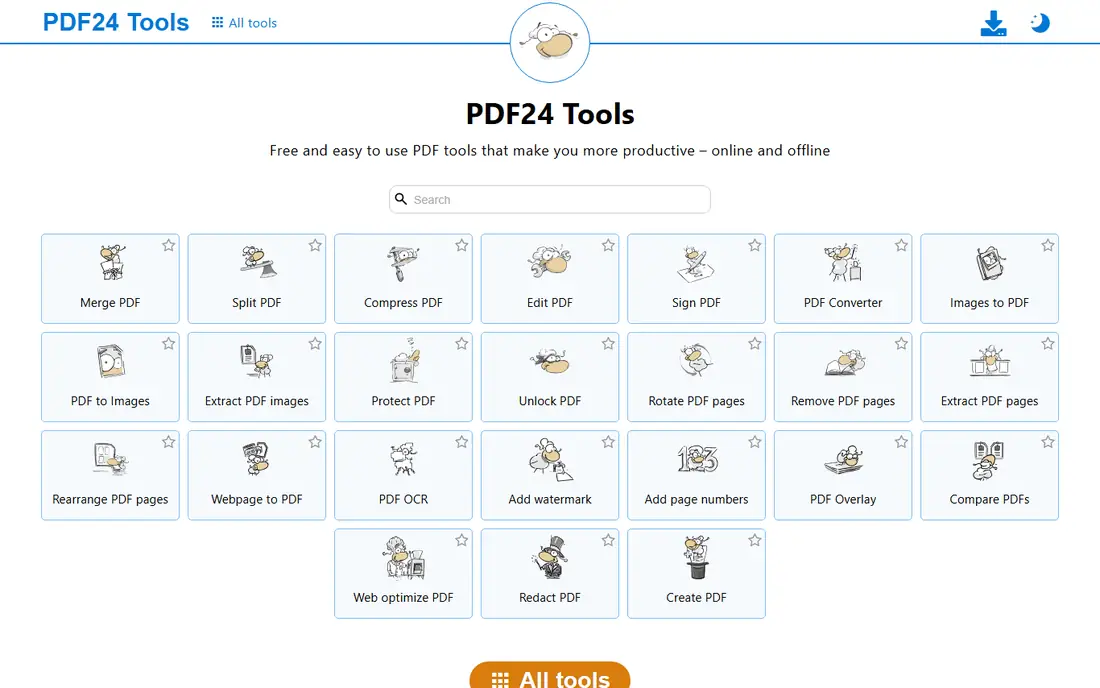
PDF24 Tools is the most generous free merging option, with unlimited free merging online and an offline Creator suite on Windows. The online tools cover merge, split, compress, and convert with a clean interface, while PDF24 Creator adds a visual page arranger, compression during merge, OCR for scanned docs, and encryption on output. There is no paid tier needed for merging, which keeps the experience free of upsell screens.
The trade off is platform coverage against price. The full desktop suite is Windows only, so Mac and Linux users rely on the web tools, and online merges cap at 100 MB in some reports. PDF24 Tools fits users who want unlimited free merging with no ads and no account.
What we like- Fully free with no limits
- Online tools plus offline Windows Creator
- Visual page arranger
- Compression during merge
- Clean interface
Watch out for- Full desktop suite is Windows only
- Online merges cap at 100 MB in some reports
- No team admin features
- OCR quality varies

#2PDFsam Basic
Best for: Offline batch merging4.2/5 on
G2 (48 reviews, checked Oct 2026)
Visit pdfsam.org
Starting priceFree
Free planYes
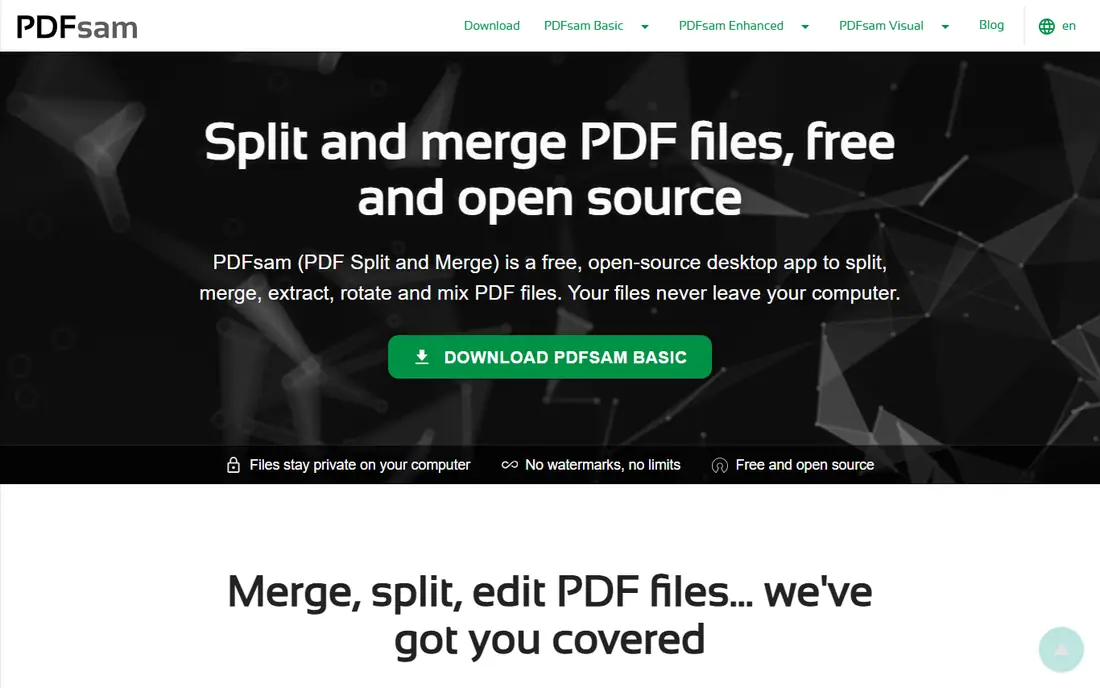
PDFsam Basic is the free, open source desktop app for users tired of web bloat, handling simple page joins through advanced alternated merges, all offline for privacy. It covers drag and drop merging, batch processing up to 1,000 pages in some reports, split, merge, and extract tools, and output options such as bookmarks and metadata. Because it is community driven with no monetization, there are zero ads, watermarks, or upsells.
The trade off is polish against privacy. PDFsam Basic is plain and takes learning, but it is fast on large files and keeps sensitive documents off servers. PDFsam Basic fits power users and anyone merging contracts or HR documents that should never leave the machine.
What we like- Free open source forever
- Fully offline for privacy
- Batch processing
- No watermarks or limits
- Runs on Windows, Mac, and Linux
Watch out for- Learning curve is steeper for beginners
- No cloud sync
- Interface is plain
- Advanced features need the paid Enhanced version

#3Sejda
Best for: Occasional merges, no account4.5/5 on
G2 (42 reviews, checked Oct 2026)
Visit sejda.com
Starting price$7.50 per month
Free planYes
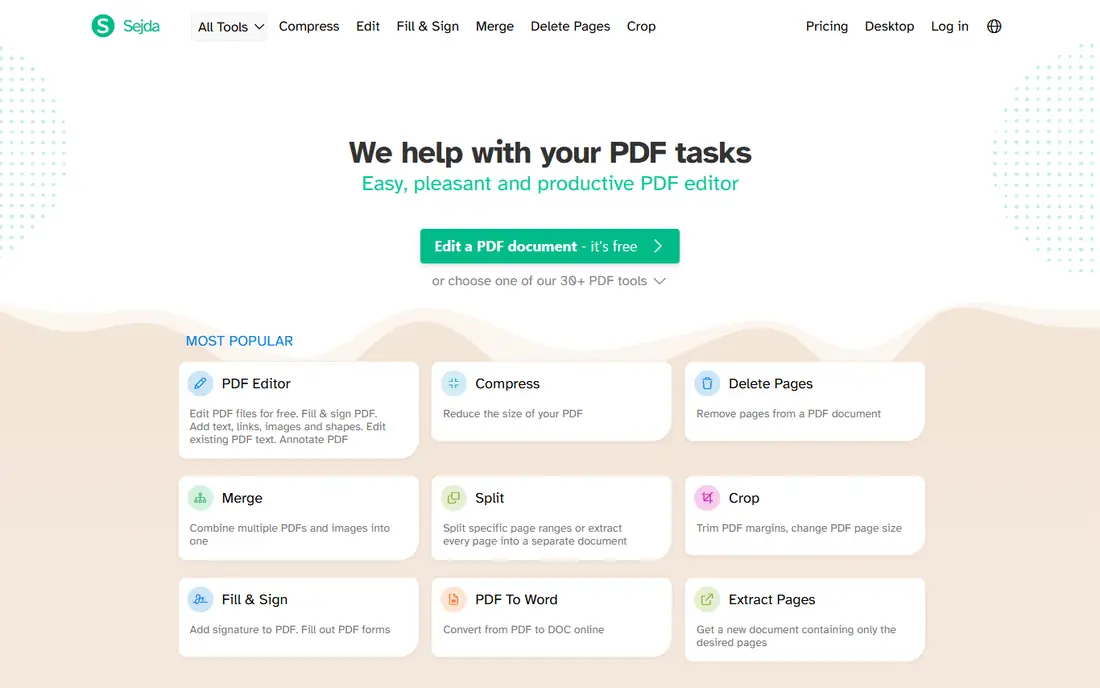
Sejda suits occasional merges with no account and clean privacy handling, letting users merge, reorder, and rotate pages in the browser without signing up. The free plan covers 3 tasks per day with files up to 50 MB or 200 pages, while paid plans start from $7.50 per month, or $63 per year, with a $5 week pass for short projects. Sejda deletes files after processing, which matters for users who care about privacy on a web tool.
The trade off is limits against convenience. Sejda is clean and easy, but daily task limits bind frequent users, and there is no desktop app for offline work. Sejda fits occasional users who want a clean web merge without an account.
What we like- No account needed for free use
- Clean privacy handling
- Files deleted after processing
- Week pass available
- Good page tools
Watch out for- Free plan limits to 3 tasks per day
- Files cap at 50 MB or 200 pages
- No desktop app
- Heavy users need the paid plan
#4iLovePDF
Best for: Beginner friendly repeat merging4.6/5 on
G2 (583 reviews, checked Oct 2026)
Visit ilovepdf.com
Starting price$4 per month
Free planYes
iLovePDF is the beginner friendly merger with the easiest interface in this guide, covering merge, split, compress, convert, and sign tools in one place. The free web tool handled repeated merges in testing with no observed daily task limit, with manual reorder and sort by name before combining, and a 100 MB cap per task. Premium starts from $4 per month billed annually and removes limits, while desktop and mobile apps cover on the go merging.
The trade off is free convenience against ads. The free web tier shows ads and prompts, so users who want a fully ad free experience should use the desktop app or pay for Premium. iLovePDF fits beginners who merge often and want the simplest interface available.
What we like- Easiest merge interface for beginners
- Desktop and mobile apps
- Repeated free merges with no observed daily limit
- Manual reorder and sort
Watch out for- Free web shows ads and prompts
- 100 MB cap per task
- Desktop app limits free tasks
- Premium needed for full ad free use

#5Smallpdf
Best for: Quick online merges4.5/5 on
G2 (306 reviews, checked Oct 2026)
Visit smallpdf.com
Starting price$10 per month
Free planYes
Smallpdf is the polished online merger for quick merges with no software to install, handling mixed file types and large page counts fast in testing. The free tier covers limited use, with 2 operations per hour reported in some comparisons, while Pro runs $10 per month billed annually, or $15 month to month, with unlimited merges. The desktop app strips away web prompts and can process locally, which gives the cleanest Smallpdf experience.
The trade off is polish against free limits. Smallpdf is the slickest web merger here, but free use is thin and Pro is needed for heavy, ad free work. Smallpdf fits users who want a polished interface and are willing to pay for unlimited merging.
What we like- Polished interface
- Fast merging
- Desktop app strips web prompts
- Mobile sync
- E-sign integration
- GDPR compliant security
Watch out for- Free web limits to 2 operations per hour in some reports
- Pro needed for unlimited use
- Page tools need Pro
- Free tier shows prompts
Starting priceFree
Free planYes
macOS Preview is the built-in Mac tool that merges PDFs with no install, no account, and zero ads, since it ships with every Mac. It handles drag and drop page merging, reordering, and deletion inside a simple viewer, and because it works fully offline, sensitive files never leave the machine. For Mac users who merge occasionally, Preview is the fastest answer and costs nothing.
The trade off is simplicity against power. Preview has no batch tools and can overwrite the original file if you save carelessly, so keep a copy before merging. Preview fits Mac users who want free, offline, ad free merging without new software.
What we like- Built into every Mac at no cost
- Fully offline
- Zero ads
- No install or account
- Good for sensitive files
Watch out for- Mac only
- Can overwrite the original file if you are not careful
- No batch tools
- Page editing is basic
Starting priceFree
Free planYes
PDF Merger and Splitter is the free Windows store app for large offline batches, tested merging a 1 GB batch in about a minute in one comparison. It covers merge and split only, with manual page reorder, and because it works offline, files never upload to a server. For Windows users with big batches, it is the fastest free route that keeps documents private.
The trade off is focus against breadth. This app merges and splits only, with no convert, sign, or compress tools, and the interface is plain. PDF Merger and Splitter fits Windows users with large offline batches who want speed and privacy.
What we like- Free Windows app
- Large offline batches tested at 1 GB in about a minute
- No server upload
- Simple merge and split
Watch out for- Windows only
- PDF only
- Manual reorder
- Interface is plain
- No cloud or mobile version

#8Adobe Acrobat
Best for: Merging inside a full suite4.7/5 on
Capterra (4,264 reviews, checked Oct 2026)
Visit adobe.com
Starting price$19.99 per month
Free planNo
Adobe Acrobat is the full professional PDF suite for teams that need merging inside a larger workflow, with editing, signing, protection, and export after files are combined. Acrobat Pro starts from $19.99 per month on an annual plan billed monthly, with a 7 day free trial and no permanent free plan. It supports the widest range of input formats beyond PDF, which matters when source files are not all PDFs yet.
The trade off is suite value against price. Acrobat is the most capable tool here, but it costs the most and is overkill for merging alone. Acrobat fits teams and enterprises that already need a full PDF suite and want merging inside it.
What we like- Widest format support beyond PDF
- Full editing, signing, and protection after merging
- Enterprise admin controls
- Trusted output quality
Watch out for- No permanent free plan
- Highest price here
- Trial only 7 days
- Overkill for merging alone
How we chose
We compared published pricing pages and third party merger comparisons from 2026, recording free tier limits and ad behavior separately, since a free tool with ads fails the core promise of this guide. We favored desktop tools for true ad free use, noted where free web tiers show prompts, and flagged file caps and daily limits that bind frequent users. We weighed privacy, batch speed, and suite depth separately, since no single tool leads on all three.
Start with privacy: contracts and HR documents belong in PDFsam Basic, PDF24 Creator, Preview, or PDF Merger and Splitter, all of which work offline. Next, check volume: occasional users can use Sejda or iLovePDF free, while frequent users should pick PDF24 unlimited free or a paid plan. Then check platform: Windows users get PDF24 Creator and PDF Merger and Splitter, Mac users get Preview free, and cross platform users get PDFsam Basic. Finally, test one real batch before committing, since page order, bookmarks, and file size handling vary by tool. A tool that merges cleanly, offline where it matters, and without ad interruptions will save more time than the flashiest web editor.
Frequently asked questions
What is the best PDF combining tool with no ads overall?
PDF24 Tools suits most users with unlimited free merging, while PDFsam Basic suits offline batch work, and macOS Preview suits Mac users at no cost.
Is PDF24 really free with no ads?
PDF24 Tools merging is fully free with no limits reported, and PDF24 Creator on Windows is free and clean, with online merges capped at 100 MB in some reports.
Which tool is best for sensitive documents?
PDFsam Basic, PDF24 Creator, Preview, and PDF Merger and Splitter all work offline, so sensitive files never upload to a server.
Does the free version of Smallpdf show ads?
Smallpdf free web shows prompts and limits operations per hour in some reports, while the paid desktop app removes prompts for unlimited use.
Can I merge PDFs on a Mac without installing anything?
Yes. macOS Preview merges PDFs with no install, no account, and zero ads, but keep a copy of the original file before saving.
Is Adobe Acrobat worth it just for merging?
No for merging alone. Acrobat suits teams that also need editing, signing, and protection inside a full PDF suite.
Sources we checked (0)
Is your product missing or out of date?
We review this list regularly. Vendors can request a listing, send updated pricing or ask about featured placement.

Shihab Mia · Founder, Rankite
Shihab has 5+ years in B2B and SaaS SEO. He writes Rankite's software buying guides from pricing pages, documentation and public user reviews. More about Shihab.
 PDF24 Tools
 macOS Preview
 PDF Merger and Splitter