How we make this list: we compare pricing pages, product documentation and public user reviews. Ratings come from G2, Capterra or Trustpilot, with the date we checked them.
Key takeaways
- npm is the best pick for most JavaScript teams, with a free tier for public packages and Teams at 7 dollars per user per month.
- pnpm is the best alternative for JavaScript teams that want faster installs and less disk use, and it is free and open source.
- Yarn is the best pick for large monorepos, with workspaces and a free open source licence.
- NuGet, Apache Maven, Gradle, pip and Conan are the standard managers for .NET, Java, Python and C++, and all are free and open source.
- Six of the eight tools are free, so the choice is about ecosystem fit, not price.
- Pick the manager your language already uses, then use a lockfile for reproducible builds.
- Rankite also covers the artifact repositories that host these packages, at https://rankite.com/blog/best-artifact-repository-software.
What is package management software?
Package management software resolves, downloads and installs the libraries a project depends on, and it records the exact versions in a lockfile so every developer and every CI run gets the same code. Without it, a team would copy libraries by hand, guess at compatible versions and break builds when a dependency changed. A package manager reads a manifest file, works out which versions satisfy every requirement, and installs them from a registry such as npmjs, Maven Central, NuGet.org or PyPI. The managers in this guide are tied to a language or ecosystem, so the right one depends on what your team builds.
How much does package management software cost?
Prices in this guide were checked against vendor pricing pages and current third party reads on 20 November 2026. Six of the eight tools are free and open source: Yarn, pnpm, NuGet, Apache Maven, Gradle Build Tool and pip cost nothing, and Conan is free under the MIT licence. Only npm charges for its hosted plans: Free is 0 dollars for unlimited public packages, Pro is 7 dollars a month, and Teams is 7 dollars per user per month for private packages and team access. Gradle Develocity, the paid build analytics and cache product that sits next to Gradle, is quote only, with per developer seat pricing. A team of 10 developers on npm Teams pays 70 dollars a month, and a team that only needs public packages pays nothing at all.
How do you choose a package manager for your project?
Start with the language, because the ecosystem decides the manager: JavaScript uses npm, Yarn or pnpm, Java uses Maven or Gradle, .NET uses NuGet, Python uses pip, and C++ uses Conan. Next, check whether the manager supports the workflow you need, such as workspaces for a monorepo, offline installs, or a private registry for internal packages. Then look at speed and disk use, because a manager that copies every dependency into every project wastes space and slows CI, while one that links from a shared store, such as pnpm, is faster. Finally, check the lockfile format and the security tooling, because a lockfile your CI can verify keeps a project reproducible and safe.
Which package manager is best for a JavaScript team?
Most JavaScript teams should start with npm, because it ships with Node.js, every tutorial and CI service supports it, and its registry is the largest package registry in the world. A team with a monorepo should look at Yarn, because its workspaces and Plug and Play mode were built for large codebases with many packages. A team that wants faster installs and less disk use should look at pnpm, because its content addressable store links one copy of each package version into every project, and it is compatible with the npm registry and most npm workflows. All three are free, so a team can try pnpm or Yarn on one project before switching the rest.
| Tool |
Best for |
Starting price |
Free plan |
| npm |
Most JavaScript teams, with the largest registry |
Free for public packages; Teams 7 dollars per user per month |
Yes |
| Yarn |
Large monorepos and workspaces |
Free, open source |
Yes |
| pnpm |
Fast installs with less disk use |
Free, open source |
Yes |
| NuGet |
.NET teams and Visual Studio users |
Free, open source |
Yes |
| Apache Maven |
Java teams that want convention over configuration |
Free, open source |
Yes |
| Gradle |
Large Java and Android builds |
Free, open source; Develocity quote only |
Yes |
| pip |
Python teams |
Free, open source |
Yes |
| Conan |
C and C++ teams |
Free, open source, MIT licence |
Yes |
Quick comparison
| Tool | Best for | Starting price | Free plan |
|---|
 npm | Most JavaScript teams, with the largest package registry in the world | Free $0 for public packages; Teams $7 per user per month, checked 20 November 2026 | Yes, Free plan with unlimited public packages |
 Yarn | Large JavaScript monorepos that need workspaces and fast installs | Free, open source, checked 20 November 2026 | Yes, free and open source |
 pnpm | JavaScript teams that want faster installs and far less disk use | Free, open source, checked 20 November 2026 | Yes, free and open source |
 NuGet | .NET teams that build with Visual Studio or the .NET CLI | Free, open source, checked 20 November 2026 | Yes, free and open source |
 Apache Maven | Java teams that want convention over configuration and a standard build lifecycle | Free, open source, Apache Licence 2.0, checked 20 November 2026 | Yes, free and open source |
 Gradle | Large Java, Kotlin and Android builds that need speed and flexibility | Free, open source; Develocity quote only, checked 20 November 2026 | Yes, Gradle Build Tool is free and open source |
 pip | Python teams that need the standard installer for PyPI packages | Free, open source, checked 20 November 2026 | Yes, free and open source |
 Conan | C and C++ teams that need cross platform dependency management with binary packages | Free, open source, MIT licence, checked 20 November 2026 | Yes, free and open source |
Is your product missing or out of date?
We review this list regularly. Vendors can request a listing, send updated pricing or ask about featured placement.
How to pick a package manager by ecosystem
| Ecosystem |
Use this manager |
Why |
| JavaScript and TypeScript |
npm, Yarn or pnpm |
npm is the default, Yarn suits monorepos, pnpm is fastest |
| Java and Kotlin |
Apache Maven or Gradle |
Maven is simpler, Gradle is faster for large builds |
| .NET and C# |
NuGet |
Built into Visual Studio and the .NET CLI |
| Python |
pip |
Ships with Python and uses PyPI |
| C and C++ |
Conan |
Cross platform, with binary packages for many compilers |
| Android |
Gradle |
The default build system for Android Studio |
#1
npm
Best for: Most JavaScript teams, with the largest package registry in the world
Visit npmjs.com
Starting priceFree $0 for public packages; Teams $7 per user per month, checked 20 November 2026
Free planYes, Free plan with unlimited public packages
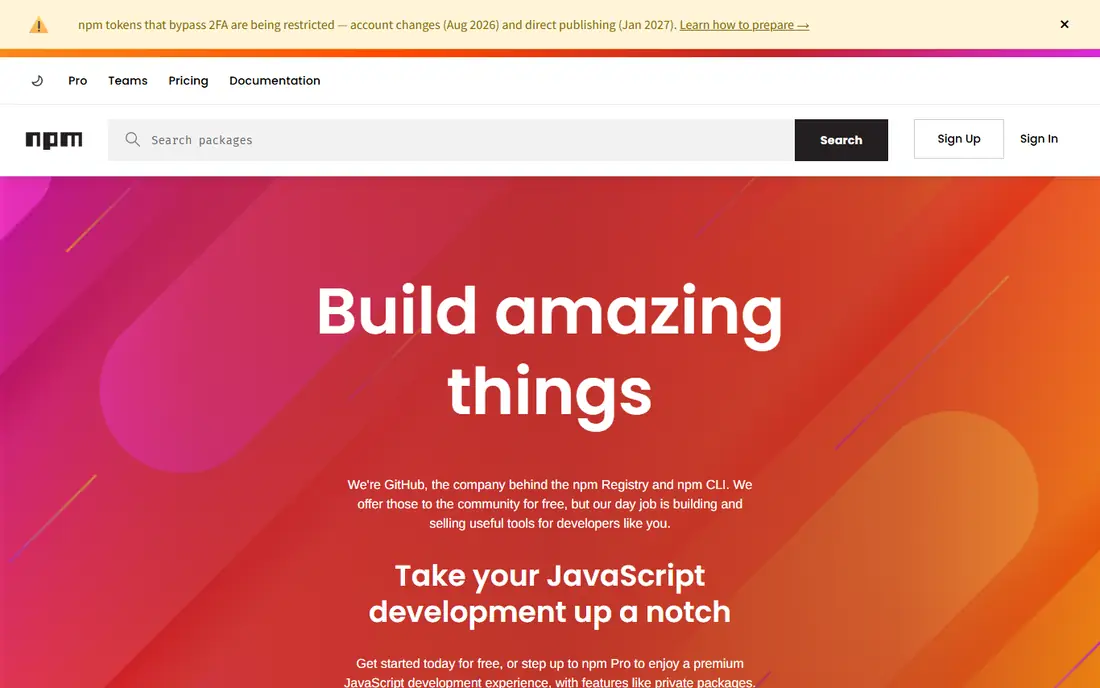
npm is the default package manager for Node.js. It installs packages from npmjs, the largest public software registry in the world, and it records exact versions in package-lock.json. Free costs 0 dollars and includes unlimited public packages. Pro costs 7 dollars a month and adds unlimited private packages for one user. Teams costs 7 dollars per user per month and adds team access controls and shared private packages. A team of 10 developers on Teams pays 70 dollars a month. The main weakness is disk use: npm copies each dependency into each project.
What we like- Ships with Node.js, so no separate install
- Largest public registry
- Built in audit command for vulnerabilities
Watch out for- Node modules can grow very large, because each project keeps its own copy of every dependency
#2
Yarn
Best for: Large JavaScript monorepos that need workspaces and fast installs
Visit yarnpkg.com
Starting priceFree, open source, checked 20 November 2026
Free planYes, free and open source

Yarn is the free open source package manager for JavaScript, first released by Meta. Its workspaces feature lets one repository hold many packages that share dependencies, and its Plug and Play mode removes the node_modules folder entirely. Yarn uses a lockfile for deterministic installs, and it supports offline mirrors so a CI job can install without network access. The main risk is compatibility: some tools assume npm, so a team switching to Yarn should test its build scripts first. Yarn costs nothing, and it uses the same npm registry as npm.
What we like- Workspaces handle monorepos well
- Plug and Play mode removes the node_modules folder
- Deterministic installs with a lockfile
Watch out for- The stable release line moved slowly for years, and some tools still assume npm, so a team may need to adjust its CI scripts
#3
pnpm
Best for: JavaScript teams that want faster installs and far less disk use
Visit pnpm.io
Starting priceFree, open source, checked 20 November 2026
Free planYes, free and open source
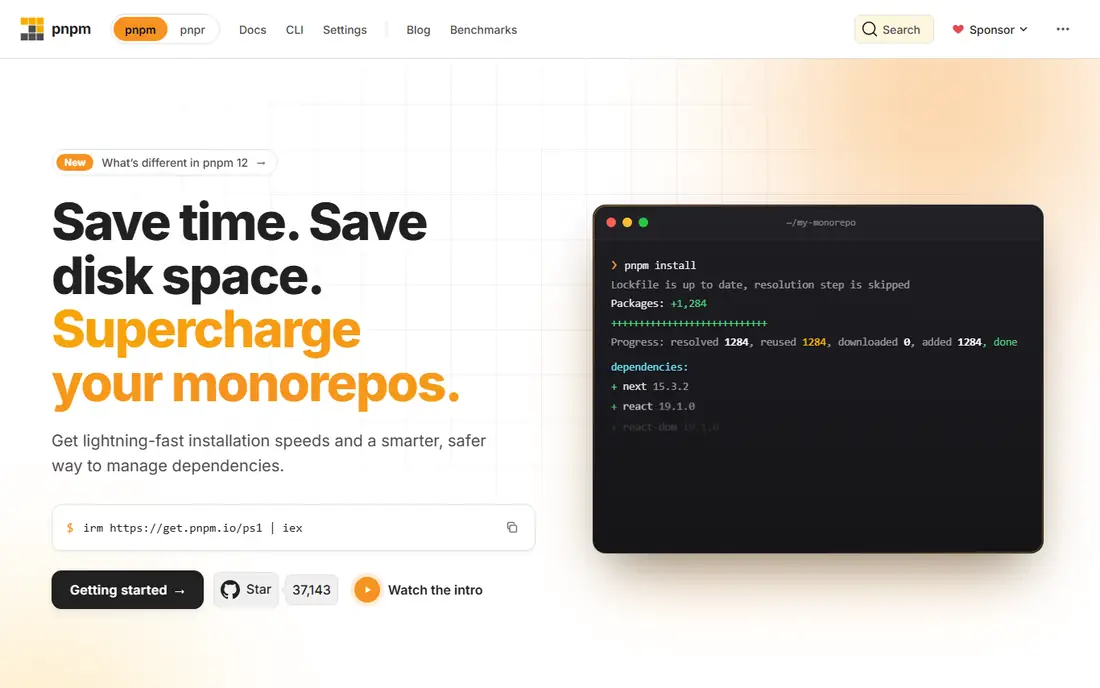
pnpm is the free open source package manager for JavaScript that stores packages once in a content addressable store and links them into each project. That design saves disk space on a machine with many projects, and it makes installs faster, because a package already on disk is never downloaded again. pnpm is compatible with the npm registry and with most npm workflows, and it supports workspaces for monorepos. Its strict dependency isolation stops a project using a package it never declared, which catches real bugs, but it can break packages that rely on undeclared dependencies. The fix is usually a one line setting.
What we like- Content addressable store shares one copy of each package version
- Faster installs than npm in most benchmarks
- Strict dependency isolation catches phantom dependencies
Watch out for- Some packages break under strict isolation, because they rely on dependencies they never declared
#4
NuGet
Best for: .NET teams that build with Visual Studio or the .NET CLI
Visit nuget.org
Starting priceFree, open source, checked 20 November 2026
Free planYes, free and open source
NuGet is the free package manager for .NET, built into Visual Studio, Visual Studio Code and the .NET command line. It installs packages from NuGet.org, which hosts more than 350,000 public packages. Central package management lets a solution pin one version of a package across every project, which stops version drift. NuGet also supports private feeds, so a team can host internal packages on a private server or a repository such as Artifactory or Azure Artifacts. The main limit is that NuGet.org itself only hosts public packages.
What we like- Built into Visual Studio and the .NET CLI
- Central package management keeps versions consistent across a solution
- Private feeds supported
Watch out for- NuGet.org hosting is for public packages only, so a team needs a private feed or a repository such as Artifactory for internal packages
#5
Apache Maven
Best for: Java teams that want convention over configuration and a standard build lifecycle
Visit maven.apache.org
Starting priceFree, open source, Apache Licence 2.0, checked 20 November 2026
Free planYes, free and open source
Apache Maven is the free open source build and dependency management tool for Java, maintained by the Apache Software Foundation. It uses a pom.xml file to declare dependencies, and it downloads them from Maven Central, the largest repository for Java libraries. Maven follows a convention over configuration model: a project that uses the standard directory layout needs very little configuration. A huge plugin ecosystem covers code coverage, static analysis, signing and release management. The main weakness is the XML: a complex build needs a long pom.xml, and custom logic is harder to write than in Gradle.
What we like- Standard project layout and lifecycle that every Java developer knows
- Huge plugin ecosystem
- Maven Central is the largest Java repository
Watch out for- XML configuration is verbose, and custom build logic is harder to express than in Gradle
#6
Gradle
Best for: Large Java, Kotlin and Android builds that need speed and flexibility
Visit gradle.org
Starting priceFree, open source; Develocity quote only, checked 20 November 2026
Free planYes, Gradle Build Tool is free and open source
Gradle is the free open source build automation tool for Java, Kotlin and Android, and it is the default build system for Android Studio. It uses a build script in Kotlin or Groovy, which makes custom logic easier than Maven XML, and it runs tasks in parallel with an incremental build cache. Gradle downloads dependencies from Maven Central and other repositories, and it supports version catalogs to keep versions consistent. Gradle Develocity is the paid companion product for build analytics and remote caching, priced per developer seat on quote. The main risk is complexity: a build script is code, so it needs the same care as the application.
What we like- Incremental builds and build cache make large builds much faster
- Build scripts in Kotlin or Groovy
- Default build system for Android
Watch out for- Build scripts are code, so a bad script is harder to debug than a Maven pom.xml, and Develocity pricing is quote only
#7
pip
Best for: Python teams that need the standard installer for PyPI packages
Visit pip.pypa.io
Starting priceFree, open source, checked 20 November 2026
Free planYes, free and open source
pip is the free package installer for Python, and it ships with every modern Python install. It installs packages from PyPI, the Python Package Index, and it records exact versions in a requirements file or a lockfile made by a companion tool. Used with a virtual environment, pip keeps each project isolated. pip also installs from a private index, a local folder or a direct URL, which covers internal packages. The main limits are speed, because resolving a large set of requirements can take minutes, and scope: pip manages Python packages only, not system libraries.
What we like- Ships with Python, so no separate install
- Installs from PyPI, the largest Python package index
- Virtual environments keep projects isolated
Watch out for- Dependency resolution can be slow on large requirement sets, and pip does not manage non Python system libraries
#8
Conan
Best for: C and C++ teams that need cross platform dependency management with binary packages
Visit conan.io
Starting priceFree, open source, MIT licence, checked 20 November 2026
Free planYes, free and open source
Conan is the free open source package manager for C and C++, licensed under the MIT licence. It downloads prebuilt binary packages from Conan Center or a private server, which saves the compile time of building a library from source. Conan works with CMake, Meson and other build systems, and it runs on Windows, macOS and Linux. It supports profiles for different compilers and build types, so the same recipe can produce a debug build on Linux and a release build on Windows. The main limit is coverage: Conan Center is smaller than npmjs or PyPI, so a team may need to write recipes for its own libraries.
What we like- Cross platform support for Windows, macOS and Linux
- Binary packages save compile time
- Works with CMake, Meson and other build systems
Watch out for- Smaller package collection than the language registries, and a team may need to write its own recipes for internal libraries
We started from the package managers that appear most often in developer workflows and hiring requirements, then filtered for the standard manager in each major language ecosystem, rather than a registry or a repository, which Rankite covers separately. We checked each vendor pricing page or a current third party read on 20 November 2026. Six of the eight tools are free and open source, so the choice in this guide is about ecosystem fit, not price. Last verified 20 November 2026.
Frequently asked questions
Do I need a package manager if I already use an artifact repository?
Yes, because they do different jobs. A package manager such as npm or pip runs on a developer machine or in CI and installs packages into a project. An artifact repository such as Artifactory or Nexus stores those packages, versions them and controls who can publish or download them. Most teams use both: the repository hosts the packages, and the package manager fetches them.
Which package manager should I use for a new JavaScript project?
Start with npm, because it ships with Node.js and its registry is the largest in the world. Move to pnpm if disk use or install speed becomes a problem, because pnpm links one copy of each package version into every project. Move to Yarn if the project grows into a monorepo with many packages, because its workspaces feature was built for that. All three are free, so the cost of trying one is only the time to test it.
What is a lockfile and why does it matter?
A lockfile records the exact version of every package and every transitive dependency a project uses, so an install today produces the same code as an install next month. Without a lockfile, a fresh install can pull a newer version of a dependency that breaks the build. Commit the lockfile to version control, and never delete it to fix a build without understanding why the versions changed.
Is npm free for commercial use?
Yes. The npm Free plan costs 0 dollars and includes unlimited public packages, and the npm client itself is free and open source under the Artistic Licence 2.0. A commercial team pays only when it needs private packages or team access controls. A team of 10 developers on Teams pays 70 dollars a month. The registry is free to read, so a team that only consumes public packages pays nothing.
Can I use two package managers in one project?
You can, but you should not. Each manager keeps its own lockfile, and the lockfiles can drift apart. Pick one manager per project, commit its lockfile, and add the other lockfiles to your ignore file so they are never committed by mistake. If a tool requires a different manager, run it in a separate project or a container, and keep the main project on one manager.
Sources we checked (9)
- https://docs.npmjs.com/about-npm/pricing
- https://yarnpkg.com/
- https://pnpm.io/
- https://www.nuget.org/
- https://maven.apache.org/
- https://gradle.org/
- https://pip.pypa.io/en/stable/
- https://conan.io/
- https://rankite.com/blog/best-artifact-repository-software
Is your product missing or out of date?
We review this list regularly. Vendors can request a listing, send updated pricing or ask about featured placement.

Shihab Mia · Founder, Rankite
Shihab has 5+ years in B2B and SaaS SEO. He writes Rankite's software buying guides from pricing pages, documentation and public user reviews. More about Shihab.