How we make this list: we compare pricing pages, product documentation and public user reviews. Ratings come from G2, Capterra or Trustpilot, with the date we checked them.
Key takeaways
- GoodNotes from $9.99 per year is the default handwriting app on iPad, with the best handwriting feel, searchable ink, and PDF markup.
- Notability from $14.99 per year leads on audio synced to handwriting, which suits lectures, interviews, and meetings.
- Apple Notes and Microsoft OneNote are free, with Apple Notes best for Apple users and OneNote best for cross platform users.
- Nebo from $10 one time and Noteshelf at $14.99 lifetime suit buyers who prefer a single payment over a subscription.
- Samsung Notes and CollaNote cover Android and free starter use. Privacy note: cloud sync uploads handwritten notes to a provider's servers, and handwriting can identify the writer, so check sync encryption, what is stored, and whether notes can be kept local before enabling cloud backup.
Quick comparison
| Tool | Best for | Starting price | Free plan |
|---|
 GoodNotes GoodNotes | Default handwriting app on iPad | $9.99 per year | Yes |
 Notability Notability | Audio synced to handwriting | $14.99 per year | Yes |
 Apple Notes Apple Notes | Zero friction for Apple users | Free | Yes |
 Microsoft OneNote Microsoft OneNote | Best free cross platform option | Free | Yes |
 Nebo Nebo | Converting handwriting to typed text | $10 one-time | No |
 Noteshelf Noteshelf | One time purchase, wide formats | $14.99 one-time | Yes |
 Samsung Notes Samsung Notes | Android and Galaxy users | Free | Yes |
 CollaNote CollaNote | Free starter app | Free | Yes |
Is your product missing or out of date?
We review this list regularly. Vendors can request a listing, send updated pricing or ask about featured placement.
The best note taking apps with stylus
Starting price$9.99 per year
Free planYes
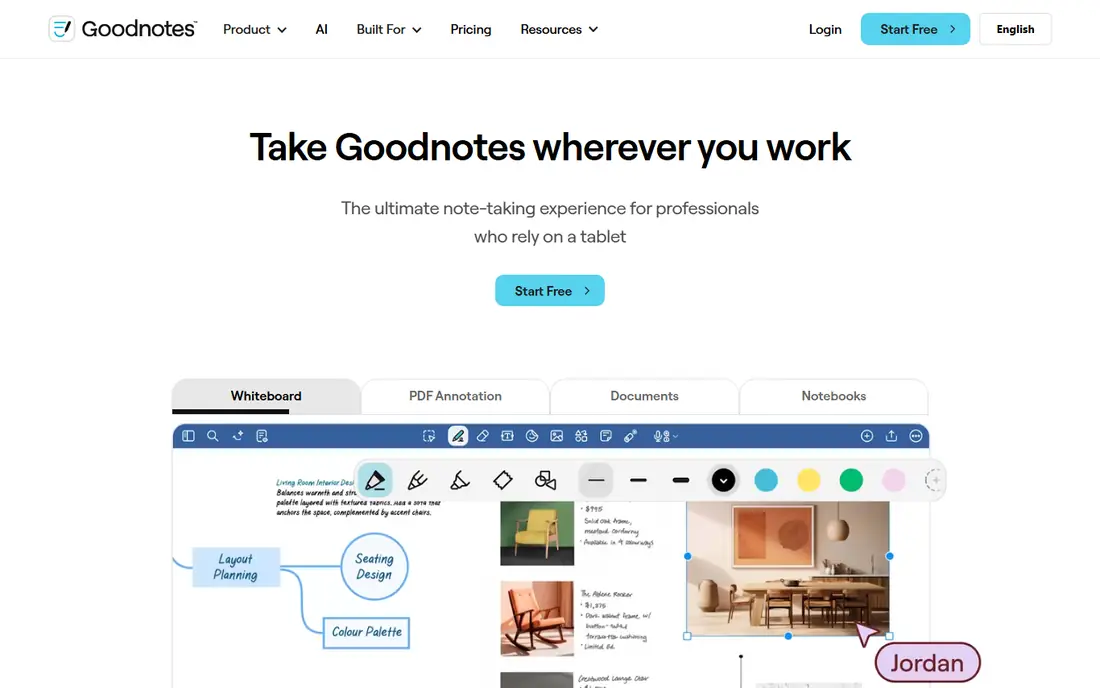
GoodNotes is where most iPad note takers end up. Apple Pencil input feels closest to paper, handwritten text is searchable, and PDFs can be annotated directly, which is why it dominates among students and anyone marking up documents by hand. Pricing runs from about $9.99 per year in some listings to $11.99 per year Essential in others, with a one time GoodNotes 6 payment of $28.99 to $35.99 in different listings.
Typed text features trail dedicated notes apps, and full AI features now sit in a separate $9.99 per month AI Pass outside the base plan. For the default iPad handwriting experience, GoodNotes is the benchmark.
What we like- Best handwriting feel, closest to paper
- Searchable handwritten text
- Excellent PDF markup
- Strong notebook organization and templates
Watch out for- Typed text and organization features trail dedicated notes apps
- Full AI features sit in a separate $9.99 per month AI Pass
- Subscription model for most users
Starting price$14.99 per year
Free planYes
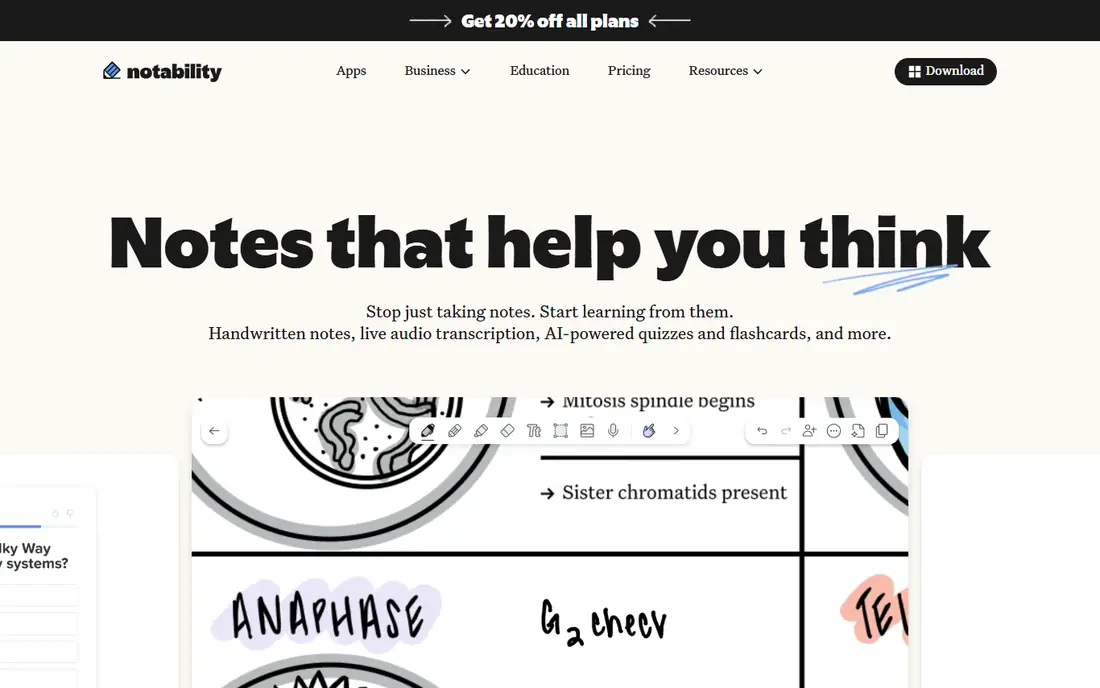
Notability's distinguishing feature is audio recording synced to handwriting: tap a word later and the recording jumps to the moment you wrote it. For lectures, interviews, and meetings, that single capability outweighs everything else here. Pricing runs from $14.99 per year in some listings to $15.99 per year Plus in others, with a one time Classic purchase of $49.99 in some listings.
Organization is flatter than GoodNotes, and unlimited transcription, AI summaries, and chat with notes sit in a higher Pro tier. For lecture notes with audio, Notability is the unique pick.
What we like- Audio recording synced to writing, tap a word to jump to that moment
- Strong maths and shape recognition
- Excellent PDF markup
Watch out for- Organization flatter than GoodNotes
- Subscription changes upset users
- Unlimited transcription and AI summaries sit in a higher Pro tier
Starting priceFree
Free planYes
Apple Notes is free, already installed, and far better than its reputation, with handwriting, scanning, tables, locked notes, shared folders, and instant iCloud sync. Smart Script in iPadOS 18 cleans up handwriting, and for many people it removes the need to buy anything at all.
It is Apple only, and export and organization trail dedicated rivals. For an Apple user who wants zero friction and zero cost, Apple Notes is the starting point.
What we like- Free and already installed
- Handwriting, scanning, tables, locked notes, shared folders
- Smart Script in iPadOS 18 for cleaner handwriting
- Instant iCloud sync
Watch out for- Apple only
- Limited export and organization compared with rivals
- Notebook structure thinner than GoodNotes
#4Microsoft OneNote
Best for: Best free cross platform option4.5/5 on
G2 (1,872 reviews, checked Oct 2026)
Visit onenote.com
Starting priceFree
Free planYes
Microsoft OneNote is the best free cross platform option, running on Windows, macOS, iOS, Android, and the web, with an infinite canvas, strong PDF markup, handwriting to text, and OneDrive sync. It suits Microsoft users and mixed device households that need notebooks everywhere.
Handwriting feel is good rather than excellent beside GoodNotes, and the interface can feel heavy. For a free app that works on every device, OneNote is the cross platform pick.
What we like- Free
- Runs on all platforms
- Infinite canvas
- Strong PDF markup
- Handwriting to text
- OneDrive sync
Watch out for- Handwriting feel good rather than excellent
- Interface can feel heavy
- Microsoft 365 adds extras behind a subscription
Starting price$10 one-time
Free planNo
Nebo, from MyScript, converts handwriting into clean typed text in real time, which suits users who handwrite first and need typed notes after. It runs on iPad, iPhone, Mac, Android, and Windows, with a $10 one time purchase in most listings.
Notebook features are thinner than GoodNotes, and there is no free tier in most listings. For a user whose main need is handwriting conversion, Nebo is the conversion pick.
What we like- Best handwriting to text conversion, in real time
- $10 one time purchase
- Runs on iPad, iPhone, Mac, Android, and Windows
Watch out for- Paid app with no free tier in most listings
- Notebook features thinner than GoodNotes
- Smaller community
Starting price$14.99 one-time
Free planYes
Noteshelf 3 offers comparable handwriting quality to GoodNotes with more diverse page layouts, at a $14.99 lifetime Premium in most listings, though $11.99 per year appears in some listings. It runs on iPad, iPhone, Mac, Android, and Windows, which suits cross platform stylus users.
AI features are limited, and the template community is smaller than GoodNotes. For a one time purchase with wide format support, Noteshelf is the value pick.
What we like- One time purchase at $14.99 lifetime
- Comparable handwriting quality to GoodNotes
- More diverse page layouts
- Runs on iPad, iPhone, Mac, Android, and Windows
Watch out for- Yearly pricing of $11.99 appears in some listings, creating confusion
- AI features limited
- Smaller template community than GoodNotes
Starting priceFree
Free planYes
Samsung Notes is free and built into Galaxy devices, with S Pen support, pressure and palm rejection, handwriting to text, and sync across Samsung devices. It suits Android users who want a capable stylus app without paying or installing a third party app.
It is Samsung focused and weaker outside Galaxy devices, with fewer templates than GoodNotes. For a Galaxy user with an S Pen, Samsung Notes is the built in pick.
What we like- Free and built into Galaxy devices
- S Pen support with pressure and palm rejection
- Handwriting to text
- Sync across Samsung devices
Watch out for- Samsung focused, weaker outside Galaxy devices
- Fewer notebook templates than GoodNotes
- Export options thinner
Starting priceFree
Free planYes
CollaNote is a free starter app with good handwriting and PDF markup, an optional $13.90 lifetime upgrade, and support for iPad, iPhone, Mac, and Vision Pro. It suits users who want a free GoodNotes style app without a subscription.
Handwriting to text is limited, and the feature set is smaller than GoodNotes. For a free starter app on Apple devices, CollaNote is the no cost pick.
What we like- Free starter app
- Good handwriting and PDF markup
- $13.90 lifetime optional upgrade
- Runs on iPad, iPhone, Mac, and Vision Pro
Watch out for- Handwriting to text limited
- Smaller feature set than GoodNotes
- Apple only
How we chose
We ranked apps by stylus responsiveness with pressure and palm rejection, handwriting recognition, sync and portability, and pricing transparency. GoodNotes scored on feel and organization, Notability on audio, Apple Notes on friction free cost, OneNote on cross platform reach, Nebo on conversion, Noteshelf on one time value, Samsung Notes on Android fit, and CollaNote on free starter value. Prices are published figures as of October 2026, with conflicts noted rather than hidden.
We noted the privacy trade plainly. Cloud sync uploads handwritten notes to a provider's servers, and handwriting can identify the writer, so check sync encryption, what is stored, and whether notes can be kept local before enabling cloud backup. Apps with local first options or on device processing suit sensitive notes better than cloud only sync.
Buying guide
Start with your device. iPad users suit GoodNotes, Notability, or Apple Notes, Galaxy users suit Samsung Notes, and mixed device users suit OneNote, Nebo, or Noteshelf. Check which stylus your device uses, since Apple Pencil, S Pen, and third party styluses differ in pressure and tilt response.
Next, decide on subscription versus one time purchase. GoodNotes and Notability lean on subscriptions now, though both list one time purchases in some listings, while Nebo at $10 and Noteshelf at $14.99 lifetime suit buyers who dislike subscriptions. Check the current pricing page, since 2026 pricing shifted at both leaders, with AI features moving into separate passes or higher tiers.
Finally, trial with real notes before committing. Write a full lecture or meeting page, test palm rejection, search handwritten text, annotate a PDF, and check sync to your other devices. A handwriting app that feels good empty can lag with a full notebook, so test under real load every single day. Test audio sync if lectures matter. Also check export formats before you commit, since a notebook locked in one app's format is hard to move later, while PDF and plain text exports travel anywhere.
Frequently asked questions
What is the best note taking app with a stylus overall?
GoodNotes from $9.99 per year is the default iPad handwriting app, with the best feel, searchable ink, and PDF markup. Notability leads for audio synced notes.
Is there a good free note taking app with stylus support?
Yes. Apple Notes is free on Apple devices, OneNote is free cross platform, Samsung Notes is free on Galaxy devices, and CollaNote is a free starter app.
Which stylus app offers a one time purchase?
Nebo at $10 one time, Noteshelf at $14.99 lifetime, and CollaNote at $13.90 lifetime. GoodNotes and Notability also list one time purchases in some listings, though both lean on subscriptions.
Do these apps convert handwriting to text?
Yes, with varying quality. Nebo converts in real time and leads on accuracy, GoodNotes and Notability offer searchable ink and conversion, and CollaNote's conversion is limited.
Are my handwritten notes private in the cloud?
Cloud sync uploads notes to a provider's servers, and handwriting can identify the writer. Check sync encryption and local storage options before enabling cloud backup for sensitive notes.
Sources we checked (0)
Is your product missing or out of date?
We review this list regularly. Vendors can request a listing, send updated pricing or ask about featured placement.

Shihab Mia · Founder, Rankite
Shihab has 5+ years in B2B and SaaS SEO. He writes Rankite's software buying guides from pricing pages, documentation and public user reviews. More about Shihab.