How we make this list: we compare pricing pages, product documentation and public user reviews. Ratings come from G2, Capterra or Trustpilot, with the date we checked them.

Key takeaways
- The best net worth tracking app in 2026 connects your bank, brokerage, retirement, and loan accounts, then shows assets minus liabilities in one number that updates over time.
- Monarch Money leads for couples and households, while Kubera suits complex portfolios with crypto, property, and assets in several currencies.
- Free options exist, but most strong trackers cost 10 to 15 dollars per month, and spreadsheet tools suit people who want full control of their data.
- Net worth is a snapshot, not advice: these apps show your numbers, they do not tell you what to buy, and investment decisions still need your own research or a qualified adviser.
Quick comparison
| Tool | Best for | Starting price | Free plan |
|---|
 Monarch Money Monarch Money | Couples and households | $14.99 per month | Free trial |
 Copilot Money Copilot Money | Apple users and design | $13 per month | Free trial |
 Kubera Kubera | Complex and global portfolios | $250 per year | Free trial |
 PocketSmith PocketSmith | Cash flow forecasting | $9.99 per month | Yes |
 YNAB YNAB | Budget first tracking | $14.99 per month | Free trial |
 Tiller Money Tiller Money | Spreadsheet tracking | $99 per year | Free trial |
 Quicken Simplifi Quicken Simplifi | All in one planning | See website | No |
 Wealthfront Wealthfront | Existing clients planning | Free | Yes |
Is your product missing or out of date?
We review this list regularly. Vendors can request a listing, send updated pricing or ask about featured placement.
The best net worth tracking apps
Starting price$14.99 per month
Free planFree trial

Monarch Money is the best paid all in one tracker for households. One subscription includes two user seats with shared dashboards and individual account controls, so a couple can watch joint net worth while keeping personal accounts separate where they want. It links bank, card, brokerage, and retirement accounts, and adds budgeting and goals beside the net worth view.
The Core plan costs 14.99 dollars per month or 99.99 dollars per year, with a 7 day trial. Multi currency accounting is limited, so households with accounts in several currencies should test that before paying. For couples who want one shared financial picture, Monarch Money leads.
What we like- Shared dashboards for two users
- Bank, card, brokerage, and retirement links
- Budgeting beside net worth
Watch out for- No free tier beyond the trial
- Multi currency accounting is limited
- Some institutions sync less reliably
Starting price$13 per month
Free planFree trial

Copilot Money is the design pick for Apple households. It runs on iPhone, iPad, Mac, and web, and its interface makes a complex balance sheet easy to read, with stocks, crypto, and real estate tracked beside bank and brokerage accounts. Household sharing lets a partner view the same picture.
The price is 13 dollars per month or about 95 dollars per year, with a one month trial. The limits are platform and region: there is no Android app, and account linking covers US institutions only. For Apple users who want a beautiful tracker, Copilot Money is the strongest choice.
What we like- Polished design on Apple devices
- Stocks, crypto, and real estate tracking
- Household sharing
Watch out for- Apple only, with no Android app
- US institutions only
- No free tier beyond the trial
Starting price$250 per year
Free planFree trial
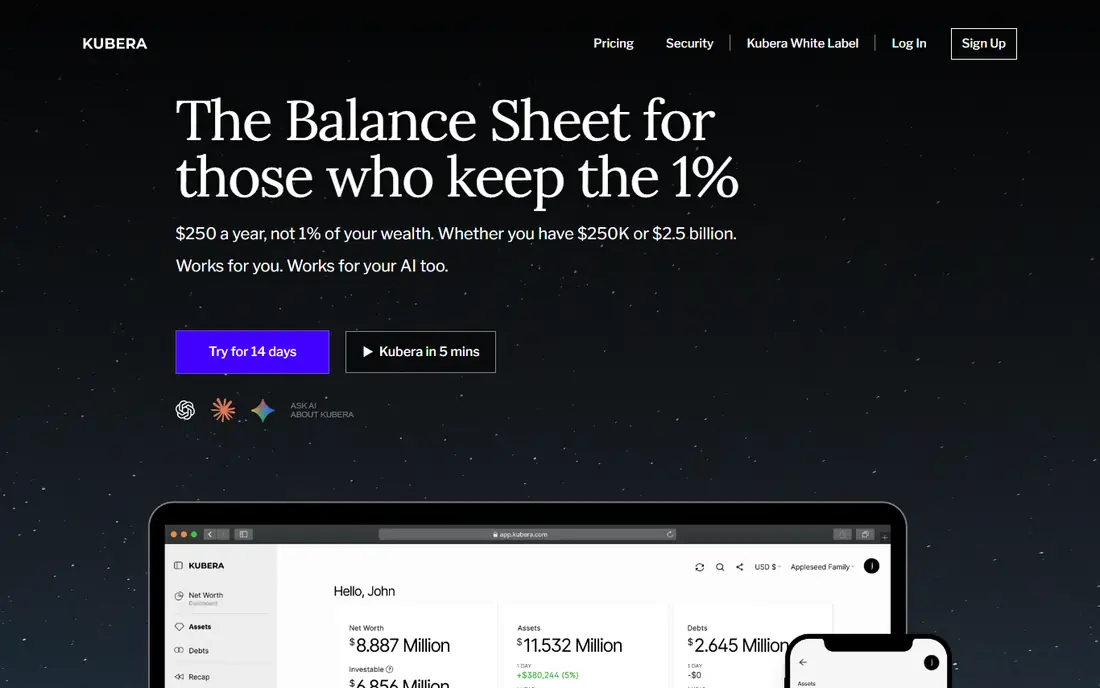
Kubera suits people whose wealth does not fit a simple bank and brokerage list. It tracks crypto exchanges, wallets, and DeFi positions, real estate by address with value estimates, and accounts in several currencies on one consolidated balance sheet. Banks and brokerages worldwide connect, which suits globally spread portfolios.
The Essentials plan costs 250 dollars per year, with a 14 day trial, and a higher Black tier exists for very large portfolios. There is no day to day budgeting, so Kubera is a balance sheet tool first. For complex, global, or crypto heavy wealth, Kubera is the best tracker on this list.
What we like- Crypto exchanges, wallets, and DeFi tracking
- Real estate by address
- True multi currency balance sheet
Watch out for- Highest price on this list
- No day to day budgeting
- Overkill for a simple bank and brokerage setup
Starting price$9.99 per month
Free planYes
PocketSmith stands out for forecasting. Its cash flow calendar projects income, bills, and balances forward, so you can see how today's spending affects net worth months ahead, not just what it is today. Multi currency support suits users with accounts in more than one currency.
The free plan covers manual tracking with limits, while Foundation starts at 9.99 dollars per month billed annually and adds bank connections. Paid plans connect supported banks, so check institution coverage before paying. For people who plan around future cash flow rather than just a current number, PocketSmith leads.
What we like- Cash flow calendar and long term forecasts
- Multi currency support
- Free plan for manual tracking
Watch out for- Bank connections need a paid plan
- Free plan limits accounts and forecasts
- Learning curve for forecasting features
#5YNAB
Best for: Budget first tracking4.5/5 on
G2 (30 reviews, checked Oct 2026)
Visit ynab.com
Starting price$14.99 per month
Free planFree trial
YNAB, short for You Need A Budget, is a budgeting tool first and a net worth tracker second. Its zero based method assigns every dollar a job, and net worth reports show the result of that discipline over time. Sharing with up to six people suits households that budget together.
The price is 14.99 dollars per month or 109 dollars per year, with a 34 day trial. Account linking covers select US, Canadian, UK, and EU institutions, with file import elsewhere. If budgeting drives your wealth building, YNAB is the right pick, but pure trackers cost less for tracking alone.
What we like- Zero based budgeting method
- Net worth reports as a bonus
- Sharing with up to six people
Watch out for- Net worth is secondary to budgeting
- Linking covers select institutions outside the US
- Price is high if you only want tracking
#6Tiller Money
Best for: Spreadsheet tracking4.0/5 on
G2 (2 reviews, checked Oct 2026)
Visit tiller.com
Starting price$99 per year
Free planFree trial
Tiller Money feeds bank and brokerage data automatically into Google Sheets or Excel, so spreadsheet users get automation without giving up control. You own the workbook, build your own net worth reports, and keep a permanent history that no app redesign can take away. Institution coverage spans more than 20,000 US institutions.
The price is 99 dollars per year after a 30 day trial, with no free tier. The trade is upkeep: templates need occasional care, and support outside the US is limited. For people who trust a spreadsheet more than an app dashboard, Tiller Money is the best tracker.
What we like- Automated feeds into Google Sheets or Excel
- Full control of your own data and reports
- Large institution coverage
Watch out for- Requires spreadsheet upkeep
- No free tier
- US focused, with limited support elsewhere
Starting priceSee website
Free planNo
Quicken Simplifi packs a spending plan, savings goals, investment dashboard, retirement planner, and net worth view into one app, which suits people who want planning and tracking together rather than a single number. It connects supported US institutions and updates the full picture in one place.
Published prices vary by promotion and renewal, so the starting price here is written as See website. There is no free tier, and coverage is US focused. For US users who want one app for budgeting, planning, and net worth, Simplifi is a strong all in one pick.
What we like- Spending plan, savings goals, investment dashboard, and retirement planner in one app
- Net worth view included
- US institution coverage
Watch out for- Published prices vary by promotion and renewal, so check the pricing page
- US focused
- No free tier
Starting priceFree
Free planYes
Wealthfront offers free planning tools for its clients that link outside accounts and project net worth over time, including retirement readiness views. For people who already invest with Wealthfront, the planning dashboard adds a net worth view at no extra cost beyond the advisory fee on managed accounts, which is 0.25 percent per year.
The limits are clear: the best value goes to existing clients, managed accounts carry the advisory fee, and coverage is US only. For Wealthfront clients who want net worth tracking without another subscription, this is the obvious pick.
What we like- Free planning tools for clients
- Links outside accounts
- Projects net worth over time
Watch out for- Full value needs a Wealthfront investing account
- Advisory fee applies to managed accounts
- US only
How we chose
We ranked apps by account coverage, asset types, forecasting, ease of use, security of account connections, and value at entry level pricing. We favored tools that connect a wide range of institutions through read only connections, since a tracker that misses half your accounts gives a misleading number. We gave extra weight to forecasting and multi asset support, because net worth means more when it includes property and crypto beside cash and investments.
We also weighed security. Reputable trackers connect through aggregators such as Plaid or Finicity using read only connections that cannot move money, and they encrypt data in transit and at rest. Price conflicts across sources were handled by writing "See website" where published figures disagreed, so readers check the vendor pricing page rather than trusting a stale number.
Buying guide
Start by listing every account that matters: banks, cards, brokerages, retirement accounts, loans, property, and crypto. A tracker that cannot connect or manually record half that list will understate your wealth, so test institution coverage during the trial before paying for a year.
Next, decide how much control you want. An app dashboard is easiest, while a spreadsheet tool such as Tiller gives full control of your data and history. Couples should check sharing seats, since some plans charge per person and others include a partner.
Finally, treat the number as information, not advice. Net worth trackers show assets minus liabilities, but they do not tell you what to buy or sell. Investment and tax decisions still need your own research or a qualified adviser, and a rising net worth number alone does not mean a portfolio is well diversified.
Frequently asked questions
What is the best net worth tracking app overall?
Monarch Money is the best paid all rounder, especially for couples, while Kubera suits complex global portfolios and Tiller suits spreadsheet users. Wealthfront clients get a solid free planning view without another subscription.
Is it safe to link bank accounts to these apps?
Reputable apps connect through aggregators using read only connections that cannot move money, and they encrypt data. Your bank credentials are not stored by the app directly, but always use a strong unique password and two factor authentication.
Can I track crypto and real estate in a net worth app?
Yes, Kubera covers crypto exchanges, wallets, DeFi, and real estate by address. Other apps allow manual entries for property and crypto, though automatic values vary.
Do I need to pay to track net worth?
Not always. Wealthfront planning is free for clients, PocketSmith has a free manual plan, and a spreadsheet costs nothing. Paid apps add automatic sync, forecasting, and sharing.
How often do these apps update net worth?
Most sync daily, with investment values updating at the end of the trading day. You can usually trigger a manual refresh at any time.
Sources we checked (0)
Is your product missing or out of date?
We review this list regularly. Vendors can request a listing, send updated pricing or ask about featured placement.

Shihab Mia · Founder, Rankite
Shihab has 5+ years in B2B and SaaS SEO. He writes Rankite's software buying guides from pricing pages, documentation and public user reviews. More about Shihab.