How we make this list: we compare pricing pages, product documentation and public user reviews. Ratings come from G2, Capterra or Trustpilot, with the date we checked them.
Key takeaways
- Sonara and LazyApply automate applications at volume, but quality and tailoring still decide interview rates.
- Simplify and LoopCV balance automation with tracking, so you can see which applications actually progress.
- Auto-apply tools carry real risks: employer spam filters, duplicate applications, and mismatched roles.
- The best strategy pairs selective automation with tailored applications for roles you truly want.
Quick comparison
| Tool | Best for | Starting price | Free plan |
|---|
 Sonara Sonara | High-volume auto-apply | See website | No |
 LazyApply LazyApply | One-click bulk applications | See website | Free trial |
 Simplify Simplify | Application tracking plus automation | See website | Yes |
 LoopCV LoopCV | Automated applications plus tracking | See website | Free trial |
 JobCopilot JobCopilot | AI-matched auto-apply | See website | Free trial |
 Teal Teal | Job tracking with AI tailoring | See website | Yes |
 Huntr Huntr | Visual job search tracking | See website | Yes |
 CareerFlow CareerFlow | LinkedIn-focused job tools | See website | Yes |
Is your product missing or out of date?
We review this list regularly. Vendors can request a listing, send updated pricing or ask about featured placement.
The best mass job application software
Starting priceSee website
Free planNo
Sonara automates job applications at scale: it matches roles to your profile, fills applications, and submits them while you focus elsewhere. For job seekers facing hundreds of openings, that volume saves hours of repetitive form-filling, and its matching aims to keep applications relevant rather than random. Users report large application counts within weeks.
The trade is quality. Automated applications rarely tailor cover letters or resumes per role, so interview rates per application run lower than tailored ones. Sonara does let users set preferences and exclusions, which helps, but no setting replaces a human read of a posting for senior or specialized roles. Sonara fits job seekers who want maximum volume, especially in high-turnover markets, and who accept that conversion rates will trail careful manual applications.
What we like- Applies to many roles automatically
- Matches jobs to your profile
- Saves hours
Watch out for- Volume over tailoring
- Pricing is subscription-based
- Interview quality varies
Starting priceSee website
Free planFree trial
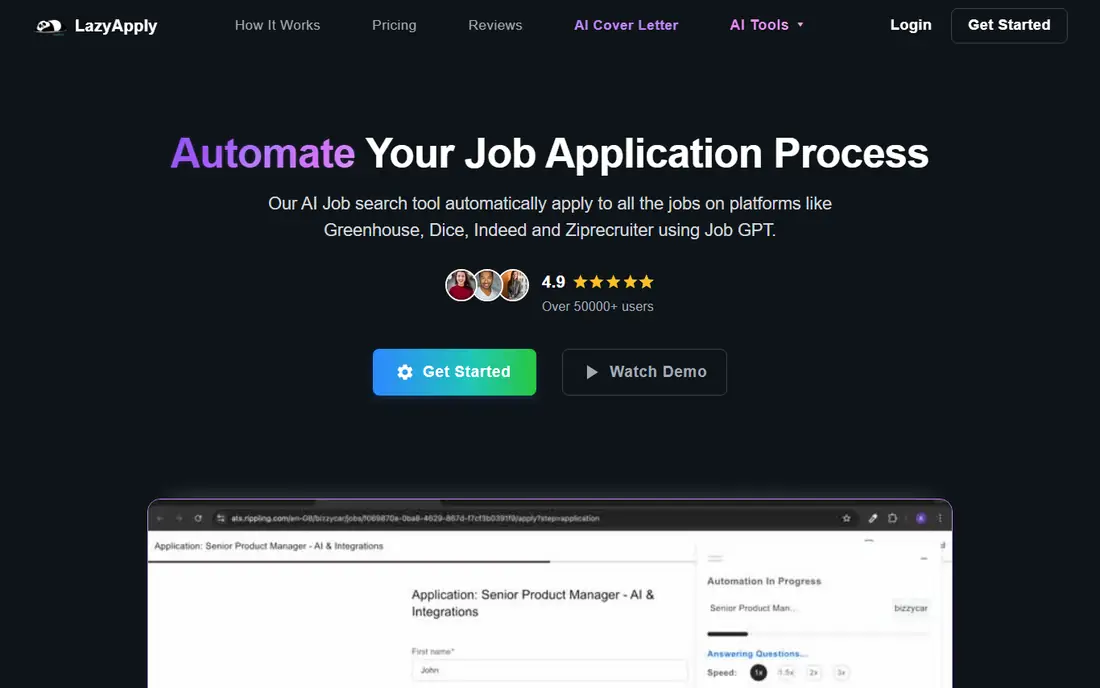
LazyApply is a browser extension that turns job applications into one-click actions across major job boards. It fills forms from your saved profile, tracks submissions, and lets you apply to dozens of roles in a session. That speed suits seekers in markets where response rates are low and volume is the main lever.
Automation has limits: some boards detect and block automated submissions, and a single generic resume rarely fits every role well. LazyApply fits seekers who already have a strong base resume and want to multiply its reach, not seekers hoping automation replaces resume quality.
What we like- One-click applications
- Browser extension
- Works across major job boards
Watch out for- Quality depends on your base resume
- Some boards block automation
Starting priceSee website
Free planYes
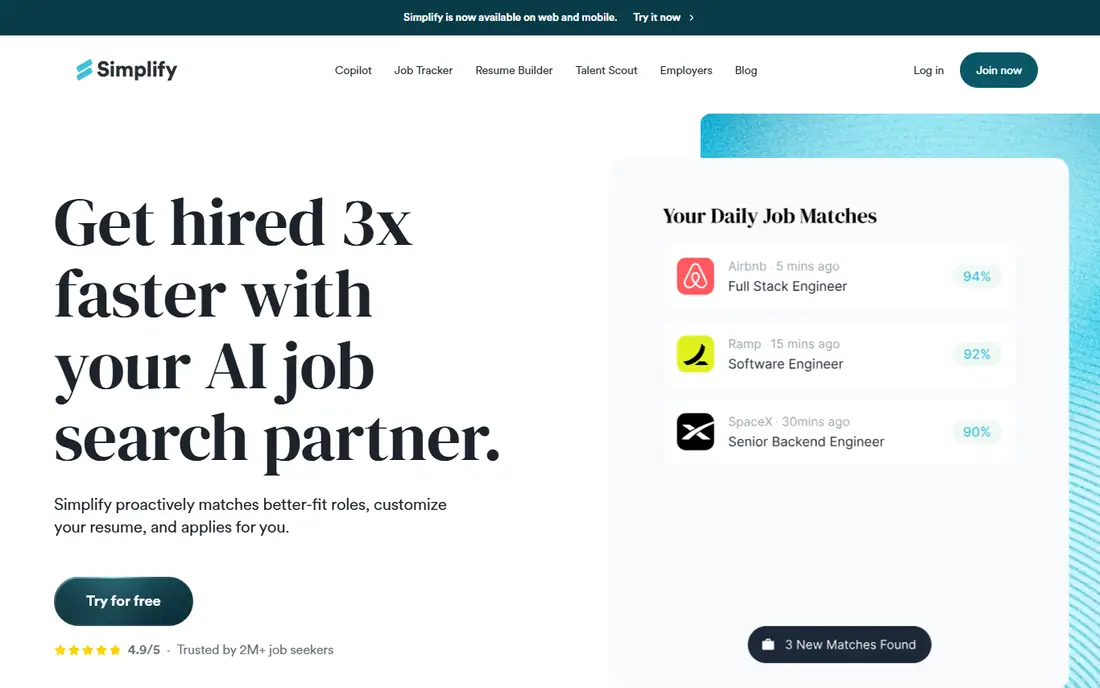
Simplify combines a free job tracker with an autofill extension and optional automation, so you can see every application, its status, and its outcome in one place. That visibility matters: mass applying without tracking leads to duplicate applications and missed follow-ups. Its free tier covers tracking and basic autofill, which already helps most seekers.
Full automation sits on paid plans, and matching quality varies by field, with tech roles better covered than niche professions. Simplify fits seekers who want organization first and automation second, with a free starting point that stays useful even without paying.
What we like- Free tracking tools
- Autofill extension
- Application status visibility
Watch out for- Automation features are paid
- Matching quality varies by field
Starting priceSee website
Free planFree trial
LoopCV automates applications on a schedule you set, applying to matched roles daily while tracking each submission and alerting you to responses. That steady drip avoids the feast-or-famine pattern of manual bursts, and its dashboard shows which roles, boards, and resume versions perform best. Job seekers can tune matching criteria over time.
Results still depend on profile quality: a weak resume automated to hundreds of roles produces hundreds of rejections faster. LoopCV fits seekers who want consistent, tracked volume and are willing to refine their profile based on response data.
What we like- Automated applications on a schedule
- Detailed tracking
- Email alerts
Watch out for- Subscription cost
- Results depend on profile quality
Starting priceSee website
Free planFree trial
JobCopilot uses AI matching to find roles fitting your profile, then applies automatically while tracking interviews and responses. Its pitch is hands-off job searching: set preferences once, and applications flow daily. That appeals to seekers who dislike the application grind and want AI to handle discovery as well as submission.
As a newer vendor, its track record is shorter than Sonara's or LazyApply's, and plan limits shape how many applications run per day. JobCopilot fits seekers comfortable trusting AI matching, who will still review matches and prepare properly for interviews that result.
What we like- AI job matching
- Automated applications
- Interview tracking
Watch out for- Newer vendor
- Pricing and limits vary by plan
Starting priceSee website
Free planYes
Teal is primarily a job tracker with AI help: it organizes applications, tailors resumes to postings by keyword matching, and tracks contacts and follow-ups. That tailoring addresses the main weakness of mass applying, since a resume tuned to each posting passes automated screening more often. Its free tier covers tracking and basic tools.
Automation is lighter than Sonara or LazyApply: Teal helps you apply better, not apply hundreds of times untouched. Teal also tracks networking contacts and follow-up tasks, which matters because referrals and follow-ups often convert better than cold applications alone. Teal fits seekers who want quality and organization, using AI tailoring for roles they care about rather than pure volume for everything.
What we like- Strong tracker
- AI resume tailoring
- Keyword matching for postings
Watch out for- Automation is lighter than pure auto-apply tools
- Premium features paid
Starting priceSee website
Free planYes
Huntr is a visual job search tracker built around a kanban board: wishlist, applied, interview, offer, and rejected stages, with salary, contact, and note tracking per role. Its browser extension saves postings quickly, and the board view makes a long search manageable at a glance. For seekers juggling dozens of applications, that clarity prevents lost follow-ups.
Huntr does not mass auto-apply, so it pairs with an automation tool rather than replacing one. Huntr also supports document storage for resumes and cover letters, keeping each version attached to the roles it was sent to. It fits seekers who want the best tracking board available, especially those combining manual applications for top roles with automation elsewhere.
What we like- Visual kanban tracker
- Browser extension
- Salary and contact tracking
Watch out for- No mass auto-apply
- Automation features are minimal
Starting priceSee website
Free planYes
CareerFlow focuses on LinkedIn-centered job searching, with profile optimization, a resume builder, and a tracker in one place. Its LinkedIn tools help seekers appear in recruiter searches, which matters since many roles fill through recruiter outreach before public applications close. The tracker keeps applications organized alongside LinkedIn activity.
Auto-apply features are limited compared with Sonara or LazyApply, so CareerFlow complements rather than replaces volume tools. CareerFlow also offers interview preparation prompts tied to saved roles, which helps seekers turn recruiter interest into strong interviews. It fits seekers whose strategy centers on LinkedIn visibility and recruiter inbound, with tracking and resume tools supporting that channel.
What we like- LinkedIn optimization
- Resume builder
- Job tracker included
Watch out for- LinkedIn-centered
- Auto-apply features are limited
How we chose
We compared pricing pages, product documentation, and public user reviews for mass job application tools that are actively sold in 2026. We favored tools with real automation or tracking value, published or confirmable pricing, and current availability. We checked board compatibility claims carefully, since automation breaks when boards change their forms, and we flagged quality and spam risks rather than presenting volume as pure benefit.
Volume helps, but tailoring wins interviews
Data from job seekers consistently shows the same pattern: tailored applications convert to interviews at higher rates than generic ones, while automated applications win on volume. The smart mix is tiered: automate broadly for roles that fit well but are not top targets, and tailor carefully for the roles you truly want. That split preserves time while protecting your best chances.
Protect your reputation with employers
Mass applying carries reputation risks that vendors rarely mention. Duplicate applications to the same employer look careless, and generic resumes with mismatched skills can land you on internal do-not-consider lists. Cap applications per employer, review matches before submission where the tool allows, and never apply to the same role twice through different channels.
Track everything, or volume becomes chaos
An application you cannot find again is an interview you cannot prepare for. Use a tracker like Simplify, Teal, or Huntr for every automated submission, and log the role, company, date, resume version, and contact. Set a follow-up reminder for each promising application, since polite follow-up after a week often revives a stalled process. When a recruiter calls about a role you applied to weeks ago, that record is the difference between a confident conversation and a blank stare.
Refresh your profile monthly
A stale profile is the most common reason mass applying stops working. Update your resume, skills, and target roles monthly, and review which matches produced interviews versus silence. Small changes, such as a clearer headline, a quantified achievement, or a corrected location, can shift match quality more than doubling application volume. Treat the profile as a living document, not a file you upload once and forget.
Know when automation stops helping
Automation stops helping when response rates collapse, when boards block your submissions, or when interviews reveal that matched roles do not fit. Watch response rates weekly: if hundreds of applications produce no interviews, the problem is usually the resume or targeting, not the volume. Pause automation, fix the profile, and restart with better matches.
Frequently asked questions
Do mass job application tools actually work?
They work at producing applications, and sometimes interviews, especially in high-volume markets. They work less well at producing tailored, high-conversion applications. Treat them as a volume channel alongside tailored applications, not as a replacement for a good resume.
Can employers tell I used an auto-apply tool?
Sometimes. Generic resumes, instant submission patterns, and duplicate applications can signal automation. Tools that allow match review and resume tailoring reduce that signal, as does capping volume per employer.
Will auto-apply tools get my accounts banned?
It is possible on boards that prohibit automation, since terms of service vary and enforcement changes. Read each board's terms, prefer tools that work within official application flows where possible, and keep manual applications as a fallback channel.
How many jobs should I apply to per day?
There is no universal number, but quality falls as volume rises without review. Many seekers do best with a mix: a handful of tailored applications for top roles plus a larger automated batch for strong fits, tracked carefully in both cases.
Should I pay for an auto-apply subscription?
Pay only after a free trial shows real, relevant matches and a tracker you will use. If matches are poor or the tool duplicates roles you already applied to, cancel before the subscription renews and fix your resume and targeting first.
Sources we checked (8)
- https://www.sonara.ai
- https://lazyapply.com
- https://simplify.jobs
- https://loopcv.pro
- https://jobcopilot.com
- https://www.tealhq.com
- https://huntr.co
- https://www.careerflow.ai
Is your product missing or out of date?
We review this list regularly. Vendors can request a listing, send updated pricing or ask about featured placement.

Shihab Mia · Founder, Rankite
Shihab has 5+ years in B2B and SaaS SEO. He writes Rankite's software buying guides from pricing pages, documentation and public user reviews. More about Shihab.