How we make this list: we compare pricing pages, product documentation and public user reviews. Ratings come from G2, Capterra or Trustpilot, with the date we checked them.
Key takeaways
- Information governance covers records, retention, legal holds, e-discovery and defensible deletion across email, files and repositories, not just a data catalogue.
- Only Microsoft Purview in this list publishes a clear starting price, at 12 dollars per user per month for the Purview Suite add-on on Microsoft 365 E3.
- OpenText, NetDocuments, Exterro, Veritas, Proofpoint, IBM FileNet and ZL Technologies are all quote based, so budget from a written vendor quote.
- A legal hold must freeze deletion across every governed source, or the hold is only partial.
- Choose the repository first when records must outlive the application that created them.
Information governance software applies retention, classification, access control and disposal rules to content wherever it lives, then proves that those rules were followed. A buyer should expect a retention schedule, a file plan, legal holds, audit trails, search for e-discovery, and a defensible deletion workflow in the same programme. Email archiving alone is not enough when contracts, drawings, chat messages and shared drives also hold regulated records. The strongest tools in this guide govern content in place as well as content inside their own repository, so a record can stay in Microsoft 365, SAP or a file share and still follow one policy. Ask each vendor to show how one retention rule reaches each source and how a hold overrides deletion.
How do I choose between a records repository and a Microsoft 365 add-on?
Start with where the regulated content lives and how long it must be kept. If most records already sit in Exchange, SharePoint, OneDrive and Teams, Microsoft Purview avoids a migration. If records sit in SAP, a legacy document system, shared drives and several cloud applications, a repository such as OpenText or IBM FileNet gives one governed home for content that must survive application changes. Law firms and legal departments often sit in the middle, with matter files in NetDocuments and email elsewhere, so the deciding factor is whether the tool can declare records and apply holds without moving every file. Check the exit path too: a repository that cannot export records with metadata and audit history creates lock-in risk later.
What does defensible deletion require in practice?
Defensible deletion means content is deleted on schedule, with approval, and with a record that proves why and when it happened. The process needs a written retention schedule, a disposition review step, a legal hold check before any deletion runs, and an audit log that survives the deleted content. Tools should support both automatic disposal for routine records and a review queue for sensitive categories, such as HR files, contracts under dispute and regulated financial records. Test the exception path too: a record under hold must not be deleted by a schedule or by hand, and the tool should keep a certificate of destruction for each disposal batch.
Budget for licences, implementation, migration, training and ongoing administration, not for the licence line alone. Quote-based enterprise tools in this guide usually price by users, data volume, modules or a mix of all three, so two buyers can receive very different quotes for the same product. Microsoft Purview is the exception, with a published Suite price of 12 dollars per user per month on top of Microsoft 365 E3, plus pay-as-you-go meters for data outside Microsoft 365. For the other seven tools, request a written quote that lists licences, storage, implementation, migration, support and renewal terms separately. Also budget staff time for the file plan and retention schedule, because those decisions take longer than the software install.
How do legal holds and e-discovery change the shortlist?
Legal holds and e-discovery move the decision from storage to control. A hold must apply at once across email, files, chat and records, and stop automatic and manual deletion for custodians in scope. E-discovery then needs fast collection, search across sources, early case assessment, review and export in a form a court or regulator can accept. Exterro and ZL Technologies lead on this workflow, because e-discovery is their core use case rather than an add-on. OpenText, Veritas and Proofpoint cover archiving and holds well, while NetDocuments and IBM FileNet are stronger when the matter file itself is the record. Before shortlisting, run a test hold on a small custodian group and check the export format.
Quick comparison
| Tool | Best for | Starting price | Free plan |
|---|
 OpenText | Large enterprises with SAP, Microsoft 365 and legacy repositories that need one certified records programme | quote | None listed; demo and sales consultation available |
 NetDocuments | Law firms and legal departments that need matter-centred records, email filing and defensible retention | quote | None; demo available through sales |
 Microsoft Purview | Organisations already on Microsoft 365 that want retention, labelling, holds and e-discovery without a new repository | $12 per user per month for the Microsoft Purview Suite add-on, paid yearly, requires Microsoft 365 E3 | Core Purview features are included in some Microsoft 365 plans; no separate free plan for the full Suite |
 Exterro | Legal and compliance teams that run frequent litigation, investigations and data subject requests | quote | None listed; demo available through sales |
 Veritas Enterprise Vault | Enterprises with large email and file archives that need long-term retention, journaling and e-discovery search | quote | None listed; trial and demo through sales and partners |
 Proofpoint | Enterprises that need email archiving, legal hold and data loss prevention tied to email and cloud applications | quote | None; 30-day trial available on request for some products |
 IBM FileNet | Large regulated enterprises with high-volume transactional content and complex case and workflow needs | quote | None listed; demo and sales consultation available |
 ZL Technologies | Very large enterprises that need one unified archive for email, files, social media and other unstructured data | quote | None listed; demo available through sales |
Is your product missing or out of date?
We review this list regularly. Vendors can request a listing, send updated pricing or ask about featured placement.
#1
OpenText
Best for: Large enterprises with SAP, Microsoft 365 and legacy repositories that need one certified records programme
Visit opentext.com
Starting pricequote
Free planNone listed; demo and sales consultation available
OpenText Content Management, formerly Extended ECM, files documents into business workspaces tied to SAP, Salesforce and Microsoft 365, then governs them from creation to disposal. Its records management is certified to DoD 5015.02, and it manages electronic and physical records under one file plan, with retention, holds and disposition applying across repositories. It runs on premises, in private cloud, as a managed service or as Core Content Management software as a service. That range suits regulated buyers, but modules, deployment and migration all change the quote, so ask for the full module list in writing.
What we like- Certified records management, broad repository and application coverage, strong retention and disposition controls
Watch out for- Implementation is complex and often needs specialist consultants, which lengthens the first rollout and raises services cost
#2NetDocuments
Best for: Law firms and legal departments that need matter-centred records, email filing and defensible retention3.9/5 on
G2 (38 reviews, checked Oct 2026)
Visit netdocuments.com
Starting pricequote
Free planNone; demo available through sales
NetDocuments is a cloud document management system for law firms and legal departments, with documents and email organised by client and matter. Version control, search, Outlook filing and Teams connections keep the matter file current. The Records Manager add-on brings retention, holds and disposition to that file, so client files can be kept for a set period and then destroyed on schedule. The vendor pricing page states pricing is tailored to each organisation, based on team size, products chosen and rollout scope, with no plan or amount shown. Third-party estimates vary widely, so request a written quote that lists each add-on separately.
What we like- Cloud document and email management built for legal work, Records Manager add-on, strong Microsoft Outlook and Word integration
Watch out for- Pricing is not published on the vendor site, and Records Manager and ndMAX AI are separate add-ons, so the quoted total can rise above the base platform price
#3Microsoft Purview
Best for: Organisations already on Microsoft 365 that want retention, labelling, holds and e-discovery without a new repository4.5/5 on
Capterra (2 reviews, checked Oct 2026)
Visit microsoft.com
Starting price$12 per user per month for the Microsoft Purview Suite add-on, paid yearly, requires Microsoft 365 E3
Free planCore Purview features are included in some Microsoft 365 plans; no separate free plan for the full Suite
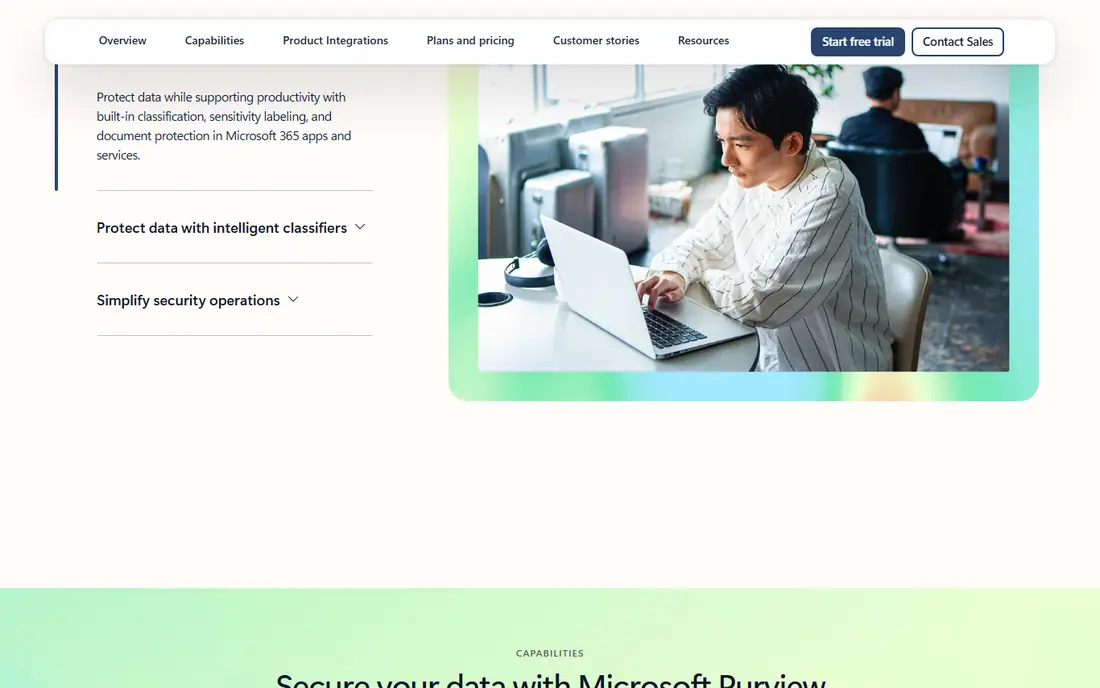
Microsoft Purview brings sensitivity labels, data loss prevention, retention policies, litigation hold and e-discovery into Microsoft 365. The Purview Suite lists at 12 dollars per user per month, paid yearly, and requires Microsoft 365 E3 or Office 365 E3 with Enterprise Mobility and Security E3. Microsoft 365 E5, listed at 60 dollars per user per month, includes the same compliance features with wider security products. Purview suits buyers who can govern most content inside Microsoft 365 and want one licence model. Buyers with large non-Microsoft estates should check which sources need connectors or meters before deciding Purview alone is enough.
What we like- Native coverage of Exchange, SharePoint, OneDrive and Teams, published pricing, automatic labelling and audit history
Watch out for- Coverage outside Microsoft 365 is weaker and can add pay-as-you-go meters, so mixed estates still need a second tool or connector
#4Exterro
Best for: Legal and compliance teams that run frequent litigation, investigations and data subject requests4.4/5 on
G2 (171 reviews, checked Oct 2026)
Visit exterro.com
Starting pricequote
Free planNone listed; demo available through sales
Exterro covers the full e-discovery reference model, from legal hold and collection through processing, early case assessment, review and production. Legal Project Management tracks each matter, while privacy tools help teams find and protect personal data before review, and every step stays auditable. The vendor does not publish a price list, so request a quote scoped by matter volume, data volume and modules. Smaller buyers should ask which parts can be bought separately, because the full suite may exceed the need for a team handling only a few matters each year.
What we like- End-to-end e-discovery, legal hold, data management and review in one platform, strong defensible workflow from hold to production
Watch out for- Enterprise pricing is quote only and implementation can be heavy for smaller teams, which makes it a poor fit for a single occasional matter
#5
Veritas Enterprise Vault
Best for: Enterprises with large email and file archives that need long-term retention, journaling and e-discovery search
Visit veritas.com
Starting pricequote
Free planNone listed; trial and demo through sales and partners
Veritas Enterprise Vault archives email, files and other content into a governed store, applies retention policies by category, and keeps content searchable for compliance and discovery. Journaling captures messages as they arrive, which helps regulated teams prove nothing was lost before a hold was placed, while policy archiving keeps older content searchable. The vendor does not publish a list price for Enterprise Vault, and pricing varies by capacity, modules and support term, so a written quote is needed. Confirm the deployment, storage and support tier in the quote, because those choices drive total cost.
What we like- Proven large-scale email and file archiving, policy-based retention, journaling and search for discovery
Watch out for- The product is an established enterprise archive, so the interface and administration feel dated next to newer cloud archives, and upgrades need planning
#6
Proofpoint
Best for: Enterprises that need email archiving, legal hold and data loss prevention tied to email and cloud applications
Visit proofpoint.com
Starting pricequote
Free planNone; 30-day trial available on request for some products
Proofpoint combines email security with archiving, legal hold and data loss prevention, which suits teams whose main risk sits in email and cloud messages. Its archiving keeps messages searchable, and legal hold freezes deletion for custodians in scope. Enterprise data loss prevention extends controls to cloud applications and endpoints, though that breadth is sold by quote. The small-business Essentials line is a separate product, and it should not be confused with the enterprise governance suite. Ask for a quote that names each module, the retention period, the storage limit and the hold scope.
What we like- Strong email archiving and legal hold, data loss prevention across email and cloud apps, established enterprise support
Watch out for- Enterprise governance modules are quote only and advanced archiving and data loss prevention sit on higher tiers, so the entry price does not show the full governance cost
#7
IBM FileNet
Best for: Large regulated enterprises with high-volume transactional content and complex case and workflow needs
Visit ibm.com
Starting pricequote
Free planNone listed; demo and sales consultation available
IBM FileNet Content Manager is an enterprise content services platform built on the FileNet P8 platform, and it forms the content foundation of IBM Cloud Pak for Business Automation. It captures, stores, manages and secures content at enterprise scale, with versioning, classification, lifecycles, retention and holds, while IBM Enterprise Records adds records management for electronic and physical information. That depth suits banks, insurers, government bodies and other regulated buyers with high volumes. IBM does not publish a price for FileNet Content Manager, and the product page directs buyers to contact IBM. Request a written quote covering licences, deployment, implementation, training and support, and confirm which Cloud Pak components are included.
What we like- Enterprise-scale content repository, retention and holds, strong workflow and case management, long track record in regulated sectors
Watch out for- No public price list, and implementation and administration need specialist skills, which raises the total cost and lengthens deployment
#8
ZL Technologies
Best for: Very large enterprises that need one unified archive for email, files, social media and other unstructured data
Visit zlti.com
Starting pricequote
Free planNone listed; demo available through sales
ZL Technologies Unified Archive consolidates email, files, social media, instant messages and other unstructured data into one repository under one policy. That single-copy approach helps large enterprises apply retention, holds and e-discovery search across sources that would otherwise need separate archives, while ZL Discovery Manager brings e-discovery in house. ZL Unified Archive is listed as FedRAMP Certified. The vendor does not publish a price list, so buyers should request a quote scoped by data volume, sources and modules. Ask for the implementation timeline too, because a unified archive of this size needs careful migration planning.
What we like- Single unified archive for many data types, strong e-discovery and records management, FedRAMP Certified Unified Archive
Watch out for- Pricing is quote only and initial setup costs are typically higher than lighter archives, so smaller estates may pay for scale they do not need
Comparison table
| Tool |
Best for |
Starting price |
Free plan |
Deployment |
| OpenText |
Multi-repository certified records |
quote |
None listed |
On premises, private cloud, managed service, SaaS |
| NetDocuments |
Law firms and legal departments |
quote |
None |
Cloud |
| Microsoft Purview |
Microsoft 365 estates |
$12 per user per month, Purview Suite add-on on E3 |
Core features in some Microsoft 365 plans |
Cloud, Microsoft 365 |
| Exterro |
Litigation and investigations |
quote |
None listed |
Cloud, on premises |
| Veritas Enterprise Vault |
Large email and file archives |
quote |
None listed |
On premises, cloud options through partners |
| Proofpoint |
Email archiving and legal hold |
quote |
None; trial on request |
Cloud |
| IBM FileNet |
High-volume regulated content |
quote |
None listed |
On premises, private cloud, Cloud Pak |
| ZL Technologies |
Unified archive at very large scale |
quote |
None listed |
On premises, cloud, hybrid |
How we picked
We picked tools that govern records, content, e-discovery, legal holds and defensible deletion across repositories, rather than data governance catalogues that only describe structured data. We checked each vendor pricing page on 21 Nov 2026 and recorded quote where the vendor publishes no list price. Microsoft Purview is the only tool in this list with a clear published starting price on its vendor page, at 12 dollars per user per month for the Purview Suite add-on. For the other seven tools, we did not use third-party estimates as the starting price, because those estimates conflict. Shortlist from the repository or Microsoft 365 position first, then test a legal hold and a disposal batch before signing.
Last verified: 21 Nov 2026. Prices were checked against vendor pages on that date. Quote-based prices can change with scope, volume and contract term, so request a written quote before budgeting.
Frequently asked questions
What is the best information governance software for a Microsoft 365 organisation?
Microsoft Purview is the best fit for most Microsoft 365 organisations, because retention, labelling, holds and e-discovery work inside Exchange, SharePoint, OneDrive and Teams without a migration. The Purview Suite costs 12 dollars per user per month on top of Microsoft 365 E3, though buyers with large non-Microsoft estates should check connector and meter costs.
How is information governance different from data governance?
Information governance covers unstructured content such as documents, email, chat and records, with retention, holds, e-discovery and defensible deletion. Data governance covers structured data in databases and catalogues, with ownership, quality, lineage and access rules. Do not shortlist a data catalogue when the need is records and legal holds.
Which tool is best for e-discovery and legal holds?
Exterro is the strongest choice for frequent e-discovery and legal holds, because it covers hold, collection, processing, review and production in one platform. ZL Technologies is a strong alternative for very large unified archives, and OpenText, Veritas and Proofpoint also cover holds and search well.
Can I delete records defensibly with these tools?
Yes, when the retention schedule, disposition review, hold check and audit log are all in place. Each tool here supports retention and holds, and most support a review step before disposal. The key test is the exception path: a record under hold must not be deleted by a schedule or by hand.
Why do most information governance tools not publish prices?
Most tools here are sold by quote because price depends on users, data volume, modules, deployment and services. Microsoft Purview is the exception, with a published Suite price. For the other seven, request a written quote that lists licences, storage, implementation and renewal terms separately, and compare quotes on the same scope.
Sources we checked (12)
- https://www.opentext.com
- https://www.OpenText.com/assets/documents/en-US/pdf/opentext-so-ecm-microsoft-365-en.pdf
- https://www.netdocuments.com/pricing
- https://www.netdocuments.com
- https://www.microsoft.com/security/business/information-protection/microsoft-purview-information-protection
- https://www.microsoft.com/security/business/information-protection/microsoft-purview-information-protection
- https://www.exterro.com
- https://www.veritas.com
- https://www.proofpoint.com
- https://www.ibm.com/docs/en/cloud-paks/cp-biz-automation/25.0.1?topic=capabilities-content-services
- https://www.zlti.com
- https://www.fedramp.gov/marketplace/products/FR2504771625/
Is your product missing or out of date?
We review this list regularly. Vendors can request a listing, send updated pricing or ask about featured placement.

Shihab Mia · Founder, Rankite
Shihab has 5+ years in B2B and SaaS SEO. He writes Rankite's software buying guides from pricing pages, documentation and public user reviews. More about Shihab.