How we make this list: we compare pricing pages, product documentation and public user reviews. Rankite is independent; if a vendor ever pays for a featured spot, that listing is clearly labeled Partner.
Key takeaways
- Okta is the best-of-breed workforce identity platform, with SSO from about $2 per user per month.
- Microsoft Entra ID at $6 per user per month is the obvious pick for companies already on Microsoft 365.
- Auth0 is the developer choice for customer-facing login, free up to 25,000 monthly active users.
- Cisco Duo and JumpCloud both offer genuinely free tiers for very small teams.
Quick comparison
| Tool | Best for | Starting price | Free plan |
|---|
 Okta Okta | Best-of-breed workforce identity | From $2/user/month | Free trial |
 Microsoft Entra ID Microsoft Entra ID | Microsoft 365 shops | $6/user/month | Free plan |
 Auth0 Auth0 | Customer-facing apps (CIAM) | From $35/month | Free plan |
 OneLogin OneLogin | Mid-market simplicity | From $4/user/month | Free trial |
 Ping Identity Ping Identity | Large enterprise federation | See website | Free trial |
 Cisco Duo Cisco Duo | MFA-first security | From $3/user/month | Free plan |
 JumpCloud JumpCloud | Cloud directory for modern IT | See website | Free plan |
 Keycloak Keycloak | Open-source self-hosted identity | Free | Free plan |
 IBM Security Verify IBM Security Verify | Enterprise IDaaS value | From $1.80/user/month | Free trial |
Is your product missing or out of date?
We review this list regularly. Vendors can request a listing, send updated pricing or ask about featured placement.
The best IDP software
Starting priceFrom $2/user/month
Free planFree trial
Okta is the identity provider most enterprises compare everything else against. Single sign-on covers thousands of prebuilt app integrations, adaptive MFA adds risk-based step-up authentication, and lifecycle management automates provisioning and deprovisioning as people join, move and leave. The integration network is the moat: if an app exists, Okta probably connects to it.
Pricing starts around $2 per user per month for SSO, with MFA and lifecycle management adding cost; full suites run $6 to $17 per user per month. For a company standardizing identity outside the Microsoft ecosystem, Okta is the default enterprise answer.
What we like- Largest app integration catalog
- Strong lifecycle management
- Proven at enterprise scale
Watch out for- Costs climb as you add modules
- Enterprise sales process
Starting price$6/user/month
Free planFree plan
Entra ID (formerly Azure AD) is the identity layer for the Microsoft world. If your company runs Microsoft 365, Entra ID is already there, managing logins for Office apps, Windows devices and thousands of SaaS integrations. P1 at $6 per user per month adds Conditional Access and hybrid identity; P2 at $9 adds identity protection and privileged access management.
The catch is stacking: advanced features often assume Microsoft 365 E5 licensing, and the admin portals sprawl. For organizations committed to Microsoft, no third-party IdP integrates as deeply. Everyone else should compare Okta first.
What we like- Native Microsoft 365 integration
- Conditional Access policies
- Huge existing user base
Watch out for- P2 features often need Microsoft 365 E5
- Portal complexity
Starting priceFrom $35/month
Free planFree plan
Auth0, owned by Okta, is the identity platform developers choose for customer-facing applications. Universal Login, social logins, passwordless, passkeys and bot detection come with SDKs for every major stack. The free tier covers up to 25,000 monthly active users, which carries most startups a long way.
Paid plans start at $35 per month, but costs climb with MAU and enterprise connections run about $11 per month each. For SaaS companies that need login without building it, Auth0 is the benchmark. Workforce SSO buyers should look at Okta itself instead.
What we like- Developer-first with great docs
- Free up to 25,000 MAU
- Universal Login and passkeys
Watch out for- Costs scale steeply with MAU
- Enterprise features are tier-gated
Starting priceFrom $4/user/month
Free planFree trial
OneLogin (part of One Identity) targets the mid-market with straightforward SSO and adaptive MFA. Deployment is simpler than Okta or Entra, and managed service providers like the multi-tenant management. Pricing from around $4 to $6 per user per month keeps it accessible.
Depth is the trade-off: advanced lifecycle and governance features sit on higher tiers, and the integration catalog is smaller. For a mid-size company that needs reliable SSO and MFA without enterprise complexity, OneLogin is the uncomplicated choice.
What we like- Simple to deploy
- Good SSO and MFA basics
- Popular with MSPs
Watch out for- Advanced features gated to higher tiers
- Smaller ecosystem than Okta
Starting priceSee website
Free planFree trial
Ping Identity (which absorbed ForgeRock) serves the largest and most complex identity environments: banks, airlines and global enterprises with intricate federation needs. Standards support is deep, and the DaVinci orchestration layer designs login journeys visually across systems.
Pricing is quote-based and sales-led, with six-figure contracts typical at scale. Implementation needs real IAM expertise. This is not small-business software. For enterprises with federation complexity that breaks simpler tools, Ping is built for exactly that.
What we like- Strong federation and standards support
- DaVinci orchestration
- Now includes ForgeRock
Watch out for- Quote-based pricing
- Needs specialized IAM expertise
Starting priceFrom $3/user/month
Free planFree plan
Duo made multi-factor authentication painless before MFA was fashionable. Push-based approvals, device health checks and risk-based policies protect logins without frustrating users. The free tier covers up to 10 users, and paid plans run $3 to $9 per user per month.
Duo is MFA-first: full SSO and advanced access policies require higher tiers. Organizations that already use Duo for MFA often expand into its access products. For a small team that needs phishing-resistant MFA today, the free tier is the fastest win in this category.
What we like- Excellent MFA user experience
- Device trust
- Free for up to 10 users
Watch out for- Full SSO only on higher tiers
- Cisco ecosystem assumptions
Starting priceSee website
Free planFree plan
JumpCloud is the cloud directory for companies without Active Directory. It combines user directories, SSO, MFA, LDAP, RADIUS and device management in one console, which replaces several tools for modern IT teams. The free tier covers 10 users and 10 devices, genuinely useful for tiny companies.
Pure identity depth trails Okta, and the sweet spot is IT teams managing both identities and devices. For a startup or small business building IT from scratch in the cloud, JumpCloud consolidates impressively.
What we like- Directory, SSO, MFA and device management in one
- Free for 10 users and 10 devices
Watch out for- Less depth than Okta for pure identity
- Device management is Apple and Windows focused
Starting priceFree
Free planFree plan
Keycloak is the open-source identity provider: SSO, identity brokering, user federation and fine-grained authorization for zero license cost. Organizations with engineering teams run it for workforce or customer identity without per-user fees, which changes the economics completely at scale.
The cost is operational. You host, secure, upgrade and scale it. For teams with the maturity to run infrastructure, Keycloak avoids every per-seat and per-MAU trap in this category. Everyone else should buy managed.
What we like- Free and open source
- SSO, federation and user management
- No per-user fees
Watch out for- You operate it
- Upgrades and scaling are your job
#9
IBM Security Verify
Best for: Enterprise IDaaS value
Visit ibm.com
Starting priceFrom $1.80/user/month
Free planFree trial
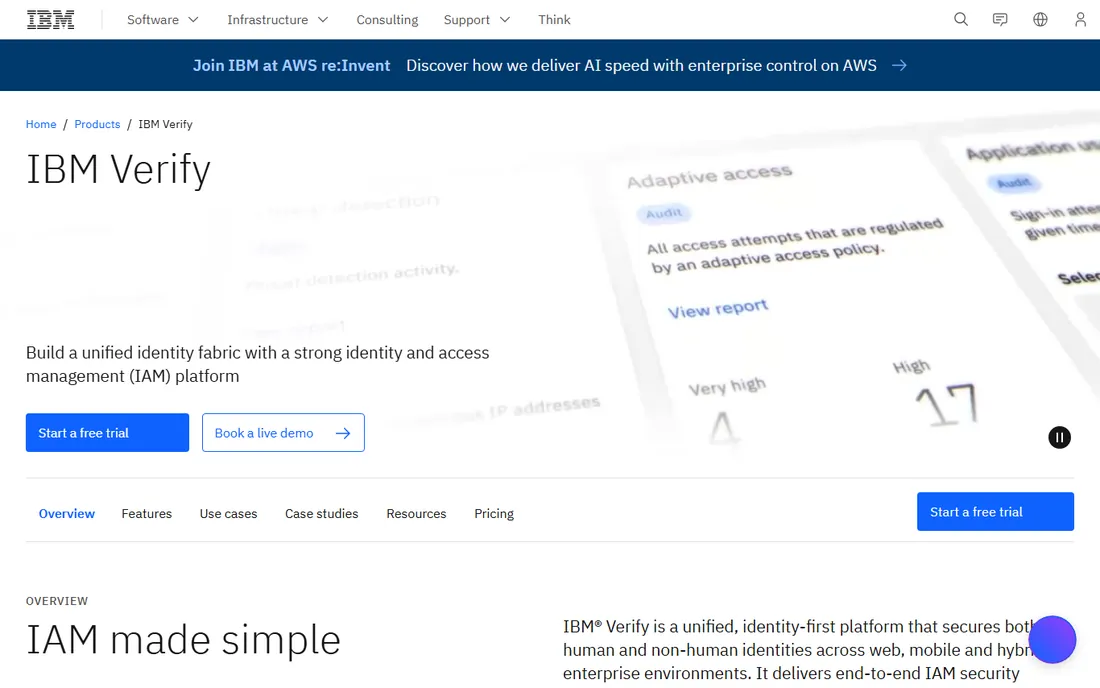
IBM Security Verify offers enterprise identity as a service at unusually low per-user pricing, from about $1.80 per user per month. Machine learning threat scoring, adaptive access and behavioral analytics come from IBM's security research. Compliance attestations suit regulated industries.
The buying experience is enterprise IBM, and the integration ecosystem gets less community attention than Okta. For mid-market and enterprise buyers where per-user cost matters and IBM is already a vendor, Verify deserves a quote alongside the bigger names.
What we like- Low per-user pricing
- ML-based threat scoring
- Enterprise compliance pedigree
Watch out for- IBM sales process
- Smaller integration mindshare than Okta
Workforce vs customer identity: know which you are buying
Workforce IAM (Okta, Entra ID, OneLogin, Duo, JumpCloud) manages employee access to company apps, priced per user per month. Customer IAM or CIAM (Auth0) manages login for your product's users, priced per monthly active user. They are different products with different economics. Buying workforce IAM for a customer login problem, or vice versa, is the most common expensive mistake in this category.
What to check before you buy
Count your apps and test the top five integrations during the trial. A catalog of thousands means nothing if your niche HR tool needs custom SAML work.
Model the three-year cost, not the entry price. MFA, lifecycle management and directory sync are often separate SKUs that double the per-user cost. Get the all-in quote for your actual feature set.
Check the MFA options against your phishing risk. Push MFA is convenient; phishing-resistant options like FIDO2 security keys or passkeys matter for high-risk roles. Confirm what each tier supports.
MFA rollout without the revolt
Everyone agrees multi-factor authentication is necessary. Nobody agrees on how to deploy it without a user revolt, which is why MFA projects stall in pilot purgatory while the security team and the employees glare at each other. The technical part is solved; every IDP here handles MFA well. The hard part is human, and it follows a predictable pattern. Announce early and explain why in plain language, not security jargon. "We are adding a second step to logins to stop account takeovers" works. "We are implementing phishing-resistant authentication per the zero-trust framework" does not. People accept inconvenience they understand; they resist inconvenience that feels arbitrary.
Choose the right factors for your population. Authenticator apps are the sweet spot for most office workers: secure enough, free, and familiar. Push notifications are even easier but slightly less phishing-resistant. Hardware keys suit high-risk roles (finance, IT admins, executives) but will be lost, forgotten and resented by the general population. SMS codes are better than nothing but vulnerable to SIM swapping; avoid them as the primary method if you can. Biometrics on company devices (Windows Hello, Touch ID) give the best experience where available. The winning approach is tiered: convenient factors for everyone, strong factors for the privileged few. One factor for all is how revolts start.
Pilot with friendly departments, not with IT. IT staff tolerate anything and teach you nothing about real users. Pick a department with average technical skills and a respected manager who will champion the change. Support them intensively for two weeks: in-person enrollment sessions, printed setup guides, a dedicated help channel. Fix every friction point they find before expanding. Their feedback will reshape your documentation, your factor choices and your communication. A pilot that converts skeptics into advocates is worth more than any vendor feature; those advocates sell the rollout to the rest of the company.
Plan the enrollment logistics like a product launch. Enrollment is the moment of maximum friction: it interrupts work, requires a phone, and confuses people. Do not email instructions and hope. Run enrollment windows by team with live support available, or integrate enrollment into existing events like all-hands meetings. Provide alternatives for edge cases upfront: employees without smartphones, shared workstations, contractors, traveling staff. Every unhandled edge case becomes a helpdesk ticket and a resentment story. Also decide the policy for lost devices before it happens: a clear, fast recovery process (verified by helpdesk, completed in minutes) prevents both lockouts and workarounds.
Measure and communicate progress. Track enrollment percentage by department, MFA challenge success rates, and helpdesk ticket volume. Publish the numbers internally; departments compete, and laggards feel the social pressure. Celebrate milestones. When phishing-related incidents drop (and they will), share that win explicitly: "account takeovers down 90 percent since MFA." Nothing sustains security behavior like visible results. And keep improving after the rollout: review factor usage quarterly, retire weak methods, and extend phishing-resistant factors to high-risk roles over time. MFA deployment is not a project with an end date; it is the new baseline, maintained like any other critical system.
Frequently asked questions
What is an identity provider?
An identity provider (IdP) is the system that verifies who users are and logs them into applications. Instead of separate passwords for every app, users authenticate once with the IdP, which handles single sign-on, multi-factor authentication and access policies.
How much does identity provider software cost?
Workforce IdPs run roughly $2 to $9 per user per month at entry, climbing to $17+ with full suites. Microsoft Entra ID P1 is $6 per user per month. Customer identity (Auth0) starts free and scales per active user. Open-source Keycloak costs nothing but your operations time.
Is SSO the same as MFA?
No. SSO (single sign-on) lets users access many apps with one login. MFA (multi-factor authentication) requires a second verification factor like a phone approval. Good identity setups use both: SSO for convenience, MFA for security.
Can small businesses use enterprise identity providers?
Yes. Duo and JumpCloud offer free tiers up to 10 users, Auth0 is free to 25,000 monthly active users, and Entra ID has a free tier. Small teams should start free and pay only when headcount or features demand it.
What is the difference between Okta and Auth0?
Both are owned by Okta. Okta proper serves workforce identity (employee SSO), priced per user. Auth0 serves customer identity (login for your app's users), priced per monthly active user. Choose based on whose login you are managing.
Should we self-host identity with Keycloak?
Only if you have engineers to operate it. Keycloak eliminates license fees but you own uptime, security patching and scaling for the system that guards everything else. Most small teams are safer with a managed provider's free tier.
How we chose
We compared the identity providers buyers actually evaluate, split across workforce and customer use cases. Pricing comes from vendor pricing pages as published in mid-2026; quote-based enterprise tools are marked as such. We weighted integration breadth, MFA quality, free tier generosity and fit for different company sizes. No hands-on testing was performed; assessments rest on documentation and public reviews.
Sources we checked (11)
- https://www.okta.com/pricing/
- https://www.microsoft.com/en-us/security/business/microsoft-entra-pricing
- https://auth0.com/pricing
- https://www.onelogin.com/
- https://www.pingidentity.com/
- https://duo.com/pricing
- https://jumpcloud.com/pricing
- https://www.keycloak.org/
- https://www.ibm.com/products/verify
- https://hideez.com/blogs/news/identity-service-pricing-comparison
- https://saascompared.com/blog/authentik-vs-auth0-vs-okta-2026-refresh
Is your product missing or out of date?
We review this list regularly. Vendors can request a listing, send updated pricing or ask about featured placement.

Shihab Mia · Founder, Rankite
Shihab has spent more than a decade helping SaaS and e-commerce brands grow through search. He writes Rankite's software buying guides from pricing pages, documentation and public user reviews. More about Shihab.