How we make this list: we compare pricing pages, product documentation and public user reviews. Rankite is independent; if a vendor ever pays for a featured spot, that listing is clearly labeled Partner.
Key takeaways
- Windows already includes a capable firewall; most tools here make it visible and controllable rather than replacing it.
- GlassWire is the best pick if you want to see what every app is doing on your network, with a free tier and paid plans for deeper control.
- TinyWall and simplewall are free, quiet options for users who prefer an allow-list approach with minimal pop-ups.
- ZoneAlarm and Comodo remain the classic free standalone firewalls with two-way traffic control and extra security layers.
Quick comparison
Is your product missing or out of date?
We review this list regularly. Vendors can request a listing, send updated pricing or ask about featured placement.
The nine home firewalls worth installing
Starting priceSee website
Free planYes

GlassWire looks at the firewall problem sideways: instead of asking you to write rules, it shows you a live graph of every connection your PC makes, which app is responsible, and where the data goes. Spotting something odd, like an unknown program phoning home, takes seconds. Blocking it takes one click. That visibility-first approach makes it the friendliest tool on this list for non-technical users.
The free version works well as a network monitor paired with Windows Firewall, since click-to-block is limited and advanced features like multiple firewall profiles sit in the paid Premium tier. Reviewers consistently praise the design and ease of use while noting the subscription cost. If your main question is "what is my computer doing right now," start here.
What we like- Beautiful real-time traffic graphs
- Alerts on new apps and suspicious hosts
- Easy click-to-block
Watch out for- Free version limits blocking to a couple of apps
- Full firewall rules need a paid plan

#2
ZoneAlarm Free Firewall
Best for: traditional two-way firewall protection
Visit zonealarm.com
Starting priceFree
Free planYes

ZoneAlarm has been the default free firewall recommendation for over two decades, and the current version keeps the formula: two-way firewall that makes your PC invisible to port scans and stops malware from phoning home, wrapped in an interface that mostly stays out of the way. It is fully compatible with Windows 10 and 11 and works alongside most antivirus products.
Being free, it naturally nudges toward Check Point's paid suites, and the free edition does not include features like the advanced threat emulation of the premium line. But as a pure firewall it remains competent and genuinely free, which is why it still appears in every roundup. If you want the classic firewall experience without paying, this is it.
What we like- Long track record and strong inbound/outbound control
- Quiet automatic mode
- From Check Point
Watch out for- Upsells to paid security suites
- Free version lacks newer premium features
Starting priceFree
Free planYes
Comodo Firewall is the power user's free firewall. Beyond standard inbound and outbound filtering, it offers application sandboxing that runs unknown files in isolation, detailed rule sets, and leak-test-beating outbound control that stops malware from sneaking data out through trusted apps. Reviewers on G2 highlight its network control and effective malware blocking.
That power comes with noise. Strict configurations generate a stream of allow-or-block prompts until the rules settle, and some users report slowdowns or clashes with existing antivirus suites. Run it in its friendlier modes first and tighten gradually. For tinkerers who enjoy tuning security policy, nothing free goes deeper.
What we like- Deep rule customization
- Sandbox for unknown files
- Strong leak protection
Watch out for- Frequent pop-ups in strict modes
- Can conflict with other security software
Starting priceFree
Free planYes
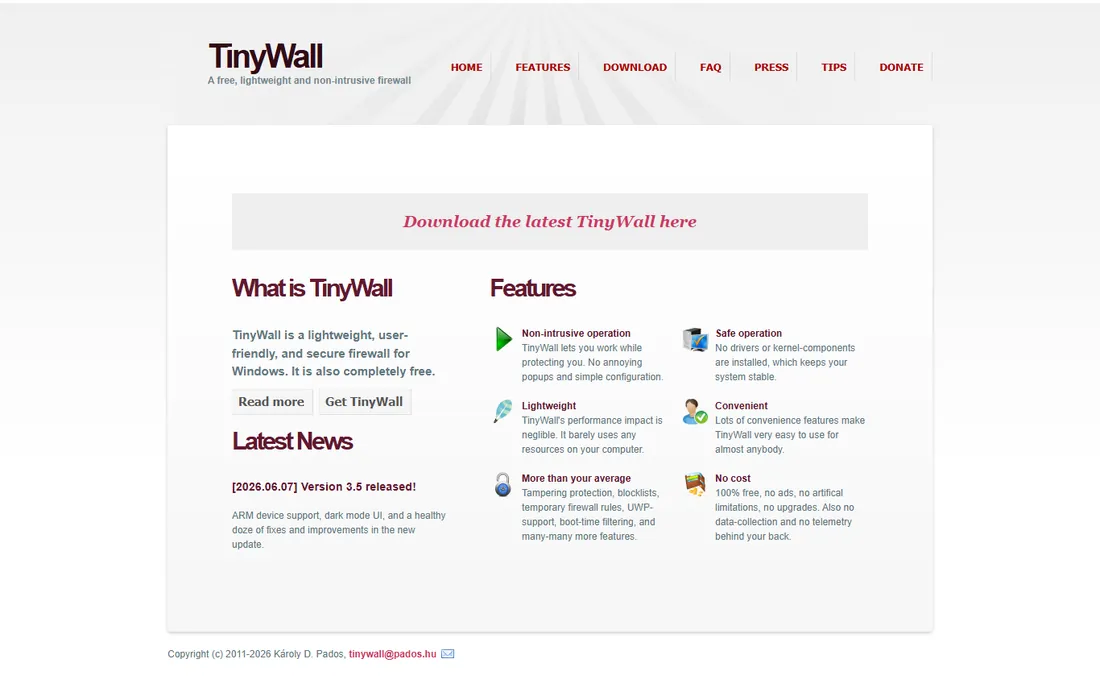
TinyWall deliberately refuses to do what most firewalls do: it never pops up asking about connections. Instead you whitelist the apps you trust through the tray menu, and everything else stays blocked. Version 3.5, released in June 2026, moved it to a standalone WFP-based firewall with ARM support and a dark interface, and the project documents no data collection.
That silence is the selling point and the risk. Prompt fatigue is real, and TinyWall eliminates it, but a default-deny firewall will block a video call or a game until you allow it, which can baffle less technical household members. It is completely free with no paid tier. For your own machine, it is one of the calmest options available.
What we like- No pop-ups by design
- Tiny resource footprint
- Version 3.5 added ARM support and dark mode
Watch out for- Default-deny can confuse beginners
- Minimal hand-holding for new users

#5
Windows Firewall Control
Best for: making the built-in firewall usable
Visit binisoft.org
Starting priceFree
Free planYes
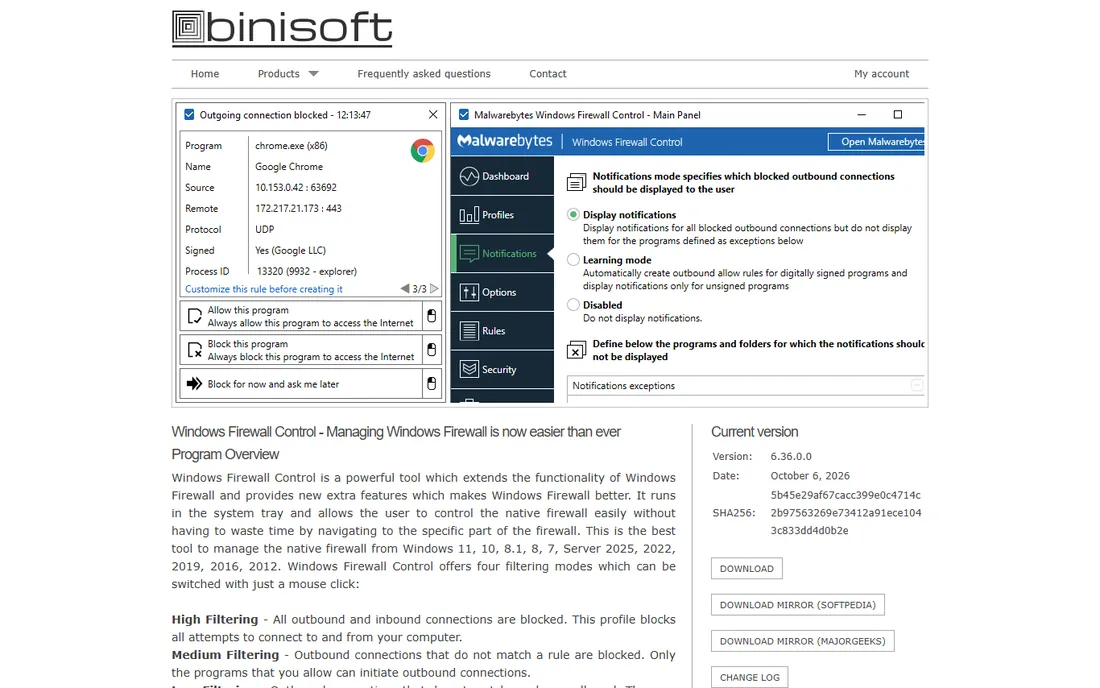
Windows Firewall Control does not add a new firewall; it adds the interface Microsoft never built. It puts outbound notifications, per-app rules, profiles and a connection log on top of the Windows Firewall engine, turning a capable but opaque system into something you can actually manage. The current 6.x releases remain free.
Because it leans on the built-in engine, there is no extra driver and no compatibility risk with antivirus software. The trade is that you inherit Windows Firewall's limitations along with its strengths. If you trust the Windows engine but hate its interface, this is the smallest, safest upgrade you can install.
What we like- Extends Windows Firewall instead of replacing it
- Notifications for outbound blocks
- Tiny and stable
Watch out for- Still relies on Windows Firewall engine
- Interface assumes some networking knowledge
Starting priceFree
Free planYes
simplewall is a free, open-source WFP-based firewall with a deliberately spartan interface: a list of apps, checkboxes for internet access, and one big button to enable filtering. Rules can be temporary (gone after reboot) or permanent, and the whole thing runs portably without installation. The August 2025 release, version 3.8.7, is the current stable build.
It demands respect. Enabling filters with the default allow-list blocks everything unchecked, which is the point, but new users should start with temporary rules until the allow-list covers their daily apps. For privacy-minded users who want to see and permit every connection, it is refreshingly honest software.
What we like- Tiny, portable and open source
- Clear per-app allow list
- Temporary or permanent rules
Watch out for- Stark interface
- Easy to lock yourself out if careless
Starting priceFree
Free planYes
Privatefirewall from Privacyware is one of the quiet veterans of the free firewall world. It provides inbound and outbound filtering, application control and intrusion detection in a small package that stays out of the way. There is no paid edition pushing you to upgrade, which is increasingly rare.
The honest caveats: the interface looks its age, updates are infrequent, and it lacks the network visualization or sandboxing of flashier rivals. If you want a firewall you install once and never think about again, that simplicity is a feature. If you want insight into your traffic, pick GlassWire instead.
What we like- Genuinely free with no upsell pressure
- Low resource use
- Simple interface
Watch out for- Dated interface
- Development appears slow
- Fewer advanced features
Starting priceSee website
Free planFree trial
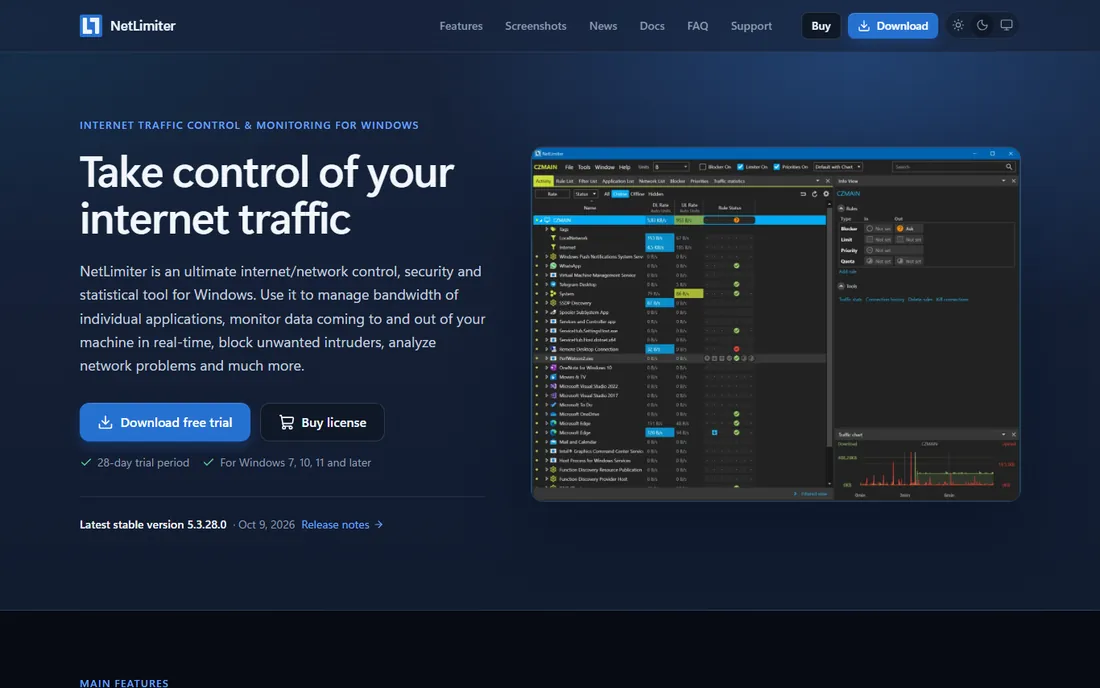
NetLimiter earns its place here because home firewall needs often turn out to be bandwidth needs: stopping one app from hogging the connection during a video call, or capping a downloader overnight. It sets per-application upload and download limits, shows live per-app statistics, and includes firewall rules to block apps outright.
It is commercial software with a trial, not a free firewall, so it competes on control rather than price. If your actual problem is "which app is eating my bandwidth and how do I stop it," NetLimiter answers both questions in one window better than any free firewall here.
What we like- Per-app speed limits and quotas
- Detailed connection statistics
- Firewall-style blocking included
Watch out for- Paid software
- More of a traffic shaper than a pure firewall

#9
Evorim Free Firewall
Best for: a simple free two-way firewall
Visit evorim.com
Starting priceFree
Free planYes
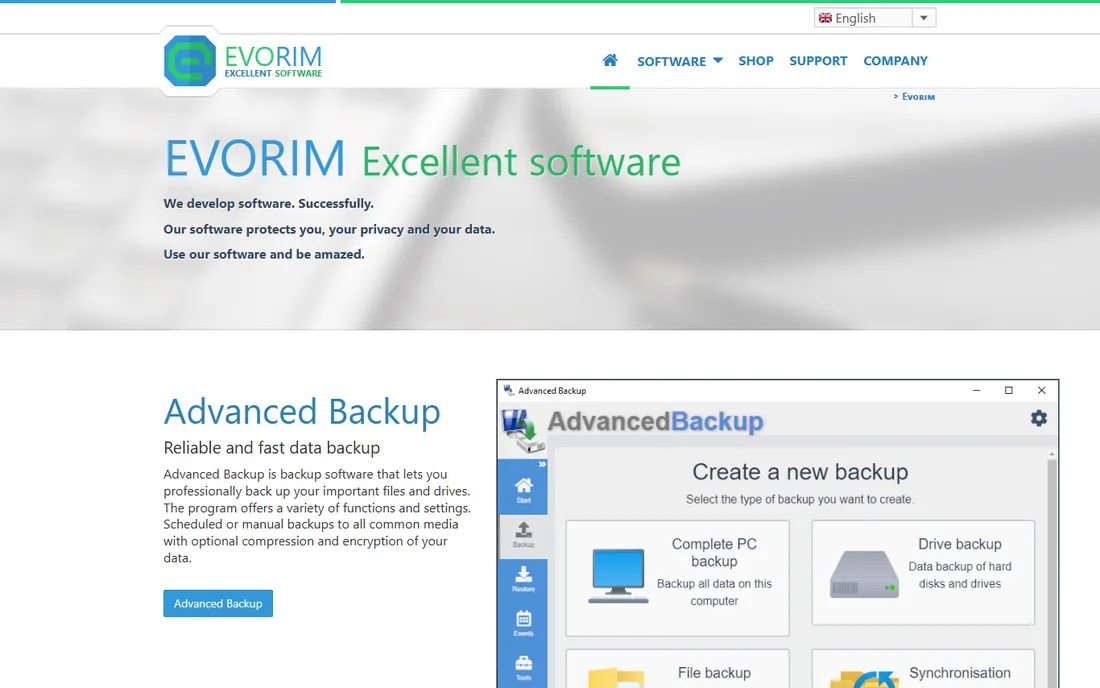
Evorim Free Firewall is a lesser-known but legitimate free two-way firewall for Windows. It monitors incoming and outgoing connections, prompts on new apps, and keeps the interface simple enough for beginners. There is no paid tier gating features, which keeps the value proposition clean.
The trade-off for going off the beaten path is thinner independent review coverage than ZoneAlarm or Comodo enjoy. It does the core job competently, and for users who find the big names bloated or naggy, a small focused tool can be the better fit.
What we like- Free with no feature crippling
- Straightforward allow/block prompts
- Light on resources
Watch out for- Small vendor with less independent testing
- Basic interface
Do you need a third-party firewall at home
For most households, the honest answer starts with what you already have. Windows includes a solid firewall, and modern routers add another layer. A third-party tool earns its place when you want outbound control (stopping apps from phoning home), visibility into traffic, or per-app bandwidth limits, none of which the built-in tools do well.
If you install one, pick a single approach. Running two software firewalls that both filter traffic invites conflicts and weird network breakage. Pair a monitor like GlassWire with the Windows Firewall, or run one standalone firewall, but not both at once.
Free versus paid
Everyday home use is well served by the free tier: ZoneAlarm, Comodo, TinyWall, simplewall and the rest cost nothing. Paid plans in this category buy convenience (GlassWire Premium's fuller blocking), bandwidth shaping (NetLimiter) or suite features most homes do not need. Spend only if you have named the specific paid feature you are missing.
How we compared them
We looked at home-focused firewall software for Windows: filtering quality, ease of use, resource footprint, and whether the project is actively maintained. We checked vendor sites, recent reviews and version histories, and noted where free tiers end and paid plans begin. We did not run leak tests or malware simulations ourselves.
Frequently asked questions
Is Windows Firewall enough for home use?
For inbound protection, yes, it is competent and always on. Third-party firewalls add outbound control, traffic visibility and easier rule management, which the built-in tool handles poorly.
Which free firewall is best for beginners?
ZoneAlarm Free Firewall or GlassWire. ZoneAlarm works quietly in the background; GlassWire shows you what is happening in plain visual terms. Both avoid the prompt storms of stricter tools.
Will a firewall slow down my computer?
Modern firewalls have minimal impact on browsing and everyday use. Comodo in strict mode and heavy rule sets can add some overhead, but TinyWall, simplewall and Windows Firewall Control are all featherweight.
Can I run two firewalls at the same time?
You should not. Two filtering firewalls can conflict and break networking in confusing ways. Use one firewall plus, at most, a passive monitor like GlassWire Free.
Do I need a firewall if I have antivirus?
They do different jobs. Antivirus catches malicious files; a firewall controls network traffic, including stopping malware that slipped past the antivirus from sending your data out. Running both is standard practice.
Are free firewalls safe to use?
The established free firewalls here, ZoneAlarm, Comodo, TinyWall, simplewall, GlassWire Free, come from known vendors or open-source projects with long track records. Stick to the vendor's own download page and avoid repackaged installers from download portals.
Sources we checked (11)
- https://www.glasswire.com/
- https://www.zonealarm.com/
- https://www.comodo.com/
- https://tinywall.pados.hu/
- https://www.binisoft.org/wfc.php
- https://www.henrypp.org/
- https://www.privacyware.com/
- https://www.netlimiter.com/
- https://www.evorim.com/
- https://www.techradar.com/best/firewall
- https://antivirus-review.com/blog/best-firewall-software
Is your product missing or out of date?
We review this list regularly. Vendors can request a listing, send updated pricing or ask about featured placement.

Shihab Mia · Founder, Rankite
Shihab has spent more than a decade helping SaaS and e-commerce brands grow through search. He writes Rankite's software buying guides from pricing pages, documentation and public user reviews. More about Shihab.
 GlassWire
 Comodo Firewall
 TinyWall
 simplewall
 Privatefirewall
 NetLimiter