How we make this list: we compare pricing pages, product documentation and public user reviews. Ratings come from G2, Capterra or Trustpilot, with the date we checked them.
What experiment tracking software does for ML teams
Experiment tracking software records what happened every time a model is trained. It logs hyperparameters, metrics, code versions, datasets, and artifacts, so a team can compare runs side by side and reproduce the run that produced the best result. Without a tracker, that information lives in notebooks and file names, and it is lost as soon as a researcher moves on to the next idea.
For an ML team, the tracker is the shared memory of the project. A data scientist can open a run from three weeks ago and see the exact learning rate, batch size, and data version that produced it. A teammate can check whether a new idea actually beat the baseline or only looked better because the evaluation split changed. That record matters most when a model moves toward production, because the team needs to show how the model was built and prove that the result can be repeated.
The tools in this guide focus on tracking itself. They log runs, metrics, hyperparameters, and artifacts, and they make comparison easy. Some also add a model registry, hyperparameter search, or pipeline orchestration, and those extras are noted where they change the buying decision.
How to choose an experiment tracker for your ML team
Start with how your team actually trains models. A small research team running notebooks on local machines needs a tracker that starts in minutes and stays out of the way. A larger team training on shared GPU clusters needs access control and shared projects. A team in a regulated industry needs audit trails and data residency controls, and those requirements usually push the decision toward a paid or self hosted plan.
Check the logging API first. The tracker should work with the frameworks your team uses, such as PyTorch, TensorFlow, scikit-learn, or XGBoost, and it should log metrics with one or two lines of code. Also check how the tool handles custom metrics, images, text, and model artifacts. Look at comparison next. A good interface lets a team filter, group, and chart runs without exporting data to a spreadsheet, and a query language or Python API for pulling run data back out is a strong sign.
Consider hosting and cost together. Open source trackers cost nothing in license fees, but the team pays in setup and maintenance time, plus the servers and storage that hold the run data. Hosted trackers remove that work and charge per user, per seat block, or by usage such as storage and tracked hours. Work out the cost for your real team size, and check what happens when you pass the included limits, since overage charges are where hosted bills grow. Finally, check the exit. A tracker should let the team export run data, metrics, and artifacts. Neptune.ai is the warning here. It shut down its hosted service on 5 March 2026 after its acquisition by OpenAI, with external user data deleted. That is why it is not in this list.
We picked tools that are built for experiment tracking, are currently available, and have a working official site. Each one logs runs, metrics, and hyperparameters, and each one offers a way for a team to compare runs. We checked starting prices against vendor pricing pages and independent pricing summaries dated November 2026, and we checked them again on 21 Nov 2026. Where a price is hidden behind a sales quote, the entry says quote instead of guessing a number. The list mixes open source and hosted tools. The comparison table below shows the starting price and free plan for each tool, so a buyer can shortlist by budget before reading the detail.
Quick comparison
| Tool | Best for | Starting price | Free plan |
|---|
 MLflow | Teams that want the open source standard for tracking, with a built in model registry and no license fee | Free, open source under Apache 2.0, checked 21 Nov 2026 | Yes, the full open source software is free to self host |
 Weights and Biases | Teams that want polished hosted tracking, reports, and collaboration, and are willing to pay per seat block | $60 per month for the Pro plan, up to 10 seats, checked 21 Nov 2026 | Yes, free plan with up to 5 model seats and 5 GB of storage per month |
 Comet | Teams that want hosted tracking plus dataset versioning and production model monitoring in one place | $19 per user per month for the MLOps Pro plan, checked 21 Nov 2026 | Yes, free MLOps plan for 1 platform user with 100 GB of storage |
 ClearML | Budget conscious teams that want hosted tracking plus GPU orchestration and hyperparameter optimization | $15 per user per month for the Pro plan, plus usage, checked 21 Nov 2026 | Yes, Community plan free for up to 3 team members with 100 GB of artifact storage |
 DVC Studio | Teams that already version data and models with Git and want experiment comparison in a web interface | quote, paid Team and Enterprise pricing is not publicly listed, checked 21 Nov 2026 | Yes, free for individuals and small teams |
 Aim | Research teams that need to explore and compare tens of thousands of runs without the interface slowing down | Free, open source and self hosted, checked 21 Nov 2026 | Yes, the full open source tool is free |
 TensorBoard | TensorFlow and PyTorch users who want free metric visualization with no new vendor and no setup cost | Free, open source under Apache 2.0, checked 21 Nov 2026 | Yes, completely free with no paid tier |
 Polyaxon | Kubernetes teams that want experiment tracking, scheduling, and a model registry on their own clusters | $555 per month for the Platform plan, checked 21 Nov 2026 | Yes, free open source Community Edition for self hosting, plus free access for academics |
Is your product missing or out of date?
We review this list regularly. Vendors can request a listing, send updated pricing or ask about featured placement.
| Tool | Best for | Starting price | Free plan |
| MLflow | Open source standard with a model registry | Free | Yes |
| Weights and Biases | Hosted tracking with strong collaboration | $60 per month | Yes |
| Comet | Hosted tracking with production monitoring | $19 per user per month | Yes |
| ClearML | Low cost hosted tracking with orchestration | $15 per user per month | Yes |
| DVC Studio | Git based experiments and data versioning | quote | Yes |
| Aim | Fast open source run comparison at scale | Free | Yes |
| TensorBoard | Free visualization for TensorFlow and PyTorch teams | Free | Yes |
| Polyaxon | Kubernetes teams that track and schedule runs | $555 per month | Yes |
#1
MLflow
Best for: Teams that want the open source standard for tracking, with a built in model registry and no license fee
Visit mlflow.org
Starting priceFree, open source under Apache 2.0, checked 21 Nov 2026
Free planYes, the full open source software is free to self host
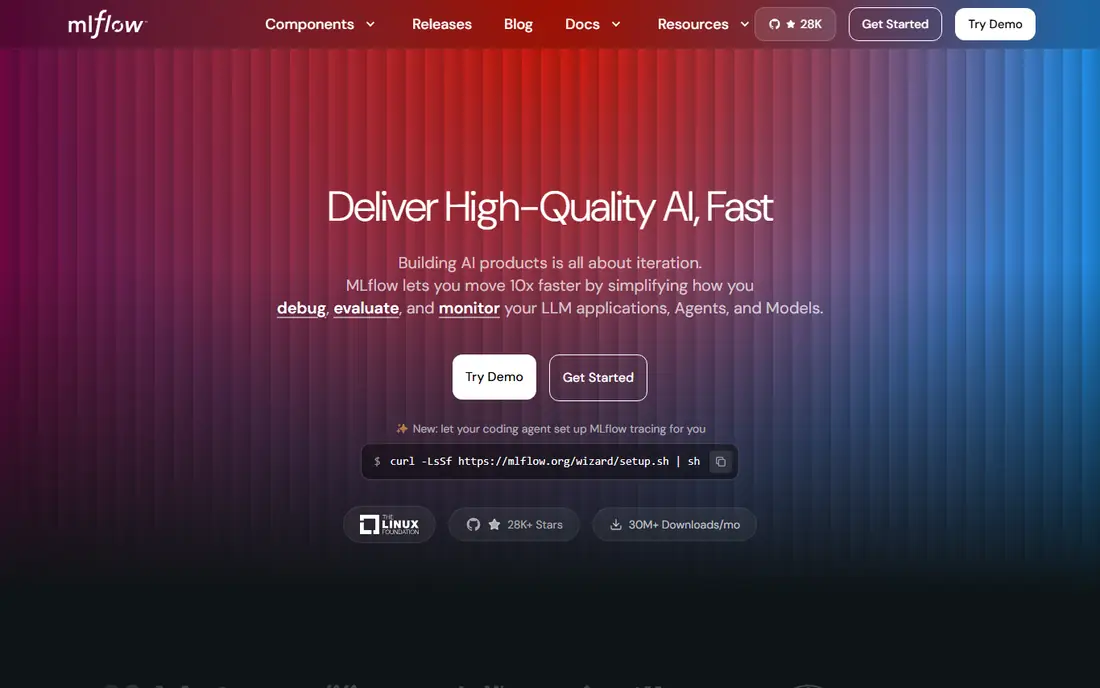
MLflow is the default choice for many ML teams. It logs parameters, metrics, and artifacts with a small Python API, and it works with the frameworks most teams already use. Because it is open source under Apache 2.0, there is no per seat bill and no feature gate, so the team keeps full control of its data. Self hosting costs operations time, since production needs a tracking server, a database, artifact storage, and access control.
What we like- No license fee or per seat charge, widely supported across frameworks, includes a model registry, runs locally or on your own cloud
Watch out for- Self hosting takes real operations work, including a database, artifact storage, and authentication, and the interface can slow down when a run holds thousands of metrics
#2Weights and Biases
Best for: Teams that want polished hosted tracking, reports, and collaboration, and are willing to pay per seat block4.5/5 on
G2 (82 reviews, checked Oct 2026)
Visit wandb.ai
Starting price$60 per month for the Pro plan, up to 10 seats, checked 21 Nov 2026
Free planYes, free plan with up to 5 model seats and 5 GB of storage per month
Weights and Biases is the most polished hosted tracker in this list. Runs appear in a clear dashboard, metrics chart in real time, and reports turn a set of runs into a shareable page. The free plan covers up to 5 model seats and 5 GB of storage per month. Pro costs $60 per month flat for up to 10 seats, with 100 GB included and overage at $0.03 per GB. Enterprise is custom priced, with buyer reported contracts around $315 to $400 per seat per month.
What we like- Clean interface with strong charts and reports, good collaboration and team workspaces, hyperparameter sweeps and model registry included
Watch out for- Pro is limited to early stage teams with fewer than 50 employees, and larger teams move to a custom Enterprise quote, where buyer reported contracts run about $315 to $400 per seat per month
#3Comet
Best for: Teams that want hosted tracking plus dataset versioning and production model monitoring in one place4.2/5 on
G2 (35 reviews, checked Oct 2026)
Visit comet.com
Starting price$19 per user per month for the MLOps Pro plan, checked 21 Nov 2026
Free planYes, free MLOps plan for 1 platform user with 100 GB of storage
Comet is a hosted MLOps platform whose core is experiment tracking. It logs metrics, hyperparameters, and artifacts, versions datasets alongside runs, and keeps a model registry. The MLOps Pro plan costs $19 per user per month, covers up to 10 team members, and includes 1,500 training hours and 500 GB of storage, with extra training hours at $1 each. Comet also sells Opik, a separate LLM observability product with its own pricing, so buyers should check they are reading the MLOps table.
What we like- Clear per user pricing, tracking plus dataset management and a model registry, production monitoring on Enterprise, strong support for computer vision and NLP projects
Watch out for- The free plan allows only 1 platform user, so any real team must pay, and the $39 per month Pro price still printed by some secondary sources is stale and should not be used for budgeting
#4ClearML
Best for: Budget conscious teams that want hosted tracking plus GPU orchestration and hyperparameter optimization4.7/5 on
G2 (13 reviews, checked Oct 2026)
Visit clear.ml
Starting price$15 per user per month for the Pro plan, plus usage, checked 21 Nov 2026
Free planYes, Community plan free for up to 3 team members with 100 GB of artifact storage
ClearML is the cheapest paid hosted tracker in this list. Pro costs $15 per user per month plus usage, covers up to 10 team members, and includes 120 GB of artifact storage, 1.2 GB of metric events, and 1.2 million API calls per month. Published overage is $0.10 per GB of storage, $0.01 per MB of metric events, and $1 per 100,000 API calls. Beyond tracking, ClearML adds dataset versioning, pipeline automation, and GPU orchestration with autoscaling. The main caveat is licensing, so a team that requires a permissive license should check that point first.
What we like- Lowest per user paid price in this list, includes orchestration, autoscaling, and hyperparameter optimization, self hosted open source option available, clear published overage rates
Watch out for- The server is licensed under the Server Side Public License rather than a permissive open source license, which some legal teams will not accept, and Pro usage overages for storage, metric events, and API calls add to the seat price
#5
DVC Studio
Best for: Teams that already version data and models with Git and want experiment comparison in a web interface
Visit dvc.org
Starting pricequote, paid Team and Enterprise pricing is not publicly listed, checked 21 Nov 2026
Free planYes, free for individuals and small teams
DVC Studio is the web interface for DVC, the open source tool that brings a Git like workflow to datasets, models, and machine learning experiments. DVC itself is free under Apache 2.0, and it records experiments as Git commits, so a team can check out the exact code, data, and model behind a result. Studio adds a web view for comparing experiments and sharing results. That quote only pricing is a real drawback for a buyer who needs a firm number. In November 2025 lakeFS acquired the DVC open source project from Iterative.
What we like- Experiments are versioned like code, data and models live beside the code that produced them, storage agnostic with data in your own S3, GCS, or local storage, pairs with MLflow or another tracker
Watch out for- DVC changed hands in November 2025, when lakeFS acquired the open source project from Iterative, so the roadmap and the Studio packaging are less settled than rivals, and paid pricing is not published, which makes budgeting hard
#6
Aim
Best for: Research teams that need to explore and compare tens of thousands of runs without the interface slowing down
Visit aimstack.io
Starting priceFree, open source and self hosted, checked 21 Nov 2026
Free planYes, the full open source tool is free
Aim is a focused open source tracker that exists because the big trackers slow down when a team holds thousands of runs. Its explorer is built for comparison at scale, with fast charts and a Pythonic query interface that lets a researcher filter runs by metric, parameter, or tag. Aim logs training runs and any AI metadata, and it handles images, audio, text, and distributions. It is free, open source under Apache 2.0, and self hosted, so the team owns its data. The trade off is scope, since there is no managed cloud, no model registry workflow, and no deployment feature.
What we like- Fast comparison interface built for large numbers of runs, Python query API for filtering and comparing runs, self hosted so data never leaves your infrastructure, logs images, audio, text, and distributions
Watch out for- No hosted cloud service and no built in model registry or deployment features, so a team must run it themselves and pair it with a separate registry if that is needed
#7
TensorBoard
Best for: TensorFlow and PyTorch users who want free metric visualization with no new vendor and no setup cost
Visit tensorflow.org
Starting priceFree, open source under Apache 2.0, checked 21 Nov 2026
Free planYes, completely free with no paid tier
TensorBoard is the visualization toolkit that ships with TensorFlow, and it is the simplest tracker in this list. It logs metrics, images, histograms, and model graphs during training, then shows them in a local web interface. It is completely free and open source under Apache 2.0, with no paid tier, no seat limit, and no usage meter. That simplicity is also its limit, since there is no shared workspace, no access control, and no registry for promoting a model. The hosted sharing service TensorBoard.dev shut down on 31 December 2023, so sharing now means exporting charts.
What we like- Completely free with no paid tier or usage limit, ships with TensorFlow and works with PyTorch, strong visualizations for scalars, images, histograms, and graphs, runs locally with a single command
Watch out for- Built for visualization rather than team collaboration, with no shared project workspace, no access control, and no model registry, and sharing results means exporting charts or giving teammates access to the local environment
#8
Polyaxon
Best for: Kubernetes teams that want experiment tracking, scheduling, and a model registry on their own clusters
Visit polyaxon.com
Starting price$555 per month for the Platform plan, checked 21 Nov 2026
Free planYes, free open source Community Edition for self hosting, plus free access for academics
Polyaxon is an open source control plane for machine learning on Kubernetes, and experiment tracking is one of its core features. It records parameters, metrics, logs, and artifacts for runs on a laptop, in a notebook, or as a managed Kubernetes job, and it adds scheduling, hyperparameter sweeps, pipelines, and a model registry. The paid Platform plan costs $555 per month and covers 3 developer seats, 1 compute cluster, and 50 concurrent runs. The Teams plan costs $1,500 per month for 6 developer seats and 2 compute clusters, and Enterprise is custom priced. That flat monthly model is easy to budget, but the entry price is high for a small team.
What we like- Runs on your own Kubernetes clusters so data stays on your infrastructure, combines tracking with scheduling, hyperparameter sweeps, and serving, flat monthly pricing that is easy to budget
Watch out for- Paid plans start at $555 per month, which is high for a small team, and the Platform plan covers only 3 developer seats, 1 compute cluster, and 50 concurrent runs, so larger teams must step up to the $1,500 per month Teams plan
A team that wants a free tracker with no vendor lock in should start with MLflow, and use Aim if the main problem is comparing thousands of runs quickly. A team that wants a hosted tracker with the least setup should shortlist Weights and Biases and Comet, then check the real cost at its own team size. A team on a tight budget that also wants orchestration should look at ClearML first. A Git based team should trial DVC Studio, and a Kubernetes team should trial Polyaxon. Before committing, run a short trial with a project and check that a teammate can reproduce the best run from the record alone.
Frequently asked questions
What is the best experiment tracking software for ML teams
The best choice depends on team size and hosting preference. MLflow is the best free open source starting point for most teams. Weights and Biases is the best hosted option, with Pro at $60 per month for up to 10 seats. Comet is the best value hosted tracker per user at $19 per user per month, and ClearML is the cheapest paid plan at $15 per user per month.
Is MLflow really free
Yes. MLflow is open source under Apache 2.0, with no license fee, no per seat charge, and no usage limit on the software itself. A team that self hosts it pays for its own servers, database, and artifact storage. Managed MLflow through Databricks or Amazon SageMaker is not free, and SageMaker starts at about $0.60 per hour for a small tracking server.
How much does Weights and Biases cost for a team
The free plan covers up to 5 model seats and 5 GB of storage per month. Pro costs $60 per month flat for up to 10 seats, with 100 GB included and overage at $0.03 per GB. Pro is limited to early stage teams with fewer than 50 employees. Larger teams move to Enterprise, which is custom priced, and buyer reported contracts put it at about $315 to $400 per seat per month.
What happened to Neptune.ai
Neptune.ai shut down its hosted service permanently on 5 March 2026, after its acquisition by OpenAI, and all external user data was deleted. It is not in this list because it is no longer available. Teams that used Neptune should migrate their experiment history to another tracker with data export and a self hosted option, so a future shutdown does not strand their run history.
Can a team use TensorBoard for experiment tracking
Yes, for small scale work. TensorBoard is free and open source, and it visualizes metrics, images, histograms, and model graphs from TensorFlow and PyTorch runs. It works well for watching training live. It is not a team platform, because it has no shared workspace, no access control, and no model registry, so a growing team usually pairs it with MLflow or moves to a hosted tracker.
Sources we checked (9)
- https://mlflow.org/faq
- https://wandb.ai/site/pricing
- https://www.comet.com/site/pricing/
- https://clear.ml/pricing/
- https://dvc.org/
- https://aimstack.readthedocs.io/en/v3.6.2/overview.html
- https://www.tensorflow.org/tensorboard
- https://polyaxon.com/product/
- https://www.modern-datatools.com/tools/neptune-ai
Is your product missing or out of date?
We review this list regularly. Vendors can request a listing, send updated pricing or ask about featured placement.

Shihab Mia · Founder, Rankite
Shihab has 5+ years in B2B and SaaS SEO. He writes Rankite's software buying guides from pricing pages, documentation and public user reviews. More about Shihab.