How we make this list: we compare pricing pages, product documentation and public user reviews. Ratings come from G2, Capterra or Trustpilot, with the date we checked them.
Key takeaways
- This list covers digital signage companies you hire or buy a managed service from, not just software you install yourself.
- Yodeck is the best budget pick, free for one screen and 8 dollars per screen a month after that.
- ScreenCloud is the best corporate pick, with dashboards, single sign-on, and enterprise integrations.
- Scala suits Fortune 500 retail and large networks, typically at 100-plus screens.
- CrownTV is the best turnkey pick, bundling hardware, software, installation, and content under one partner.
- Published cloud rates in 2026 run 5 to 30 dollars per screen a month, before displays, players, mounts, and installation.
Quick comparison
| Tool | Best for | Starting price | Free plan |
|---|
 Scala Scala | Large enterprise networks | See website | No |
 ScreenCloud ScreenCloud | Corporate offices | $20/screen/month | No |
 Yodeck Yodeck | Budget deployments | Free | Yes |
 OptiSigns OptiSigns | Small businesses | $10/screen/month | Yes |
 Rise Vision Rise Vision | Schools and nonprofits | $12/display/month | No |
 NoviSign NoviSign | Non-designers | $14/screen/month | No |
 Mvix Mvix | Government and healthcare | See website | No |
 CrownTV CrownTV | Turnkey projects | See website | No |
Is your product missing or out of date?
We review this list regularly. Vendors can request a listing, send updated pricing or ask about featured placement.
The best digital signage companies
#1Scala
Best for: Large enterprise networks4.1/5 on
G2 (30 reviews, checked Oct 2026)
Visit scala.com
Starting priceSee website
Free planNo
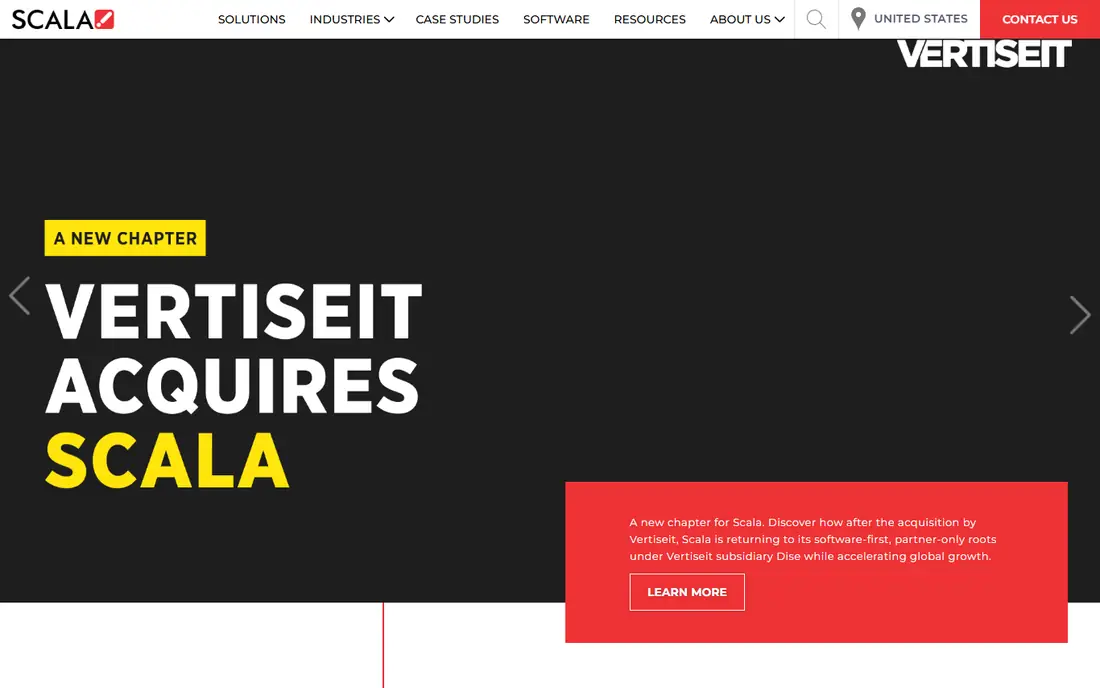
Scala, part of STRATACACHE, is the enterprise pick for large networks, serving Fortune 500 retail and digital out-of-home networks at massive scale. The platform combines signage software with analytics, supports cloud, on-premise, and hybrid deployment, and handles bespoke integrations that smaller vendors cannot. That scale and reliability is why large retailers standardize on Scala across thousands of screens.
The price reflects the scale: quote-only enterprise pricing, typically with a 100-plus screen minimum, and bespoke integrations need an in-house AV team. Scala is overkill for a single cafe or office. For a large network where uptime, analytics, and central control matter more than per-screen price, Scala is the strongest company on this list.
What we like- Enterprise software plus analytics
- Cloud, on-premise, and hybrid deployment
- Proven at massive scale
- Part of STRATACACHE
Watch out for- Quote-only enterprise pricing
- Typically 100-plus screen minimum
- Needs an in-house AV team for bespoke integrations
Starting price$20/screen/month
Free planNo
ScreenCloud suits companies that need dashboards, single sign-on, and enterprise integrations on screens. The platform offers a large app library covering Microsoft 365, Google Workspace, Canva, and dashboards, with native Teams integration that makes it a natural fit for corporate offices already running Microsoft 365. Security features include encryption, role-based access, and audit logs.
Pricing starts at 20 dollars per screen a month on annual billing, with a free trial but no permanent free tier, and some guides cite 24 dollars per screen, so confirm the current rate before budgeting. For a franchise or multi-location brand that needs IT controls and a broad app library, ScreenCloud is the best corporate pick.
What we like- Native Microsoft Teams integration
- Large app library
- Dashboards and single sign-on
- Enterprise integrations
Watch out for- From 20 dollars per screen a month on annual billing
- Free trial only, no permanent free tier
- Enterprise features cost more
#3Yodeck
Best for: Budget deployments4.7/5 on
G2 (3,248 reviews, checked Oct 2026)
Visit yodeck.com
Starting priceFree
Free planYes
Yodeck is the best budget digital signage company, free forever for exactly one screen and 8 dollars per screen a month after that on annual billing, with the Yodeck Player included on annual plans. The platform ships with more than 800 templates and 160-plus apps, so a cafe or small office can build a professional-looking screen from a phone or laptop without design skills. Scheduling, playlists, offline playback, and remote monitoring are all standard.
The Raspberry Pi hardware keeps costs low, but it means an in-house tech should be able to swap a player when one fails, and phone support is more limited than pricier rivals. For a small business testing signage on a budget, Yodeck is the first company to try, and the free single screen makes the trial genuinely free.
What we like- Free for one screen forever
- 8 dollars per screen a month after
- 800-plus templates
- 160-plus apps
- Player included on annual plans
Watch out for- Raspberry Pi players need an in-house tech to swap on failure
- Phone support limited versus pricier rivals
- Advanced fleet features on larger plans
Starting price$10/screen/month
Free planYes
OptiSigns suits single-location small businesses and internal communications teams that want drag-and-drop editing, lots of apps, and real human support without enterprise pricing. The platform starts at 10 dollars per screen a month, with a free tier up to 3 screens, and integrations cover Canva, Google, and a broad app library. Setup is quick on consumer hardware such as Fire TV or Raspberry Pi.
The free tier carries branding, and consumer hardware is less reliable than dedicated players for always-on screens. For a small shop, restaurant, or office that wants professional signage without an enterprise budget, OptiSigns is the best balance of price, ease, and support.
What we like- From 10 dollars per screen a month
- Free tier up to 3 screens
- Drag-and-drop editing
- Canva and Google integrations
- Human support
Watch out for- Free tier carries branding
- Runs on consumer hardware such as Fire TV
- Advanced features need higher plans
#5Rise Vision
Best for: Schools and nonprofits4.7/5 on
G2 (1,003 reviews, checked Oct 2026)
Visit risevision.com
Starting price$12/display/month
Free planNo
Rise Vision is the best pick for K-12 schools and organizations that need emergency alerts on screens. School templates cover announcements, schedules, and safety messages, and the emergency alert feature lets administrators push urgent messages to every screen at once, which is a genuine safety tool rather than a marketing feature. Pricing runs 12 dollars per display a month on annual billing, with some guides citing 11 dollars, and qualifying K-12 schools can use it free.
The education focus means retail and advertising features are thinner than Scala or ScreenCloud. For a school, district, or nonprofit that needs alerts and announcements, Rise Vision is the strongest fit. For a retailer, look elsewhere on this list.
What we like- School templates and emergency alerts
- From 12 dollars per display a month
- Free for qualifying K-12 schools
- Nonprofit friendly
Watch out for- Education focus means retail features are thinner
- Free tier limited to qualifying schools
- Some guides cite 11 dollars per display
Starting price$14/screen/month
Free planNo
NoviSign suits non-designers who want drag-and-drop signage with AI help, plus interactive kiosk and touch display support. The editor lets a small business build a screen without design skills, and touch support turns a display into an interactive directory or menu. Pricing starts at 14 dollars per screen a month on annual billing, with a 30-day free trial, though some guides cite around 20 dollars per screen, so confirm the current rate.
There is no permanent free tier, and the app library is smaller than ScreenCloud. For a small or mid-size business that wants easy editing and kiosk support at a mid-range price, NoviSign is a solid pick.
What we like- Drag-and-drop editing with AI help
- Interactive kiosk and touch support
- From 14 dollars per screen a month
- 30-day free trial
Watch out for- Some guides cite 20 dollars per screen
- Free trial only, no permanent free tier
- Smaller app library than ScreenCloud
#7Mvix
Best for: Government and healthcare3.9/5 on
G2 (15 reviews, checked Oct 2026)
Visit mvix.com
Starting priceSee website
Free planNo
Mvix is the outlier for buyers who want to pay once rather than subscribe, with a one-time purchase model from 350 dollars per player including hardware and software, alongside subscription options. The platform is enterprise software-only, with ISO 27001 and SOC 2 credentials that government and healthcare buyers require, and it supports large deployments with central management.
Enterprise pricing and an IT-heavy setup make Mvix a poor fit for a single screen, and the government and healthcare focus means consumer-friendly features are thinner. For a buyer who hates recurring fees and plans to keep screens for years, or a public-sector buyer who needs compliance credentials, Mvix is the best pick.
What we like- Enterprise software-only platform
- ISO 27001 and SOC 2 credentials
- Subscription or perpetual license
- One-time purchase option
Watch out for- Enterprise pricing, quote or one-time from 350 dollars per player
- Government and healthcare focus
- Needs IT involvement
Starting priceSee website
Free planNo
CrownTV is the best turnkey digital signage company, bundling hardware, software, installation, and content under one accountable partner from quote to live screen. Software runs 20 dollars per screen a month on annual billing, while installed packages are quoted separately, covering displays, players, mounts, cabling, and the install crew. That single-partner model suits multi-location brands that want one vendor to blame when a screen goes dark.
Custom pricing means a single screen costs more than a DIY Yodeck setup, and the multi-location focus is where CrownTV shines. For a brand rolling out signage across many locations without an in-house AV team, CrownTV removes the hardest part of the project: coordinating hardware, software, and installation across sites.
What we like- Turnkey service: hardware, software, installation, and content
- One accountable partner from quote to live screen
- 20 dollars per screen software
Watch out for- Installed packages quoted separately
- Custom pricing
- Multi-location focus means single screens cost more
How we chose
We treated this list as companies you hire or buy a managed service from, not just software you install, so turnkey service, installation crews, and hardware responsibility counted alongside software features. We flagged where guides disagree on price, since ScreenCloud, Rise Vision, and NoviSign each carry two published rates, and we separated software cost from total project cost, since displays, players, mounts, and installation often exceed the software bill. Free tiers were counted only where they are permanent, not trials.
What to check before you buy
Budget the full project, not just the software: roughly 350 dollars for the display plus the player cost per screen, plus mounts and cabling, plus installation if you hire it. Test on one display for a week before rolling out to every location, and check how long the offline cache lasts, since screens that go blank during an internet outage look worse than no screen at all. Confirm content scheduling by time of day, remote monitoring, permissions, and proof-of-play reporting, and ask who replaces a failed player and how fast, since that service gap decides whether a network stays live.
Frequently asked questions
How much does digital signage cost per screen?
Published cloud rates in 2026 run 5 to 30 dollars per screen per month, before displays, players, mounts, and installation. At 10 screens that is 600 to 3,600 dollars a year in software alone.
Is there really free digital signage software?
Yes, with limits. Yodeck is free forever for exactly one screen, OptiSigns is free for up to three screens with branding, and Rise Vision is free for qualifying K-12 schools. Open-source options are free only if you host and maintain them yourself.
Do I need special hardware for digital signage?
Not strictly. Most platforms run on a smart TV browser or a low-cost player. For reliability at scale, vendors recommend dedicated players, and Yodeck centers on Raspberry Pi players bundled free on annual plans.
What is the difference between digital signage software and a smart TV?
A smart TV can play a slideshow, but it cannot schedule content by time of day, manage dozens of screens from one dashboard, prove content played, integrate live data, or trigger emergency alerts. Signage software is the management layer across every screen.
Should I hire a turnkey company or buy software myself?
Hire a turnkey company such as CrownTV if you lack an in-house AV team or roll out across many locations. Buy software such as Yodeck or OptiSigns if you have one or two screens and someone in-house who can swap a player.
Sources we checked (0)
Is your product missing or out of date?
We review this list regularly. Vendors can request a listing, send updated pricing or ask about featured placement.

Shihab Mia · Founder, Rankite
Shihab has 5+ years in B2B and SaaS SEO. He writes Rankite's software buying guides from pricing pages, documentation and public user reviews. More about Shihab.