How we make this list: we compare pricing pages, product documentation and public user reviews. Ratings come from G2, Capterra or Trustpilot, with the date we checked them.
The best database DevOps software in 2026
Liquibase is the best database DevOps software for most teams because it covers more than 70 database types, stores every schema change as a versioned file, and fits into existing CI pipelines with little extra setup. Bytebase is the best alternative for teams that want a visual review and approval workflow on top of the same migration discipline.
Key takeaways
- Database DevOps treats schema changes like code: versioned migrations, review gates, automated deployment.
- Liquibase and Flyway lead the migration engines, but both hide paid features behind quote-only enterprise plans.
- Bytebase is the clearest pick when non-specialists must approve changes before production.
- PlanetScale and Neon build branching into the database for MySQL and Postgres teams in the cloud.
- Quote-only tools need a sales call, so get a written quote first.
What is database DevOps software and how does it work?
Database DevOps software applies version control, automated testing and continuous delivery to database schema changes. Every change is written as a migration file, stored in Git, reviewed like application code, and applied in order by an engine that tracks which migrations have already run. The tool keeps a history table in each database, so it applies only the new files and removes the manual step of running SQL scripts by hand.
The work starts when a developer writes a change, such as adding a column, and commits it with the application code that needs it. A CI job runs the migration against a test database, checks for errors, and reports the result. If the checks pass, the change moves through staging and into production, either automatically or after a human approval. Drift detection then compares the live database with the versioned state and flags any change made outside the pipeline. This is different from database management, which covers browsing data and backups rather than controlling how changes reach production.
The right tool depends on your database engine, your team size and how much control you need over approvals. If you run several database types, Liquibase is the strongest fit because it supports more than 70 engines from one changelog format. If your stack is Postgres or MySQL only, Flyway fits because each migration is a plain SQL file with a version number in its name. If you run SQL Server, Redgate fits because its comparison engine generates deployment scripts from the difference between two schemas.
Teams in regulated industries should look at DBmaestro or Delphix first. DBmaestro adds release governance, audit trails and policy controls. Delphix adds masked test data and fast database copies for developers who need realistic data without access to real customer records. Teams that want a web interface with SQL review and approvals should look at Bytebase. PlanetScale builds branching into MySQL and Neon does the same for Postgres, which suits teams that are happy to move the database to a managed platform.
How do versioned migrations, drift detection and review gates work in practice?
A versioned migration is a single numbered change file, and the number sets the order. The engine records each applied migration in a tracking table inside the database. When you deploy, it compares the files in the repository with the tracking table and applies only the missing ones, so every environment keeps the same history.
Drift detection finds changes that bypassed the pipeline, such as a DBA fixing a column directly in production during an incident. It compares the live schema with the versioned model and lists the differences. Some tools only report drift, while others block the next deployment until it is resolved. Larger teams should pick a tool that can fail a build on drift.
Review gates sit between environments. A typical gate needs a second person to approve a migration before staging, and a DBA to approve it before production. Bytebase builds this into a web interface with reviewers and SQL review rules. Liquibase and Flyway rely more on the Git pull request, with policy checks in paid tiers. The gate must be enforced by the tool.
How much does database DevOps software cost for a team of 10 developers?
Bytebase Pro costs 20 dollars per user per month, so 10 users cost 200 dollars per month, or 2,400 dollars per year. That is a vendor published price, checked on 11 November 2026. Liquibase and Flyway publish no licence price, so a team of 10 cannot budget them from the website and must request a quote. Third-party listings report Liquibase paid plans starting near 5,000 dollars per year, but that figure is third-party reported.
Redgate SQL Toolbelt Essentials costs 1,269 dollars per user per year for a team of 10, which totals 12,690 dollars per year. Third-party listings report lower figures, near 1,152 dollars per user per year, so the vendor page is the figure to budget against. DBmaestro and Delphix publish no price, so they belong in the quote-only group, and third-party listings report DBmaestro starting near 1,500 dollars per user per year.
PlanetScale and Neon charge for the database as well as the workflow, so their cost depends on usage. PlanetScale lists Postgres single node clusters starting at 5 dollars per month on its vendor page, while older listings still quote a Scaler plan at 29 or 39 dollars per month. Neon lists Launch at a typical 15 dollars per month and Scale at a typical 701 dollars per month. Older pages still list flat prices of 19 and 69 dollars per month.
| Team situation | Best fit | Cost for 10 developers |
| Small team, visual approval flow | Bytebase | 200 dollars per month |
| SQL Server shop | Redgate | 12,690 dollars per year |
| Many database types | Liquibase | Quote only |
| MySQL team, branching | PlanetScale | From 5 dollars per month |
| Postgres team, branching | Neon | Typical 15 dollars per month |
| Regulated industry | DBmaestro or Delphix | Quote only |
Budget one developer day per month for migration files, drift reports and test databases. That cost applies to every tool on this list, including the free ones, and it is larger than the licence fee for most small teams.
Quick comparison
| Tool | Best for | Starting price | Free plan |
|---|
 Liquibase | Teams running many database types who need versioned migrations with governance | Quote (vendor pricing page lists no price; third-party reported from $5,000 per year) | Yes, Liquibase Community is free |
 Flyway | Postgres and MySQL teams that want a simple SQL-first migration workflow | Quote (Community is free; Enterprise is quote only) | Yes, Flyway Community is free and open source |
 Redgate | SQL Server teams that want comparison-based deployment scripts and a full toolset | $1,410 per user per year (SQL Toolbelt Essentials, 1 to 4 users; $1,269 per user per year for 10 to 19 users) | No free plan; free trials are available |
 DBmaestro | Regulated enterprises that need governed database releases with audit trails | Quote (vendor publishes no price; third-party reported from $1,500 per user per year) | No free plan; a free trial is available on request |
 Delphix | Large enterprises that need masked test data and fast database copies for CI pipelines | Quote (vendor publishes no price) | No free plan and no free trial listed |
 Bytebase | Teams that want a visual review, approval and rollout workflow for database changes | $20 per user per month (Pro, vendor pricing page) | Yes, Community is free for up to 20 users and 10 database instances |
 PlanetScale | MySQL teams that want database branching and non-blocking schema changes | From $5 per month (PlanetScale Postgres single node, vendor pricing page) | No free tier; the Hobby free tier was removed in April 2024 |
 Neon | Postgres teams that want instant database branches for every pull request | Usage based, typical spend $15 per month on Launch (vendor pricing page) | Yes, Free plan at $0 with 100 CU-hours and 1 GB storage per project |
Is your product missing or out of date?
We review this list regularly. Vendors can request a listing, send updated pricing or ask about featured placement.
The eight tools below cover migration engines, governance platforms and branched cloud databases. Each one was checked against its vendor website on 11 November 2026.
#1
Liquibase
Best for: Teams running many database types who need versioned migrations with governance
Visit liquibase.com
Starting priceQuote (vendor pricing page lists no price; third-party reported from $5,000 per year)
Free planYes, Liquibase Community is free
Liquibase stores changes as a changelog of versioned changesets and applies them in order, recording each one in a tracking table. Community covers the core workflow for free, which is why so many teams start here. Paid Secure plans add governance, policy checks and drift detection. The vendor page lists four Secure tiers, Starter, Team, Business and Enterprise, but shows no prices. Third-party listings report paid plans from near 5,000 dollars per year, while older listings still show a 33 dollar Pro plan. Community moved to the Functional Source License with version 5.
What we like- Supports more than 70 database types, changelogs in SQL, XML, YAML and JSON
Watch out for- Paid tiers are quote only, and every Secure plan requires a Professional Services package
#2
Flyway
Best for: Postgres and MySQL teams that want a simple SQL-first migration workflow
Visit flywaydb.org
Starting priceQuote (Community is free; Enterprise is quote only)
Free planYes, Flyway Community is free and open source
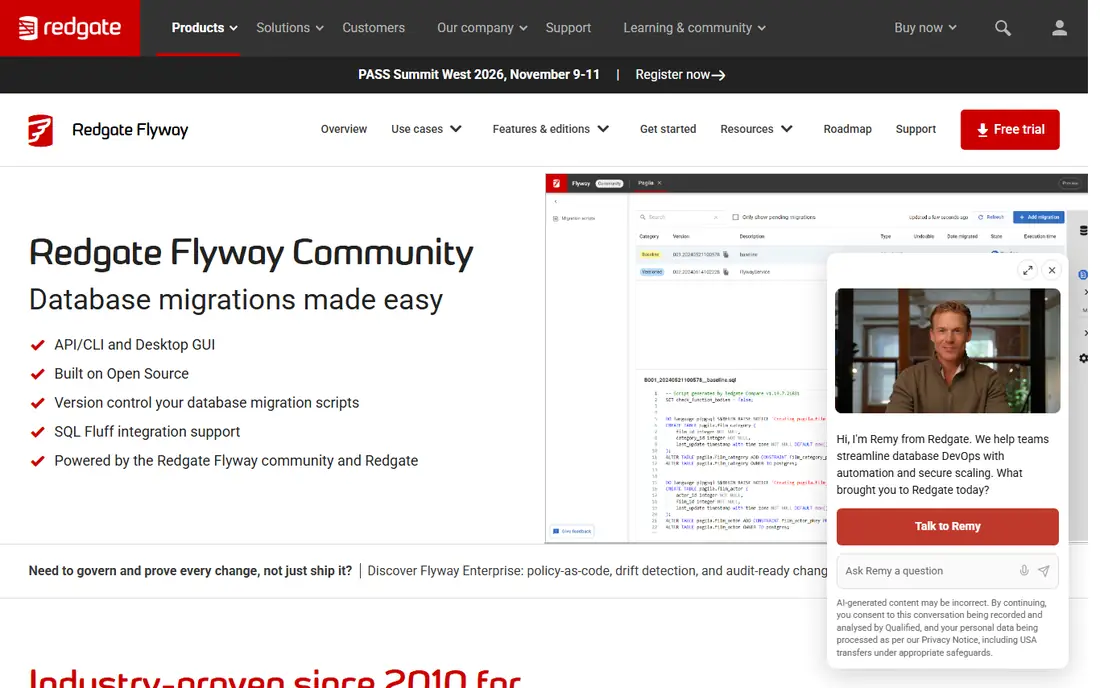
Flyway is owned by Redgate and is one of the two most widely used migration engines. Each migration is a numbered SQL file, and the engine applies them in version order while tracking what has run. Community is free and covers the core workflow. The paid Enterprise tier adds generated undo scripts, drift detection, policy checks and an audit trail. Redgate lists only Community and Enterprise, and Enterprise is quote only. Third-party listings still show the old Teams tier near 650 dollars per user per year, but that tier is only open to existing customers for renewal.
What we like- Plain SQL files are easy to learn, strong Git and CI integration
Watch out for- Teams is closed to new customers, so drift detection and undo scripts need Enterprise
#3
Redgate
Best for: SQL Server teams that want comparison-based deployment scripts and a full toolset
Visit red-gate.com
Starting price$1,410 per user per year (SQL Toolbelt Essentials, 1 to 4 users; $1,269 per user per year for 10 to 19 users)
Free planNo free plan; free trials are available
SQL Toolbelt Essentials is the practical way most SQL Server teams buy into database DevOps. It includes SQL Compare, SQL Data Compare, SQL Prompt, SQL Source Control and SQL Search. SQL Compare generates a deployment script from the difference between two schemas. The vendor page lists 1,410 dollars per user per year for 1 to 4 users and 1,269 dollars for 10 to 19 users. Third-party listings report lower figures, near 1,152 dollars on one site and 1,209 dollars on another, so use the vendor page.
What we like- SQL Compare and SQL Data Compare are mature and accurate, bundle covers SQL Server work
Watch out for- SQL Server focused, so Postgres and MySQL teams get less value
#4
DBmaestro
Best for: Regulated enterprises that need governed database releases with audit trails
Visit dbmaestro.com
Starting priceQuote (vendor publishes no price; third-party reported from $1,500 per user per year)
Free planNo free plan; a free trial is available on request
DBmaestro sits between Git and the database as a release automation platform. Developers commit changes, and it validates them against policy, runs them through approval gates, and deploys them with a complete audit trail. It supports state-based and migration-based models. The vendor publishes no price list, and third-party listings report a starting price near 1,500 dollars per user per year. DBmaestro fits banks, insurers and healthcare teams that must prove who approved each change and when it ran.
What we like- Strong release governance and audit history, works with Oracle, SQL Server, Postgres and MySQL
Watch out for- No published price, and the platform is heavy for small teams
#5
Delphix
Best for: Large enterprises that need masked test data and fast database copies for CI pipelines
Visit perforce.com
Starting priceQuote (vendor publishes no price)
Free planNo free plan and no free trial listed
Delphix, now part of Perforce, virtualizes data instead of versioning schema changes. Each developer gets a fast, thin copy of a database with sensitive fields masked, so testing stays realistic without access to production data. Data branching lets a test database reset to a known state before each run. Delphix publishes no price, and third-party reports cite 36,000 dollars per terabyte and 370,000 dollars per year. Delphix fits enterprises with large Oracle or SQL Server estates and strict data rules, but it does not replace a migration engine.
What we like- Thin database copies in minutes, built-in masking protects real customer data
Watch out for- Quote only with very high reported costs, aimed at large enterprises
#6
Bytebase
Best for: Teams that want a visual review, approval and rollout workflow for database changes
Visit bytebase.com
Starting price$20 per user per month (Pro, vendor pricing page)
Free planYes, Community is free for up to 20 users and 10 database instances
Bytebase is an open source governance platform that puts a control plane in front of database changes. Developers propose a change, reviewers approve it, and Bytebase rolls it out across environments with a full run history. SQL review rules flag problems before the change runs, such as a missing where clause or a column drop. Community is free for up to 20 users and 10 instances, Pro is 20 dollars per user per month, and Enterprise is custom priced. Pro is cloud only, so a team that must self-host will need Enterprise.
What we like- Clear web interface for review and approval, SQL review rules catch risky changes
Watch out for- Pro is cloud only, so self-hosted teams need Enterprise
#7PlanetScale
Best for: MySQL teams that want database branching and non-blocking schema changes4.3/5 on
G2 (4 reviews, checked Oct 2026)
Visit planetscale.com
Starting priceFrom $5 per month (PlanetScale Postgres single node, vendor pricing page)
Free planNo free tier; the Hobby free tier was removed in April 2024
PlanetScale is a serverless MySQL platform built on Vitess, the sharding engine first built at YouTube. Its value is branching: a developer opens a branch, tests a schema change, and merges it through a deploy request. Online schema changes run without blocking writes. The vendor page lists Postgres single node clusters from 5 dollars per month and Metal from 50 dollars per month. Third-party listings still quote an older Scaler plan at 29 or 39 dollars per month, which conflicts with the current vendor page, so use the vendor page.
What we like- Database branching for safe schema tests, Vitess powers horizontal scaling
Watch out for- No free tier, and old row-based pricing confused buyers
#8
Neon
Best for: Postgres teams that want instant database branches for every pull request
Visit neon.com
Starting priceUsage based, typical spend $15 per month on Launch (vendor pricing page)
Free planYes, Free plan at $0 with 100 CU-hours and 1 GB storage per project
Neon is a serverless Postgres platform that separates compute from storage. Its value is branching: each Git branch can get its own database branch in seconds, because branches share storage and copy no data. Developers can test a migration on a real copy of the schema and delete the branch when the pull request closes. Compute scales to zero when idle, so quiet databases cost almost nothing. The vendor page lists Free at 0 dollars and Launch with a typical spend of 15 dollars per month. Older third-party pages still list flat prices of 19 and 69 dollars per month.
What we like- Instant branches copy no data, compute scales to zero when idle
Watch out for- Usage pricing is hard to predict, and Scale costs over twice Launch per compute hour
Comparison table
| Tool | Starting price | Free plan | Best for | Databases |
| Liquibase | Quote, third-party from $5,000 per year | Yes | Many database types | 70 plus engines |
| Flyway | Quote | Yes | SQL-first migrations | Postgres, MySQL, SQL Server, Oracle |
| Redgate | $1,410 per user per year | No | SQL Server scripts | SQL Server |
| DBmaestro | Quote, third-party from $1,500 per user per year | No | Release governance | Oracle, SQL Server, Postgres, MySQL |
| Delphix | Quote | No | Masked test data | Oracle, SQL Server |
| Bytebase | $20 per user per month | Yes | Visual review | 20 plus engines |
| PlanetScale | From $5 per month | No | MySQL branching | MySQL, Postgres |
| Neon | Usage based, typical $15 per month | Yes | Postgres branching | Postgres |
Frequently asked questions
What is the best database DevOps software for a small team?
Bytebase is the best pick for most small teams: Pro costs a published 20 dollars per user per month, Community is free for up to 20 users, and its web interface makes review simple for non-specialists. Liquibase Community and Flyway Community are also free and suit teams that prefer a command line workflow.
Is Liquibase or Flyway better for versioned migrations?
Liquibase is better for many database types, because it supports more than 70 engines and formats in SQL, XML, YAML and JSON. Flyway is better for the simplest workflow, because each migration is a numbered SQL file. Both track applied migrations and integrate with Git and CI. Flyway Teams is closed to new customers.
Do I still need a migration tool if I use PlanetScale or Neon?
Yes. Branching gives you a safe place to test a change, but it does not version the change, record its history, or enforce review rules. Many teams pair Neon or PlanetScale branches with Flyway or Liquibase, so the branch provides the test environment and the engine provides the history. Use the platform branching for testing and the migration tool for the record.
How much should a team of 10 budget for database DevOps software?
A team of 10 can budget 200 dollars per month for Bytebase Pro, or 12,690 dollars per year for Redgate SQL Toolbelt Essentials at the vendor price. Quote-only tools such as Liquibase, Flyway Enterprise, DBmaestro and Delphix cannot be budgeted from their websites, so request a written quote first. Add one developer day per month for maintenance, plus usage based hosting for PlanetScale or Neon.
What is drift detection and why does it matter?
Drift detection compares the live schema with the versioned state and lists any change made outside the pipeline. It matters because a manual fix in production can silently break the next deployment. Tools that only report drift suit small teams; larger teams need one that can fail a build on drift. Fix drift by recording the change as a migration or reversing it.
Sources we checked (12)
- https://www.liquibase.com/pricing
- https://www.g2.com/products/liquibase/pricing
- https://flywaydb.org
- https://www.componentsource.com/product/flyway/prices
- https://www.red-gate.com/products/sql-toolbelt-essentials/pricing/?quantity=10&shoppingItemId=158
- https://www.g2.com/products/sql-toolbelt-essentials/pricing
- https://www.getapp.com/it-management-software/a/dbmaestro-database-release-automation/features/
- https://www.perforce.com/products/delphix
- https://www.peerspot.com/questions/what-is-your-experience-regarding-pricing-and-costs-for-delphix
- https://www.bytebase.com/pricing
- https://planetscale.com/pricing
- https://neon.com/pricing
Is your product missing or out of date?
We review this list regularly. Vendors can request a listing, send updated pricing or ask about featured placement.

Shihab Mia · Founder, Rankite
Shihab has 5+ years in B2B and SaaS SEO. He writes Rankite's software buying guides from pricing pages, documentation and public user reviews. More about Shihab.