How we make this list: we compare pricing pages, product documentation and public user reviews. Ratings come from G2, Capterra or Trustpilot, with the date we checked them.
Key takeaways
- A wallet app holds your keys, not your coins. Coins live on the blockchain, and whoever controls the keys controls the funds, so security choices matter more than features.
- Beginners should start with Coinbase Wallet or Trust Wallet, which are free, simple, and self-custodial, then move larger balances to a hardware wallet.
- Ledger and Trezor keep keys offline and are the strongest protection for larger holdings, at a one-time device cost.
- Swap fees vary widely, from free to around 1 percent, and network gas fees apply on top, so compare total cost before trading inside a wallet.
- This article is general information, not financial advice. Crypto prices are volatile, scams are common, and you can lose everything you put in. Never share your seed phrase with anyone, and never invest money you cannot afford to lose.
Quick comparison
Is your product missing or out of date?
We review this list regularly. Vendors can request a listing, send updated pricing or ask about featured placement.
The best crypto wallet apps
Starting priceFree
Free planYes
Coinbase Wallet is the easiest self-custodial wallet for a first-time user. It stores keys on your own device rather than on an exchange account, supports multiple chains including Bitcoin, Ethereum, and Solana, and includes a dApp browser for web3 apps and NFTs. New users can also use passkey-style recovery instead of managing a seed phrase alone.
The trade-offs are fees and breadth. Swaps inside the app can cost up to 1 percent plus network gas, which is higher than some rivals, and chain coverage is narrower than Trust Wallet. For a beginner who wants a simple, well-supported first wallet, those limits are acceptable. Move larger balances to hardware storage as holdings grow.
What we like- Very easy interface
- Self-custodial with local key storage
- Built-in dApp browser and NFT support
Watch out for- Swap fees up to 1 percent
- Fewer chains than Trust Wallet
- Tied to the Coinbase brand in users minds

#2MetaMask
Best for: Ethereum and DeFi users4.4/5 on
G2 (44 reviews, checked Oct 2026)
Visit metamask.io
Starting priceFree
Free planYes
MetaMask is the standard wallet of the Ethereum ecosystem. Nearly every DeFi app, NFT marketplace, and web3 site supports it first, and its browser extension plus mobile app cover most daily use. Snaps extend it to Bitcoin and Solana features, though the core design remains EVM-first.
Security demands care. MetaMask is the most phished wallet in crypto, and fake sites and extensions are constant threats. Always check the domain before connecting, never approve a transaction you do not understand, and pair MetaMask with a Ledger or Trezor for larger balances. For active Ethereum and DeFi users, it remains essential despite those cautions.
What we like- Supported by more dApps than any rival
- EVM chain support
- Snaps add Bitcoin and Solana features
Watch out for- Swap fee of 0.875 percent
- Browser extension is a phishing target
- EVM-first design
Starting priceFree
Free planYes
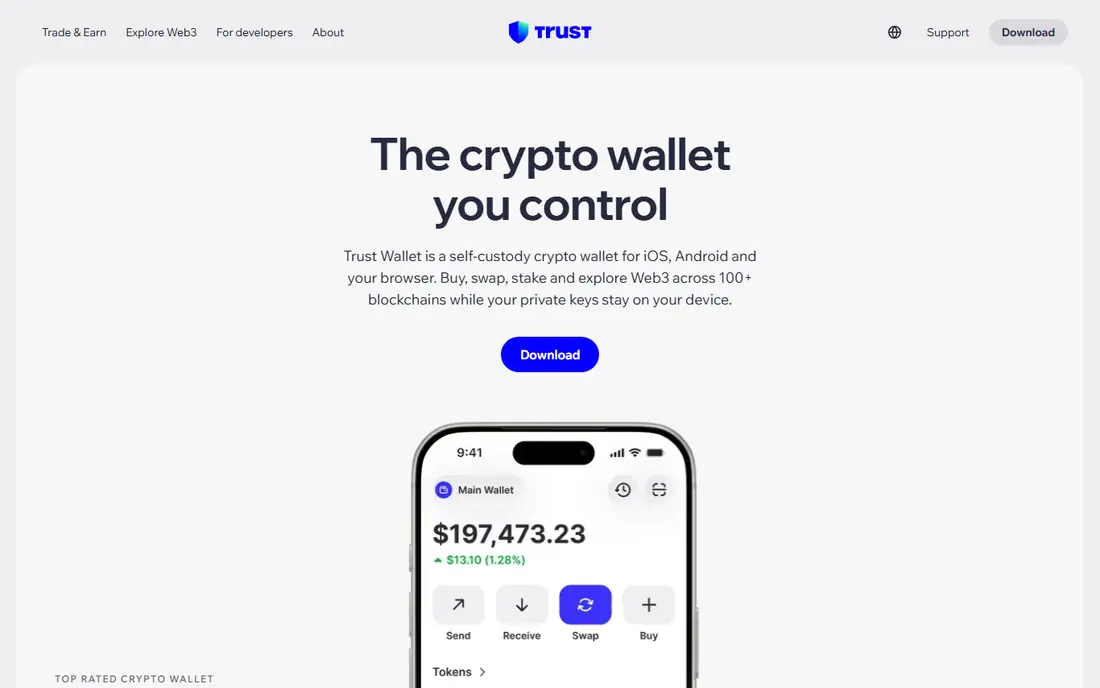
Trust Wallet is the best mobile-first wallet for users who hold assets across many chains. It supports more than 100 blockchains, includes staking and NFT management, and keeps a simple interface that beginners can learn quickly. It is free, self-custodial, and widely used on both iOS and Android.
As a hot wallet connected to the internet, it carries the usual limits: a compromised phone can expose funds, and seed phrase backup is your responsibility. Swap fees vary by route, with guides reporting around 0.7 percent on some paths, so check the quoted rate before confirming. For everyday mobile use across many chains, Trust Wallet is the strongest free option.
What we like- Supports 100-plus blockchains
- Built-in swap and staking
- Clean mobile interface
Watch out for- Hot wallet limits
- Less DeFi depth than MetaMask
- Swap fees vary by route
Starting priceFree
Free planYes
Phantom started as the go-to Solana wallet and has grown into a clean multi-chain app covering Solana, Ethereum, Polygon, and Bitcoin. Its swap feature, NFT gallery, and simple design make it the easiest way to use Solana apps, and its interface is widely praised for clarity.
The limits are maturity and breadth. Phantom has a shorter track record than MetaMask, and its DeFi tooling is thinner for Ethereum power users. Hardware pairing is limited to Ledger devices. For Solana users and NFT collectors, it is the best pick. For Ethereum-first DeFi, MetaMask still leads.
What we like- Excellent Solana experience
- Built-in swap
- NFT gallery
- Expanding multi-chain support
Watch out for- Newer track record than MetaMask
- Less DeFi tooling
- Ledger support only for hardware pairing

#5Exodus
Best for: Easy desktop and mobile use3.9/5 on
G2 (26 reviews, checked Oct 2026)
Visit exodus.com
Starting priceFree
Free planYes
Exodus is the most polished wallet for users who want a pleasant desktop experience. It supports more than 50 networks, includes a built-in exchange for swaps, and pairs with Ledger and Trezor hardware wallets. The interface is approachable for beginners while offering portfolio tracking that more technical wallets skip.
The honest cautions are cost and code. Exodus is partly closed source, so its code cannot be fully audited by outsiders, and its exchange spread starts around 0.5 percent and can run higher depending on the pair. For a user who values design and simplicity on desktop, Exodus is a strong free choice, with hardware pairing recommended for larger balances.
What we like- Polished desktop and mobile apps
- Built-in exchange
- Supports 50-plus networks
Watch out for- Partly closed source
- Exchange spread from around 0.5 percent
- Browser extension discontinued

#6ZenGo
Best for: Keyless recovery4.6/5 on
G2 (214 reviews, checked Oct 2026)
Visit zengo.com
Starting priceFree
Free planYes
ZenGo replaces the seed phrase with multi-party computation, splitting key control so that no single device holds the full key. Recovery uses biometrics and a backup file, which removes the most common beginner failure: losing a paper seed phrase. The core wallet is free, with a Pro plan at $19.99 per month adding extras.
The model is newer than seed-based wallets, so users who prefer the battle-tested seed approach may hesitate. Swap fees also vary by route, with guides reporting a wide range. For beginners who fear losing a seed phrase more than any other risk, ZenGo is the most forgiving wallet on this list.
What we like- No seed phrase to lose
- Biometric recovery with MPC security
- Multi-chain and NFT support
Watch out for- Pro plan at $19.99 per month for extras
- Swap fees vary
- Newer model than seed-based wallets
Starting price$149 one-time
Free planNo
Ledger Nano X is the most popular hardware wallet for a reason: it keeps private keys offline in a certified secure element, supports more than 5,500 assets through the Ledger Live app, and pairs with phones over Bluetooth for mobile use. For anyone holding a balance they would hate to lose, cold storage is the single biggest security upgrade available.
The downsides are cost and trust. The device costs $149 one time, the firmware is closed source, and Bluetooth adds a small attack surface, though keys never leave the device. Buy only from Ledger directly or an authorized seller, since tampered devices sold by third parties are a real scam vector. For larger holdings, Ledger Nano X is the default recommendation.
What we like- Keys stay offline in a certified secure element
- Supports 5,500-plus assets
- Bluetooth mobile use
Watch out for- One-time $149 cost
- Closed-source firmware
- Bluetooth adds a small attack surface
Starting price$169 one-time
Free planNo
Trezor Safe 5 is the open source answer to Ledger. Its firmware is fully auditable, it adds a color touchscreen for verifying transactions on the device, and it supports Shamir backup, which splits recovery into shares so no single piece can restore the wallet alone. It supports thousands of assets through Trezor Suite and partner apps.
The trade-offs are price and convenience. At $169 it costs more than the Nano X, it has no Bluetooth, and some chains require third-party interfaces. For users who value open source code and long-term transparency, those limits are worth accepting. Trezor has the longest track record in hardware wallets, and that history counts in security.
What we like- Fully open source firmware
- Color touchscreen
- Shamir backup support
- Strong track record
Watch out for- One-time $169 cost
- No Bluetooth
- Some chains need third-party interfaces
How we chose
We compared wallets on custody model, security design, chain support, fees, platform coverage, and current status in 2026 guides and vendor documentation. We included both software and hardware wallets because the right setup usually combines the two: a free app for daily use and a hardware device for savings. We left out custodial exchange accounts, since holding coins on an exchange is not the same as holding them in your own wallet, and we left out wallets with no credible current product. Fees cited are guide figures and vary by route and network conditions, so check the quoted rate inside the app before any swap.
How to pick a crypto wallet app
Start with how much you hold and how often you transact. Small daily amounts belong in a free hot wallet like Coinbase Wallet, Trust Wallet, or Phantom, chosen by your main chain. Larger balances belong on a hardware wallet, with the hot wallet used only for spending money. That two-wallet setup is the single best habit in crypto security.
Guard your seed phrase like cash
Your seed phrase is the wallet. Write it on paper, store it somewhere safe and offline, and never type it into a website, app, or chat message. No legitimate support team will ever ask for it, and anyone who has it can take your funds with no recourse. If you fear losing it, ZenGo keyless recovery or Trezor Shamir backup removes the single-paper-copy risk.
Check fees and chains before you commit
Swap fees inside wallets range from free to around 1 percent, and network gas fees apply on top, varying by chain and congestion. Compare the total quoted cost for your typical trade, not just the headline fee. Also confirm your exact assets are supported: a wallet that lists a chain may still lack a specific token, and moving funds to the wrong chain can lose them permanently.
Frequently asked questions
What is the best crypto wallet for beginners?
Coinbase Wallet is the easiest first self-custodial wallet, with Trust Wallet close behind for users who hold many chains. Both are free and simple. Start with small amounts, learn backup and recovery, and move larger balances to a hardware wallet as you grow.
Are software wallets safe?
Software wallets are safe for daily amounts when used carefully, but they run on internet-connected devices, so malware and phishing are real risks. Keep only spending money in a hot wallet, use hardware storage for savings, and never approve transactions from links in messages or emails.
What happens if I lose my seed phrase?
In a standard self-custodial wallet, losing the seed phrase usually means losing access to the funds permanently, since no company can reset it. That is why backup matters so much. ZenGo avoids seed phrases through keyless recovery, and Trezor Shamir backup splits recovery across shares.
Do crypto wallets charge fees?
Most software wallets are free to install, but swaps inside the app carry fees from free to around 1 percent depending on the wallet and route, plus network gas fees. Hardware wallets cost a one-time device price, with no subscription. Always check the quoted total before confirming a swap.
Should I use a hardware wallet?
Yes, for any balance you would hate to lose. A hardware wallet keeps keys offline, so remote attackers cannot reach them. The one-time cost of $49 to $249 depending on model is cheap insurance compared with the value it protects, and pairing it with a software wallet gives you both security and convenience.
Can I use more than one wallet?
Yes, and most experienced users do. A common setup is a hardware wallet for savings, a mobile wallet for daily spending, and MetaMask for DeFi apps, all holding different amounts. Just keep track of which wallet holds what, and back up each one separately.
Sources we checked (8)
- https://www.coinbase.com/wallet
- https://metamask.io
- https://trustwallet.com
- https://phantom.com
- https://www.exodus.com
- https://www.zengo.com
- https://www.ledger.com
- https://www.trezor.io
Is your product missing or out of date?
We review this list regularly. Vendors can request a listing, send updated pricing or ask about featured placement.

Shihab Mia · Founder, Rankite
Shihab has 5+ years in B2B and SaaS SEO. He writes Rankite's software buying guides from pricing pages, documentation and public user reviews. More about Shihab.
 Coinbase Wallet
 Trust Wallet
 Phantom
 Ledger Nano X
 Trezor Safe 5