How we make this list: we compare pricing pages, product documentation and public user reviews. Ratings come from G2, Capterra or Trustpilot, with the date we checked them.

Key takeaways
- CoSchedule is the purpose built answer: an editorial calendar the whole marketing team can see, with social scheduling attached, from a reported $19 per user per month.
- Notion and Airtable are the flexible pair teams build their own planning system inside; both start free and scale into real editorial operations.
- Asana and ClickUp plan content as part of the company's wider work management, which suits teams who refuse another silo.
- StoryChief adds publishing and distribution to the plan for content teams at agencies and brands.
- The tool matters less than the habit: a shared calendar with named owners and dates that the team reviews weekly beats any platform used alone.
Quick comparison
| Tool | Best for | Starting price | Free plan |
|---|
 CoSchedule CoSchedule | Editorial calendars for marketing teams | $19 per user per month | Yes |
 Notion Notion | Flexible planning you design yourself | Free | Yes |
 Airtable Airtable | Database driven editorial operations | Free | Yes |
 Asana Asana | Content inside company wide planning | $10.99 per user per month | Yes |
 monday.com monday.com | Visual planning for mixed teams | See website | Yes |
 StoryChief StoryChief | Planning plus publishing | See website | No |
 ClickUp ClickUp | All in one work and content | Free | Yes |
 DivvyHQ DivvyHQ | Enterprise content planning | See website | No |
Is your product missing or out of date?
We review this list regularly. Vendors can request a listing, send updated pricing or ask about featured placement.
The best content planning tools
Starting price$19 per user per month
Free planYes
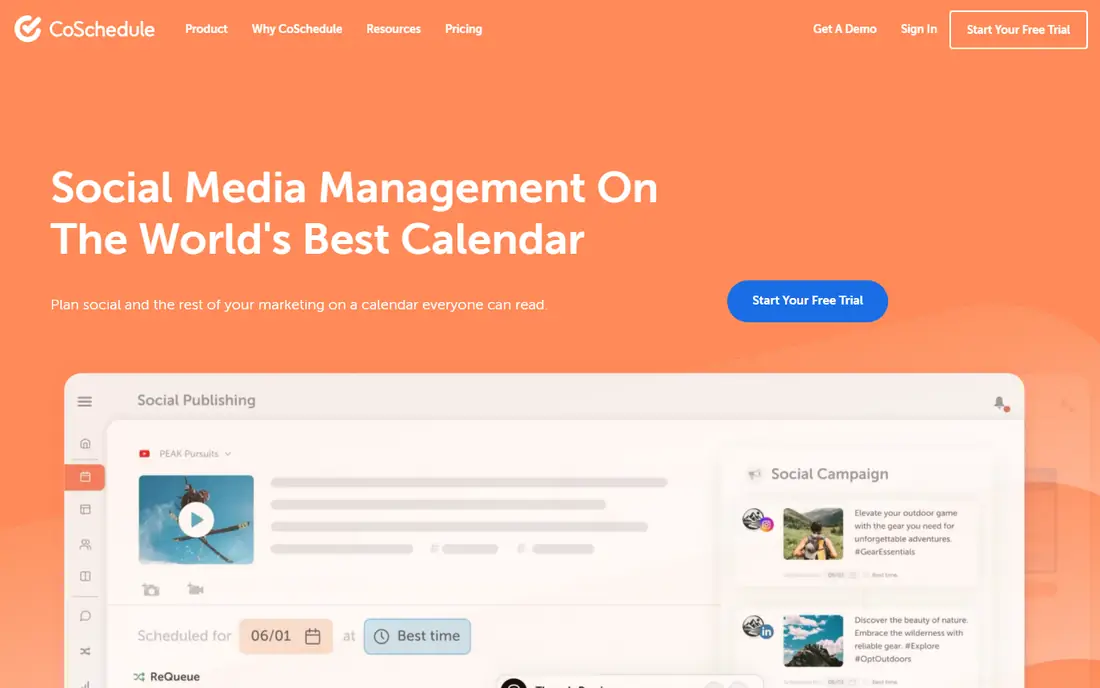
CoSchedule built the editorial calendar marketing teams picture: a drag and drop month view where every piece of content has an owner, a status, and a publish date, with social promotion scheduled from the same record. Its free calendar tier starts small teams, and the paid Marketing Calendar at a reported $19 per user per month runs serious programmes.
The trade off is specialisation against scope. It plans marketing, not the company's other work. CoSchedule fits marketing teams and agencies whose core problem is a visible, shared publishing rhythm across channels.
What we like- The calendar is the product: blog, social, email, and campaigns on one view
- Social scheduling and automation built in
- Headline and AI assistance tools in the family
- Reported from $19 per user per month for Marketing Calendar
Watch out for- Pricing tiers split features in ways that need checking
- Heavier than a small team needs
- Best inside a marketing only workflow
#2Notion
Best for: Flexible planning you design yourself4.6/5 on
G2 (13,834 reviews, checked Oct 2026)
Visit notion.so
Starting priceFree
Free planYes
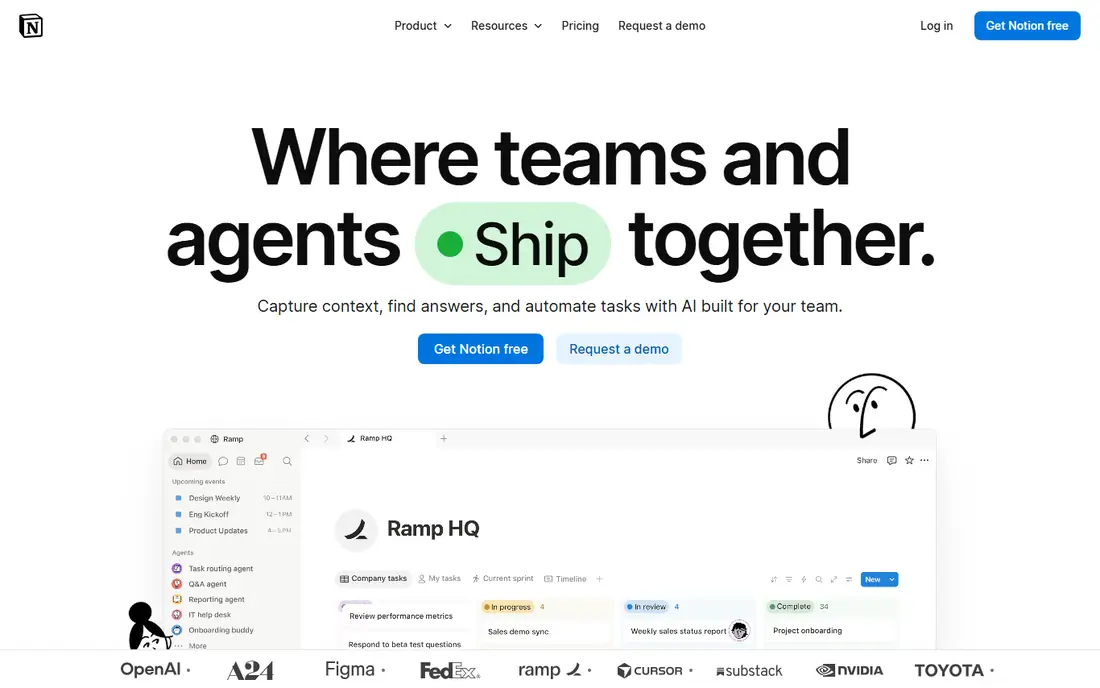
Notion is the planner teams design rather than buy: an editorial database with status, owners, and channels, viewed as calendar, board, or table, with the brief and draft living in the same page. For a team with opinions about its process, that freedom is the feature, and the free plan carries a small team a long way.
The trade off is setup and upkeep against fit. A team that will not design its system should buy CoSchedule's instead. Notion fits startups and content teams who want planning, briefs, and drafts in one flexible workspace they control.
What we like- Build the exact planning system your team thinks in: databases, calendar and timeline views, docs attached to every brief
- Free plan covers small teams properly
- The template ecosystem includes every editorial system imaginable
Watch out for- You build and maintain the system yourself
- Large workspaces need information discipline
- No native social scheduling or publishing
#3Airtable
Best for: Database driven editorial operations4.6/5 on
G2 (3,300 reviews, checked Oct 2026)
Visit airtable.com
Starting priceFree
Free planYes
Airtable plans content like an operation: every asset a record, every campaign a linked view, approvals and deadlines automated. Editorial operations at media companies and large marketing teams run on it because the model matches the messiness of real production.
The trade off is power against the need for a builder. Airtable fits teams with a content operations mindset and multi channel output that has outgrown a calendar taped to a spreadsheet.
What we like- A real database under the calendar: fields for channel, campaign, asset, and approval state that other tools cannot model
- Automations move records and ping owners
- Free plan, with Team pricing above
- Interfaces let stakeholders see without breaking the base
Watch out for- Requires someone who thinks in data to set up well
- No writing environment, drafts live elsewhere
- Costs scale per user as the operation grows
#4Asana
Best for: Content inside company wide planning4.4/5 on
G2 (13,930 reviews, checked Oct 2026)
Visit asana.com
Starting price$10.99 per user per month
Free planYes
Asana plans content the way the rest of the company plans work: campaigns as projects, pieces as tasks with owners, dates, and approvals, visible beside product launches and events. For cross functional marketing, that shared picture prevents the classic clash of the blog publishing against the launch.
The trade off is integration against editorial specialisation. Asana fits mid size and large companies that would rather extend their work platform than run a separate content silo.
What we like- Content calendars sit inside the same system as launches and campaigns
- Strong approvals, dependencies, and workload views
- Starter reported from $10.99 per user per month
- Most companies already have users to invite
Watch out for- A work manager, not an editorial tool: no publishing, no brief depth without templates
- Real power needs the paid tiers
- Calendar is one view among many rather than the product
#5monday.com
Best for: Visual planning for mixed teams4.7/5 on
G2 (17,182 reviews, checked Oct 2026)
Visit monday.com
Starting priceSee website
Free planYes
monday sells legibility: content plans as colourful boards a VP can read in ten seconds, with calendar and timeline views for the team doing the work. Its work management platform carries a marketing flavour with content planning templates ready to adopt.
The trade off is approachability against price clarity and editorial depth. monday fits marketing and cross functional teams where stakeholder visibility is the selling point and budgets are set per seat across the company.
What we like- The most visual planning boards in work management
- A dedicated marketing and content product line
- Easy for non technical stakeholders to read at a glance
- Strong template gallery for editorial calendars
Watch out for- Pricing has shifted across editions, so confirm the current per seat figure
- Depth for editorial specifics needs building
- Per seat costs across a whole company add up
#6StoryChief
Best for: Planning plus publishing4.6/5 on
G2 (32 reviews, checked Oct 2026)
Visit storychief.io
Starting priceSee website
Free planNo
StoryChief closes the loop most planning tools leave open: plan the piece, write it in the built in editor with approvals, and publish it to the website and social channels from the same flow. Agencies use it to run client content where the client approves inside the tool.
The trade off is an all in one content workflow against platform breadth. StoryChief fits agencies and brand content teams whose bottleneck is the road from approved draft to published and promoted.
What we like- The plan connects to distribution: publish to blog, social, and hubs from the workflow
- Collaboration and approval flows built for agencies and clients
- Content briefs and SEO assistance in the editor
Watch out for- Quote and tier based pricing
- Smaller ecosystem than the platform tools
- Value depends on using its publishing, not just its calendar
#7ClickUp
Best for: All in one work and content4.6/5 on
G2 (14,878 reviews, checked Oct 2026)
Visit clickup.com
Starting priceFree
Free planYes
ClickUp is the maximalist option: plan the content calendar, write the brief in Docs, track production as tasks, and report against goals without leaving the app, on a free plan or paid tiers from about $7 per user per month. For a team consolidating subscriptions, that breadth is the argument.
The trade off is everything in one place against focus and finish. ClickUp fits cost conscious teams happy to configure their way to an editorial system inside a general platform.
What we like- Docs, tasks, calendars, and goals in one generous platform
- A capable free plan and low paid tiers
- Content templates and custom fields cover editorial tracking
- Whiteboards and chat included
Watch out for- The feature sprawl overwhelms new teams
- Performance complaints surface in big workspaces
- Editorial polish is added by you, not provided
Starting priceSee website
Free planNo
DivvyHQ is the specialist for the enterprise content factory: request intake, shared calendars across regions and brands, and production visibility for organisations publishing hundreds of pieces a month. It has served that niche since before content operations had a name.
The trade off is depth in one niche against company wide breadth. DivvyHQ fits enterprise marketing organisations where content planning is an operations function with intake queues and SLAs, not a shared doc.
What we like- Built for large, distributed content operations: intake, production, and calendar across many teams
- Strong governance, parking lot for ideas, and production tracking
- Serves enterprise marketing departments specifically
Watch out for- Enterprise pricing by quote
- More machinery than a single team needs
- Smaller public profile than the platform brands
How we chose
We compared planning tools across the three shapes teams buy: dedicated editorial calendars, flexible self built systems, and general work platforms. Pricing was recorded from vendor pages in October 2026: CoSchedule and Asana publish theirs, Notion, Airtable, and ClickUp lead with free plans, and monday, StoryChief, and DivvyHQ are marked See website where figures are tiered, shifted, or quoted. We required a real calendar or timeline view and multi user ownership from every entry, because a list in a document is not a planning tool.
How to choose a content planning tool
Start with where the plan must be seen. If the audience is the marketing team alone, a dedicated calendar such as CoSchedule earns its focus; if leadership and other departments plan around content, Asana or monday puts it in their world. Then decide build or buy: Notion and Airtable reward a team member who enjoys systems with a planner shaped exactly to the process, and punish everyone else with a half built database. Test the weekly ritual, not the demo: run your real planning meeting in the trial tool, moving last week's pieces and setting next week's, and notice whether the state of every piece is visible without anyone speaking. Check the path from plan to publish: StoryChief shortens it, others stop at the plan and hand off to your CMS and social tools, which is fine if those handoffs are honest. Finally, price the seats the whole ritual needs, including approvers and stakeholders, because a calendar only the core team can see fails at its main job.
Frequently asked questions
What is the difference between a content calendar and a planning tool?
The calendar is the view; the planning tool is the system behind it: intake, briefs, owners, approvals, and status that feed the calendar. CoSchedule and DivvyHQ sell the system; a spreadsheet gives you only the view, which is why spreadsheets collapse at volume.
Can Notion really run an editorial operation?
Yes, many do, provided someone designs the database properly: content records with channel, owner, status, and dates, calendar and board views, and templates for briefs. The failure mode is not Notion; it is five half designed workspaces nobody maintains.
Do these tools publish to social media too?
CoSchedule and StoryChief schedule and publish social content natively. The work platforms, Asana, monday, ClickUp, plan the posts and rely on integrations or a separate social tool to send them. Decide whether publishing inside the planner is worth paying the specialist for.
How much do content planning tools cost?
Free plans from Notion, Airtable, and ClickUp run small teams. Paid anchors: Asana from $10.99 per user per month and CoSchedule a reported $19 per user per month, with enterprise tools such as DivvyHQ quoted. The honest budget multiplies per seat price by everyone in the planning ritual.
What should a content plan actually contain?
Every piece with a working title, channel, owner, due date, publish date, status, and the campaign or goal it serves, plus a parking lot for ideas not yet scheduled. If a field on that list is missing from the tool, the weekly meeting will supply it from memory, badly.
How far ahead should we plan?
Most teams work well with a rolling quarter: themes and campaigns set for three months, specific pieces firmed four to six weeks out, and this week's work locked. The tool should make all three horizons visible without three separate documents.
Sources we checked (0)
Is your product missing or out of date?
We review this list regularly. Vendors can request a listing, send updated pricing or ask about featured placement.

Shihab Mia · Founder, Rankite
Shihab has 5+ years in B2B and SaaS SEO. He writes Rankite's software buying guides from pricing pages, documentation and public user reviews. More about Shihab.