How we make this list: we compare pricing pages, product documentation and public user reviews. Ratings come from G2, Capterra or Trustpilot, with the date we checked them.
Key takeaways
- Every bank on this list offers two-factor authentication, real-time alerts, and card locking, but the details differ: virtual cards, passkeys, and hardware-key support separate the strongest from the average.
- Capital One stands out for online shoppers because of its virtual card numbers, while U.S. Bank stands out for passkey sign-in support.
- Large branch banks like Chase and Wells Fargo pair digital controls with in-person help, which matters when an account is compromised and you need a person fast.
- FDIC insurance up to $250,000 per depositor per ownership category applies to deposits at each of these banks, but it protects against bank failure, not against fraud on your own account, so your own security habits still matter.
- This is not financial advice. Security features change often, so confirm the current controls on the bank's own site before opening an account.
Quick comparison
| Tool | Best for | Starting price | Free plan |
|---|
 Chase Chase | Full-service banking with branches and strong fraud tools | See website | No |
 Capital One Capital One | Virtual cards for safer online shopping | See website | Yes |
 Ally Bank Ally Bank | Online-only banking with no monthly fees | See website | Yes |
 USAA USAA | Military members wanting no-fee checking and 24/7 fraud support | See website | Yes |
 Wells Fargo Wells Fargo | Branch access with card controls and fraud monitoring | See website | No |
 Discover Discover | No-fee online banking with card freeze controls | See website | Yes |
 U.S. Bank U.S. Bank | Passkey sign-in and full-service banking | See website | No |
 SoFi SoFi | All-in-one app banking with two-factor authentication | See website | Yes |
Is your product missing or out of date?
We review this list regularly. Vendors can request a listing, send updated pricing or ask about featured placement.
The best consumer banking companies for security
#1
Chase
Best for: Full-service banking with branches and strong fraud tools
Visit chase.com
Starting priceSee website
Free planNo
Chase pairs the scale of the largest US consumer bank with a solid set of digital controls. You can turn on 2-step verification so that signing in on a browser requires a one-time code, freeze a debit or credit card from the app in seconds, and set up account alerts for transactions. Its security pages also warn customers to check that web addresses end in chase.com before entering credentials, which reflects how heavily phishing targets big-bank customers. When something goes wrong, the branch network is a genuine advantage: you can walk in and speak to someone about a compromised account rather than waiting on a chat queue.
The gaps are worth knowing. Chase does not offer virtual credit card numbers, so online shoppers who want disposable card numbers must use Click to Pay or a digital wallet instead. Some Chase checking accounts also carry monthly service fees, waivable with qualifying direct deposits or balances, so the security story comes with a cost question. For customers who want one bank for checking, savings, cards, and branches, with dependable fraud tools, Chase remains a strong default choice.
What we like- 2-step verification at sign-in
- Card lock controls in the app
- Large branch network for in-person fraud help
Watch out for- No virtual credit card numbers
- Some accounts carry monthly fees that are only waived with qualifying activity
Starting priceSee website
Free planYes
Capital One earns the top security spot for people who shop online a lot. Its virtual cards let you check out with an alternate card number, expiration date, and security code linked to your real account, so a merchant breach never exposes your actual card details. You can create merchant-specific virtual cards, manage them from the mobile app or a browser extension, and freeze or release them independently of your physical card. Add $0 liability for unauthorized charges and an in-app card lock, and the day-to-day toolkit is unusually complete.
The limits are specific. Virtual cards work with eligible Capital One credit cards, and availability depends on your account, so debit-only customers may not get them. Capital One also has fewer traditional branches than Chase or Wells Fargo, though its Cafes in major cities offer some in-person banking. Its 360 checking and savings accounts carry no monthly fees, which keeps the security story affordable. For online shoppers, Capital One's virtual card system is the single most useful security feature any bank on this list offers.
What we like- Virtual card numbers for online purchases
- Card lock in the mobile app
- $0 liability for unauthorized charges
Watch out for- Virtual cards are tied to eligible credit cards, not debit
- Branch access is limited to Capital One Cafes in some cities
#3
Ally Bank
Best for: Online-only banking with no monthly fees
Visit ally.com
Starting priceSee website
Free planYes

Ally Bank built its reputation on being online-only and fee-light, and its security setup fits that model well. Accounts offer biometric login, two-factor authentication, real-time alerts, and card controls through a well-rated app, and the bank was among the first to eliminate overdraft fees entirely. Because there are no branches, everything happens in the app, which means the digital controls have to be good, and they generally are: you can freeze a card, review transactions, and reach support around the clock.
The trade-off is the absence of a branch. If your account is locked after suspected fraud, you resolve it by phone or chat rather than across a desk, which some customers find stressful. Cash deposits also require third-party networks rather than a teller window. For customers comfortable managing money entirely on a phone, Ally combines no monthly fees with a clean, modern security toolkit and competitive savings rates.
What we like- No monthly maintenance fees
- Biometric login and two-factor authentication
- Early direct deposit and savings tools
Watch out for- No branches for in-person help
- Cash deposits require workarounds through partner networks
#4
USAA
Best for: Military members wanting no-fee checking and 24/7 fraud support
Visit usaa.com
Starting priceSee website
Free planYes
USAA serves military members, veterans, and their eligible families, and its banking security reflects the realities of that community: frequent moves, deployments, and a need for round-the-clock help. Checking accounts carry no monthly service fees, fraud monitoring and security support run 24/7, and the mobile app covers balances, payments, claims, and roadside assistance in one place. USAA Bank ranked highly in 2026 industry lists for checking and debit cards, which matches its long record of member satisfaction.
Eligibility is the hard limit: if you are not military-affiliated or family of a member, you cannot join. USAA also has very few physical branches, so most service happens digitally or by phone. For those who qualify, the combination of no-fee checking, always-on fraud support, and a member-first structure makes USAA one of the safest-feeling banks to bank with, especially for families managing money across moves and deployments.
What we like- Checking with no monthly service fees
- 24/7 support for claims, fraud monitoring, and security
- Strong member-service record
Watch out for- Membership is limited to the military community and eligible family
- Branch access is minimal
Starting priceSee website
Free planNo
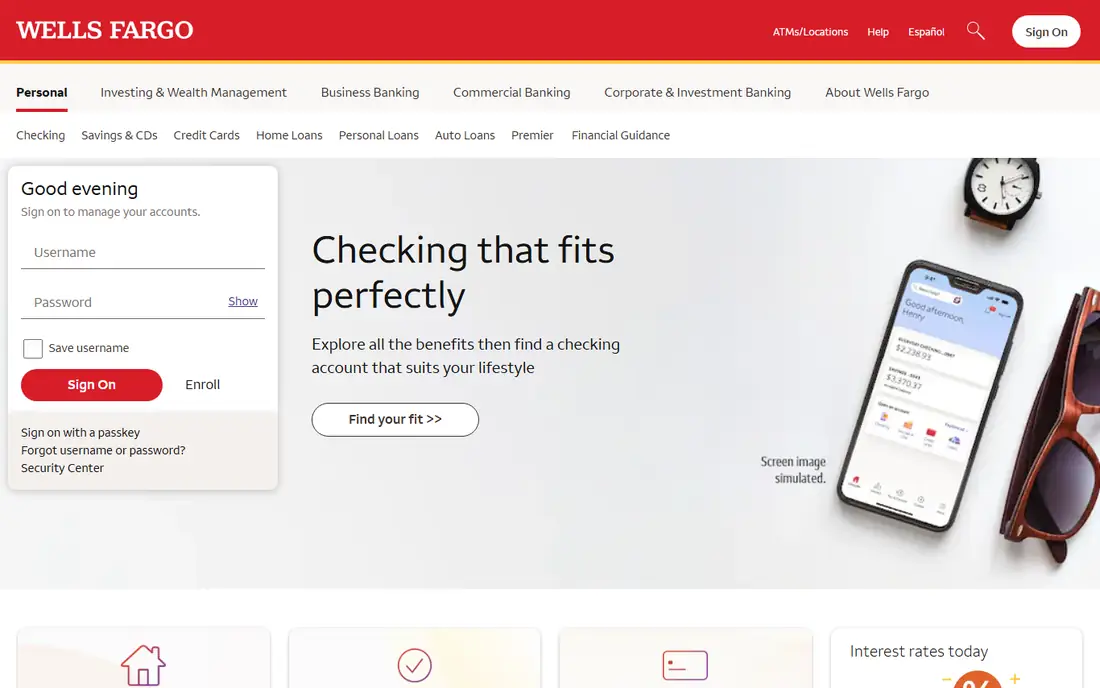
Wells Fargo offers the classic big-bank security package: online and mobile banking with card controls, transaction alerts, and fraud monitoring, plus thousands of branches and ATMs for customers who want in-person service. Its Control Tower feature lets you manage cards, recurring payments, and account access from one place, and its mobile app includes spending insights and security settings. For customers who value walking into a branch after a fraud scare, that physical presence is a real benefit that online-only banks cannot match.
Two caveats deserve mention. Some Wells Fargo checking accounts charge monthly service fees that can be waived with direct deposits or minimum balances, so fee-sensitive customers should compare account tiers. The bank's history of unauthorized-account scandals also still shapes how some customers judge its trustworthiness, fairly or not. Judged on today's tools alone, Wells Fargo's security controls are solid and complete; judged on trust, some customers will prefer a bank without that history.
What we like- Control Tower card and account controls
- Large branch and ATM network
- Security guidance and account alerts
Watch out for- Some checking accounts carry monthly fees unless waived
- Past account scandals still color its reputation for some customers
Starting priceSee website
Free planYes
Discover's security story centers on control and simplicity. Its Freeze It feature lets you freeze a card instantly from the app and unfreeze it just as fast, which is the fastest response to a lost wallet or a suspicious charge. Discover cards carry $0 fraud liability, its online banking accounts charge no monthly fees, and its cards are accepted at 99 percent of places in the US that take credit cards. Contactless Discover cards also carry the same chip security as an inserted card.
The main weakness is acceptance outside the US, where Discover's network is thinner than Visa or Mastercard, so frequent international travelers should carry a backup card. There are also no branches, so fraud resolution happens by phone or online. For a US-based customer who wants a no-fee account, a fast card freeze, and straightforward fraud protection, Discover is a strong, low-cost option.
What we like- Freeze It control to turn cards on and off
- No monthly fees on online banking accounts
- $0 fraud liability on cards
Watch out for- No branch network
- Acceptance abroad is narrower than Visa or Mastercard networks
Starting priceSee website
Free planNo
U.S. Bank stands out for supporting passkeys, which replace passwords with a cryptographic sign-in tied to your device. Passkeys resist phishing far better than passwords or SMS codes, because there is no password to steal and no code to intercept. That puts U.S. Bank ahead of most large banks on login security specifically. It also offers the full traditional package: branches, a well-rated mobile app, account alerts, card controls, and checking accounts that open with as little as $25.
The catch is that passkeys only help if you set them up on a compatible device and browser, and some customers still default to passwords out of habit. Some U.S. Bank checking accounts also carry monthly maintenance fees, waivable with qualifying activity. For customers who will actually use passkeys and want a full-service bank behind them, U.S. Bank offers the most forward-looking login security on this list.
What we like- Passkey support for stronger sign-in
- Full-service bank with branches
- Smart checking tools and account alerts
Watch out for- Some checking accounts carry monthly fees
- Passkey setup requires a compatible device and browser
#8
SoFi
Best for: All-in-one app banking with two-factor authentication
Visit sofi.com
Starting priceSee website
Free planYes
SoFi Bank offers checking and savings with no account fees, two-factor authentication, biometric login, real-time spending notifications, and an in-app card freeze. Its accounts are FDIC-insured up to $250,000 per depositor per ownership category, and the app bundles banking with investing, loans, and credit-score monitoring for customers who want everything in one place. Direct deposit customers can also earn a competitive savings yield, which makes the account attractive beyond security alone.
The app-first design is both the strength and the weakness. Everything is fast and self-serve, but there are no branches, so a serious fraud case means phone or chat support rather than a face-to-face conversation. The app's breadth can also feel busy if you only want simple banking. For customers who want a no-fee account, modern login controls, and an all-in-one financial app, SoFi is a strong choice, especially for younger customers who rarely visit a branch.
What we like- Two-factor authentication and biometric login
- Instant card freeze from the app
- No account fees on checking and savings
Watch out for- No branch network
- Banking sits inside a broader finance app, which can feel crowded
How we chose
We compared banks on the security controls a customer can actually use: two-factor authentication, biometric login, passkey support, card lock or freeze, real-time alerts, virtual cards, and fraud liability policies. We favored banks that document these features on their own sites and that pair digital controls with reachable human support. We also weighed fees, because a security feature on an account you cannot afford is no help. Where a feature could not be confirmed on the bank's own site, we left it out rather than repeating a third-party claim. We did not test any bank's systems ourselves, and security features change, so treat this as a starting point for your own comparison.
What to check before you open an account
Start by turning on every control the bank offers on day one: two-factor authentication (prefer an authenticator app over SMS when offered), biometric login, transaction alerts for every payment, and card lock shortcuts. SMS codes are better than nothing, but they are vulnerable to SIM-swap attacks, so an authenticator app or passkey is stronger where available. If you shop online often, a bank with virtual cards, like Capital One, adds protection no alert can replace.
Next, look past the feature list to the recovery experience. Ask how you report fraud, how fast a frozen card can be replaced, and whether you can reach a person at 2 a.m. A bank with a branch nearby or 24/7 phone support will feel very different during a real incident than one with chat-only help. Check the fee schedule too: an account with a monthly fee you cannot waive erodes the value of an otherwise good security setup. Finally, remember that FDIC insurance protects your deposits if the bank fails; it does not reimburse fraud on your account. Federal law and the bank's own zero-liability policies govern fraud reimbursement, and reporting quickly always helps your case.
Frequently asked questions
What is the single most important bank security feature?
Two-factor authentication is the highest-value control for most people, because a stolen password alone cannot open your account once it is on. Prefer an authenticator app or a passkey over SMS codes when the bank offers them, since SMS codes can be intercepted through SIM-swap fraud. Combine it with transaction alerts so you spot unauthorized activity within minutes.
Are online-only banks as safe as branch banks?
Yes, in the ways that matter most: deposits at FDIC-member online banks carry the same $250,000 insurance per depositor per ownership category, and their apps typically offer the same or better digital controls. The real difference is recovery: a branch bank lets you resolve a serious problem in person, while an online bank resolves it by phone or chat. Choose based on which recovery style you trust more.
Do virtual cards really protect me?
Virtual cards protect your real card number from merchant breaches, because the merchant only ever sees a disposable number. If that number leaks, you can delete it without replacing your physical card. They do not protect against fraud on your account itself, and they are not offered by every issuer, so check availability before choosing a bank for this feature alone.
What should I do if I see a transaction I did not make?
Freeze or lock the card immediately from the bank's app, then contact the bank's fraud department to dispute the charge. Note the date, amount, and merchant, and keep any messages or emails related to the transaction. Report quickly: federal protections and bank zero-liability policies both favor prompt reporting, and a fast freeze stops further charges.
Is FDIC insurance the same as fraud protection?
No. FDIC insurance protects your deposits if an insured bank fails, up to $250,000 per depositor per ownership category. Fraud protection comes from federal law and the bank's own policies, such as $0 liability for unauthorized card charges. Both matter, but they cover different risks, so a bank can be FDIC-insured and still leave you fighting a fraud claim if you report late.
Sources we checked (9)
- https://www.chase.com/digital/resources/privacy-security/security/how-you-can-protect
- https://www.capitalone.com/learn-grow/privacy-security/protect-against-credit-card-fraud/
- https://www.ally.com
- https://www.usaa.com
- https://www.wellsfargo.com
- https://www.discover.com
- https://www.usbank.com
- https://www.sofi.com
- https://www.chime.com/blog/best-bank-with-security-features/
Is your product missing or out of date?
We review this list regularly. Vendors can request a listing, send updated pricing or ask about featured placement.

Shihab Mia · Founder, Rankite
Shihab has 5+ years in B2B and SaaS SEO. He writes Rankite's software buying guides from pricing pages, documentation and public user reviews. More about Shihab.