How we make this list: we compare pricing pages, product documentation and public user reviews. Ratings come from G2, Capterra or Trustpilot, with the date we checked them.
Key takeaways
- Power BI is the price leader for teams already inside Microsoft 365.
- Tableau leads for visualization-first analysis teams.
- Looker suits Google Cloud organizations that want a governed semantic layer.
- Metabase is the best budget route for technical teams that self-host.
- ThoughtSpot leads for natural-language, search-driven analysis.
Quick comparison
| Tool | Best for | Starting price | Free plan |
|---|
 Microsoft Power BI Microsoft Power BI | Microsoft 365 teams | Free; Pro from $14 per user per month | Yes |
 Tableau Tableau | Visualization-first teams | From $15 per user per month | Free trial |
 Looker Looker | Google Cloud organizations | See website | No |
 Qlik Sense Qlik Sense | Associative exploration | From $30 per user per month | Free trial |
 ThoughtSpot ThoughtSpot | Search-driven analysis | From $25 per user per month | Free trial |
 Metabase Metabase | Budget open-source dashboards | Free; Cloud from $100 per month | Yes |
 Domo Domo | Executive dashboards | See website | Free trial |
 Sisense Sisense | Embedded analytics at scale | See website | No |
Is your product missing or out of date?
We review this list regularly. Vendors can request a listing, send updated pricing or ask about featured placement.
#1Microsoft Power BI
Best for: Microsoft 365 teams4.5/5 on
G2 (1,661 reviews, checked Oct 2026)
Visit microsoft.com
Starting priceFree; Pro from $14 per user per month
Free planYes
Power BI is the price leader for Microsoft shops. Desktop is free, Pro costs $14 per user per month billed annually, and the platform connects to Excel, Teams, and hundreds of data sources. For a team that already lives in Microsoft 365, dashboards, reports, and scheduled refreshes arrive with little new infrastructure.
Sharing and collaboration need Pro or Premium capacity, and data modeling takes learning for complex setups. For most small and mid-size teams, Power BI delivers the most BI per dollar, and its market share means hiring analysts who know it is easy.
What we like- Cheapest serious BI
- Deep Excel and Microsoft 365 integration
- 500+ connectors
- Free Desktop
Watch out for- Sharing needs Pro or Premium
- Modeling learning curve
- Weaker on governed semantic layers than Looker
#2Tableau
Best for: Visualization-first teams4.4/5 on
G2 (3,787 reviews, checked Oct 2026)
Visit tableau.com
Starting priceFrom $15 per user per month
Free planFree trial
Tableau remains the visualization standard. Drag-and-drop exploration turns raw tables into interactive dashboards fast, and the community, training, and extension ecosystem are the deepest in BI. Viewer licenses start at $15 per user per month, while Creator licenses for building run about $75.
Most small teams need only a few Creator licenses and more Viewers, which keeps costs manageable. Data preparation is limited compared with dedicated prep tools. For a team that values visual control and exploration, Tableau is still the benchmark.
What we like- Best visual analytics
- Drag-and-drop exploration
- Strong community and training
- 100+ connectors
Watch out for- Creator licenses cost $75 per user per month
- Enterprise pricing adds up
- Data prep is limited
Starting priceSee website
Free planNo
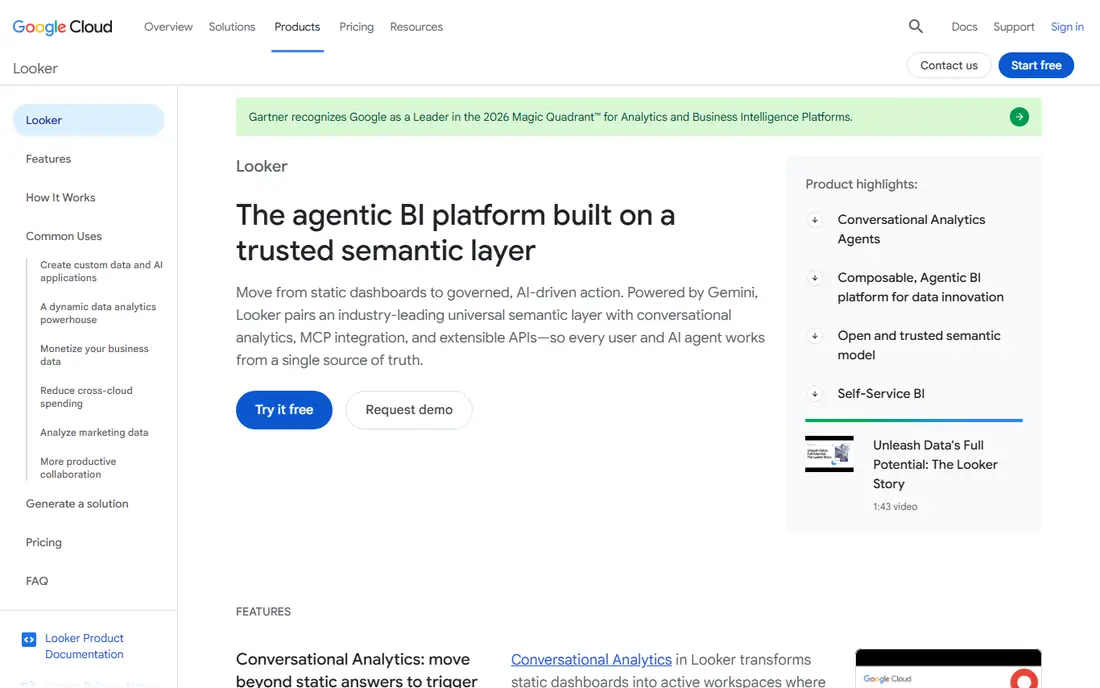
Looker, part of Google Cloud, is built around a governed semantic layer. LookML models define metrics once, so every team reports the same revenue, churn, or conversion number instead of each dashboard inventing its own. Native BigQuery integration suits Google Cloud warehouses, and embedded delivery serves customer-facing analytics.
Pricing is custom by quote, implementation takes months for large models, and LookML needs developer skills. For a Google Cloud organization that wants one source of truth for metrics, Looker is the strongest governed choice.
What we like- Governed LookML semantic layer
- Native BigQuery integration
- Consistent metrics across teams
Watch out for- Custom pricing only
- Implementation takes months
- Needs developer skills for modeling
#4Qlik Sense
Best for: Associative exploration4.4/5 on
G2 (929 reviews, checked Oct 2026)
Visit qlik.com
Starting priceFrom $30 per user per month
Free planFree trial
Qlik Sense uses an associative engine that shows not only what matches a selection but also what does not, which surfaces gaps other tools hide. That makes exploration powerful: click a region, a product, or a period, and every chart updates to show related and excluded values. AI-assisted insights suggest angles a user might miss.
Business pricing starts around $30 per user per month, and the interface takes learning. For analysts who explore data relationships rather than reading fixed reports, Qlik Sense is a distinctive and powerful choice.
What we like- Associative engine shows related and unrelated data
- Strong exploration
- AI-assisted insights
Watch out for- Business plan from $30 per user per month
- Interface learning curve
- Smaller community than Power BI
Starting priceFrom $25 per user per month
Free planFree trial
ThoughtSpot lets business users search data the way they search the web. Type a question, and the platform returns charts and tables, with AI-assisted analysis suggesting follow-ups. Essentials pricing starts at $25 per user per month billed annually, and the self-service model cuts the queue of report requests that slows data teams.
Data preparation is limited, and search works best on clean, well-modeled data. For a company that wants every manager to answer their own questions without waiting for analysts, ThoughtSpot is the leading search-driven option.
What we like- Natural-language search over data
- Self-service for business users
- AI-assisted analysis
Watch out for- Essentials from $25 per user per month
- Data prep is limited
- Needs clean modeled data to shine
#6Metabase
Best for: Budget open-source dashboards4.4/5 on
G2 (147 reviews, checked Oct 2026)
Visit metabase.com
Starting priceFree; Cloud from $100 per month
Free planYes
Metabase is the fastest route to dashboards on a budget. Self-hosted open source is free, setup takes hours rather than weeks, and business users can build questions without SQL. Cloud Starter runs from $100 a month for five users, which suits startups that want hosted dashboards without enterprise pricing.
Advanced features and governance trail enterprise tools, and scaling to very large data needs care. For a technical team that wants working dashboards this week at minimal cost, Metabase is the best open-source choice.
What we like- Free self-hosted open source
- Easy setup with no SQL needed
- Cloud Starter from $100 per month
Watch out for- Limited advanced features versus enterprise tools
- Scaling needs care
- Fewer connectors than Power BI
#7Domo
Best for: Executive dashboards4.3/5 on
G2 (1,086 reviews, checked Oct 2026)
Visit domo.com
Starting priceSee website
Free planFree trial
Domo combines data ingestion and dashboards in one cloud platform, with over 1,000 connectors feeding executive reporting. Cross-functional teams monitor company-wide metrics in one place, and pre-built connectors cut integration work for common sources.
Pricing is custom and credit-based, so costs rise with usage, and implementation takes months for large deployments. For a company that wants ingestion plus executive dashboards from a single vendor, Domo covers the full pipeline.
What we like- 1,000+ connectors
- Data ingestion plus dashboards in one
- Strong executive reporting
Watch out for- Custom credit-based pricing
- Implementation takes months
- Costs rise with usage
#8Sisense
Best for: Embedded analytics at scale4.2/5 on
G2 (1,063 reviews, checked Oct 2026)
Visit sisense.com
Starting priceSee website
Free planNo
Sisense targets product teams that embed analytics inside their own applications. Governed, white-labeled dashboards scale to large datasets, and AI-driven features help users explore without leaving the product. Developer-built embedding suits SaaS vendors that sell analytics as part of their product.
Pricing is custom by quote, and embedding takes developer effort and months to implement well. For a SaaS vendor that needs analytics inside its product at scale, Sisense is a leading embedded choice.
What we like- Strong embedded and white-labeled analytics
- Handles large datasets
- AI-driven features
Watch out for- Custom pricing only
- Implementation takes months
- Developer effort for embedding
How we chose
We compared tools on visualization, modeling, self-service, embedding, connectors, and pricing, using vendor pages and published comparisons from 2026. We favored tools US teams can use today with a distinct strength. We did not claim hands-on testing, and where pricing was custom we wrote See website.
Start with one question, one data source, and one dashboard, then expand only when people actually use it. The real cost of BI includes data preparation, training, and the time to keep dashboards current, not just the monthly license. A tool nobody opens wastes more than a pricier tool everyone uses, so run a pilot with real users and real data before committing.
Then match the tool to your stack. Microsoft 365 teams should default to Power BI, Google Cloud teams to Looker, and teams with clean warehouses and curious managers to ThoughtSpot. Check governance needs too: if every team must report the same metric, a governed semantic layer matters more than chart variety. If embedding analytics in a product is the goal, Sisense, Looker, and Tableau lead, while Metabase suits budget embedding.
Also plan for data quality. BI tools visualize whatever they are fed, so dirty, duplicated, or undefined data produces confident wrong dashboards. Define key metrics once, document them, and assign an owner for each source. Finally, budget training: self-service tools only work when business users learn to ask good questions, and that takes time and examples, not just licenses.
Common mistakes waste BI budgets. Teams buy Creator licenses for everyone when most people only view dashboards, so match license types to real roles. Others build fifty dashboards nobody opens instead of five that drive weekly decisions. Review usage quarterly, retire unused dashboards, and keep the set small enough that every dashboard has an owner and a decision attached to it.
A final check before signing: ask for a reference customer in your industry and size, and ask what broke during implementation. Every vendor demo looks smooth, but reference stories reveal the real setup time, the data work required, and the support quality after the sale. A tool that fits your stack, your governance needs, and your users habits will serve you for years, while a tool chosen on a demo alone often gets replaced within one renewal cycle.
Pilot design matters as much as vendor choice. Give the pilot team a real decision to make with the dashboard, such as which campaign to pause or which region needs attention, and measure whether the dashboard changed the decision. A pilot that only produces pretty charts proves nothing, while a pilot tied to one decision proves the tool earns its license cost.
Refresh cadence deserves a decision too. Real-time dashboards suit operations teams watching live orders or support queues, while weekly refreshes suit executives reviewing trends. Real-time costs more in warehouse compute and maintenance, so match refresh speed to the decision speed of the people reading the dashboard, and save live data for the few metrics that truly change by the hour rather than paying for speed nobody uses.
Frequently asked questions
What is the best business intelligence tool overall?
Power BI for value and Microsoft teams, Tableau for visualization, and Looker for governed metrics. The best tool depends on your stack and governance needs.
Is there a free business intelligence tool?
Yes. Power BI Desktop and self-hosted Metabase are free, and Looker Studio offers free Google-based reporting. Paid plans add sharing, governance, and support.
How much does Tableau cost?
Viewer licenses start at $15 per user per month, while Creator licenses run about $75. Most small teams need few Creators and more Viewers.
Do I need a data warehouse before buying BI?
Not always, but clean modeled data makes every tool work better. Start with one reliable source, define key metrics, and expand sources as dashboards prove useful.
Which BI tool is best for embedded analytics?
Sisense, Looker, and Tableau lead for governed, white-labeled embedded analytics. Metabase is the budget route for startups embedding dashboards.
What is a semantic layer and why does it matter?
A semantic layer defines metrics once, so every team reports the same number. Looker LookML is the best-known example, and it prevents dashboards from disagreeing.
Sources we checked (8)
- https://www.microsoft.com/power-bi
- https://www.tableau.com
- https://cloud.google.com/looker
- https://www.qlik.com
- https://www.thoughtspot.com
- https://www.metabase.com
- https://www.domo.com
- https://www.sisense.com
Is your product missing or out of date?
We review this list regularly. Vendors can request a listing, send updated pricing or ask about featured placement.

Shihab Mia · Founder, Rankite
Shihab has 5+ years in B2B and SaaS SEO. He writes Rankite's software buying guides from pricing pages, documentation and public user reviews. More about Shihab.