How we make this list: we compare pricing pages, product documentation and public user reviews. Ratings come from G2, Capterra or Trustpilot, with the date we checked them.
Key takeaways
- Raindrop.io is the best all round bookmark manager: a generous free plan, real organisation with collections and tags, and apps everywhere.
- Readwise Reader is the strongest read later tool for people who highlight, because highlights sync back to your notes.
- Linkwarden and Karakeep serve the self hosting crowd, archiving full copies of pages so links survive even when the site changes.
- Pocket is gone. Mozilla shut it down in 2025, which is why it is not on this list and why an export tool matters when you choose any rival.
- Free tiers are real in this category. Most people should start free and pay only when organisation, archiving, or sync limits bite.
Quick comparison
| Tool | Best for | Starting price | Free plan |
|---|
 Raindrop.io Raindrop.io | All round bookmark organisation | Free | Yes |
 Readwise Reader Readwise Reader | Reading and highlighting | See website | No |
 Instapaper Instapaper | Simple read later | Free | Yes |
 Linkwarden Linkwarden | Self hosted archiving | Free | Yes |
 Karakeep Karakeep | Self hosted AI tagged hoarding | Free | Yes |
 Matter Matter | Clean reading experience | Free | Yes |
 Diigo Diigo | Research and annotation | Free | Yes |
 Toby Toby | Tab management for browser workers | Free | Yes |
Is your product missing or out of date?
We review this list regularly. Vendors can request a listing, send updated pricing or ask about featured placement.
The best bookmark manager software
Starting priceFree
Free planYes
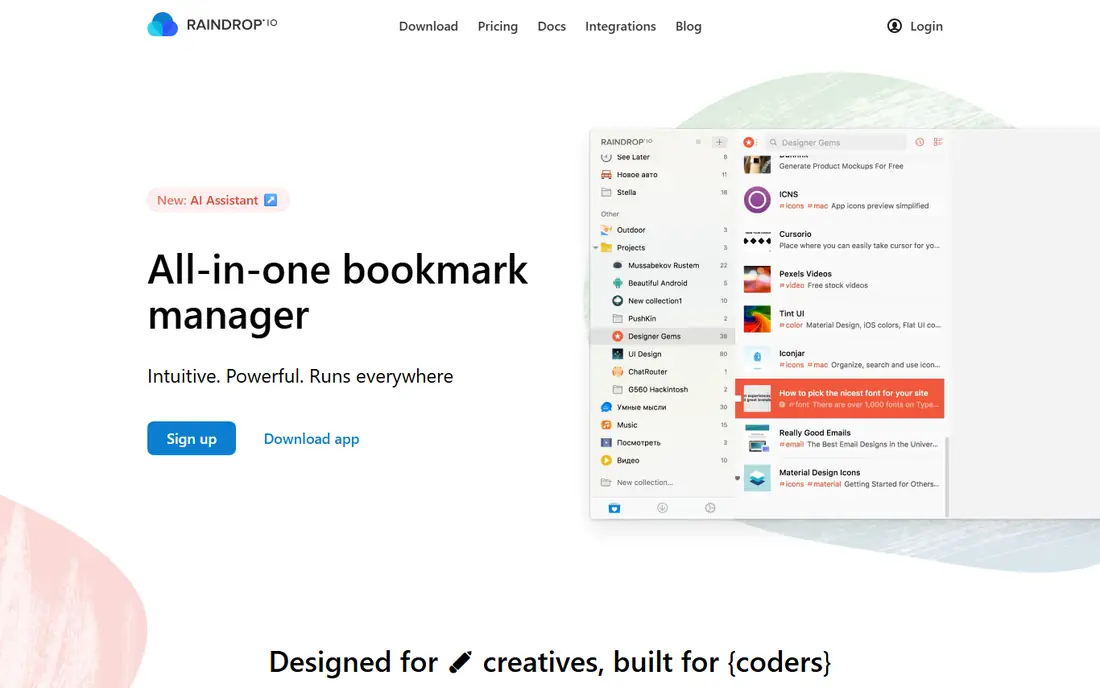
Raindrop.io is the manager most people should start with. Bookmarks live in nested collections with tags, icons, and covers, imports from browsers and Pocket are painless, and the free plan covers unlimited bookmarks and devices. Pro, reported at about $28 per year, adds full text search, a permanent library that keeps a copy of every page, and backups.
The trade off is organisation against reading comfort. Raindrop manages links better than it presents articles. Raindrop.io fits anyone whose problem is finding and grouping links: researchers, designers, developers, and teams building shared collections.
What we like- Collections, tags, and full text search on paid tier
- Saves a permanent copy of pages on Pro
- Every platform covered
- Free plan has no bookmark limit
Watch out for- Full text search and permanent library need Pro at about $28 per year
- Interface can feel dense at first
- Read later view is plainer than Reader or Matter
Starting priceSee website
Free planNo
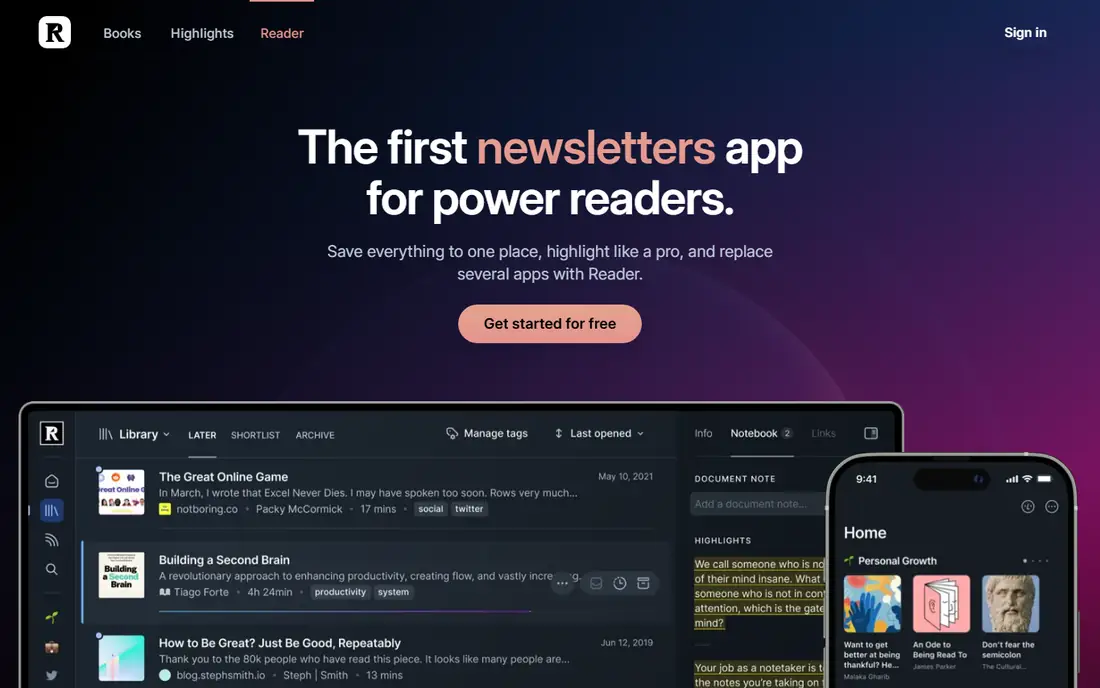
Reader is built for people who read what they save. Everything lands in one inbox: articles, newsletters, PDFs, RSS feeds, and even social posts, and every highlight you make syncs through Readwise into tools such as Notion and Obsidian. Pricing comes as the Readwise bundle, which sources report around $9.99 per month billed annually, so confirm the current figure before subscribing.
The trade off is depth against focus and price. If you never highlight, you are paying for machinery you will not use. Reader fits knowledge workers, writers, and researchers whose saved links become notes, quotes, and published work.
What we like- Highlights sync to Readwise and on to note apps
- Handles articles, PDFs, newsletters, and RSS in one inbox
- Text to speech and strong search
- Keyboard first design
Watch out for- Sold as part of Readwise, so you pay for the bundle
- No free plan beyond a trial
- Overkill for pure link storage
Starting priceFree
Free planYes
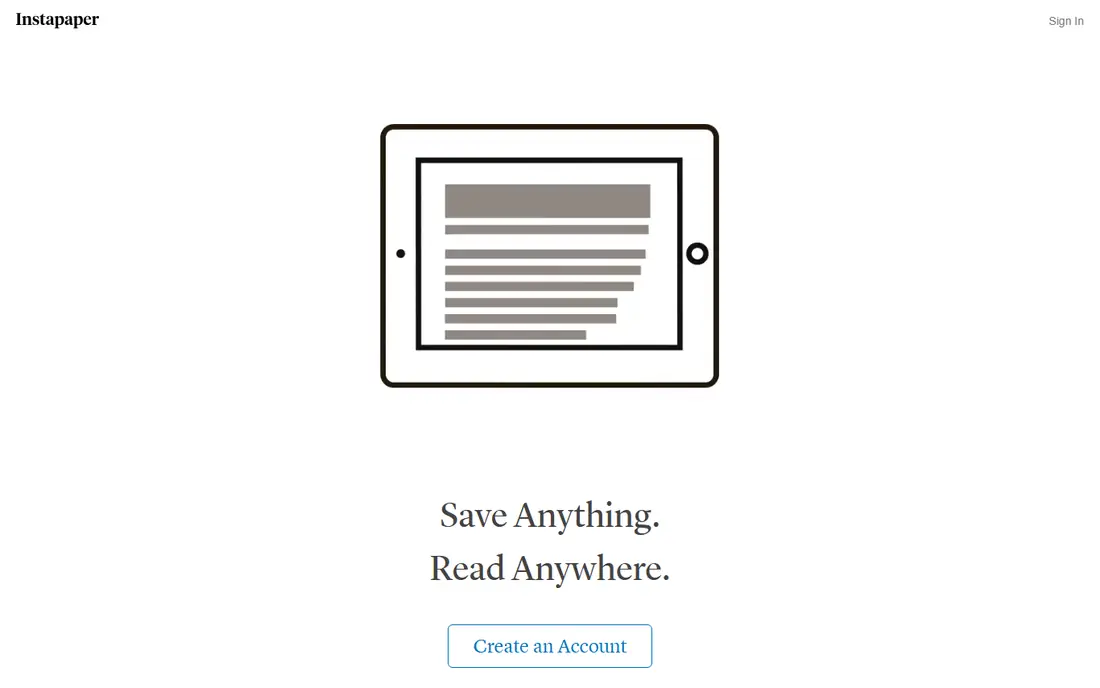
Instapaper is the veteran read later app, still doing its one job well: save an article, read it later in a clean page without the site's clutter, offline if you like. The free plan covers saving, folders, and some highlighting. Premium, reported at $5.99 per month or $59.99 per year, adds full text search, unlimited highlights, and text to speech.
The trade off is calm against power. There are no collections, tags are basic, and nothing archives the original page. Instapaper fits readers who want a quiet reading queue and nothing more complicated.
What we like- Clean, calm reading view
- Offline reading on mobile
- Folders and highlights on the free plan
- Owned by Pinterest but run as a focused product
Watch out for- Premium needed for full text search and unlimited highlights
- Organisational tools are light
- Development pace is slow
Starting priceFree
Free planYes
Linkwarden is built on a sound fear: links rot. It saves the bookmark plus archived copies of the page, so the content survives the site closing, moving, or paywalling. It is open source, free to self host, and also sold as a cloud service, reported from about $5 per month, for people who want the archiving without the server.
The trade off is control against convenience. Running your own instance is an afternoon of setup and an ongoing backup duty. Linkwarden fits archivists, researchers, and privacy minded teams who want their library on infrastructure they control.
What we like- Open source and self hostable at no cost
- Archives pages as PDF, screenshot, and readable copy
- Team collections and sharing
- Cloud plan available for non technical users
Watch out for- Self hosting means you run and back it up
- Interface is functional rather than polished
- Mobile experience trails Raindrop
Starting priceFree
Free planYes
Karakeep, renamed from Hoarder, is the self hosted manager for people who save everything and organise nothing. Its pitch is automatic order: drop in links, images, and notes, and AI tagging plus full text search make the pile findable later. Self hosting is free; you supply the machine and, for AI features, a model key or a local model.
The trade off is automation against setup. The magic depends on configuration you do yourself, and hosted options are still maturing. Karakeep fits technical users with a home server who save hundreds of items and want a machine to sort them.
What we like- Open source, formerly called Hoarder
- AI auto tagging sorts a messy inbox
- Saves links, notes, images, and files
- Full text search across the hoard
Watch out for- AI tagging needs an AI key or local model to configure
- Self hosting first, cloud offer is newer
- Smaller community than Linkwarden
#6Matter
Best for: Clean reading experience4.7/5 on
G2 (1,190 reviews, checked Oct 2026)
Visit getmatter.com
Starting priceFree
Free planYes
Matter treats the reading queue as a designed product: a tidy inbox, a fine reading page, highlights that flow to your notes, and newsletters delivered into the same flow. The free plan covers the core, and a premium tier adds features such as text to speech; the vendor does not publish the premium price plainly, so check in app before committing.
The trade off is experience against reach and structure. Android support lags, and heavy organisers will miss collections. Matter fits iPhone readers who live in their queue daily and care how reading feels.
What we like- Beautiful reading view with highlights and notes
- Newsletter inbox built in
- Syncs highlights to note apps
- Thoughtful queue design
Watch out for- IOS and web centred, Android users are second class
- Premium pricing is not published plainly
- Organisation is lighter than Raindrop
Starting priceFree
Free planYes
Diigo is the researcher and teacher's tool. Instead of only saving a page, you highlight and annotate it in place, and groups can share annotated libraries, which is why it has a long life in classrooms and research teams. The free plan has real limits on highlights; premium is reported at about $40 per year.
The trade off is annotation depth against age. The interface shows its years, and casual readers will prefer Matter or Instapaper. Diigo fits students, teachers, and research groups whose work product is the annotations themselves.
What we like- Annotate and highlight web pages in place
- Group libraries for classes and research teams
- Outliners turn highlights into structured notes
- Long track record in education
Watch out for- Free plan limits highlights and bookmarks
- Interface feels dated
- Read later polish trails the newer tools
Starting priceFree
Free planYes
Toby solves a specific modern mess: eighty open tabs you are afraid to close. It saves tab groups as visual collections on your new tab page, so a project can be closed tonight and reopened whole tomorrow. The free plan suits individuals, with paid team plans on top.
The trade off is scope against depth. Toby is not an archive: it will not keep the text of a page that disappears. Toby fits browser heavy workers, especially in sales, recruiting, and support, whose real bookmark problem is sessions rather than articles.
What we like- Turns open tabs into saved, organised collections
- Every new tab becomes a tidy workspace
- Fast search across saved sessions
- Free plan covers individual use
Watch out for- It manages tabs more than long term archives
- Browser extension centred
- Team features sit behind paid plans
How we chose
We compared the bookmark managers people moved to after Pocket closed, checking free plan honesty, archiving behaviour, and platform coverage. We favoured tools that import cleanly from browsers and from Pocket exports, since switching cost decides this category. We excluded Pocket itself, shut down by Mozilla in 2025, and browser only start pages with no real library. Prices are as reported in October 2026, and we marked See website where a vendor bundles or hides the figure.
How to choose a bookmark manager
Name the job. If links vanish into a folder and you cannot find them, you need organisation, and Raindrop is the answer. If you save articles and never read them, you need a reading queue, and Reader, Instapaper, or Matter fit by taste and budget. If your fear is pages disappearing, you need archiving, and Linkwarden or Karakeep keep copies on your own machine. Then run the switching test: import your real bookmarks, including a Pocket export if you have one, use the tool for a week on your phone as well as your desk, and try exporting everything back out. A manager that traps your library is a future problem, and every tool here exports in standard formats. Pay only when a limit actually bites: search, archiving, and sync are the three walls most users eventually hit, and all three are worth money once you reach them.
Frequently asked questions
What happened to Pocket?
Mozilla shut Pocket down in 2025 and advised users to export their saves. Most of its users moved to the tools in this guide. If you still hold a Pocket export file, Raindrop, Reader, and Instapaper all import it.
Are free bookmark managers really free?
Mostly, yes. Raindrop's free plan has no bookmark limit, Instapaper's free plan covers everyday reading, and Linkwarden and Karakeep are free if you host them yourself. Paid tiers buy archiving, full text search, and advanced features, not the basics.
What is link rot and can a manager prevent it?
Link rot is a saved page being moved, changed, or deleted after you bookmark it. A plain manager cannot prevent it. Archiving tools such as Linkwarden and Raindrop Pro keep their own copy of the page, which is the only real protection.
Can I share bookmarks with a team?
Yes. Raindrop offers shared collections, Linkwarden has team libraries, and Diigo groups are built for classes and research teams. Browser bookmark sync, by contrast, shares folders but gives no search, notes, or archiving.
How do I move my browser bookmarks into a manager?
Every tool here imports the standard HTML bookmarks file that Chrome, Firefox, Safari, and Edge export. Import first, then organise inside the manager with collections and tags, because the import mirrors your old folder mess faithfully.
Should I self host a bookmark manager?
Self host if you want your library on your own infrastructure, dislike subscriptions, and can keep a small server backed up. Choose a cloud tool if you would rather someone else carry that duty. The data is small; the deciding factor is your tolerance for maintenance.
Sources we checked (0)
Is your product missing or out of date?
We review this list regularly. Vendors can request a listing, send updated pricing or ask about featured placement.

Shihab Mia · Founder, Rankite
Shihab has 5+ years in B2B and SaaS SEO. He writes Rankite's software buying guides from pricing pages, documentation and public user reviews. More about Shihab.