How we make this list: we compare pricing pages, product documentation and public user reviews. Ratings come from G2, Capterra or Trustpilot, with the date we checked them.
Key takeaways
- Household bill pay and business bill pay are different markets, so this list separates free consumer apps from business platforms instead of mixing them silently.
- Papaya and doxo are the strongest free consumer options: Papaya pays any bill from a photo, while doxo covers over 120,000 billers in one dashboard.
- Paying by credit card through Plastiq or Melio earns rewards but adds a fee, so it only pays off when the rewards beat the fee.
- The old Prism consumer app is gone: its domain now belongs to a business billing platform, so older recommendations naming Prism are out of date.
Quick comparison
| Tool | Best for | Starting price | Free plan |
|---|
 Papaya Papaya | Paying any US bill from a photo | Free | Yes |
 doxo doxo | Managing every bill in one place | Free | Yes |
 PayPal PayPal | Bill pay without a new account | Free | Yes |
 Plastiq Plastiq | Paying bills by credit card to earn rewards | Free | Yes |
 Melio Melio | Small business bill pay | Free | Yes |
 BILL BILL | Businesses that need approvals and audit trails | See website | No |
 Western Union Western Union | Paying bills in person or online | See website | No |
 MoneyGram MoneyGram | Cash bill payments at retail locations | See website | No |
Is your product missing or out of date?
We review this list regularly. Vendors can request a listing, send updated pricing or ask about featured placement.
The best bill pay apps
Starting priceFree
Free planYes
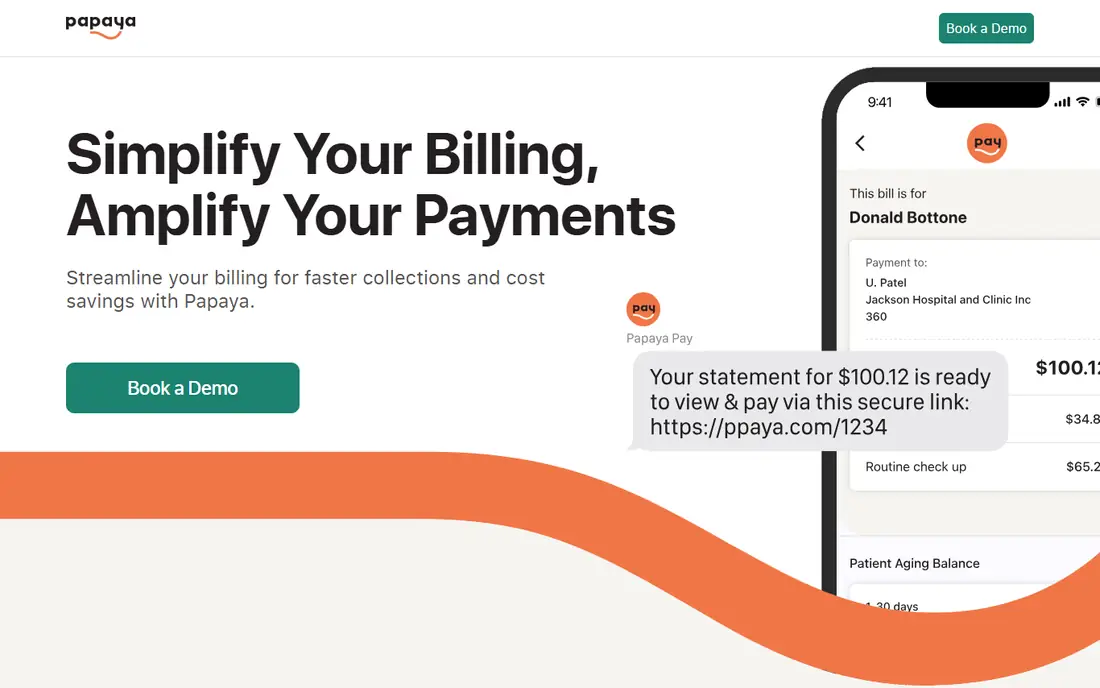
Papaya is the simplest way to pay an awkward bill. Take a photo of the paper bill or a screenshot of an online one, choose a payment method, and Papaya sends the payment, calling the biller or mailing a check when no electronic route exists. It works for medical bills, utilities, rent, loans, and even parking tickets, which makes it useful for the bills that do not fit neatly into a biller directory.
The app is free when you pay from a bank account, and card payments may add a small processing fee that the app shows before you confirm. One honest note: Papaya's website now focuses on its business billing partners, though the consumer app remains available and was updated in 2026. If your bills come from many different places, Papaya removes the most friction.
What we like- Pays any US bill from a photo or screenshot
- Free with a bank account
- Most payments settle within 24 hours
Watch out for- Card payments can carry a small processing fee
- The website now emphasizes business partners over the consumer app
- No budgeting features
Starting priceFree
Free planYes
doxo turns bill paying into a single dashboard. Connect your billers, see every due date on one calendar, and pay from one login instead of a dozen biller portals. Payments from a linked bank account are free, and delivery tracking shows where each payment stands.
The catch is fees on other payment methods. Paying by card or without a linked bank account can add a delivery fee, so the free experience depends on linking your bank. The optional doxoPLUS plan at $5.99 per month adds identity theft protection, credit score tracking, and overdraft and late fee protection. For households with many recurring bills, doxo is the most organized free option.
What we like- Over 120,000 billers in one dashboard
- Free payments with a linked bank account
- Due-date reminders and real-time tracking
Watch out for- Card and some payment methods carry delivery fees
- The paid doxoPLUS plan is needed for identity and credit protections
- Account setup takes a few minutes
#3PayPal
Best for: Bill pay without a new account4.4/5 on
G2 (2,751 reviews, checked Oct 2026)
Visit paypal.com
Starting priceFree
Free planYes
PayPal Bill Pay lets you pay participating billers from the PayPal app or site, using your balance, a linked bank account, or a card. The advantage is familiarity: if you already use PayPal for shopping and sending money, there is nothing new to install and no new login to manage.
The limit is coverage. PayPal works with many large billers, but smaller local utilities and landlords are often missing, in which case Papaya or doxo fills the gap. Card-funded payments can also carry fees from the biller side. Use PayPal for the big bills it covers, and keep a second app for the rest.
What we like- Most US adults already have an account
- Bill Pay covers many major billers
- Payments draw from balance, bank, or card
Watch out for- Biller coverage is narrower than doxo
- Some billers charge a fee for card payments
- Support for bill disputes is limited
Starting priceFree
Free planYes
Plastiq solves a specific problem: paying a bill with a credit card when the biller does not take cards. You pay Plastiq by card, and Plastiq sends the vendor a wire, ACH transfer, or overnight check. That earns card rewards on rent, tuition, or supplier payments that normally earn nothing.
The account is free, but each payment carries a fee, so the math only works when your card rewards beat it. Plastiq now presents itself as a business platform, though its core bill-pay function still suits freelancers and landlords. Check the fee on each payment before confirming, and skip card payments when the fee exceeds the reward.
What we like- Lets you pay vendors by card even when they do not accept cards
- No subscription fee
- Same-day ACH and overnight checks available
Watch out for- Per-payment fees apply
- Now focused on business users
- Rewards only help if they exceed the fee
#5Melio
Best for: Small business bill pay4.4/5 on
G2 (248 reviews, checked Oct 2026)
Visit melio.com
Starting priceFree
Free planYes
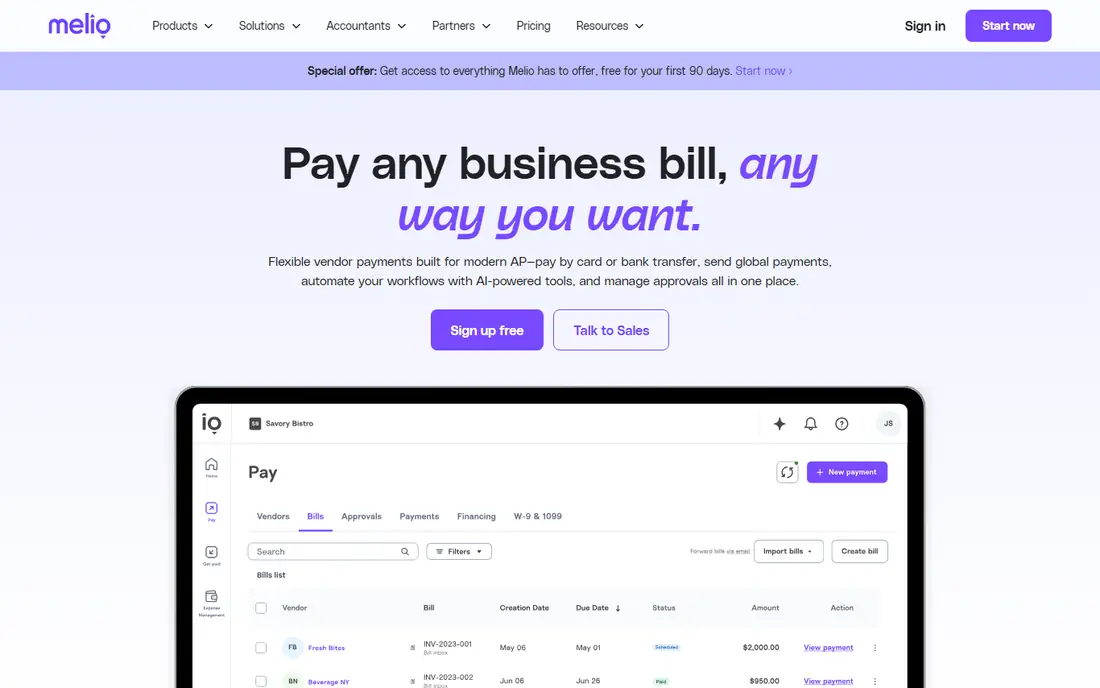
Melio is a business bill pay platform that lets small companies pay vendors by bank transfer for free, or by card when they want to stretch cash flow to the next statement. It adds approval workflows, so a bookkeeper can prepare payments and an owner can approve them, and it syncs with QuickBooks, Xero, and other accounting tools.
Households should skip Melio: it is designed around vendors, invoices, and approvals, not household utilities. For a small business paying a dozen or more vendors a month, it replaces checks and manual bank payments with a cleaner workflow, and the free bank-transfer tier covers the basics.
What we like- Free bank-transfer payments
- Pay by card when cash flow is tight
- Approvals and accounting sync included
Watch out for- Built for businesses, not households
- Card payments carry a fee
- Some advanced features need a paid plan
#6BILL
Best for: Businesses that need approvals and audit trails4.4/5 on
G2 (1,805 reviews, checked Oct 2026)
Visit bill.com
Starting priceSee website
Free planNo
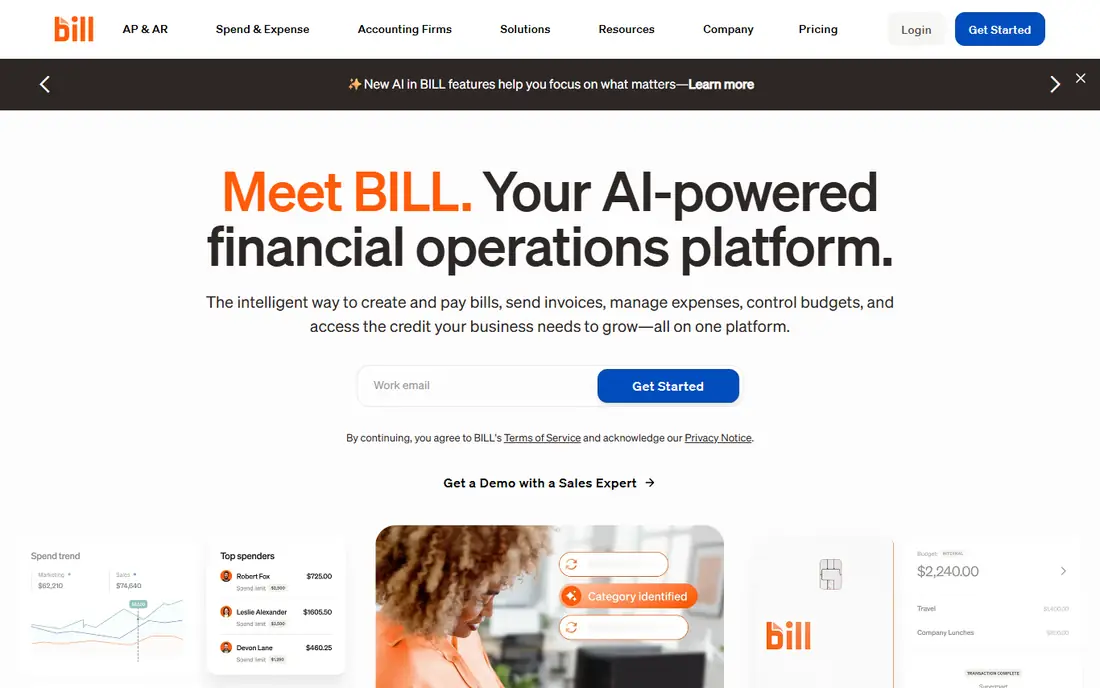
BILL, formerly Bill.com, is the step up from Melio for companies with real approval needs. Bills flow in, the system captures their details, managers approve them under company policies, and payments go out by ACH, check, card, or international transfer. The audit trail and accounting sync matter when a business outgrows spreadsheets.
The price is the barrier: BILL is a paid subscription, and pricing is quoted rather than listed as a single flat rate. A household or a solo freelancer will not need it. A company processing dozens of bills a month with several approvers will find the time saved justifies the cost.
What we like- Full accounts payable workflow with approvals
- AI captures bill details
- Syncs with QuickBooks, NetSuite, and Intacct
Watch out for- Subscription pricing, not free
- Overkill for a household or a tiny business
- Setup takes longer than consumer apps
Starting priceSee website
Free planNo
Western Union is best known for money transfers, but its app and agent locations also handle bill payments. That matters for people who pay in cash or who prefer paying in person: you can walk into an agent location and pay a bill without a bank account or a biller portal login.
Fees depend on the bill, the channel, and the payment method, so check the total before confirming. Online bill pay through the app is convenient, but for everyday household bills a free app like doxo is cheaper. Western Union earns its place for cash payers and for bills that other apps cannot reach.
What we like- Hundreds of thousands of agent locations
- The app also handles bill pay
- Useful for cash payments
Watch out for- Fees vary by bill and channel
- Exchange-rate margins apply to international sends
- The app experience is built around transfers first
Starting priceSee website
Free planNo
MoneyGram, like Western Union, offers bill payments through its agent network, which suits cash payers and people without bank accounts. You bring the bill to a location, pay in cash, and get a receipt, with no portal logins or linked accounts involved.
The trade-off is control. There is no dashboard of upcoming bills, no reminders, and fees vary by biller and location. MoneyGram is a payment channel, not a bill manager, so pair it with a calendar or a budgeting app if you use it regularly. For a single cash bill payment, it is straightforward and widely available.
What we like- Bill payment available at many agent locations
- No bank account needed for cash payments
- App tracks transfers
Watch out for- Fees vary and are shown only at the point of payment
- The service centers on transfers, not bill management
- No due-date dashboard
How we chose
We checked each vendor homepage to confirm it loads and belongs to the product listed, and we dropped tools that failed that test: the old Prism consumer app is gone, since prismmoney.com now belongs to a business billing platform called Trieve, and budgeting apps such as Rocket Money, Copilot, and Monarch Money were excluded because they track bills but do not pay them. Prices were checked against vendor pages, and where pricing is quoted or varies by payment method we used "See website" rather than publish a figure we could not stand behind.
How to choose a bill pay app
Start with how you pay today. If your bills live in many portals, doxo gives you one dashboard. If your problem is odd one-off bills, Papaya's photo pay is faster. If you already use PayPal daily, its Bill Pay feature covers the big billers with no new account.
Then check the fee on your payment method. Free usually means bank account funding: card payments add fees nearly everywhere, and those fees can wipe out rewards. Finally, keep a backup for cash or unusual bills. Western Union and MoneyGram locations cover the cases apps cannot, and a simple calendar reminder catches the bill no app tracks.
Frequently asked questions
Is it safe to pay bills through an app?
Yes, if the app uses bank-level encryption and never shares your full bank details with billers, which Papaya, doxo, and PayPal all do. Stick to well-known apps, use two-factor authentication, and check that each payment posted before deleting a bill.
Are bill pay apps really free?
Mostly. Papaya and doxo are free when you pay from a linked bank account, and PayPal Bill Pay is free for most billers. Card payments, expedited delivery, and premium protection plans add fees, so read the fee shown before confirming.
Can I pay rent with a bill pay app?
Yes, with limits. Papaya can pay rent from a photo of the bill or lease statement, and Plastiq lets you pay rent by card. doxo covers rent only if your landlord or property manager is a listed biller, so check first.
What happens if a payment is late or lost?
Reputable apps show delivery tracking and confirm when a biller receives payment. If a payment goes missing, contact the app's support with the confirmation number before paying the bill again, to avoid a duplicate payment.
Should a small business use a consumer bill pay app?
For a handful of bills, a consumer app works. Once you need approvals, vendor management, or accounting sync, a business platform such as Melio or BILL saves more time than it costs.
Sources we checked (8)
- https://papayapay.com
- https://www.doxo.com
- https://www.paypal.com
- https://www.plastiq.com
- https://www.melio.com
- https://www.bill.com
- https://www.westernunion.com
- https://www.moneygram.com
Is your product missing or out of date?
We review this list regularly. Vendors can request a listing, send updated pricing or ask about featured placement.

Shihab Mia · Founder, Rankite
Shihab has 5+ years in B2B and SaaS SEO. He writes Rankite's software buying guides from pricing pages, documentation and public user reviews. More about Shihab.