How we make this list: we compare pricing pages, product documentation and public user reviews. Ratings come from G2, Capterra or Trustpilot, with the date we checked them.
Key takeaways
- QR and Barcode Scanner by TeaCapps is the best everyday scanner, opening straight to the camera with no account and no setup.
- Yuka and Open Food Facts suit grocery shoppers who want food scores and ingredient details from a barcode.
- Scandit is the best enterprise scanner, with high speed recognition across more than 30 formats and AR features.
- Orca Scan and Sortly suit small businesses that need inventory tracking from a phone, not just lookups.
- ZXing and i-nigma suit users who want a free, simple, open scanner with no account and no ads.
Quick comparison
Is your product missing or out of date?
We review this list regularly. Vendors can request a listing, send updated pricing or ask about featured placement.
The best barcode scanner apps
Starting priceFree
Free planYes
QR and Barcode Scanner by TeaCapps, also known as QRbot, is the top pick for casual and daily use, standing out as one of the most balanced and reliable scanners on both Android and iPhone. It focuses on doing one thing extremely well: fast, accurate scanning with almost no learning curve. The app launches directly into the camera view, making it ideal for quick tasks like opening a class link from a QR code, checking a product price in a store, or scanning a Wi-Fi code at a cafe. There is no mandatory account, no setup process, and no cluttered dashboard, and scan history is saved automatically for revisiting past scans.
The trade off is simplicity against depth. TeaCapps recognizes codes almost instantly, even in low light or at awkward angles, but it offers no inventory tracking, no price database, and no business system integration. TeaCapps fits everyday users who want to scan a code, get the information, and move on without friction.
What we like- Opens straight to the camera
- No account and no setup
- Fast recognition even in low light
- Supports UPC, EAN, ISBN, Data Matrix, and QR
- Scan history saved automatically
Watch out for- No inventory features
- No price comparison database
- No business integrations
- Limited beyond lookup and history
Starting priceFree
Free planYes
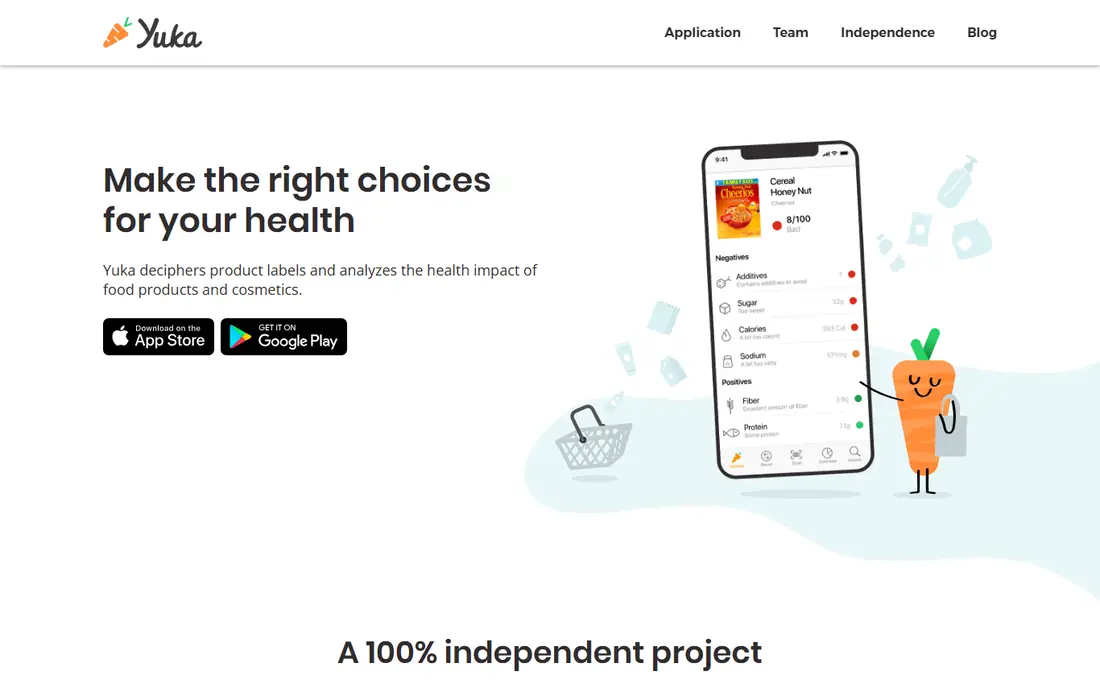
Yuka is the best known food scanner app globally, with more than 50 million users. It scans barcodes and returns a color coded score with a breakdown of nutrition, additives, and a brief explanation, plus suggestions for cleaner alternatives. Its score weighs nutrition at 60 percent, additives at 30 percent, and organic status at 10 percent, and its independence from brands and advertisers keeps scores unbiased. It covers food first and later added personal care products, and it is free with a premium tier reported at $10 to $14.99 per year, so check the current price before upgrading.
The trade off is simplicity against nuance. Yuka gives a fast, clear score, but it fails when a product has no barcode or is not in the database, and its additive flagging leans on European standards that may not reflect US specific concerns. Yuka fits shoppers who want a quick, independent food and cosmetic score in the aisle.
What we like- Color coded food and cosmetic scores
- Large database of more than 5 million products
- Additive explanations
- Cleaner alternative suggestions
- Independent of brands
Watch out for- Needs a barcode and a database match
- Additive flagging leans on European standards
- Premium price reports conflict
- No seed oil detection in some reports
Starting priceFree
Free planYes
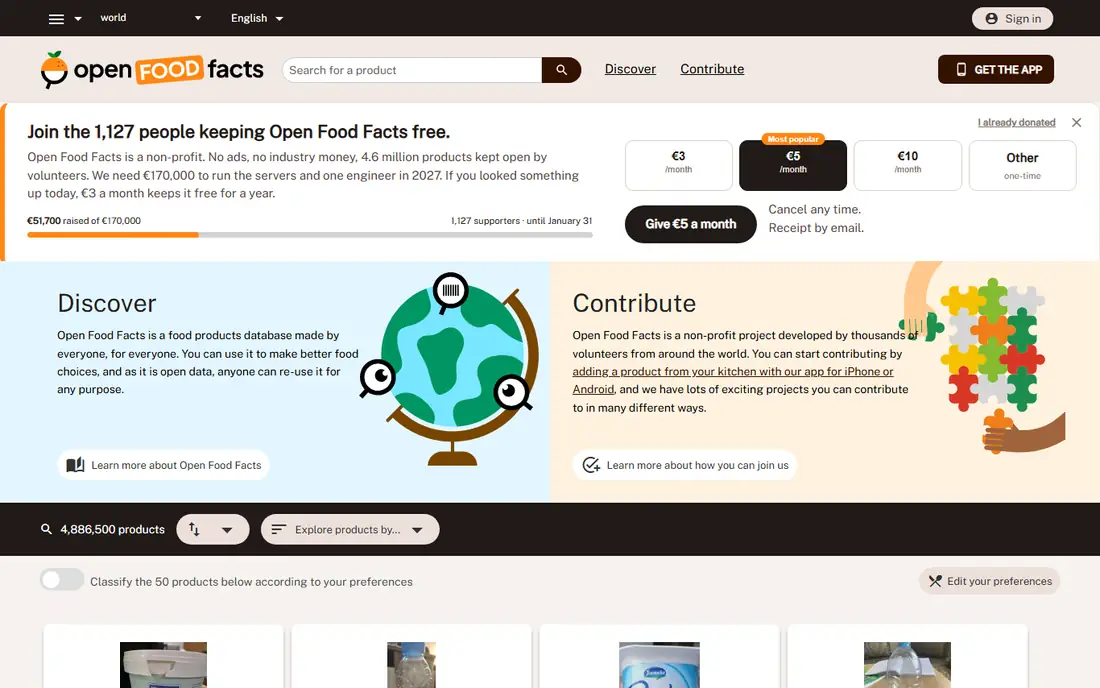
Open Food Facts is the free, open, nonprofit food database behind many scanner apps, offering Nutri-Score, NOVA processing details, additive information, and environmental criteria for products scanned by barcode. Because the data is open and collaborative, anyone can check, correct, and reuse it, which makes it the most transparent food database here. It is free, with no premium tier, and it suits shoppers who want full ingredient and processing detail rather than one universal score.
The trade off is transparency against polish. Open Food Facts gives deeper data than Yuka, but its interface is functional rather than polished and coverage varies by product. Open Food Facts fits shoppers and researchers who value open data and detailed processing information over a single score.
What we like- Free and open nonprofit database
- Nutri-Score, NOVA, and additive details
- Environmental criteria
- Collaborative data
- No account needed for basic use
Watch out for- Interface is functional rather than polished
- Coverage varies by product
- Scores need interpretation
- Fewer personalized features than Yuka
Starting priceFree
Free planYes
i-nigma is one of the most popular QR and barcode scanners, ideal for consumers who need a reliable and fast scanning app that works with all standard barcodes and QR codes. It offers a simple interface for quick scanning, automatically saves scanned codes for future reference, keeps a history log, and supports the flashlight for scanning in dark environments. It is free to use with no ads, which makes it a clean choice for personal use.
The trade off is simplicity against business features. i-nigma lacks batch scanning and integration with business systems, so it is limited for businesses that need large scale barcode management. i-nigma fits personal users who want a free, ad free scanner that just works.
What we like- Simple and intuitive interface
- Supports QR, UPC, Data Matrix, and EAN
- Automatically saves scanned codes
- Flashlight support
- Free with no ads
Watch out for- No batch scanning
- No business integrations
- No price comparison
- Limited for large scale barcode management
Starting priceFree
Free planYes
ZXing Barcode Scanner is the open source scanner for Android, built on the long running ZXing library that many apps use for barcode reading. It is free, light, and fast, with support for many formats and no account, which makes it a good base for developers and for users who want a no frills scanner. Its open source code means anyone can inspect, reuse, and build on it.
The trade off is openness against features. ZXing is free and transparent, but it has a bare interface, no product database, and no inventory tools. ZXing fits developers and open source fans who want a free scanner core rather than a polished consumer app.
What we like- Free and open source
- Supports many formats
- Light and fast
- No account
- Good base for developers building scanning into apps
Watch out for- Android focused
- Interface is bare
- No product database
- No inventory features
- Support is community led
Starting price$499 per year
Free planNo
Scandit is the enterprise grade barcode scanning solution that excels in real time data capture for retail, logistics, and field service operations. It supports more than 30 barcode formats, including 1D, 2D, and QR codes, with AI enhanced recognition, AR features for product interaction, and real time capture even in low light. It integrates with cloud systems and databases, offers analytics and reporting, and manages mobile app fleets for scanning teams. Pricing is reported from $499 per year, with custom enterprise pricing for larger deployments.
The trade off is performance against price and complexity. Scandit scans faster and more accurately than consumer apps, but it costs more and needs technical setup. Scandit fits enterprises and retailers that need high performance data capture at scale.
What we like- Supports more than 30 barcode formats
- AI enhanced recognition
- AR features
- Fast scanning even in low light
- Cloud integrations
- Analytics and reporting
Watch out for- Higher cost than consumer apps
- Overkill for small businesses or casual users
- Enterprise setup needs technical skill
- Pricing varies by use case
Starting priceSee website
Free planYes
Orca Scan is the inventory scanner for small businesses, turning a phone camera into a barcode data capture tool for stock counts, asset tracking, and order picking. It supports batch scanning, barcode sheets, and cloud sheets with integrations, so scanned data flows into spreadsheets and business systems instead of stopping at a lookup screen. It offers a free tier for getting started, with paid plans for larger teams and advanced features, so check the current pricing page before committing.
The trade off is inventory depth against consumer simplicity. Orca Scan is stronger than any consumer app here for stock work, but it is weaker for casual product lookups and needs setup for large catalogs. Orca Scan fits small businesses that need phone based inventory scanning without buying dedicated hardware.
What we like- Built for inventory scanning
- Barcode sheets and batch scanning
- Cloud sheets and integrations
- Works on phone cameras
- Good for small teams
Watch out for- Inventory focus means weaker consumer lookups
- Advanced features need a paid plan
- Setup takes time for large catalogs
- Pricing varies by plan

#8Sortly
Best for: Visual inventory tracking4.3/5 on
G2 (27 reviews, checked Oct 2026)
Visit sortly.com
Starting priceSee website
Free planYes
Sortly is the visual inventory app for small businesses, combining barcode and QR scanning with photos, folders, custom fields, and multi user access. It suits teams that track equipment, supplies, or products by sight, since every item can carry a photo, a location, and a quantity. It offers a free tier for basic use, with paid plans for more users, items, and features, so check the current pricing page before committing.
The trade off is visual tracking against consumer use. Sortly is excellent for knowing what you own and where it is, but it is not a shopping or food score app. Sortly fits small businesses that want visual inventory with scanning, photos, and team access in one app.
What we like- Visual inventory with photos
- Barcode and QR scanning
- Folders and custom fields
- Multi user access
- Reports and activity history
Watch out for- Paid plans needed for full features
- Inventory focus, not consumer lookups
- Pricing varies by plan
- Setup takes time for large inventories
How we chose
We compared published feature lists and pricing from 2026, favoring tools with distinct strengths: the best everyday scanner, the best food scores, the best open database, the best ad free scanner, the best open source core, the best enterprise capture, the best inventory scanner, and the best visual inventory app. We recorded prices as reported and wrote See website where pricing varies by plan or sources conflicted. We favored apps with a current release and an active user base, and we separated consumer lookups from business inventory, since the two jobs need different tools.
How to choose a barcode scanner app
Start with your job: everyday lookups point to TeaCapps or i-nigma, grocery scores point to Yuka or Open Food Facts, and inventory points to Orca Scan or Sortly. Next, check formats: most apps cover QR, UPC, and EAN, but enterprise work needs the wider format range and low light performance of Scandit. Then check the database: food scores depend on database coverage, so a product missing from Yuka or Open Food Facts will fail no matter how good the scanner is. Finally, test scanning in your real conditions, including low light, damaged codes, and awkward angles, since speed in the store matters more than feature lists.
Frequently asked questions
What is the best barcode scanner app for everyday use?
QR and Barcode Scanner by TeaCapps is the best everyday pick, opening straight to the camera with no account and fast recognition, while i-nigma is the best ad free alternative.
Which barcode scanner is best for groceries?
Yuka is the best pick for quick food and cosmetic scores, while Open Food Facts is the best pick for open data with Nutri-Score, NOVA, and additive detail.
Can a phone replace a dedicated barcode scanner for business?
For small businesses, yes. Orca Scan and Sortly turn phone cameras into inventory scanners, while Scandit offers enterprise grade speed for larger operations. Dedicated hardware still wins for very high volume scanning.
Is Scandit worth $499 per year?
Scandit is worth it for enterprises and retailers that need high speed recognition across more than 30 formats with AR and analytics, but it is overkill for casual users and small shops.
Does Yuka work for all products?
No. Yuka needs a barcode and a database match, and it fails with a product not found message when a product is missing or has no barcode, so pair it with Open Food Facts for wider coverage.
Is there a free open source barcode scanner?
Yes. ZXing Barcode Scanner is free and open source for Android, and Open Food Facts is free and open for food data, though both have simpler interfaces than commercial apps.
Sources we checked (0)
Is your product missing or out of date?
We review this list regularly. Vendors can request a listing, send updated pricing or ask about featured placement.

Shihab Mia · Founder, Rankite
Shihab has 5+ years in B2B and SaaS SEO. He writes Rankite's software buying guides from pricing pages, documentation and public user reviews. More about Shihab.
 QR and Barcode Scanner by TeaCapps
 Yuka
Yuka Open Food Facts
 i-nigma
 ZXing Barcode Scanner
 Scandit
 Orca Scan