How we make this list: we compare pricing pages, product documentation and public user reviews. Ratings come from G2, Capterra or Trustpilot, with the date we checked them.
Key takeaways
- Todoist is the best default for most people, with the fastest task capture and a free plan that covers personal use.
- TickTick gives you more for less, bundling a calendar, habit tracking, and a Pomodoro timer on a generous free plan.
- Microsoft To Do is completely free and the obvious pick inside the Microsoft ecosystem.
- Any.do suits visual planners, with a daily planning prompt and a family plan for households.
- Google Tasks and Apple Reminders are free and built in, and they beat any paid app you never open.
- Things 3 is the premium Apple-only pick, with a one-time purchase instead of a subscription.
Quick comparison
Is your product missing or out of date?
We review this list regularly. Vendors can request a listing, send updated pricing or ask about featured placement.
The best apps for organizatzion and to dos

#1Todoist
Best for: Fast task capture4.5/5 on
G2 (832 reviews, checked Oct 2026)
Visit todoist.com
Starting priceFree
Free planYes
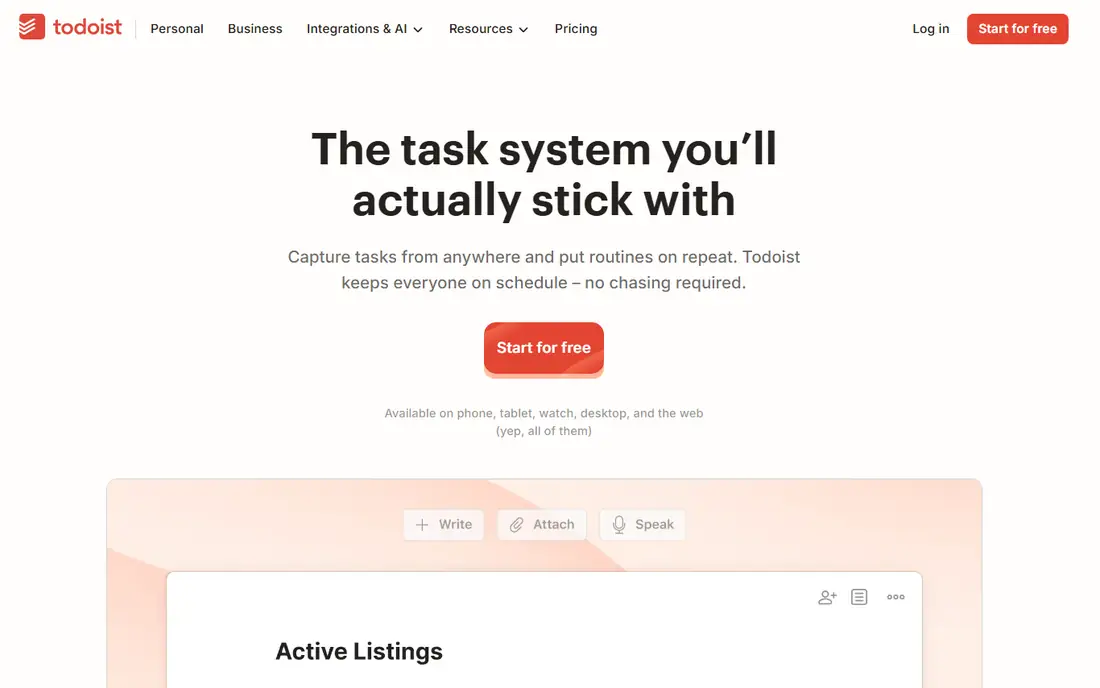
Todoist remains the default recommendation for a reason: typing a sentence with a date in it schedules the task correctly, and that capture works the same on phone, desktop, and web. Projects, labels, filters, and priorities cover most personal organization needs without turning into a project management system. The free plan includes 5 personal projects and sharing with up to 5 people per project.
Paid Pro pricing is reported near 4 to 5 dollars a month on annual billing, or around 7 dollars monthly, so confirm the current price on the vendor site before budgeting. The free plan omits reminders, which is the main reason to upgrade. If you want one app that captures tasks fast and stays out of the way, start with Todoist and only look elsewhere if you need a built-in calendar or habit tracking.
What we like- Fastest natural language capture
- Works identically on every platform
- Strong filters and labels
- Free plan for personal use
Watch out for- Free plan caps projects at 5
- Reminders need a paid plan
- Pro pricing varies by guide

#2TickTick
Best for: Calendar, habits, timer4.5/5 on
G2 (113 reviews, checked Oct 2026)
Visit ticktick.com
Starting priceFree
Free planYes
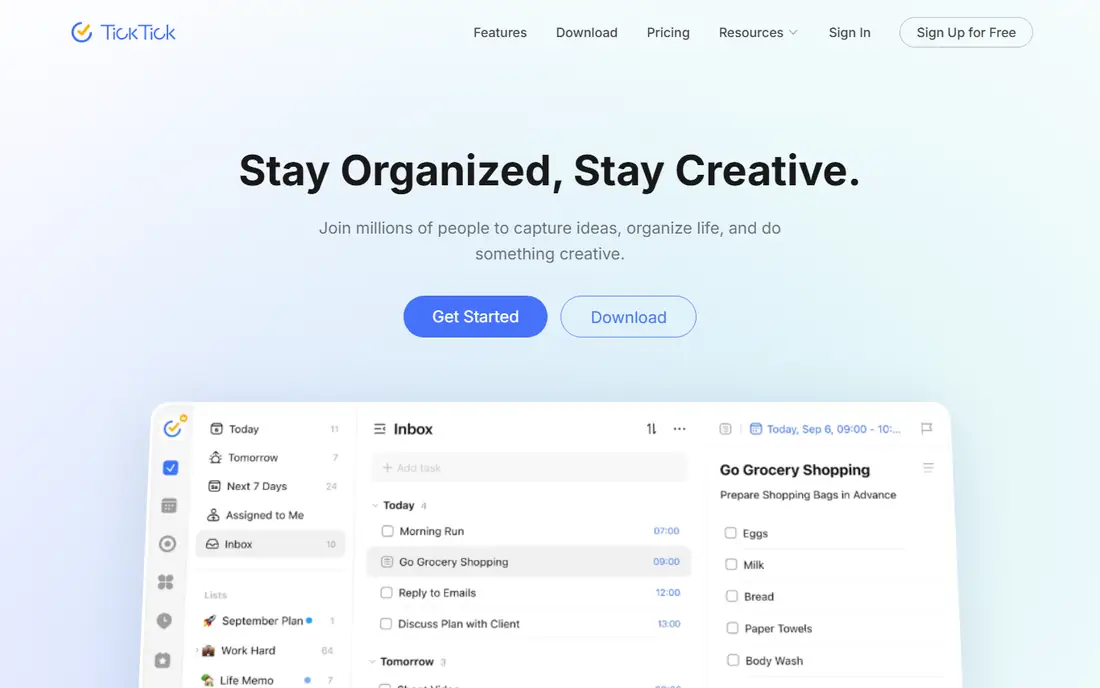
TickTick bundles tasks with a calendar view, habit tracking, and a Pomodoro timer, which for many people removes the need for two other apps. The free plan covers 9 lists with 99 tasks per list and sharing with 2 members, which is more generous than Todoist for a casual user. Premium is reported near 35.99 to 49.99 dollars a year depending on the guide, making it cheaper than most rivals for the feature set.
The interface is busier than Todoist, and some users report occasional sync lag, but the value is hard to argue with. If you want one app for tasks, habits, and time blocking, TickTick is the best deal on this list. If you want the cleanest possible list and nothing else, Todoist still wins on simplicity.
What we like- Calendar view, habits, and Pomodoro timer included
- Generous free plan
- Cheaper premium than Todoist
- All platforms
Watch out for- Busier interface
- Sync can lag at times
- Premium price varies by guide
Starting priceFree
Free planYes
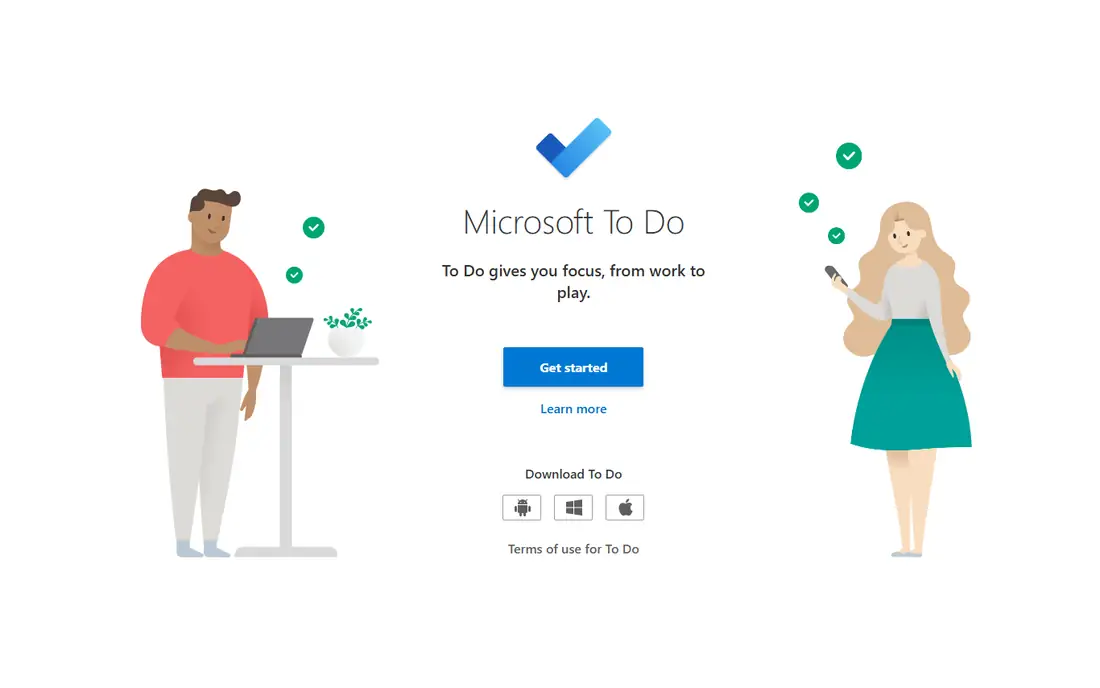
Microsoft To Do is free with a Microsoft account, with no paid plan and no feature paywall. It syncs with Outlook tasks and flagged email, offers shared lists, and includes a My Day view for daily planning. It replaced Wunderlist, which Microsoft acquired and shut down, and it carries over the simple list design that made Wunderlist popular.
The limits are real: projects and filtering are basic, and recurring rules are simpler than Todoist or TickTick. But for a straightforward list inside the Microsoft ecosystem, it is entirely adequate, and the price cannot be beaten. If you live in Outlook and Teams, Microsoft To Do is the obvious choice, and there is no reason to pay for another list app unless you need advanced filters or a calendar view.
What we like- Completely free
- Syncs with Outlook tasks and flagged email
- Shared lists
- My Day planning view
Watch out for- Limited projects and filtering
- Basic recurring rules
- No paid tier with extra features

#4Any.do
Best for: Visual daily planning4.2/5 on
G2 (197 reviews, checked Oct 2026)
Visit any.do
Starting priceFree
Free planYes
Any.do suits people who forget to open their to-do app. Its Plan My Day prompt asks you each morning to review and schedule the day, which turns a forgotten list into a daily habit. Tasks carry a calendar view, reminders, and location triggers, and the design is visual and calm rather than dense with options.
The free plan covers private lists, while sharing and family features need a paid plan, reported near 4.99 dollars a month on annual billing in some guides and higher in others. A family plan covers a household of four on one bill, which suits families sharing chores and shopping lists. If your problem is remembering to plan, Any.do is the best-designed nudge on this list.
What we like- Daily Plan My Day prompt
- Calendar attached to tasks
- Family plan for households
- Clean visual design
Watch out for- Free plan covers private lists only
- Premium pricing varies by guide
- Sharing needs a paid plan
Starting priceFree
Free planYes
Google Tasks is the minimalist pick for Gmail users. It lives inside Gmail and Google Calendar, so a task created from an email stays linked to that email, and calendar integration shows tasks beside events. There is nothing to install, nothing to pay, and nothing to learn, which is why it works for people who abandon fancier apps.
The limits are sharing and depth. Google Tasks does not support shared lists, and features stop at subtasks, dates, and notes. If you organize alone and live in Gmail, it is enough. If you share lists with a partner or team, Microsoft To Do or TickTick fit better, since both support free sharing.
What we like- Free with a Google account
- Built into Gmail and Calendar
- Simple and fast
- No learning curve
Watch out for- No list sharing
- Basic features only
- No desktop app beyond the web
Starting priceFree
Free planYes
Apple Reminders is the built-in answer for iPhone households. It is free, preinstalled, and syncs across iPhone, iPad, Mac, and Apple Watch, with shared lists for family members and location-based reminders. For a household that already lives on Apple devices, it covers shopping lists, chores, and personal tasks without any new account or subscription.
The trade-off is platform lock-in. Android and Windows users cannot use it properly, and the web version is limited. Power features such as filters, labels, and natural language parsing are thinner than Todoist. But for casual Apple users, Reminders beats any paid app that never gets opened, and it pairs well with Apple Calendar for daily planning.
What we like- Free and built into every Apple device
- Shared lists for Apple households
- Location and time reminders
- Simple setup
Watch out for- Apple only
- Web version limited
- Fewer power features than Todoist
Starting priceSee website
Free planNo
Things 3 is the best-designed task app on Apple platforms, and its pricing model is the draw: a one-time purchase per device rather than a subscription. Mac pricing sits near 49.99 dollars, with iPhone and iPad versions cheaper, and a trial covers the Mac version for 15 days. The design is calm, fast, and focused, with an upcoming view, areas, and projects that suit the Getting Things Done method.
The cost is platform lock-in and per-device purchases. Android and Windows users cannot use it at all, and buying all three Apple versions adds up. But for an Apple user who hates subscriptions and wants the nicest task app available, Things 3 is the premium pick, and the one-time price pays for itself against years of subscription fees.
What we like- Beautiful, fast design
- One-time purchase per device
- No subscription
- Strong GTD workflow
Watch out for- Apple only
- Buy each platform separately
- No free plan beyond a trial
#8Notion
Best for: Tasks inside notes4.6/5 on
G2 (13,834 reviews, checked Oct 2026)
Visit notion.so
Starting priceFree
Free planYes
Notion is the pick when tasks live inside notes, docs, and project wikis rather than in a standalone list. You can build a task database with custom views, link tasks to meeting notes, and run a personal wiki in the same workspace. The free plan covers personal use with guests, while team plans start near 10 dollars per seat a month.
Notion is overkill for a simple shopping list, and task capture is slower than Todoist, since you open a page rather than typing a sentence. But for students, writers, and small teams who already keep notes in Notion, adding tasks there beats running a second app. If your organization system is really a knowledge system with tasks inside it, Notion is the right home.
What we like- Tasks blended with notes, docs, and wikis
- Flexible databases
- Free for personal use
- Huge template library
Watch out for- Overkill for simple lists
- Slower capture than Todoist
- Team pricing from 10 dollars per seat a month
How we chose
We picked apps that cover the real ways people organize: fast capture, calendar plus habits, free built-in options, visual daily planning, Apple-only design, and tasks inside notes. We marked pricing as published or guide-reported in every case, since several vendors change prices often and guides disagree on premium rates. We excluded apps that only do project management for teams, since this list is about personal organization and to-dos, and we kept the focus on apps a single person or household can adopt in an afternoon.
What to check before you buy
Start with the free plan on two apps for two weeks: one fast-capture app such as Todoist or TickTick, and one built-in option such as Google Tasks or Apple Reminders. The app you open daily wins, even if it has fewer features. Check sharing before you commit, since Google Tasks does not share lists and Any.do needs a paid plan for family sharing. Finally, resist the urge to build a complex system on day one. Start with one list, one daily review, and one capture habit, then add projects and labels only when the simple version starts to feel small.
Frequently asked questions
Which to-do app is best for most people?
Todoist is the best default, with the fastest capture and a free plan for personal use. TickTick is the best value if you also want a calendar, habits, and a timer in the same app.
Is there a completely free to-do app?
Yes. Microsoft To Do, Google Tasks, and Apple Reminders are all free with no paid tier blocking core features. Todoist, TickTick, Any.do, and Notion also have free plans with limits.
Should I pay for a to-do app?
Only if the free plan blocks something you actually need, such as reminders in Todoist, sharing in Any.do, or unlimited projects. Most people organize fine on a free plan.
What is the best to-do app for families?
Any.do has a dedicated family plan, while Microsoft To Do and TickTick offer free list sharing. Apple Reminders works well for households that all use Apple devices.
Why do I keep abandoning to-do apps?
Usually because capture is slow or the system is too complex. Pick the app you open most easily, keep one list to start, and add a daily review habit before adding more features.
Sources we checked (0)
Is your product missing or out of date?
We review this list regularly. Vendors can request a listing, send updated pricing or ask about featured placement.

Shihab Mia · Founder, Rankite
Shihab has 5+ years in B2B and SaaS SEO. He writes Rankite's software buying guides from pricing pages, documentation and public user reviews. More about Shihab.
 Microsoft To Do
 Google Tasks
 Apple Reminders
 Things 3