How we make this list: we compare pricing pages, product documentation and public user reviews. Ratings come from G2, Capterra or Trustpilot, with the date we checked them.
Key takeaways
- Imgflip is the fastest route to a classic image meme, free in the browser with the template library the internet already uses.
- Kapwing is the pick for video memes and subtitles, and Canva covers memes inside a complete design tool your team may already pay for.
- Tenor owns the GIF search your keyboard uses, piZap and Memedroid are the casual maker options, and every free tier here has a catch worth knowing, usually a watermark or a resolution cap.
Quick comparison
| Tool | Best for | Starting price | Free plan |
|---|
 Imgflip Imgflip | Classic image memes in the browser | Free | Yes |
 Kapwing Kapwing | Video memes with captions | Free | Yes |
 Canva Canva | Memes inside a full design tool | Free | Yes |
 Tenor Tenor | GIF memes and reactions | Free | Yes |
 piZap piZap | Casual meme making with photo tools | Free | Yes |
 Adobe Express Adobe Express | Polished memes with brand assets | Free | Yes |
 Memedroid Memedroid | Phone memes with a built in community | Free | Yes |
Is your product missing or out of date?
We review this list regularly. Vendors can request a listing, send updated pricing or ask about featured placement.
The best apps for meme creation
Starting priceFree
Free planYes
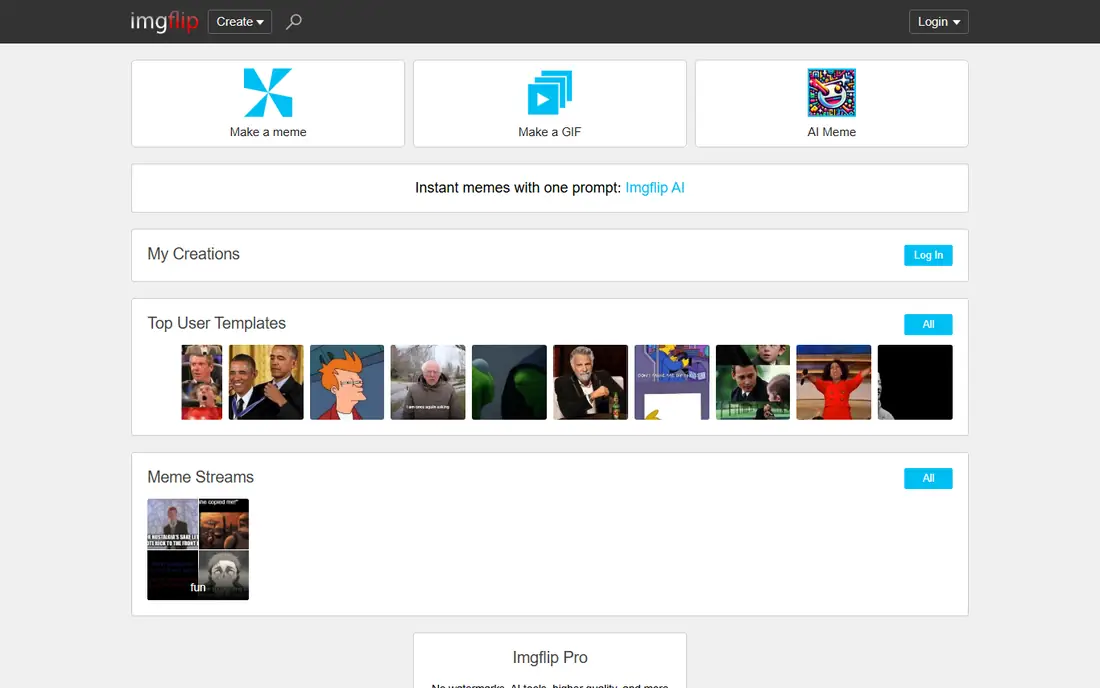
What we like- Imgflip is the reference meme maker: a library of more than a hundred popular templates plus any image you upload, caption boxes you place and style in seconds, and a community database that knows every format's name. It runs in the browser with no install, the basic maker is free, and the meme generator's output is the size and shape other platforms expect. Its AI meme generator and chart and demotivational makers cover the neighbouring formats. For the standard top text, bottom text world and its modern descendants, nothing is faster from idea to posted image.
Watch out for- The free output carries the site's watermark on some makers and resolution is modest, which the Pro subscription, priced on the site, removes along with adding storage and private templates. The interface is functional rather than pretty. Video support exists through its GIF tools but is not the platform's strength
- Video first memes belong on Kapwing. Imgflip's template search also surfaces what the crowd makes, which includes plenty you would not show at work.
#2Kapwing
Best for: Video memes with captions3.9/5 on
G2 (40 reviews, checked Oct 2026)
Visit kapwing.com
Starting priceFree
Free planYes
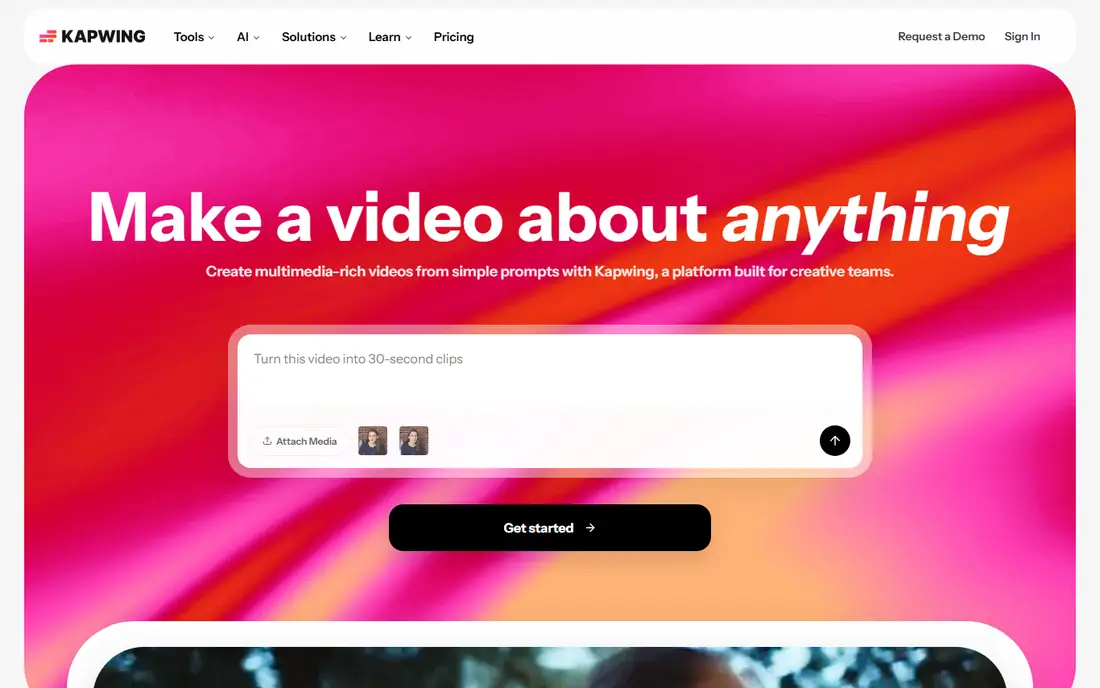
What we like- Kapwing is a browser video editor with a meme maker at its heart: crop a clip into the classic black bar caption format, add styled text, auto generate subtitles, resize for TikTok, Reels and X in one click, and export. For the reaction clip with captions that dominates current meme culture, it is the complete tool, and its template library covers trending formats. The free plan exports with limits and branding rules that the paid plan, listed on its pricing page, relaxes. Teams can collaborate on projects, which suits social media staff producing memes as content.
Watch out for- Free exports historically carry limits that change with plan revisions, so check the current terms before building a workflow on them. Being a full editor, it is heavier than Imgflip for a still image meme, and rendering takes time a two panel joke does not need. Uploading long videos to a browser editor eats time and data. Its power also tempts overproduction: a meme that took forty minutes to perfect has usually missed its moment.
#3Canva
Best for: Memes inside a full design tool4.7/5 on
G2 (7,678 reviews, checked Oct 2026)
Visit canva.com
Starting priceFree
Free planYes
What we like- Canva brings memes into the design platform many teams already use: thousands of meme templates, a drag and drop editor, your brand kit and fonts on paid plans, and every output size for every platform in the same project. The free plan is generous and watermark free on free elements, which separates it from much of this list
- Premium elements are marked before you build on them. For a social media manager, making the meme where the rest of the content calendar lives saves real friction, and approval and sharing tools suit even small teams.
Watch out for- Canva is a designer's idea of a meme tool, which means polish where memes often want speed and a slightly rough edge. Template hunting inside a vast library takes longer than Imgflip's purpose built search. Some of the best elements and templates sit behind Pro, priced per person on the site. Video memes are supported but the editor is less specialised than Kapwing's for caption timing and subtitle work.
Starting priceFree
Free planYes
What we like- Tenor, owned by Google, is the GIF library behind the GIF button in countless keyboards and messaging apps: an enormous searchable library of reaction clips, a GIF maker that turns your video into a captioned GIF, and instant sharing everywhere its keyboard reaches. Uploading your own creation puts it in front of the same search your friends use, which is how a homemade reaction GIF becomes a shared language. For the format that replaced the still meme in everyday conversation, Tenor is one of the two home platforms, and it is free to use.
Watch out for- Tenor is GIF only: it will not make your image macro or your captioned still. Editing control is minimal beside Kapwing, basic captions and trimming rather than timelines. Content in the library is moderated to platform standards, and branded uploads run through partner channels rather than the public upload button. Discovery quality varies by language and region, and the maker is a utility inside a library, so heavy creators will still finish their best work in a real editor and upload the result.
Starting priceFree
Free planYes
What we like- PiZap is a long running browser and mobile photo editor with a dedicated meme maker: templates and your own photos, caption text in the classic styles, stickers, filters and collage tools around it for the variations memes turn into. It runs without an account for the basics, which keeps the idea to image path short, and its editor handles the touch ups, cropping a screenshot, brightening a dark photo, that real meme making involves. A paid Pro tier, priced on its site, removes ads and adds the full element library. For casual makers who also edit photos, it covers two jobs in one place.
Watch out for- The free version is ad supported and some templates and elements are Pro only, with the usual care needed to avoid building on a premium asset by accident. Template depth for current formats trails Imgflip's archive, and piZap's centre of gravity is photo editing rather than meme culture, so trend formats arrive late. Video memes are not its strength. The interface feels busy beside a purpose built maker, because it is several tools sharing one screen.
#6Adobe Express
Best for: Polished memes with brand assets4.5/5 on
G2 (855 reviews, checked Oct 2026)
Visit adobe.com
Starting priceFree
Free planYes
What we like- Adobe Express gives memes the design polish of the Adobe ecosystem: templates, quality fonts, background tools and brand kits, with a free plan that covers the meme basics and a premium tier for the full library and generative features. Memes made here match a company's other content, because they are made from the same assets, which is the entire argument for a brand's social team. Apps for phone and browser keep the workflow where the posting happens, and integration with other Adobe tools helps teams already in that world.
Watch out for- For a quick joke, Express is the heaviest tool in this list to open, and its meme templates are a corner of a vast content platform, so discovery takes browsing. Premium assets and features sit behind the subscription, priced on Adobe's site, and free exports have the usual premium element catches. Nobody's first choice for speed: it is the choice when the meme is content marketing and must look like it.
Starting priceFree
Free planYes
What we like- Memedroid pairs a meme maker app for Android and iOS with one of the older meme communities on the internet: templates and a built in editor for captions and layouts, a feed of what the community is making, and voting that surfaces the formats gaining ground. Making and browsing live in one place, which suits people who post memes socially rather than for work, and the maker covers the standard formats from your own photos or its library. The app is free with ads, and a premium purchase trims the interruptions.
Watch out for- The community feed is unfiltered in spirit, so content ranges widely in taste and the app is not one to hand a child. The editor is simpler than the focused phone makers and the design less polished than the big platforms. Template search is weaker than Imgflip's archive for classic formats. Development serves the community first, so pro features such as brand tools and high resolution exports are not its concern
- Businesses should look at Canva or Adobe Express instead.
How we chose
We compared meme makers across the three formats memes actually take in 2026: still images, captioned video and GIFs, checking each app's free tier honestly for watermarks, resolution and template depth as of October 2026. Every entry is actively available on web, iOS or Android as noted, and we weighted speed from idea to shareable file, because a meme tool's first virtue is not making its user miss the moment. Prices are free at entry across this list, so the usual starting price field records that; paid tiers are described in the entries rather than quoted, since app store pricing varies by country.
How to choose the right meme app
Match the format first. Still image memes, the classic caption formats, belong on Imgflip in a browser or piZap and Memedroid on a phone. Video memes with subtitles belong on Kapwing. Reaction GIFs belong on Tenor. If memes are part of a job, choose by where the rest of the work lives: Canva for teams already designing there, Adobe Express for Adobe shops, and keep Imgflip bookmarked anyway for template hunting, since its library is the fastest way to find a format's name and blank version.
Then decide what free is worth to you. A watermark is a real cost for anything public facing and a trivial one for a joke among friends. If you post memes weekly for a brand or a channel, one paid tier, usually Kapwing or the phone app you prefer, removes the friction that otherwise taxes every post. Finally, mind the rights: use your own photos and clips where you can, treat film and sports footage as unlicensed for commercial use, and remember that a person's face in a meme can raise issues beyond copyright when a business posts it.
Frequently asked questions
What is the best free meme app without a watermark?
Canva's free plan is the cleanest offer for images, watermark free on free elements, and Imgflip's core maker is free with modest limits. Tenor is free throughout because GIFs are its platform. On phones and ad supported tools the pattern differs: Memedroid funds its free app with ads and piZap reserves parts of its library for Pro, and a small purchase removes those limits. Read the export screen of any free tier before designing a workflow around it, since these terms change quietly.
Which app is best for video memes?
Kapwing, because it was built for exactly that: caption bars, styled text, automatic subtitles and one click resizing for each platform's shape. Tenor covers the short looping end of video memes as GIFs. Phone apps handle simple video memes from the camera roll. If subtitles matter, and for silent autoplay feeds they do, Kapwing's automatic captioning is the feature that saves the most time in this whole list.
Can I use meme templates for my business social media?
With care. The joke format is not ownable, but the underlying image usually is: film stills, celebrity photos and sports clips belong to someone, and commercial use is where tolerance ends. Safer routes are your own photos, stock you have licensed, and templates built from public domain or openly licensed material. Several brands have run into trouble lifting a trending meme wholesale into an ad. When in doubt, recreate the format with your own image rather than reusing the famous frame.
How do I find the name of a meme format I have seen?
Search Imgflip's template database or a meme reference site such as Know Your Meme by describing the image; popular formats are catalogued with their blank templates and origin stories. Reverse image search on a screenshot also works. Knowing the format's name matters because the joke often lives in the format's known meaning: using a template against its established sense reads as a mistake to the audience that knows it, which is most of the audience for memes.
Why do some meme apps charge for what others give free?
Because the costs sit in different places: template libraries, video rendering, storage and bandwidth are real expenses, and each app picks a different tax, watermark, ads, resolution caps or a subscription. Browser tools with huge audiences spread costs thinly; specialist video rendering costs more per user, which is why Kapwing's free tier has the most conditions. None of this makes the paid tier bad value for a frequent maker; it makes the free tier a trial wearing a friendlier name.
Sources we checked (0)
Is your product missing or out of date?
We review this list regularly. Vendors can request a listing, send updated pricing or ask about featured placement.

Shihab Mia · Founder, Rankite
Shihab has 5+ years in B2B and SaaS SEO. He writes Rankite's software buying guides from pricing pages, documentation and public user reviews. More about Shihab.