How we make this list: we compare pricing pages, product documentation and public user reviews. Ratings come from G2, Capterra or Trustpilot, with the date we checked them.
Key takeaways
- Lovable is the closest like for like swap, with polished output, a Supabase backend, and GitHub sync on every plan.
- v0 is the strongest pick when the interface matters most and your team already deploys to Vercel.
- Replit gives you a real code environment and deployment in one place, which suits builders who expect to outgrow pure prompting.
- Base44 is the friendliest option for non technical founders who want a working app rather than a prototype.
- Cursor and Windsurf are code editors, not prompt builders. Pick them when you plan to own and maintain the codebase yourself.
Quick comparison
| Tool | Best for | Starting price | Free plan |
|---|
 Lovable Lovable | Polished MVPs from prompts | $25 per month | Yes |
 v0 by Vercel v0 by Vercel | UI generation that ships to Vercel | $30 per user per month | Yes |
 Replit Replit | Building and hosting in one workspace | $20 per month | Yes |
 Base44 Base44 | Non technical founders | $20 per month | Yes |
 Cursor Cursor | Developers who own the code | See website | Yes |
 Windsurf Windsurf | Agentic coding in a desktop editor | $20 per month | Yes |
 Dyad Dyad | Local, open source building with your own key | $20 per month | Yes |
 Bubble Bubble | Complex no code apps with real logic | $29 per month | Yes |
Is your product missing or out of date?
We review this list regularly. Vendors can request a listing, send updated pricing or ask about featured placement.
The best alternatives to Bolt.new
#1Lovable
Best for: Polished MVPs from prompts4.6/5 on
G2 (456 reviews, checked Oct 2026)
Visit lovable.dev
Starting price$25 per month
Free planYes
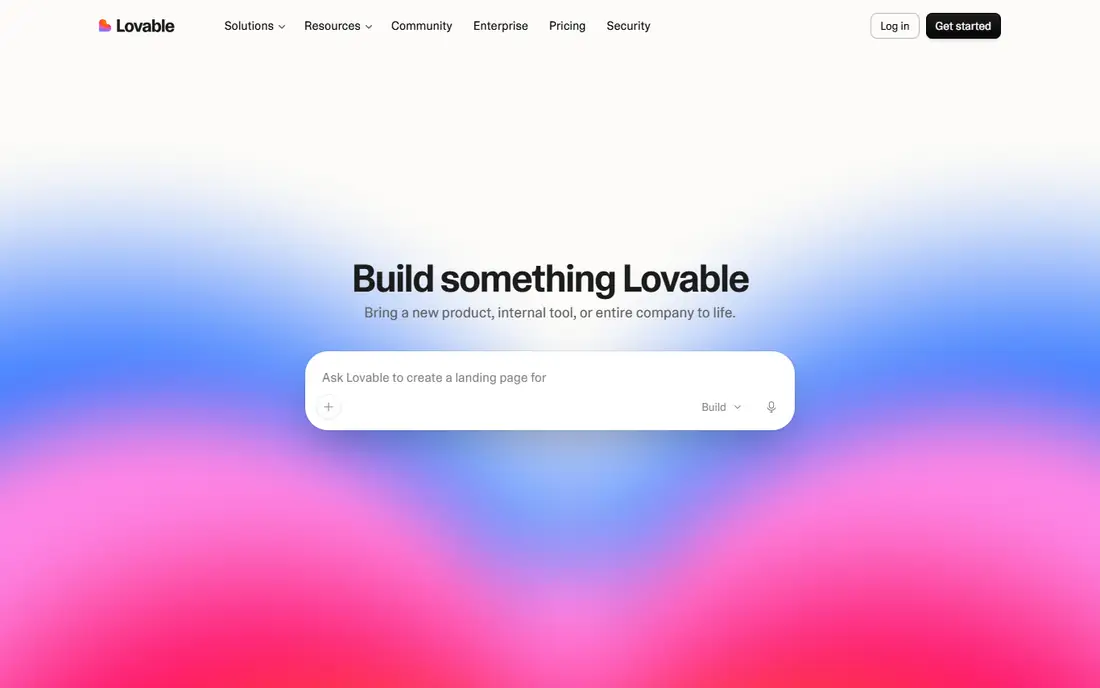
Lovable is the alternative most Bolt.new users try first, because the workflow feels the same: describe the app, watch it build, refine with follow up prompts. The difference is polish and plumbing. Lovable pairs a React frontend with a Supabase backend, so logins, a database, and storage arrive by default, and the design output tends to need less cleanup.
The trade off is control. Unusual data relationships and custom business rules can push you into the code, and credit burn on a big project is hard to forecast. Lovable fits founders and marketers who want a credible, hosted product fast and are happy to sync the code to GitHub when they need a developer to take over.
What we like- Full stack output with a Supabase backend included
- Two way GitHub sync on every plan
- Free tier gives 5 build credits a day
- Interfaces look finished without design work
Watch out for- Complex custom logic can still need manual code edits
- Credit use is hard to predict on large apps
- Backend stays tied to Supabase patterns
#2v0 by Vercel
Best for: UI generation that ships to Vercel4.5/5 on
G2 (28 reviews, checked Oct 2026)
Visit v0.app
Starting price$30 per user per month
Free planYes
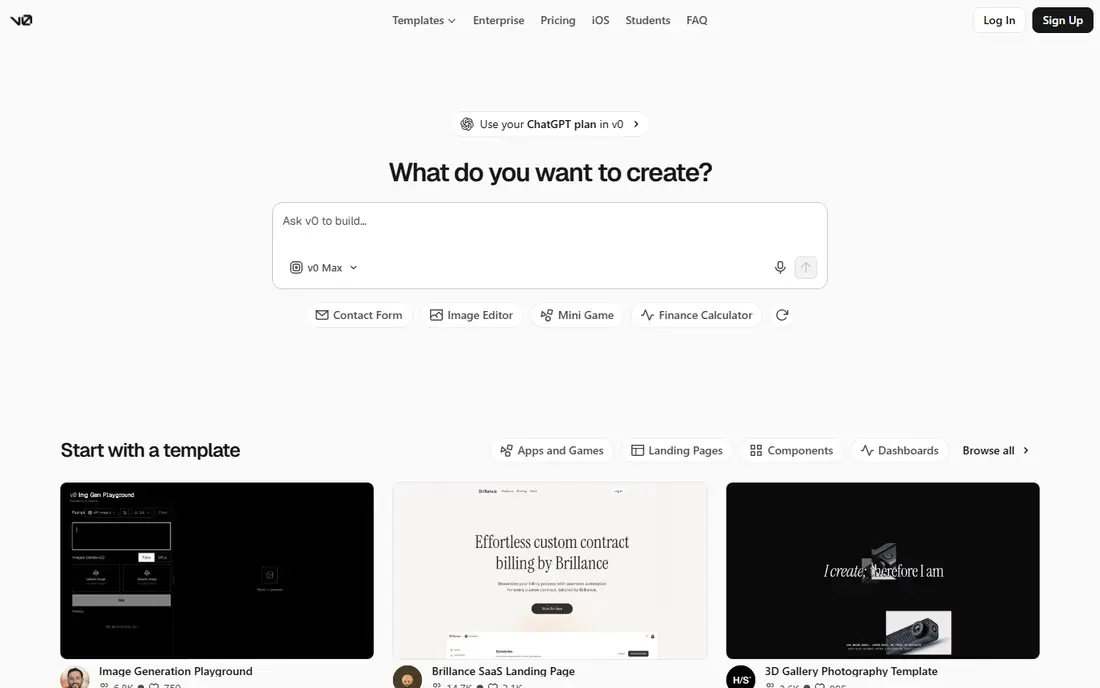
v0 is the pick when the screen is the product. It generates React and Next.js interfaces from prompts or screenshots, and the output quality on layout, spacing, and components is the strongest in this list. Deployment to Vercel is one click from the same screen.
The trade off is scope. v0 will happily build the front of an app and leave the database, auth, and jobs to you. That is fine for design led teams with engineers, and frustrating for a solo founder who expected a whole app. v0 fits frontend teams that want production grade UI fast and already live in the Vercel and GitHub world.
What we like- Best in class interface generation for React and Next.js
- Deploys straight to Vercel
- Free tier with daily messages and a starter credit
- Code arrives through GitHub pull requests
Watch out for- Frontend first, so backends and auth are your problem
- Per user pricing adds up for teams
- Value drops if you do not host on Vercel
#3Replit
Best for: Building and hosting in one workspace4.4/5 on
G2 (417 reviews, checked Oct 2026)
Visit replit.com
Starting price$20 per month
Free planYes
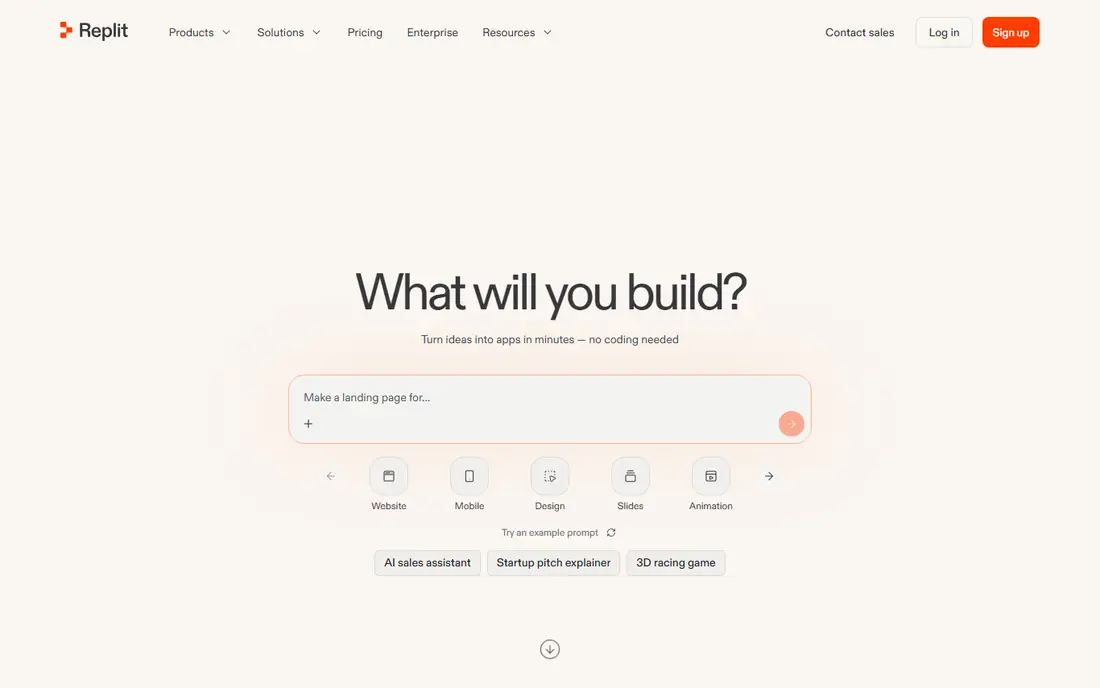
Replit is the alternative for builders who suspect they will outgrow prompting. Its agent builds apps from instructions, but the full code sits in a real editor next door, and hosting, databases, and deployment are part of the same workspace. Core costs $20 per month billed monthly and includes a block of credits for agent work.
The trade off is a meter you have to watch. Heavy agent use beyond the included credits costs extra, and costs mix agent credits with cloud charges. Replit fits technical founders and small teams who want one place to build and ship, and who are comfortable reading the code the agent writes.
What we like- Real code editor beside the AI agent
- Build, host, and deploy without leaving the browser
- Free Starter tier with a daily agent allowance
- Supports many languages, not just web stacks
Watch out for- Agent work beyond the included credits is pay as you go
- Large projects can feel slower than a local editor
- Pricing mixes credits and cloud charges
#4Base44
Best for: Non technical founders3.8/5 on
G2 (4 reviews, checked Oct 2026)
Visit base44.com
Starting price$20 per month
Free planYes
Base44, now owned by Wix, is built for people who do not want to think about stacks at all. You describe the app in short messages and it assembles pages, data, logins, and hosting. Starter costs $20 per month billed monthly, and the free tier is enough to test an idea.
The trade off is portability. The backend lives on Base44, so moving away later is real work, and design output is plainer than the leaders. Base44 fits non technical founders building internal tools, directories, or simple customer apps where speed matters more than custom design.
What we like- Apps, database, auth, and hosting in one no code flow
- Free tier with 25 message credits a month
- Aimed at business tools and simple products
- Owned by Wix, so the company is not a startup risk
Watch out for- Less design polish than Lovable or v0
- Backend stays on Base44, which limits migration
- GitHub sync needs a higher plan
#5Cursor
Best for: Developers who own the code4.6/5 on
G2 (326 reviews, checked Oct 2026)
Visit cursor.com
Starting priceSee website
Free planYes
Cursor is a different species from Bolt.new. It is a desktop editor where AI helps you write and change code in a repository you own. People move from Bolt to Cursor when the prototype works and someone needs to maintain it properly. Because sources disagree on the current plan structure and entry price, this guide lists See website.
The trade off is effort. Cursor gives you control and no lock in, and in return you handle hosting, databases, and deployment yourself. Cursor fits developers and technical teams who want AI speed with a normal codebase at the end of it.
What we like- Full AI code editor that works on your own repository
- Strong multi file edits and refactoring
- Model choice across providers
- Free tier for light use
Watch out for- Not a prompt to app builder and hosts nothing
- Published plan prices conflict between sources, so check the pricing page
- Costs rise when you use frontier models at API rates
#6Windsurf
Best for: Agentic coding in a desktop editor4.2/5 on
G2 (56 reviews, checked Oct 2026)
Visit windsurf.com
Starting price$20 per month
Free planYes
Windsurf, now presented as Devin Desktop, is the other big AI editor. Its agent can plan and carry out multi step changes across a codebase, which is the part of Bolt.new that editor users miss. Current listings put the Pro plan at $20 per month with a limited free tier in front of it.
The trade off is the same as Cursor, plus murkier quotas. The exact size of the daily and weekly limits is not clearly published, so heavy users should test on the free tier first. Windsurf fits developers who want an agent that works across a whole project inside a familiar editor.
What we like- Agent mode handles multi step changes across a project
- Editor feels familiar to VS Code users
- Free tier with limited quotas
- Pro plan priced at $20 per month in current listings
Watch out for- Quota sizes are not clearly published
- No hosting or app backend included
- Company and product names have changed, so check what you are buying
#7
Dyad
Best for: Local, open source building with your own key
Visit dyad.sh
Starting price$20 per month
Free planYes
Dyad copies the Lovable style workflow but runs it on your own computer. The app itself is free and open source. You connect your own model API key or a local model, and Dyad Pro at $20 per month adds more agent capacity and the Pro agent.
The trade off is that you become the platform. Model bills land with you, and there is no hosted backend waiting at the end. Dyad fits builders who like prompt based building but refuse lock in, and developers who want AI help with full control of the keys and the code.
What we like- Desktop app is free and open source
- Bring your own API key or a local model, so no platform lock in
- Pro plan at $20 per month adds the stronger agent
- Your code never has to leave your machine
Watch out for- You pay model providers directly, so costs vary
- Setup is more work than a hosted builder
- Smaller community and fewer templates than the big names
#8Bubble
Best for: Complex no code apps with real logic4.4/5 on
G2 (166 reviews, checked Oct 2026)
Visit bubble.io
Starting price$29 per month
Free planYes
Bubble is the veteran no code platform, and it earns its place because it handles the complex apps that prompt builders struggle with: user roles, conditional workflows, and structured data. You can build free and pay when you go live, with Starter listed at $29 per month billed annually.
The trade off is time. Bubble rewards people who learn its model and punishes people who want an app from one prompt. Bubble fits founders building a serious product without code who expect to stay on the platform and scale inside it.
What we like- Deepest visual logic and database model in this list
- User roles and workflows suit real products
- Free plan lets you build and test before going live
- Large plugin and template market
Watch out for- Learning curve is the steepest here
- Pricing runs on workload units that take time to predict
- Apps live on Bubble, so export is limited
How we chose
We compared the tools buyers name most often when they leave Bolt.new, using vendor pricing pages and product documentation for plan prices, free tiers, and credit systems. Where current sources conflicted on a price, we wrote See website instead of printing a figure we could not verify. We weighted how close each tool stays to the prompt to app workflow, what happens to your code and data, and how predictable the bill is as an app grows. We did not claim hands on testing of any tool.
How to pick your Bolt.new alternative
Decide first whether you want a builder or an editor. Builders like Lovable, Base44, and Bubble host the app and handle the backend, and they are the right shape if you do not code. Editors like Cursor, Windsurf, and Dyad assume a repository and a developer, and they win on ownership. v0 and Replit sit between the two, pairing generation with real code and deployment.
Then look hard at the meter. This category bills in credits, tokens, messages, and workload units, and none of them map cleanly to each other. Build the same small test app in two or three finalists on free tiers and compare what the exercise cost. Finally, plan your exit before you need it. GitHub sync, code export, and a standard backend like Supabase keep your options open. A beautiful app you cannot move is a cost, not an asset.
Frequently asked questions
What is the closest alternative to Bolt.new?
Lovable is the closest match. The workflow is the same prompt, build, refine loop, the output is full stack with a database and logins included, and GitHub sync means a developer can take the code over later. Replit is the next closest if you want a real code editor in the same workspace.
Are there free alternatives to Bolt.new?
Yes. Every tool in this list has a free tier. Lovable gives daily build credits, Base44 gives monthly message credits, Dyad is a free open source app where you pay only your model provider, and Bubble lets you build free and pay when you publish. Free tiers are for testing and small projects, not production traffic.
Can I move an app I built in Bolt.new to one of these tools?
Partly. If you exported your Bolt.new project to GitHub or as a zip, editors like Cursor and Windsurf can open the codebase and continue from there. Moving into another hosted builder usually means rebuilding the app in that tool, because each platform stores logic and data in its own format.
Which alternative is best if I cannot code at all?
Base44 is the gentlest start, because it hides the stack entirely and includes hosting and logins. Lovable is the better pick if design quality matters and you may hire a developer later, since the code syncs to GitHub. Bubble is the most powerful no code option, but expect a real learning curve.
Why do prices for these tools change so often?
The category is young and every vendor meters AI usage differently, in credits, tokens, or messages, and model costs keep moving. Plans and limits have changed several times in the past year. Treat any price in this guide as a starting point and confirm the current plan on the vendor pricing page before you commit.
Sources we checked (0)
Is your product missing or out of date?
We review this list regularly. Vendors can request a listing, send updated pricing or ask about featured placement.

Shihab Mia · Founder, Rankite
Shihab has 5+ years in B2B and SaaS SEO. He writes Rankite's software buying guides from pricing pages, documentation and public user reviews. More about Shihab.