How we make this list: we compare pricing pages, product documentation and public user reviews. Ratings come from G2, Capterra or Trustpilot, with the date we checked them.
Key takeaways
- TrendSpider and Trade Ideas suit active traders who need charts, scans, and signals, while Danelfin and FinChat suit investors who want scores and research without chart work.
- AI scores and signals are starting points for research, not predictions, and backtested results often look better than live results.
- Real-time data, add-ons, and higher tiers raise the true monthly cost well above the starting plan on several tools in this list.
- This is not financial advice. Use these tools to research and compare, and make investment decisions with your own judgement or a licensed adviser.
- Free tiers from Danelfin, TradingView, and Koyfin are enough to learn the workflow before paying for a professional plan.
Quick comparison
| Tool | Best for | Starting price | Free plan |
|---|
 TrendSpider TrendSpider | Chart automation and multi-timeframe analysis | $59 per month | No |
 Trade Ideas Trade Ideas | Real-time scanning and AI signals | $127 per month | No |
 Danelfin Danelfin | AI stock scores without charting | See website | Yes |
 Tickeron Tickeron | Pattern recognition and AI robots | $90 per month | Free trial |
 Kavout Kavout | Quantitative stock ranking | See website | No |
 TradingView TradingView | Charting and community ideas | $12.95 per month (billed annually) | Yes |
 FinChat FinChat | Fundamental research with source links | $29.99 per month | Yes |
 Koyfin Koyfin | Dashboards, screening, and charts | $9.99 per month | Yes |
 Stock Rover Stock Rover | Deep fundamental screening and research | $9.95 per month | Yes |
Is your product missing or out of date?
We review this list regularly. Vendors can request a listing, send updated pricing or ask about featured placement.
Starting price$59 per month
Free planNo
TrendSpider automates the chart work that active traders usually do by hand. It draws trendlines, detects patterns, and watches multiple timeframes at once, then alerts you when price interacts with a level you care about. The scanner lets you describe a setup in plain language, such as a stock near a multi-timeframe trendline with a weak momentum reading, rather than building a long filter chain. Backtesting and no-code bots are included, with bot slots and scan frequency rising on higher plans.
Pricing is the detail to check first. Published pricing checks in October 2026 put Standard at $59 to $89 per month depending on billing term, with Premium and higher tiers above that, and a paid 14-day intro period rather than a free trial. Real-time US stock data is included for non-professionals, but futures data and extra AI assistant messages cost more. TrendSpider fits technical traders who spend hours on charts each week. It is less useful for a long-term investor who mainly needs fundamentals and valuation, since it has no fundamental data of its own.
What we like- Automated trendlines and pattern detection
- Multi-timeframe analysis and smart alerts
- Backtesting and strategy automation on all plans
Watch out for- No free tier, only a paid intro period
- Add-ons for futures and AI messages raise costs
Starting price$127 per month
Free planNo
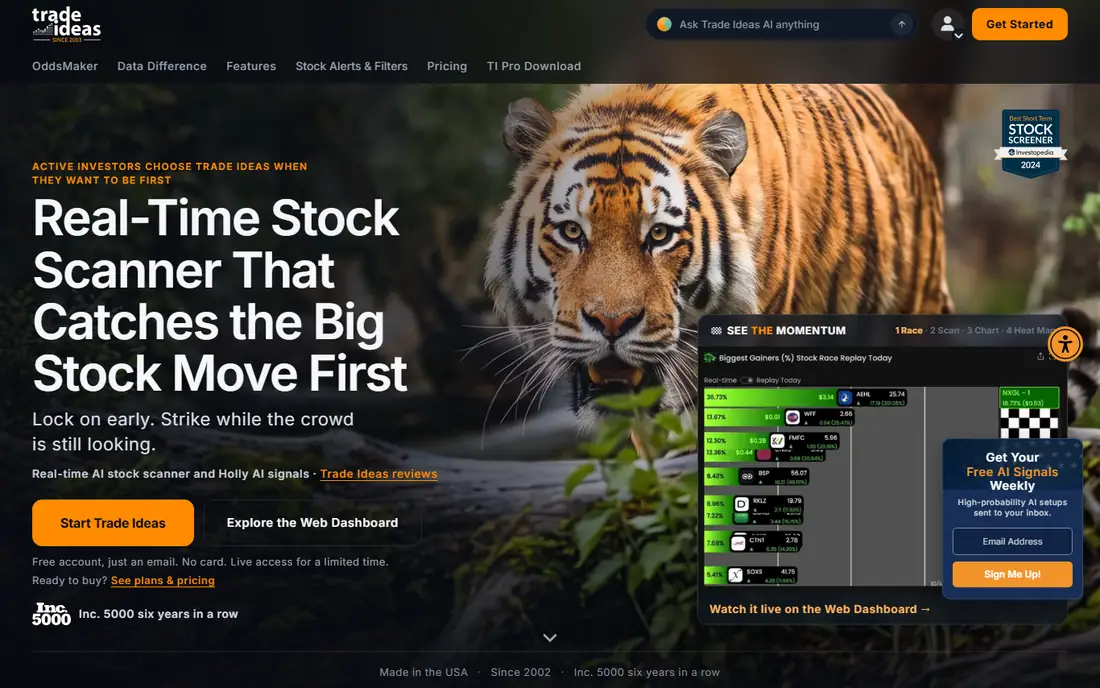
Trade Ideas is built for traders who want the market scanned in real time and want AI-generated ideas to review, not just a chart to study. Its Holly AI system produces signals with entry, stop, and target levels, and the scanner watches price, volume, and news catalysts as they happen. OddsMaker, on the premium plan, lets traders backtest a strategy without code and see how it would have performed under past conditions. An AI assistant for research is also included in its Pro plans.
The price reflects that focus. Published pricing puts Standard at $127 per month and Premium at $254 per month, with annual billing bringing those to about $89 and $178 per month respectively. Holly signals and OddsMaker are premium features, so a buyer on the lower plan does not get the full AI system. Trade Ideas fits day traders and active swing traders who trade often enough to justify the fee. Casual investors will find cheaper research tools that cover their needs without a real-time scanner.
What we like- Holly AI signals with entry, stop, and target levels
- Real-time scanning across US equities
- OddsMaker backtesting on the higher plan
Watch out for- High monthly cost
- Best features sit on the premium tier
Starting priceSee website
Free planYes
Danelfin takes a simpler path than charting tools: it scores stocks using hundreds of technical and fundamental indicators and presents a probability-style rating that investors can compare across names. You do not need to draw trendlines or build a screener to use it, which makes it popular with long-term investors who want a shortlist to research further. The free tier is genuinely useful for basic scores and screening, while paid plans add more data, API access, and advanced features.
The honest catch is opacity. A single score hides the reasons behind it, so two stocks with the same score can have very different risks, and a score that worked in one market regime may not work in another. Danelfin also focuses mainly on US stocks in its core offering, so global investors should check coverage before paying. Use Danelfin to narrow a list, then read filings, earnings, and valuation yourself before acting. That two-step process is where the tool adds value without replacing judgement.
What we like- AI score based on many technical and fundamental indicators
- Simple interface with no charting needed
- Useful free tier for basic research
Watch out for- Scores can feel opaque
- Coverage is mainly US stocks on some plans
Starting price$90 per month
Free planFree trial
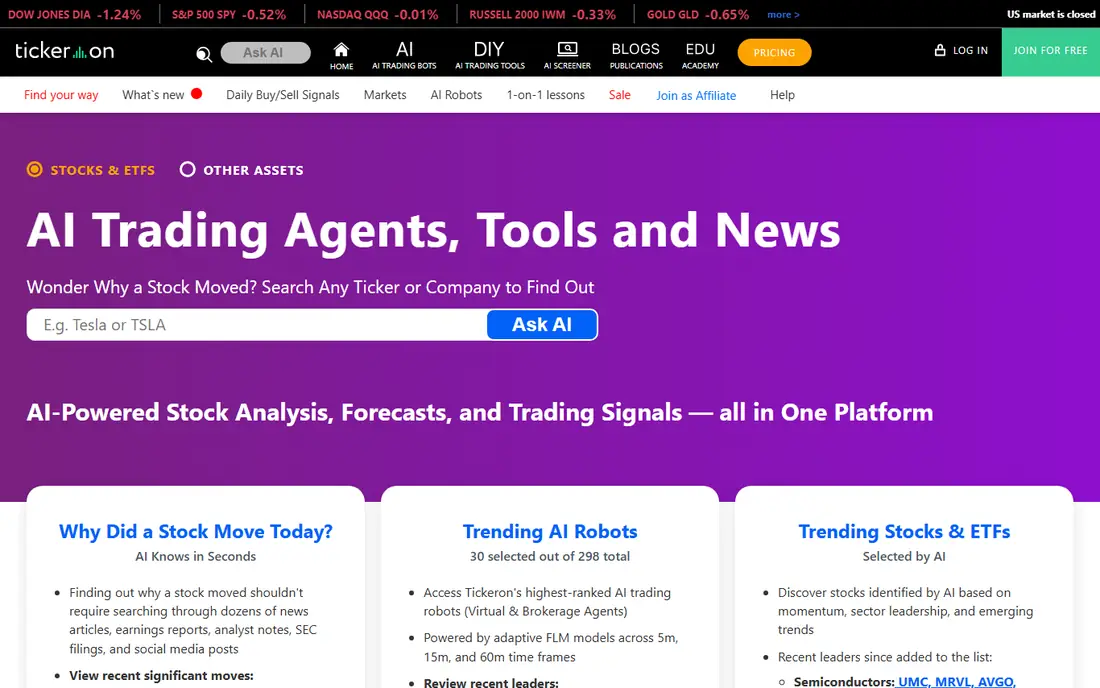
Tickeron combines pattern recognition, AI robots, and screener tools in one platform. Its pattern engine scans charts for formations and assigns a confidence level, while its AI robots run rules-based strategies that users can follow or paper-trade first. Coverage spans stocks, ETFs, forex, and crypto, which suits traders who move across asset types and want one screener for several markets. Backtesting helps users see how a pattern or robot performed in the past before they rely on it.
Published summaries put Tickeron pricing from about $90 per month upward, with higher tiers for more features, and a trial for testing. That price is high for a casual user, and pattern signals still need human review, because a pattern that looks clean on a chart can fail when news or earnings change the story. Tickeron fits traders who like systematic, pattern-based ideas and who will test them before trading real money. Investors looking for fundamentals should pair it with a research tool, not use it alone.
What we like- Pattern recognition with confidence levels
- AI robots for automated strategies
- Broad coverage across stocks, ETFs, and crypto
Watch out for- Higher starting price than simpler screeners
- Pattern accuracy varies by market conditions
Starting priceSee website
Free planNo
Kavout is a quantitative platform built around its Kai Score, which ranks stocks on a scale using machine learning across fundamental, technical, and alternative data sources. Published summaries cite more than 200 data sources behind the score. That systematic approach appeals to investors who want a consistent ranking method, rather than a new idea each day based on headlines. It works best as a screening and ranking layer: pick a universe, rank it, then research the top names in depth.
Pricing is not published as a simple consumer plan, and Kavout leans toward professional and enterprise users, so retail buyers should ask for a clear quote and check what coverage and API access are included. Kavout is also less suited to intraday trading, where real-time scanning and chart automation matter more than a daily ranking. For a systematic investor who values a repeatable process, Kavout is a strong research tool. For a trader who needs live signals, Trade Ideas or TrendSpider will fit better.
What we like- Kai Score ranks stocks using machine learning
- Data from many fundamental, technical, and alternative sources
- Rules-based approach suits systematic investors
Watch out for- Enterprise-leaning pricing
- Less suited to active day trading
#6TradingView
Best for: Charting and community ideas4.5/5 on
G2 (75 reviews, checked Oct 2026)
Visit tradingview.com
Starting price$12.95 per month (billed annually)
Free planYes

TradingView is the charting platform most traders already know, and for good reason. Its charts are fast, its drawing tools are clear, and Pine Script lets users build custom indicators and strategies without a separate coding environment. The community adds ideas, scripts, and educational content, which helps newer traders learn how others read a chart. Coverage spans US and global stocks, futures, forex, and crypto, with real-time data depending on the exchange and plan.
TradingView is not primarily an AI stock picker. Its AI features, such as screener requests, are useful, but they do not replace a dedicated AI scoring or signal tool. Published pricing puts paid plans from $12.95 per month on annual billing, with a free Basic plan for basic charting. That makes TradingView a good base tool: use it for charts and watchlists, and add Danelfin, FinChat, or Stock Rover when you need AI scores or deep fundamentals. Most active traders in this guide will keep TradingView even if they pay for another tool.
What we like- Excellent charts and Pine Script for custom indicators
- Large community sharing ideas and scripts
- Broad global market coverage
Watch out for- AI features are limited compared with specialist tools
- Best features sit on paid plans
Starting price$29.99 per month
Free planYes
FinChat, formerly FinChat.io, is a fundamental research tool that lets investors ask questions about a company and get answers linked to filings, earnings calls, and financial data. That source linking matters, because an AI summary without a source is hard to trust when you are deciding whether to buy a stock. FinChat also provides clean financial statements, valuation charts, and segment data for US public companies, which suits investors who build a thesis from earnings, margins, and cash flow rather than from chart patterns.
Published summaries put FinChat pricing at free for basic use and $29.99 per month for a paid plan, with higher tiers for more advanced features. Coverage is mainly US companies, so global investors should check whether their markets are included. FinChat fits long-term investors and analysts who want fast, sourced fundamental answers. It does not provide real-time trading signals, so active traders will still need a scanner or charting tool alongside it.
What we like- Conversational research with links to filings and sources
- Clean financial data and charts for US companies
- Good fit for earnings and valuation work
Watch out for- Coverage is mainly US public companies
- Higher tiers needed for advanced data
#8Koyfin
Best for: Dashboards, screening, and charts4.8/5 on
G2 (134 reviews, checked Oct 2026)
Visit koyfin.com
Starting price$9.99 per month
Free planYes
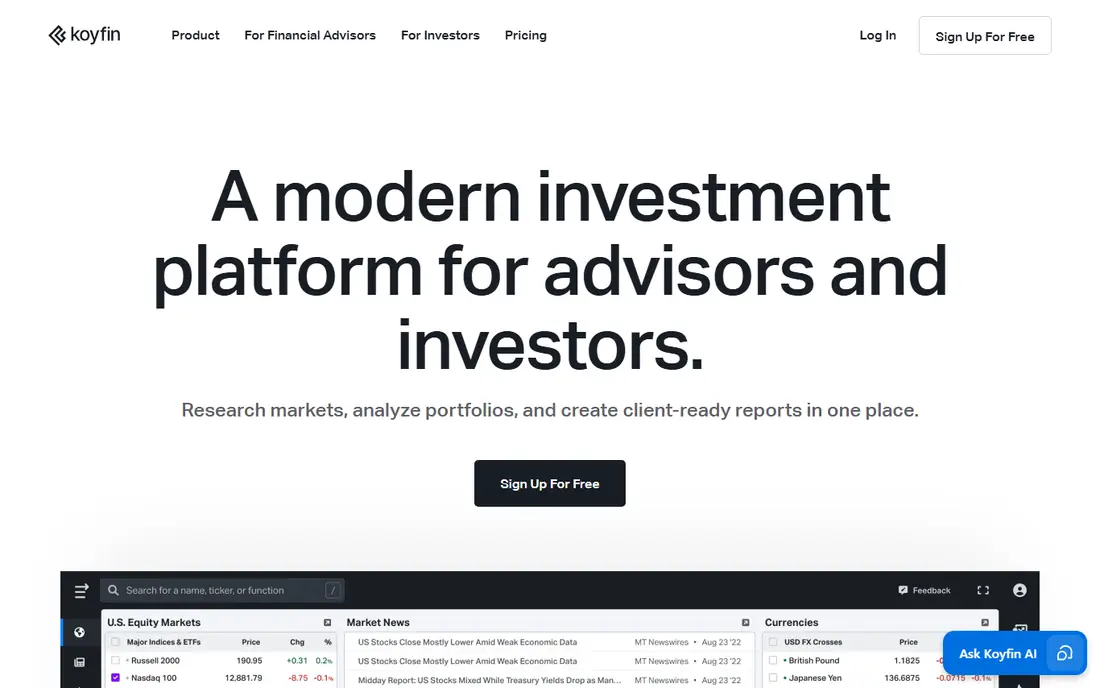
Koyfin is a market data platform that lets investors build custom dashboards, screen for stocks, set alerts, and chart global markets in one place. It covers a wide range of asset types and markets, which makes it useful for investors who track US and international names together. The interface is clean, the free tier is useful for basic dashboards and screening, and published summaries put paid plans from $9.99 per month, which keeps it affordable for individual investors.
Koyfin is not an AI picker in the same sense as Danelfin or Kavout. Its strength is organisation and data access: you can watch a portfolio, compare valuations, and spot changes without opening five different sites. Advanced data, more dashboards, and faster updates sit on higher plans, so check the tier that matches your watchlist size. Koyfin fits investors who want a daily research dashboard at a fair price, and it pairs well with FinChat for fundamentals or TradingView for charting.
What we like- Custom dashboards for watchlists and portfolios
- Screening, alerts, and global coverage
- Transparent pricing with a useful free tier
Watch out for- AI features are lighter than specialist tools
- Advanced data sits on higher plans
Starting price$9.95 per month
Free planYes
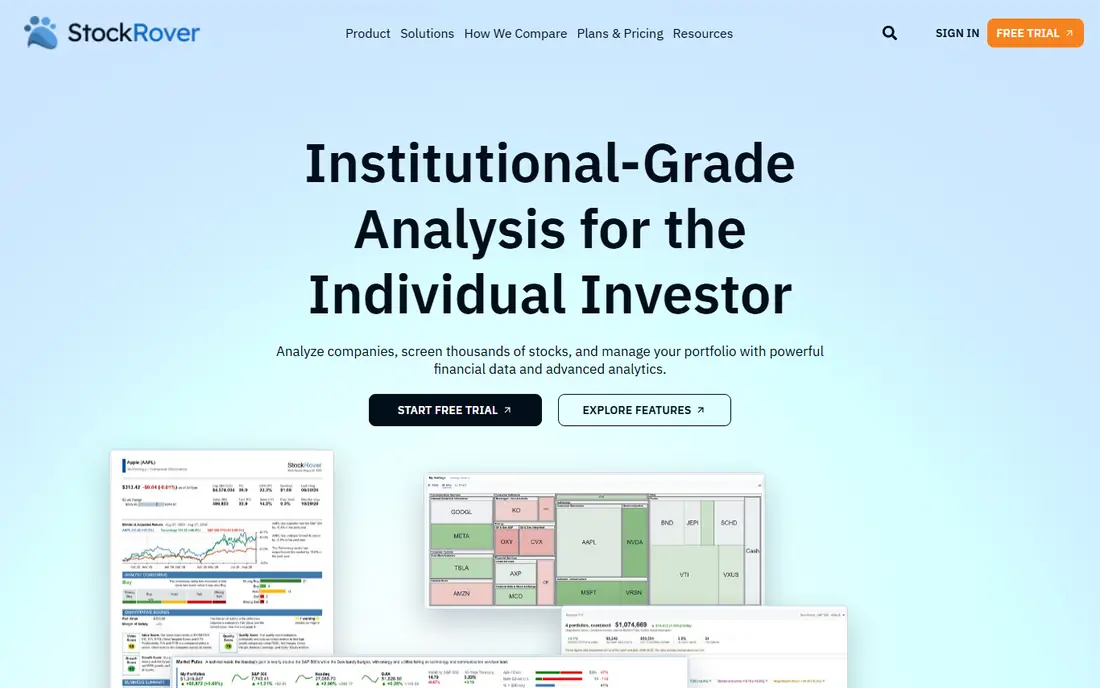
Stock Rover is a research platform for investors who like to screen on fundamentals. It offers hundreds of metrics and ratios, custom screening, portfolio analysis, dividend tracking, and historical performance views, which suits value and income investors who compare companies on earnings, cash flow, and balance sheet strength. A basic free tier lets users learn the screener before paying, and published summaries put paid plans from $9.95 per month to about $39.95 per month for premium features.
The interface is dense, and beginners may need time to learn the screener and portfolio tools. Coverage is mainly US and Canadian stocks, so global investors should check their markets first. Stock Rover does not offer AI signals in the way Trade Ideas does, but for fundamental research depth at a modest price, it is one of the strongest tools in this list. Pair it with a charting tool if you also need technical timing, because Stock Rover leads with fundamentals, not charts.
What we like- Deep screening with hundreds of metrics
- Portfolio and dividend research tools
- Basic free tier for learning the platform
Watch out for- Mainly US and Canadian coverage
- Interface feels dense for beginners
How we chose
We compared pricing pages, product documentation, and public reviews on G2, Capterra, and Reddit, and we kept only tools that analyse stocks as a core job, not general chatbots or broker apps with a screener added on. Each tool was judged on data quality, AI or screening method, backtesting and alert features, pricing clarity, and fit for a clear investor type, from a long-term researcher to an active trader. Where pricing varied across sources or was not published, we wrote See website rather than presenting an estimate as a vendor price. This is not financial advice, and no tool in this list can predict market returns.
AI tools speed up research, but they also make it easy to mistake a backtest for a forecast. A disciplined process protects you from that trap.
Start with a question, not a score
Decide what you are trying to do before you open a tool: find value stocks, time a swing trade, or research an earnings report. A score or signal that does not match that question will pull you into trades you did not plan. Write down your criteria, such as valuation range, market cap, or holding period, and use the tool to filter for those criteria, not to replace them.
Test signals before you trade them
Paper-trade a signal or score for at least a few weeks, and record wins, losses, and the reason you entered each trade. Backtests often ignore slippage, fees, and news events that change a stock overnight, so live paper results tell you more than a historical chart. If a tool does not let you export signals or track them, keep a simple spreadsheet so you can review your own hit rate honestly.
Check costs, data, and export options
Confirm whether real-time data is included, whether futures or options data costs extra, and whether you can export watchlists and signals. Also check contract terms: some tools use monthly billing, others reward annual billing with a lower rate, and paid intro periods are not the same as free trials. A tool that locks your research inside its app, with no export, will cost you time if you switch later.
Frequently asked questions
What is an AI stock analysis tool?
It is software that uses machine learning, pattern detection, or large-scale data analysis to score stocks, find patterns, screen for setups, or summarise research. It processes price, volume, fundamentals, news, and other data faster than manual research, but it does not remove market risk.
Can AI tools predict stock prices?
No. AI tools can highlight patterns and probabilities based on past data, but markets react to news, earnings, interest rates, and events that past data cannot foresee. Treat every score and signal as research to verify, not as a prediction or a recommendation.
Which tool is best for beginners?
Danelfin, Koyfin, and FinChat are easier starting points, because they focus on scores, dashboards, and sourced research rather than real-time trading. TradingView is also a good base for learning charts. Start with a free tier, learn one workflow, and only pay when you use the tool regularly.
Are free stock analysis tools enough?
For many casual investors, yes. Free tiers from TradingView, Koyfin, FinChat, Danelfin, and Stock Rover cover charting, screening, and basic research. Paid plans matter when you need real-time data, more alerts, backtesting, API access, or advanced fundamental data.
Do I need a broker account to use these tools?
No. Most tools in this list are research platforms, not brokers, and they work without a trading account. Some offer broker connections for order routing, but you should check fees, execution, and account safety before linking any tool to a live account.
Is this article financial advice?
No. This article compares tools for research and education only, and it is not financial advice. Investment decisions carry risk, including loss of capital, so consider your own goals and risk tolerance, and speak to a licensed adviser for personal advice.
Sources we checked (9)
- https://www.trendspider.com
- https://www.trade-ideas.com
- https://www.danelfin.com
- https://www.tickeron.com
- https://www.kavout.com
- https://www.tradingview.com
- https://www.finchat.io
- https://www.koyfin.com
- https://www.stockrover.com
Is your product missing or out of date?
We review this list regularly. Vendors can request a listing, send updated pricing or ask about featured placement.

Shihab Mia · Founder, Rankite
Shihab has 5+ years in B2B and SaaS SEO. He writes Rankite's software buying guides from pricing pages, documentation and public user reviews. More about Shihab.