How we make this list: we compare pricing pages, product documentation and public user reviews. Ratings come from G2, Capterra or Trustpilot, with the date we checked them.
Key takeaways
- A startup with five people still has to ship a product, find customers, close deals and answer support tickets, and AI tooling is what lets a lean team keep up.
- Notion covers docs, wikis and roadmaps, Slack covers team communication, HubSpot covers early sales, and Zapier automates operations without engineers.
- ChatGPT is the best all-purpose AI assistant for founders, from free to $20 per month for Plus.
- Cursor is the best AI coding tool for product teams, with paid plans from $8 per month and Teams from $30 per user per month.
- Pricing was checked on official pricing pages in late October 2026 in recent guides, though a few vendors showed regional prices or blocked access.
Quick comparison
| Tool | Best for | Starting price | Free plan |
|---|
 Notion Notion | Docs, wikis and roadmaps | Free; Plus $10 per member per month | Yes |
 Slack Slack | Team communication with AI | Free; Pro $7.25 per user per month (annual) | Yes |
 HubSpot HubSpot | Free CRM for early sales | Free; Starter from $15 per seat per month | Yes |
 Zapier Zapier | Automating operations without engineers | Free; from $19.99 per month | Yes |
 Canva Canva | Marketing design and brand assets | Free; Pro $144 per year | Yes |
 ChatGPT ChatGPT | All-purpose AI assistant for founders | Free; Plus $20 per month | Yes |
 Cursor Cursor | AI coding for product teams | Paid from $8 per month; Teams $30 per user per month | Yes |
 Gamma Gamma | Pitch decks and investor updates | Free; Plus $9 per seat per month (annual) | Yes |
Is your product missing or out of date?
We review this list regularly. Vendors can request a listing, send updated pricing or ask about featured placement.
#1Notion
Best for: Docs, wikis and roadmaps4.6/5 on
G2 (13,834 reviews, checked Oct 2026)
Visit notion.so
Starting priceFree; Plus $10 per member per month
Free planYes
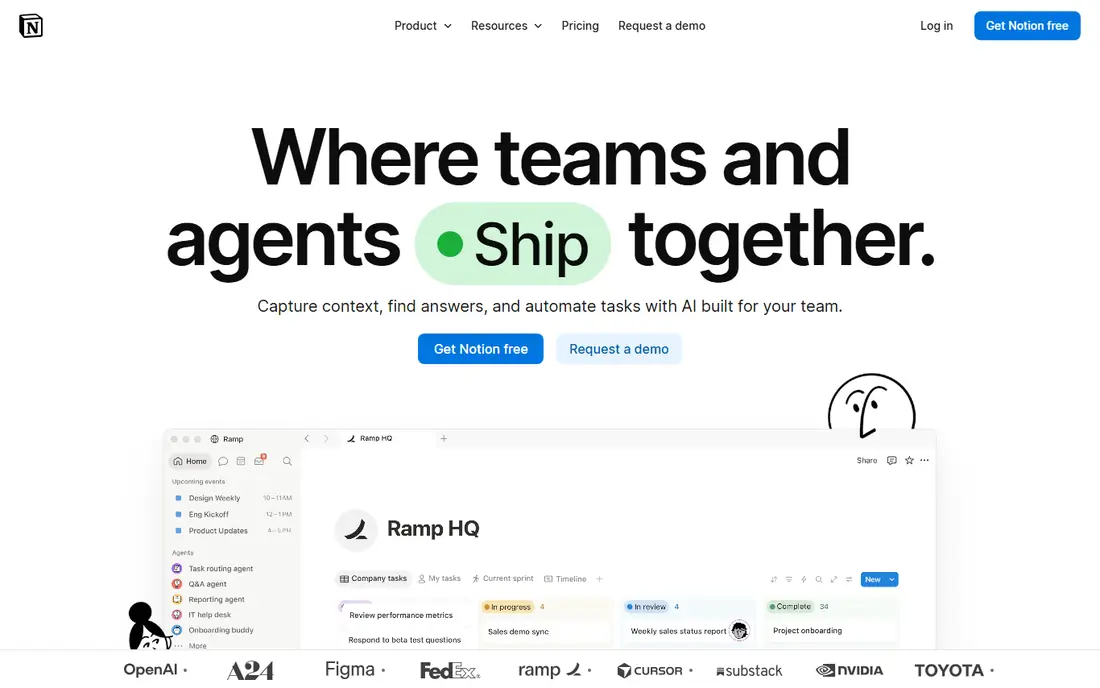
Notion is the best AI workspace for docs, wikis and roadmaps, with Plus at $10 per member per month in recent guides, and Business at $20 per member per month including Notion AI in another guide. For an early-stage company, Notion holds product specs, investor updates, onboarding docs and roadmaps in one searchable place, so a new hire can find decisions without asking around. AI features draft meeting notes, summarize long docs and turn rough notes into structured pages.
The risk is scope creep: teams start using Notion for everything, creating a sprawling workspace that is hard to govern. Keep one workspace owner, a clear folder structure and a rule that decisions live in Notion, not in chat threads. For documentation-heavy founding teams, Notion is the default workspace.
What we like- Single workspace for docs, wikis, roadmaps and projects
- AI summaries and drafting
- Strong templates
Watch out for- AI features cost extra on some plans
- Scope creep creates sprawling workspaces
#2Slack
Best for: Team communication with AI4.5/5 on
G2 (39,944 reviews, checked Oct 2026)
Visit slack.com
Starting priceFree; Pro $7.25 per user per month (annual)
Free planYes
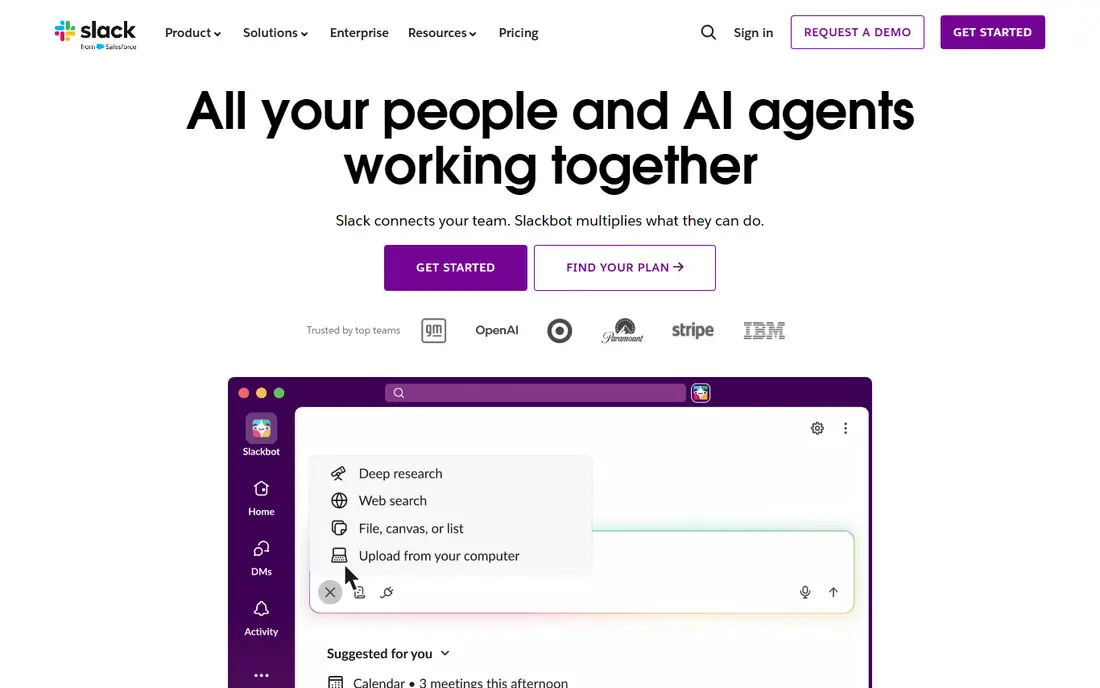
Slack covers team communication with AI, including thread summaries and huddle recaps on paid tiers, with Pro at $7.25 per user per month billed annually in recent guides. Channels organize product, sales and support conversations, while integrations post updates from GitHub, HubSpot, Zapier and other tools into the right channel. Huddles give quick voice calls without scheduling a meeting.
Free tier history limits to 90 days, which bites once a team grows and needs to search old decisions. Startups that already pay for Microsoft 365 should compare Teams, but most startups without that investment will find Slack the natural communication default.
What we like- Channels and threads
- 2,600 or more integrations
- AI thread summaries and huddle recaps
Watch out for- Per-seat pricing adds up above 50 people
- Free tier limits history to 90 days
Starting priceFree; Starter from $15 per seat per month
Free planYes

HubSpot is the best free CRM for early sales, with a free tier covering contacts, deals, pipelines and email tracking, plus Starter from $15 per seat per month in recent guides. For a founding team, HubSpot tracks every prospect conversation, deal stage and follow-up in one place, replacing spreadsheets that break as soon as two founders edit them at once. Marketing, sales and support tools share the same contact record, so a support ticket and a sales deal never live in separate silos.
Paid tiers scale fast with seats and features, so budget for growth beyond Starter. Early-stage teams should start free, prove the sales process, then upgrade when pipeline volume demands automation and reporting.
What we like- Free CRM with contacts, deals and pipelines
- Email tracking
- Marketing and sales in one place
Watch out for- Paid tiers scale fast with seats and features
- Advanced automation needs higher plans
#4Zapier
Best for: Automating operations without engineers4.5/5 on
G2 (2,088 reviews, checked Oct 2026)
Visit zapier.com
Starting priceFree; from $19.99 per month
Free planYes
Zapier automates operations without engineers, connecting thousands of apps so a new HubSpot deal can create a Slack notification, a Notion task and a Google Sheet row automatically. Recent guides list it from $19.99 per month billed annually, with a free tier for low-volume use. For a five-person startup, Zapier replaces the operations hire you cannot afford yet, handling lead routing, onboarding checklists and reporting without code.
Task-based pricing adds up with volume, since every automated step counts, so audit task usage monthly. Start with the highest-value automations, such as lead alerts and onboarding, and add more only when the time saved clearly exceeds the task cost.
What we like- Connects thousands of apps without code
- Automates busywork
- AI-assisted workflow building
Watch out for- Task-based pricing adds up with volume
- Complex workflows need care to debug
#5Canva
Best for: Marketing design and brand assets4.7/5 on
G2 (7,678 reviews, checked Oct 2026)
Visit canva.com
Starting priceFree; Pro $144 per year
Free planYes
Canva covers marketing design and brand assets, with Pro at $144 per year in recent guides, or about $15 per month in other guides depending on billing. Brand Kit locks colors, fonts and logos so every social post, ad and one-pager looks consistent, even when a non-designer makes it. Magic Studio AI features generate and edit images, resize designs for every platform and draft copy inside the same canvas.
The annual lump sum suits teams that design weekly, while occasional users can stay on the free tier. Premium brand work still needs a designer, but for launch assets, pitch one-pagers and social content, Canva lets a founding team look funded before it is.
What we like- Brand Kit and templates
- High-volume marketing assets
- Social posts, ads and one-pagers
Watch out for- Pro at $144 per year is a lump sum
- Advanced design still needs a designer for premium work
#6ChatGPT
Best for: All-purpose AI assistant for founders4.6/5 on
G2 (3,089 reviews, checked Oct 2026)
Visit chatgpt.com
Starting priceFree; Plus $20 per month
Free planYes
ChatGPT is the best all-purpose AI assistant for founders, from free to $20 per month for Plus in recent guides, covering drafting, brainstorming, customer support drafts, market research, product specs and investor update outlines. Small business owners use it for emails, blog posts, product descriptions, marketing ideas and social captions, saving hours every week. For a founding team, ChatGPT is the generalist that fills gaps before specialist hires arrive.
Responses should always be reviewed for accuracy, since ChatGPT can invent facts, prices and citations. Use it for drafts and ideas, then verify claims against real sources before publishing or sending to investors. At $20 per month, it is the cheapest high-value AI tool in this list.
What we like- Versatile across drafting, brainstorming, research and analysis
- Huge use case range
- Cheap entry
Watch out for- Outputs need fact-checking
- No native CRM or workspace integration without tools
#7Cursor
Best for: AI coding for product teams4.6/5 on
G2 (326 reviews, checked Oct 2026)
Visit cursor.com
Starting pricePaid from $8 per month; Teams $30 per user per month
Free planYes
Cursor is the best AI coding tool for product teams, with natural language code editing, multi-file changes and complex refactoring support that goes beyond autocomplete. Recent guides list paid plans from $8 per month and Teams from $30 per user per month, with a free tier for testing. For a startup engineering team, Cursor speeds up feature work, refactoring and bug fixing, letting a small team ship like a larger one.
AI code still needs review and testing, since generated code can carry bugs and security issues. Pair Cursor with the same branch protection, code review and test gates used for human-written code, and measure whether it shortens cycle time or only increases commit volume. Product teams that code daily will find Cursor the highest-value AI tool here.
What we like- Natural language code editing
- Multi-file changes
- Complex refactoring support
Watch out for- Paid plans needed for serious use
- AI code still needs review and testing
#8Gamma
Best for: Pitch decks and investor updates3.9/5 on
G2 (39 reviews, checked Oct 2026)
Visit gamma.com
Starting priceFree; Plus $9 per seat per month (annual)
Free planYes
Gamma is the best tool for pitch decks and investor updates, turning text prompts into clean, modern decks with Plus at $9 per seat per month billed annually in recent guides. For founders, Gamma compresses deck creation from days to hours, with templates for pitch decks, sales decks and board updates that look professional without design skills. Investor updates become a repeatable monthly task rather than a design project.
Design control is less than Canva or a professional designer, and AI decks need editing for investor-grade polish, especially on numbers, claims and narrative flow. Founders raising a round should use Gamma for speed, then refine the story and figures themselves before sending to investors.
What we like- Fast pitch decks from text prompts
- Investor update templates
- Clean modern designs
Watch out for- Less design control than Canva or a designer
- AI decks need editing for investor-grade polish
How we chose
We compared recent 2026 startup guides that mapped tools to the core jobs of an early-stage company: product, engineering, marketing, sales, support and research. Pricing was checked on official pricing pages in late October 2026 in those guides, with a few vendors showing regional prices or blocking automated access, which we noted where relevant. We weighed free-tier usefulness, fit for lean teams, integration depth and price, and we left out enterprise-only platforms, since this list covers tools a founding team can adopt on day one.
Building a lean startup stack
Start with the free tiers: Notion free, Slack free, HubSpot free, Zapier free, Canva free, ChatGPT free and Gamma free cover docs, chat, CRM, automation, design, AI assistance and decks at zero cost. Add paid tiers only when limits bite: Slack history wall, Notion permissions, HubSpot automation, Zapier task volume, Canva Brand Kit, ChatGPT Plus for heavier use, Cursor for engineering and Gamma Plus for frequent decks. A lean paid stack for a five-person team runs roughly $100 to $200 per month total, far below one hire, while an unmanaged sprawl of overlapping tools passes that figure per person.
Sequence by pain: communication first, since coordination pain arrives earliest, knowledge second, before lost decisions pile up, sales tracking third, when spreadsheets break, and automation fourth, when manual operations consume founder time. Each new tool demands habit-formation bandwidth, and teams absorb one new system well but three badly. Audit the stack twice a year, cut duplicates, and remove seats for departed team members.
What AI cannot do for a startup
AI drafts, summarizes and automates, but it cannot interview customers, validate a market or decide strategy. Founders should use AI to move faster on known work, not to replace customer conversations, pricing decisions or hiring judgment. Verify AI outputs before publishing, especially numbers shown to investors, since an invented metric in a pitch deck can end a fundraising conversation permanently.
Frequently asked questions
What is the best AI tool for startups overall?
Notion for docs and roadmaps, ChatGPT as the all-purpose assistant, and HubSpot free CRM for early sales form the core trio. Add Slack for communication, Zapier for automation and Cursor for engineering as the team grows.
How much should a startup spend on AI tools?
Zero to start, using free tiers across Notion, Slack, HubSpot, Zapier, Canva, ChatGPT and Gamma. A lean paid stack for five people runs roughly $100 to $200 per month total, far below the cost of one hire.
Is ChatGPT enough for a startup AI stack?
For drafting, brainstorming and research, yes, but specialist tools beat it on their own jobs: Notion for knowledge, HubSpot for CRM, Zapier for automation, Canva for design, Cursor for code and Gamma for decks. Use ChatGPT as the generalist beside specialists.
What is the best free CRM for startups?
HubSpot, with a free tier covering contacts, deals, pipelines and email tracking, plus Starter from $15 per seat per month when volume demands automation. No other free CRM here matches HubSpot breadth.
Should startups use Cursor or GitHub Copilot?
Cursor suits teams wanting natural language editing and multi-file refactoring, with Teams from $30 per user per month. GitHub Copilot suits teams wanting proven daily coding assistance from $10 per month. Both need code review and testing for AI-generated code.
What is the best AI tool for pitch decks?
Gamma, with Plus at $9 per seat per month billed annually, turning text prompts into clean investor-ready decks fast. Refine numbers and narrative yourself before sending to investors, since AI decks need human polish.
Sources we checked (8)
- https://news.ssbcrack.com/best-ai-tools-small-business/
- https://news.ssbcrack.com/best-ai-tools-for-startups/
- https://getalai.com/blog/best-ai-tools-for-startups
- https://smartworkflowpro.com/best-ai-tools-for-small-business-owners-in-2026-tested-compared/
- https://www.notion.so
- https://slack.com
- https://www.hubspot.com
- https://zapier.com
Is your product missing or out of date?
We review this list regularly. Vendors can request a listing, send updated pricing or ask about featured placement.

Shihab Mia · Founder, Rankite
Shihab has 5+ years in B2B and SaaS SEO. He writes Rankite's software buying guides from pricing pages, documentation and public user reviews. More about Shihab.